Overview
ChatGPT is a multimodal AI assistant developed by OpenAI.
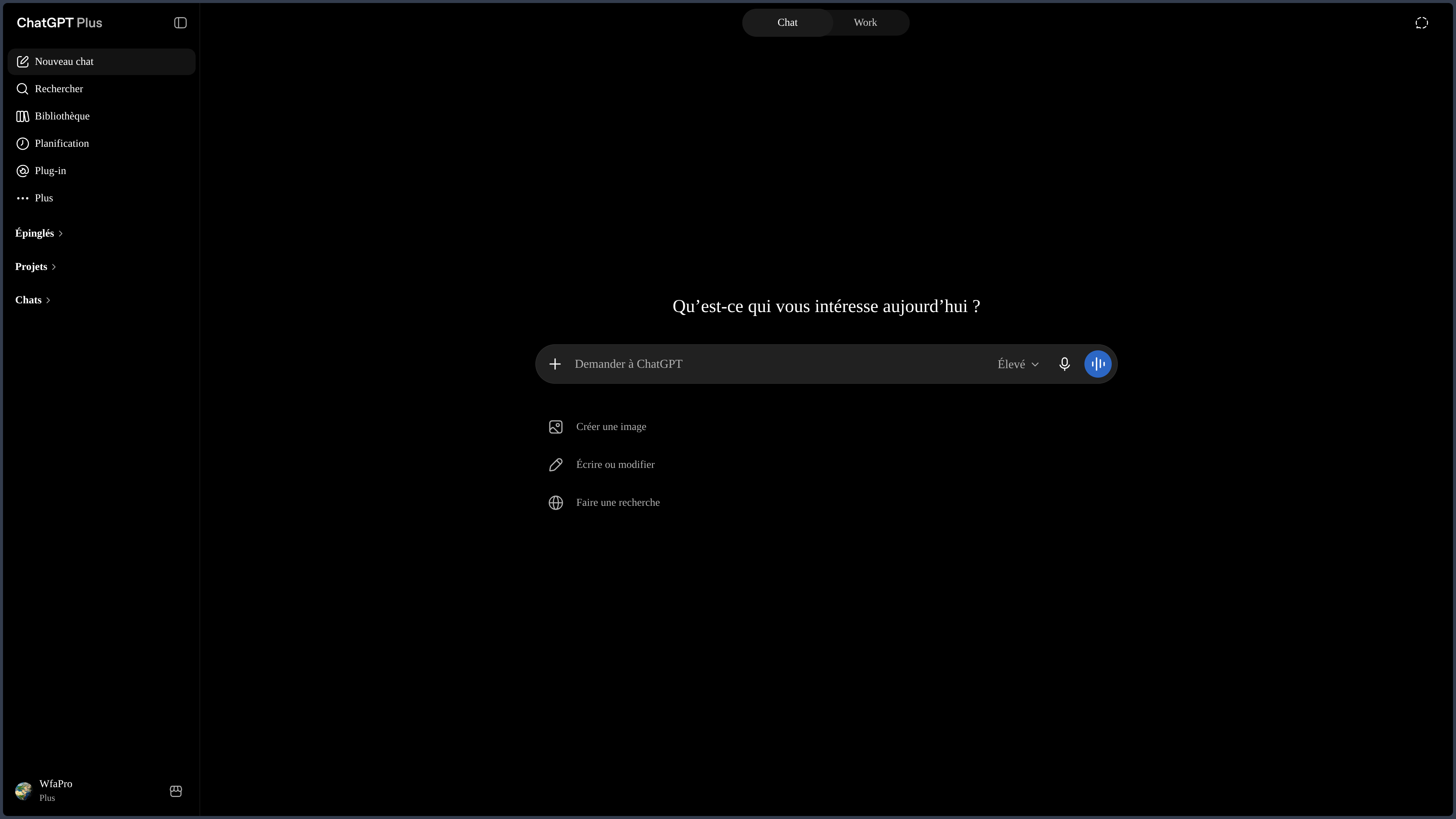
Originally conceived as a conversational interface, the service has gradually evolved into a general-purpose workspace. A single conversation can start with a question, continue with web search, document or data analysis, and end with text, an image, a report, code, or another deliverable.
This continuity is its main appeal.
ChatGPT avoids systematically splitting the simple stages of a project across multiple tools: understanding a topic, searching for information, structuring an idea, working on files, writing, visualizing, or preparing an action can all stay within the same context.
The product can therefore be approached at several levels.
For a short task, it remains an immediately available conversational assistant. For longer work, Projects, memory, files, production spaces, and certain automation features allow for greater continuity. For software development, Codex extends this logic toward a specialized environment capable of acting directly on a repository.
These levels need to be distinguished.
ChatGPT is the general-purpose product covered in this sheet. The GPT models are the engines it can leverage. Codex focuses on software development. The OpenAI API is a separate offering aimed at developers. Specialized GPTs, connected apps, and more structured workspaces can extend the experience without becoming yet more products to explain separately.
ChatGPT is less interesting as a simple "model that answers" than as an interface capable of moving work between conversation, sources, files, creation, and tools.
This versatility has a trade-off: the more the assistant gains access to data, applications, and action capabilities, the more necessary it becomes to understand what it consults, what it remembers, and what it can actually modify.
The simplicity of the interface should therefore not mask the diversity of uses. A quick question, a documented search, a multi-week editorial project, and an agent working on a repository do not involve the same sources, the same risks, or the same level of control.
Features
Conversation, Writing, and Structuring
Conversation remains the main entry point.
ChatGPT can explain a concept, compare several approaches, prepare a plan, rephrase a draft, translate content, or produce a first version tailored to an audience and a format.
Its value does not come solely from text generation. The user can work iteratively: provide constraints, correct a direction, add sources, then resume the same content without rebuilding the entire context.
This flexibility is particularly suited to phases where an idea has not yet been finalized.
It can also support educational uses: gradually explaining a concept, asking questions, producing exercises, or working from course materials. The interest is then less about replacing a teacher or a textbook than about making the exchange more interactive and adaptable to the user's level.
Fluency remains misleading when mistaken for accuracy. A convincing text can oversimplify a nuance, add an element absent from the source, or present a hypothesis as a fact.
Web Search and Working with Sources
ChatGPT can search for recent information on the web and accompany its responses with browseable sources.
For more complex questions, deep research features can scan multiple references, work with files or selected sites, and produce a structured synthesis.
This capability brings the assistant closer to a preparatory research tool: monitoring, comparison, market study, documentary brief, or state of the art can all be launched from the conversation.
The important point is not just to obtain links.
A search becomes truly useful when the user can distinguish:
- established facts;
- interpretations;
- primary and secondary sources;
- recent information and older elements;
- what comes from the provided documents and what comes from the web.
Citations improve traceability. They do not constitute automatic proof. ChatGPT can select a mediocre source, misunderstand a page, or draw a conclusion too broad from a correct document.
Documents, Data, and Project Context
ChatGPT can analyze documents, spreadsheets, text files, images, and other compatible content.
It can notably summarize or compare multiple documents, retrieve information, extract and restructure data, analyze a table, produce calculations or charts, and transform multiple sources into a new synthesis.
Projects add useful continuity to work that spans multiple sessions. Conversations, files, and instructions can stay grouped around the same folder.
This organization suits ongoing research, an editorial series, a long translation, or development that requires regularly returning to the same conventions.
Memory can also retain certain information or preferences between exchanges. It serves more to maintain personal continuity than to replace a real document repository.
These mechanisms genuinely change the way the assistant is used, but they share a common limitation: the context must be maintained.
An old file may remain present while a new version takes precedence. A memorized preference may become obsolete. A document available in the project may not be leveraged as expected.
For important work, sources of truth, decisions, and final versions should therefore be kept in an independent document system.
Image, Voice, and Multimodal Interaction
ChatGPT can work with text, images, and voice within a single experience.
Image generation and modification allow exploring a visual idea, creating variants, or transforming an existing element. Visual analysis can serve to comment on a screenshot, a diagram, an interface, or a document.
Voice mode allows the user to continue a thought without a keyboard and can make some interactions more natural, especially on the go.
Multimodality is particularly useful when a problem does not easily lend itself to text: an interface can be shown, a chart can be discussed, an image can become the starting point of a discussion.
It does not turn ChatGPT into a universal specialist.
A generated image may contain inconsistencies, visual analysis may miss a detail, and a transcription may misunderstand a technical term.
Production, Specialized Spaces, and Automation
ChatGPT's evolution is most visible in the shift from answer to produced work.
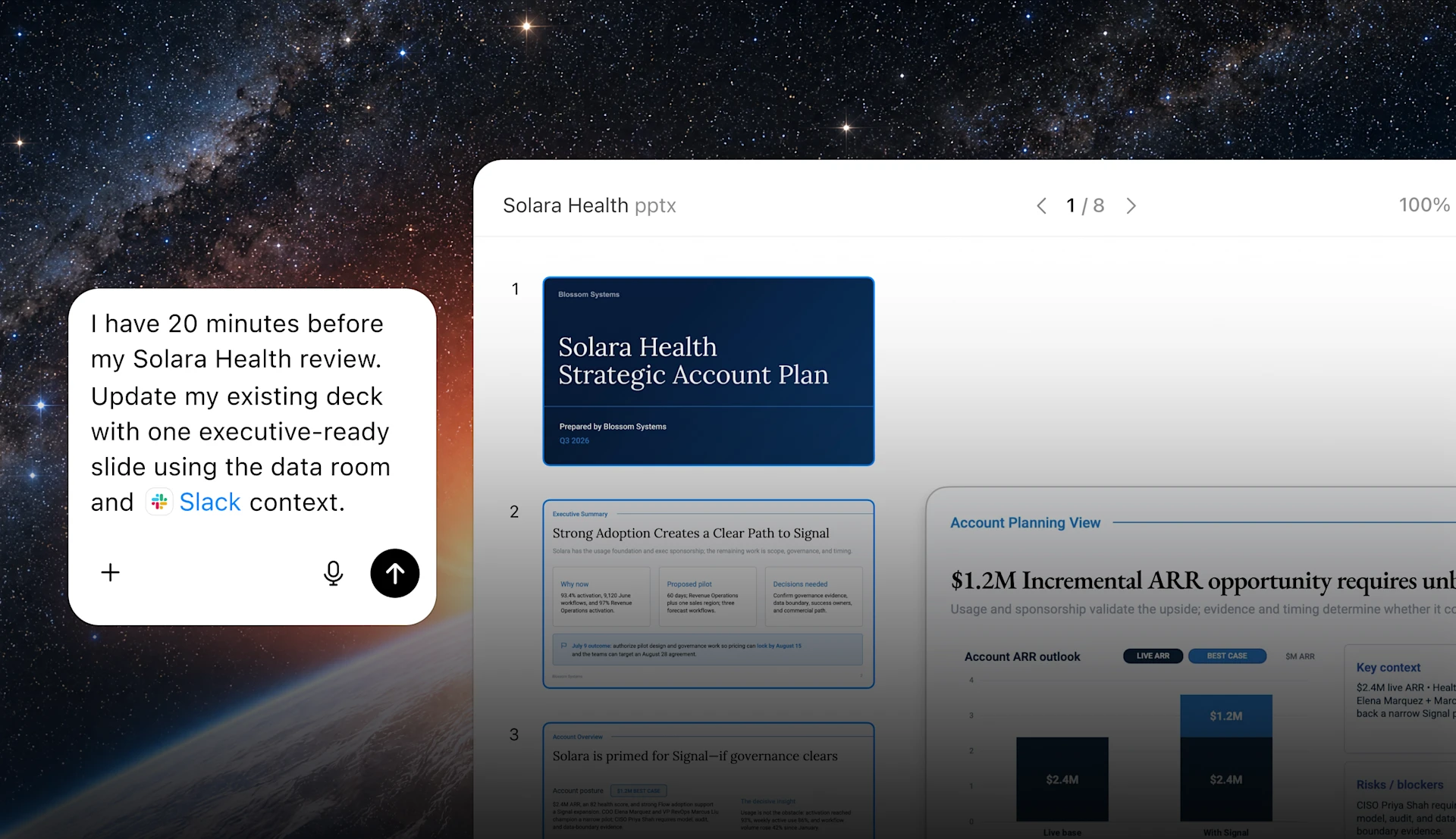
Specialized spaces can help transform an exchange into a document, report, presentation, spreadsheet, site, or other deliverable. The interest is in keeping the conversation as a steering interface without forcing the final result to remain trapped in the chat thread.
Custom GPTs follow a different but complementary logic: they allow configuring an assistant around a role, instructions, and possibly specific resources or tools.
They can be used to formalize an editorial, educational, documentary, or business assistant.
Scheduled tasks and automations extend this logic further when a need must be repeated: reminder, monitoring, regular brief, or periodic check.
These features should not be viewed as guarantees of perfect autonomy.
An incorrect instruction can produce the same error on every execution.
Code, Codex, and Moving to Action
ChatGPT can explain code, propose a function, compare several solutions, or assist with diagnosis.
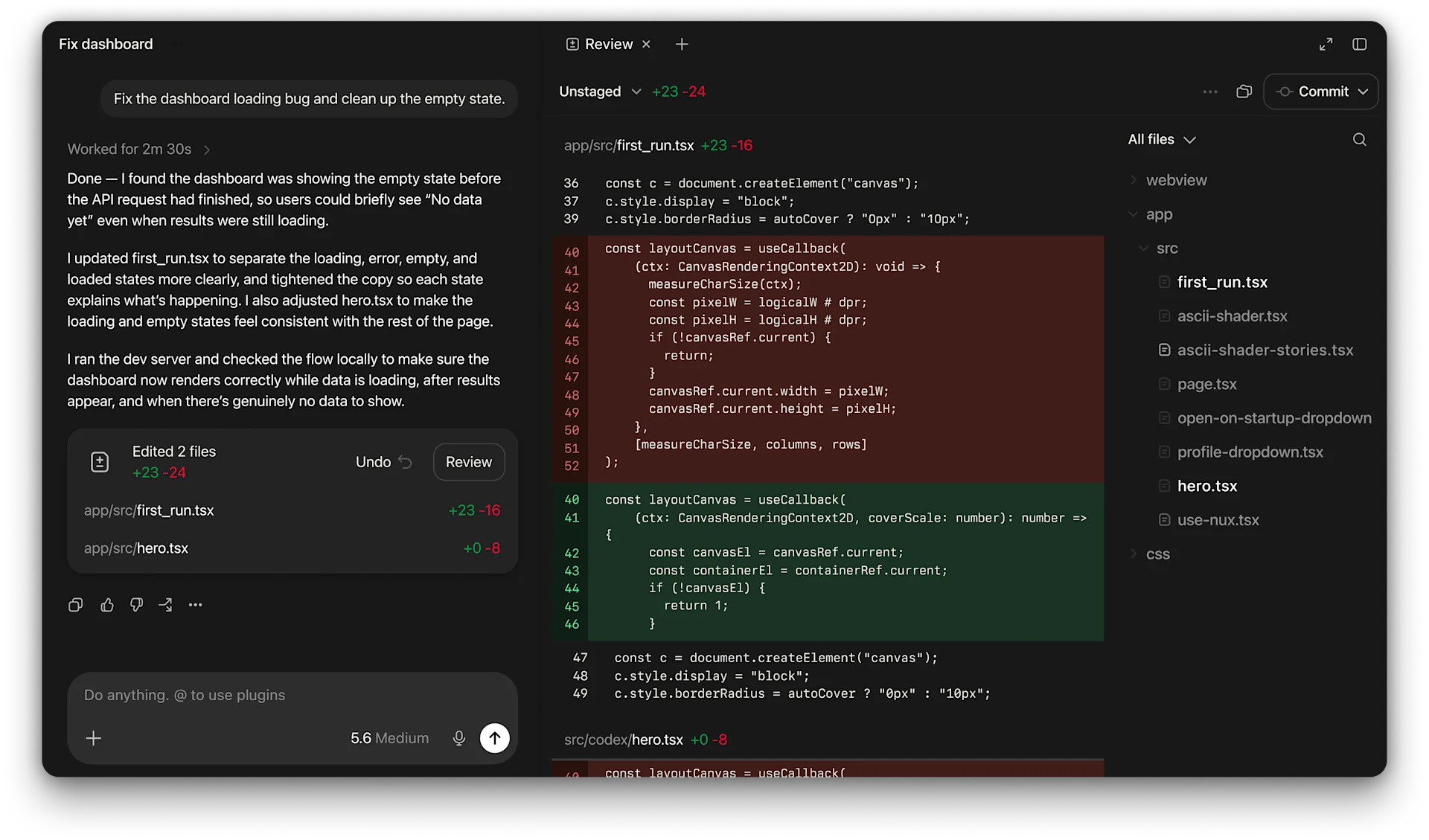
Codex represents the branch specialized in software development. It can explore a repository, modify multiple files, run tests or commands, and examine the changes.
This evolution is important because it shifts the boundary between advice and execution.
Asking for a function example does not require the same level of trust as letting an agent modify multiple files, install a dependency, or run a command.
The same logic applies to connected apps and features capable of acting within an authorized environment.
A bad text response can be corrected before use.
A bad action can directly modify a file, a repository, or a service.
Supervision must therefore increase with the scope of action.
Use Cases
Research and Editorial Preparation
ChatGPT can help explore a topic, identify sources, compare several positions, and then transform this research into a plan or first synthesis.
It is well suited to the transition between exploration and writing, provided the references used are verified.
Documentary Work and Data
Several files can be brought together in the same context to compare documents, extract information, or analyze data.
The assistant is particularly useful for preparing a reading or speeding up an initial analysis. It should not replace direct examination of the documents when the detail matters.
Writing, Translation, and Content Transformation
A draft can be corrected, shortened, expanded, translated, or adapted to another audience.
The same context can then be used to produce several variants without starting from scratch.
Long or Recurring Project
Projects allow keeping instructions, files, and conversations around the same work.
This continuity becomes useful when a project spans several days or weeks, provided sources and decisions are kept up to date.
Software Development
ChatGPT can explain code or prepare a solution; Codex can go further by working directly with a repository and its tools.
This approach suits audits, fixes, tests, and refactorings, with systematic review of diffs and results.
Multimodal Creation
Text, image, voice, and files can be combined to explore a concept, produce a support, or comment on existing material.
The main strength lies less in each modality taken separately than in their presence within the same work thread.
Automation and Specialized Assistants
A configured GPT or a scheduled task can be useful when a role, a method, or a recurring need must be reproduced.
The initial configuration becomes as important as the quality of the model: a bad rule systematized is often more dangerous than a bad isolated response.
PANACHES Review
ChatGPT became truly interesting when it stopped being just a dialogue box.
Its main strength lies in the continuity between several forms of work. A search can become a plan, a document can become a synthesis, a discussion can produce an image or a deliverable, and a technical task can switch to a specialized development environment.
This versatility makes the tool particularly useful for people who frequently alternate between research, writing, analysis, creation, and programming.
It also enables multiple levels of use without imposing the same level of complexity on everyone. A beginner can stay within the conversation. A regular user can structure Projects and specialized assistants. A developer can switch to Codex and more autonomous tools.
This progression is one of the product's qualities.
It can also create a dangerous illusion: because everything is in the same interface, one can forget that features do not all have the same level of reliability. A sourced answer, a calculation, an image, a scheduled task, and a code modification require different forms of validation.
Projects and memory significantly improve ongoing work, but they do not constitute a perfect document base. Reference files, decisions, and final versions should always be kept in a system managed outside of a simple conversation.
The creation of specialized GPTs and production spaces also shows an important evolution: the user can progressively transform their methods into reusable tools. This possibility is useful when it formalizes a clear practice. It becomes much less convincing when it serves simply to multiply nearly identical assistants.
Finally, the evolution toward connected apps and actions increases ChatGPT's value as much as it increases its scope of trust.
The more the assistant can see and do, the more permissions, validation, and traceability become important.
ChatGPT therefore deserves a place primarily as a transversal assistant capable of connecting several stages of a workflow, rather than as a universal replacement for all specialized tools.
Points of Attention
- Primarily a cloud service: ChatGPT depends on OpenAI's infrastructure and terms; it is not a self-hosted application.
- Variable reliability: a detailed response, a calculation, or a citation may still be incorrect.
- Sources to verify: web search and deep search facilitate traceability without guaranteeing interpretation.
- Imperfect context: a Project, a file, or a memory may not be leveraged as expected or may become obsolete.
- Sensitive data: files, conversations, and connected apps must be used according to the settings and policies appropriate to the account.
- Permissions: a tool capable of acting on external applications, files, or services should only be granted the necessary accesses.
- Code and actions to supervise: changes produced by Codex or other agentic features must be reviewed and tested.
- Automations to monitor: an error in a recurring task can be repeated.
- Specialized GPTs to govern: instructions, associated files, and tools must be kept up to date.
- Deliverables to store elsewhere: a conversation or production space should not be the sole copy of an important document.
- Rapidly evolving product: models, quotas, function names, and plans may change; they should not be treated as permanent characteristics.