Overview
Claude is an AI assistant developed by Anthropic.
It can write, search, analyze documents and data, work with code, produce structured content, and use certain authorized tools or services.
Its value proposition emerges especially when the task ceases to be an isolated question.
Claude is particularly suited to long, contextual work: multiple documents, numerous constraints, precise structure, a project spanning multiple sessions, or a codebase that must be understood before being modified.
This capability explains the importance of Projects, which bring together references and instructions, and of Artifacts, which separate the discussion from the deliverable being produced.
Around this core, Anthropic develops more specialized experiences.
Claude Code works directly with software projects.
Cowork pushes the logic toward delegating longer tasks.
Connectors and the MCP protocol allow connecting the assistant to data sources and external tools.
These elements are not independent of each other.
They tell a coherent evolution:
understand a context → preserve that context → produce a deliverable → use tools → act under supervision.
This continuity is probably the best way to situate Claude among general-purpose assistants.
The product is not only interesting because it accepts long documents or produces structured texts. It becomes especially useful when work requires several constraints to remain present across several stages.
The size of the context must not, however, be confused with perfect memory.
A project filled with contradictory documents, old versions, and obsolete rules remains difficult to interpret, even for a model with a very large context.
Claude therefore requires genuine document hygiene when the work becomes serious.
Features
Conversation and Contextual Work
Claude can write, rephrase, translate, synthesize, explain, or compare information from detailed instructions.
It stands out particularly when the request includes several constraints: format, audience, vocabulary, sources, style, rules, or reference documents.
This capability is useful in editorial, documentary, technical, or creative work where consistency must be maintained over a significant length.
The quality of the result depends, however, on the hierarchy given to the context.
All information present does not automatically have the same importance.
A current charter, an old draft, and an exploratory note can contradict each other. The assistant needs the user to identify what is authoritative.
The ability to accept a lot of context therefore does not guarantee that every detail will be handled with the same precision.
Documents, Search, and Analysis
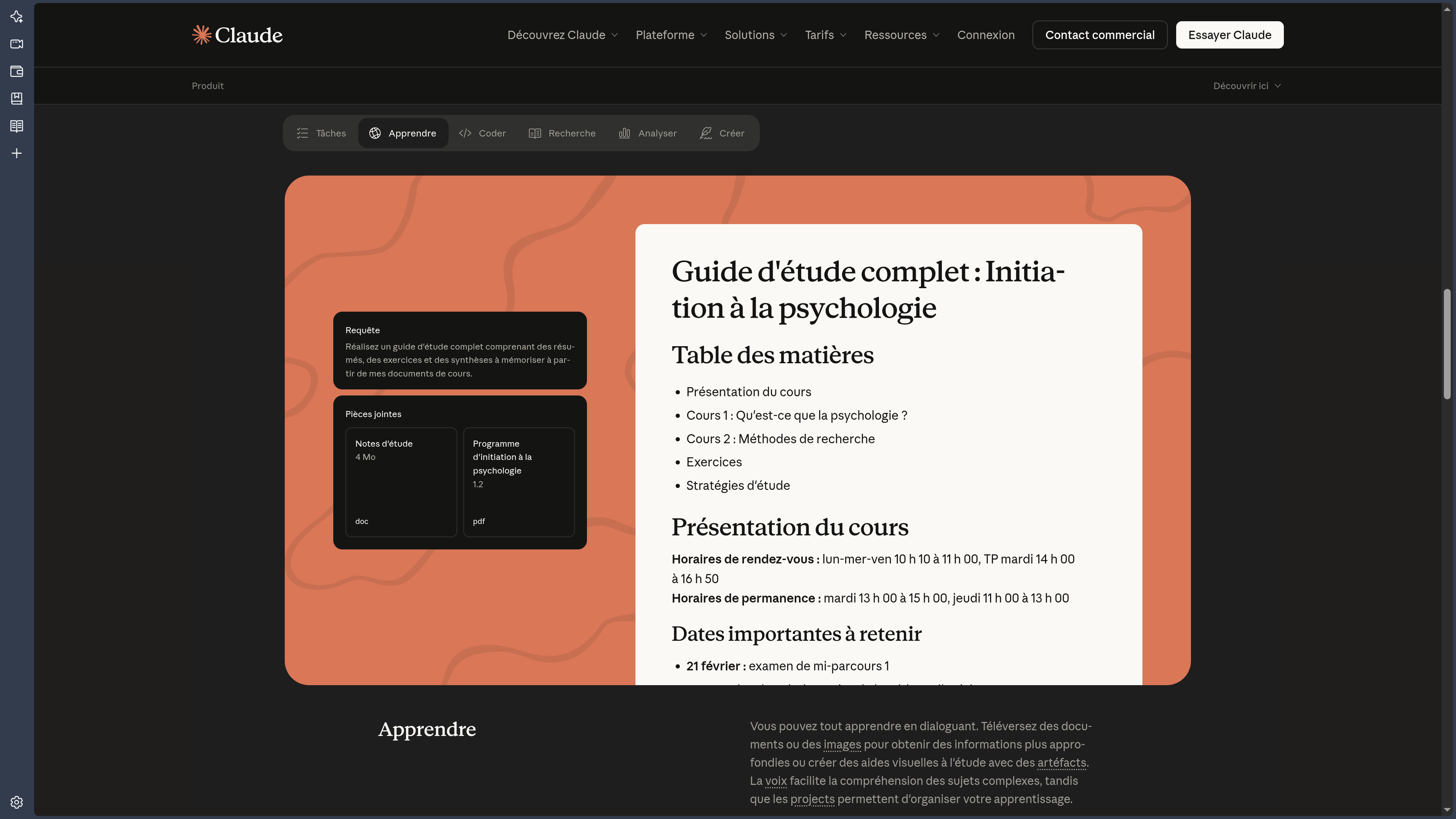
Claude can work with compatible documents, images, tables, and codebases.
It can summarize a file, compare multiple sources, retrieve a passage, analyze data, or produce a new synthesis.
This versatility allows bringing together several materials in the same reflection: report, spreadsheet, screenshot, and text can be compared without being treated as four separate projects.
Web search complements this work when information needs to be updated.
For recent topics, the distinction between publication date, event date, and source reliability remains essential.
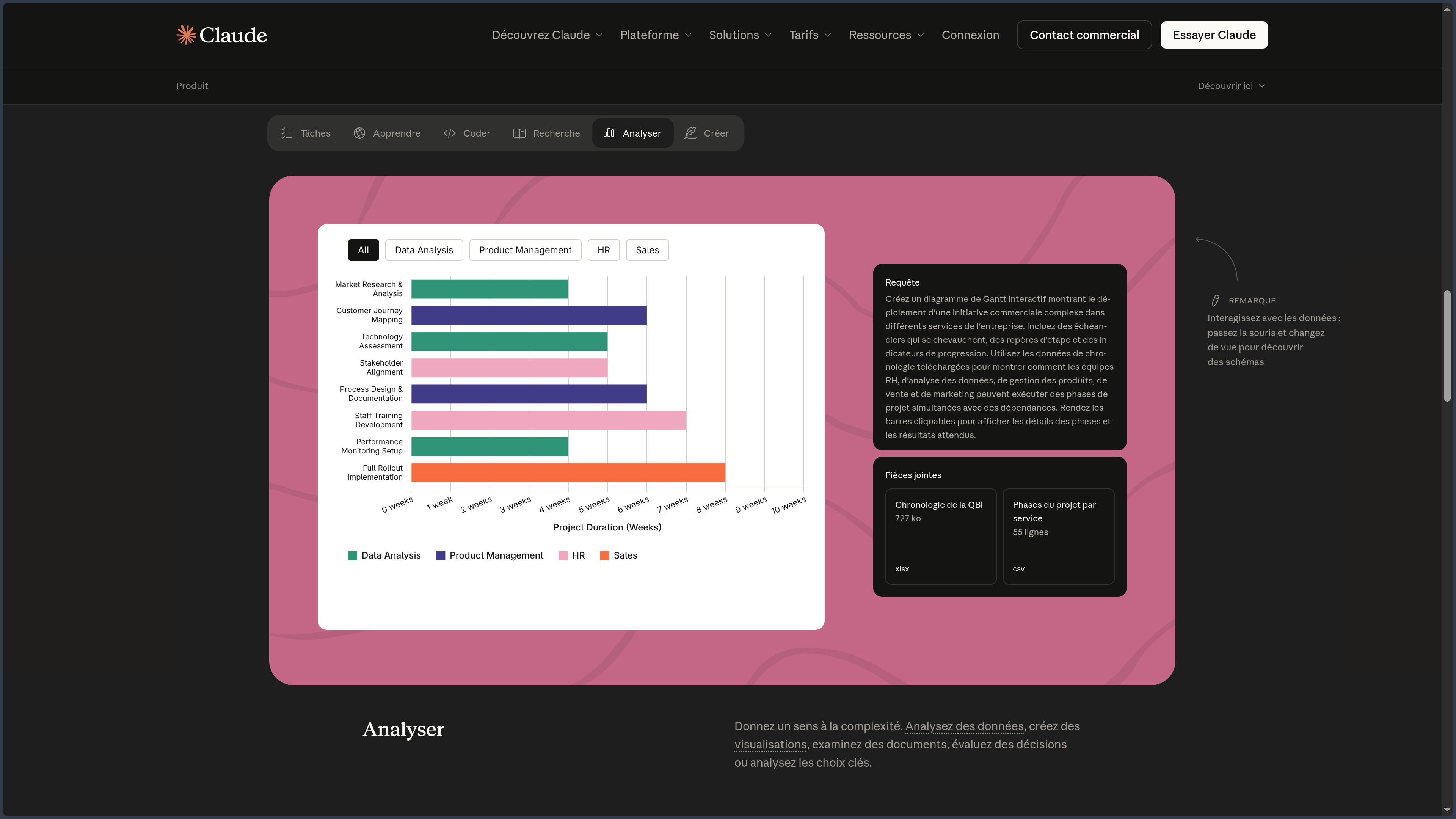
Claude can also examine structured data, produce tables, calculate indicators, or prepare a visualization.
The result then depends directly on the quality of columns, units, periods, and missing values.
A clean chart never corrects an uncertain definition of the data.
Projects: Organizing Continuity
Projects bring together conversations, files, and instructions around the same objective.
They can serve to maintain an editorial project, a research, a product, a software development, a client file, or a creative universe.
Their interest goes beyond simple file storage.
They allow separating contexts.
Technical documentation does not necessarily need to share its references with marketing work. A project dedicated to a translation can keep its glossary without imposing that vocabulary on all other conversations.
This separation becomes particularly valuable when the assistant is used daily.
It must nevertheless be maintained.
An obsolete file must be replaced or removed. An important decision must be explicitly reformulated when it changes. Automatic memory must not become the only way to preserve a project rule.
Artifacts: Separating Conversation and Deliverable
Artifacts separate certain results from the main conversation.
A document, a table, a diagram, code, a page, or a prototype can thus evolve in its own space while the dialogue remains available to discuss choices.
This separation subtly changes the way of working.
The chat becomes the reflection interface.
The Artifact becomes the object being built.
This architecture is particularly useful for productions that go through several versions: first proposal, correction, addition of information, change of structure, then final version.
It also avoids automatically considering the last message in the conversation as the reference deliverable.
An Artifact does not, however, replace an independent backup, a code repository, or a specialized professional tool when the project goes beyond a prototype.
Claude Code: Acting on Software
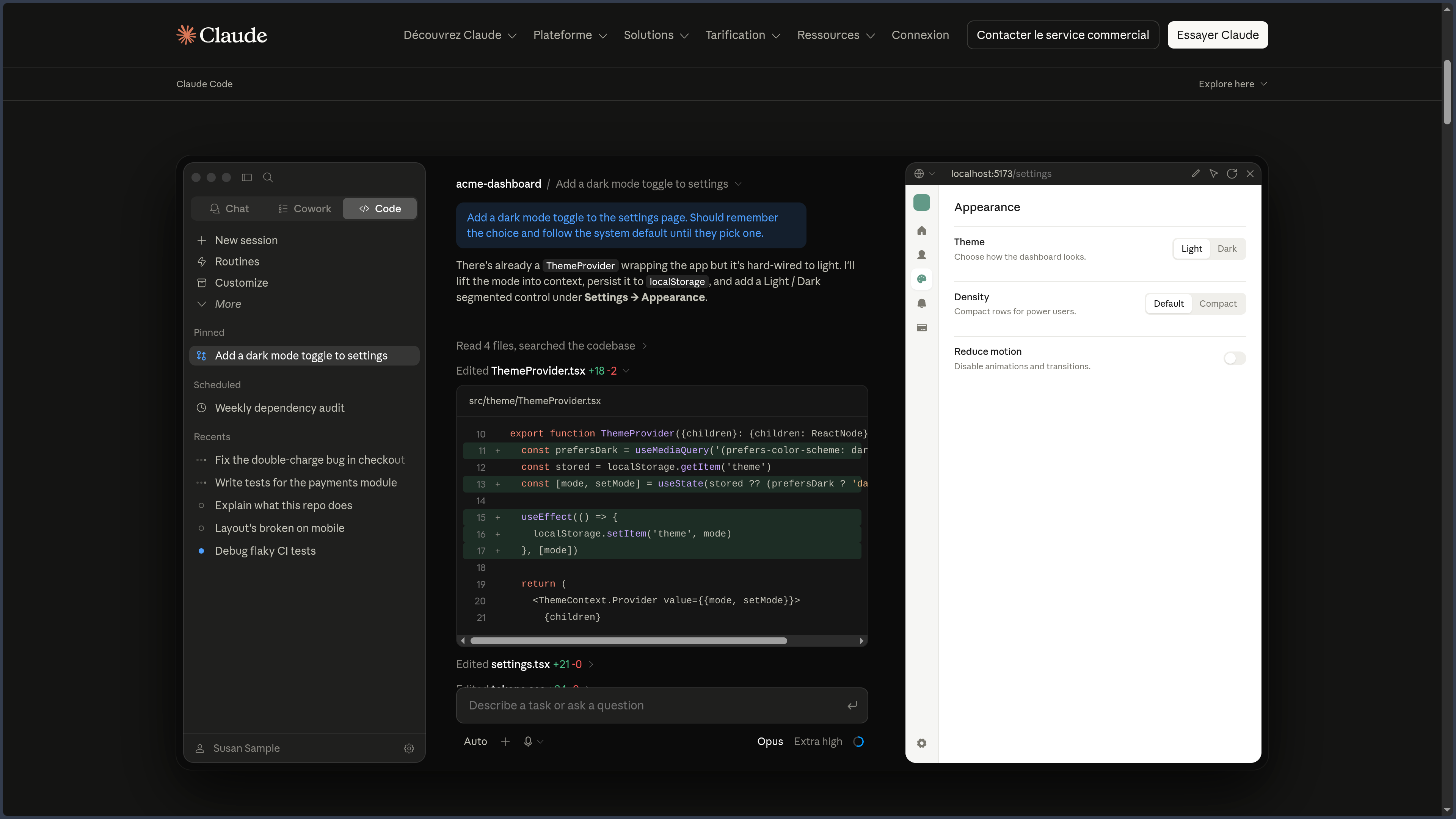
Claude Code extends Claude to software development.
It can explore a repository, search for the relevant files, understand several components, modify several elements, use the terminal, and run checks.
This capability is particularly suited to:
- audits;
- refactorings;
- transversal fixes;
- tests;
- migrations;
- technical documentation;
- exploration of an unknown codebase.
The difference from a simple conversation is important.
Claude Code no longer merely suggests a snippet to copy.
It acts directly on the project.
This capability greatly increases the potential productivity, but also the cost of a wrong direction. An agent can modify many files before the user realizes that a starting hypothesis was incorrect.
Version control, diffs, branches, and tests therefore remain essential.
Cowork, Connectors, and MCP
Cowork pushes agentic logic beyond software development.
The user no longer only asks for an explanation: they can entrust a result requiring several steps, several files, or several tools.
This evolution places supervision at the center of the product.
A good agentic system must make visible:
- the plan;
- the actions;
- the permissions;
- the errors;
- the result;
- the limits of the work performed.
Connectors and MCP extend this logic by giving Claude access to external data or functions.
MCP provides a common architecture to expose, for example, a document base, a business application, a file system, or an API.
This openness significantly increases the relevance of the context.
It increases the risk surface just as much.
A read connector and a tool capable of deleting or publishing data must not receive the same level of trust.
Browsing and Continuity between Devices
Claude can also intervene in a browser or from multiple devices depending on the available experiences.
The interest is not to turn each platform into a new feature.
It comes from the continuity of the work.
A capture or an idea can be transmitted from a mobile; a complex project will be more comfortable on desktop; a web diagnosis may require the agent to directly observe the interface.
When the browser enters the workflow, the level of access must be evaluated carefully: connected accounts, forms, administration interfaces, or sensitive services may be present in the same session.
Use Cases
Documentary and Editorial Files
Claude can absorb multiple sources, follow a detailed structure, and help maintain the consistency of long work.
It is well suited to reports, research briefs, manuscripts, documentation, or editorial projects.
Review and Content Transformation
A document can be compared against a charter, restructured, summarized, translated, or declined without immediately losing its initial constraints.
This capability becomes particularly useful when the text must preserve a voice, a terminology, or a format over a great length.
Analysis of Multiple Documents or Data
Claude can compare reports, contracts, studies, or tables, then produce a synthesis of the differences.
The value depends on the quality of source identification and on how versions are hierarchized.
Organizing a Long Project
Projects and Artifacts allow separating context, conversations, and deliverables.
This organization suits ongoing work where continuity matters as much as the one-off response.
Software Development
Claude Code can map a repository, search for a bug, propose and then apply modifications, and use the project's tools.
Validation remains that of the developer: diff, tests, and version control are indispensable.
Supervised Delegation
Cowork and connectors allow considering longer tasks involving documents, services, and several steps.
Delegation becomes useful when the scope, permissions, and success criteria are explicit.
Web Audit or Diagnosis
When the appropriate tools are available, Claude can bring together code, application behavior, and information observed in the browser.
This type of workflow is powerful precisely because it brings together several layers of the problem within the same context.
PANACHES Review
Claude stands out less by an isolated spectacular feature than by its ability to remain useful when work becomes long, contextual, and structured.
It is particularly convincing when an assembly must be understood before producing: a file, documentation, several versions of a text, or a software repository.
This quality explains the interest of Projects.
They transform the conversation into a sustained work space, but they do not dispense with managing sources as real documents. A large, poorly organized context remains a poorly organized context.
Artifacts bring another important idea: the chat does not need to contain the final product.
Separating reflection and deliverable makes iteration more natural and avoids confusing conversation with reference document.
Claude Code and Cowork then show the logical evolution toward action.
The model no longer merely suggests; it can intervene directly within an authorized environment.
This evolution makes Claude interesting for workflows where the same logic must span several stages:
understand → plan → produce → act → verify.
But it also means that a good assistant is no longer judged only by the quality of its sentences.
One must look at the visibility of its plan, actions, and the changes it makes.
MCP and connectors further reinforce this logic. The more Claude becomes capable of using the project's real tools, the less the conversation can be seen as an isolated and inconsequential environment.
The quality of supervision becomes as important as that of the model.
Claude is therefore particularly suited to users who work with corpora, projects, and systems that have a lasting structure.
It becomes less differentiating for very short requests where the main challenge is simply to get a quick answer.
Claude thus deserves an important place among general-purpose assistants because it particularly well illustrates the transition from chatbot to a contextual and agentic work environment.
Points of Attention
- Large context ≠ perfect understanding: important information must remain identified and verified.
- Projects to maintain: obsolete files and instructions can influence responses.
- Contradictory documents to hierarchize: the assistant does not automatically know which version is authoritative.
- Misleading fluency: a very well-written response can still be factually incorrect.
- Sources to check: web search and documentary analysis do not replace reading the decisive references.
- Data to be made explicit: units, periods, and missing values must be understood before any analysis.
- Artifacts to export: they should not be the only copy of an important deliverable.
- Claude Code to be supervised: modifications, commands, and tests must remain visible in a version control system.
- Agent permissions: Cowork, browser, and connectors must receive a clearly defined scope of action.
- MCP and external tools: distinguish read accesses from write or action capabilities.
- Irreversible actions: deletion, publication, or important sending should remain subject to confirmation.
- Confidentiality depending on context: consumer, professional, and API accounts may follow different rules.
- Proprietary dependency: models, quotas, prices, and features depend on Anthropic's decisions and infrastructure.