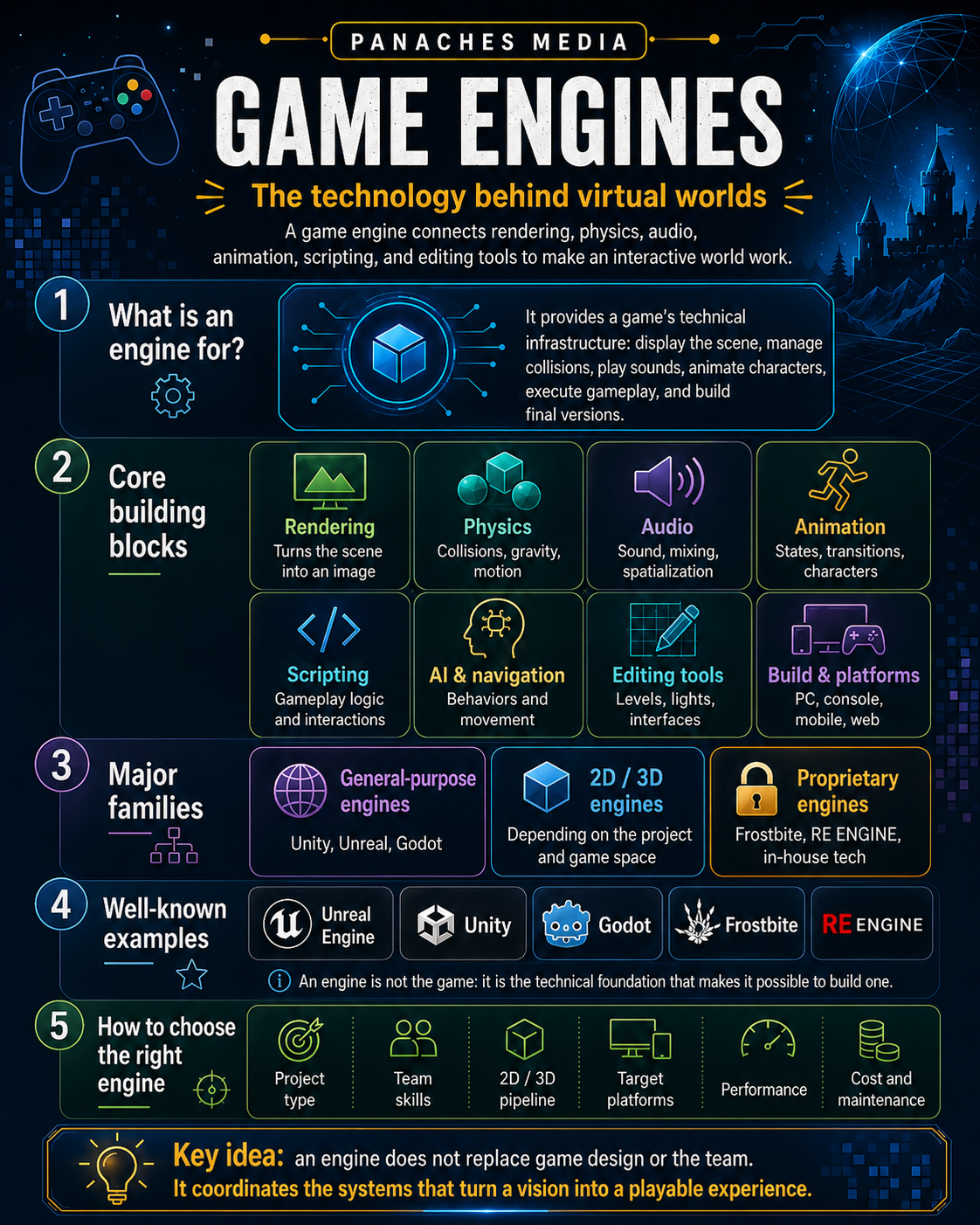
A video game rarely runs on a single piece of technology
When a character walks across a room, several systems are working at the same time. The engine has to display the environment, determine whether the character is touching the ground, play the walking animation, position the footsteps in the audio space, check collisions with objects, execute gameplay logic, and update characters controlled by artificial intelligence. All of this has to remain synchronized enough for the player to perceive one continuous experience.
That is precisely the role of a game engine. It provides a common infrastructure for problems that almost every game eventually encounters, so that each team does not have to rebuild a rendering system, physics engine, audio manager, animation architecture, or editing tools from scratch.
A game engine is less a machine that “makes a game” than a collection of systems and tools that allows a team to make one.
This distinction matters. Unreal Engine, Unity, Godot, Frostbite, or RE ENGINE can provide a considerable amount of technology, but none of them decides the rules of the game, the quality of a level, the pacing of combat, or the visual identity of a project. The engine makes those decisions executable.
What a game engine actually handles
The word engine can suggest that it mainly refers to the graphical part of a game. Historically, rendering has indeed occupied a central place, but a modern engine brings together many more responsibilities.
Current Unreal Engine, Unity, and Godot documentation all cover systems for rendering, physics, animation, audio, scripting, interfaces, navigation, and tooling. Unreal, for example, organizes its documentation around world building, rendering, visual effects, gameplay, Blueprints, animation, audio, interfaces, and the production pipeline. (dev.epicgames.com)
| System | Main role | Concrete example |
|---|---|---|
| Rendering | transform the scene into an image | display a character, materials, shadows, and effects |
| Physics | simulate collisions and movement | make a crate fall, handle a vehicle, or detect contact |
| Audio | play and spatialize sounds | position footsteps behind the player or mix ambience |
| Animation | control movement | transition from walking to running and then attacking |
| Scripting / gameplay | define behaviors | open a door, trigger a quest, manage a weapon |
| AI and navigation | organize certain autonomous behaviors | allow an enemy to find a path or react |
| UI | build interfaces | HUD, inventory, menus, dialogue |
| Editing tools | create and modify content | place objects, adjust a light, build a level |
| Asset pipeline | import and prepare files | transform models, textures, and sounds into usable data |
| Build and platforms | produce the final program | generate a PC, mobile, or console version |
The list varies between engines. Some integrate many functions directly, while others rely more heavily on extensions, libraries, or external tools. The boundary between “engine,” “editor,” and “ecosystem” has therefore become much less clear than it once was.
An architecture built in layers
Godot offers a particularly clear view of this logic through its own architecture. Its documentation distinguishes a scene layer used to structure the game, servers responsible for subsystems such as rendering, audio, or physics, and a lower layer that communicates with graphics APIs, audio systems, and platforms. (docs.godotengine.org)
We can simplify the whole structure like this:
```text Project and scenes ↓ Gameplay / scripts / components ↓ Rendering · Physics · Animation · Audio · Navigation ↓ GPU · CPU · audio system · operating system ↓ PC · console · mobile · web…