Overview

Unreal Engine is a real-time 3D creation engine developed by Epic Games.

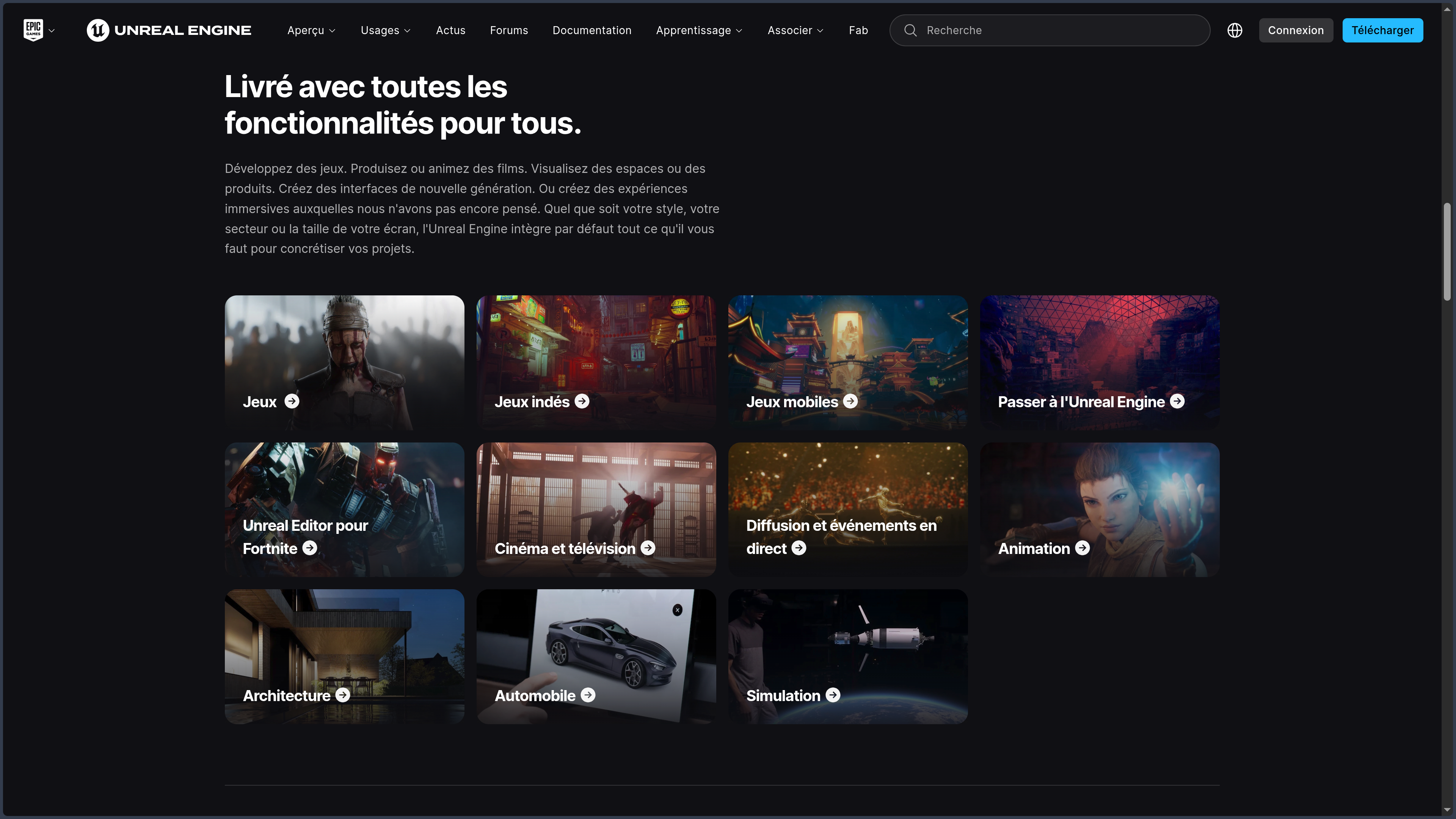
It is mainly known as a video-game engine, but its field of use is now much broader.

Unreal Engine can notably be used to produce:

  • video games;
  • open worlds;
  • multiplayer experiences;
  • interactive applications;
  • cinematics;
  • animated films;
  • visual effects;
  • virtual sets;
  • architectural visualizations;
  • automotive configurators;
  • simulations;
  • immersive training;
  • virtual- or augmented-reality experiences;
  • digital twins;
  • live-broadcast events.

The engine brings together within the same environment:

  • programming;
  • 3D rendering;
  • scene management;
  • animation;
  • physics;
  • artificial intelligence;
  • audio;
  • interfaces;
  • visual effects;
  • cinematic tools;
  • world building;
  • export to multiple platforms.

This integration makes it possible to design an interactive project without having to rebuild every fundamental system separately.

Unreal Engine already provides the elements required to manage:

  • characters;
  • controllers;
  • cameras;
  • keyboard, mouse, and gamepad input;
  • collisions;
  • gravity;
  • animations;
  • interfaces;
  • levels;
  • saves;
  • networking;
  • compilation;
  • publishing.

The engine can be used by programmers, 3D artists, animators, designers, architects, filmmakers, visual-effects technicians, and simulation specialists.

Projects can be developed using C++, the Blueprints visual-programming system, or a combination of both.

Unreal Engine also stands out through its source-code access.

The engine is not open source under a free licence such as MIT, GPL, or Apache, but Epic allows authorized users to access its complete C++ source code.

They can therefore:

  • study how it works;
  • modify certain systems;
  • create their own version;
  • develop plugins;
  • adapt the engine to specific needs;
  • propose fixes.

These possibilities remain governed by Epic Games’ proprietary licence.

At the time of verification, Unreal Engine 5.8 is the current major version.

Epic presents it as the final major release planned for the Unreal Engine 5 generation before a gradual transition to Unreal Engine 6.

Unreal Engine is available on Windows, macOS, and Linux.

These platforms correspond to the operating systems on which the editor itself can run.

Created projects can then target other devices and systems, including Android, iOS, consoles, and various XR platforms.

The installation, projects, and caches can occupy a large amount of storage space.

Unreal Engine also requires a relatively powerful computer, especially when using its advanced rendering features, open worlds, realistic characters, or cinematic tools.

Features

Game and interactive-application creation

Unreal Engine provides a complete architecture for developing interactive experiences.

A project can contain:

  • several levels;
  • characters;
  • vehicles;
  • interactive objects;
  • interfaces;
  • gameplay systems;
  • animations;
  • sounds;
  • effects;
  • data;
  • scripts;
  • imported resources.

The engine notably manages:

  • collisions;
  • physics;
  • user input;
  • cameras;
  • events;
  • components;
  • classes;
  • saves;
  • level loading;
  • multiplayer;
  • network replication;
  • target-platform management.

Unreal Engine can be used to create:

  • a platform game;
  • a role-playing game;
  • a strategy game;
  • a racing game;
  • a shooter;
  • a simulation;
  • a narrative experience;
  • a mobile game;
  • a multiplayer experience;
  • an experimental prototype.

It does not impose a particular genre.

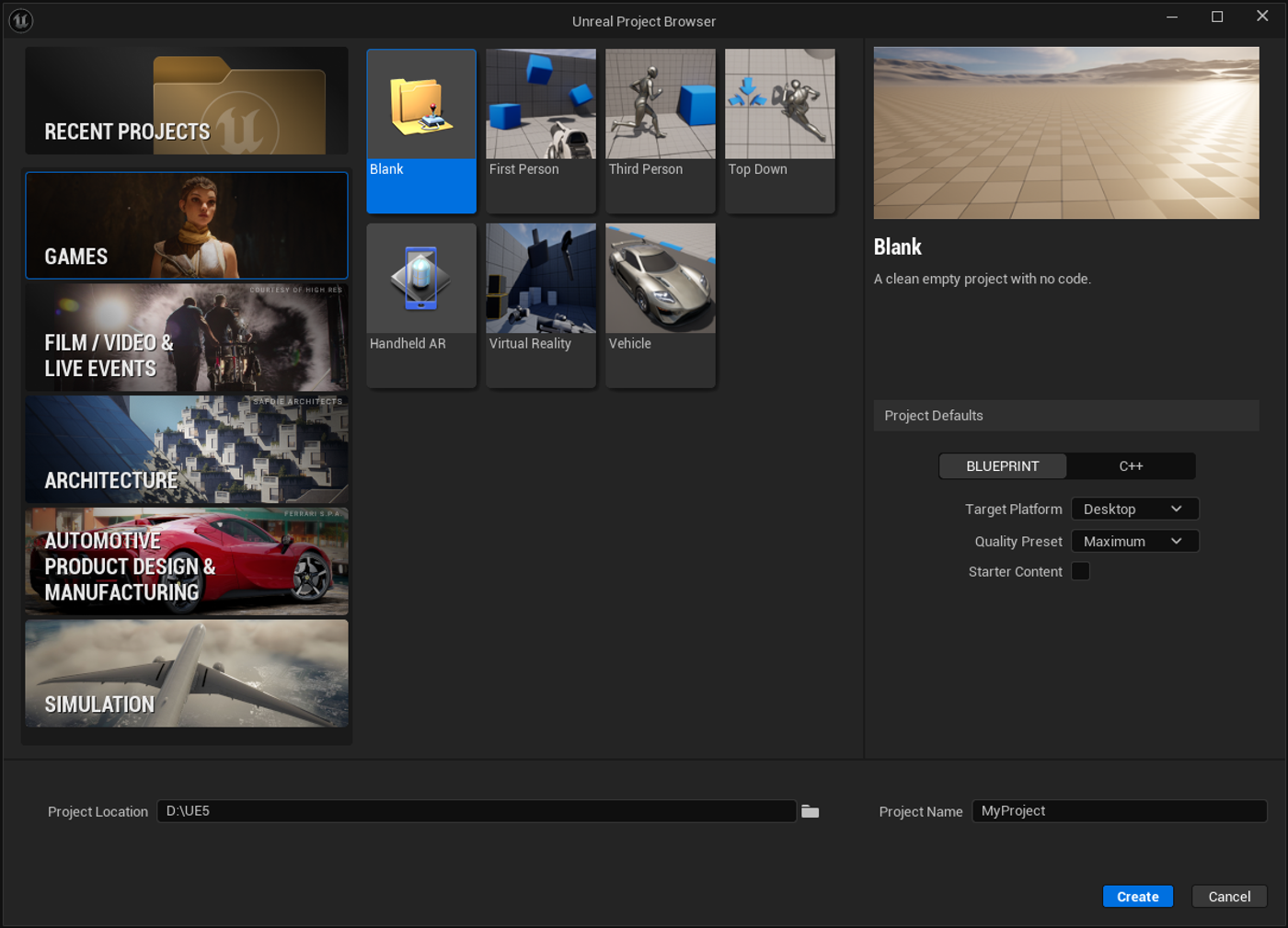
The engine provides project templates that make it possible to begin with a preconfigured structure, for example:

  • third-person character;
  • first-person view;
  • vehicle;
  • virtual reality;
  • architectural project;
  • cinematic scene.

These templates speed up initial onboarding, but a serious project still requires organization suited to its own needs.

Interface, projects, and assets

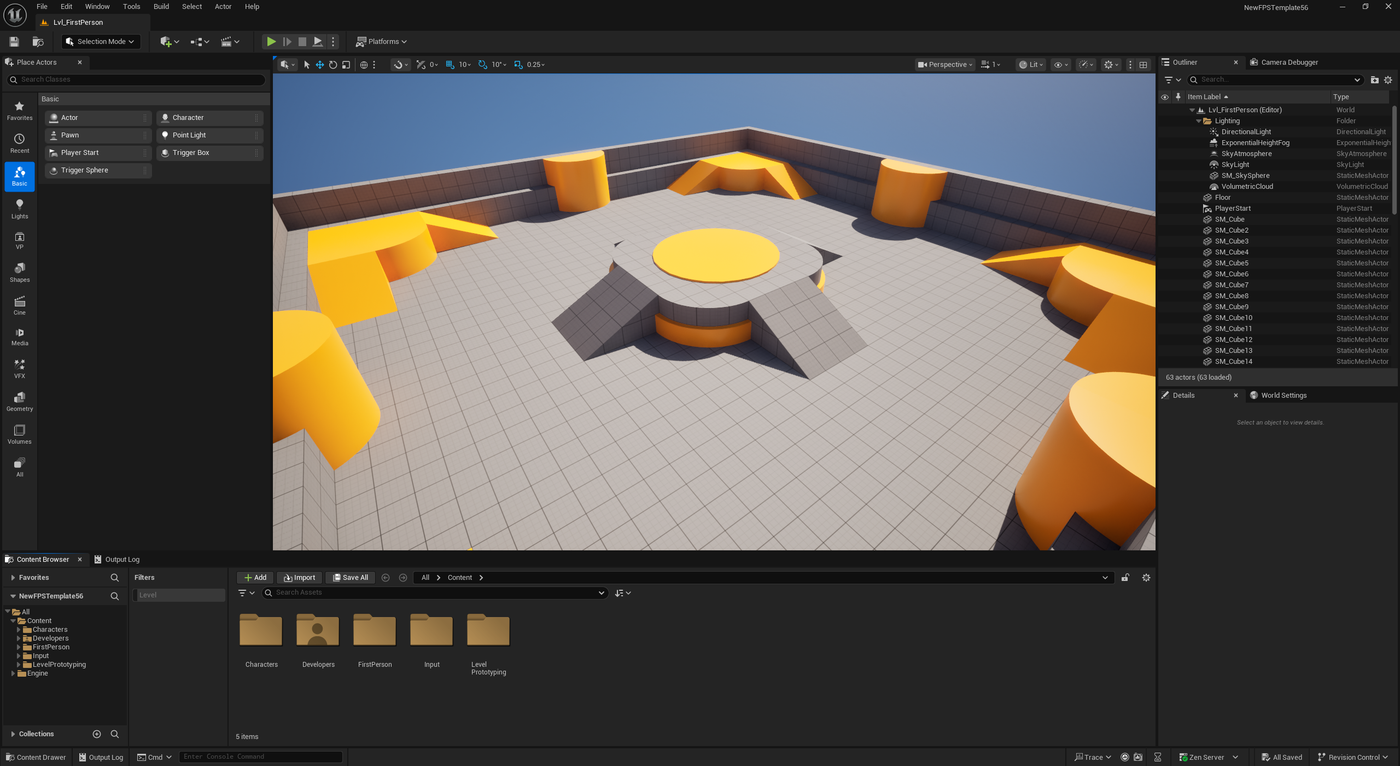
The Unreal Engine editor is organized around several workspaces.

The viewport displays the scene in real time.

It allows users to:

  • place objects;
  • move elements;
  • modify cameras;
  • preview lights;
  • test collisions;
  • run the project;
  • observe effects;
  • navigate the world.

The Content Browser groups the project’s resources:

  • 3D models;
  • textures;
  • materials;
  • sounds;
  • animations;
  • Blueprints;
  • levels;
  • data;
  • effects;
  • interfaces.

Each resource is stored as an Unreal asset.

This centralized organization makes integration between different systems easier, but requires a coherent folder structure.

A poorly organized project can quickly accumulate:

  • unused files;
  • duplicates;
  • broken references;
  • incomprehensible names;
  • competing versions;
  • dependencies that are difficult to identify.

Unreal Engine also contains many specialized editors accessible from within the project, including:

  • Material Editor;
  • Blueprint Editor;
  • Animation Editor;
  • Niagara Editor;
  • MetaSounds Editor;
  • Sequencer;
  • Control Rig;
  • terrain tools;
  • PCG tools;
  • interface editor.

This richness reduces the need to constantly leave the application, but it also increases the learning curve.

Blueprints and visual programming

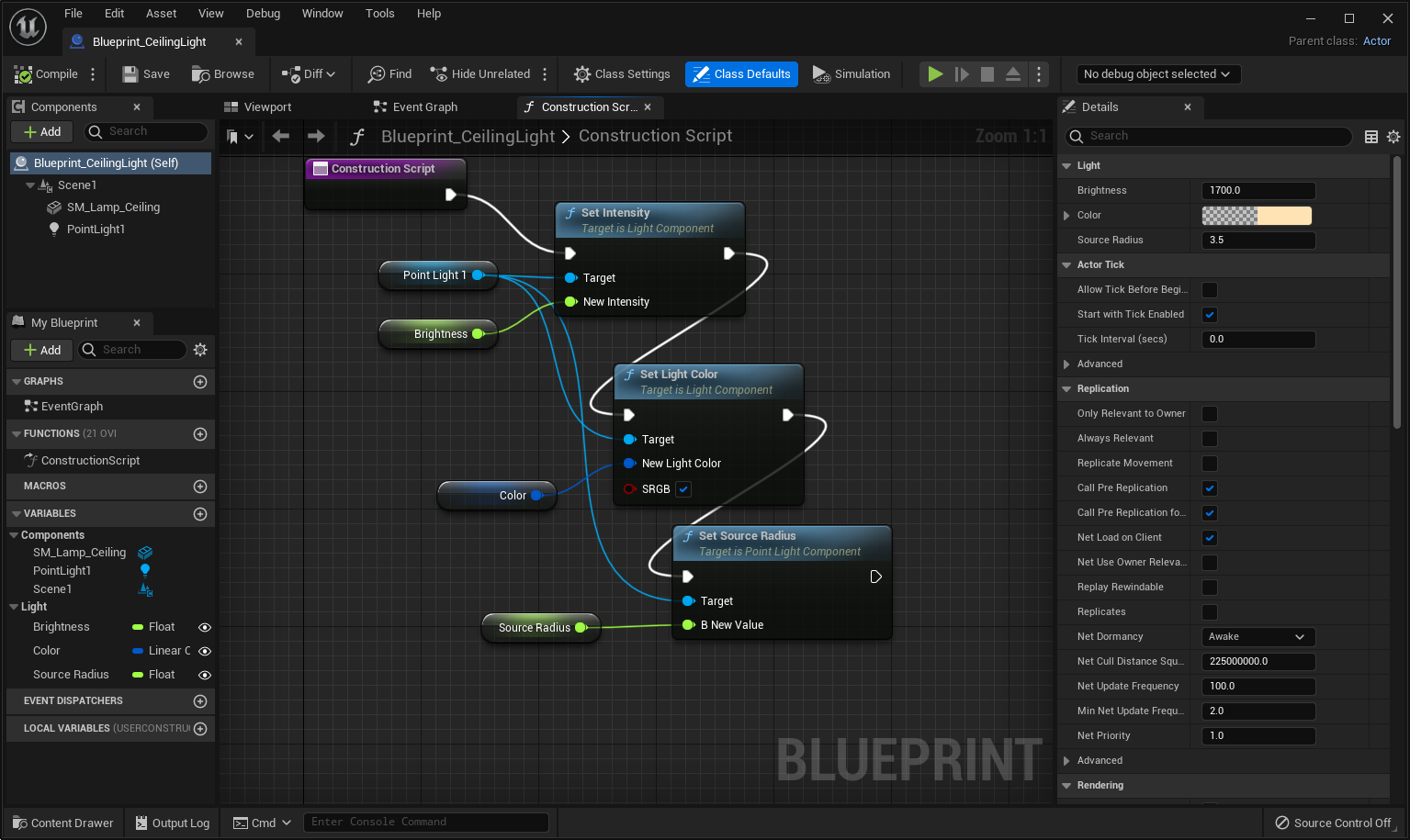
Blueprints is Unreal Engine’s visual-programming system.

It makes it possible to build logic by connecting nodes.

These nodes can represent:

  • an event;
  • a condition;
  • a function;
  • a variable;
  • a calculation;
  • a loop;
  • an action;
  • a reference to an object;
  • communication between several systems.

Blueprints can be used to create:

  • an interactive door;
  • an inventory;
  • a dialogue system;
  • an interface;
  • a camera;
  • a character;
  • a combat mechanic;
  • a quest;
  • a complete prototype;
  • a tool for the team.

Visual programming makes the engine more accessible to people who do not yet know C++.

It also allows artists and designers to modify behaviors without requesting every change from a programmer.

Blueprints nevertheless remains a genuine form of programming.

To use it correctly, it is necessary to understand:

  • variables;
  • data types;
  • functions;
  • events;
  • classes;
  • references;
  • arrays;
  • structures;
  • components;
  • dependencies;
  • inheritance.

A complex Blueprint can become difficult to read when it contains too many nodes or connections.

It is then necessary to:

  • divide logic into functions;
  • create reusable components;
  • use interfaces;
  • limit dependencies;
  • name variables clearly;
  • document important systems.

Blueprints is very well suited to prototyping, interactions, and production tools.

For certain heavy or frequently executed systems, C++ remains more appropriate.

C++ programming

Unreal Engine mainly uses C++ for native programming.

C++ makes it possible to create:

  • gameplay systems;
  • custom classes;
  • components;
  • plugins;
  • tools;
  • network systems;
  • integrations with external services;
  • deep modifications to the engine.

The Unreal framework adds its own concepts to C++, including:

  • UObject;
  • Actor;
  • Component;
  • Pawn;
  • Character;
  • GameMode;
  • Controller;
  • properties exposed to the editor;
  • functions accessible to Blueprints;
  • reflection system;
  • specific memory management.

A programmer can develop the foundations of a system in C++ and then expose certain options to Blueprints.

This combination allows designers to modify settings or behaviors without recompiling all of the code.

C++ provides greater control, but requires a good understanding of:

  • engine architecture;
  • compilation;
  • pointers;
  • memory;
  • dependencies;
  • modules;
  • performance;
  • debugging.

Compilation times can also slow down work on large projects.

Source-code access and engine customization

Users with an Epic Games account can link their GitHub account to access Unreal Engine’s private repository.

The source code notably makes it possible to:

  • understand the engine’s internal workings;
  • fix a problem;
  • add a feature;
  • modify an existing system;
  • compile a custom version;
  • follow technical developments;
  • create a specific integration.

This accessibility is especially important for:

  • large studios;
  • technical teams;
  • researchers;
  • simulation companies;
  • plugin developers;
  • projects using specialized hardware.

A custom fork can nevertheless become difficult to maintain.

Each new Unreal Engine version may require teams to:

  • reapply modifications;
  • resolve conflicts;
  • recompile the engine;
  • adapt plugins;
  • verify performance;
  • test every platform.

Source-code access is therefore a powerful possibility, but not a requirement for using the engine.

Nanite and virtualized geometry

Nanite is Unreal Engine’s virtualized-geometry system.

It makes it possible to display highly detailed 3D models by automatically adapting the level of geometry actually required for the image.

Nanite can be used with:

  • environments;
  • buildings;
  • rocks;
  • statues;
  • photogrammetry objects;
  • sculptures;
  • complex sets;
  • certain types of vegetation.

In a traditional workflow, an artist often has to create several versions of the same model, known as levels of detail.

The engine then displays a simpler version when the object is far away.

Nanite reduces part of this work by dynamically managing geometry density.

This makes it easier to use:

  • 3D scans;
  • highly detailed models;
  • cinematic sets;
  • complex environments.

Nanite does not, however, remove every optimization constraint.

It is still necessary to monitor:

  • memory;
  • textures;
  • materials;
  • animations;
  • transparency;
  • shadows;
  • the target platform;
  • the number of objects.

A scene may contain impressive geometry while remaining too heavy because of its materials, textures, or effects.

Lumen and dynamic lighting

Lumen is Unreal Engine’s dynamic global-illumination and reflections system.

It makes it possible to quickly observe how light bounces throughout a scene.

When a user:

  • moves a light;
  • opens a door;
  • changes the sun;
  • adds an object;
  • changes a material;

Lumen can update a large part of the lighting without requiring a full precomputation.

This technology is particularly suited to:

  • dynamic worlds;
  • day-night cycles;
  • destructible environments;
  • interiors;
  • interactive scenes;
  • virtual productions.

Lumen can use different methods depending on the hardware.

The best results require a modern graphics card and a compatible configuration.

The system can also produce:

  • noise;
  • approximate reflections;
  • light leaks;
  • insufficient performance;
  • differences between the editor and the final platform.

For some projects, baked lighting or a hybrid solution remains more appropriate.

Materials and shaders

The Material Editor makes it possible to construct the appearance of surfaces through a node-based system.

A material can control:

  • color;
  • roughness;
  • metallic properties;
  • normals;
  • transparency;
  • emissive light;
  • deformation;
  • reflections;
  • displacement;
  • masks.

It can be used to create:

  • wood;
  • metal;
  • glass;
  • skin;
  • fabric;
  • water;
  • lava;
  • snow;
  • holograms;
  • stylized effects;
  • post-processing.

Material Instances make it possible to create several variations of a material without duplicating all of its logic.

The same system can therefore produce different colors, textures, or gloss levels.

Very complex materials can nevertheless become expensive to render.

It is necessary to monitor:

  • the number of texture samples;
  • mathematical operations;
  • transparency;
  • per-pixel effects;
  • the number of lights;
  • screen resolution.

A material that looks impressive in a demonstration may become too heavy when applied to hundreds of objects.

World Partition and large worlds

World Partition is a system designed to manage large environments.

It automatically divides the world into cells.

These cells can be loaded or unloaded according to:

  • the player’s position;
  • the camera’s position;
  • streaming sources;
  • project requirements.

This approach is particularly suitable for:

  • open worlds;
  • large cities;
  • landscapes;
  • simulations;
  • explorable territories;
  • extensive architectural projects.

World Partition works with several other systems, including:

  • Data Layers;
  • One File Per Actor;
  • Hierarchical Levels of Detail;
  • procedural tools;
  • world streaming.

Data Layers make it possible to preserve different variations or states within the same environment.

They may, for example, represent:

  • an intact city;
  • the same city destroyed;
  • a nighttime version;
  • a seasonal version;
  • different simulation scenarios.

World Partition simplifies large-map management, but does not automatically make a world performant.

It is still necessary to optimize:

  • textures;
  • vegetation;
  • actors;
  • collisions;
  • artificial intelligence;
  • shadows;
  • effects;
  • loaded data.

Terrain, vegetation, and procedural creation

Unreal Engine includes terrain tools for creating and sculpting landscapes.

Users can:

  • raise or lower the ground;
  • paint layers;
  • add roads;
  • create mountains;
  • define vegetation areas;
  • import height maps;
  • integrate geographic data.

The vegetation system can distribute:

  • trees;
  • grass;
  • rocks;
  • bushes;
  • set-dressing objects.

The Procedural Content Generation framework, often abbreviated as PCG, makes it possible to build procedural graphs.

These graphs can generate:

  • vegetation;
  • buildings;
  • roads;
  • objects;
  • variations;
  • points of interest;
  • populations;
  • terrain elements.

Rules may depend on:

  • slope;
  • altitude;
  • ground material;
  • a volume;
  • distance;
  • custom data.

PCG can dramatically accelerate world creation.

It also makes it possible to produce several variations from the same rules.

Procedural generation does not, however, replace artistic composition.

A fully automated environment may feel:

  • repetitive;
  • uniform;
  • artificial;
  • difficult to navigate;
  • lacking memorable places.

The best results generally combine procedural generation with manual refinement.

Animation, skeletons, and retargeting

Unreal Engine can import characters and animations from software such as:

  • Blender;
  • Maya;
  • Cinema 4D;
  • Houdini;
  • 3ds Max.

Characters generally use a skeleton made of bones.

The engine then makes it possible to:

  • play animations;
  • blend several movements;
  • manage transitions;
  • control poses;
  • adapt animations to different situations;
  • reuse animations across several characters.

Animation Blueprints make it possible to construct a character’s animation logic.

They can manage:

  • walking;
  • running;
  • jumping;
  • attacking;
  • falling;
  • posture;
  • gaze direction;
  • reactions;
  • state changes.

Retargeting makes it possible to transfer animations between several skeletons or characters.

It does not always produce a perfect result.

Differences in:

  • size;
  • proportions;
  • limb length;
  • bone orientation;
  • body shape;

may require corrections.

Control Rig

Control Rig makes it possible to create and manipulate rigs directly in Unreal Engine.

It can be used to:

  • add controls;
  • create constraints;
  • modify a pose;
  • correct an animation;
  • produce procedural animation;
  • animate a character in Sequencer;
  • adapt a movement.

Control Rig reduces the need to return to external 3D software for every modification.

It is particularly useful for:

  • cinematics;
  • quick corrections;
  • poses;
  • secondary animation;
  • adjustments related to the set.

It does not always replace Maya or Blender’s specialized tools for creating a complete complex rig.

Sequencer and staging

Sequencer is Unreal Engine’s time-based staging environment.

It works according to a logic similar to an editing or animation timeline.

Sequencer can organize:

  • cameras;
  • characters;
  • animations;
  • lights;
  • sounds;
  • events;
  • effects;
  • properties;
  • transitions.

It can be used to create:

  • a cinematic;
  • a trailer;
  • an animated film;
  • an advertisement;
  • a previsualization;
  • a narrative sequence;
  • an interactive event.

Users can create several cameras and then choose which shot is shown at each moment.

Sequencer also makes it possible to directly animate certain settings, such as:

  • position;
  • rotation;
  • light intensity;
  • depth of field;
  • visibility;
  • color;
  • effects.

Sequences can be rendered as images or video files through the cinematic rendering tools.

For final editing, sound, color grading, and post-production, software such as DaVinci Resolve generally remains necessary.

MetaHuman

MetaHuman is Epic Games’ framework for realistic digital humans.

It makes it possible to create characters including:

  • face;
  • body;
  • skin;
  • hair;
  • clothing;
  • skeleton;
  • facial rig;
  • animations;
  • controls.

MetaHuman Creator is integrated into the Unreal Engine ecosystem.

It makes it possible to customize:

  • facial features;
  • body shape;
  • apparent age;
  • skin;
  • hair;
  • eyes;
  • certain outfits.

MetaHuman Animator makes it possible to turn a filmed performance into facial animation.

Depending on the hardware and workflow, capture may use:

  • a camera;
  • a compatible smartphone;
  • a professional capture system;
  • audio and video data.

MetaHuman can be used for:

  • games;
  • films;
  • avatars;
  • simulations;
  • presentations;
  • training;
  • digital crowds.

MetaHuman characters are technically advanced, but their realism requires substantial resources.

They may also appear somewhat uniform when faces, clothing, lighting, and animation are not sufficiently customized.

Niagara and visual effects

Niagara is Unreal Engine’s visual-effects system.

It can produce:

  • smoke;
  • fire;
  • dust;
  • rain;
  • snow;
  • sparks;
  • magic;
  • explosions;
  • stylized fluids;
  • particles;
  • abstract effects.

Niagara is based on emitters, modules, and systems.

Particles can react to:

  • movement;
  • collisions;
  • light;
  • events;
  • gameplay settings;
  • a character’s position.

Niagara can be used in games as well as cinematic productions.

Complex effects can nevertheless consume a large amount of resources.

It is necessary to monitor:

  • the number of particles;
  • their lifetime;
  • collisions;
  • transparency;
  • simulations;
  • the number of effects visible simultaneously.

Chaos and physics simulation

Chaos groups several Unreal Engine physics technologies.

They notably cover:

  • rigid bodies;
  • collisions;
  • destruction;
  • vehicles;
  • cloth;
  • hair;
  • physics fields;
  • fragments;
  • constraints.

The destruction system makes it possible to fracture objects and simulate their collapse.

Chaos Vehicles provides tools for creating vehicles.

Cloth and hair simulations can be used with characters.

These tools can produce convincing effects, but do not guarantee scientific accuracy.

Results depend on:

  • settings;
  • the number of elements;
  • framerate;
  • object size;
  • collisions;
  • the target platform.

Audio and MetaSounds

Unreal Engine makes it possible to import and play audio files.

The engine notably manages:

  • spatialization;
  • attenuation;
  • reverberation;
  • acoustic zones;
  • sounds attached to objects;
  • dynamic mixing;
  • audio events.

MetaSounds is a node-based audio system.

It makes it possible to build:

  • procedural sounds;
  • variations;
  • reactive effects;
  • instruments;
  • interactive music;
  • audio systems linked to gameplay.

A MetaSounds sound can react to:

  • speed;
  • the environment;
  • position;
  • an object’s state;
  • a player action;
  • a game variable.

This approach is particularly suited to interactive experiences in which sound must evolve in real time.

For:

  • multitrack recording;
  • detailed music editing;
  • mixing;
  • mastering;
  • audio restoration;

dedicated audio software remains more appropriate.

Artificial intelligence and behaviors

Unreal Engine contains several tools for creating engine-controlled behaviors.

Developers can use:

  • Behavior Trees;
  • Blackboard;
  • navigation;
  • perception;
  • State Trees;
  • crowd systems;
  • environmental queries;
  • custom logic.

These tools can control:

  • enemies;
  • allies;
  • animals;
  • non-player characters;
  • vehicles;
  • simulation agents.

A Behavior Tree organizes an agent’s decisions.

The Blackboard stores the required information, such as:

  • a target’s position;
  • an alert state;
  • a destination;
  • a resource;
  • a priority.

Game artificial intelligence should not be confused with modern generative models.

It mainly relies on rules, states, decision trees, and navigation systems.

External models can be integrated, but they are not the engine’s default operating mode.

Interfaces with UMG

Unreal Motion Graphics, generally known as UMG, makes it possible to create interfaces.

It can be used to produce:

  • menus;
  • inventories;
  • health bars;
  • maps;
  • dialogues;
  • buttons;
  • settings screens;
  • touch interfaces;
  • elements integrated into the world.

The UMG editor uses widgets organized in a hierarchy.

Behavior can be controlled using Blueprints or C++.

Complex interfaces require particular attention to:

  • resolutions;
  • aspect ratios;
  • languages;
  • text sizes;
  • gamepads;
  • touchscreens;
  • performance;
  • accessibility rules.

Multiplayer and networking

Unreal Engine includes a replication system for synchronizing information between a server and several players.

It can manage:

  • positions;
  • states;
  • actions;
  • animations;
  • objects;
  • events;
  • properties.

A project can use:

  • a dedicated server;
  • a player-hosted server;
  • online services;
  • sessions;
  • matchmaking;
  • accounts;
  • remote saves.

Epic Online Services can provide certain online features, but its use remains separate from the engine itself.

Multiplayer is one of the most complex areas of development.

A prototype working locally does not guarantee:

  • good latency;
  • sufficient security;
  • correct synchronization;
  • stable infrastructure;
  • the ability to support many players.

The network architecture must be considered from the beginning of the project.

Filmmaking, animation, and virtual production

Unreal Engine is widely used for linear productions.

It can be used to create:

  • animated films;
  • cinematics;
  • advertisements;
  • visual effects;
  • virtual sets;
  • previsualizations;
  • television content;
  • live events.

Real-time rendering makes it possible to modify a scene and immediately observe the result.

A team can adjust:

  • the camera;
  • lighting;
  • sets;
  • characters;
  • effects;
  • materials;

without waiting several hours for rendering after every change.

Virtual production can use LED screens displaying an Unreal environment in real time.

The physical camera can be tracked in order to adjust the virtual set’s perspective.

This method can reduce certain green-screen requirements and allow actors to see part of the environment during filming.

It nevertheless requires:

  • specialized hardware;
  • precise synchronization;
  • suitable displays;
  • camera tracking;
  • a technical team;
  • substantial preparation.

Architecture, automotive, and visualization

Unreal Engine is also used to transform design data into interactive experiences.

It can produce:

  • architectural tours;
  • configurators;
  • virtual showrooms;
  • real-estate presentations;
  • industrial demonstrations;
  • automotive interfaces;
  • digital twins;
  • simulations.

Architecture can be explored in real time instead of being presented only through static images.

Users can modify:

  • materials;
  • colors;
  • furniture;
  • lighting;
  • time of day;
  • configuration.

Models from CAD or design software often need to be prepared before being used in real time.

They may contain:

  • too many polygons;
  • complex hierarchies;
  • incompatible materials;
  • duplicated objects;
  • unnecessary data.

Import and optimization tools remain necessary.

Virtual reality, augmented reality, and XR

Unreal Engine can target several virtual-, augmented-, or mixed-reality devices.

It notably supports standards and technologies such as:

  • OpenXR;
  • ARKit;
  • ARCore;
  • different VR headsets;
  • motion controllers;
  • hand tracking;
  • visionOS depending on the available configurations.

The engine can be used to create:

  • VR games;
  • training;
  • tours;
  • simulations;
  • artistic experiences;
  • presentations;
  • spatial interfaces.

XR projects must maintain a high and stable framerate.

A scene that is acceptable on a standard display may become uncomfortable in a headset.

It is particularly important to monitor:

  • latency;
  • performance;
  • camera movement;
  • resolution;
  • readability;
  • interactions;
  • comfort;
  • accessibility.

Export to multiple platforms

The Unreal Engine editor runs on Windows, macOS, and Linux.

Projects can then be prepared for different target platforms.

Depending on the available tools, licences, and kits, this may include:

  • Windows;
  • macOS;
  • Linux;
  • Android;
  • iOS;
  • iPadOS;
  • consoles;
  • XR headsets.

Publishing on consoles generally requires:

  • an approved developer account;
  • access to the development kit;
  • the platform holder’s tools;
  • compliance with its conditions.

A project cannot be exported to every platform without adaptation.

Each target has its own constraints:

  • performance;
  • memory;
  • processor architecture;
  • interface;
  • file system;
  • formats;
  • distribution rules.

Fab, assets, and plugins

Fab is the marketplace for the Epic ecosystem.

It brings together resources originating from several former services and creative communities.

Users can find:

  • 3D models;
  • environments;
  • textures;
  • materials;
  • animations;
  • characters;
  • sounds;
  • effects;
  • plugins;
  • gameplay systems;
  • sample projects.

Some resources are free, while others are paid.

Fab can significantly accelerate the creation of a prototype or environment.

A project may nevertheless lose its identity when it combines assets from many packs without adapting them.

Differences may appear in:

  • style;
  • proportions;
  • quality;
  • materials;
  • animations;
  • art direction.

Each asset also has its own licence conditions.

An asset can generally be integrated into a project, but not redistributed on its own as a competing downloadable file.

Plugins and integrations

Unreal Engine has a plugin system.

A plugin can add:

  • an import format;
  • a development tool;
  • a gameplay system;
  • an integration with a service;
  • a new asset type;
  • an editor feature;
  • a rendering tool.

Plugins can come from:

  • Epic Games;
  • Fab;
  • a third-party publisher;
  • the project team.

They accelerate development, but also create dependencies.

When the engine is updated, a plugin may:

  • stop compiling;
  • be abandoned;
  • become incompatible;
  • require a new licence;
  • change its features.

Essential plugins should therefore be evaluated before being integrated into the core of a project.

Collaboration and version control

Unreal projects can be used by several people.

The engine works with different version-control systems, including:

  • Perforce;
  • Git;
  • solutions compatible with the project’s needs.

Perforce is often used by large teams because it handles binary files and locking well.

Git may suit smaller projects, but requires configuration adapted to large files.

Many Unreal assets are binary.

They cannot be merged as easily as a text code file.

Two people modifying the same level or asset simultaneously can therefore create a conflict that is difficult to resolve.

Systems such as One File Per Actor reduce certain conflicts in large worlds.

A team must nevertheless define:

  • naming conventions;
  • folder organization;
  • validation rules;
  • responsibilities;
  • branch management;
  • backups;
  • update procedures.

Versions and updates

Epic regularly publishes new Unreal Engine versions.

A major version may introduce:

  • new features;
  • rendering changes;
  • new tools;
  • performance improvements;
  • API modifications;
  • experimental features.

Updating a project is not always immediate.

A new version may create:

  • plugin incompatibilities;
  • behavioral changes;
  • compilation problems;
  • visual differences;
  • new hardware requirements;
  • regressions.

It is prudent to:

  • keep a backup;
  • test a copy of the project;
  • check plugins;
  • read the release notes;
  • avoid migrating during a critical phase.

A production project can remain on a stable version for a long time.

The newest version number is not always the best choice for every project.

Hardware requirements and storage

Unreal Engine can run on a relatively wide range of computers, but advanced features require powerful hardware.

For comfortable use, requirements may include:

  • a recent multicore processor;
  • 32 GB of RAM or more;
  • a dedicated graphics card;
  • several gigabytes of video memory;
  • SSD storage;
  • substantial disk space.

Requirements increase with:

  • Lumen;
  • Nanite;
  • MetaHuman;
  • high-resolution textures;
  • open worlds;
  • C++ compilation;
  • Niagara effects;
  • cinematic renders;
  • several export platforms.

An Unreal project also generates intermediate files and caches.

Storage may be occupied by:

  • the engine installation;
  • projects;
  • source assets;
  • Derived Data Cache;
  • compilations;
  • builds;
  • backups;
  • archived versions.

A single large project can occupy tens or hundreds of gigabytes.

Licence, royalties, and subscriptions

Unreal Engine’s licence depends on the type of project and the revenue of the user or organization.

The engine is generally free for:

  • individuals;
  • students;
  • teachers;
  • educational institutions;
  • independent creators;
  • small organizations below Epic’s stated revenue threshold.

This free version does not intentionally remove technical features.

It includes:

  • the editor;
  • supported platforms;
  • advanced tools;
  • source code;
  • rendering features;
  • gameplay systems.

For distributed games and applications incorporating the engine, Epic applies royalties after a certain gross-revenue threshold attributable to the product.

At the time of verification:

  • the first US$1 million in gross revenue per product is exempt;
  • the standard rate beyond that threshold is 5%;
  • certain distribution conditions may reduce or exclude part of the royalty.

The royalty applies to the relevant gross revenue, not only to profit.

For certain professional non-game uses, large companies exceeding Epic’s annual threshold must purchase a per-seat licence.

This may notably concern:

  • architecture;
  • automotive;
  • filmmaking;
  • simulation;
  • internal productions;
  • non-distributed commercial visualizations.

The terms include several exceptions and special cases.

A company or major commercial project should therefore consult the current licence directly and, where necessary, obtain legal advice.

Use cases

Prototyping a game

Unreal Engine makes it possible to quickly build an initial playable version.

Project templates, Blueprints, and available assets can help test:

  • movement;
  • camera;
  • combat;
  • inventory;
  • interaction;
  • level;
  • interface;
  • mood.

The prototype makes it possible to verify whether the idea works before producing all final content.

The engine’s richness can nevertheless encourage teams to build complex systems too early.

A prototype should remain focused on the essential mechanics.

Developing a complete game

Unreal Engine can support a project from prototype to publication.

It is suitable for:

  • independent projects;
  • mobile games;
  • PC productions;
  • console games;
  • multiplayer projects;
  • large-scale productions.

The engine’s power does not replace:

  • clear direction;
  • project organization;
  • coherent design;
  • testing;
  • optimization;
  • a publishing strategy.

A small, well-defined game is often more achievable than a vast open world started without a sufficient team or resources.

Building an open world

World Partition, PCG, Nanite, and terrain tools make it possible to create large environments.

They can be used to produce:

  • territories;
  • cities;
  • landscapes;
  • forests;
  • explorable worlds;
  • geographic simulations.

These tools speed up production, but an open world also requires:

  • content;
  • navigation;
  • narrative;
  • activities;
  • optimization;
  • streaming;
  • testing.

The size of the world does not guarantee its interest.

Creating a cinematic or animated film

Sequencer, Control Rig, MetaHuman, Niagara, and rendering tools make it possible to produce linear sequences.

A creator can:

  • build a set;
  • place characters;
  • animate cameras;
  • manage lights;
  • add effects;
  • render shots.

Unreal Engine is particularly useful for quickly previsualizing the result.

Final post-production can then continue in editing or compositing software.

Preparing an animated storyboard

A filmmaker or writer can use Unreal Engine to test a scene before filming or final animation.

They can explore:

  • framing;
  • character placement;
  • camera movement;
  • lighting;
  • rhythm;
  • set dimensions.

This previsualization makes communication with a team easier.

It nevertheless requires more preparation than a simple drawn storyboard.

Creating architectural visualization

Unreal Engine makes it possible to turn architecture into an interactive experience.

Users can visit the project, change materials, or compare several configurations.

This approach is suitable for:

  • buildings;
  • apartments;
  • public spaces;
  • showrooms;
  • real-estate projects;
  • client presentations.

Architectural models must be optimized to work correctly in real time.

Producing a configurator

The engine can be used to create an application that allows users to modify a product.

Users can change:

  • color;
  • material;
  • equipment;
  • lighting;
  • environment;
  • version.

This type of configurator is particularly suitable for:

  • automotive;
  • furniture;
  • real estate;
  • industry;
  • retail.

Commercial data, options, and rules must be integrated accurately.

Developing a simulation or training experience

Unreal Engine can reproduce an environment, machine, or situation.

It can be used for:

  • professional training;
  • safety;
  • driving;
  • maintenance;
  • medicine;
  • industry;
  • operational preparation.

Visual realism alone does not guarantee the educational or scientific validity of a simulation.

Behaviors and data must be verified by domain specialists.

Creating a VR or AR experience

The engine makes it possible to build immersive experiences for:

  • games;
  • training;
  • tours;
  • exhibitions;
  • architecture;
  • art;
  • communication.

Virtual reality requires particular attention to comfort.

Movement, interfaces, and performance must be designed specifically for the headset.

Learning interactive creation

Unreal Engine can be used to learn:

  • programming;
  • logic;
  • game design;
  • animation;
  • rendering;
  • visual effects;
  • 3D creation;
  • staging;
  • optimization.

Blueprints makes it possible to begin without immediately mastering C++.

The number of available features may nevertheless create the impression that everything must be learned before creating anything.

It is more effective to begin with a small project and learn only the systems that are genuinely needed.

Creating internal tools

Thanks to C++, Blueprints, plugins, and editor features, Unreal Engine can also be used to build tools for a team.

It is possible to create:

  • generators;
  • validators;
  • production interfaces;
  • automations;
  • importers;
  • placement tools;
  • previsualization systems.

These tools can significantly accelerate production on a large project.

PANACHES review

Unreal Engine is one of the most complete creative environments available today.

It does not merely bring together technical tools for making a game.

It makes it possible for the following to work together:

  • code;
  • images;
  • 3D;
  • animation;
  • sound;
  • narrative;
  • physics;
  • interaction;
  • staging.

This ability to unite several disciplines is its greatest strength.

A character can be modeled in 3D software, animated in Unreal Engine, integrated into a world, controlled by the player, lit with Lumen, accompanied by Niagara effects, and staged in Sequencer.

Few tools make it possible to cover such a broad creative pipeline within a single project.

This richness is also the engine’s main difficulty.

Unreal Engine contains so many systems, editors, and possibilities that it is easy to:

  • lose focus;
  • multiply plugins;
  • use unnecessary technologies;
  • build an overly complex architecture;
  • create a project that is too heavy;
  • follow tutorials without understanding their logic.

The engine provides access to advanced technologies, but it does not automatically turn an idea into an achievable project.

Nanite does not replace art direction.

Lumen does not replace lighting work.

Blueprints does not replace an understanding of programming.

PCG does not replace world composition.

MetaHuman does not replace character creation.

Fab does not replace visual coherence.

For Panaches, Unreal Engine is particularly interesting as a workshop for interactive worlds.

It directly connects several areas of the project:

  • Development;
  • Computing;
  • Digital Art;
  • Art;
  • Music;
  • Writing;
  • Video Game.

It makes it possible to move from an idea or universe to an experience in which the user can genuinely move, act, and interact.

Unreal Engine complements a local environment in which the following remain organized:

  • design documents;
  • scripts;
  • visual references;
  • 3D models;
  • textures;
  • sounds;
  • code;
  • versions;
  • builds;
  • backups.

The best way to begin is not to try to master the entire engine immediately.

It is better to choose a concrete objective:

  • move a character;
  • create a room;
  • open a door;
  • trigger a sound;
  • build a short scene;
  • publish a small prototype.

Every system learned should respond to a real project need.

Unreal Engine is not only used to make games with impressive graphics.

It makes it possible to build worlds in which code, images, sound, animation, and narrative can work together.

Points to consider

  • Unreal Engine is complex software with a significant learning curve.
  • The engine contains many systems that are not required for every project.
  • It is easy to lose focus among the available tools, plugins, and technologies.
  • The complete installation can occupy a large amount of disk space.
  • Projects, caches, builds, and intermediate files may reach tens or hundreds of gigabytes.
  • A computer with limited memory may experience significant slowdowns.
  • Advanced features require a recent graphics card.
  • Lumen, Nanite, MetaHuman, and cinematic rendering significantly increase hardware requirements.
  • Performance observed in the editor does not always correspond to the final product.
  • A scene that runs on PC may be too demanding for a mobile device or standalone headset.
  • Nanite does not remove every optimization requirement.
  • Lumen may produce noise, light leaks, or approximate reflections.
  • Complex materials can become very expensive.
  • High-resolution textures consume large amounts of memory.
  • Transparency, shadows, and effects can significantly reduce performance.
  • Open worlds require careful streaming and memory management.
  • World Partition does not automatically make a large map performant.
  • PCG speeds up production but may create repetitive or directionless environments.
  • MetaHumans are demanding in terms of resources.
  • MetaHuman characters may appear uniform without extensive customization.
  • Animation retargeting may produce incorrect poses or movement.
  • Control Rig does not always replace specialized animation software.
  • Chaos simulations do not guarantee scientific accuracy.
  • Complex Niagara effects may consume substantial resources.
  • MetaSounds does not replace a DAW for complete audio production.
  • Blueprints remains a form of programming and requires a clear architecture.
  • A large Blueprint graph can become difficult to read and maintain.
  • Using only Blueprints is not always appropriate for the heaviest systems.
  • Unreal C++ has its own conventions and a significant learning curve.
  • Compilation times can slow down development.
  • Modifying the engine’s source code increases maintenance costs.
  • A custom fork can become difficult to update.
  • Major versions may break certain plugins or behaviors.
  • A copy of the project should be tested before any migration.
  • Experimental features should not be integrated into a critical project without evaluation.
  • Third-party plugins may be abandoned or become incompatible.
  • A project that depends heavily on a plugin may become difficult to maintain.
  • Fab assets do not all follow exactly the same licence.
  • Purchased assets generally cannot be redistributed on their own.
  • Combining many packs may produce inconsistent art direction.
  • Downloaded assets should be checked and optimized before use.
  • Unreal projects contain many binary files that are difficult to merge.
  • Teamwork requires properly configured version control.
  • Git can become heavy with many large binary files.
  • Perforce requires suitable infrastructure and organization.
  • Conflicts involving levels and assets can be difficult to resolve.
  • Regular backups remain essential.
  • Multiplayer is far more complex than a local prototype.
  • Security and server architecture must be considered from the beginning.
  • Console publishing requires authorization and tools from the platform holder.
  • Each target platform has its own technical constraints.
  • Multiplatform export generally requires adaptations.
  • VR experiences must maintain a high and stable framerate.
  • Poor movement design in VR may cause discomfort.
  • Accessibility must be designed rather than added only at the end.
  • Unreal Engine is not open source despite source-code access.
  • The code is governed by Epic Games’ proprietary licence.
  • Certain copyleft licences are not compatible with Unreal Engine’s terms.
  • Free use depends on revenue, project type, and distribution method.
  • Distributed games and applications may be subject to royalties above the stated threshold.
  • Royalties are calculated on the relevant gross revenue, not only on profit.
  • Certain large companies must purchase per-seat licences for non-distributed professional use.
  • Thresholds, rates, and exceptions may change.
  • A major commercial project should consult the current licence directly.
  • Unreal Engine accelerates production, but does not replace design, organization, programming, optimization, and art direction.
  • Beginning with an open world, an MMO, or a highly ambitious photorealistic project greatly increases the risk of abandonment.
  • A short, precisely defined first project remains the best way to learn the engine.