
Overview
LM Studio is a desktop application dedicated to running artificial intelligence models on your own computer. It lets users search for models, download their files, load them into memory and chat with them without manually configuring an entire inference infrastructure. Developed by Element Labs, it is available on Windows, macOS and Linux.
The principle is simple: LM Studio provides the runtime environment but does not impose a single model. Users can choose from compatible models, including families such as Llama, Qwen, Mistral or gpt-oss. Their capabilities, size and license depend on their respective publishers. The application primarily uses the llama.cpp engine for GGUF models and also supports MLX on Macs equipped with Apple Silicon.
Beyond chat, LM Studio can consult documents, expose models to other applications through a local API and serve as a foundation for development experiments. Its 0.4 branch, launched in January 2026, notably introduced a standalone service architecture, parallel requests and a renewed REST API. Version 0.4.25, released on September 19, 2026, continues this evolution.
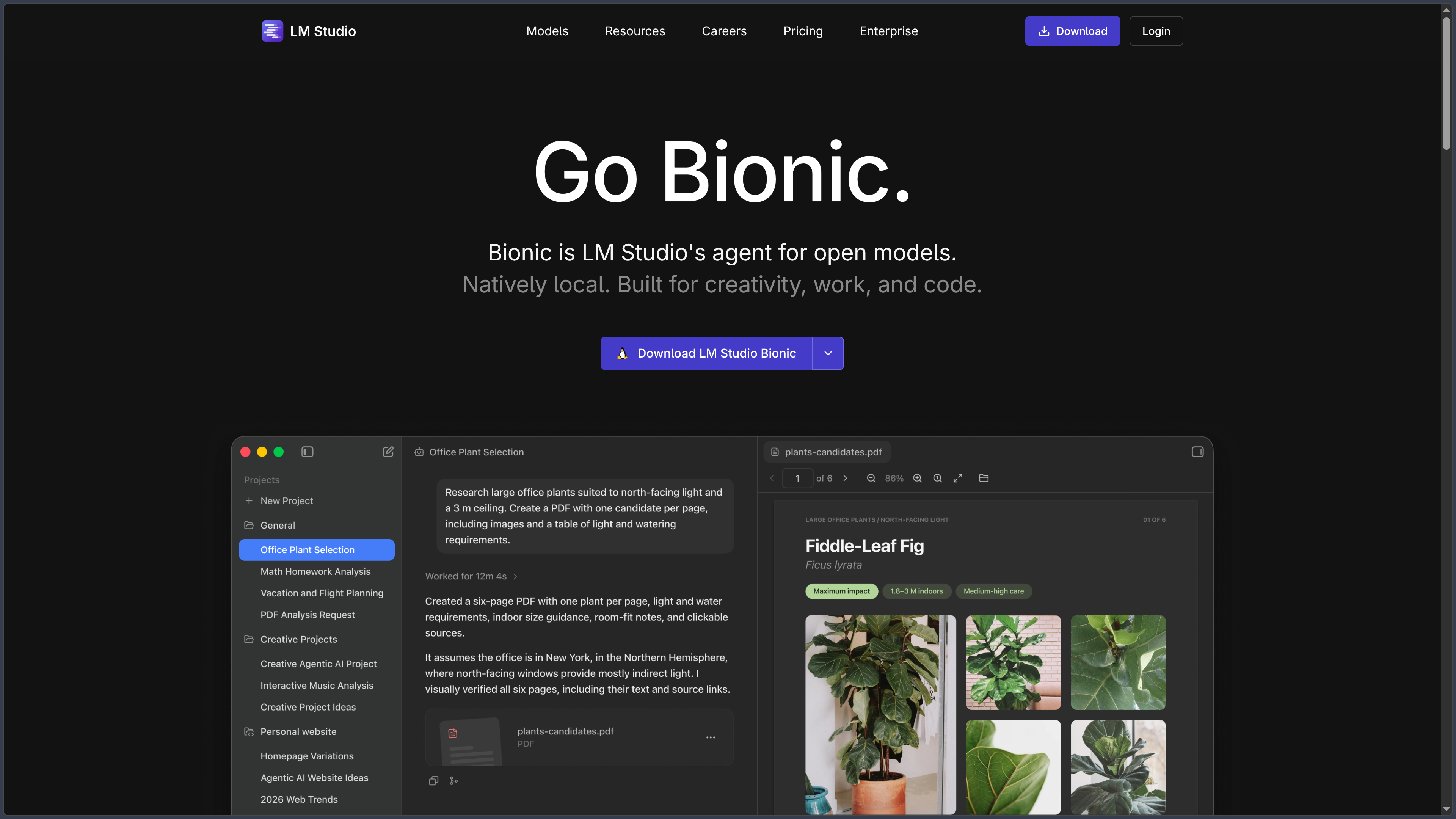
The application is free for personal and internal professional use. It remains proprietary, even though some engines and tools in its ecosystem are open source. LM Studio Desktop must also be distinguished from LM Studio Bionic, another application from the same publisher, focused on working with agents and optional cloud models: Bionic subscriptions are not a mandatory subscription for LM Studio.
Features
Discovering, downloading and organizing models
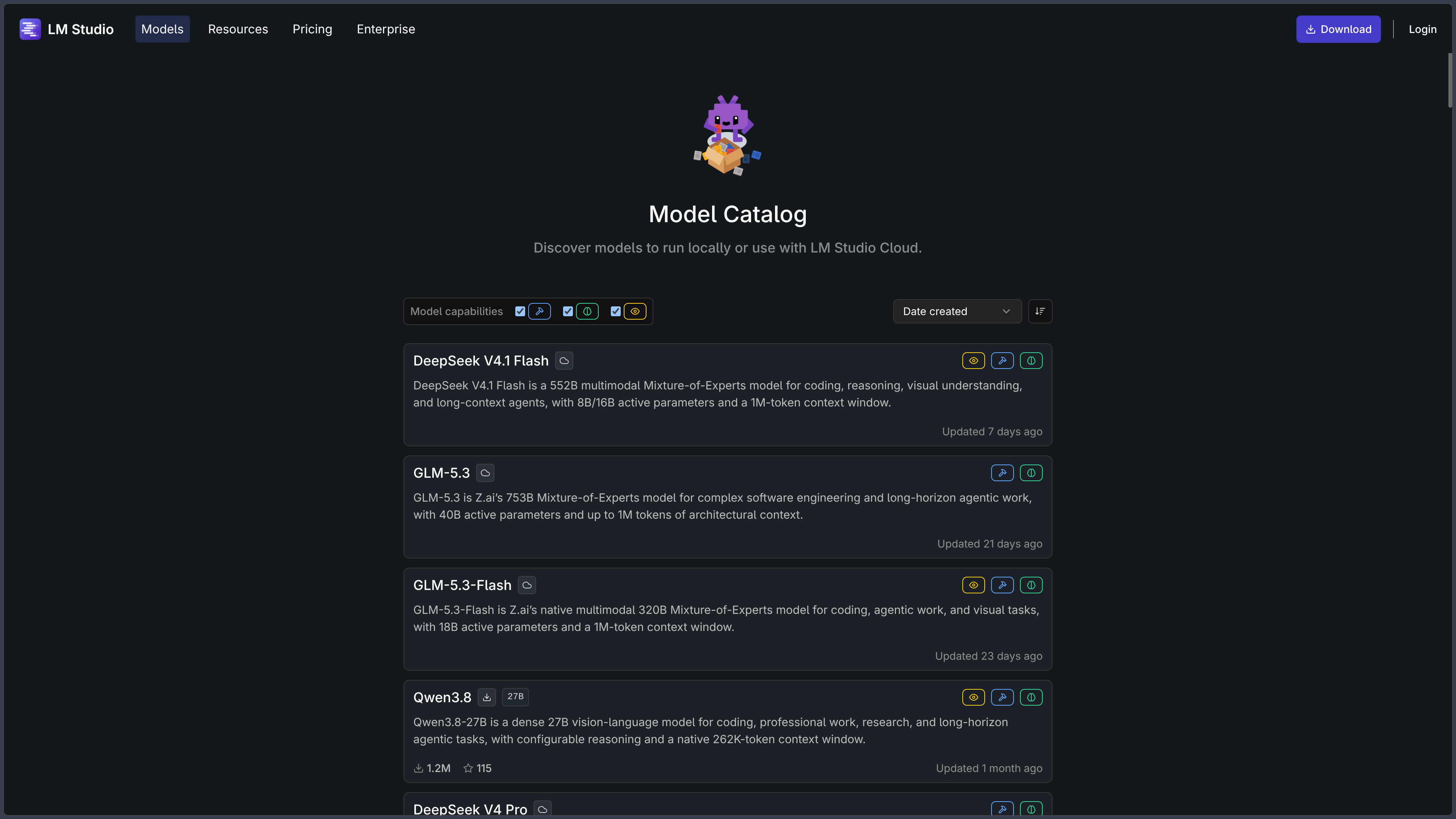
The interface lets users explore a model catalog and search for files distributed notably through Hugging Face. Once a model has been selected, LM Studio downloads its weights and adds it to a local library. It is also possible to import compatible models obtained through other means.
Choosing a model is not just a matter of its name. Several variants may be available, notably according to the GGUF or MLX format and quantization level. A more heavily quantized version generally uses less memory but may affect response quality. Conversely, a very large model can become difficult to run properly on a modest machine.
LM Studio allows users to manage these files and select the variant to load. The presence of a model in the catalog should not, however, be confused with universal permission to reuse it: each model has its own license, sometimes with specific commercial conditions.
Chatting with a model and adjusting its execution
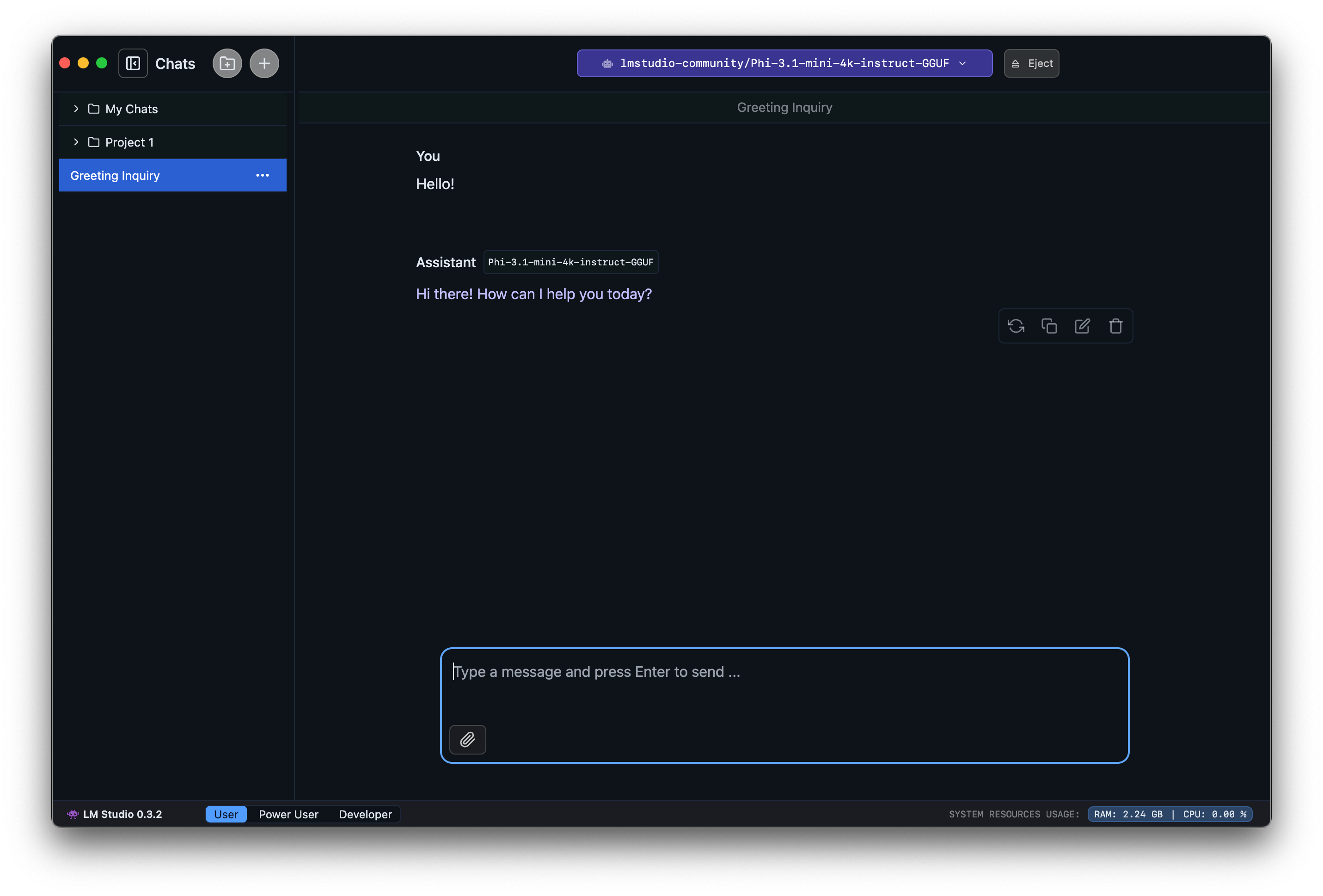
The built-in chat is used to test a downloaded model directly: writing, explaining code, summarizing, rephrasing or answering general questions. Users can keep multiple conversations and export their exchanges as text, Markdown or PDF. Certain capabilities, such as image analysis or tool calling, still depend on the model actually loaded.
Inference parameters provide more control than a conventional chat interface. Users can notably adjust the context size, temperature or distribution of computation between the processor and graphics card. Loading settings can be saved for a model and reused in subsequent sessions.
This control comes with a trade-off: results depend heavily on the model–hardware combination. A long context window increases memory requirements; overly aggressive quantization can degrade responses; a model poorly suited to a task does not become effective simply because it runs locally.
Querying documents without sending them to an external service
LM Studio accepts PDF, DOCX and TXT documents as attachments to a conversation. When a file fits within the model's context window, its content can be added directly to the exchange. For longer documents, the application can use a retrieval-augmented generation (RAG) approach: it searches for relevant passages and then provides them to the model to construct an answer.
This approach is useful for consulting a manual, summarizing documentation or asking questions about a collection of notes. It is nevertheless limited by retrieval quality and the available context: an important passage may not be found, and the model may misinterpret a source. Answers therefore need to be checked when they are used to verify precise information.
With a downloaded model and strictly local use, document processing can take place offline. This guarantee must not automatically be extended to external tools or other applications connected to a cloud service.
Making models available through a local API
LM Studio can launch an HTTP inference server from its developer workspace. Another application can then send requests to the loaded model without using a remote generation API. By default, the server listens on localhost:1234 and can also be configured to operate over the local network.
The environment provides a native REST API as well as interfaces compatible with the OpenAI and Anthropic APIs. This compatibility simplifies connecting software, scripts or assistants that allow the address of their model provider to be customized. Developers can also use the official Python and TypeScript/JavaScript SDKs.
The native v1 API adds model management, stateful conversations and server control features. Since the 0.4 branch, inference can also handle several requests in parallel through continuous batching, subject to the settings and capabilities of the engine being used.
Server security deserves particular attention: operation on localhost should not be confused with making the server available over the network. The server can be configured with token authentication; exposing its port to other devices or enabling CORS unnecessarily increases the access surface.
Graphical interface, terminal and headless operation
LM Studio is no longer limited to its desktop window. Its ecosystem includes three complementary components:
| Component | Role |
|---|---|
| LM Studio Desktop | Graphical interface for discovering models, chatting, managing settings and starting the server. |
lms |
Command-line interface for downloading, loading and unloading models, chatting and controlling the server. |
llmster |
Standalone headless service suited to a dedicated machine, server or continuous integration environment. |
This separation makes it possible to start with an accessible interface and gradually automate operations. A developer can, for example, download a model, load it with defined parameters and start its server from the terminal. On-demand loading and automatic unloading also help avoid unnecessarily tying up memory.
The presence of llmster explains support for self-hosted use: inference can run on a user-controlled machine without requiring a permanent graphical session.
MCP tools and development integrations
LM Studio supports the Model Context Protocol (MCP), which allows a compatible model to interact with tools provided by external or local servers. These integrations can extend the capabilities of a conversation beyond simple text generation, for example to consult a resource or trigger an authorized operation.
Tool support depends on the chosen model, the configuration of the MCP servers and the permissions granted. The APIs also make it possible to use preconfigured servers or, when the option is enabled, servers defined for a specific request.
This flexibility comes with a real risk: a tool with access to the file system or private data can give the model the ability to act on those resources. Permissions should remain limited to what is necessary, and MCP connections should not be assumed to constitute isolated local execution by default.
LM Link: using another machine's processing power
LM Link connects multiple devices so that a lightweight machine can call on a model running on a more powerful computer. Communications use an end-to-end encrypted connection built with Tailscale technology.
This feature makes it possible, for example, to keep a large model on a workstation and use it from a laptop. The separate Locally application, available on iPhone and iPad, can also access models on an LM Studio computer this way. This does not make LM Studio Desktop a native iOS or iPadOS application.
LM Link requires a connection to establish the link. This remote scenario must therefore be distinguished from completely offline use on a single machine.
Privacy and offline operation
Once the application and models are installed, chat, document interactions and the local server can operate without an Internet connection. According to LM Studio's privacy policy, locally processed conversations and documents remain on the machine; searching for and downloading models, along with checking for updates, do require network communications.
This privacy depends on how the application is used. Allowing a server onto the network, connecting an external MCP tool or using a separate cloud application changes where data may travel. Users should examine those connections separately rather than assume that everything bearing the LM Studio name is automatically offline.
Use cases
Discovering local AI without deploying a complete infrastructure
LM Studio makes initial experiments with downloadable models easier. It allows users to compare several variants, observe their memory consumption and test response quality against the same set of questions. This is a practical way to determine what a computer can actually run before building a more ambitious project.
Working with confidential documents
Users can load a local model and then attach technical documentation, notes or a report to obtain a summary or find useful passages. When operation remains strictly local, the files do not have to be transmitted to a remote generation provider. RAG quality and model responses must nevertheless be checked against the original documents.
Connecting an application to a local model
The API server makes it possible, for certain uses, to replace a remote generation provider with a local instance. A chat application, development environment or Python script can then call the model over HTTP or through an SDK. Maintaining compatibility with common API interfaces makes experimentation easier, without guaranteeing that every model has the same capabilities.
Setting up a personal inference infrastructure
With llmster, the command line and LM Link, a workstation can become an inference server accessible to other authorized devices. This setup suits automated tests, experiments on a private network or use of a powerful computer from a laptop. Access control and hardware resources then become just as important as the choice of model.
Conclusion
LM Studio makes running local models accessible without completely hiding the technical parameters. Its interface simplifies discovery, downloading and chat, while the API server, command line and llmster open the way to more structured integrations.
Its appeal also lies in choice: it does not impose a single model and allows the size, format and execution settings to be adapted to the available machine. Local processing of documents and conversations is an advantage for users who want to control where inference takes place.
This autonomy does not eliminate hardware requirements or model limitations, however. System RAM, video memory, quantization, context length, response quality and model licenses all need to be evaluated before settling on a configuration. An API-compatible interface also does not guarantee that every model handles tools, images or structured outputs correctly.
Finally, LM Studio Desktop must remain distinct from related products by the same publisher: Bionic is a separate application, with agent features and optional cloud services; Locally is the mobile application that can access models through LM Link. For discovering local AI, testing a model on personal documents or creating an API endpoint on a machine under the user's control, LM Studio provides a coherent environment that can grow with those needs.
Points to consider
- LM Studio Desktop is free for personal and internal professional use, but its code is proprietary. The open-source engines it uses do not change the application's license.
- Model licenses are independent. Being able to download a model does not guarantee permission to use it commercially or redistribute its weights.
- Hardware determines which models can be used. LM Studio notably recommends 16 GB of RAM; on Windows x64, AVX2 is required and a graphics card with at least 4 GB of VRAM is recommended. Actual requirements vary by model.
- System compatibility must be checked. On Mac, the application requires Apple Silicon and at least macOS 14; Intel Macs are not supported. On Linux, the official documentation notes reservations concerning certain distributions and versions.
- RAG is not a guarantee of completeness. With long documents, some passages may not be retrieved, and answers must be checked against their sources.
- The API server must not be exposed without precautions. Restrict listening to
localhostwhen possible and enable authentication for network access or sensitive integrations. - MCP and LM Link expand the trust boundary. An external tool may access authorized resources; LM Link requires a connection to establish a remote link.
- Bionic and Locally are separate applications. Bionic's cloud subscriptions and Locally's mobile features must not be attributed to LM Studio Desktop.
- Local use can be offline after downloading, but model search, updates and any activated external service require their data exchanges to be examined separately.