
Overview
Linux Mint is a GNU/Linux distribution primarily intended for desktop and laptop computers. Rather than trying to reinvent how a computer is used, the project focuses on providing a coherent, familiar and complete enough environment for users to start working quickly after installation.
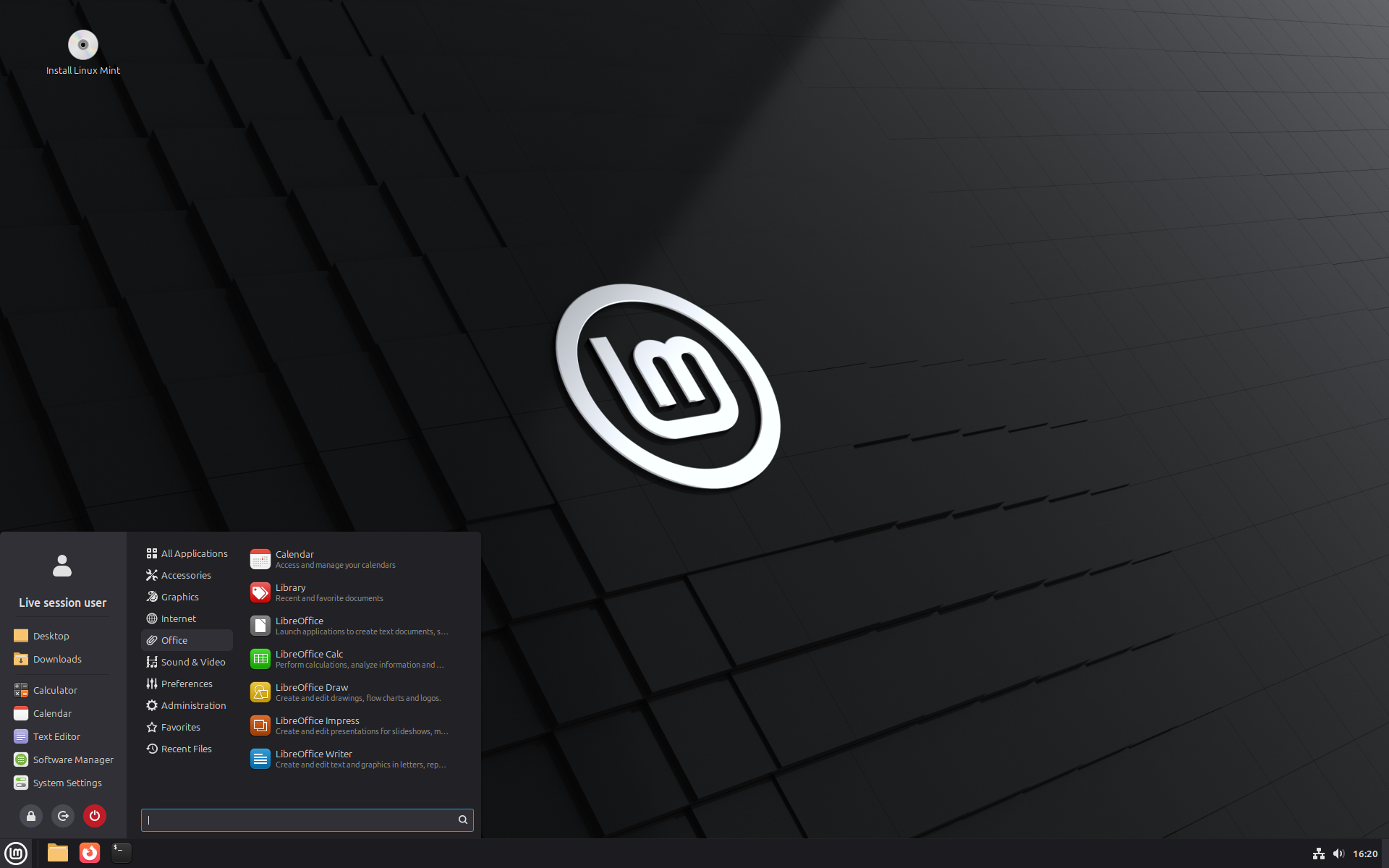
This direction explains much of its popularity among people leaving Windows. Its main desktop, Cinnamon, retains traditional reference points: an application menu, bottom panel, notification area, conventionally managed windows and a file manager close to familiar desktop conventions. Linux Mint does not reproduce Windows, but deliberately avoids asking users to change all their habits at the same time as their operating system.
The main distribution is based on Ubuntu LTS. Linux Mint therefore benefits from the vast package base, drivers, documentation and software compatibility of the Ubuntu ecosystem while making its own choices regarding the interface, applications, updates and certain system components.
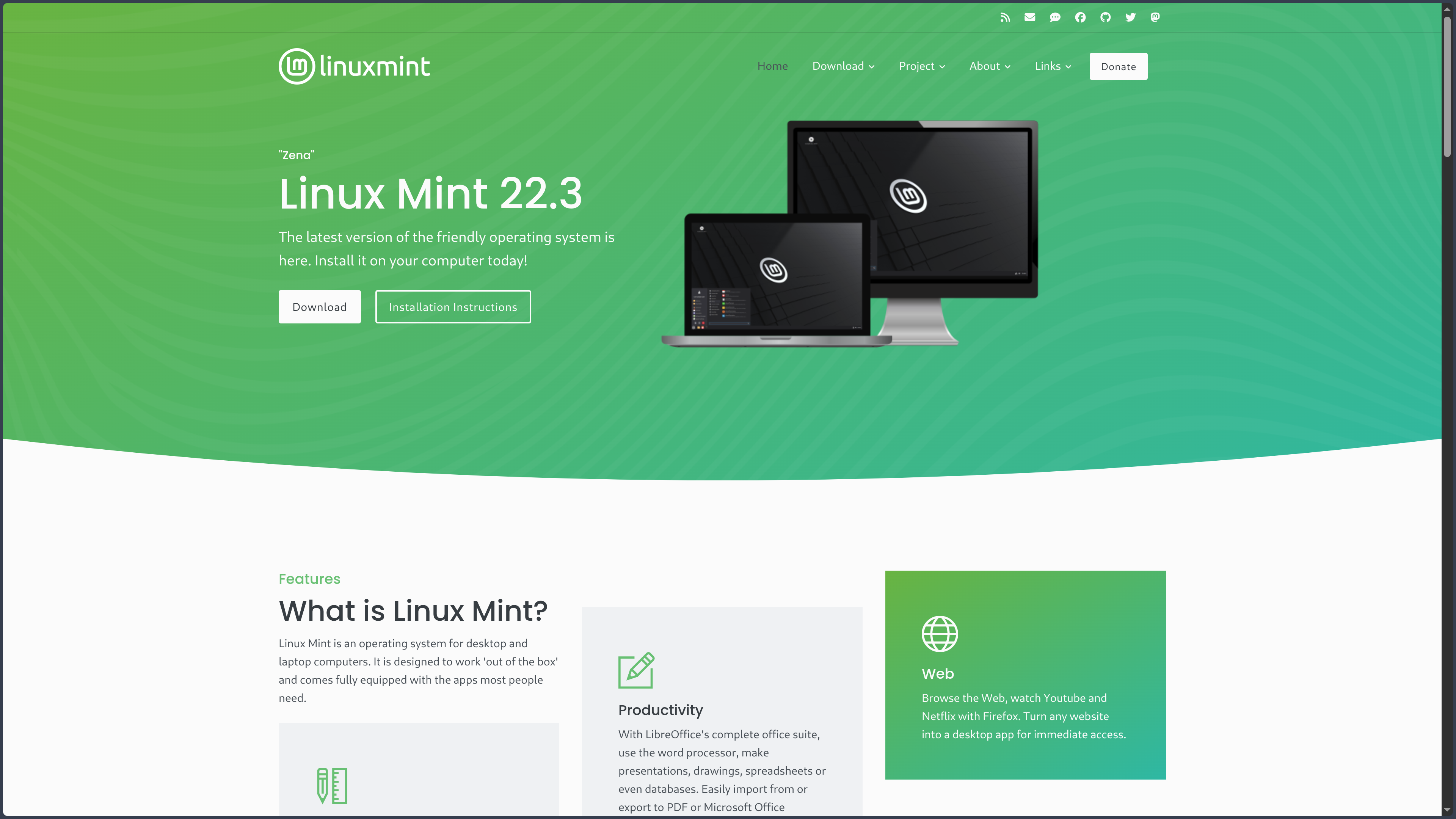
The current stable release is Linux Mint 22.3 “Zena”, released on January 13, 2026. The entire Linux Mint 22.x series uses the Ubuntu 24.04 LTS base, codenamed Noble, and remains supported until April 2029. Upgrades from 22 to 22.1, 22.2 and then 22.3 therefore retain the same foundation rather than completely replacing the system generation.
Linux Mint is officially available in three desktop editions: Cinnamon, MATE and Xfce. Cinnamon is the flagship edition and directly benefits from development by the Mint team. MATE retains a more traditional and relatively lightweight approach, while Xfce places greater emphasis on simplicity and moderate resource usage.
The project also maintains LMDE, Linux Mint Debian Edition. Its current release, LMDE 7 “Gigi”, uses Debian 13 “Trixie” directly rather than Ubuntu. LMDE helps preserve the Mint experience on a different foundation and demonstrates that the project’s identity depends as much on its tools and desktop as on its Ubuntu base.
Features
A traditional desktop that remains highly customizable
The Cinnamon edition organizes the desktop around immediately recognizable elements: a panel, menu, window list, notification area and the Nemo file manager. It is possible to begin using the system without first understanding the differences between window managers, GNOME extensions or graphical compositing systems.
This initial simplicity does not mean the environment is fixed. Cinnamon allows users to modify panels, themes, icons, shortcuts, workspaces, window behavior and numerous display settings.
Its Spices system adds applets, desklets, extensions and themes. Users can therefore keep the interface almost unchanged or gradually build a much more personalized desktop without replacing the entire environment.
Linux Mint 22.3 uses Cinnamon 6.6 in its main edition. This generation notably introduces a redesigned menu and various configuration and usability improvements while preserving the general organization that defines the desktop’s identity.
Installing software with APT, DEB and Flatpak
Linux Mint uses DEB packages and the APT package manager inherited from Debian and Ubuntu. A huge range of libraries, system tools, development environments and applications can therefore be installed from the distribution’s repositories.
The Software Manager provides a graphical interface for finding and installing applications without requiring the terminal. This approach is particularly useful for new users, who can treat software installation as a normal desktop operation rather than an administration task.
Linux Mint also integrates Flatpak, which allows applications to be distributed with more of their dependencies and independently from the pace of system packages. This notably makes it possible to use newer versions of certain applications without modifying the distribution’s relatively conservative base.
APT and Flatpak therefore address two complementary needs. Components close to the system are generally managed as DEB packages, while some graphical applications can evolve more freely through Flatpak.
Linux Mint takes a very different position from Ubuntu regarding Snap. Canonical’s Snap Store is disabled by default and installation through APT is blocked in the standard configuration. A user who genuinely wants to use Snap can manually re-enable the mechanism, but Mint does not impose it as part of its software experience.
Managing updates without turning the machine into an experimental platform
The Update Manager is one of Linux Mint’s central tools. It presents system, software, security and kernel updates through a graphical interface while allowing advanced users to access more information and options.
The project recommends installing available updates, but supports this policy with a genuine rollback strategy. Several kernel versions can remain installed on the machine, making it possible to boot into an earlier generation when an update causes a problem.
Linux Mint especially integrates Timeshift, which is dedicated to system snapshots. It can manually or automatically create restore points that allow the system to return to an earlier state after a bad update, configuration mistake or software problem.
These snapshots concern the system itself and do not replace backups of personal files. The distinction is important: Timeshift is primarily designed to repair the Linux environment, while a proper backup strategy remains necessary to protect documents, photos and projects.
This combination of regular updates, retained older kernels and system snapshots illustrates Mint’s philosophy well: the system should evolve, but the user should retain an understandable way to go back when that evolution goes wrong.
Installing drivers and codecs without multiplying manual steps
Linux Mint provides a Driver Manager responsible for detecting additional drivers available for the hardware. It is particularly useful when a computer requires a proprietary NVIDIA driver or another component that is not installed automatically in the free base configuration.
The user can review the available options, choose the appropriate driver and let the tool handle installation. This interface avoids having to manually search for a file on the manufacturer’s website or immediately understand how Linux kernel modules work.
Multimedia codecs can also be installed during system installation when the machine is connected to the Internet. They can be added later from the menu if the option was not selected initially.
This approach remains pragmatic. Linux Mint favors free software but does not build its desktop experience around the principle that users should give up hardware or multimedia functionality whenever a proprietary component is required.
A suite of tools designed to make the system more coherent
Linux Mint does not rely exclusively on applications coming from Ubuntu or its desktop environment. The team develops several tools intended to maintain a coherent experience across the different editions.
The Update Manager, Driver Manager, Software Sources, backup tool and various administration utilities provide graphical interfaces for operations that, on some other distributions, are left more heavily to the command line.
XApps follow a similar philosophy for desktop applications. The idea is to provide software capable of working consistently across different GTK environments without depending exclusively on the choices of a single desktop.
Tools such as Warpinator also make it easy to transfer files between machines on the same local network, while Web App Manager can turn certain web services into dedicated windows integrated with the desktop.
None of these features transforms Linux Mint on its own, but together they reduce the small discontinuities that can make a distribution harder to understand in everyday use.
Three editions for three different approaches to the desktop
Cinnamon is the natural choice for discovering the Linux Mint experience as designed by its team. It offers the strongest integration with the project’s tools and balances a traditional interface, modern effects and customization.
MATE continues the legacy of the GNOME 2 desktop. Its interface remains conventional and predictable, with generally moderate resource usage and considerable freedom in panel organization.
Xfce goes even further toward lightweight operation. It can be useful on machines with limited resources or for users who want a more discreet environment and prefer to reserve more resources for their applications.
These editions share the same Linux Mint base and most of its tools. The choice therefore primarily affects how the user interacts with the system rather than representing a completely different distribution.
A Debian alternative with LMDE
LMDE 7 “Gigi” reproduces the Linux Mint experience but uses Debian 13 “Trixie” directly as its package base.
Its purpose is not to become a more advanced or higher-performance edition than standard Linux Mint. It mainly serves to verify that the technologies developed by the project can function correctly independently from Ubuntu and to preserve a second technical path.
LMDE uses Cinnamon and remains visually very close to the main edition. The difference appears mainly underneath the desktop: Debian repositories, different package cycles and certain characteristics tied to that base.
For a new user, the Ubuntu-based version of Linux Mint generally remains the most obvious route because it is the heart of the project. LMDE becomes more interesting for users who want the Mint experience while preferring a direct relationship with Debian.
Use cases
Leaving Windows without changing every habit on the same day
A user can boot Linux Mint from a USB drive and try the system before modifying the disk. They quickly find a menu, taskbar, notification area, file explorer and window management that remain close to conventions long used on PCs.
Live mode makes it possible to check Wi-Fi, sound, display, Bluetooth and much of the hardware before final installation.
Once Mint is installed, drivers, codecs, software and updates all have dedicated graphical interfaces. The terminal remains available and gradually becomes useful when the user wants to explore Linux more deeply, but it does not need to be the starting point for every common operation.
This gentle progression explains why Linux Mint is often chosen as a first distribution by users who want to discover Linux without immediately turning their computer into a technical project.
Giving a still-functional computer a second life
Linux Mint can run on machines that no longer meet the requirements of the latest commercial operating systems. The MATE and especially Xfce editions provide relatively lightweight environments while retaining access to a modern system and maintained software.
Official requirements remain modest: at least 2 GB of RAM, 4 GB recommended for comfortable use and at least 20 GB of disk space.
This does not mean that an extremely old computer will automatically regain modern performance. A browser with dozens of tabs or a heavy creative application will consume the same resources regardless of the distribution.
Mint can, however, reduce the amount of resources consumed by the environment itself and extend the useful life of a machine whose hardware remains perfectly adequate for office work, the Web, writing or simple tasks.
Building a stable workstation
A user who works several hours a day on their computer may prefer to keep a relatively constant base rather than continuously follow the latest kernel, desktop and library versions.
The Linux Mint 22.x series is based on Ubuntu 24.04 LTS and remains supported until 2029. Intermediate Mint releases improve the desktop and tools without replacing that foundation.
APT provides the stable part of the system, while Flatpak can be used for certain applications that need to evolve more quickly. This separation makes it possible to preserve a predictable foundation without necessarily using old versions of every graphical application.
Timeshift adds practical protection before a major change. For a personal production machine, the ability to return to a working state can be more useful than a high pace of new features.
Using Linux for development without choosing a developer-focused distribution
Linux Mint benefits from the Ubuntu ecosystem to provide access to Python, GCC, Git, Node.js, Java, databases, Docker, Podman and many other tools.
A developer can therefore use Mint as their main system while benefiting from the considerable amount of documentation written for Ubuntu and Debian.
The distribution adds few specific constraints to development. The terminal, APT, virtual environments, containers and editors work much like they do on other distributions in the same family.
Mint therefore becomes an interesting option for someone who wants a Linux development environment but prefers their everyday desktop to focus more on simplicity than technical experimentation.
Building a personalized desktop without starting from scratch
Cinnamon can be used almost without modification, but panels, themes, applets, desklets and extensions make it possible to gradually evolve the interface.
A user can start with the traditional default layout, then add indicators, modify the menu, move the panel, create several workspaces or deeply transform the appearance.
This customization remains organized within the desktop settings rather than scattered across many independent tools.
Linux Mint is therefore also suitable for people who enjoy customization but prefer to start from an already coherent environment rather than build their desktop from a minimal installation.
Conclusion
Linux Mint occupies a particular position between Debian, Ubuntu and distributions that are more oriented toward experimentation. It takes a widely compatible and well-documented Ubuntu LTS base, but removes some of the decisions Canonical imposes on its own desktop and builds a more traditional experience around that foundation.
Its value does not lie in delivering new technologies as quickly as possible. The distribution often prefers to let them mature before making them central to the experience. This caution can be seen both in its release cycle and in the importance given to Timeshift and the current retention of X11 as Cinnamon’s reference session.
It is precisely this restraint that makes Mint attractive for an everyday machine. The desktop, updates, drivers and software installation are designed to remain understandable even when the user has no desire to become a full-time Linux administrator.
The project nevertheless maintains genuine technical and philosophical choices. Its refusal to integrate Snap by default clearly distinguishes it from Ubuntu, Cinnamon gives it its own identity and LMDE allows it to maintain an independent path directly based on Debian.
Compared with Fedora, Mint generally offers less recent technologies but a more conservative environment. Compared with Debian, it makes more decisions on behalf of the user in order to provide a ready-to-use desktop more quickly. Compared with Ubuntu, it preserves much of the compatibility of the same base while offering a different vision of the workstation.
For someone looking for a stable, familiar, free Linux system simple enough for the operating system to quickly stop being the main subject of the computer, Linux Mint remains one of the most coherent distributions to consider.
Points to consider
-
Linux Mint 22.3 “Zena” is the current stable release: published on January 13, 2026, it belongs to the 22.x series based on Ubuntu 24.04 LTS and remains supported until April 2029.
-
Versions 22, 22.1, 22.2 and 22.3 share the same Ubuntu Noble base: intermediate Linux Mint releases therefore do not correspond to complete foundation changes. Users can upgrade progressively while remaining within the same generation.
-
Three desktop editions are available: Cinnamon is the main experience developed by Linux Mint, while MATE and Xfce provide more traditional or lightweight environments. The exact desktop features can therefore vary according to the edition selected.
-
Snap is disabled by default: Linux Mint criticizes Canonical’s centralized control of the Snap Store and prevents its automatic installation through APT. Users can manually re-enable Snap, but it is not part of Mint’s standard operation.
-
Flatpak has a more natural place in the Mint ecosystem: it makes it possible to obtain certain recent graphical applications independently of the LTS base. Like all formats that bundle more dependencies, however, it can consume more disk space than a shared system package.
-
Wayland remains experimental in Linux Mint 22.3 Cinnamon: the main session continues to rely on X11. The project has announced that the next generation of Cinnamon should make both X11 and Wayland fully supported, but this future change should not be confused with the current state of 22.3.
-
Timeshift does not replace backups of personal data: its snapshots mainly protect the state of the system. Documents, photos, code and other important files should always have a separate backup.
-
Proprietary drivers are not systematically installed by default: the Driver Manager simplifies their installation when required, particularly for certain NVIDIA GPUs, but compatibility should ideally be checked in live mode before a complete migration.
-
An LTS base also means system software becomes less recent over time: this stability is intentional. Flatpak, third-party repositories or other mechanisms can provide newer versions when needed, but multiplying them can reduce the simplicity that is precisely one of Mint’s strengths.
-
LMDE 7 is not simply another graphical edition of Mint 22.3: it is based directly on Debian 13 rather than Ubuntu and therefore follows a different technical foundation. It retains the Cinnamon experience and Mint tools, but should not be considered strictly identical under the hood.