Overview

Kling AI is an artificial-intelligence audiovisual creation platform operated by Kling AI Pte. Ltd.

Developed from the work of Kuaishou’s Kling team, it first became known as a video generator capable of turning text or an image into an animated sequence.

The platform has since expanded to combine:

  • video generation from text;
  • image animation;
  • the use of several references;
  • motion control;
  • image creation and editing;
  • recurring character and object consistency;
  • sound generation;
  • lip sync;
  • talking avatars;
  • creative effects;
  • team workspaces;
  • an API for developers.

Kling AI can notably be used to:

  • animate an illustration;
  • create a scene from a prompt;
  • add movement to a character;
  • produce several shots around the same subject;
  • prepare an animated storyboard;
  • visualize an advertisement or music video;
  • generate a vertical video;
  • create a talking avatar;
  • transfer movement from a video to another character;
  • prepare shots intended for a larger edit.

The platform places significant emphasis on visual control.

Users can combine descriptions, reference images, saved characters, start and end frames, motion videos, and camera instructions.

This approach makes it possible to move beyond entirely random generation and provide more direction over:

  • the subject’s appearance;
  • its movement;
  • framing;
  • the setting;
  • continuity across several shots;
  • the relationship between image and sound.

Kling AI nevertheless remains a generative tool.

It does not provide the same level of control as video-editing, 3D-animation, compositing, or visual-effects software in which every movement, mask, frame, and transition can be modified manually.

The service is accessible through the Web and official applications for macOS, Android, iPhone, and iPad.

There is currently no equivalent official application for Windows or Linux.

Kling AI mainly depends on the cloud and cannot be self-hosted or used entirely offline.

Features

Video generation from text or an image

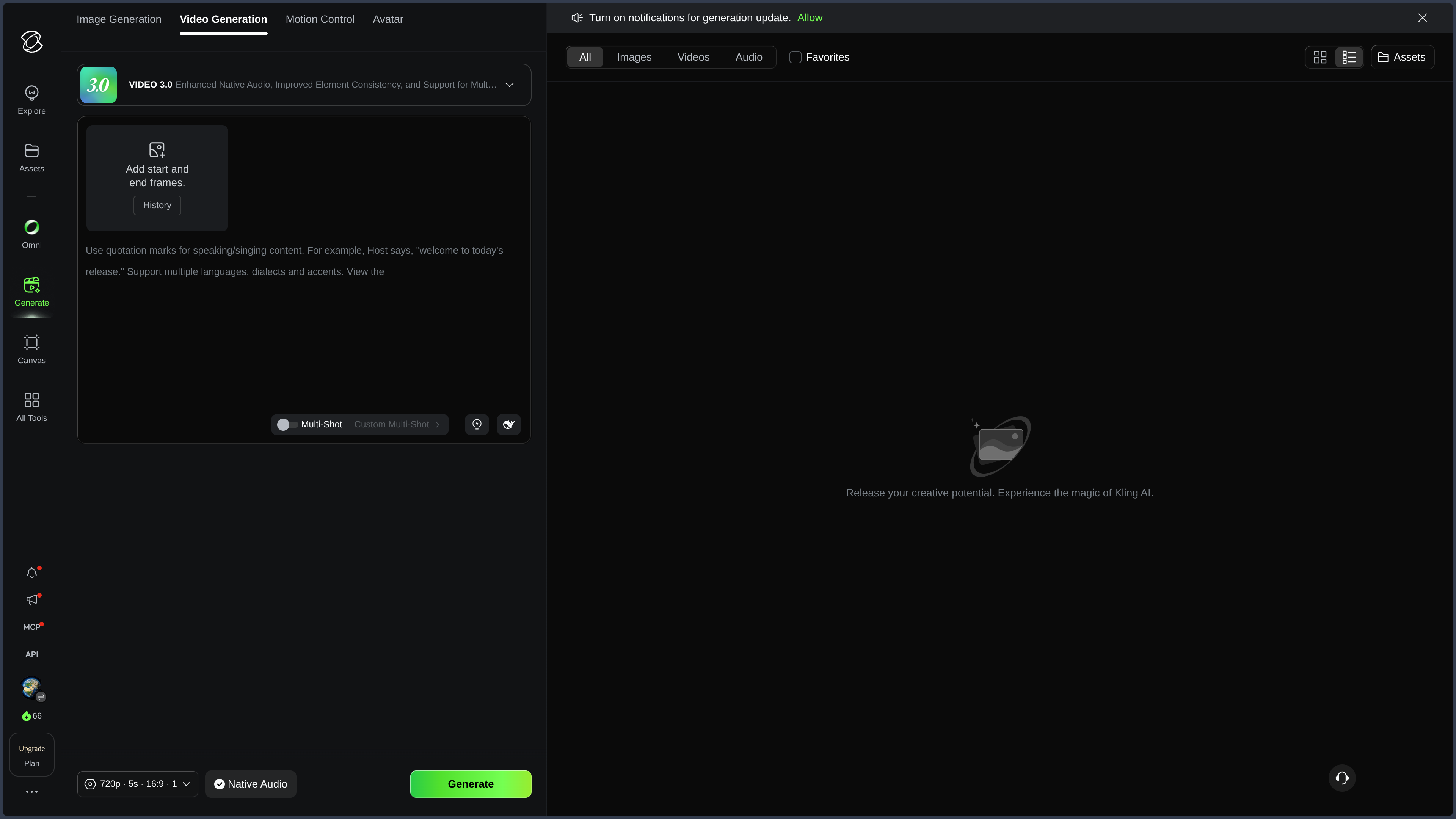
Kling AI can generate a video from a natural-language description.

The prompt can specify:

  • the subject;
  • the action;
  • the setting;
  • the period;
  • the lighting;
  • the mood;
  • the composition;
  • camera movement;
  • speed;
  • visual style;
  • the successive events in the scene.

Users can also import an image to animate it.

This image may represent:

  • a character;
  • a product;
  • a landscape;
  • an illustration;
  • a photograph;
  • architecture;
  • a creature;
  • a composition created with another tool.

Kling then attempts to preserve the general appearance of the reference while generating the requested motion.

The platform can also use a start image and an end image.

This feature helps guide the transformation between two states, for example:

  • a change of setting;
  • movement;
  • a metamorphosis;
  • a change in lighting;
  • a transition between two framings.

Recent models can produce sequences lasting several seconds, then extend certain videos through extension tools.

Generation nevertheless remains sensitive to prompt complexity.

An instruction containing too many actions, characters, or changes may lead to:

  • an incomplete action;
  • a confusing sequence of events;
  • distorted motion;
  • a loss of identity;
  • framing different from what was requested.

Results are generally better when a complex scene is divided into several shots that are then assembled during editing.

Video 3.0, Omni, native audio, and 4K

The Kling Video 3.0 series improves scene understanding, motion, continuity, and the production of sequences containing several shots.

The model can interpret a structured prompt as a short scene containing, for example:

  1. a wide shot;
  2. a move toward the character;
  3. an action;
  4. dialogue;
  5. a concluding shot focused on an object or setting.

This approach brings Kling closer to an audiovisual previsualization tool.

Video 3.0 Omni places greater emphasis on multimodal inputs.

Depending on the mode used, it can combine:

  • several images;
  • characters;
  • objects;
  • a reference video;
  • text;
  • sound instructions;
  • a vocal identity.

Omni is particularly suitable for projects requiring continuity between several elements rather than generation based on a simple prompt.

Recent models can also generate sound at the same time as the image.

The result may include:

  • ambience;
  • sound effects;
  • sounds linked to actions;
  • a voice;
  • dialogue;
  • synchronization between sound and the scene.

This native generation avoids systematically creating the image and sound in two separate tools.

It nevertheless remains imperfect.

Dialogue may contain:

  • incorrect pronunciation;
  • a change of voice;
  • a language different from the one requested;
  • irregular volume;
  • approximate synchronization.

Kling also provides native 4K video generation on certain models and plans.

This higher definition is suited to uses requiring more detail, notably:

  • advertising;
  • visual effects;
  • large displays;
  • productions intended for cropping;
  • shots integrated into a professional edit.

Resolution does not, however, fix generation problems.

A 4K video may still contain:

  • distorted hands;
  • incorrect physics;
  • unstable identity;
  • a disappearing object;
  • impossible motion;
  • an inconsistent cut.

Motion Control and movement transfer

Motion Control makes it possible to transfer movement from a reference video to a character created from an image.

The user generally provides:

  • an image of the character;
  • a video containing the desired motion;
  • optionally, style or framing instructions.

Kling attempts to reproduce:

  • gestures;
  • movement through space;
  • expressions;
  • rhythm;
  • body orientation;
  • certain camera movements.

This feature can be used to create:

  • choreography;
  • a performance;
  • an animated character;
  • an advertisement;
  • a demonstration;
  • a game scene;
  • social content;
  • animation from an illustration.

Motion transfer is particularly useful when an action is difficult to describe precisely in a prompt.

Showing the movement then becomes more effective than explaining it.

Motion Control does not, however, replace genuine motion capture.

The result may struggle with:

  • fast rotations;
  • movements on the ground;
  • interactions between two people;
  • hands;
  • held objects;
  • physical contact;
  • very loose clothing;
  • partially hidden subjects.

The character’s likeness may also decrease when the face changes angle significantly.

Characters, objects, and Element Library

The Element Library makes it possible to save characters, animals, objects, clothing, or settings for reuse across several creations.

An element can be built from several images showing different angles or expressions.

Kling can then attempt to preserve:

  • the face;
  • proportions;
  • clothing;
  • colors;
  • accessories;
  • the silhouette;
  • the overall identity.

This feature is particularly useful for:

  • a recurring character;
  • a mascot;
  • a video series;
  • an advertising campaign;
  • a short film;
  • a narrative universe;
  • a video-game concept;
  • an animated comic.

Omni models can combine several elements within the same scene.

Users can, for example, bring together:

  • a character;
  • a product;
  • a vehicle;
  • a setting;
  • an animal;
  • an accessory.

The 3.0 series also makes it possible to associate a vocal identity with certain characters, making it easier to reuse the same appearance and voice.

This continuity remains approximate.

Across several generations, Kling may still change:

  • the shape of the face;
  • apparent age;
  • eye color;
  • clothing;
  • proportions;
  • details of an object;
  • the size of an accessory.

For a substantial series, results must be selected, corrected, and sometimes retouched in other software.

Image generation and editing

Kling AI also includes an image-generation environment.

Image 3.0 can produce an image from text or use several references.

Users can notably ask it to:

  • generate a character;
  • create a setting;
  • prepare an image intended for animation;
  • reproduce a product;
  • modify a style;
  • change clothing;
  • add or remove an object;
  • replace a background;
  • change the camera angle;
  • produce several consistent views.

Using several references makes it possible to combine distinct pieces of information.

One image can define the face, another the clothing, and a third the setting.

Kling then attempts to build a new composition that respects those elements.

This integration between image and video is one of the platform’s main strengths.

A creator can:

  1. generate a character;
  2. correct its appearance;
  3. create several views;
  4. add it to the library;
  5. produce different videos.

Kling Image nevertheless remains a generative tool.

It does not replace image-editing or drawing software for:

  • highly precise selections;
  • complex layers;
  • masks;
  • manual painting;
  • detailed color management;
  • files intended for print;
  • vector production.

A local edit may also unintentionally change the face, setting, or an element that was supposed to remain identical.

Staging, camera, and multi-shot sequences

Kling makes it possible to guide staging through several types of instructions:

  • tracking shot;
  • pan;
  • rotation;
  • zoom;
  • high-angle shot;
  • low-angle shot;
  • handheld camera;
  • static shot;
  • slow motion;
  • acceleration;
  • depth of field;
  • transitions between several shots.

Recent models interpret descriptions organized over time more effectively.

Users can assign an action or approximate duration to different parts of the prompt.

This approach can be used to prepare:

  • an animated storyboard;
  • an advertisement;
  • a dialogue scene;
  • a trailer;
  • a music video;
  • a cinematic shot;
  • a video-game cutscene.

Start and end frames also help control the visual path of a scene.

The exact camera position, pacing, and cuts nevertheless remain generative.

A shot may last longer or shorter than expected, add an extra movement, or end with different framing.

Editing software remains necessary to select the best takes, adjust duration, and build the final rhythm.

Avatar, voice, and lip sync

Kling Avatar turns an image into a talking character.

Users can provide:

  • a portrait;
  • an illustrated character;
  • text intended for speech synthesis;
  • an audio file;
  • an emotional direction;
  • gesture or attitude instructions.

Kling then generates a video combining:

  • facial movement;
  • lip synchronization;
  • expression;
  • head movement;
  • sometimes upper-body and hand movement.

This feature can be used for:

  • a presentation;
  • a narrator character;
  • a tutorial;
  • a social video;
  • an advertisement;
  • a product demonstration;
  • a mascot;
  • a fictional character.

Depending on the mode and plan, avatars can produce longer content than standard video generations.

Quality varies according to the language, audio, framing, and image type.

Officially highlighted languages do not guarantee equal quality in French or Spanish.

The Lip Sync feature can also be applied to certain existing videos.

Users provide a voice or use speech synthesis, and Kling then adjusts mouth movements.

Results should be checked carefully, particularly for:

  • close-ups;
  • fast words;
  • pronounced consonants;
  • profile faces;
  • stylized characters;
  • significant head movement.

The voice or face of a real person must never be used without their authorization.

Creative effects and complementary tools

Kling also provides various specialized tools and preset effects.

They can be used to:

  • transform a portrait;
  • animate a photograph;
  • change an outfit;
  • simulate a virtual try-on;
  • create a metamorphosis;
  • extend a video;
  • improve resolution;
  • generate social effects;
  • quickly produce a variation.

These effects make it easier to create short-form content and visual trends.

They may nevertheless produce similar-looking results across different users when default settings are not sufficiently customized.

Virtual try-on and clothing replacement also remain sensitive to:

  • body position;
  • hidden objects;
  • lighting;
  • transparent fabrics;
  • hands;
  • accessories;
  • differences in body shape.

Library, community, and recreation

Kling includes a community gallery where users can discover and publish creations.

A post may include:

  • the video;
  • the images used;
  • certain generation details;
  • a prompt;
  • references;
  • a recreation feature.

Features such as Clone & Try make it possible to reuse certain settings from a public creation in order to generate a variation.

This is useful for understanding how an effect was produced or exploring a technique.

It also means that published content may become a reference for other users.

Before making a creation public, users should check:

  • the faces present;
  • brands;
  • characters;
  • client work;
  • confidential elements;
  • rights attached to the references;
  • recreation settings.

Important content should also be downloaded and backed up outside the platform.

The Kling library depends on the account and cloud service.

Team workspaces and API

Kling offers plans designed for teams and organizations.

Depending on the subscription, they may add:

  • more credits;
  • several users;
  • shared spaces;
  • centralized management;
  • simultaneous generations;
  • higher priority;
  • administrative features;
  • terms adapted to businesses.

These plans may suit:

  • an agency;
  • a creative studio;
  • a marketing team;
  • an audiovisual production;
  • a communications department;
  • a platform integrating generation.

Kling also provides an official API.

It makes it possible to integrate certain models and features into:

  • an application;
  • a Web service;
  • a production pipeline;
  • an internal tool;
  • an automated workflow;
  • a creative platform.

API use has its own pricing, quotas, and technical constraints.

It should not be confused with the consumer subscription used on the Kling AI website.

Plans, credits, and commercial rights

Kling AI operates through a credit system.

The platform offers free access and several paid subscriptions whose names and limits may change.

Depending on the plan, a subscription may add:

  • more monthly credits;
  • faster generation;
  • a priority queue;
  • more simultaneous tasks;
  • access to recent models;
  • professional mode;
  • higher resolution;
  • video extension;
  • resolution enhancement;
  • watermark removal;
  • commercial rights;
  • early access to certain features.

The free plan makes it possible to test the platform but includes more limitations.

Generations may be slower, use restricted models, and retain Kling AI branding.

Non-subscribers should not assume that every free creation can be commercially exploited without conditions.

Paid members receive broader rights to use, modify, reproduce, and distribute their outputs within the framework of their subscription.

Prices, credits, and limits may vary according to:

  • country;
  • currency;
  • billing type;
  • purchasing platform;
  • promotions;
  • the selected model;
  • resolution;
  • video duration.

An advanced, long, or high-definition generation may consume far more credits than a standard test.

Licence, privacy, and imported content

Kling states that it does not claim ownership of content when the rights legally belong to the user.

Users remain responsible for every imported element, including:

  • photographs;
  • videos;
  • faces;
  • voices;
  • illustrations;
  • logos;
  • trademarks;
  • characters;
  • products;
  • music;
  • intellectual property.

Users must not import or exploit third-party content without holding the necessary rights and authorizations.

The terms nevertheless grant Kling a licence allowing it to store, process, and display inputs and outputs in order to operate the service.

Depending on the applicable terms, this authorization may also cover:

  • promotion of the platform;
  • improvement of features;
  • development of new products;
  • training or improvement of models.

Users working with confidential content, client projects, real faces, or unpublished creations should therefore read the terms and available settings carefully.

Community publishing adds another level of exposure.

Public content may be discovered, shared, recreated, or used as a reference depending on the enabled features.

Use cases

Animating an illustration or photograph

Kling can transform a static image into a short animated sequence.

This feature is particularly suitable for:

  • illustrations;
  • portraits;
  • character concepts;
  • photographs;
  • landscapes;
  • digital artworks;
  • posters;
  • covers.

The prompt can define the movement of the subject, setting, and camera.

The result should nevertheless be checked to avoid distortions or unnecessary movements added by the model.

Preparing a storyboard or previsualization

Kling makes it possible to quickly add movement to a scene idea.

A filmmaker, illustrator, writer, or game designer can use it to:

  • test framing;
  • visualize camera movement;
  • prepare shot planning;
  • compare several moods;
  • communicate an intention;
  • explore a sequence before production.

The resulting video is a previsualization, not necessarily a final shot.

Creating social content

The platform is suited to short formats intended for:

  • TikTok;
  • Reels;
  • Shorts;
  • Stories;
  • social advertisements;
  • promotional content;
  • teasers.

Rapid effects, camera movement, and transformations are well suited to this type of content.

However, multiplying highly spectacular generations may result in videos that resemble those of many other accounts.

A visual identity remains necessary.

Producing an advertisement or product presentation

Multiple references and the element library make it possible to integrate a product into different settings or scenarios.

Kling can help produce:

  • an advertising concept;
  • a demonstration;
  • a product animation;
  • a teaser;
  • a campaign variation;
  • a staging test.

Logos, shapes, text, and exact product details should be checked.

For a commercial campaign, retouching and human approval remain essential.

Maintaining a character across several videos

The Element Library and Omni models make it possible to create several sequences around the same character.

This feature can be used for:

  • a mascot;
  • a narrative series;
  • a social channel;
  • a virtual character;
  • a short film;
  • an animated comic;
  • a game cutscene.

Consistency will not be perfect in every generation.

Selection and corrections remain necessary to maintain a credible identity.

Transferring movement

Motion Control makes it possible to apply choreography, gestures, or a performance to another character.

The tool can be used to:

  • animate an illustration;
  • prepare a dance;
  • create a fictional performance;
  • test a pose;
  • reproduce an action that is difficult to describe.

Users must hold the rights to the reference video and obtain the consent of identifiable people.

Creating a talking avatar

Kling Avatar can turn a portrait or fictional character into a presenter.

This feature is suitable for:

  • educational videos;
  • announcements;
  • brand characters;
  • narrative content;
  • demonstrations;
  • social videos.

A generative avatar does not always replace real footage, especially when emotion, credibility, or language accuracy matter.

Preparing shots for editing

Kling becomes particularly useful when it produces several shots intended to be selected and assembled in editing software.

The creator can then add:

  • music;
  • a voice;
  • sound effects;
  • titles;
  • color grading;
  • transitions;
  • corrections;
  • narrative pacing.

The platform then becomes a source of audiovisual material rather than a tool expected to finish the entire video by itself.

PANACHES review

Kling AI is among the most interesting video generators for moving from an image or visual intention to an animated sequence.

Its strength does not rely only on the spectacular quality of certain generations.

It lies above all in the growing number of ways to guide the result:

  • multiple references;
  • saved characters;
  • start and end frames;
  • camera movement;
  • motion transfer;
  • voices;
  • native sound;
  • multi-shot sequences.

This evolution is gradually turning Kling into a generative audiovisual workshop.

Creators no longer always simply request a video and then accept or reject the result. They can prepare references, build elements, organize a scene, and reuse characters.

Control nevertheless remains incomplete.

Kling may produce an impressive shot overall while failing on:

  • a hand;
  • a gaze;
  • an object;
  • an interaction;
  • a transition;
  • text;
  • a product detail;
  • character continuity.

Video generation also consumes far more time and credits than creating a static image.

Obtaining a few genuinely usable seconds may require several attempts.

For Panaches, Kling is particularly relevant as a tool for:

  • animation;
  • previsualization;
  • storyboarding;
  • visual research;
  • character creation;
  • shot preparation;
  • advertising;
  • social content;
  • game-scene design;
  • audiovisual prototyping.

It complements a local environment in which the following remain stored:

  • prompts;
  • source images;
  • characters;
  • storyboards;
  • generated videos;
  • edits;
  • sounds;
  • versions;
  • original projects.

Kling provides exploration speed and the ability to make an idea immediately visible and mobile.

Editing, compositing, or 3D-creation software provides greater precision, continuity, and control.

The strongest approach therefore consists of using Kling to create and explore shots, then selecting, editing, correcting, and integrating them into a broader production.

Points to consider

  • Kling AI is a proprietary cloud-dependent service.
  • There is no official application for Windows or Linux.
  • The platform cannot be self-hosted or used entirely offline.
  • Models, features, prices, and credits may change quickly.
  • The most advanced models may be reserved for paid subscriptions.
  • A longer or higher-resolution video may consume a large number of credits.
  • The same request may produce very different results.
  • Complex prompts may be partially ignored.
  • A multi-shot sequence may alter the order or duration of actions.
  • Camera movements do not always follow the instruction exactly.
  • Characters may change appearance across several shots.
  • Clothing, accessories, and proportions may drift.
  • Hands and fingers remain vulnerable to distortion.
  • Interactions between characters or objects may lack credibility.
  • The physics of bodies, liquids, fabrics, and collisions may be incorrect.
  • Text integrated into a scene may be unreadable or altered.
  • Logos and product details must be checked.
  • 4K generation does not fix visual errors.
  • Higher definition may make certain defects more visible.
  • Generated sound may be poorly synchronized or inconsistent.
  • Dialogue may contain language or pronunciation errors.
  • Avatar and Lip Sync do not guarantee equal quality in every language.
  • A third party’s voice and face must never be used without consent.
  • A motion video must not be imported without the required rights or permission.
  • Motion Control does not replace genuine motion capture.
  • Elements saved in the library do not guarantee perfectly stable identity.
  • Image edits may alter areas that were supposed to remain unchanged.
  • Preset effects may produce content that is too similar across different users.
  • Important generations should be downloaded and backed up outside Kling.
  • The library depends on the account and cloud service.
  • Public content may be discovered, shared, or recreated depending on its settings.
  • Client or confidential projects should not be published without review.
  • Users remain responsible for imported images, videos, voices, brands, and characters.
  • Protected content must not be used without authorization.
  • Free users must retain the branding or attribution required by Kling.
  • Commercial use of the free plan should not be considered automatically authorized.
  • Paid members receive commercial rights according to the terms of their plan.
  • Contractual rights do not remove possible third-party rights.
  • A generated creation may unintentionally resemble an existing work, brand, or person.
  • Kling receives a technical licence over content required to operate the service.
  • The terms may allow content to be used to improve products or models.
  • Confidential, unpublished, or sensitive content therefore requires particular caution.
  • Mobile purchases may be managed by Apple or Google.
  • Consumer subscriptions and API use have separate billing.
  • Kling accelerates shot creation, but does not fully replace storyboarding, filming, animation, editing, compositing, and art direction.