Overview
Kling AI is a generative audiovisual creation platform that first made a name for itself by transforming text or an image into video.
Its current interest, however, goes beyond raw generation.
The platform progressively adds ways to control the subject, motion, references, continuity, and sound.
This evolution is important because generative video quickly becomes frustrating as soon as more than one shot needs to be produced.
A beautiful isolated sequence can be obtained relatively quickly.
Then keeping the same face, the same accessory, and a coherent camera logic is much more difficult.
An image can be animated.
A character can be recorded and then reused.
A reference video can transmit motion.
Start and end frames can guide a transformation.
Several elements can be combined into one scene.
Kling becomes more interesting when it is used to build and steer shots than when used as a simple clip machine.
This difference also changes the way to evaluate the tool.
The question is no longer only:
"Is the video impressive?"
but:
"Can I produce several shots that seem to belong to the same project?"
Control remains incomplete.
Animation, compositing, or editing software makes it possible to precisely modify each frame, mask, or transition.
Kling generates an interpretation.
A scene can work as a whole while failing on a hand, an object, a match cut, or an interaction.
The platform depends mainly on the cloud.
It makes it possible to quickly obtain shots that would have required much more preparation with a traditional chain, but cost, generation time, and number of attempts quickly become important variables.
Features
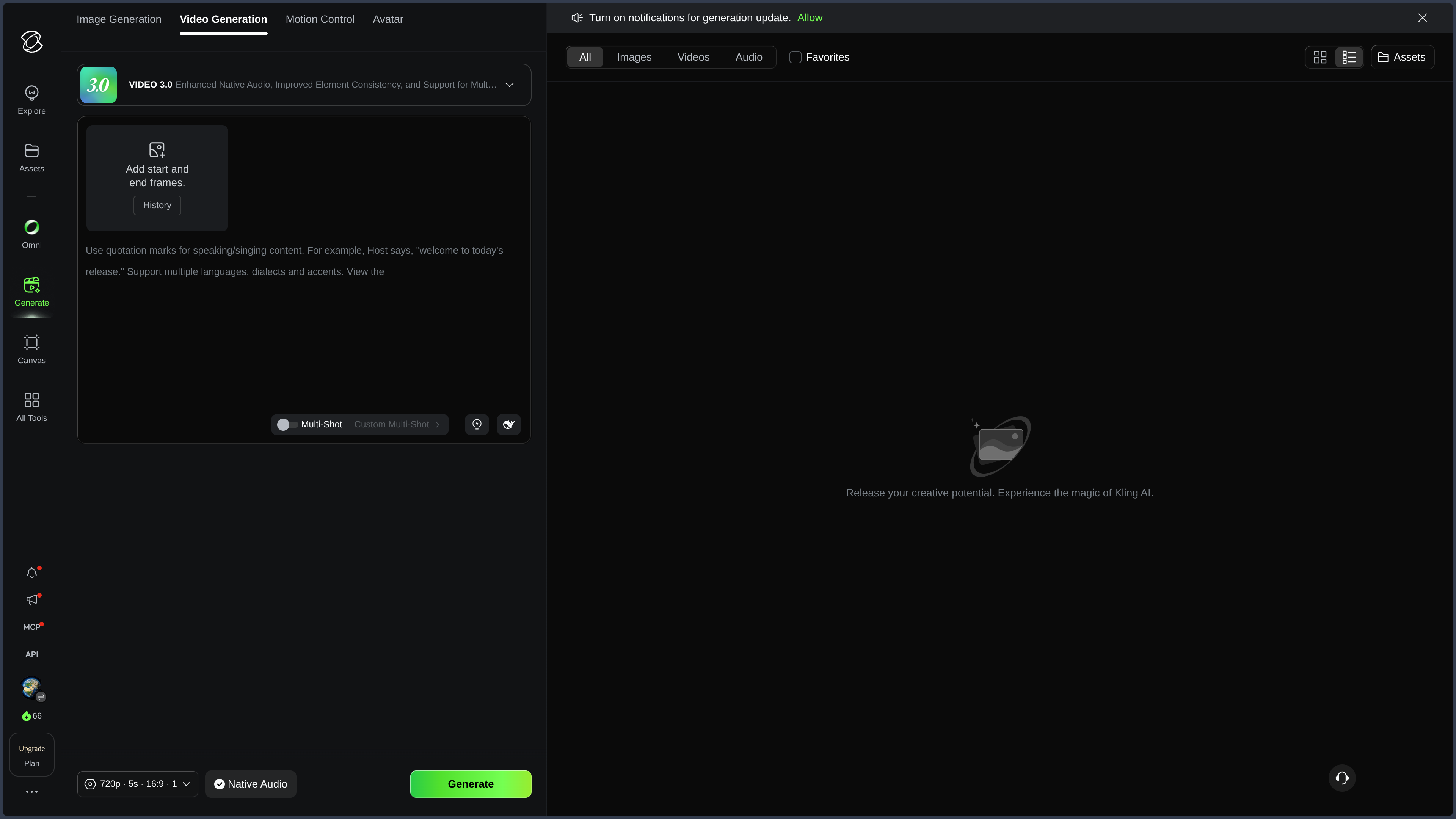
Generating from text or an image
Kling can create a sequence from a description or animate an existing image.
The text makes it possible to specify subject, action, mood, and camera motion.
Starting from an already validated image reduces the number of decisions left to the model.
Framing, silhouette, and part of the visual identity already exist.
This difference makes image-to-video particularly interesting in a real pipeline.
The creator can work on composition first, then add motion.
For a complex scene, several short shots generally remain more controllable than a request trying to tell everything at once.
Start and end images can also guide a transformation.
They further fix the starting point and the visual destination.
The path between the two remains invented by the model.
Using multiple references
The platform can combine several images or elements to better maintain characteristics between generations.
Libraries make it possible to reuse characters, objects, clothing, or sets.
This continuity is particularly important for shot series.
A registered element becomes a kind of project visual memory.
The character or product no longer needs to be fully redefined with each generation.
This logic is more structuring than the quality gain of a particular model version.
It remains approximate.
Face, proportions, accessories, or clothing can still drift.
A Kling element is not a real persistent 3D model.
Controlling motion
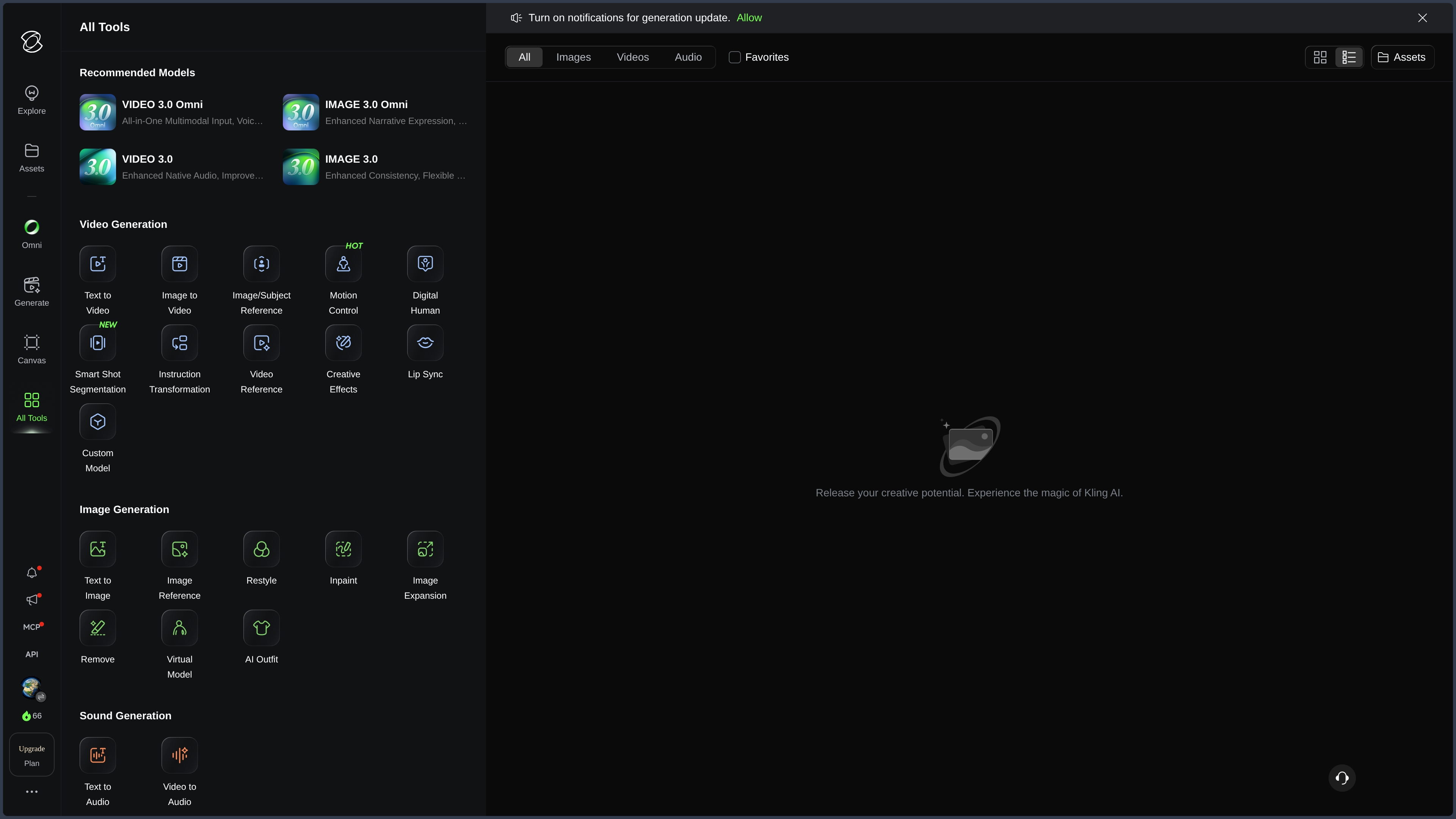
Motion transfer makes it possible to use a reference video when showing an action is simpler than describing it.
The system then attempts to reproduce gestures, movements, rhythm, or body orientation on a generated character.
This capability is particularly interesting for movements difficult to verbalize.
A choreography, a sports gesture, or a performance can be much easier to communicate with a reference.
In some generative workflows, showing becomes more precise than prompting.
This logic, however, has important limits.
Occlusions, fast movements, contacts between several people, hands, grasped objects, or complex clothing can produce errors.
Motion transfer therefore does not replace actual motion capture.
Directing camera and staging
Kling makes it possible to steer different camera movements and describe a scene according to several beats.
This layer is important when the user already thinks in shots.
Tracking, pan, rotation, zoom, or more dynamic cameras can accompany the action.
Models can also interpret descriptions organized over time to separate several moments.
This capability suits previewing and shot preparation.
It remains generative.
The exact camera position, rhythm, and match cuts are not as deterministic as animation done in a 3D engine.
Editing software remains necessary to select the best takes and build the final rhythm.
Linking image, video, and sound
Kling also includes image generation or retouching tools that can serve to prepare references before animation.
This continuity is practical:
reference image → correction → animation → sound.
Features related to avatars, voices, and lip-sync extend the video.
They can be used to create presenters, narrative characters, or social content.
Pronunciation, synchronization, and voice stability must be checked.
A higher resolution improves the amount of detail.
It does not fix bad physics, a deformed hand, or an object that disappears.
Technical file quality and scene consistency remain two different problems.
Avatars and lip-sync
Avatar features make it possible to turn a portrait or character into a speaking subject.
The system can combine facial movement, expression, voice, and lip synchronization.
This approach suits presentations, mascots, narrators, or demonstrations.
Close-ups, profiles, significant head movements, or highly stylized characters can remain difficult.
Using the face or voice of a real person requires their authorization.
Team and API
Collaborative spaces and an API make it possible to use Kling in more structured production.
The API becomes particularly interesting when video generation is no longer an isolated action but a brick in automated software or pipeline.
This layer does not change Kling's identity.
It simply shows that the same capabilities can be called beyond the consumer interface.
Use Cases
Animating an illustration
A static image can become a short shot while keeping part of its composition and identity.
Preparing an animated storyboard
Storyboard concepts or images can be turned into previews to test motion, rhythm, or framing.
Maintaining a character between several shots
Registered references and elements facilitate the creation of a small series around the same protagonist.
Transferring motion
An existing video can guide a generated character's gestures when motion is difficult to formulate with words.
Producing an advertisement or product presentation
A recurring product can be integrated into several shots with different visual references and movements.
Creating a talking avatar
A portrait or character can become a spoken sequence for a prototype, narration, or social content.
Producing shots for editing
Kling can generate several sequences intended to be selected, corrected, and then assembled elsewhere.
PANACHES Review
Control is more important than the spectacular
An isolated beautiful video impresses.
In production, the real problem becomes the ability to repeat a character, a product, or an intent across several shots.
References and motion features make Kling more useful precisely on this ground.
Showing can be more effective than describing
Motion transfer illustrates an important idea of generative tools.
Some visual instructions are easier to provide as a reference than as a prompt.
This principle reduces dependence on language.
Thinking in shots improves the workflow
Kling becomes more consistent when one stops asking it for a complete sequence and works shot by shot.
Each shot can be tested, selected, and then assembled.
This logic brings the tool closer to a real audiovisual production chain.
Continuity remains partial
A registered character does not become a real persistent 3D model.
Face, clothing, physics, or accessories can still drift.
Kling helps maintain an identity.
It does not guarantee the scene.
A generated shot remains editing material
The best way to use Kling often consists of producing several proposals, selecting the most solid ones, correcting what can be corrected, and then organizing the result elsewhere.
This logic avoids confusing generation and narration.
Kling is particularly strong as an exploration, preview, and shot-making tool.
For long production, editing, sound, compositing, and narrative control remain better handled in specialized tools.
Points of Attention
- Kling AI depends mainly on the cloud and cannot be self-hosted.
- Models, features, prices, and credits can evolve quickly.
- Video is resource-intensive, especially with several attempts or high resolutions.
- Characters, clothing, and accessories can drift between several shots.
- Registered elements are not persistent 3D assets.
- Motion Control does not replace actual motion capture.
- Camera movements remain interpreted by the model.
- Sound, voice, and lip synchronization can contain errors.
- Third-party faces, voices, and movements require appropriate rights and consents.
- Confidential projects must take into account cloud content processing rules.
- Commercial rights do not erase third-party rights.
- Important generations must be saved and integrated into a real production pipeline.