
Overview
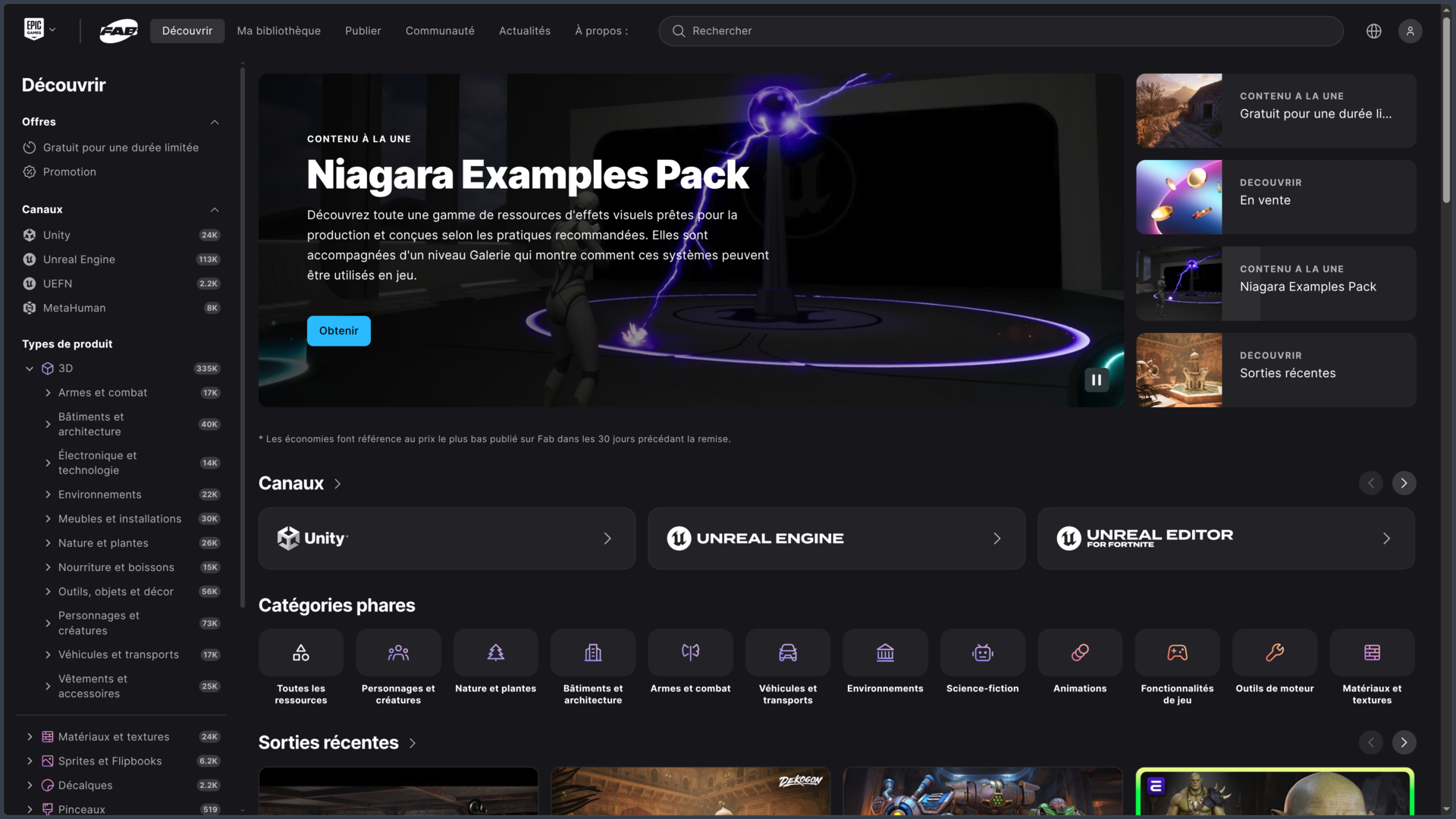
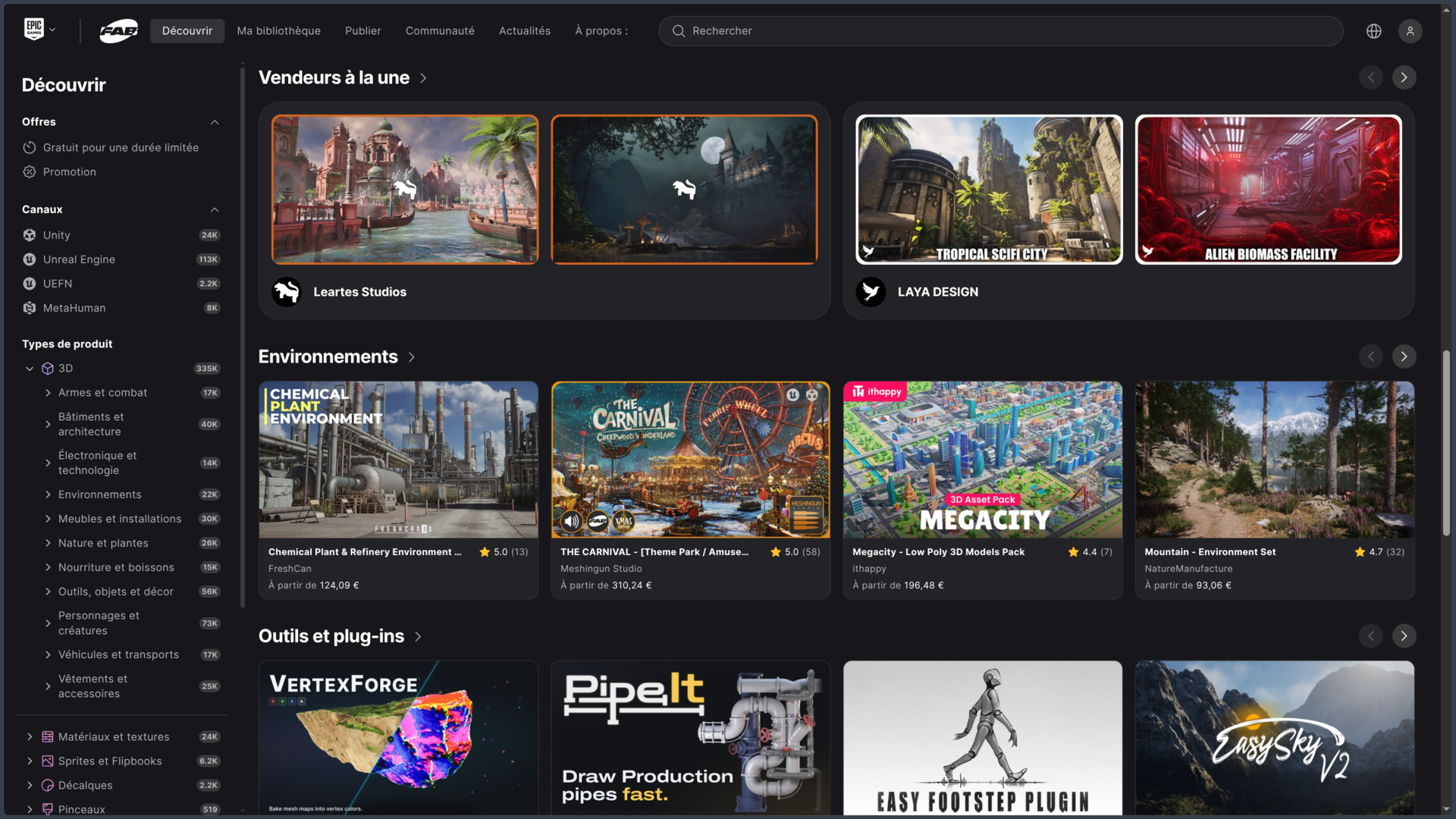
Fab is Epic Games’ digital asset marketplace for game developers, 3D artists and interactive content creators. The platform makes it possible to discover, purchase, download and sell 3D models, materials, textures, animations, visual effects, audio files, interfaces, game systems, templates, tools and plug-ins.
Launched in October 2024, Fab notably replaced the Unreal Engine Marketplace and the Sketchfab Store, while becoming the new primary access point for Quixel Megascans assets. Epic nevertheless designed it as a more open marketplace than the former Unreal marketplace: assets can target Unreal Engine, but also Unity and various 3D creation tools.
This openness is important. Fab supports universal formats such as FBX, glTF, GLB, OBJ, USD and USDZ, along with content prepared specifically for Unreal Engine or Unity. Creators working in Blender, Maya, 3ds Max or Cinema 4D can also find resources suited to their workflows.
Fab nevertheless remains especially integrated into the Epic ecosystem. The marketplace is accessible from the Web, the Epic Games Launcher, Unreal Engine and Unreal Editor for Fortnite. In recent versions of Unreal Engine and UEFN, compatible assets can be searched for and added directly to a project without systematically going through a browser.
The platform ultimately serves two different audiences. For buyers, it acts as a library of ready-to-integrate assets. For creators, it also provides a distribution channel for selling their own resources, with 88% of sales revenue paid to the publisher.
Features
A marketplace covering many types of assets
Fab is not limited to 3D models.
Its catalog is organized around several major content families:
| Type | Examples |
|---|---|
| 3D | Characters, creatures, vehicles, buildings, environments, props |
| Materials & textures | PBR surfaces, floors, walls, fabrics, procedural materials |
| 2D | Sprites, flipbooks, decals, brushes |
| Animation | Character animations, mocap, locomotion |
| Audio | Music, ambiences, sound effects |
| VFX | Particles, combat effects, magic, environmental effects |
| UI | Interfaces, icons, menus and HUD elements |
| Development | Game systems, templates, tools and plug-ins |
| Education | Tutorials, examples and learning projects |
This variety makes Fab useful both for quickly completing a prototype and for building an asset library intended for a larger production.
A developer can, for example, purchase an environment, grab a few free Megascans materials, add an inventory system and complete the project with animations or sound effects without searching each category on a different marketplace.
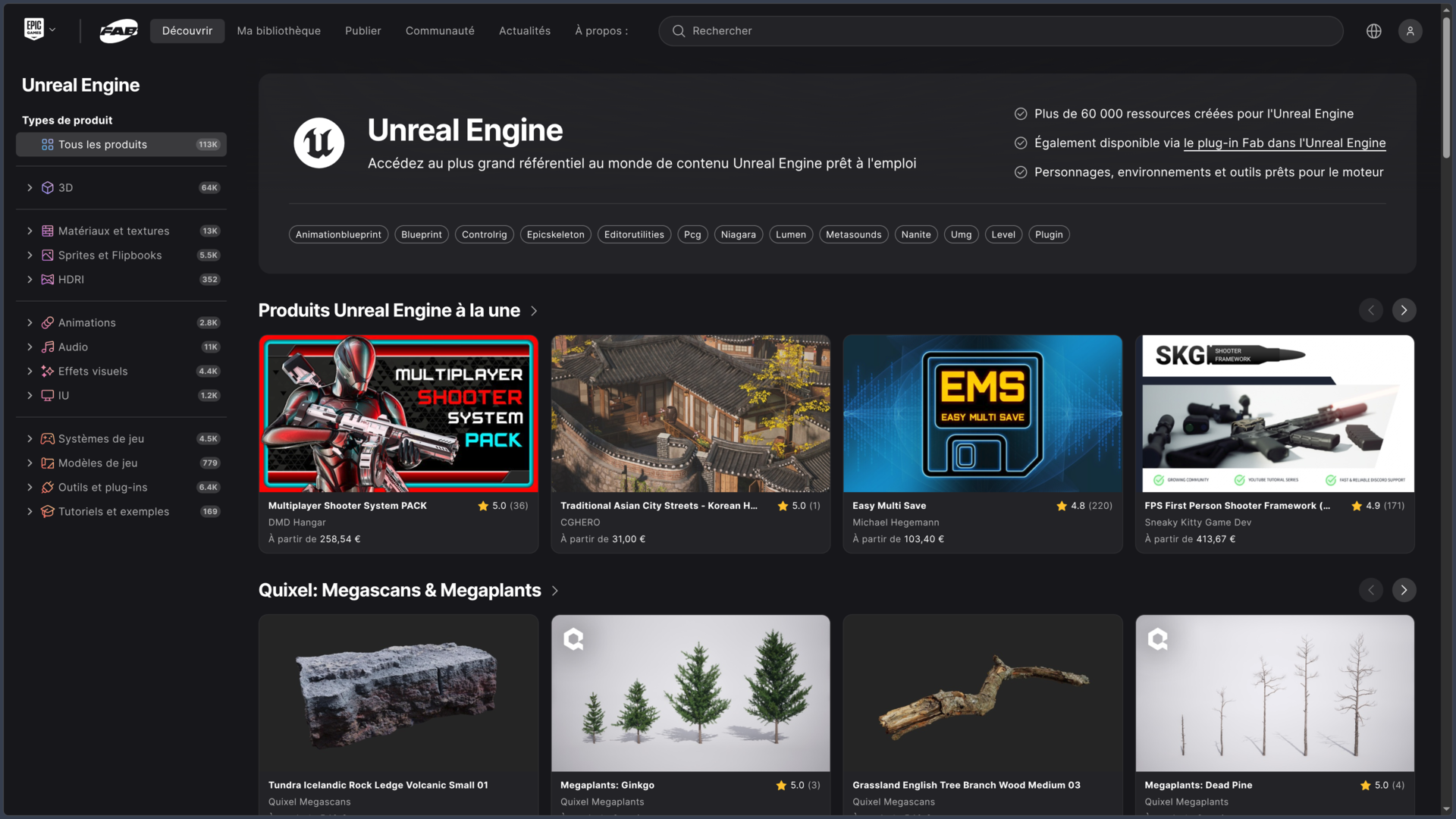
Unreal Engine and UEFN remain at the center of the experience
Fab hosts a particularly large amount of content prepared for Unreal Engine.
Products can contain .uasset files, .uproject projects or .uplugin plug-ins. Depending on the type of content, the launcher can offer to add it to a project, install the plug-in or create a new project directly.
In Unreal Engine 5.3 and later, Fab integration makes it possible to browse compatible assets from the editor and then drag them directly into a scene.
UEFN also has its own integration. Fab can display Fortnite-compatible assets there and import them into an island without leaving the creation environment.
Some UEFN assets use a Reference Only mode: in that case, the project accesses the content by reference rather than receiving the full source files. This option has its own conditions under the Fab license.
A growing place for Unity and open formats
Fab is not reserved for Unreal.
The platform also accepts products configured for Unity, with support for Built-In, URP and HDRP pipelines depending on the asset.
The Epic Games Launcher export system currently supports Unity 2022, Unity 2023 and Unity 6 or later in the workflows documented by Epic.
For 3D assets independent of a specific engine, Fab supports several widely used interchange formats:
- FBX;
- GLTF and GLB;
- OBJ;
- USD and USDZ.
These formats make many resources usable in other engines or applications, even when no dedicated integration exists.
It is still essential to check the product page. An Unreal Engine plug-in, gameplay system or Unity-specific shader does not automatically become compatible with another engine simply because it is sold on Fab.
Blender, Maya, 3ds Max and Cinema 4D in the workflow
Fab also targets artists using digital content creation tools.
Fab in the Epic Games Launcher can export certain compatible assets directly to Blender, Maya, 3ds Max and Cinema 4D, in addition to Unreal Engine and Unity.
The goal is to avoid a manual workflow made up of repeated downloads, decompression and imports. The user selects the application and format, then the launcher prepares the transfer.
The degree of compatibility still depends on the application, its version and the file format. Interchange formats such as FBX, GLTF, OBJ or USD are better supported than some native DCC formats.
Fab should therefore not be considered a universal asset manager capable of perfectly converting every asset to any software. It mainly provides practical bridges around formats that are already compatible.
Quixel Megascans directly in Fab
Fab is now one of the primary access points for the Quixel Megascans catalog.
It includes photorealistic scans, rocks, vegetation, surfaces, decals, architectural elements and other assets created from Quixel photogrammetry.
The catalog now contains a mix of free and paid content depending on the asset and the terms offered. It is therefore no longer safe to assume that the entire Megascans catalog is automatically free.
Assets can be searched through Fab like other products, then downloaded or exported to compatible applications.
For a 3D environment, Megascans remains especially useful for quickly assembling terrain, rocks, vegetation and realistic materials without having to model or scan each element from scratch.
Search, filters and 3D preview
With such a large catalog, search is an essential feature.
Fab lets users filter according to several criteria: product type, engine or channel, price, format, license, visual style, era or theme, technical characteristics, publisher, rating and publication date.
This combination makes it possible, for example, to avoid browsing thousands of realistic assets when only looking for a stylized environment compatible with Unity.
For 3D products that support it, Fab also provides an interactive 3D viewer.
Users can rotate around the model before purchase and use an inspector to examine the wireframe, UVs and different material components such as base color, roughness, normals, occlusion or opacity.
This preview does not replace testing the asset in the engine itself, but it can reveal certain geometry or texture issues before purchase.
Standard License: Personal and Professional
A large portion of the catalog uses the Fab Standard License.
This license notably allows users to use content in personal or commercial projects, modify it, integrate it into a commercially distributed product and work with collaborators involved in the same project.
It does not allow users to resell or redistribute the asset on a standalone basis, either free of charge or for payment. Someone can therefore integrate a model into a game sold on Steam, but cannot buy the model and then offer it again as a separate downloadable asset.
The Standard License has two pricing tiers:
- Personal: for buyers who generated no more than $100,000 in gross commercial revenue during the previous 12 months;
- Professional: for buyers above that threshold.
The important point is that the rights granted are the same. Personal and Professional are pricing tiers, not two licenses that grant different usage permissions.
The publisher can set the same price for both tiers or charge Professional buyers more.
If a user correctly purchases an asset at the Personal tier and later exceeds the revenue threshold, Fab states that the user does not need to repurchase or retroactively upgrade the license for that asset.
Creative Commons and free assets
Fab also supports the Creative Commons Attribution — CC-BY license.
CC-BY assets are free but impose the obligations of that license, particularly appropriate attribution of the author.
It is therefore important not to confuse free with unrestricted. A free asset under the Standard License and a free asset under CC-BY may have different obligations.
Some older resources migrated from the Unreal Engine Marketplace may also temporarily retain their previous UE Marketplace license. The license that actually applies is shown on the product page.
Before integrating an asset into a commercial project, the best practice is therefore to check the license shown on the asset itself, not only Fab’s general rules.
Generative AI and the NoAI tag
Fab also provides information intended to distinguish certain uses involving generative artificial intelligence.
Product pages can indicate whether an asset was generated using AI and whether its use for AI-related purposes is allowed.
Publishers using the Standard License can also apply the NoAI meta tag, which indicates that the resource must not be used for data collection intended for generative AI systems.
This tag is not compatible with publication under CC-BY within Fab’s system: a publisher wishing to apply NoAI must use the Standard License.
This information is useful both for studios that want to exclude AI-generated assets from their pipeline and for creators who want to communicate restrictions regarding the training of models on their own work.
Selling your own assets
Fab also works as a sales platform for creators.
A publisher prepares a product page, adds files, defines formats, visuals, description, licenses and prices, then submits the whole package to Epic for review before publication.
Products must comply with Fab’s content rules and technical specifications. Epic can reject or remove assets that fail to meet those requirements.
For paid products, the publisher receives 88% of the revenue generated by sales.
Fab reports then make it possible to track sales, revenue and payouts. Payments are generally made after the end of the month when the accumulated amount reaches at least $100.
This 88% share is an important argument for creators, especially compared with marketplaces that charge a higher commission.
Use cases
Quickly building a game environment
A developer can search for an environment pack, add Megascans rocks and vegetation, collect materials, then complete the scene with visual and audio effects.
In Unreal Engine, some of this content can be added directly to the project through Fab integration.
This allows more time to be spent on level design, gameplay or art direction rather than producing every asset from scratch.
For a prototype, game jam or small team, the time saved can be substantial.
Buying only the skills the team does not have
A team capable of programming its gameplay but lacking a 3D artist can purchase characters, environments or animations.
Conversely, an art-focused studio can obtain a dialogue system, inventory or technical plug-in rather than developing every tool internally.
Fab therefore allows assets to be treated as production building blocks designed to complement the skills available within the team.
It is still necessary to properly evaluate product quality and maintenance. A complex plug-in can become a much more significant dependency than a simple 3D model.
Working in Blender and then integrating the result into the engine
An artist can browse Fab, obtain a model in FBX or glTF and then export it to Blender for adaptation.
They can modify geometry, materials or textures before sending the final version to Unreal Engine, Unity or another engine able to read the chosen format.
This type of workflow shows the value of Fab’s “tool-agnostic” positioning: an asset is not necessarily locked to the software for which it was initially intended.
The actual freedom still depends on the format provided and the product license.
Publishing and monetizing an asset library
A 3D artist, sound designer, plug-in developer or VFX creator can use Fab as a distribution channel.
A library created across several projects can be reorganized into packs, documented, illustrated and then published on the marketplace.
The publisher sets Personal and Professional pricing and keeps 88% of sales revenue.
For a creator who already has high-quality assets, Fab can therefore become an additional income source without requiring the entire infrastructure of an independent online store.
Finding assets compatible with several engines
A studio working across several technologies can filter the catalog for standard formats rather than packages tied entirely to a specific engine.
A model available in FBX, GLTF or USD can, for example, be integrated into several pipelines, whereas an Unreal gameplay system will remain much more specific.
This distinction makes it possible to build a more portable internal library and avoid unnecessary engine dependence when the asset itself does not require it.
Conclusion
Fab aims to become a central marketplace for digital creation assets, not merely the replacement for the former Unreal Engine Marketplace.
Its main advantage nevertheless remains the Epic ecosystem. For an Unreal Engine or UEFN developer, access to assets, plug-ins and Megascans content is especially direct. Editor integrations significantly reduce the distance between finding an asset and actually using it in a scene.
Support for Unity, standard formats and software such as Blender, Maya, 3ds Max or Cinema 4D nevertheless greatly expands its usefulness. 3D models, textures, animations and other generic content can move outside the Unreal ecosystem as long as the provided formats allow it.
The licensing system, however, requires some attention. Personal and Professional tiers can display different prices while granting the same rights, CC-BY requires attribution, some UEFN assets can be Reference Only and older products may still depend on a legacy license.
Quality also naturally varies. Fab imposes technical criteria and a review process, but it remains a marketplace made up of content from many independent publishers. Two packs in the same category can therefore differ greatly in optimization, documentation, maintenance and artistic quality.
For sellers, the 88% revenue share and proximity to Unreal, Unity and major 3D tools also make the platform attractive as a distribution channel.
For a game or 3D content creator who wants to buy, obtain, modify or sell assets without remaining limited to one type of resource, Fab is now a particularly broad marketplace, with very strong Unreal integration but a clearly multiplatform ambition.
Points to consider
-
Fab is a marketplace, not an entirely free asset library: the catalog mixes free content, temporary promotions and paid resources.
-
The platform launched in October 2024 as the successor to the Unreal Engine Marketplace and Sketchfab Store, and as the new access point for Quixel Megascans.
-
Fab remains especially oriented toward Unreal Engine and UEFN, even though Unity, standard 3D formats and several DCC applications are also supported.
-
Accepted generic formats notably include FBX, GLTF, GLB, OBJ, USD and USDZ, but not every product necessarily includes each of those formats.
-
The Personal and Professional tiers of the Standard License grant the same rights. The current threshold between them is $100,000 in gross commercial revenue over the previous 12 months.
-
A buyer who exceeds the threshold after correctly acquiring an asset under Personal does not have to retroactively repurchase the Professional license for that asset.
-
The Standard License allows commercial use and modification, but prohibits redistributing or reselling the asset on a standalone basis.
-
CC-BY assets require attribution, even when they are downloaded free of charge.
-
Some UEFN content can use a Reference Only license, providing access through a Verse reference rather than the complete source files.
-
Product pages can indicate generative AI use and NoAI restrictions. These details should be checked if the AI origin or AI usage of assets matters to the project.
-
Quixel Megascans is available on Fab, but the entire catalog is not necessarily free. Pricing and terms must be checked asset by asset.
-
Fab in the Epic Games Launcher works on Windows and macOS and can export to several compatible applications. Linux does not have an official equivalent of the Epic Games Launcher.
-
Publishers receive 88% of the revenue generated by their sales, excluding effects such as refunds.
-
Quality and maintenance depend on each seller. For a complex tool or plug-in, it is useful to check supported versions, changelog, reviews and documentation before purchase.