Overview

The character is almost ready.

Their face works. So does their silhouette. They even own a jacket slightly too expensive for someone living in a post-apocalyptic world.

But they still need suitable topology, a skeleton, facial expressions, coherent materials, several levels of detail, and an export that Unreal Engine will not transform into an experimental arrangement of pink textures.

That technical corridor is precisely where Character Creator 5 finds its place.

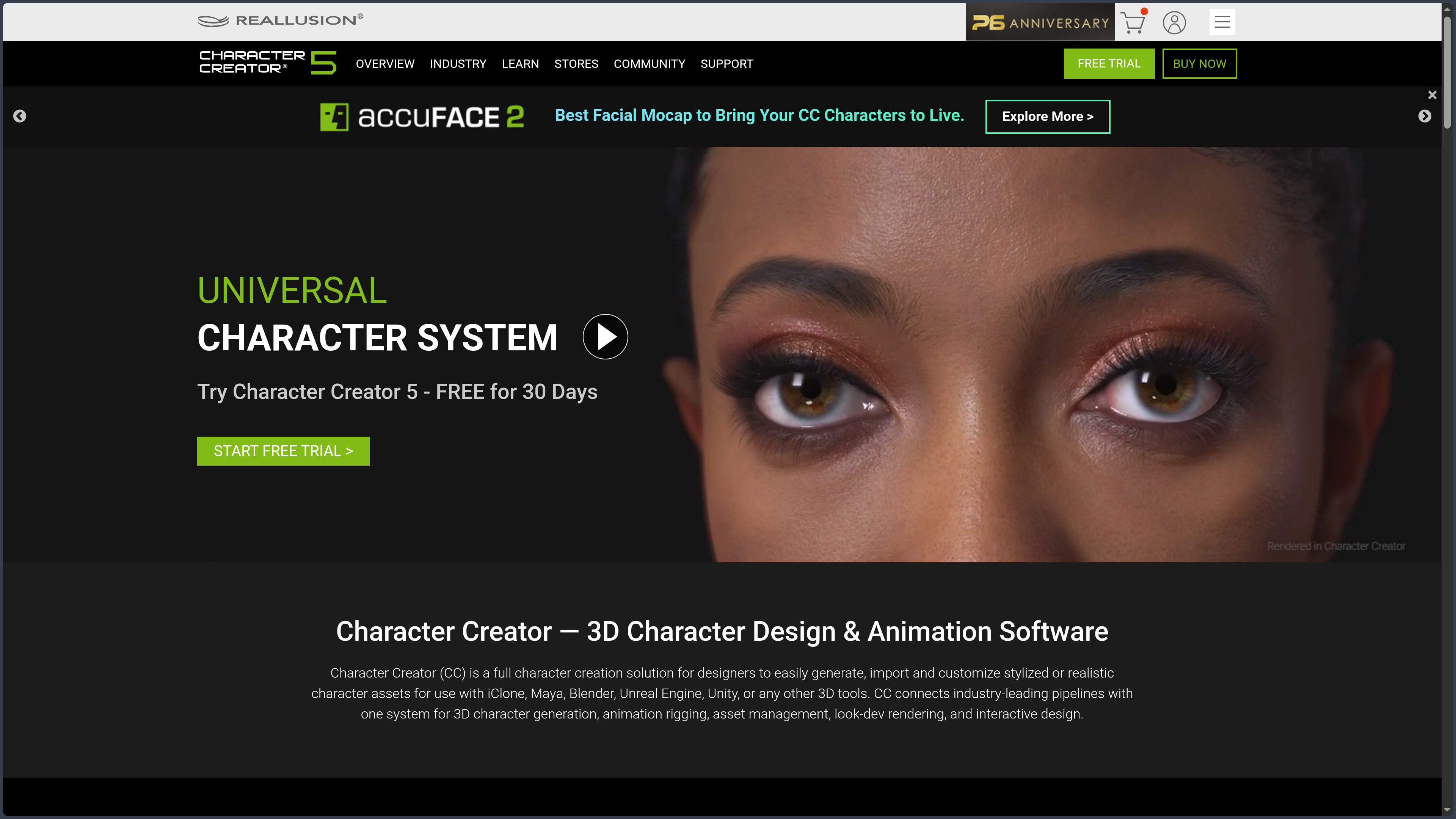
Developed by Reallusion Inc., Character Creator is specialized software for designing, customizing, rigging, and preparing realistic or stylized 3D characters.

It does not merely try to create a pleasant-looking silhouette.

It aims to produce a character capable of leaving the application, entering a game engine, receiving animation, speaking, changing expression, and surviving a production pipeline.

Character Creator does not stop at the visible character. It also prepares the usable character.

Between a generator and a 3D workshop

Character Creator starts with human bases that are already modeled, rigged, and configured.

Sliders make it possible to modify the face, body shape, proportions, and numerous anatomical details. Skin, hair, beards, clothing, accessories, and materials can then be added.

This approach resembles certain character generators.

The difference appears when the work needs to continue.

Character Creator provides tools for editing the mesh without breaking its structure, adapting clothing, adjusting skin weights, creating morphs, preparing facial expressions, reducing geometry, and exporting the result to other applications.

The character is therefore not merely assembled.

It is prepared to move.

Moving into high definition

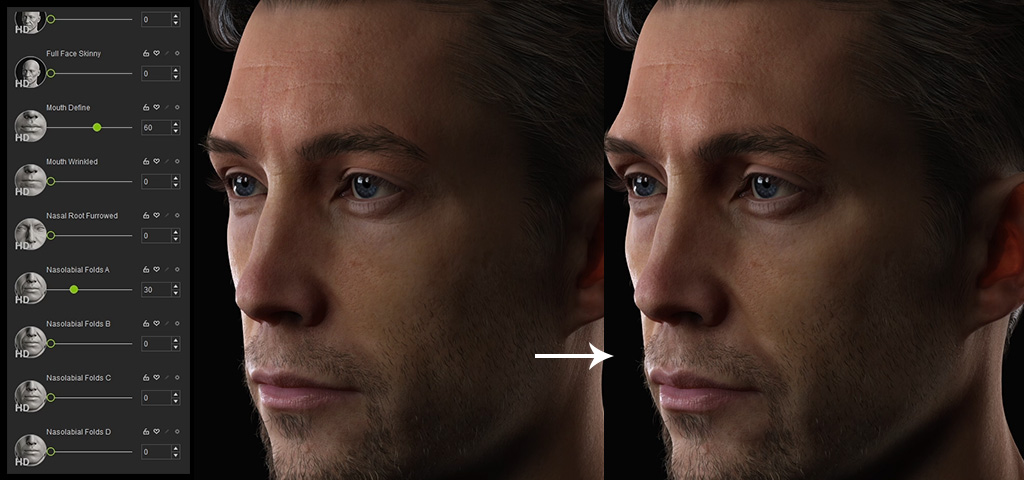
Character Creator 5 introduces a new subdivision-based HD character base.

The same character can retain reasonable geometry for real-time use while revealing more detail for close-up rendering. Textures can reach 8K, while HD morphs and displacement maps add fine volume to the skin, face, and anatomy.

The facial system has also been expanded.

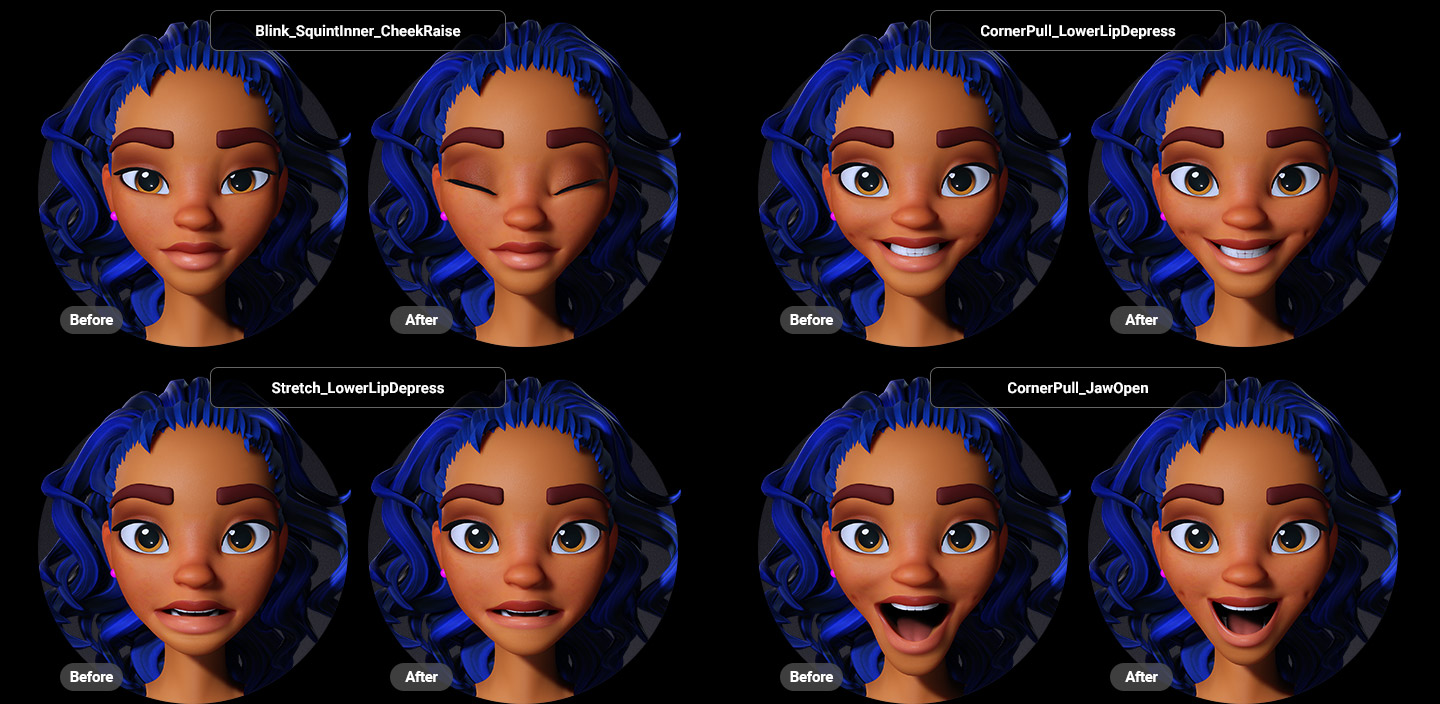
Expressions use more corrective deformations to prevent the face from resembling a sheet of rubber when the mouth, eyebrows, and cheeks begin moving together.

This precision brings Character Creator closer to the needs of cinema, visualization, and lead game characters.

It also increases hardware requirements and file sizes.

High definition has this peculiar habit of revealing more details, including the ones we would rather never have noticed.

Software specialized in departures

Character Creator is not designed to replace Blender, Maya, ZBrush, or Unreal Engine.

It sits before them.

The application provides a specialized space for creating the character’s identity, organizing its components, preparing its body and face, and then choosing its destination.

An artist can therefore build the character in Character Creator, sculpt it more precisely in ZBrush, adjust its textures in Substance 3D Painter, animate it in iClone or Maya, and render it in Blender, Unreal Engine, or Marmoset Toolbag.

The character is born in Character Creator, but it does not have to spend its entire life there.

Features

Building an identity through morphs

Character Creator provides human bases ready to be transformed.

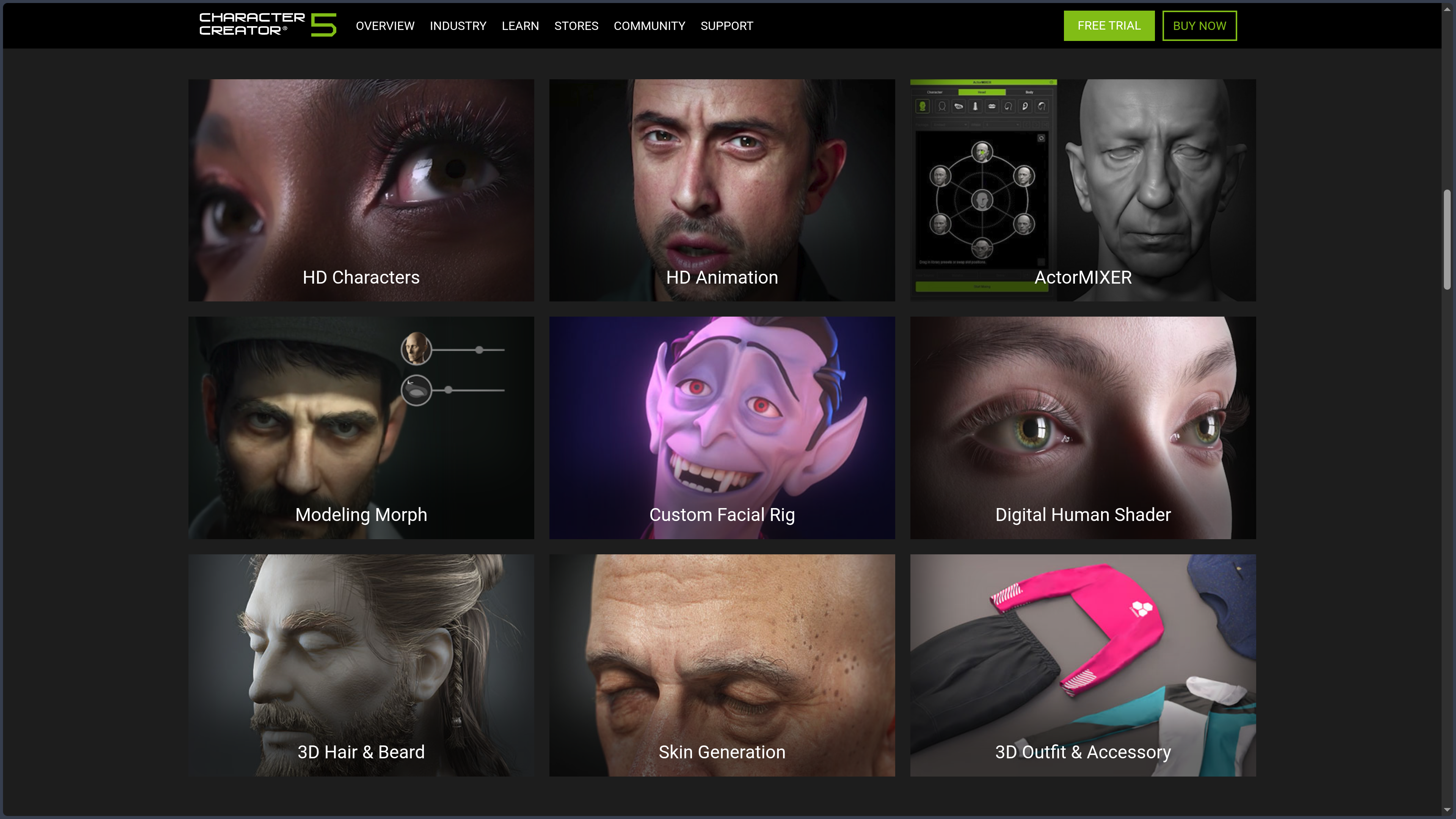
The face and body can be modified through morphs targeting different regions: skull, jaw, nose, lips, eyes, torso, arms, legs, overall proportions, or anatomical details.

This method makes it possible to begin with an existing form without being trapped inside a single character.

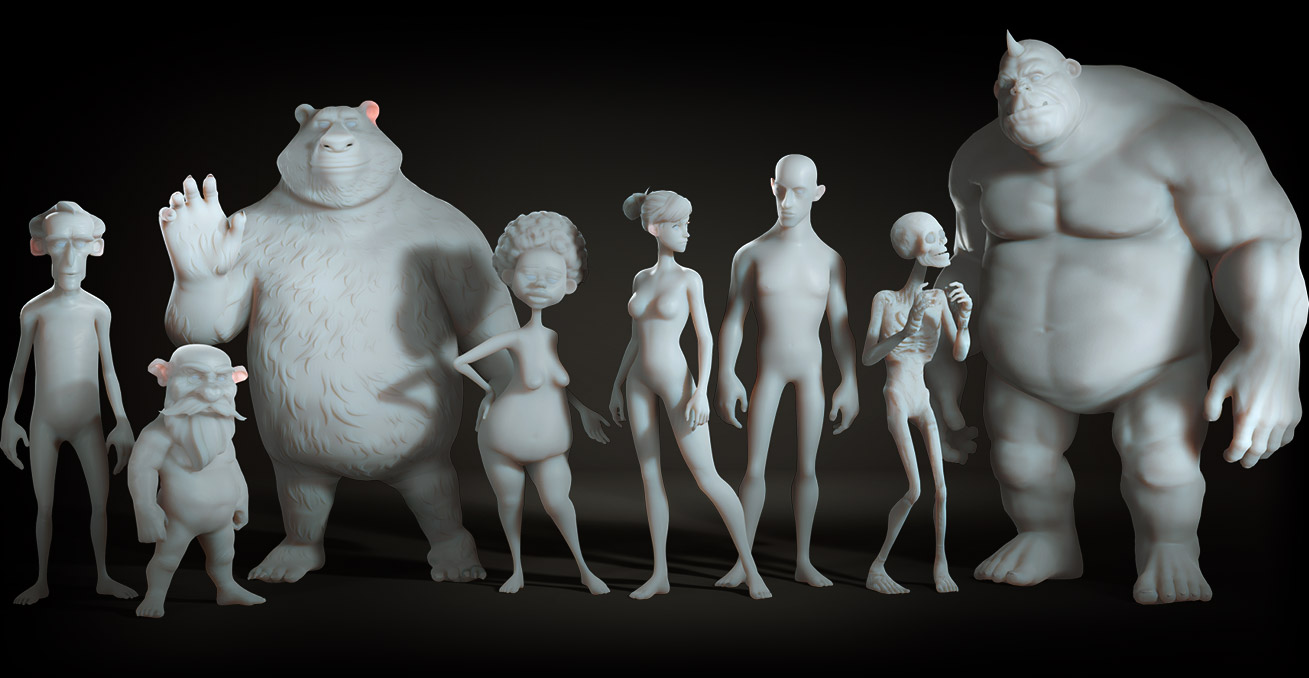
A face can be widened, aged, softened, or made more angular. A silhouette can become slender, massive, athletic, stylized, or deliberately disproportionate.

The settings can be combined.

The character therefore does not depend on a single preset, but on a mixture of decisions.

Mixing characters with ActorMIXER

ActorMIXER makes it possible to non-destructively blend several heads, faces, bodies, and skin types.

Users can begin with different characters and adjust their influence through visual controls. A realistic facial structure can be combined with more stylized proportions, while individual traits can be isolated to build a new identity.

Tier Main possibilities
Built-in ActorMIXER Blend characters and explore different combinations
ActorMIXER PRO Add random generation, create custom mixable elements, and prepare personalized packs
CORE Library Access an expanded library of heads, shapes, and profiles ready to be combined

The system is particularly effective for accelerating the creation of variations.

It becomes possible to build a family, a group of secondary characters, or a coherent crowd without starting every time from the same face shifted by three millimeters.

ActorMIXER does not replace artistic direction.

It produces possibilities.

Someone still needs to look at the result and decide whether the character appears interesting, believable, or simply the victim of a particularly poorly organized anatomical meeting.

Creating a digital double with Headshot

The paid Headshot 3 plugin turns one or more photographs into a 3D head base.

It analyzes the references, reconstructs the main facial volumes, generates a texture, and prepares a character compatible with Character Creator’s rigging and animation systems.

Alignment tools can then bring the geometry closer to the profile, jawline, eyes, nose, and contours visible in the images.

The result can be used to:

  • create a digital double;
  • reproduce a character from an actor;
  • build a professional avatar;
  • prepare a caricature or stylized version;
  • accelerate the creation of a realistic face.

A photograph does not reveal the entire geometry of a head, however.

The back of the skull, certain depths, and hidden volumes remain interpreted. Correction work therefore does not disappear. It simply begins further along.

Working on skin and materials

Character Creator includes a shader designed for digital humans.

It manages skin, eyes, teeth, hair, and the way these surfaces react to light. Fine details can be reinforced with textures, normal maps, cavity maps, or displacement maps.

SkinGen adds a layer-based system for modifying the skin.

It makes it possible to stack elements such as:

  • redness;
  • scars;
  • wrinkles;
  • pores;
  • makeup;
  • spots;
  • tattoos;
  • dirt;
  • color variations.

The principle resembles compositing more than a single fixed texture.

Layers can be added, hidden, moved, or adjusted without rebuilding the entire skin.

The Premium version and several specialized packs are still sold separately.

The base character can therefore receive convincing skin. For the exact scar, historically accurate makeup, extra pores, and the small trace of existential exhaustion beneath the left eye, the catalog begins to enter the conversation.

Styling and dressing the character

Character Creator supports systems for character-compatible hair, beards, eyebrows, eyelashes, clothing, and accessories.

Clothing can be conformed to the body shape and then corrected using mesh and skin-weight tools.

When an arm becomes larger, a torso widens, or a pose becomes more extreme, the garment must follow without passing through the body or transforming into abstract sculpture.

The application provides several tools for this:

  • automatic fitting to the body shape;
  • local mesh editing;
  • deformation smoothing;
  • skin-weight editing;
  • collision correction;
  • weight transfer from the body;
  • PBR material settings.

Clothing created in Blender, Maya, Marvelous Designer, or another tool can also be imported and prepared as compatible elements.

Character Creator does not replace pattern-making software.

It mainly handles the moment when the garment needs to understand that it now belongs to an animated character.

Rigging imported models with AccuRIG

AccuRIG automates the rigging of imported humanoid characters.

The user positions or verifies several anatomical markers, after which the system generates a skeleton and calculates skin weights between the bones and geometry.

Advanced tools also make it possible to:

  • adapt the skeleton to different body shapes;
  • manage models composed of several meshes;
  • correct skin weights;
  • prepare rigid elements;
  • characterize non-standard humanoids;
  • make the character compatible with existing animations.

This feature is therefore not limited to Character Creator bases.

A character from Blender, ZBrush, Sketchfab, or an external generator can be imported, rigged, and integrated into the Reallusion pipeline.

A vaguely human creature remains possible.

Once it has eight legs, three torsos, and a deeply personal relationship with gravity, it will probably be necessary to reopen the conversation with the skeleton.

Preparing expressions and facial animation

Character Creator can configure the face for animation, lip-sync, and facial motion capture.

The system relies on different expression profiles containing morphs and deformations corresponding to the movements of the lips, cheeks, eyebrows, eyelids, and jaw.

Character Creator 5 adds HD facial profiles and more detailed corrective expressions.

These corrections become important when several virtual muscles work at the same time. An open mouth, a smile, and narrowed eyes should not simply add three independent deformations together.

The face needs to retain a plausible structure.

Compatibility with MetaHuman facial standards also makes it easier to integrate Character Creator characters into certain Unreal Engine workflows and use suitable facial animations.

Character Creator prepares the face.

To record, edit, and direct a complete performance, iClone or another animation application will generally take over.

Reducing and adapting geometry

A character intended for a poster does not face the same constraints as one intended to appear one hundred times inside a game.

Character Creator provides several base and optimization levels:

Profile Possible use
CC5 HD Close-ups, cinema, detailed rendering, and lead characters
CC3+ Versatile production, animation, and real-time rendering
Game Base Lightweight game characters
ActorBUILD Crowds, background characters, and scenes requiring many people
Custom LODs Several levels of detail according to distance or performance

Optimization tools can reduce polygon counts, merge materials, simplify certain elements, and prepare several levels of detail.

Lightweight geometry is not automatically better.

It is simply more suitable when the character stands fifty meters from the camera, behind a car, while the player is looking elsewhere.

Exporting to a professional pipeline

Character Creator supports several exchange formats, including FBX, OBJ, USD, and Alembic depending on the type of content or workflow.

Auto Setup systems and free plugins then prepare shaders, materials, and certain skeleton settings for major tools.

Destination Role in the pipeline
Unreal Engine Games, real-time cinematics, MetaHuman, and rendering
Unity Game development and interactive applications
Blender Additional modeling, animation, rendering, and compositing
Maya Rigging, animation, and character production
ZBrush Detailed sculpting through the GoZ bridge
Substance 3D Painter Texture painting and UDIM workflows
Marvelous Designer Clothing creation and simulation
Marmoset Toolbag Presentation, baking, and real-time rendering
NVIDIA Omniverse USD exchange and 3D collaboration

The goal is not merely to obtain an FBX file.

It is to reduce the reconstruction work after export: reconnecting textures, recovering the correct shaders, recognizing the skeleton, and preserving expressions wherever possible.

The transfer nevertheless remains a translation.

Every application has its own logic, materials, and small ways of reminding us that a perfectly transparent pipeline remains a mythological creature.

Organizing a content library

Character Creator is connected to the Content Store, Reallusion Marketplace, and ActorCore.

The content manager brings together installed characters, morphs, clothing, hair, poses, animations, and accessories. AI-assisted search can also explore the available catalogs to find assets matching a description or image.

This organization becomes useful as the library grows.

It becomes essential once you own several nearly identical jackets, twelve pairs of futuristic boots, and a worrying number of hairstyles purchased because they were 60% off for seventeen minutes.

Use cases

Creating the lead character for an Unreal Engine game

An independent studio is preparing a narrative game.

The lead character must appear in close-up, speak, change expression, and remain compatible with animations, cinematics, and the game engine.

Character Creator makes it possible to define their body shape, face, skin, and clothing, then select a base suited to the required quality level.

The character can then be exported to Unreal Engine with its skeleton, textures, and facial profile.

The team saves time on technical preparation.

It must still choose the artistic direction, optimize the materials, check performance, and ensure that the character remains coherent with the surrounding world.

A photorealistic face in the middle of a deliberately low-poly environment can produce a memorable result.

Not necessarily for the right reasons.

Producing a family of secondary characters

A game, series, or visualization requires several dozen characters.

They need to appear as though they belong to the same universe without suggesting that a single person was cloned and sent behind a curtain to change hairstyles.

ActorMIXER, morphs, and skin variations make it possible to quickly construct several identities from a coherent collection of bases.

Bodies, faces, apparent ages, clothing, and colors can be adjusted.

ActorBUILD or Game Base profiles can then lighten the secondary characters.

This method is particularly suited to extras, crowds, and non-player characters.

It does not remove the need for human review.

Generative randomness sometimes has a very free imagination regarding the relationship between the eyes, jaw, and the rest of the skull.

Turning a photograph into a digital double

A production wants to create a 3D version of an actor, presenter, or client.

Headshot can reconstruct an initial head from photographs. Body-shaping and skin tools can then refine the proportions, volumes, and textures.

The resulting character can be used in animation, video, an immersive experience, or visualization.

A convincing likeness still requires work beyond the first result.

The shape of the eyelids, depth of the mouth, line of the skull, and way the skin reacts to light often matter as much as the larger facial features.

Creating a digital double does not merely mean recognizing a person.

It also means recovering the way their face exists in space.

Rigging a character created elsewhere

An artist sculpts a character in ZBrush or Blender.

The form works, but the model does not yet have a usable skeleton.

AccuRIG can analyze its humanoid structure, generate a rig, and prepare skin weights. Character Creator can then add a facial profile, poses, or compatibility with the Reallusion pipeline.

The model can finally be sent to iClone, Unreal Engine, Unity, or another animation application.

This workflow avoids manually reconstructing each technical component.

It works particularly well with characters close to conventional humanoid anatomy.

The further the creature moves away from this structure, the more automation will need to be guided, corrected, or politely thanked before the rig is rebuilt by hand.

Preparing a cinematic or animated film

A team needs to create several digital actors for an animated scene.

Character Creator handles their appearance, body shape, skin, clothing, and facial profiles. iClone can then manage movement, facial capture, lip-sync, cameras, and staging.

The final rendering can remain within the Reallusion ecosystem or be transferred to Unreal Engine, Blender, Maya, or another engine.

This division of responsibilities becomes efficient:

  • Character Creator prepares the actor;
  • iClone directs the performance;
  • the engine or 3D application finishes the scene.

The character no longer depends on a single tool.

It passes through a production chain in which each application intervenes where it is most useful.

Designing a stylized character

Character Creator is not limited to photorealism.

Morphs, imported characters, and ActorMIXER make it possible to exaggerate proportions, enlarge the eyes, simplify certain shapes, or build silhouettes closer to animation, stylized games, and illustration.

Rigging and preparation tools remain available.

That matters because a stylized character does not require less technique.

It often requires a different kind of technique.

An enormous head, very thin legs, and deliberately oversized hands still need to deform correctly once they begin running, speaking, or grasping an object.

Creating clothing compatible with a character

An artist designs an outfit in Marvelous Designer or Blender.

After import, Character Creator can transfer weights, fit the garment to the body shape, correct collisions, and prepare the materials.

The outfit can then follow different characters and certain body variations.

This workflow becomes useful for studios that want to build their own library rather than depend entirely on the Reallusion catalog.

The garment is no longer a simple object placed around the body.

It becomes part of the character system.

PANACHES review

Character Creator could be described as a highly advanced character generator.

That would not be wrong.

But it would still miss the real subject.

Its main value lies in the continuity between visual creation and technical preparation.

Many tools can produce an attractive face or body.

The difficulty often begins afterwards: creating a rig, preparing expressions, adapting clothing, reducing geometry, rebuilding materials, and sending the character to the next application.

Character Creator has positioned itself precisely inside that space.

It does not merely ask, “What does this character look like?”

It also asks, “What will they need to do next?”

A middle ground rarely occupied

On one side, tools such as Daz Studio make it possible to assemble characters and scenes very quickly through an enormous library.

On the other, Blender, Maya, and ZBrush offer deep freedom but require more manual work and technical knowledge.

Character Creator occupies the middle.

It automates a large part of the process without completely locking the character inside a single application.

Users can work from its bases, import their own models, modify body shapes, create clothing, and move toward different engines.

This intermediate position explains its appeal to independent creators and small studios.

They obtain a solid production structure without having to rebuild every pipeline from the first bone.

More precise than Daz, less free than Blender

Compared with Daz Studio, Character Creator provides more tools for rigging, optimization, clothing creation, and integration with game engines.

Daz remains more financially accessible at the beginning and particularly effective for illustration, posing, and assembling scenes from an extensive catalog.

Character Creator aims more directly at production.

Compared with Blender, the situation is reversed.

Blender can modify topology, create any skeleton, rebuild UVs, and control every detail of the model. Character Creator imposes more rules, especially regarding the structure of its base characters.

Those rules reduce freedom.

They also ensure more stable compatibility with morphs, clothing, expressions, and animations.

Character Creator trades part of its freedom for part of its continuity.

A powerful tool surrounded by extensions

The Standard edition already contains the essential foundations.

However, some of the most attractive features are found in additional plugins or content: ActorMIXER PRO, Headshot, SkinGen Premium, morph packs, anatomical libraries, clothing, and characters.

This structure makes it possible to assemble a suite according to individual needs.

It also makes the real cost more difficult to understand.

The entry price is not necessarily the price of the complete workflow.

Someone who simply wants to create a few game characters may be satisfied with the Standard edition.

A production looking for digital doubles, advanced skin, numerous variations, and a rich catalog may quickly approach the price of the Deluxe edition, plugins, and associated content.

The application does not exactly hide its extensions.

It simply places them close enough that users begin to regard them as members of the family.

The character ready for everything does not exist

Character Creator uses the expressions “game-ready” and “production-ready.”

They should be understood as directions, not universal guarantees.

A character intended for a mobile game, an Unreal Engine cinematic, a Blender render, or a VR experience does not require the same textures, polygon count, or skeleton.

Character Creator provides bases, presets, and optimization tools.

The final choice belongs to the project.

The character must still be tested inside its actual destination.

Geometry that appears perfectly reasonable on a specification sheet may become much less reasonable when it appears eighty times inside the same scene with transparent hair and 8K textures.

How does it compare with the alternatives?

Daz Studio remains better suited to people who want to quickly assemble, pose, and render characters from a large catalog without an immediate priority on game pipelines.

MetaHuman Creator offers particularly strong integration with Unreal Engine and highly realistic digital humans. Character Creator retains more flexibility toward other applications and styles.

MakeHuman provides a free and open-source solution that is simpler, cross-platform, and less rich in advanced production tools.

VRoid Studio is an excellent option for anime and stylized characters, with a very accessible starting point and a VRM ecosystem.

Human Generator works directly inside Blender and suits artists who want to remain in that environment while benefiting from a procedural character system.

Character Creator becomes particularly relevant when the character needs to travel.

Not merely be created.

Within a PANACHES workflow, it can extend a character profile, visual research, or concept art. Identity first exists inside the notes. It then receives a shape, a face, a body, and a rig. Finally, it joins the engine, scene, or story waiting for it.

Character Creator does not merely manufacture a digital body. It prepares the transition between an imagined identity and a character capable of entering production.

Points to consider

  • Character Creator runs only on Windows: the current version supports 64-bit Windows 10 and Windows 11. There is no native macOS or Linux version.

  • The hardware requirements are substantial: Reallusion specifies at least 16 GB of RAM and a graphics card with 8 GB of VRAM. The recommended configuration rises to 64 GB of RAM, while the DDS cache may require up to 200 GB of available storage.

  • The software is paid: CC5 Standard costs $299 as a perpetual license and CC5 Deluxe costs $479. Subscriptions are also available. The cost of plugins, morph packs, characters, clothing, and other content must be added according to the workflow.

  • The free trial remains limited: it lasts 30 days, limits FBX, OBJ, and USD exports to thirty operations, reduces the duration of exported animations, imposes resolution limits, and does not allow commercial use.

  • Character Creator is not a complete modeling application: on characters using its base, topology, vertex count and order, and UVs must remain compatible. The application does not freely allow additional bones or complete mesh reconstruction as Blender or Maya do.

  • Some important features are sold separately: Headshot, ActorMIXER PRO, SkinGen Premium, Iray, and several advanced libraries are not all included in the Standard edition.

  • Complete animation often happens elsewhere: Character Creator can pose, play animations, and prepare facial profiles, but iClone, Blender, Maya, and Unreal Engine remain better suited to building and editing a complex performance.

  • Software and content licenses are separate: owning Character Creator does not automatically grant every right over characters, clothing, hair, or morphs purchased from Reallusion stores.

  • iContent assets remain internal to the Reallusion ecosystem: a Standard license is required to export certain assets to Blender, Maya, Unreal Engine, or other external tools.

  • The resale of 3D characters is restricted: models derived from the Character Creator base cannot be resold as assets on a third-party marketplace. Images, videos, games, and interactive projects are permitted under the applicable licenses, but redistribution of the source model remains limited.

  • Character generators require a specific license: using Character Creator bases or components to build a customization system integrated into an application, service, or game requires contacting Reallusion for an Enterprise license.

  • AI training is prohibited by default: Reallusion models and content cannot be used for training, machine learning, or synthetic data generation without suitable authorization.

  • Exports still require verification: Auto Setup plugins reduce the work required on shaders and rigs, but certain materials, hair systems, morphs, clothing, or expressions may need corrections inside the destination application.

  • The latest version must be distinguished from Character Creator 4: the current official product is Character Creator 5. The “Character Creator 4” name still present on certain directories and older pages no longer corresponds to the main generation of the application.

Character Creator can provide a rigged, textured, optimized character ready to leave. It cannot decide how many polygons your project can support, which plugin is worth its price, or why the hero is still wearing eight 8K textures to appear for three seconds in the background.