
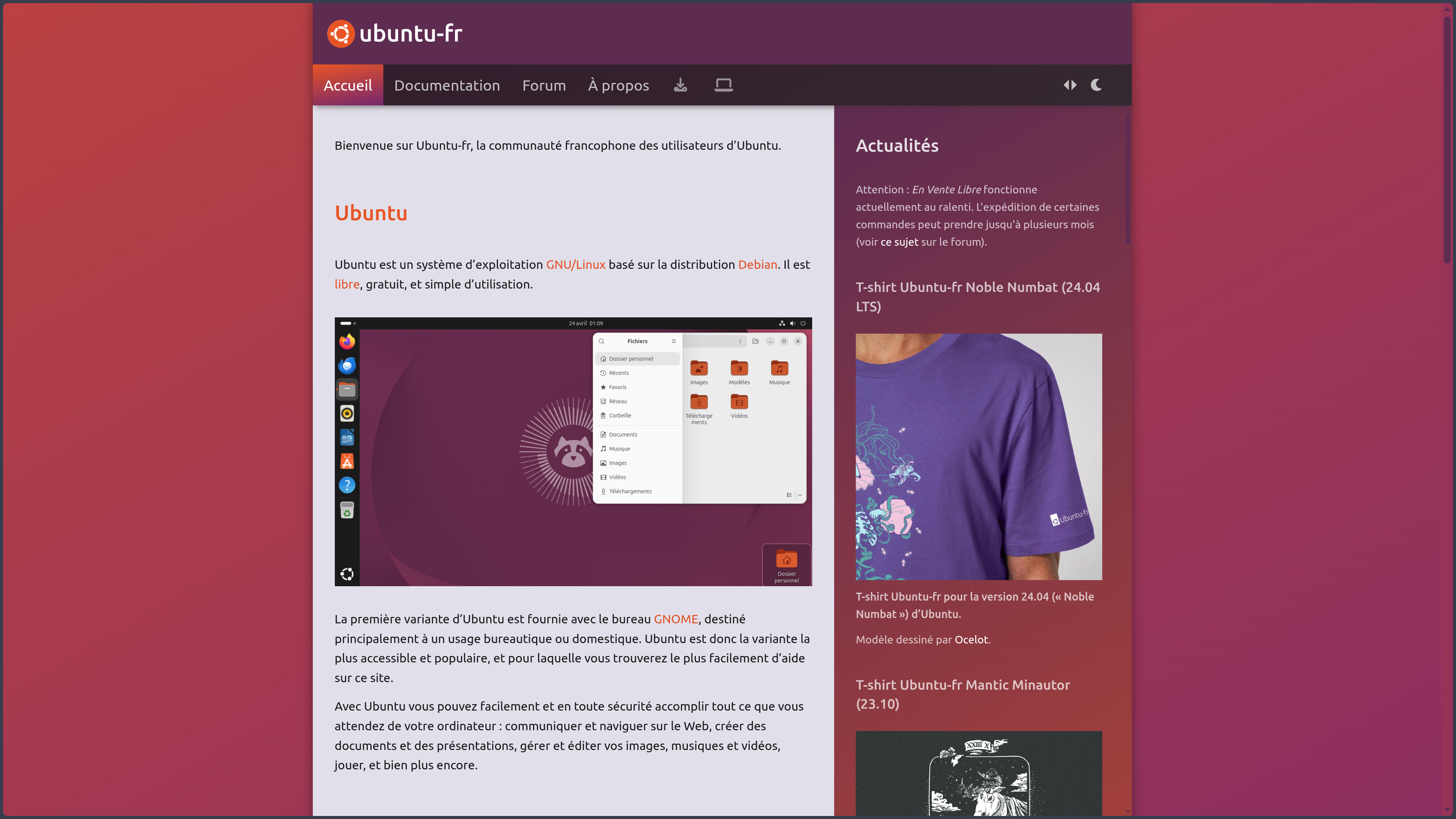
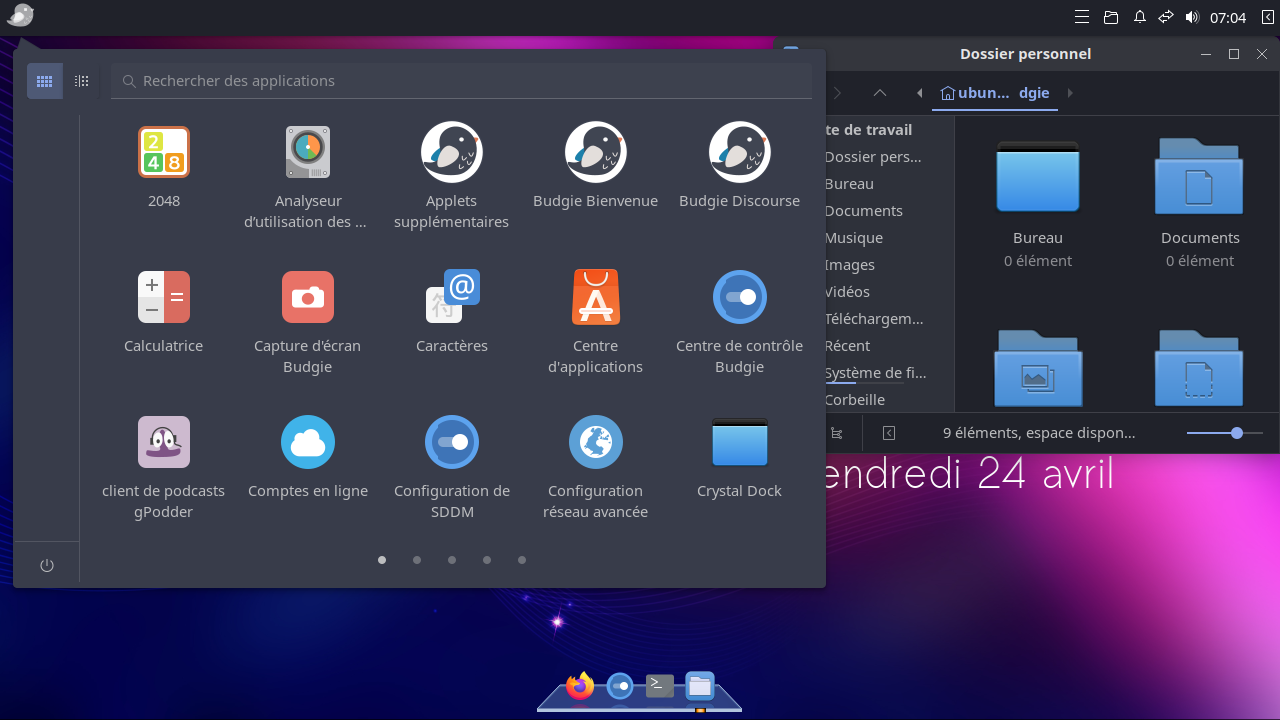
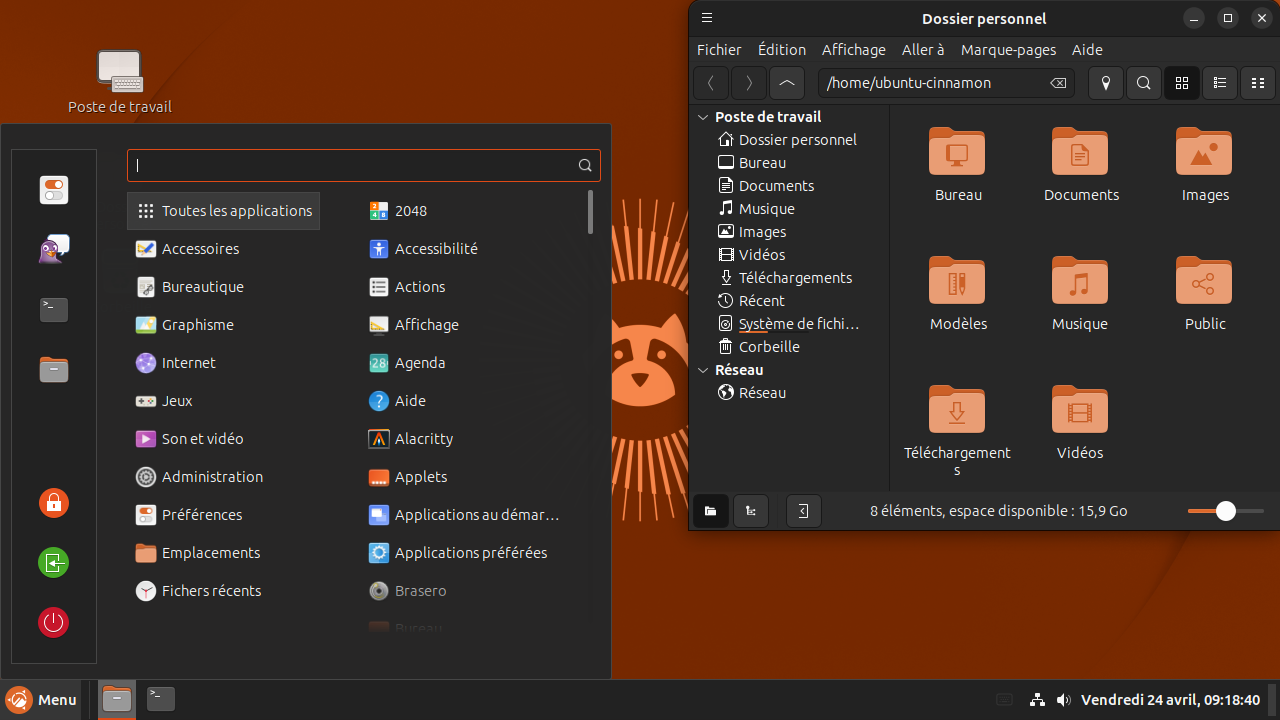
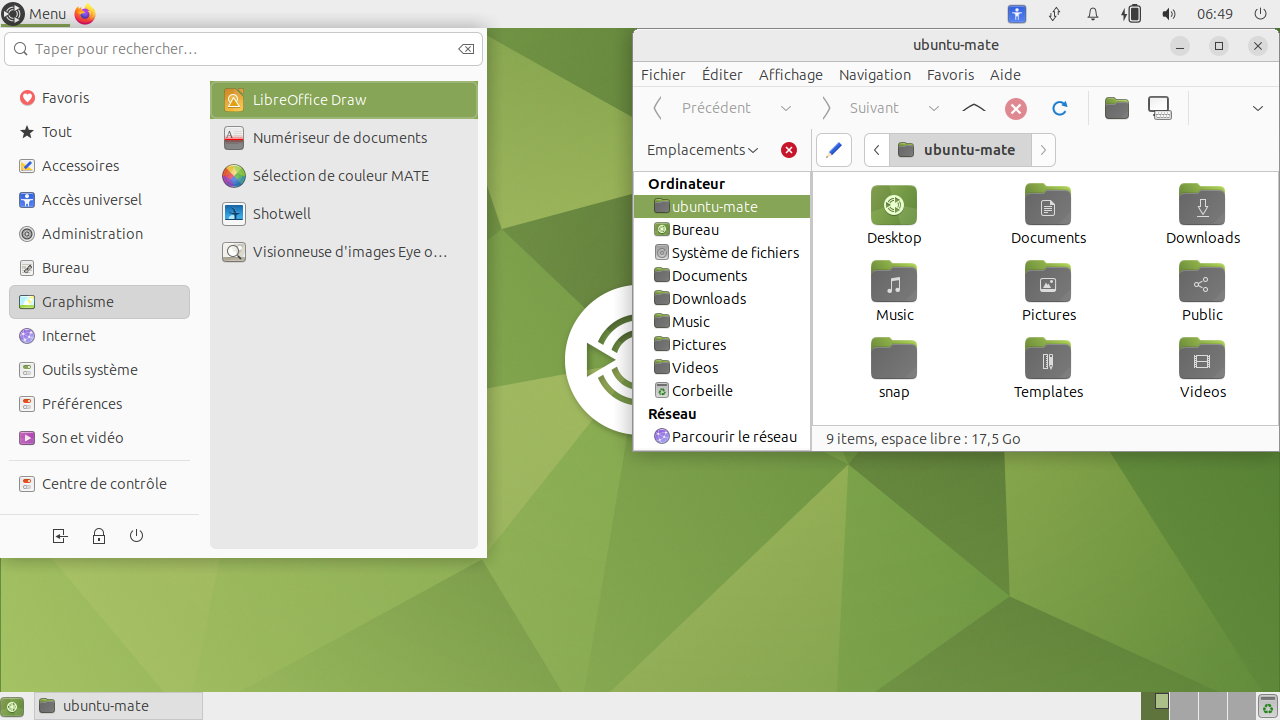
Overview
Ubuntu is a GNU/Linux distribution developed by Canonical together with the Ubuntu community. Launched in 2004 from Debian, it was built around an objective that remains central today: making Linux accessible enough to serve as the main operating system on a personal computer while retaining the technical qualities required for development, servers and professional infrastructure.
This relationship with Debian is important, but Ubuntu is not simply a more accessible copy of it. Canonical takes advantage of a large part of Debian’s vast software ecosystem, then builds its own releases according to a fixed schedule, selects components, develops specific tools and directly handles part of the maintenance. Ubuntu therefore has its own release cycle, repositories, installation images and an ecosystem that extends from the workstation to the cloud.
The project publishes a release every six months, but not all of them play the same role. Interim releases quickly receive new technologies and are maintained for nine months. Every two years, the April release becomes an LTS, for Long Term Support. These releases are the preferred choice for users seeking greater continuity and represent the vast majority of Ubuntu installations.
An LTS receives five years of standard security maintenance for packages covered in main. Ubuntu Pro extends this model with broader security coverage, particularly for universe, and can extend an LTS to ten years. A Legacy option adds another five years for certain professional needs. Individual users can activate Ubuntu Pro for free on a limited number of machines, while businesses have access to commercial plans with additional services and support.
The current stable version is Ubuntu 26.04 LTS “Resolute Raccoon”, released on April 23, 2026. It notably uses the Linux 7.0 kernel and GNOME 50 on the desktop. Standard maintenance is planned until May 2031, with a possible extension until 2036 through Ubuntu Pro and then until 2041 with the Legacy option.
Ubuntu also refers to more than just the GNOME desktop usually associated with its name. Ubuntu Desktop targets PCs and workstations, Ubuntu Server targets servers, while Canonical also develops offerings and images for the cloud, containers and IoT. Official community variants such as Kubuntu, Xubuntu, Lubuntu and Ubuntu MATE provide other desktop environments while remaining within the Ubuntu ecosystem.
Features
A Linux desktop designed to be usable from installation
Ubuntu Desktop is based on GNOME, but Canonical adapts the experience with its theme, extensions and several interface choices. The dock remains visible on the desktop, common applications are immediately accessible and the settings panel brings together the main operations needed to manage displays, networking, Bluetooth, sound, accounts or power.
Ubuntu 26.04 uses GNOME 50 and now runs with a Wayland session. Applications designed for X11 can still work through XWayland, allowing broad compatibility with existing Linux software while gradually moving the graphical environment forward.
Recent generations of GNOME have introduced numerous improvements to fluidity, accessibility, small-screen handling, HDR, variable refresh rate and fractional scaling. Ubuntu 26.04 notably enables fractional scaling by default with adapted factors intended to reduce blur on high-resolution displays.
Several core applications have also been renewed. Papers replaces the former Evince PDF reader, Loupe becomes the image viewer, Ptyxis replaces GNOME Terminal, Resources modernizes system monitoring and Showtime becomes the default video player. The goal is not to transform Ubuntu with every LTS, but to progressively evolve its environment toward newer GNOME technologies.
Installing applications with APT, DEB and Snap
Ubuntu inherits the DEB package format from Debian and uses APT to manage a large part of the system. Libraries, development tools, services and applications can be installed from the official repositories through the command line or various graphical interfaces.
DEB packages in an LTS generally remain tied to that generation of the system. This stability makes maintenance easier, but it also means that an application available in the repositories can become relatively old over the five-year life of the release.
Canonical also develops the Snap format. A Snap includes more of its own dependencies, can evolve independently of the Ubuntu release and runs in a more confined environment. Updates are automatic and permissions can restrict the application’s access to certain resources.
Ubuntu 26.04 improves Snap integration with the desktop through XDG Desktop Portals. Access to files, cameras, notifications, USB devices and other resources can be better integrated into normal application behavior, while several permissions can now be managed from GNOME settings.
The two models therefore coexist. APT and DEB remain fundamental to the system and a large part of the traditional Linux ecosystem, while Snap is aimed more at delivering recent, isolated applications that can be distributed across multiple Ubuntu generations.
An environment particularly accessible to new Linux users
One of Ubuntu’s historical strengths is its graphical installer. A USB drive can boot the system, allow the user to choose between trying and installing it, and make it possible to verify a large part of hardware compatibility before touching the disk.
Installation can preserve another system already present on the machine, use the entire disk or allow an experienced user to manage the partitions manually. The installer can also download updates and install certain additional drivers or multimedia formats when an Internet connection is available.
This support is particularly useful for NVIDIA graphics cards, whose proprietary drivers can be offered directly during installation or added afterward. Ubuntu therefore does not claim that all hardware works exclusively with free components: the desktop’s goal is also to provide a machine that is genuinely usable.
Live mode remains one of the best ways to check Wi-Fi, Bluetooth, display, sound, keyboard, touchpad or power management before fully migrating from Windows or another system.
A development workstation with extensive documentation
Ubuntu is one of the most commonly used Linux environments for development. Python, GCC, Rust, Java, Node.js, Git, databases, networking tools and hundreds of libraries are available from the repositories or the package managers specific to the different ecosystems.
This popularity has an important practical effect: a very large number of open-source projects, professional tools and documentation provide instructions specifically for Ubuntu. When a vendor officially offers a Linux package, installation documentation or an APT repository, Ubuntu is frequently among the distributions tested first.
Developers can also use LXD, Docker, Podman, virtual machines, Python environments, development containers and various cloud tools depending on their needs. The distribution can therefore serve as the main workstation while allowing project-specific dependencies to remain isolated.
Ubuntu is also deeply present in development workflows used from Windows through WSL, where official Ubuntu images provide a Linux environment without completely replacing the host operating system.
A system that extends naturally to servers and the cloud
Ubuntu Server uses the same package base as the desktop but does not require a graphical environment. It can host websites, databases, storage, containers, virtual machines or internal services.
Ubuntu’s presence across the major public clouds also makes the transition from development workstation to production easier. Official images are available for the major cloud platforms, and Canonical works directly with different providers and manufacturers to maintain certified systems.
Ubuntu 26.04 Server uses Linux 7.0 and notably provides recent generations of PostgreSQL, MySQL, MariaDB, Valkey and many other infrastructure components. LTS releases make it possible to keep this base for several years without having to migrate with every interim release.
This continuity between personal computer, local server, virtual machine and cloud explains part of Ubuntu’s popularity among developers. Tools and conventions remain familiar even when the scale of the infrastructure changes completely.
Ubuntu Pro for longer and broader maintenance
Ubuntu Pro does not turn free Ubuntu into a locked product. The system continues to work without a subscription and LTS releases retain their standard maintenance period.
The service mainly adds much broader security coverage. The standard five years primarily cover packages in main, while Expanded Security Maintenance extends coverage to the thousands of packages in universe and extends fixes for up to ten years.
Pro also includes services such as Kernel Livepatch, which can apply certain critical kernel fixes without rebooting, as well as tools related to compliance, hardening and fleet management. Businesses can add full Canonical support with assistance and service commitments.
For individuals, Ubuntu Pro is available free of charge for up to five physical machines. This makes certain security features normally associated with professional environments accessible on a personal computer without turning Ubuntu into a mandatory subscription.
Security integrated into the base system
Ubuntu uses AppArmor to limit the capabilities of certain applications and services according to defined profiles. This protection is added to traditional Linux permissions and the confinement model used in particular by Snaps.
Security updates for DEB packages can be installed automatically, while Snaps have their own update mechanism. Canonical maintains a security team that tracks vulnerabilities and publishes fixes for versions that are still supported.
Ubuntu 26.04 also introduces an option for TPM-backed full-disk encryption. Keys can be protected by the machine’s Trusted Platform Module and the system can verify the integrity of the boot environment before unlocking the disk.
This feature is still presented as a technology with hardware requirements and certain limitations. Traditional encryption therefore remains a more universal option when a machine does not meet the required conditions.
Choosing another desktop without leaving Ubuntu
The main edition uses GNOME, but the Ubuntu ecosystem includes several official flavours based on the same infrastructure and release cycle.
Kubuntu uses KDE Plasma, Xubuntu uses Xfce, Lubuntu uses LXQt and Ubuntu MATE uses the MATE environment. Other variants also target specific uses or experiences.
This diversity allows users to benefit from the Ubuntu ecosystem while choosing an interface that is more traditional, lighter or more customizable than GNOME.
Each flavour should nevertheless be considered a project with its own team and specific choices. The visual experience, default applications and sometimes the maintenance duration of certain components can differ from the main Ubuntu Desktop edition.
Use cases
Moving from Windows to Linux without starting with a highly technical distribution
A user can create a USB drive, boot Ubuntu in live mode and check their hardware before installation. The graphical interface can then manage applications, settings and updates without requiring immediate knowledge of every Linux command.
Additional drivers, certain codecs and common applications can be added through relatively accessible tools. If a problem occurs, the enormous amount of documentation, forums and tutorials dedicated to Ubuntu increases the chances of finding a procedure that matches the exact situation encountered.
This accessibility does not prevent users from going further later. The terminal, APT, systemd, Unix permissions and the rest of the Linux environment remain available as the user decides to understand more about the system.
Building a development workstation
A web developer can install Git, Python, Node.js, PostgreSQL, Docker or other tools and then use their usual editor or IDE. Projects can live in virtual environments or containers to limit conflicts between dependencies.
Because Ubuntu is frequently targeted by development-tool documentation, installation procedures are often available directly from vendors. This reduces the amount of adaptation required compared with a more niche distribution.
The same application can then be tested in an Ubuntu VM or container before being deployed to Ubuntu Server or an Ubuntu image in the cloud, bringing development and production environments closer together.
Installing a work machine for several years
A company, freelancer or individual can choose Ubuntu 26.04 LTS and keep the same generation until 2031 with standard updates.
This duration avoids having to follow every release published every six months. Applications distributed through Snap can continue to evolve more quickly while the core system remains attached to a relatively predictable LTS base.
When additional time is genuinely required, Ubuntu Pro can continue security coverage without immediately migrating to a new LTS.
Hosting services on Ubuntu Server
A machine can be installed without a graphical interface to host Nginx, Apache, PostgreSQL, containers, storage, collaborative tools or self-hosted services.
The LTS cycle reduces the frequency of major migrations and the Ubuntu ecosystem provides extensive documentation for common server configurations.
Ubuntu becomes particularly relevant when an organization already uses the same distribution on development workstations, virtual machines or in the cloud: the technical foundation remains familiar from one environment to another.
Using Ubuntu as a gateway to the cloud and AI
Ubuntu is widely available as cloud images and serves as a common foundation for virtual machines, containers and many compute workloads.
Developers can therefore prepare applications locally on Ubuntu and then find a very similar environment on remote infrastructure. Canonical also develops images and stacks intended for GPUs, accelerated computing and AI workloads.
This use extends far beyond the traditional desktop. For some professional users, Ubuntu is less a system they see on screen than a common Linux layer connecting their workstation, servers and the machines that run their applications.
Conclusion
Ubuntu owes much of its position in Linux to a fairly pragmatic balance. It inherits Debian’s depth, but seeks to reduce the number of decisions required before having a genuinely usable system. Graphical installation, hardware support, a configured GNOME environment, the LTS cycle and an enormous amount of documentation make entering the Linux world less abrupt.
This accessibility does not mean the system is limited to beginners. Ubuntu has also become a major foundation for development, servers, cloud computing and professional infrastructure. A user can learn Linux on Ubuntu Desktop and encounter the same principles years later across hundreds of virtual machines.
Canonical nevertheless makes more pronounced choices than Debian or some community-driven distributions. Snap occupies a central place, GNOME is adapted to Ubuntu’s vision and Ubuntu Pro adds a commercial layer around security and support. Some users appreciate this coherence; others prefer distributions where more decisions remain in the hands of the community or administrator.
The LTS cycle probably remains the best summary of its position. Ubuntu aims to regularly integrate modern technologies, then stabilize a generation enough for it to serve for several years. This compromise explains why it works both as a first personal Linux system and as the foundation of professional infrastructure.
For someone looking for an accessible Linux system, widely supported by vendors and communities, with a genuine maintenance lifespan and capable of supporting desktop use, development and servers alike, Ubuntu remains one of the easiest options to recommend without being a simplistic solution.
Points to consider
-
Ubuntu 26.04 LTS is the current stable release: it was released on April 23, 2026. Point release 26.04.1 is announced for August 2026 but had not yet been declared released in the official list at the time of this verification on August 27.
-
LTS and interim releases do not have the same lifecycle: an LTS receives five years of standard maintenance, while an interim release is maintained for only nine months. For a long-lasting workstation or server, the LTS is generally the more sensible choice.
-
Ubuntu Pro is not required to continue using Ubuntu: the distribution remains free. Pro notably adds extended security coverage and additional services; its personal offering is free for up to five physical machines.
-
Standard security coverage and Ubuntu Pro coverage are not identical: the standard five years primarily cover
main. Pro extends maintenance to the thousands of packages inuniverseand can extend total coverage to ten years, or even fifteen with the Legacy option. -
Snap plays an important role in Ubuntu Desktop: some major applications are distributed in this format. Snaps provide confinement and updates independent of the LTS, but they can use more disk space and their automatic-update model does not suit every user.
-
Ubuntu remains compatible with DEB packages and APT: Snap does not replace the traditional package system. Libraries, system tools, development environments and many applications continue to rely on APT repositories.
-
The main desktop now uses Wayland only for the GNOME session: X11 applications generally continue to work through XWayland. Different desktop environments and flavours may still provide other configurations.
-
Proprietary drivers may be required on some hardware: Ubuntu notably simplifies the installation of NVIDIA drivers and additional multimedia components, but live mode initially uses open-source drivers. It may therefore sometimes be necessary to install the system before obtaining the full performance of the hardware.
-
TPM encryption in 26.04 still has specific requirements and limitations: it requires compatible hardware and a suitable UEFI/TPM configuration. Its presence should not be treated as a guarantee that every computer can use this encryption mode.
-
Ubuntu is primarily open source, but it does not have a single license: the distribution brings together many components under different licenses. Ubuntu trademarks and certain elements owned by Canonical are also subject to an intellectual-property policy separate from the software licenses themselves.