
Overview
Ollama is an open-source environment for using artificial intelligence models, developed by Ollama Inc. Its original purpose is to simplify downloading and running models directly on a computer: users choose a compatible model, retrieve it from a catalog and can start a conversation or make it available to other applications without deploying an entire inference infrastructure themselves.
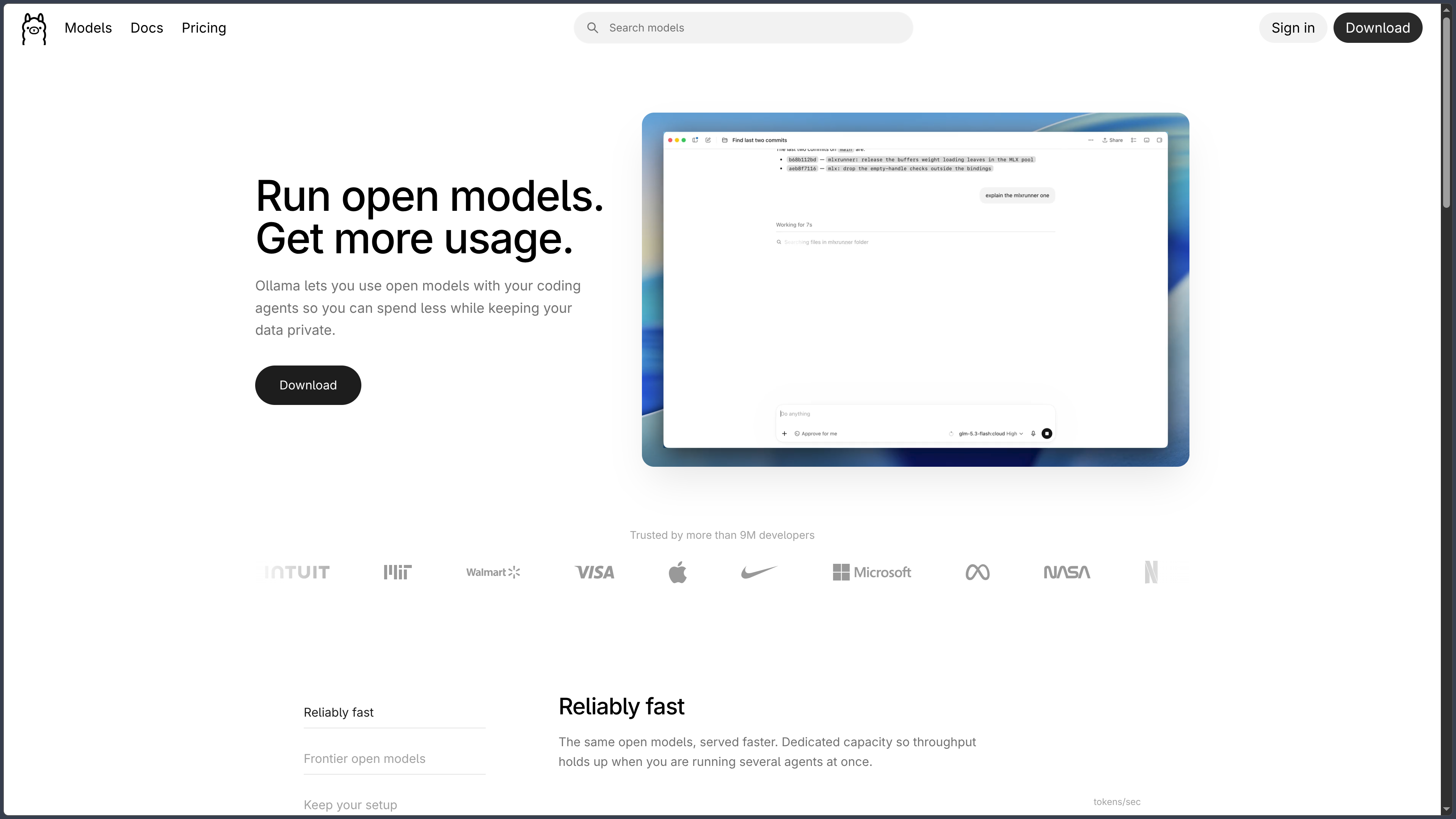
The software runs on Windows, macOS and Linux. It is intended both for people who want to try open models, developers looking for a local AI engine and teams wishing to integrate these models into their tools. A desktop application with chat and file import now complements the terminal commands and API server that made Ollama known.
Its scope has expanded, however: Ollama now distinguishes between local models and models hosted in its cloud. The former run on the user's hardware and remain free on Ollama's side. The latter use remote machines, notably to access models too large for a personal computer, with credits and usage-based billing. Choosing Ollama therefore does not automatically mean every request stays on the user's device: it depends on the selected model and execution mode.
The tool supports several families of models intended notably for conversation, reasoning, programming, vision and vector representations (embeddings). It provides a common interface for exploring these uses, but quality, capabilities and licensing vary by model, which remains a component distinct from the Ollama software itself.
As of September 19, 2026, the stable release published on GitHub is Ollama 0.34.2; version 0.34.3 is also listed as a prerelease. The project evolves rapidly, particularly in inference engines, hardware compatibility and integrations with development assistants.
Features
Downloading, managing and running models
The Ollama catalog brings together models ready to download and use. A command such as ollama run gemma4 retrieves a compatible model if it is not yet installed, then starts a conversation. Other commands display the models already present, download a variant, inspect its characteristics or remove files that are no longer needed.
Each catalog entry can offer several variants differing in size, quantization, capabilities and sometimes context length. These characteristics directly affect the required memory, generation speed and tasks that can be performed. A small quantized model is more accessible on an ordinary computer, while a large model may require considerable RAM or video memory.
Downloading a model is not the same as training it. Ollama primarily runs models whose weights already exist. It lets users adjust their behavior and import certain formats, but full training or specialized adaptation may require other tools. Downloaded weights also occupy disk space, sometimes several dozen gigabytes depending on the selected model.
A desktop application and terminal interface
The Ollama application on Windows and macOS lets users download models and chat with them through a graphical interface. It notably accepts drag-and-drop text files and PDFs, as well as images when the selected model has the necessary capabilities. For large documents, increasing the context window can allow more text to be taken into account, at the cost of greater memory use.
The terminal remains important, especially on Linux and machines used as servers. It can start a model, automate its installation or run Ollama in a development environment. The graphical interface makes exploration easier; the CLI and API provide greater control over technical workflows.
The official application should not be confused with every third-party interface compatible with Ollama. Projects such as Open WebUI provide their own chat experience and features, but are not part of the Ollama application itself.
A local API for software and scripts
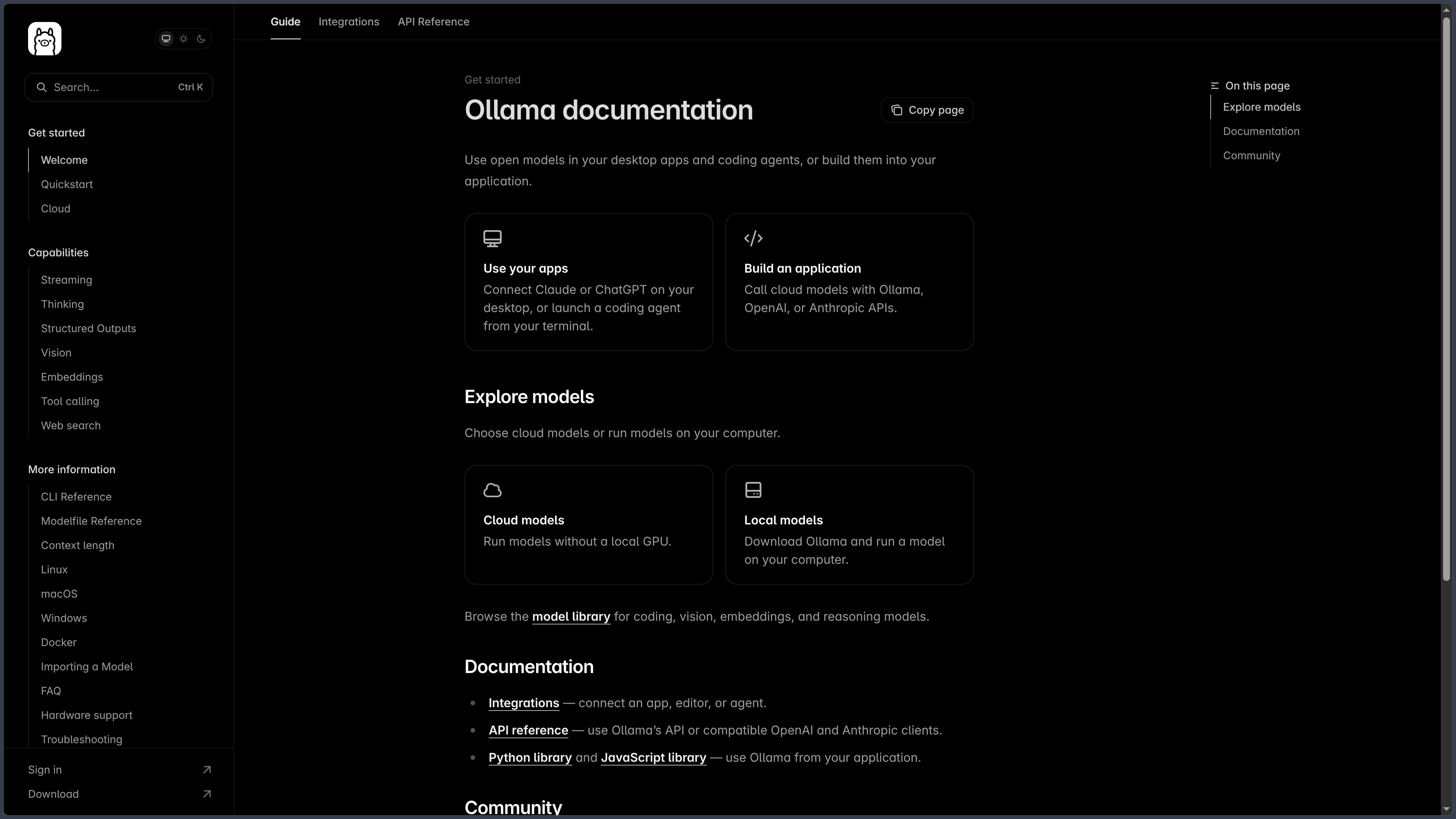
Ollama exposes a REST API that generally runs at http://localhost:11434. It lets an application send messages to a model, receive a response, generate embeddings or manage installed models. Official Python and JavaScript libraries facilitate integration without having to construct every HTTP request from scratch.
Ollama also offers compatibility with part of the OpenAI API. Software using a compatible client can sometimes be redirected to the Ollama server by changing its API address and model. This compatibility is not, however, a complete reproduction of every OpenAI feature: the endpoints and options on which a project depends must be checked.
The local API is particularly useful for connecting a model to an editor, coding assistant, internal service or custom-built application. On its own, however, it does not provide a complete user interface, a public authentication system or secure production infrastructure.
Integrations with development assistants
The ollama launch command simplifies configuring and launching several programming tools, notably Claude Code, Codex and OpenCode. It allows local or hosted models to be used without systematically changing every environment variable and API address by hand.
Ollama also offers integration with Claude Desktop as a third-party provider. The model being used can thus be replaced while retaining part of the software and existing work habits. Actual compatibility nevertheless depends on the tool, model and requested features, particularly tool calls and context length.
This distinction matters: Ollama provides model access and execution; a coding agent manages the project, files and actions. Connecting a model to an agent does not automatically give it the same performance or capabilities as a proprietary service. The success of code changes must always be verified through tests and human review.
Custom models, settings and context
A Modelfile defines a reusable configuration based on an existing model: system instructions, generation settings, base model or conversation template. This customization can be used to prepare an assistant with a specific role and responses that more consistently suit a particular use.
Context-window size can also be configured within the limits of the model and hardware. A longer window lets more text be processed in one request, but often increases memory requirements and processing cost. Demanding coding agents particularly benefit from a context length suited to the size of files and conversations.
Ollama also supports features such as structured outputs and tool calls with compatible models. A tool call must nevertheless be interpreted and executed by the application orchestrating the model: Ollama does not turn every model into an autonomous agent merely by enabling an option.
Embeddings and integration into a RAG system
Ollama can run models specialized in embeddings, which convert text into numerical vectors. These representations can be used to retrieve passages with similar meanings rather than relying solely on identical words.
This capability provides a useful building block for a RAG (Retrieval-Augmented Generation) system: an application indexes documents, retrieves relevant passages and then supplies them to the generation model to build a response better grounded in the available sources.
This function must nevertheless be distinguished from a ready-to-use document management system. Ollama generates embeddings and runs models, but does not automatically provide the entire RAG pipeline: file extraction, chunking, a vector database, retrieval, citations and control over document access must be handled by the application or an additional framework.
Performance and hardware
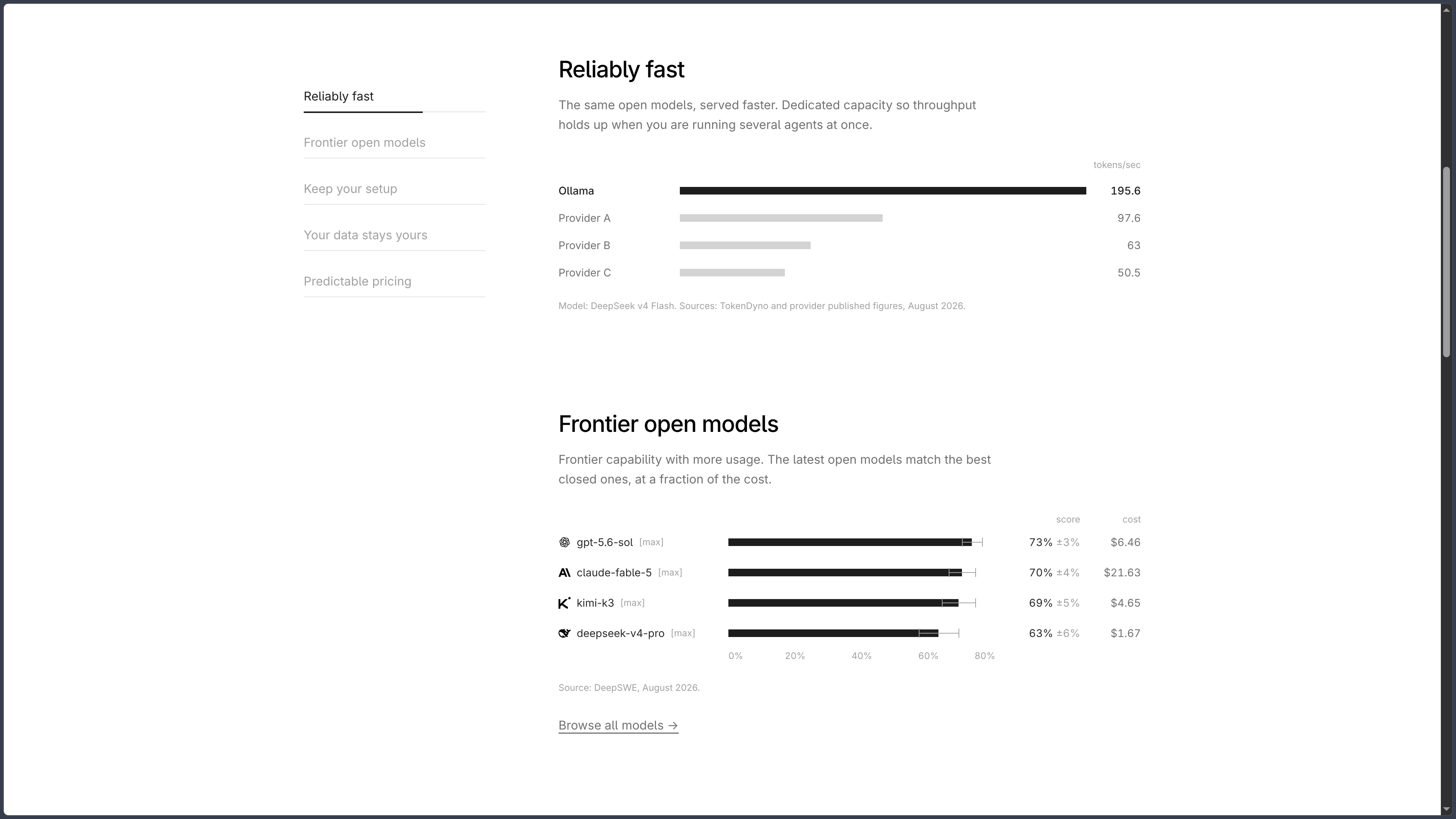
Speed depends on the model, its quantization, context length and available hardware. Ollama can use processors and various GPU acceleration solutions, with support varying according to graphics cards, drivers and the operating system.
On Macs with Apple silicon, the MLX engine improves the use of unified memory and the machine's acceleration capabilities. Ollama also uses llama.cpp to broaden model compatibility, notably with the GGUF format. Vulkan support helps extend acceleration to more hardware configurations.
A model that does not fit entirely in video memory may run more slowly by making greater use of system memory or the processor. To make a realistic choice, it is better to compare a variant's memory footprint, its speed on the actual machine and its results on intended tasks rather than focusing solely on its advertised parameter count.
Cloud models and privacy: two distinct modes
Local models run on the user's computer or server. Once the necessary files have been downloaded, inference can take place without sending prompts and responses to Ollama's servers. This does not prevent a third-party application, external feature or particular network configuration from transmitting other data: the boundaries must be checked for each workflow.
Cloud models, by contrast, process requests on remote infrastructure. Ollama announces a zero data retention policy for the content of cloud requests: according to its privacy policy, prompts and responses are processed temporarily, are not retained beyond the time needed for the request and are not used to train models. Some account information and limited usage metadata are nevertheless collected.
The pricing documentation indicates that hosting is primarily located in the United States, with capacity also available in Europe and Singapore. Cloud use must therefore not be presented as local execution, even when the user accesses it through the same application or command.
Pricing: free local execution, usage-based cloud
Since the change announced on August 31, 2026, Ollama's cloud has used per-token pricing, with monthly credits included in certain subscriptions. Prices depend on the model and may distinguish input tokens, output tokens and tokens from cached context.
| Plan | Terms announced as of September 19, 2026 |
|---|---|
| Free | Free local execution; a small monthly cloud credit for starter models, with the option to purchase additional credits. |
| Pro — $20/month | $60 in monthly cloud credits included; an annual plan is also listed at $200. |
| Max — $100/month | $300 in monthly credits and expanded capacity for more intensive use. |
| Team — $500/month | $1,000 in shared credits, centralized administration and no per-seat user limit. |
| Enterprise | Custom pricing for organizations with specific requirements. |
Included credits renew each month, and unused amounts do not roll over. Additional usage may be billed at the model's rate once the available credit is exhausted. Execution on your own hardware remains free and unlimited from Ollama's billing perspective, excluding the cost of the computer and its electricity.
Use cases
Installing a fully local AI assistant
Ollama allows users to choose a model suited to their computer, download it and use it in the official application or a compatible interface. This setup is suitable for experimenting with models, drafting, rephrasing or conversations that users want to process without a remote inference service.
The choice of model remains decisive: a small variant may run smoothly but be less capable on complex problems; a larger variant may exceed the available memory. For offline use, all necessary models and components must first be installed.
Adding AI to an application or internal tool
A developer can connect an application to the local API to obtain responses, analyze text or generate structured data. The Python and JavaScript libraries make it easier to build a prototype and integrate the model into existing software.
Partial compatibility with the OpenAI API can also reduce the adaptation work for a project already built around compatible clients. Before deployment, however, the features actually supported, network access security and performance with multiple requests must be tested.
Building search across personal documents
By combining an embedding model run through Ollama with an indexing tool and a vector database, it becomes possible to retrieve passages from a collection of documents. A generation model can then use these excerpts to answer a question.
This architecture is particularly suited to technical documentation, a knowledge base or personal notes. RAG quality depends just as much on extraction and retrieval as on the model itself: references to documents should be retained and answers checked before being regarded as established.
Experimenting with coding agents
Ollama can power a compatible development assistant with a local model, then switch to a larger cloud model when requirements exceed the machine's resources. ollama launch simplifies connecting to certain popular agents.
Developers can therefore compare several models in a similar workflow and decide when to use their own hardware or hosted infrastructure. The model does not, however, perform file operations on its own: permissions, tools and tests are handled by the agent and its configuration.
Comparing local and cloud before choosing infrastructure
A team can prototype for free on a computer, measure memory requirements and response quality, then consider whether a hosted model makes sense for heavier tasks or concurrent requests.
Cloud per-token billing has a different cost profile from local inference, which uses already available hardware. Appropriate sizing depends on request volume, required privacy and desired speed; the cloud service is not automatically a seamless replacement for a local server.
Conclusion
Ollama has evolved from a utility for launching local models into a common environment for accessing open models on a computer or in the cloud. Its value lies in its relatively straightforward setup, catalog, API and ability to reuse the same models across several applications and development tools.
For local use, its model is particularly clear: the software is open source under the MIT license, and running it on one's own hardware incurs no Ollama subscription fees. Users nevertheless remain responsible for choosing a model, respecting its license, providing hardware resources and securing the applications that connect to it.
The cloud offering extends the catalog to models that do not fit on a personal computer. It also introduces separate billing based on tokens and credits, and changes where data is processed. It is therefore essential to state clearly whether a model runs locally or on remote infrastructure, rather than presenting Ollama as a whole as an entirely offline service.
Finally, Ollama remains above all an execution and integration engine. Its API, embeddings and connections to coding agents are powerful building blocks, but a complete document system, multi-user product or autonomous agent requires additional orchestration. For discovering open models, prototyping an AI application or establishing scalable local infrastructure, it provides a solid starting point.
Points to consider
- Software and models do not have the same license. Ollama is distributed under MIT, but downloaded model weights and cloud services have their own terms, which are particularly important for commercial use.
- Local and cloud use must be distinguished. Local inference does not send prompts to Ollama; hosted models process requests remotely under the service's privacy policy.
- Local access is free, but hardware is not. Model size, context, RAM, VRAM, disk space and electricity use directly affect cost and ease of use.
- Cloud use is billed per token. Monthly credits do not roll over, and additional charges may arise if usage continues beyond the included amount.
- OpenAI compatibility is partial. It facilitates certain integrations but does not guarantee support for every API, feature or option.
- Ollama is not a complete, ready-to-use RAG system. Embeddings and inference are provided; ingestion, indexing, retrieval, citations and access rights must be organized separately.
- Image and tool support depends on the model. A text-only model does not become multimodal or compatible with agents simply because it runs in Ollama.
- A server exposed to a network must be secured. The local API should not be made publicly accessible without authentication, access controls and appropriate safeguards.
- Responses still need verification. Models can invent information or produce incorrect code; sensitive uses require testing, sources and human validation.