
Overview
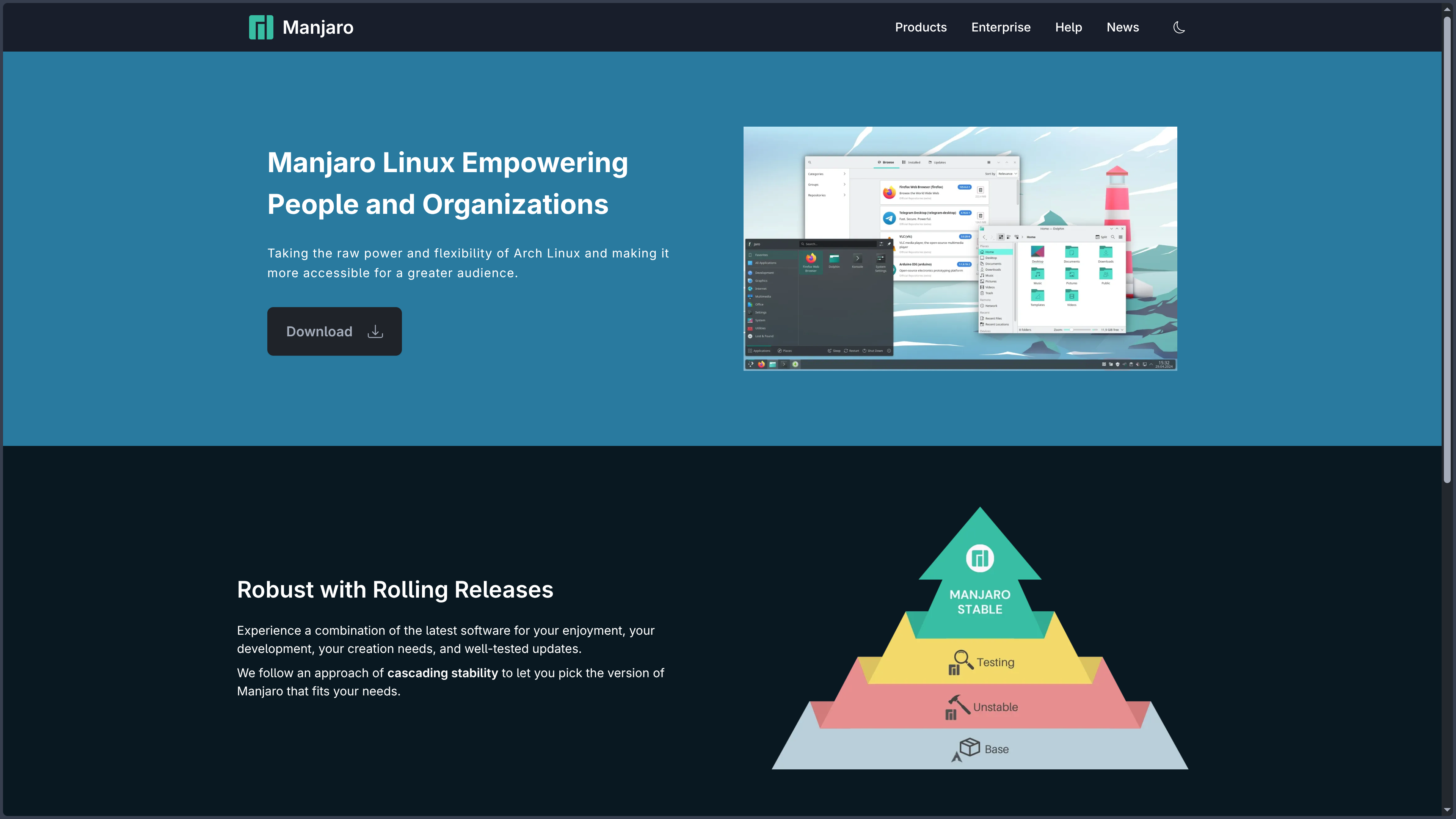
Manjaro is a GNU/Linux distribution based on Arch Linux that aims to retain much of its foundation’s flexibility and software freshness while reducing the number of technical operations required to obtain a complete workstation. Where an Arch installation deliberately starts with very few decisions made on the user’s behalf, Manjaro directly provides a graphical installer, a configured desktop environment, common applications and several tools designed to administer the machine.
This difference does not make Manjaro simply “Arch with an installer.” The distribution uses its own software repositories, its own packages for certain components, its own kernels, hardware-detection tools and a different organization of the update cycle. A Manjaro system should therefore not be treated as an Arch installation with nothing more than a different theme.
The two distributions nevertheless share much of their technical culture. Manjaro uses the Arch package format, the pacman package manager, systemd and many applications that remain very close to their upstream versions. The ArchWiki also remains an often relevant resource, provided that differences in repositories and Manjaro-specific tools are taken into account.
Manjaro follows a rolling-release model. A properly maintained machine does not need to be reinstalled or migrated to a new generation every six months or every two years. Software evolves progressively through updates.
The distribution nevertheless publishes images with version numbers in order to regularly provide up-to-date installation media. The current generation is Manjaro 26.1 “Bian-May”, first released on August 12, 2026. Point release 26.1.1, dated August 25, 2026, incorporates the latest Stable updates into new installation images. For a Manjaro system that is already installed and kept up to date, these new ISOs do not represent a mandatory migration.
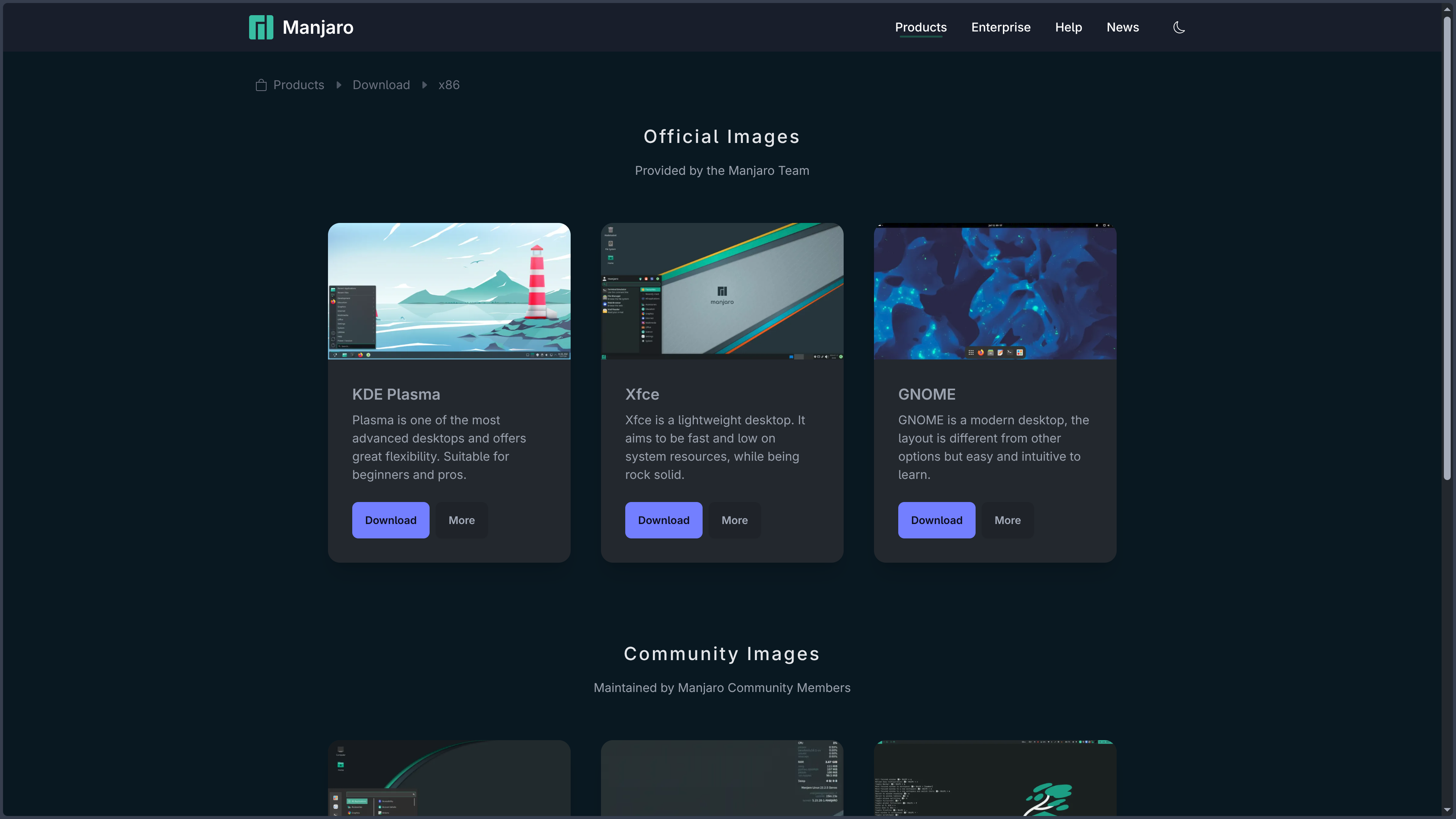
The three main official x86-64 editions use KDE Plasma, GNOME and Xfce. Manjaro also provides ARM images for a selection of mobile and embedded platforms, along with various community editions built around other graphical environments.
Features
A rolling release with an additional validation layer
Manjaro follows the principle of a continuously updated distribution, but it does not immediately deliver the same packages as the Arch repositories to all of its users.
The project maintains three branches: Stable, Testing and Unstable. Unstable is synchronized very frequently with Arch packages and also serves as an entry point for Manjaro-specific components. Packages then pass through Testing before reaching Stable, the branch used by default.
There is no strict delay between these stages. Depending on updates and the problems encountered, reaching Stable can take a few days or several weeks. This buffer gives more users and maintainers time to identify regressions before an update reaches the majority of machines.
Manjaro nevertheless remains a rolling release. Stable does not mean that a set of versions is frozen for several years as on Debian Stable or Ubuntu LTS. The kernel, Mesa, Plasma, GNOME, Firefox, libraries and other components continue to evolve regularly.
This compromise places Manjaro between two philosophies. It is generally less immediate than Arch for new software, but much more dynamic than a distribution built around long-lived major releases.
Installing the system through a graphical interface
Manjaro uses Calamares as the graphical installer for its main editions. Users can boot from a USB drive, test the system in a live session and then start installation without having to manually build every layer of the machine.
The installer allows users to choose the language, keyboard, time zone, disk, partitioning, user account and various system-related options. A simple installation can automatically use an entire disk, while manual partitioning remains available for more complex configurations.
This approach removes much of the initial difficulty associated with Arch. Networking, the graphical environment, login manager and many workstation components are already integrated into the selected image.
The result, however, remains a rolling-release system that requires regular maintenance. The simplicity of installation therefore does not turn Manjaro into a system that can be left for several years without following its updates.
Three official desktops with different approaches
The KDE Plasma edition is one of Manjaro’s best-known faces. The 26.1 generation uses Plasma 6.7, together with KDE Frameworks and KDE Gear. The environment offers a traditional and highly customizable interface with panels, widgets, themes and numerous graphical settings.
The GNOME edition uses the GNOME 50 series. It offers a more structured approach centered around the Activities view, workspaces and a modern Wayland-focused environment. Manjaro adds certain settings and integrations to adapt this foundation to its own experience.
Xfce 4.20 is the lightest of the three main editions. Its interface remains traditional, relatively easy to customize and less demanding on resources than the two larger environments.
These three editions use the same Manjaro repositories and the same update model. The choice therefore mainly concerns the interface, preinstalled applications and the amount of resources used by the desktop.
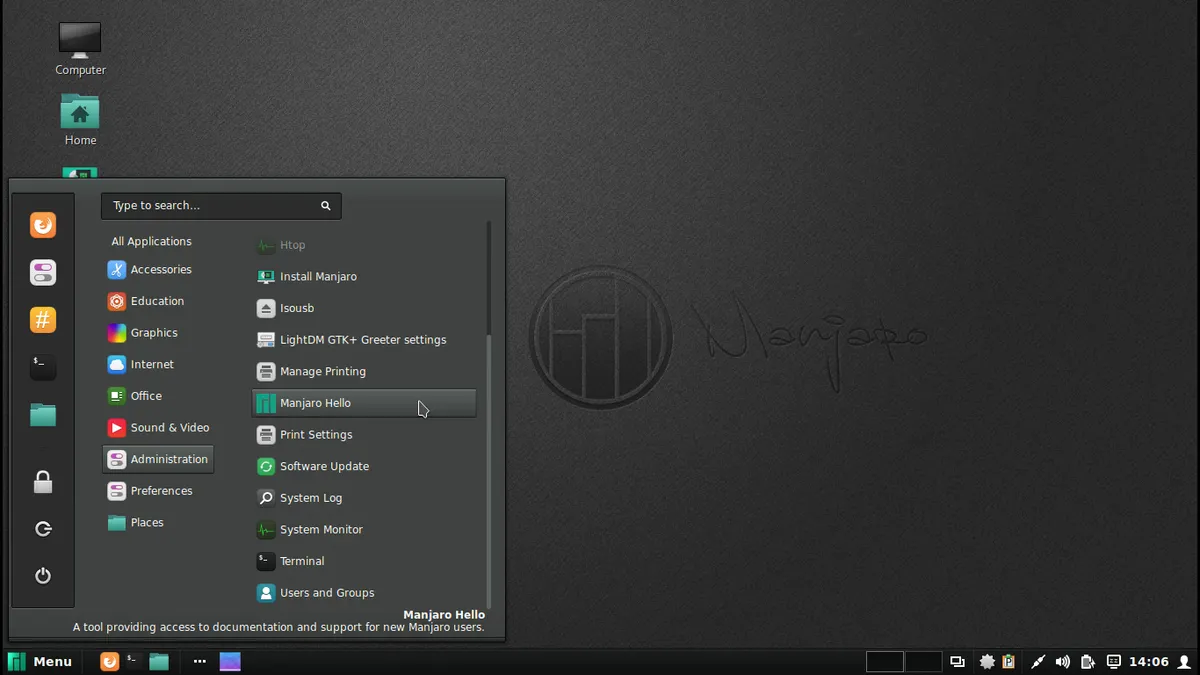
Community editions built around Cinnamon, MATE, Sway, i3, Budgie and other environments may also be available. They should not, however, be confused with the three main images directly maintained as official editions.
Pacman for the foundation, Pamac for a graphical approach
Like Arch, Manjaro uses pacman to manage system packages. A full update can be performed with sudo pacman -Syu, which synchronizes the repositories and then upgrades installed components.
Manjaro adds Pamac, available from the command line and through a graphical interface depending on the configuration. It can search for software, inspect dependencies, install or remove packages and manage updates without requiring users to immediately memorize pacman syntax.
This interface makes the Arch package model much more accessible. A new user can browse the software catalog and apply an update in a way that feels closer to a conventional application manager.
Pamac can also be extended to support Flatpak and the AUR. These sources nevertheless remain different from the Manjaro repositories and should not be considered to have the same level of integration or support.
The system also retains an important rule inherited from Arch: partial upgrades are not supported. Permanently ignoring certain packages while upgrading their dependencies can create an inconsistent or unbootable environment.
Managing several kernels without the command line
Manjaro takes a particularly practical approach to Linux kernel management. The Manjaro Settings Manager can display available kernels, show which ones are installed and then add or remove them from a graphical interface.
The distribution therefore does not force the machine to keep only the newest kernel. A user can simultaneously retain a current kernel for recent hardware and a more conservative LTS release as a fallback.
When Manjaro 26.1 was released, the main images used Linux 7.1, while the 6.18 LTS and 6.12 LTS series were also offered for different compatibility or stability needs.
The project regularly updates this selection throughout the life of the system. Older series that have reached end of support can be removed and new ones become available without waiting for another major Manjaro release.
This simplified management is useful after a hardware regression. Rather than immediately having to repair the affected kernel, the user can keep a version known to work and select it at boot.
Detecting hardware and simplifying drivers
The Manjaro Hardware Detection system, or MHWD, automates part of hardware detection and configuration.
It is used especially for graphics drivers and allows users to choose between certain free and proprietary solutions. The Manjaro Settings Manager exposes these options through a graphical interface so users do not have to manually build their entire driver configuration.
This feature is particularly useful for NVIDIA GPUs and hybrid machines that may require a graphics stack different from the free configuration installed by default.
Manjaro also maintains driver packages corresponding to the different kernel generations available in its repositories. The kernel and modules must evolve together, which is why the distribution handles this relationship directly through its tools.
Automation does not guarantee that a driver or kernel change can never cause a regression. It mainly reduces the number of manual operations required to obtain a coherent configuration.
The AUR remains accessible, but does not become a Manjaro repository
Manjaro users can access the Arch User Repository, or AUR. Pamac can even search for and build these packages when the feature is explicitly enabled.
This opens access to a huge amount of software: applications absent from the repositories, Git versions, proprietary tools, specialized software or very recent projects.
This convenience hides an essential distinction, however. AUR PKGBUILDs are created for Arch Linux by its community and are supported neither by Arch when used on Manjaro nor by the Manjaro team.
Manjaro also has its own repositories and deliberately delays certain packages compared with Arch Stable. A PKGBUILD written with the assumption that a new Arch library is immediately present may therefore encounter a dependency that has not yet reached Manjaro Stable.
AUR packages can also stop working after an update and sometimes need to be rebuilt when a major language or library changes.
The AUR therefore remains a major advantage of the ecosystem, but it is better regarded as an advanced community source than as a guaranteed extension of the official catalog.
Flatpak for applications independent from the system
Manjaro also supports Flatpak for installing applications distributed independently from the distribution’s packages.
Support can be integrated into Pamac with the appropriate plugin. A Flatpak application can then appear in the same search interface while still coming from an infrastructure separate from the Manjaro repositories.
This separation can be useful for installing a recent graphical application without depending on when its version reaches Stable.
Flatpak nevertheless brings its own runtimes, can use more disk space in some cases and has its own update cycle. Flatpak applications are therefore not simply pacman packages under another name.
For a workstation, combining the Manjaro repositories with Flatpak can often cover a large proportion of software needs without systematically relying on the AUR.
A separate ARM edition for certain devices
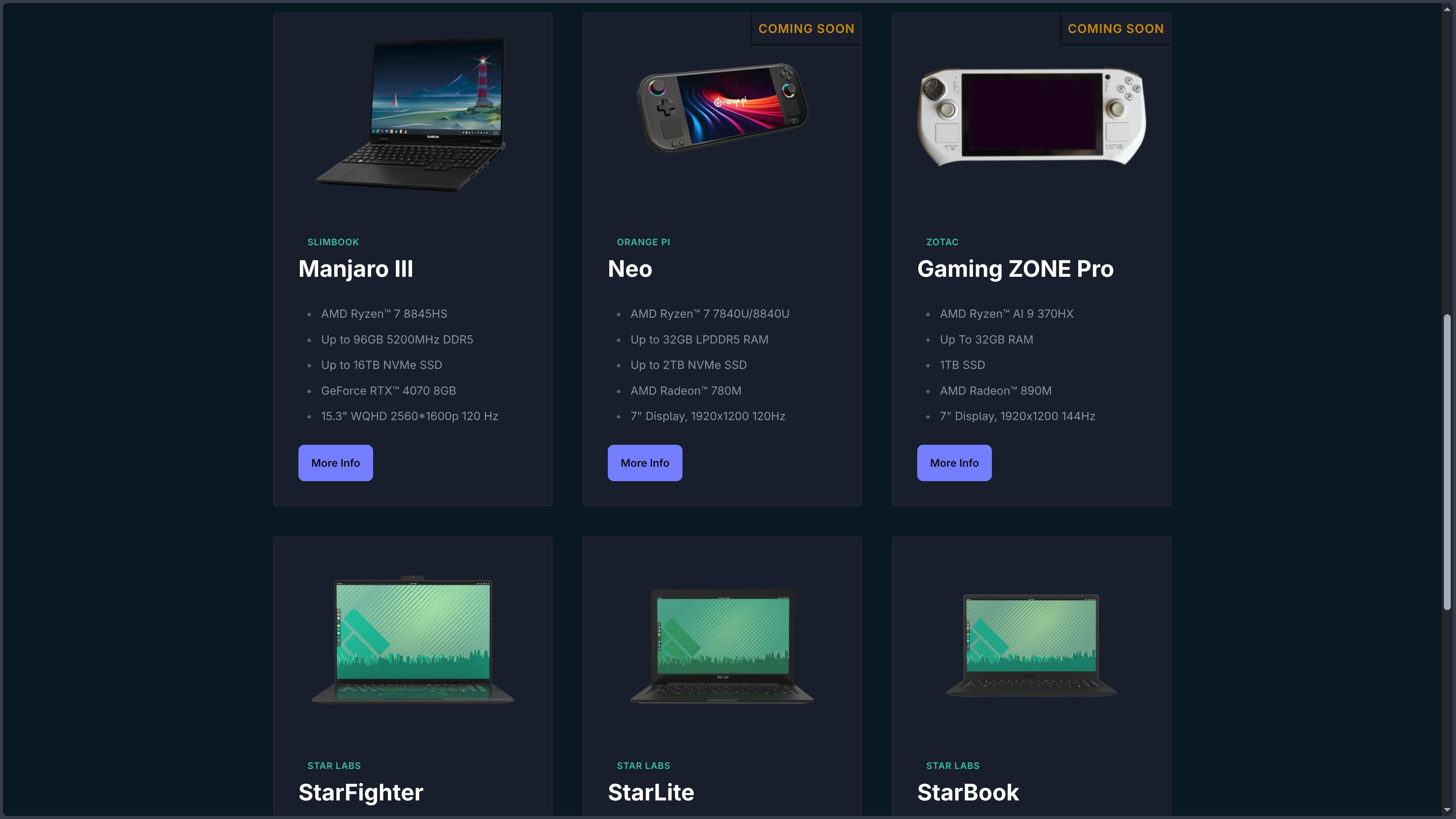
Manjaro is not limited to x86-64 computers. The project also provides ARM images for a selection of mobile devices, boards and embedded systems.
This branch is developed by the Manjaro ARM Team and should not be regarded as a universal image capable of booting on any ARM machine. Firmware, kernels and procedures depend much more directly on each device.
The ARM offering nevertheless extends the Manjaro approach to platforms other than the traditional PC and contributes to projects involving compact or mobile devices.
For a conventional desktop or laptop PC, the x86-64 edition remains the reference version.
Use cases
Discovering the Arch ecosystem without starting with a manual installation
A user interested in Arch may want access to pacman, recent software and the AUR without spending their first day on partitioning, the bootloader and manually building the desktop.
Manjaro directly provides a live session, Calamares and an already configured KDE, GNOME or Xfce environment. The machine therefore becomes usable much more quickly.
The user can then gradually learn pacman, systemd, .pacnew files, kernels or PKGBUILD compilation as these needs appear.
This approach makes it an interesting compromise between a highly guided distribution such as Mint and an Arch installation deliberately built component by component.
Using a workstation with recent software
The rolling-release model provides regular new versions of desktops, browsers, libraries, compilers and drivers.
A user with recent hardware generally benefits from newer kernels, Mesa and firmware than those available on a conservative LTS distribution.
Passing through Testing before Stable introduces a delay, but specifically aims to prevent every Arch update from immediately reaching all Manjaro machines.
This approach suits someone who wants a modern and regularly updated workstation without necessarily trying to receive every package as soon as it is published.
Building a modern development machine
Manjaro provides an environment suited to developers who want rapid access to recent versions of GCC, Clang, Python, Rust, Go, Java, Node.js, containers, libraries and system tools.
Its proximity to Arch also makes a very large body of technical documentation useful, while the AUR can provide IDEs, SDKs and less common tools absent from the Manjaro repositories.
Pamac can manage part of this environment graphically, while pacman remains available for terminal-based workflows.
In return, users must accept that system libraries evolve regularly. A project requiring a strictly identical foundation for several years will often be better isolated in containers, virtual environments or virtual machines.
Using several kernels on a machine with particular needs
A recent computer can run the current kernel to benefit from the newest drivers while keeping an LTS kernel as a fallback.
This strategy is easy to set up through the Manjaro Settings Manager and can be especially useful on a laptop with a dedicated GPU, a creative workstation or a machine whose peripherals behave differently depending on the kernel generation.
In the event of a regression, the boot menu can be used to select an earlier kernel before fixing the issue or waiting for another update.
This approach gives Manjaro useful flexibility for users who want to follow Linux closely without depending on a single installed kernel.
Heavily customizing the desktop without building the whole system
Manjaro allows users to choose from three very different environments from the start and then continue customizing them through their own mechanisms.
Plasma can be deeply modified from its graphical interface. GNOME can adopt a different organization through extensions. Xfce allows panels, menus and shortcuts to be rearranged while remaining relatively lightweight.
Community editions expand these options further for users interested in Cinnamon, Sway, i3 or other environments.
Manjaro therefore suits users who want considerable freedom over their desktop but prefer to start with an already functional system rather than a minimal base.
Conclusion
Manjaro occupies a fairly distinctive middle ground in the Linux ecosystem. It takes Arch’s rolling-release model, pacman and much of its flexibility, but builds a far more guided experience around them through Calamares, Pamac, MHWD, graphical kernel management and already configured desktops.
This simplification does not remove the nature of the distribution. A Manjaro machine remains a continuously updated system whose components can move to new generations without waiting for a major annual migration. Reading update announcements, monitoring configuration files and maintaining the system regularly remain good practices.
The choice of independent repositories is probably the most important difference from Arch. Manjaro accepts receiving certain new packages later in order to create an additional testing stage before Stable. This delay can reduce some regressions, but it also makes the idea that Manjaro is simply Arch with a few graphical tools incorrect.
This independence becomes especially visible with the AUR. Manjaro provides access to it, but community recipes are built first for the current state of Arch. The more a user depends on the AUR, the more they need to understand this difference and accept occasionally resolving an incompatibility.
Compared with Ubuntu or Mint, Manjaro generally provides newer components and a more dynamic system. Compared with Arch, it makes many more initial decisions and automates several administration tasks. This compromise reduces the difficulty without completely removing the need to understand the machine.
For someone who wants a modern, customizable and continuously updated Linux system, close to the Arch ecosystem but significantly faster to install and administer day to day, Manjaro remains a coherent option. It does, however, require more attention than an LTS distribution and is not intended to turn a rolling release into a completely passive system.
Points to consider
-
Manjaro is a rolling release despite version numbers such as 26.1 or 26.1.1: these numbers mainly identify generations of installation images. A system that is already installed and correctly updated does not need to be reinstalled for every new ISO.
-
Manjaro 26.1.1 “Bian-May” is the current stable image at the time of this verification: it is dated August 25, 2026 and incorporates the first point release of the 26.1 series after the initial publication on August 12.
-
Manjaro does not directly use the official Arch repositories: it maintains its own Stable, Testing and Unstable branches. Stable generally receives packages after an additional testing period whose duration is not fixed.
-
Stable does not mean “frozen”: kernels, graphical environments, drivers and libraries continue to be regularly replaced by newer versions. The term refers to the Manjaro branch considered ready for general use.
-
Partial upgrades are not supported: permanently holding back certain packages while updating their dependencies can create an inconsistent system. Upgrades should normally move all affected packages forward together.
-
Update announcements remain important: some developments may require intervention, merging a
.pacnewfile, changing a driver or replacing a kernel that has reached end of life. -
The AUR is not supported by Manjaro: PKGBUILDs are created by the Arch community and are not reviewed by the Manjaro team. They are used at the user’s own responsibility.
-
The delay between Arch and Manjaro can affect certain AUR packages: a recipe may depend on a library already published in Arch but not yet available in Manjaro Stable. AUR packages may also need to be rebuilt after certain major updates.
-
Pamac simplifies software management but does not turn every source into an official repository: Manjaro packages, Flatpak applications and AUR recipes may appear in a similar interface, but their support levels and mechanisms remain different.
-
Managing several kernels still requires monitoring their support status: Manjaro simplifies installation and removal, but kernel series that have reached end of life should be replaced with one that is still maintained.
-
Community editions do not necessarily have the same level of maintenance as KDE Plasma, GNOME and Xfce: they can be excellent, but depend on teams and release cycles separate from the three main official editions.
-
Manjaro does not have a single license: the distribution brings together thousands of applications under their own free or open-source licenses, while the different tools developed by the project may themselves use different licenses.