Presentation
Cursor is an AI-assisted code editor developed by Anysphere.
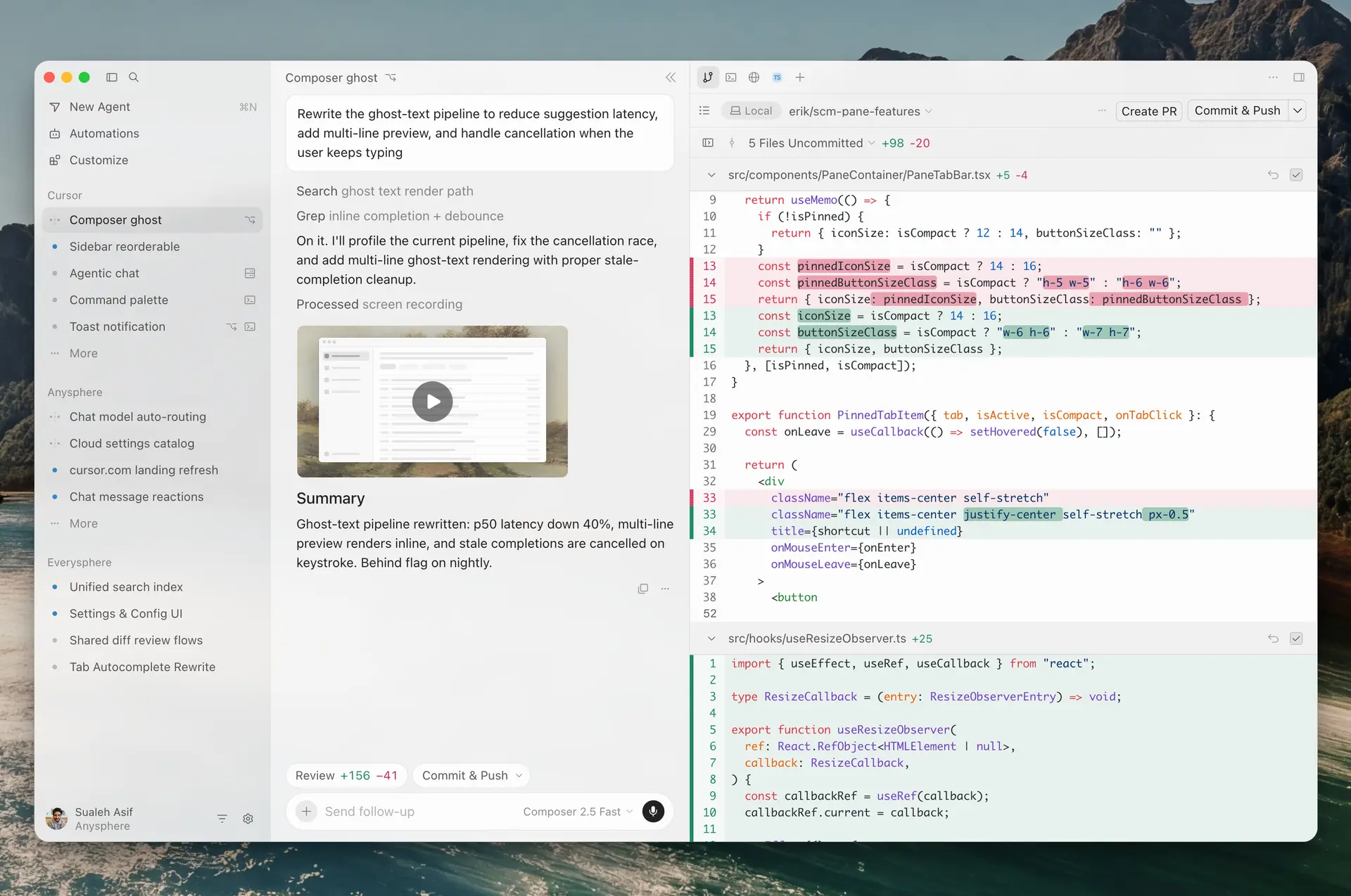
It is based on the Visual Studio Code codebase and retains a familiar interface with file explorer, terminal, Git, extensions, themes and shortcuts, while directly integrating AI tools designed for software development.
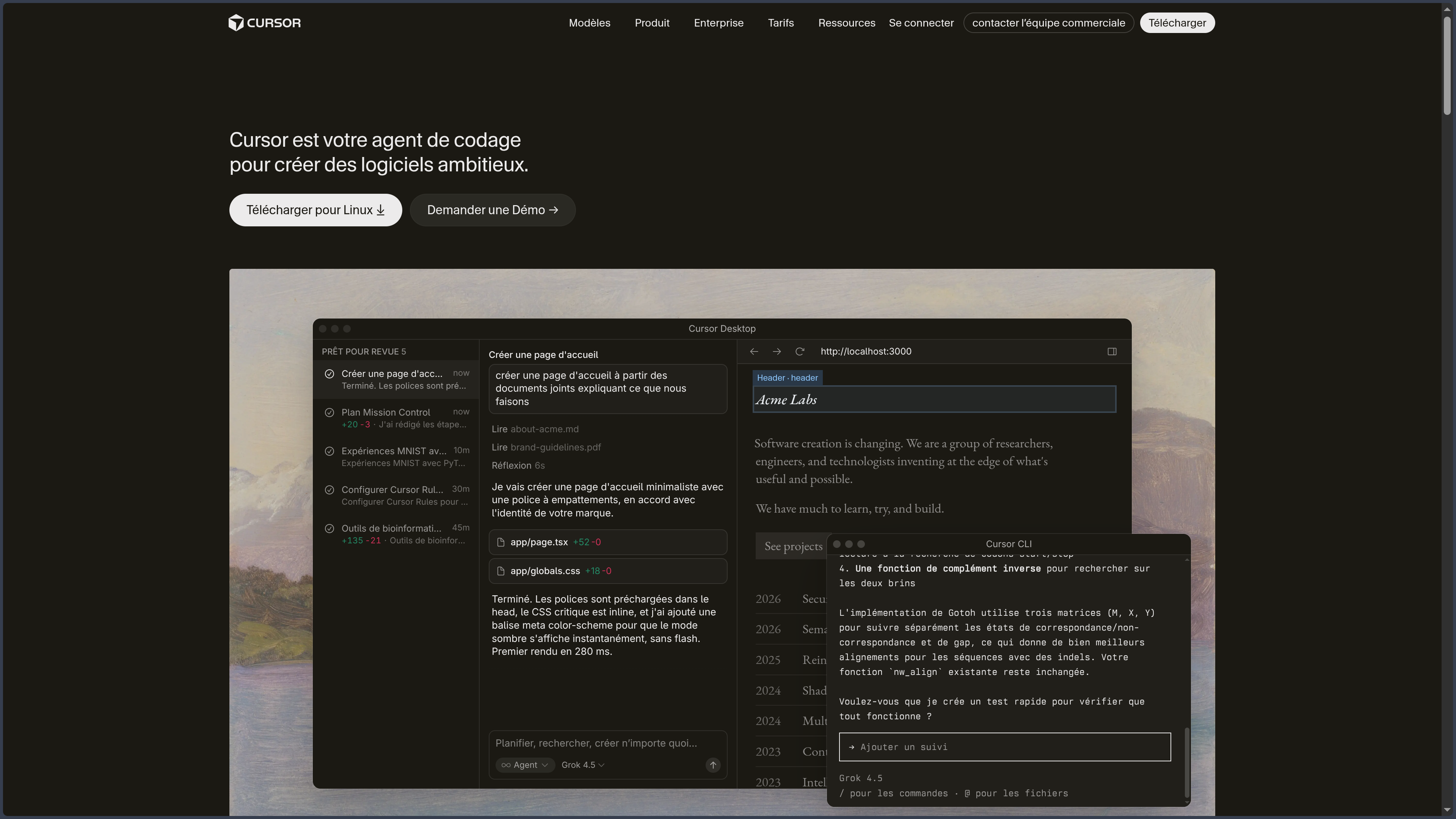
Cursor is no longer limited to generating a few lines of code. Its Agent can explore a repository, search files, modify several elements, execute terminal commands, run tests and verify its changes.
The editor can use different models provided by Cursor or external providers. It also includes rules, skills, plugins, MCP and hooks for adapting agents to the conventions and tools of a project.
Since August 2026, Anysphere and Cursor have been part of SpaceX following the company’s acquisition. The service nevertheless continues to operate under the Cursor brand.
As of October 3, 2026, the current desktop version is Cursor 3.20.
Features
Agent
Cursor Agent is the editor’s main assistant.
It can analyze the structure of a repository, read relevant files, search code, make changes and execute terminal commands.
The agent can therefore work on broader tasks such as adding a feature, refactoring, fixing a bug or writing tests.
Changes remain visible as diffs so that the developer can review them before keeping them.
Autocomplete with Tab
Cursor Tab provides AI-powered autocomplete while writing code.
It takes into account surrounding code, recent changes and certain errors detected by development tools.
Suggestions can span several lines, add imports or coordinate changes across multiple files.
Cursor can also predict the next location likely to be edited and offer to move the cursor there directly.
Repository context
Agents can search the codebase to identify the files, symbols and logic relevant to a task.
This understanding of the repository makes it possible to ask questions about an existing architecture or request a change involving several components.
Agents also have Web search tools when external information is needed.
Planning and Projects
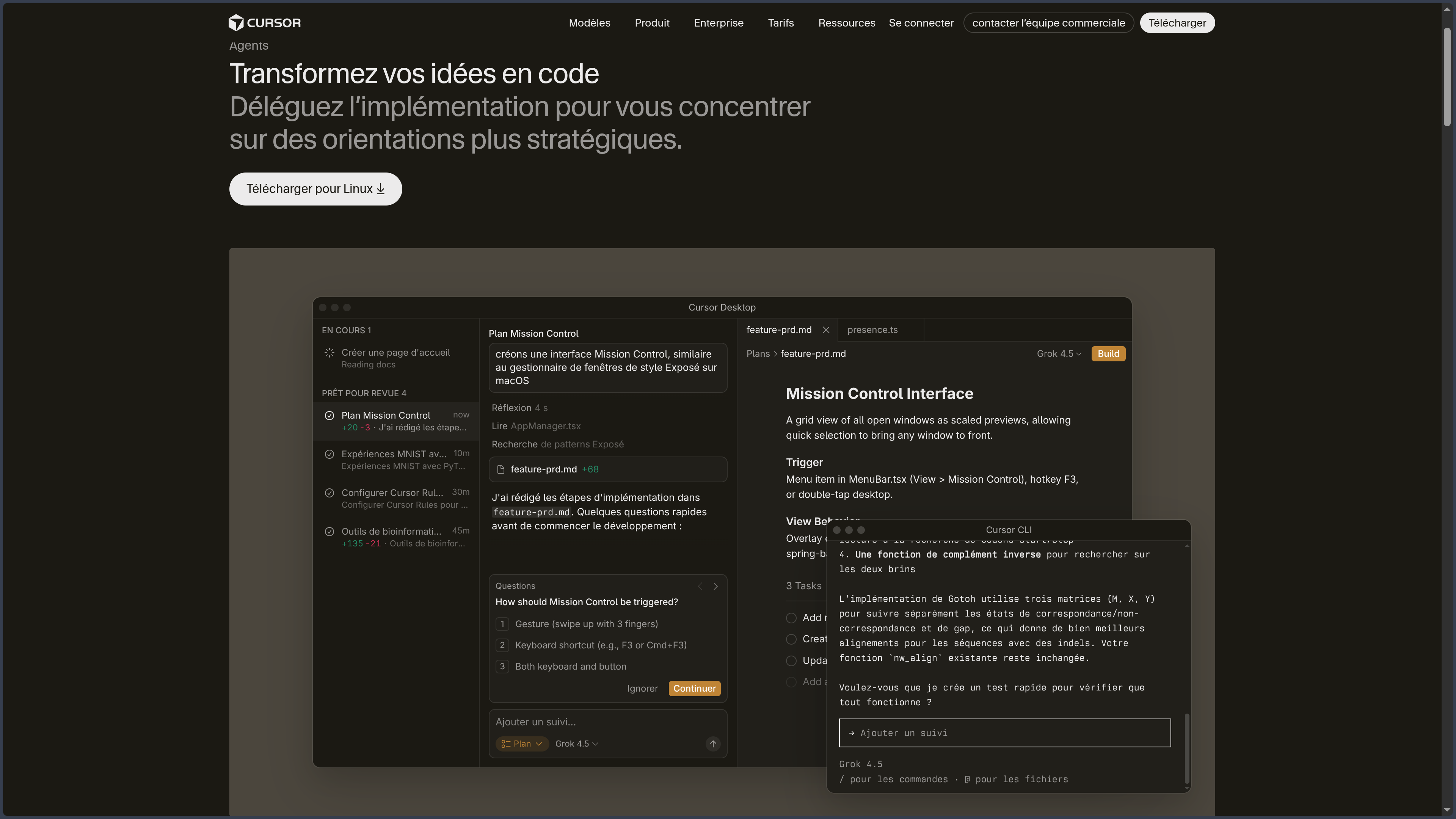
For larger tasks, Cursor can separate planning from execution.
Projects can use a coordinating agent that organizes a workstream and delegates different parts to other agents.
This approach is aimed at longer developments, migrations or changes involving several areas of a codebase.
Terminal and verification
The Agent can use the terminal directly from its environment.
It can install dependencies, run tests, launch a linter, build a project or use commands specific to the repository.
This capability allows the agent to verify a change instead of merely producing code.
Command execution should nevertheless be monitored when a project contains sensitive scripts or operations that can modify data.
Multiple AI models
Cursor provides access to several AI models.
Depending on the plan and availability, users can choose Cursor models as well as models provided by OpenAI, Anthropic, Google and other providers.
An automatic mode can also select a model according to the desired balance between cost, speed and capability.
Models do not all have the same cost, so they may consume included usage at different rates.
Rules and AGENTS.md
Rules provide persistent instructions to agents.
They can define coding conventions, architecture, test commands, security requirements or project-specific practices.
Rules can be defined at user, project or team level.
Cursor also supports AGENTS.md for repository-specific instructions.
Skills, plugins and MCP
Cursor can be extended with skills, plugins and MCP — Model Context Protocol servers.
Skills provide specialized procedures or knowledge that the Agent can load when a task requires them.
MCP servers can connect external tools or sources such as APIs, databases and third-party services.
Plugins can package rules, skills, agents, commands, MCP servers and hooks together.
Hooks
Hooks can execute scripts at different points in an agent workflow.
They can run before or after a shell command, file read, edit or MCP tool invocation.
They can be used to enforce checks, automate validation or record certain operations.
This feature is particularly useful for teams wanting tighter control over agent behavior.
Cloud Agents
Cloud Agents execute tasks inside isolated virtual machines rather than on the local computer.
They can clone repositories, install dependencies, run tests, use a browser and open pull requests containing their changes.
Several agents can operate in parallel.
They can be started from Cursor, the Web or different integrations, notably with code-hosting and project-management platforms.
Self-Hosted Machines
Cursor also allows agent tools to run on self-hosted machines.
The repository, build files and secrets can therefore remain on infrastructure controlled by the organization.
Inference and the agent loop remain connected to Cursor services, however: Self-Hosted Machines do not turn Cursor into a fully local AI solution.
Code review
Cursor includes several tools for code review.
Agent Review can analyze local changes in order to identify errors or issues before they are committed.
Bugbot can inspect pull requests and report different problems.
Additional organization-oriented features can also perform security analysis or track how a change behaves during deployment.
VS Code compatibility
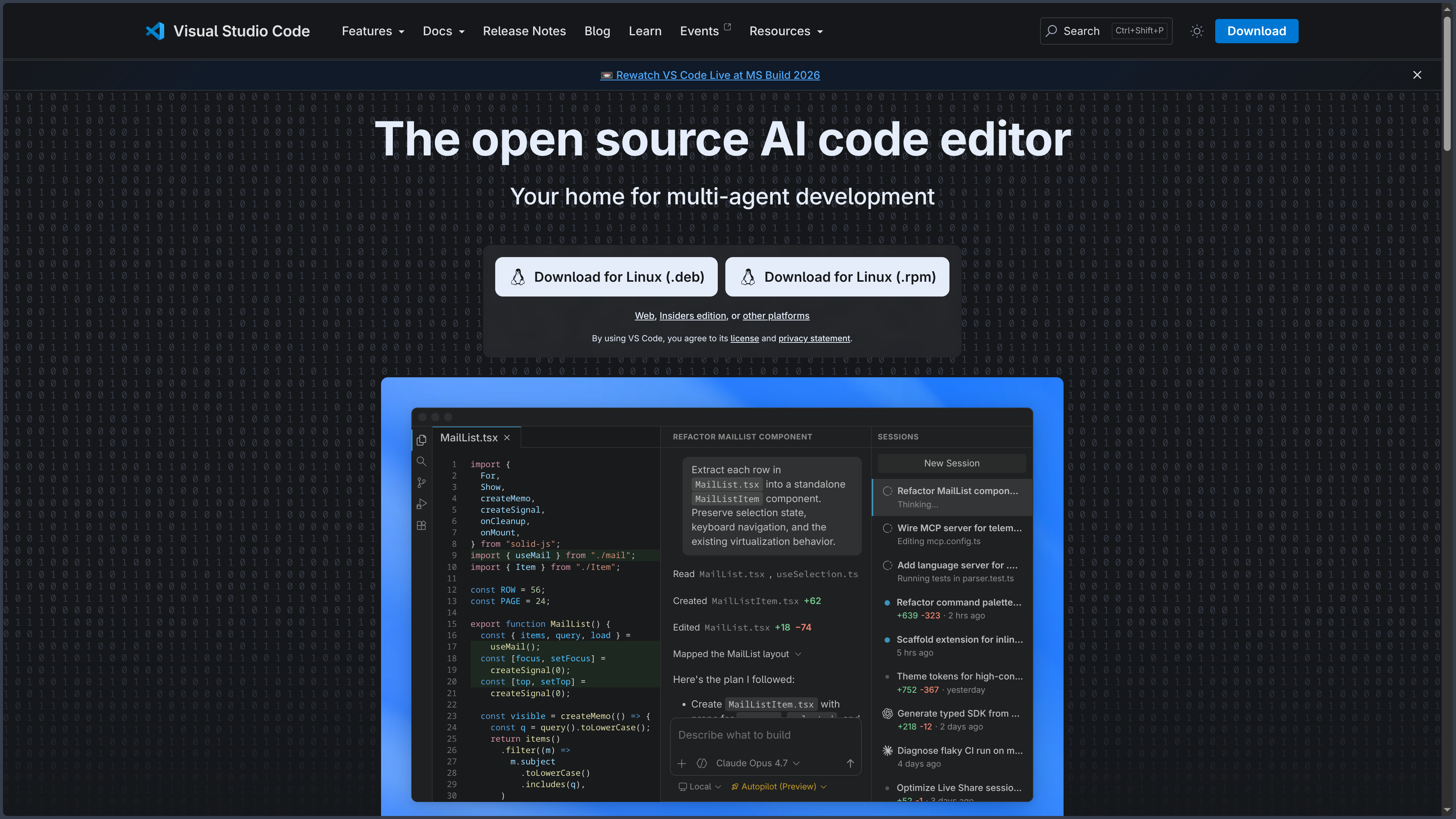
Cursor is based on the Visual Studio Code codebase.
It can import some settings, themes, shortcuts and extensions from an existing VS Code environment.
Cursor mainly uses Open VSX for third-party extensions, however. Extension availability may therefore differ from the Microsoft Visual Studio Marketplace.
This similarity with VS Code allows developers to keep much of their existing workflow while adding Cursor-specific features.
Use cases
Understand a codebase
A developer can ask Cursor to locate a feature, explain relationships between several modules or trace a data flow.
The Agent can browse the repository to gather the relevant context before answering.
Add a feature
Cursor can modify several files, add corresponding tests and then execute the commands required to verify the result.
The developer remains responsible for reviewing and approving the changes.
Fix a bug
The Agent can investigate the cause of a problem, inspect the relevant files, propose a fix and run tests.
This approach is especially useful when an error crosses several layers of an application.
Refactor a project
Cursor can assist with API migrations, architectural changes or reorganizations affecting multiple files.
Project rules can be used to enforce the conventions that must be followed during the work.
Delegate tasks to cloud agents
Cloud Agents can handle selected tasks in remote environments and then return a branch or pull request ready for review.
This approach also makes it possible to run several independent tasks in parallel.
Conclusion
Cursor combines a VS Code-like editor with a platform of development agents integrated directly into the coding workflow.
Tab accelerates everyday edits, while the Agent can handle broader work involving search, editing, terminal commands and tests.
Rules, skills, MCP, plugins and hooks adapt its behavior to a project, while Cloud Agents extend this workflow to tasks executed in remote environments.
This power nevertheless increases the importance of human review: an agent can modify several files and execute commands, but its decisions and code still need to be verified before integration.
For developing with AI agents directly integrated into an environment close to VS Code, Cursor is currently one of the most complete tools in this category.
Points to consider
-
Cursor 3.20 is the current desktop version as of October 3, 2026.
-
Cursor is proprietary software. The service is governed by Anysphere’s terms of use and its source code is not distributed under an open-source license.
-
Anysphere was acquired by SpaceX in August 2026. Cursor continues to be offered as a separate product and service under its own brand.
-
The Hobby plan is free but limited. Current individual paid plans are Pro at $20/month, Pro+ at $60/month and Ultra at $200/month, before taxes.
-
Model usage depends on quotas and their cost. On-demand usage can continue beyond the included volume and may result in additional charges.
-
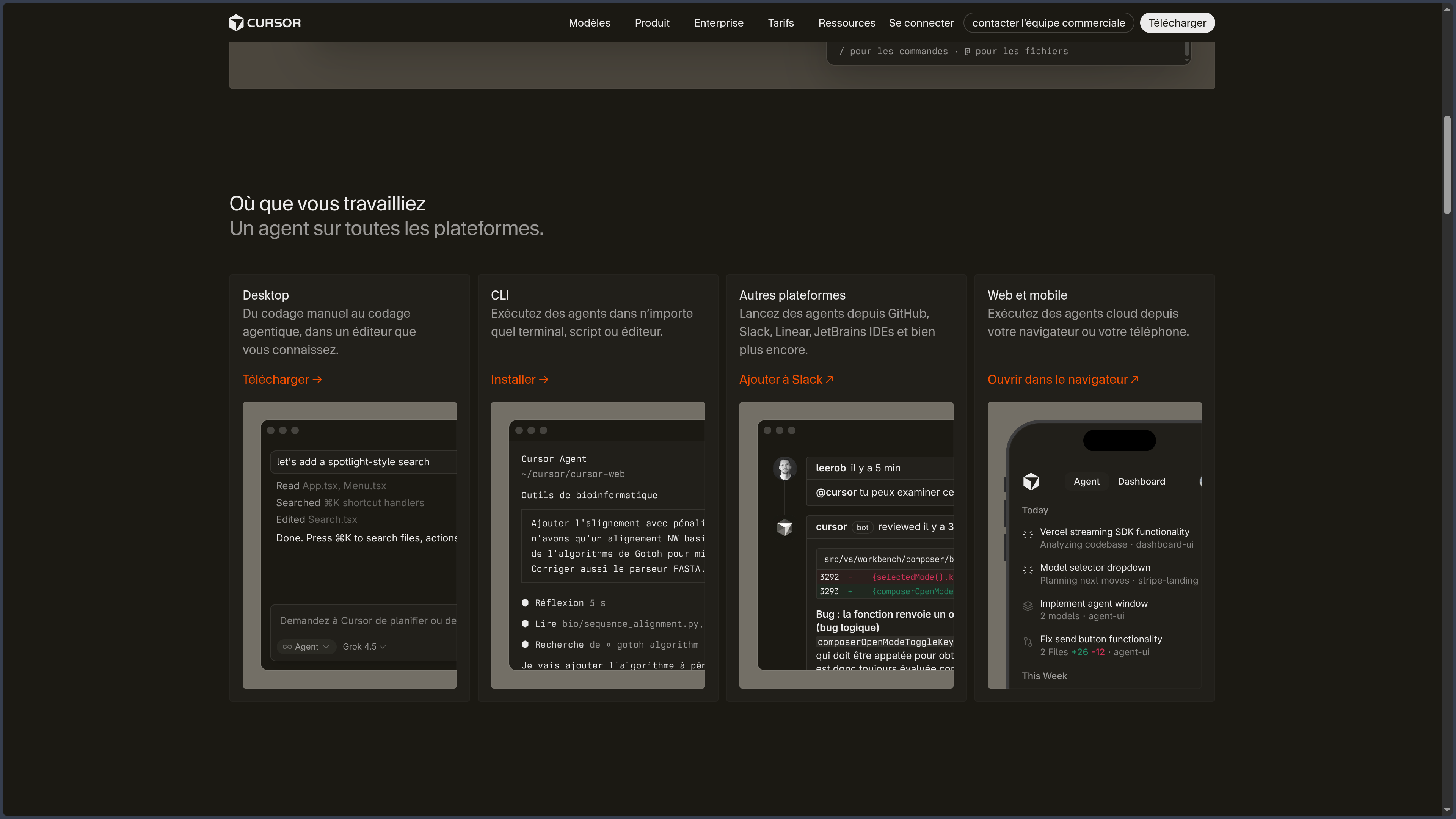
Cursor is available as a desktop application on Windows, macOS and Linux. Agents are also accessible from the Web, and an iOS application is available in public beta.
-
Cursor is based on VS Code but is not identical to VS Code. Some extensions or features available in the Microsoft ecosystem may differ.
-
Cursor uses Open VSX for third-party extensions. Not every extension from the Visual Studio Marketplace is therefore necessarily available in the same version.
-
Privacy Mode is available on free and paid plans. When enabled, Cursor states that code data is not used for training by Cursor or its model providers.
-
AI features transmit context to remote models. Depending on the selected model, data may be processed by Cursor or providers such as OpenAI, Anthropic or Google.
-
Agents can execute commands and modify multiple files. Changes, migrations, Git operations and potentially destructive scripts should be reviewed before approval.
-
Cloud Agents work in remote environments. When a local session is moved to the cloud, uncommitted local changes are not automatically transferred.
-
Self-Hosted Machines keep tool execution on your infrastructure but do not make the entire AI stack local. The agent loop and inference remain connected to Cursor services.
-
Models, limits and pricing evolve quickly. They should be rechecked regularly, especially before comparing Cursor with other development assistants.