
Presentation
Cubase is a digital audio workstation, or DAW, developed by Steinberg. The software covers the full music production process: composition, MIDI sequencing, multitrack recording, audio editing, vocal work, arrangement, mixing and export. This breadth makes it suitable for producing a song, managing a complex studio session or building an orchestral arrangement with many tracks and articulations.
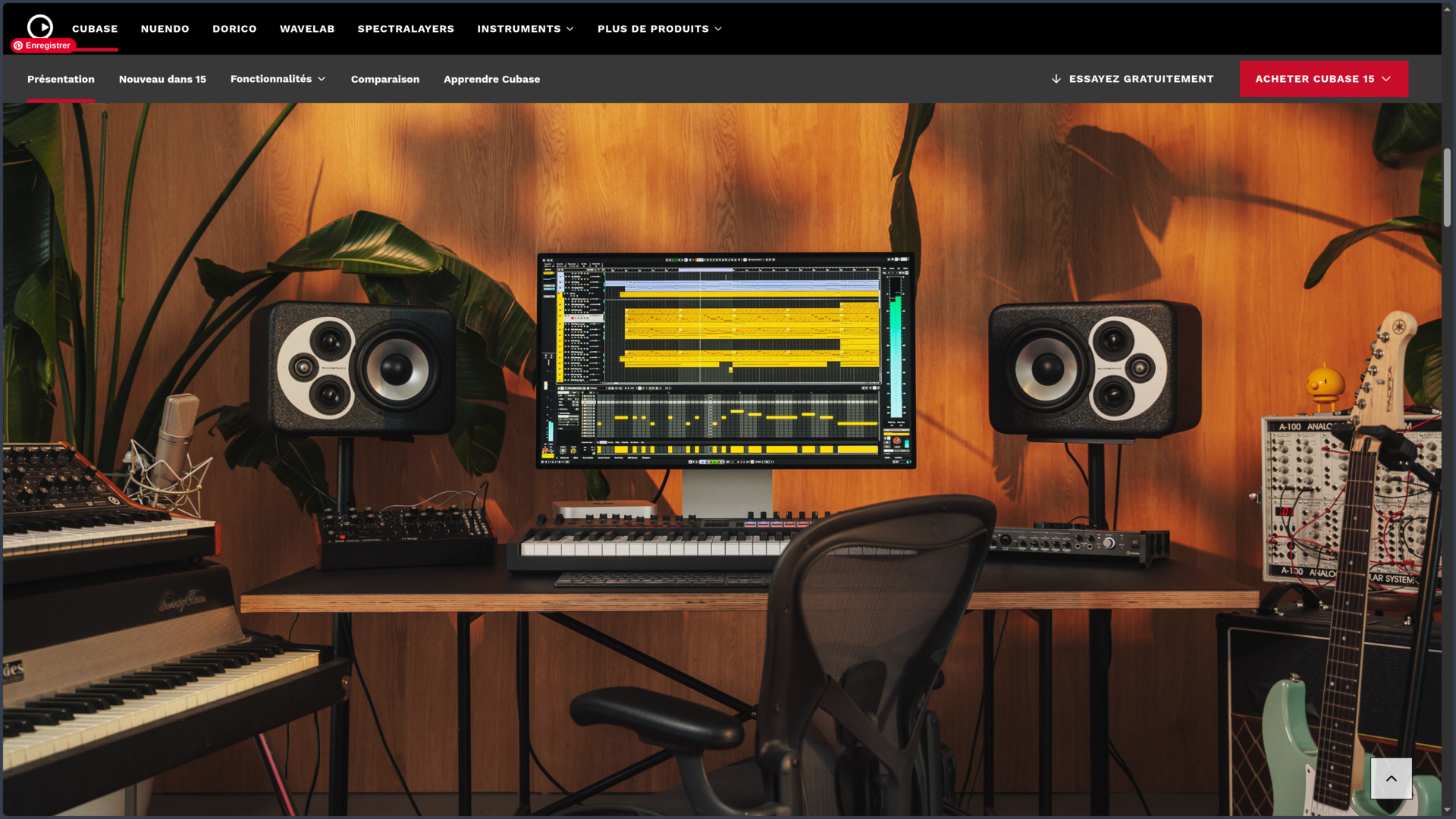
Unlike Ableton Live, whose Session View encourages nonlinear construction, or FL Studio, historically organized around patterns and the Channel Rack, Cubase relies more heavily on a studio and timeline-based workflow. Audio, MIDI, instrument, group, effect and automation tracks all sit inside the Project window, which acts as the center of the production. The principle is traditional, but the system becomes increasingly deep as a project grows in complexity.
One of Cubase's defining qualities is that it does not favor a single type of production. Recorded audio and MIDI both receive advanced treatment, while harmonic tools, notation, orchestral articulations, automation and mixing can remain inside the same environment. A composer can write with virtual instruments, record musicians afterward, correct individual takes and finish the mix without rebuilding the project in another application.
That richness has a direct consequence: Cubase takes more time to explore than a deliberately more compact environment. Many functions only become relevant on larger projects. Someone who simply wants to program a few loops may never need much of the software. For users working with dozens of tracks, multiple takes, complex arrangements or orchestral instruments, however, that depth becomes far more meaningful.
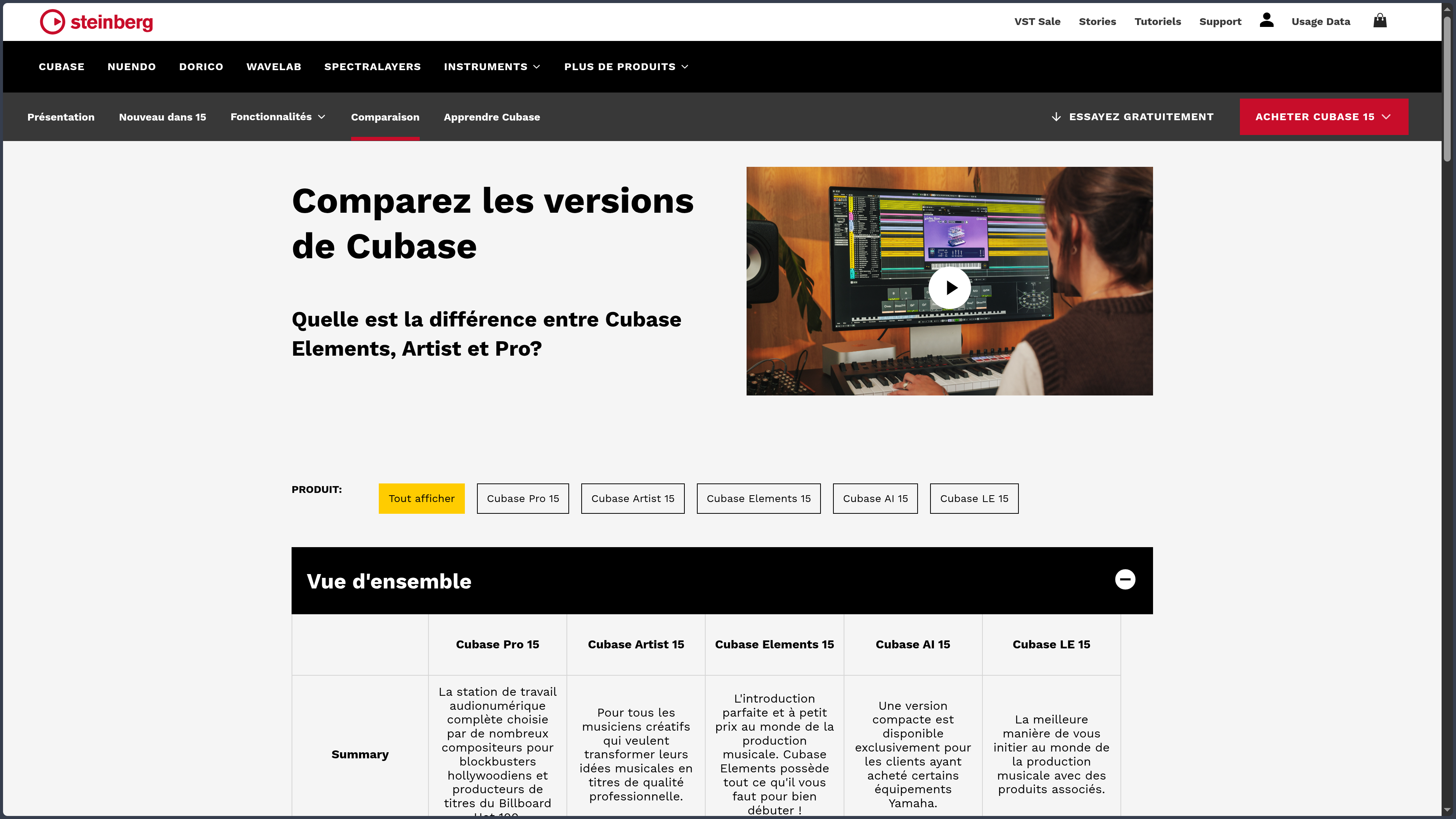
Cubase 15 is mainly available in three commercial editions: Elements, Artist and Pro. Elements covers the fundamentals of production, Artist adds several important tools for recording, audio editing and composition, while Pro opens access to the most advanced routing, automation, post-production and mixing features. AI and LE editions also exist in contexts linked to certain hardware products and partner offers.
Features
Composing and organizing MIDI in depth
Cubase has a long history of MIDI sequencing, and this remains one of its central strengths. The Key Editor allows notes, velocity, duration, position and many controller values to be edited with enough precision for anything from a bass line to a detailed orchestral arrangement.
Composition can also rely on the Chord Track, Chord Pads and harmonic assistance tools. A chord or progression can serve as a reference for other elements in the project, help test inversions or support the search for a harmonic structure without turning composition into an automated process.
Cubase 15 also expands its pattern-based approach with a sequencer capable of building rhythmic and melodic figures. It complements the traditional MIDI tools rather than replacing them: a beat can be sketched quickly as a pattern and then refined with the software's more detailed editors.
For arrangements built around large orchestral libraries, Expression Maps in Cubase Pro make it possible to organize and control the different articulations of an instrument from within the project. Changes between legato, staccato, pizzicato or other techniques can therefore become part of the musical workflow instead of being managed only through a collection of MIDI keyswitches.
Moving from sequencing to notation
Cubase includes a Score Editor capable of representing MIDI content as traditional musical notation. It does not turn the software into a dedicated engraving application, but it creates a useful connection between sequencing and conventional written composition.
This part of the software now benefits from a closer relationship with Dorico, Steinberg's notation application. Dorico projects and MusicXML files can move between the two environments, allowing a composer to begin with a sequencer-based workflow and continue in a specialized notation tool when the quality of the score becomes the priority.
For orchestral music, film, video games or written arrangements, this dimension distinguishes Cubase from many DAWs primarily focused on recording or electronic production. The score is not an isolated module: it remains connected to the same MIDI material used by the other editors.
Recording and rebuilding a performance
Cubase supports multitrack audio recording with tools designed for sessions where several takes need to be kept and compared. Artist and Pro editions notably include comping tools that make it possible to record different versions of a passage and then select the strongest sections to build a final performance.
The audio can then be corrected or transformed without leaving the project. AudioWarp works on timing and can be used to realign or quantize certain performances. VariAudio, available in Artist and Pro, focuses more specifically on pitch and timing for monophonic sources such as vocals. Detected notes become directly editable in Cubase, reducing the need to transfer a track to an external editor for common corrections.
Cubase Pro adds more specialized tools, including audio alignment, advanced offline processing and, in Cubase 15, AI-assisted stem separation from a mix. These functions are not necessary for every project, but they strengthen the software's ability to work directly with already recorded material.
Mixing in the same environment
The MixConsole follows the logic of a studio console with channels, inserts, sends, equalization, groups and automation. It remains closely connected to the Project window: a structural or routing change made in one part of the software is reflected in the other.
This becomes especially useful on large sessions. Tracks can be grouped, sent to buses, processed in parallel and automated without leaving Cubase. Folder Tracks in Cubase 15 can also take on group-channel functionality, bringing visual organization and audio routing closer together in complex projects.
Cubase Pro goes further with the Control Room, designed to manage studio monitoring, several listening sources and headphone mixes for musicians. It also includes professional functions such as VCA faders, more advanced metering options and Dolby Atmos production.
These tools explain why the differences between Elements, Artist and Pro go well beyond a few extra instruments. The more a project depends on routing, multitrack recording and a developed studio environment, the more important the higher-tier features become.
Instruments, effects and the VST environment
Cubase includes various virtual instruments, sound libraries and effects, with the amount depending on the edition. Groove Agent SE covers drum programming and playback, HALion Sonic acts as an instrument and sound platform, while tools such as Retrologue and Padshop complement the Artist and Pro editions.
The environment can above all be expanded through VST plug-ins, opening access to a vast selection of third-party instruments and effects. A Cubase project can therefore be built around Steinberg's own tools or rely almost entirely on external synthesizers, processors and sample libraries.
This openness becomes especially important in orchestral production, sound design or studios that already own a large plug-in collection. Cubase then becomes less a closed collection of instruments than an environment responsible for organizing and connecting the different components of the studio.
Use Cases
Recording a band or an artist
A project may begin with drums spread across several microphones, bass, guitars and vocals. Cubase can organize the inputs, record multiple tracks simultaneously and preserve different takes without requiring the user to manually multiply files and tracks.
Comping can then be used to reconstruct the strongest performances, while audio editing helps correct certain timing issues or clean up recordings. The project gradually moves from tracking to mixing without changing environments, which fits naturally with a traditional studio workflow.
Composing for picture or with a virtual orchestra
A composer can build a project containing several orchestral sections, synthesizers, percussion and a reference video. MIDI parts are written in the Key Editor or the score, while Expression Maps handle the articulations of compatible libraries.
Chord, tempo and signature tracks can structure the work across the project, and the notation tools make it easier to move between sequencing and more traditional writing methods. When a score then needs to be prepared precisely for musicians, the connection with Dorico provides an additional bridge.
Producing a song from demo to mix
An idea can begin with a few chords, a drum machine and a virtual instrument. Chord Pads or the Chord Track can help explore different harmonies, while the pattern sequencer speeds up the creation of a rhythmic or melodic foundation.
Once the structure is established, real instruments and vocals can be recorded into the same project. VariAudio, AudioWarp and comping tools can then prepare the takes before mixing. Cubase therefore follows the different stages of a song quite naturally without forcing the user to choose between a MIDI-based and an audio-based workflow from the start.
Building and mixing a large session
On a production containing dozens or hundreds of tracks, the challenge is no longer simply creating sound: the project also needs to remain understandable. Folders, groups, buses, automation and visibility options allow Cubase to structure that volume of information and display only what is useful at a given moment.
Cubase Pro becomes particularly relevant in this context thanks to its advanced routing, monitoring and mixing tools. That depth would be excessive for a project with only a few tracks, but it becomes valuable once an arrangement or studio session genuinely starts becoming difficult to manage.
Conclusion
Cubase stands out less through one spectacular feature than through the depth with which it connects several areas of music production. MIDI composition, audio recording, take correction, orchestral work, notation, routing and mixing can coexist within a single project without any one of those areas feeling like an afterthought.
This versatility makes it particularly interesting for musicians and producers whose projects do not always follow the same path. A song can begin with virtual instruments and later receive a recorded drum kit; an orchestral composition can alternate between notation and MIDI programming; a studio session can evolve all the way to the final mix without leaving the software.
The trade-off is an interface and organization that take time to learn. Cubase contains many menus, editors, track types and settings whose usefulness is not immediately obvious. This complexity is not simply an ergonomic flaw: it also comes from the number of situations the software attempts to cover. A beginner therefore needs to learn which parts actually matter for their own workflow.
For a workflow centered heavily on clip-based improvisation, Ableton Live may feel more immediate. For production built mainly around patterns, FL Studio can offer a faster starting point. Cubase becomes particularly convincing when the priority is a complete, structured software studio capable of supporting projects as they gradually grow in complexity.
Points to Consider
-
The editions genuinely change the workflow: Elements, Artist and Pro do not differ only in the number of included plug-ins. Comping, VariAudio, multitrack AudioWarp, Control Room, Expression Maps, modulators and several advanced mixing and editing functions depend on the edition selected.
-
Cubase 15 is sold under a paid license: Elements, Artist and Pro are available as commercial licenses. Steinberg also offers updates, upgrades, educational offers and crossgrades depending on the user's situation.
-
New major generations are not included for life: unlike FL Studio's Lifetime Free Updates model, moving to a new major generation of Cubase may require purchasing an update. The long-term cost of keeping the software current should therefore be taken into account.
-
The trial lasts 60 days: Steinberg currently allows Cubase Pro 15 or Cubase Elements 15 to be tested for 60 days without requiring a credit card. Projects remain available after the trial period and can be resumed after purchasing a license.
-
The license uses Steinberg Licensing: Cubase 15 no longer relies on the former USB eLicenser system. An individual license can be activated on three computers, but it remains intended for a single user. An Internet connection is required for activation, after which Cubase can operate offline.
-
The learning curve is real: the number of editors, routing options, track types and settings can make the environment dense as a first DAW. Users working mainly with a few instruments and loops are unlikely to need a large part of Cubase Pro's capabilities.
-
The edition should be chosen according to required functions: VariAudio and comping appear from Artist upward, while several advanced studio, orchestration and mixing functions remain exclusive to Pro. Comparing the editions carefully helps avoid discovering after purchase that an important tool is missing.
-
Windows and macOS only: Cubase 15 is officially supported on these two operating-system families. Linux is not a supported platform.
-
The included content can require considerable storage: the main application is only part of the installation. Instruments, libraries and content supplied with Cubase can occupy several dozen gigabytes depending on the edition and the components installed.