
Overview
A character has already been modeled.
It must now be rigged, animated, simulated, shared across several shots, passed to lighting, then rendered without the file falling apart at each handoff between teams.
This is precisely when Autodesk Maya truly reveals its value.
Maya is not just a 3D creation software. It is a workshop designed to carry characters, scenes, and complex data through a production.
The software covers modeling, rigging, animation, simulation, look development, rendering, and automation.
Its reputation rests particularly on the depth of its animation, deformation, and pipeline tools.
Maya does not necessarily aim to offer the most immediate entry point for a beginner.
It becomes especially relevant when a project must remain controllable, shareable, and automatable as its complexity grows.
External references, caches, scripts, naming conventions, advanced rigging, and sequencing tools then become as important as the creation of the geometry itself.
A Maya scene is not just an assembly of visible objects.
It can contain relationships between controllers, deformers, caches, references, and scripts that allow multiple disciplines to work on the same production.
This architecture can seem heavy on a small exercise.
It becomes precious when the scene has to survive weeks of modifications.
Maya is historically associated with animation, cinema, visual effects, and several video game pipelines.
This place does not come only from the quantity of features.
It also comes from the ecosystem developed around the software: rigs, scripts, plugins, production habits, and teams trained in its concepts.
Understanding Maya gradually means understanding how an organized 3D production circulates its data.
This is probably what distinguishes it most from software used primarily as an individual workshop.
Features
Modeling and asset preparation
Maya makes it possible to create characters, objects, vehicles, and environments with polygon and NURBS tools.
Modeling can be complemented by retopology, UVs, and level-of-detail preparation.
This step is not isolated.
Geometry is generally designed with what comes next in mind:
- deformation;
- texturing;
- animation;
- engine export;
- rendering;
- simulation.
Topology meant for an animated character does not have the same requirements as a static object.
This continuity explains why Maya gains more value when modeling and animation belong to the same pipeline.
Rigging: building a controllable system
Rigging is one of Maya's deepest territories.
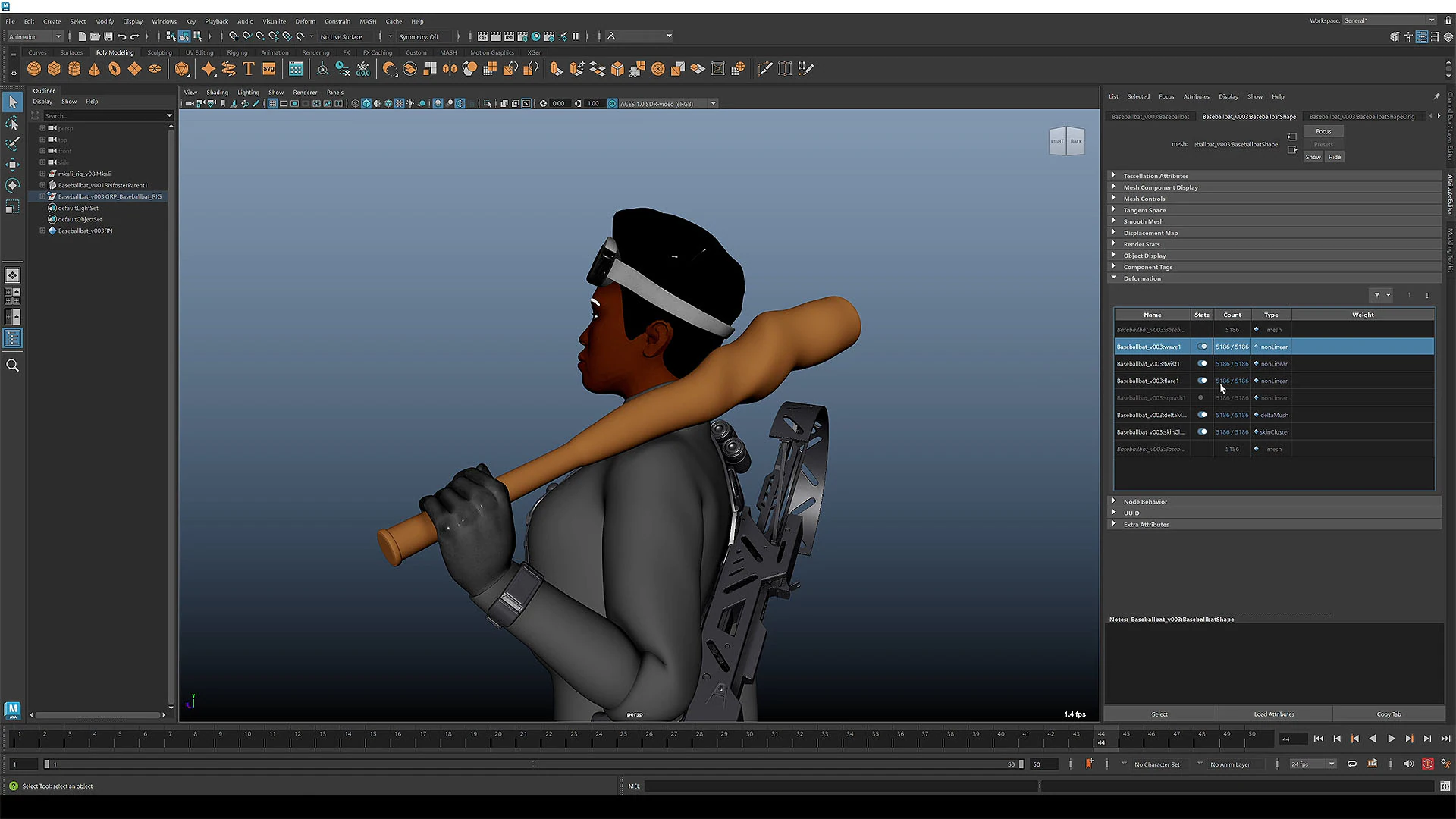
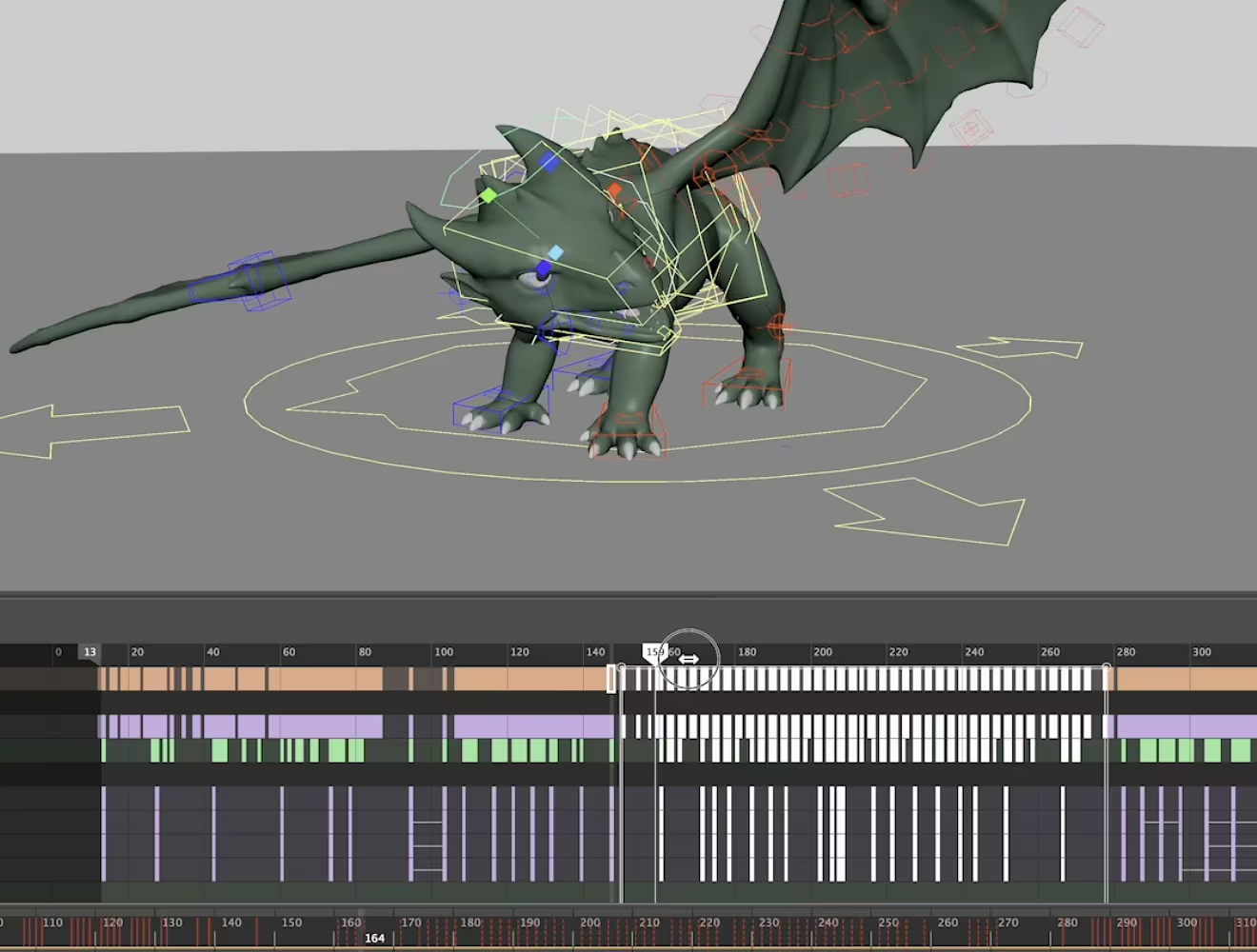
Skeletons, constraints, inverse kinematics, controllers, blend shapes, deformers, and node networks make it possible to build a genuine movement logic.
The goal is not only to "add bones".
A good rig must be:
- controllable;
- readable;
- sufficiently robust;
- reusable;
- suited to the character type;
- compatible with animation needs.
An advanced rig can expose many behaviors without forcing the animator to manipulate all technical layers directly.
This is an essential difference between making a character move and building an animatable character.
Skinning and deformations.
Skinning distributes skeleton influences on the mesh.
This step looks simple on a rigid character.
It becomes much more complex around shoulders, hips, face, or areas undergoing multiple simultaneous deformations.
Maya makes it possible to paint weights and add various corrections.
Blend shapes and other deformers can complement skeleton movement to preserve volume or improve articulation.
This depth explains the software's place in character-driven productions.
Good motion does not depend only on animation.
It also depends on how the geometry accepts that motion.
Keyframe and curve animation
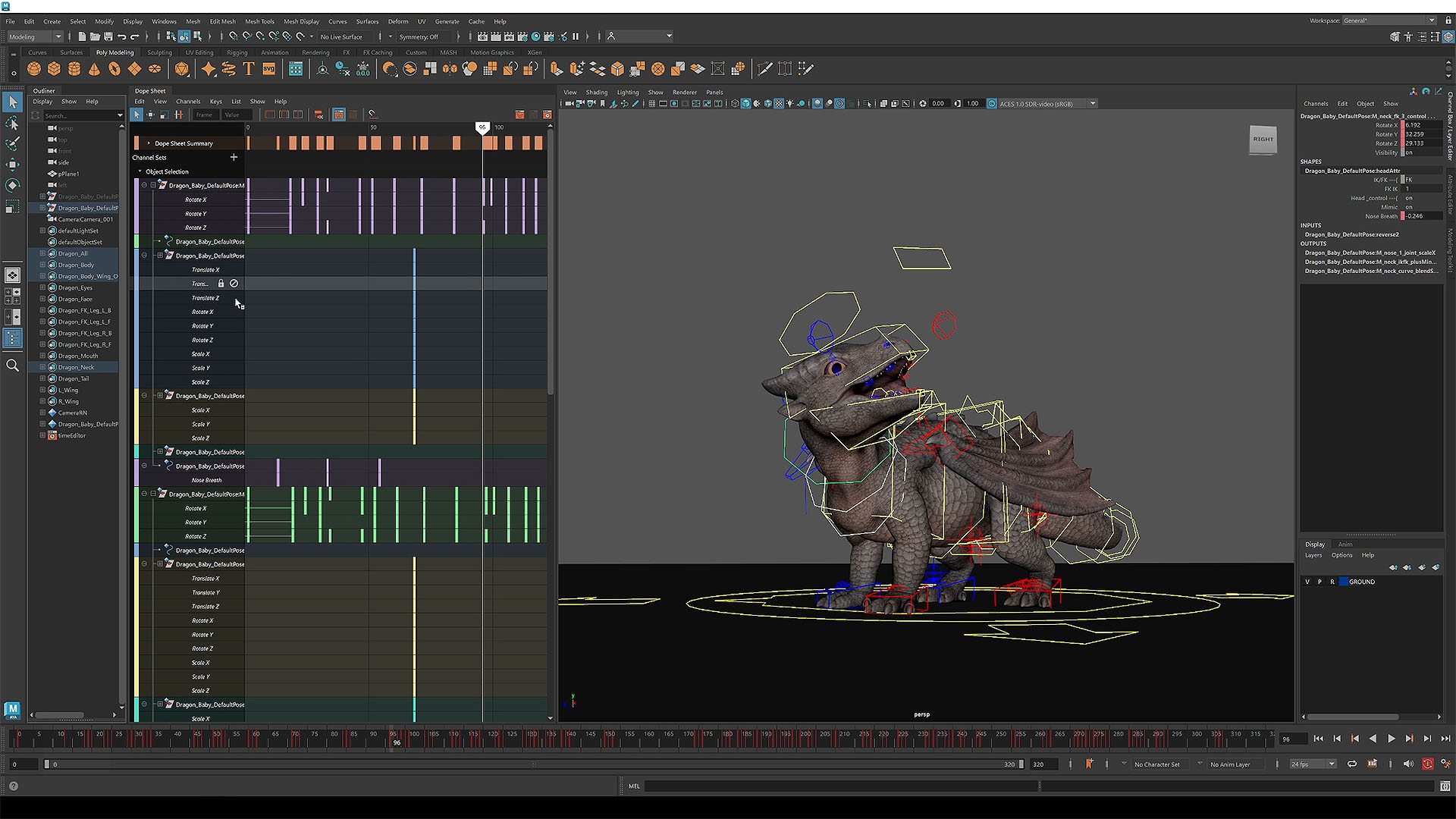
Keyframes, the Dope Sheet, and above all the Graph Editor work on several levels.
The animator can first build the poses.
They can then precisely control how the motion accelerates, slows down, overshoots, or returns.
Convincing animation depends less on the number of keys than on the relationship between them.
The Graph Editor therefore remains central to the workflow.
It examines motion as a curve rather than as a succession of isolated poses.
This granularity gives Maya great depth for character, camera, and object animation.
Clips, shots, and sequencing.
The Time Editor and sequencing tools organize multiple clips or shots.
This layer becomes important when a production is no longer limited to a single timeline.
Sequences can be combined, reused, or adapted.
The Sequencer also makes it possible to think more in terms of shots and cameras.
This organization brings the work closer to a cinematic pipeline.
Animation is no longer just "the movement of the character".
It becomes a component of a wider scene where multiple shots must remain coherent.
Assisted motion and capture.
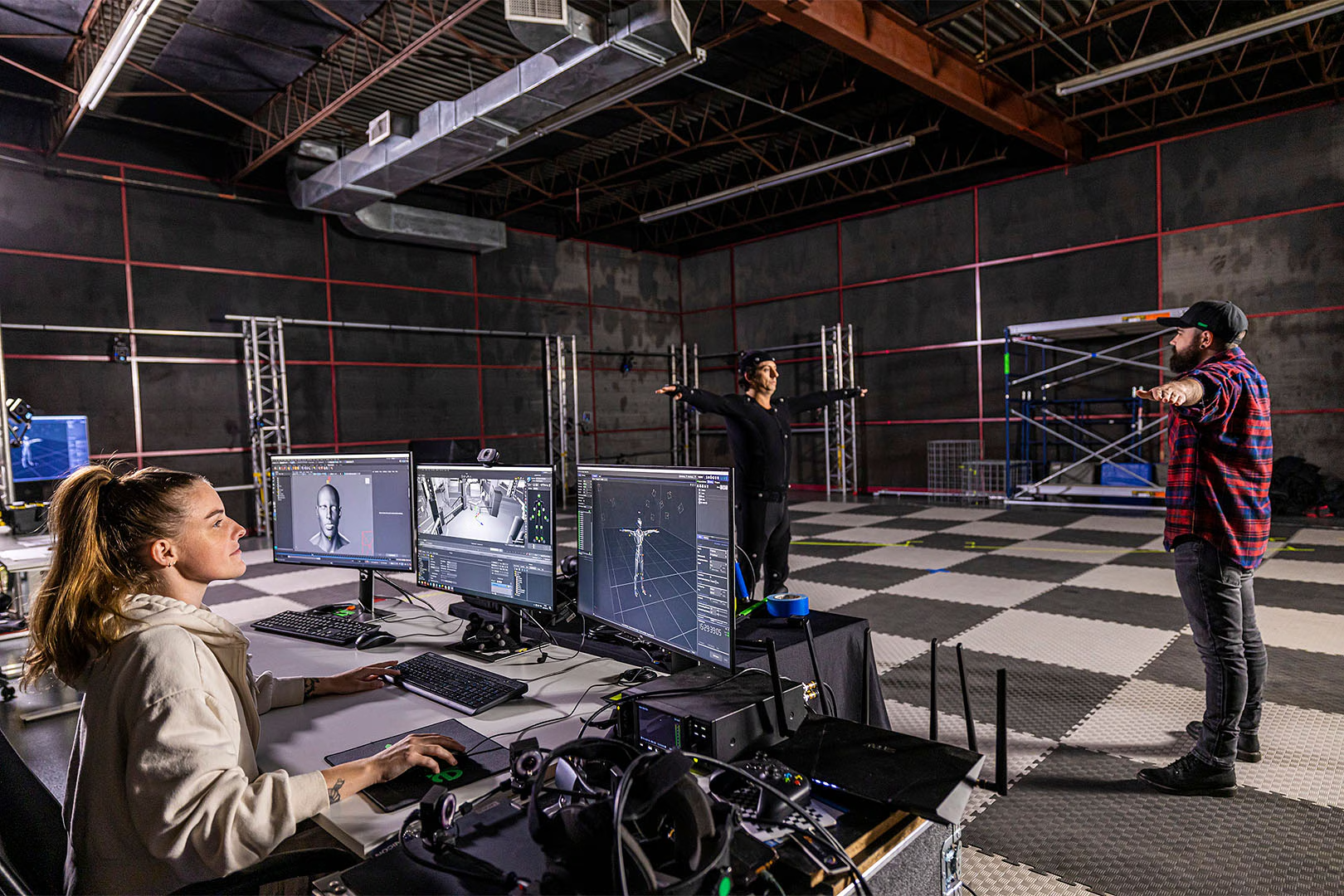
Maya can integrate motion capture data or use assisted tools to produce a motion base.
These systems can speed up a first animation or provide material to clean up.
They do not replace direction work.
Capture often needs to be retargeted, cleaned, adapted to character proportions, then reworked to match the project's style.
Automation reduces some repetitive gestures.
It does not remove the animator's judgment.
Advanced deformations.
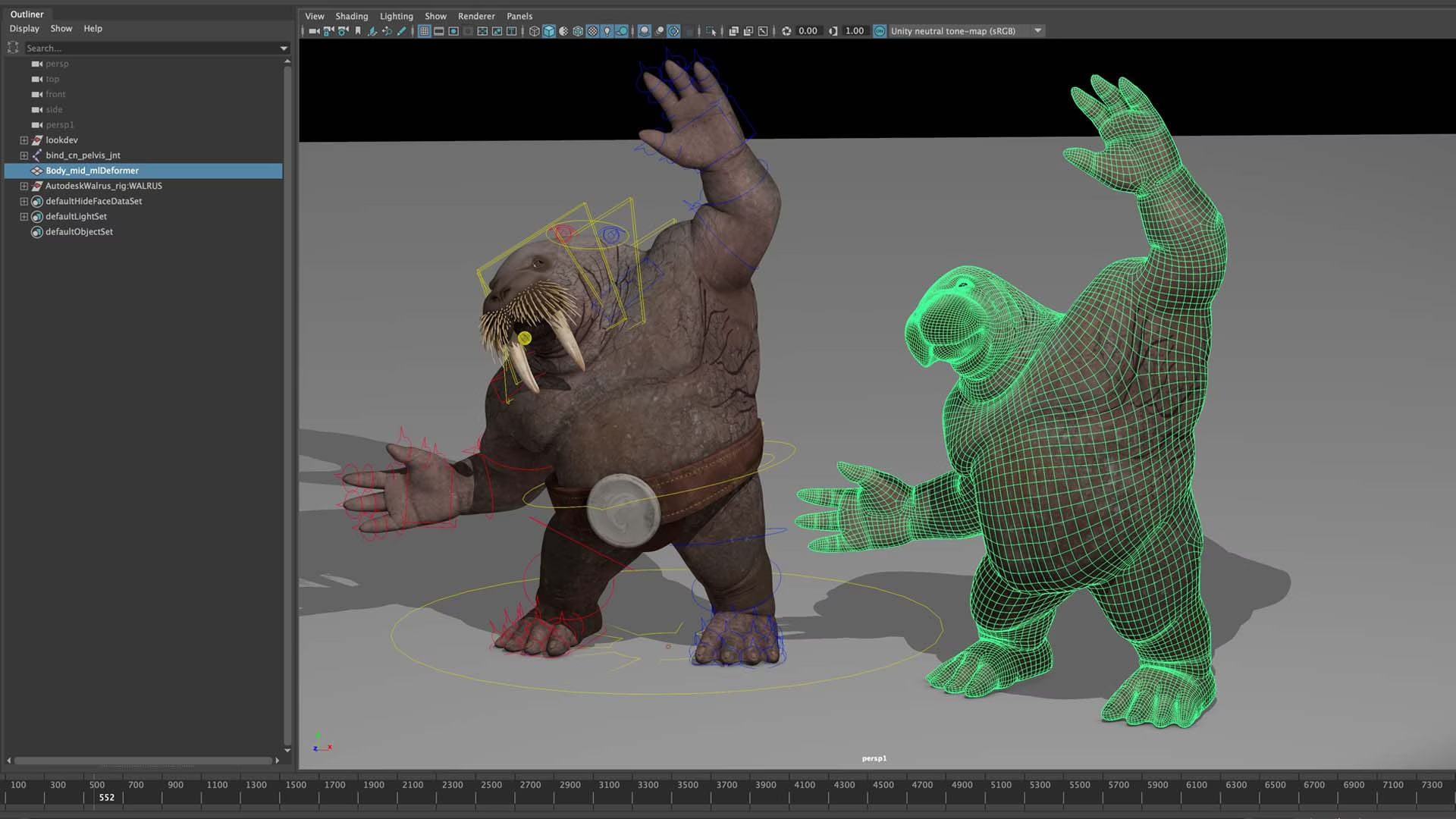
Systems like the ML Deformer can help reproduce complex deformations learned from reference data.
This approach becomes interesting when character deformations can no longer be properly described with a few simple corrections.
It should not be treated as a universal feature to enable everywhere.
These systems require preparation, data, and validation.
They mainly illustrate the technical depth Maya can reach when a character must withstand close-up or advanced production requirements.
Bifrost: procedural and simulations
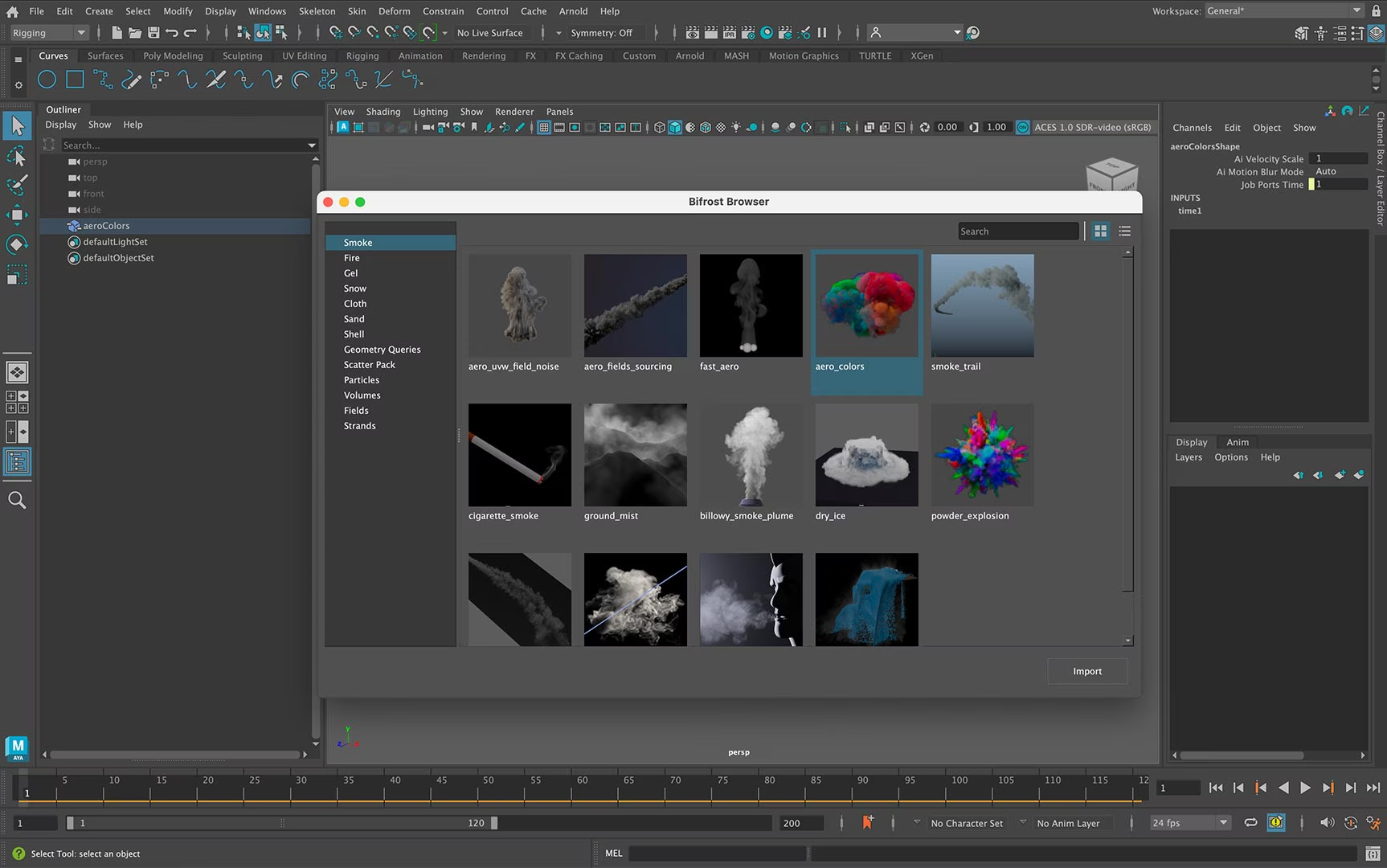
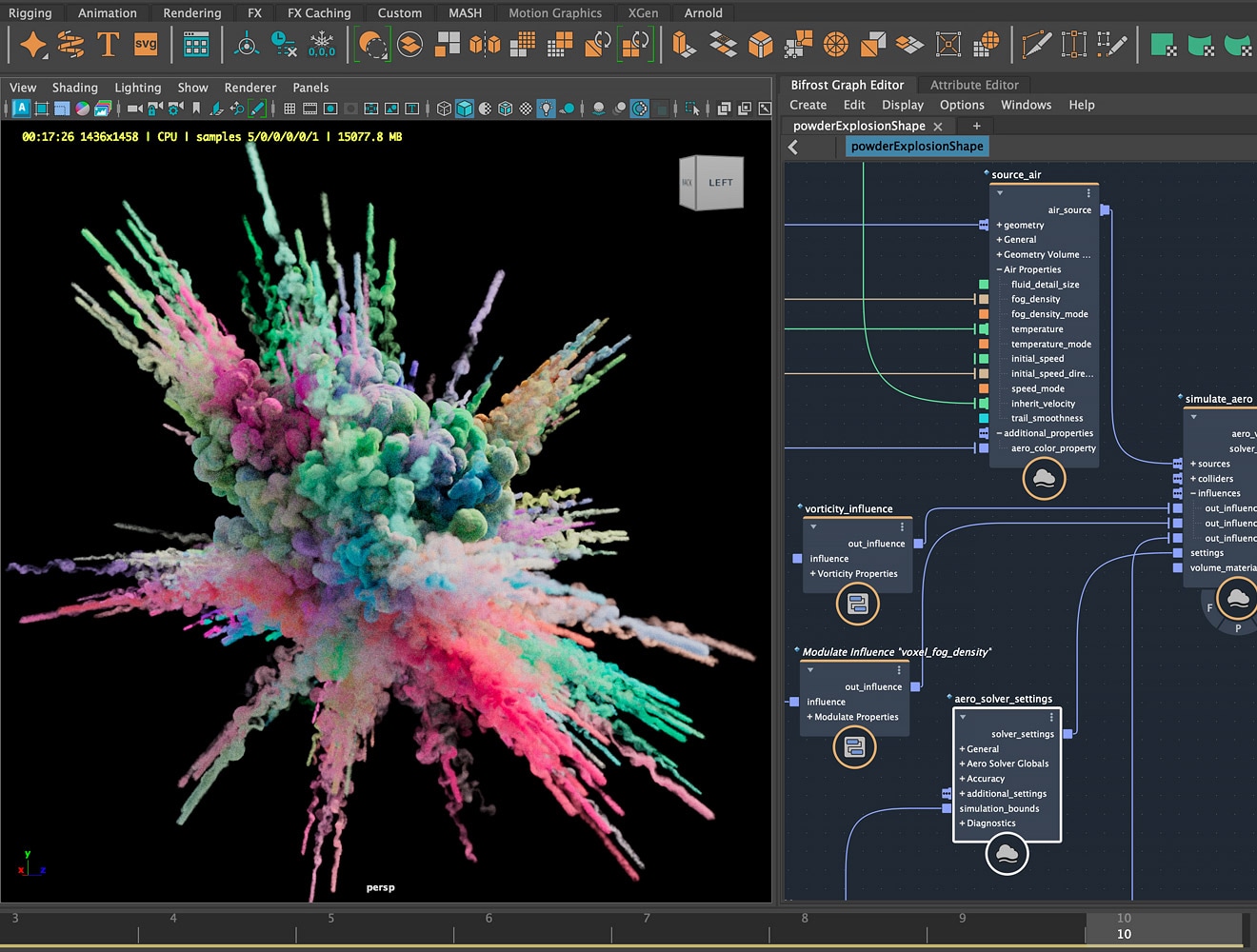
Bifrost provides a nodal environment for procedural effects and systems.
It can work on volumes, particles, liquids, smoke, destruction, or other treatments.
This logic makes it possible to build systems rather than manually adjusting each effect.
Bifrost, however, introduces almost a discipline of its own.
A team can use Maya for animation and entrust certain complex effects to other specialists.
The presence of Bifrost broadens the software.
It does not mean every Maya user must become an FX artist.
XGen: hair and fur.
XGen handles hair, fur, and other elements requiring many fibers or guides.
This layer is particularly important for realistic characters and creatures.
Like many complex systems, it heavily depends on caches, file paths, and versions.
A production using XGen must therefore organize its dependencies seriously.
Visual quality is not enough.
The data must also be transmitted correctly between the different stations and pipeline stages.
Look development and rendering with Arnold
Maya includes the tools needed for material, lighting, and render preparation.
Arnold is deeply associated with this environment.
The workflow makes it possible to examine the character or scene in its final context.
Look development and rendering are not just decorative steps.
They can reveal material, texture, or deformation problems invisible in the working view.
Maya can therefore accompany the project all the way to the final image.
A production can nevertheless decide to use another engine or rendering chain.
OpenUSD, FBX, Alembic, and exchanges
Maya supports several formats used to circulate data between software.
FBX remains common for game engines.
Alembic is particularly suited to animated geometry caches.
OpenUSD organizes more structured scenes and exchanges.
These formats should not be understood as simple export buttons.
They represent different ways to transmit a scene or a pipeline step.
The choice depends on what must remain editable and what can be "frozen" into a cache.
References and multi-file work
References make it possible to use a character, environment, or other asset across multiple scenes without fully duplicating its data.
This architecture becomes crucial when several shots share the same character.
A modification of the rig or model can be propagated without manually rebuilding each shot.
Namespaces, references, and naming rules may seem excessive for a small scene.
They become indispensable when a production contains dozens of shots and several contributors.
Python, MEL, and API
Maya can be heavily automated.
Python, MEL, and the APIs make it possible to build tools, validators, interfaces, or export processes.
A studio can thus integrate its conventions directly into the software.
An internal tool can check names, prepare a publication, export multiple files, or detect problems before they reach the next stage.
This is often where Maya truly becomes a pipeline tool rather than a simple 3D software.
Use Cases
Animating the main character of a film
A complex rig can be built, skinned, then used across several shots while keeping the same controllers and deformations.
Preparing a character for a video game
Topology, skeleton, weights, animations, and levels of detail can be prepared before export to Unity or Unreal Engine.
Building a creature
Rig, fur, deformations, animation, and rendering can be connected around the same character.
Producing an effect or simulation
Bifrost can build a procedural system intended to be cached and passed on to the rest of the pipeline.
Using motion capture
A recorded performance can serve as a base before retargeting, correction, and stylization.
Previsualizing a sequence
Cameras, characters, and clips can be organized to prepare a shot or sequence before the final render.
Automating a small studio
Scripts and internal tools can validate files, launch exports, or apply common conventions.
Working as a team
References, caches, and file organization allow multiple disciplines to intervene without fully duplicating scenes.
PANACHES Review
Maya becomes better when the project becomes collective
Many software can model and animate.
Maya gains value when several people must work on the same characters and shots without losing project continuity.
Animation remains its natural territory
Rigging, skinning, curves, sequencing, and deformations form a particularly coherent whole.
For character-driven productions, this depth remains one of its main reasons to exist.
Methodology matters as much as the tool
Maya rewards organized pipelines.
References, caches, conventions, and automation may seem heavy at first.
They become precisely what allows the project to keep working as it grows.
Its density is the price of its depth
The interface can seem austere or crowded.
This density comes partly from the fact that Maya exposes systems meant for very different disciplines.
The software becomes much more readable when approached from a specific role: animation, rigging, modeling, or pipeline.
The price mainly funds a production environment
Compared to Blender, Maya is hard to defend solely on the quantity of features.
Its value lies more in animation, studio habits, pipeline tools, integrations, and the skills built around it.
Changing software can therefore mean rebuilding years of scripts, rigs, and methods.
Maya is often the center, not the whole chain
Sculpting, texturing, compositing, or simulation can be more efficient elsewhere.
Maya becomes particularly strong when it serves as an organized waypoint between several specialists.
Points of Attention
- Maya is paid software and some offers have their own criteria.
- The learning curve remains high, especially for rigging, nodes, references, and transformation spaces.
- Plugins and scripts must follow Maya versions.
- Version compatibility must be verified on long projects.
- Heavy characters, caches, textures, and simulations can require a lot of RAM and VRAM.
- Arnold and render modes may have specific licensing conditions depending on usage.
- Bifrost is almost an additional discipline.
- XGen and caches require rigorous organization of paths and dependencies.
- References and namespaces must be designed early in collective productions.
- FBX, Alembic, or USD exports must be validated in their actual destination.
- Scripts and internal tools can become technical debt if not maintained.
- Maya often remains the center of a pipeline rather than its only software.