Presentation
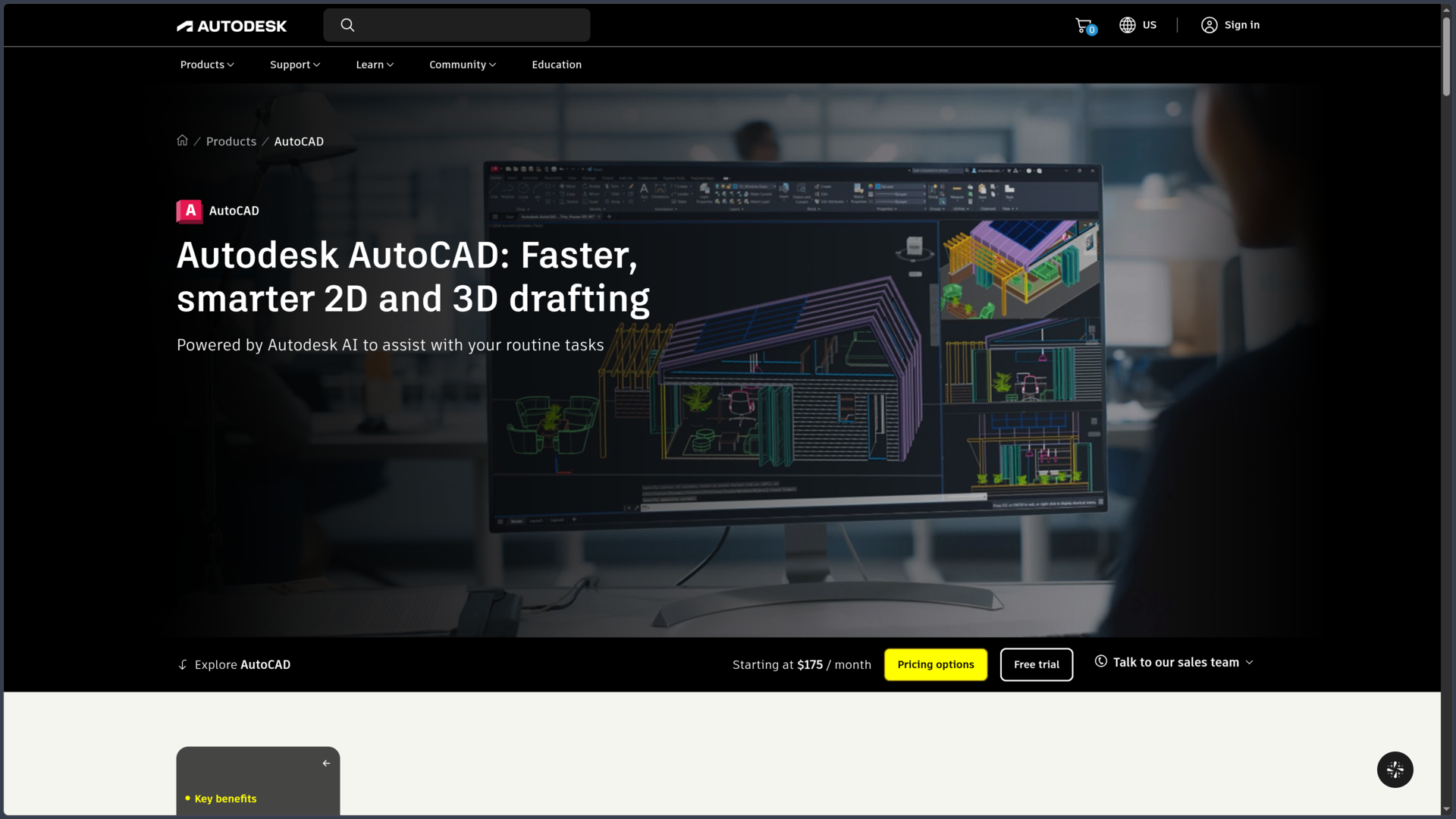
AutoCAD is a 2D and 3D computer-aided design (CAD) software developed by Autodesk. Used across many technical industries, it makes it possible to create precise drawings, produce documentation, model objects in three dimensions and organize projects around the DWG format.
Unlike software centered on a single profession, AutoCAD is a relatively general-purpose drafting platform. Architects, drafters, engineers, mechanical designers, engineering firms, construction professionals and space planners can work from the same environment and adapt it to their own workflows.
2D drafting remains one of its fundamental uses. Lines, polylines, arcs, hatches, blocks, layers, dimensions, tables, external references and layouts make it possible to build highly precise and organized technical documents.
AutoCAD also includes 3D modeling tools based notably on solids, surfaces and meshes. These features make it possible to create and modify volumes, control geometry in three-dimensional space and produce different representations of a project.
The current version, AutoCAD 2027, continues the software's development around automation, drawing quality and collaborative work. Autodesk notably adds Geometry Cleanup, Forma Data Management Essentials, Checkout and new capabilities for Autodesk Assistant.
The subscription is not limited to the desktop application. It also includes AutoCAD on the Web and mobile devices, as well as seven specialized toolsets for several professional fields on Windows.
Features
2D drafting and technical documentation
AutoCAD makes it possible to build 2D drawings using a very comprehensive set of geometric tools. Lines, polylines, circles, arcs, splines, rectangles, hatches and other objects can be created with precise coordinates, dimensions and constraints.
Layers are an essential part of this organization. They make it possible to separate different types of information and control their visibility, color, linetype and behavior when printing.
Dimensions, text, leaders, tables and annotations can then be used to turn geometry into usable technical documentation. Styles help maintain a consistent presentation across multiple drawings or throughout an organization.
AutoCAD also manages layouts and layout viewports, making it possible to prepare sheets with different views and scales from the same workspace.
The Sheet Set Manager extends this logic when a project contains a large number of documents that need to be organized, published or transmitted.
Blocks, external references and content reuse
Blocks make it possible to group several objects into a reusable element. They are particularly well suited to symbols, equipment, repetitive elements and technical libraries.
A block can also contain attributes to store information with its instances. This data can then be extracted and used in tables.
External references, or xrefs, allow drawings to be attached without necessarily merging their content into the main file. A team can therefore separate different parts of a project while maintaining an overall composition.
AutoCAD 2027 expands this management with Connected References for projects stored in Forma Data Management. The software can detect certain references that have been moved or renamed and suggest repairing their paths.
This organization becomes important in projects involving many files. However, it requires a coherent folder structure and naming conventions to avoid missing references when a project is moved or transmitted.
3D modeling and visualization
AutoCAD is not limited to plan drafting. It can create solids, surfaces and mesh objects, then modify them using operations suited to 3D geometry.
The tools notably make it possible to extrude, sweep, revolve or combine certain shapes to build more complex volumes.
User coordinate systems make it easier to draw on different planes in space, while visual styles help control how objects are displayed on screen.
This modeling is suitable for many general design requirements, but AutoCAD should not be confused with a BIM modeler such as Revit or Archicad. In standard AutoCAD, a volume or line does not automatically contain all the business logic and relationships associated with a BIM object.
Specialized toolsets can enrich this logic for certain industries, but the core of AutoCAD remains a general-purpose CAD platform.
DWG, PDF and data exchange
DWG is AutoCAD's central working format. It can store geometry, annotations, blocks, layers, layouts and many other types of information associated with a drawing.
AutoCAD can also work with DXF files to facilitate certain CAD data exchanges.
PDF plays an important role in document workflows. It can be used to publish drawings but also as a reference or a source from which content can be recovered in certain situations.
Data extraction tools can retrieve information from drawing objects, blocks and attributes in order to build tables or reuse this data elsewhere.
AutoCAD can also create links between drawing tables and Microsoft Excel worksheets to simplify certain data updates.
Automate repetitive tasks
A major part of AutoCAD's power comes from its automation and customization capabilities.
Dynamic blocks make it possible to create reusable elements whose parameters can be modified without creating a new definition for every variation.
The Count feature can automatically count instances of blocks or other objects and use the results in fields or tables.
AutoCAD also provides an Action Recorder that can capture a sequence of commands and values so certain repetitive operations can be replayed.
For more advanced workflows, AutoLISP can be used to write routines that automate commands, manipulate objects and adapt AutoCAD to specific production methods.
The ecosystem also includes other APIs and extension mechanisms. Exact capabilities vary depending on the platform and technology used, which should be checked before creating automation intended to work identically on Windows, macOS and the Web.
Smart Blocks and Autodesk AI
AutoCAD includes several features that use automation and technologies grouped by Autodesk under the Autodesk AI name.
Smart Blocks can make block placement and replacement easier. The software can notably use drawing context and previously used blocks to reduce certain repetitive operations.
Markup Import and Markup Assist make it possible to retrieve annotations from sources including PDFs or marked-up documents. Certain detected instructions can then be converted into actions within the drawing.
The Count feature automates the counting of objects or blocks, with tools for navigating through the results and identifying certain anomalies.
These features do not turn AutoCAD into an automatic plan generator. Their main purpose is to reduce some of the manual operations involved in cleanup, revision or repetitive placement.
Geometry Cleanup in AutoCAD 2027
AutoCAD 2027 introduces Geometry Cleanup, designed to identify several common geometric errors within a drawing.
The tool can notably help detect problems such as gaps, overshoots, very short segments or certain alignment issues, then suggest appropriate corrections.
This feature is particularly useful when a file has been built progressively, imported from another source or modified by several people.
Clean geometry remains important beyond the visual appearance of a drawing. Small errors can interfere with hatches, boundaries, certain calculations, modeling operations or downstream processing.
Geometry Cleanup does not, however, remove the need to review suggested corrections when the geometry has a specific technical meaning.
Autodesk Assistant
Autodesk Assistant provides integrated assistance designed to help users find information and resolve certain difficulties without leaving their working environment.
In AutoCAD 2027, Autodesk expands this feature with better awareness of the drawing context and user intent.
The integration of the Model Context Protocol (MCP) notably makes it possible to explore workflows driven by natural-language queries and work around CAD standards checking.
These MCP-related capabilities are presented by Autodesk as part of the recent evolution of Autodesk Assistant, and some features may be subject to progressive or experimental access. They should therefore be distinguished from AutoCAD's long-established CAD commands.
The main benefit remains faster access to assistance and certain operations, without replacing an understanding of the standards and technical rules applied to a project.
Collaboration with Forma Data Management Essentials
Standalone AutoCAD subscriptions now include Forma Data Management Essentials, which adds a layer of cloud-based data management and collaboration.
AutoCAD 2027 notably introduces Checkout, a mechanism that makes it possible to work on part of a shared drawing without having to wait for the entire file to be released by another user.
Users can check out the geometry they need, work in an isolated environment and then submit their changes so they can be reintegrated into the source drawing.
This approach aims to reduce bottlenecks associated with sequential work on a shared DWG file.
References and certain support files can also benefit from integration with Forma Data Management, helping preserve the resources required by a project when they are managed in the cloud.
Review with Trace and annotations
Trace makes it possible to create a review layer over a drawing without directly modifying its original geometry.
A collaborator can therefore add comments or suggest changes while preserving the reference document.
This approach works particularly well with Web and mobile workflows when someone needs to review or annotate a drawing without having access to the complete production environment.
Traces can then be reviewed in AutoCAD so that relevant changes can be incorporated into the main drawing.
This separation between the drawing and comments makes approval cycles easier, particularly when a project regularly moves between production, review and correction.
Seven specialized toolsets
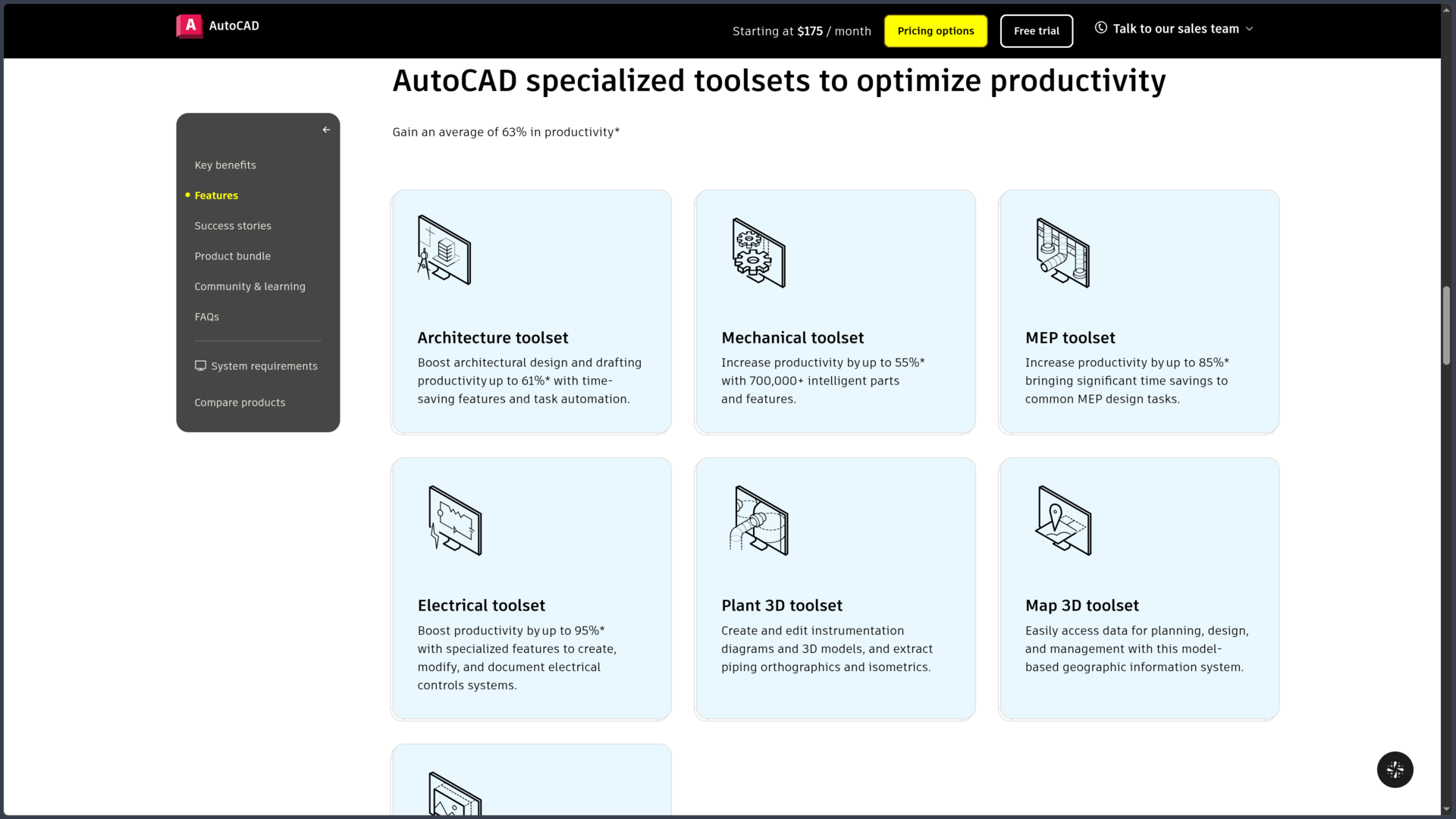
The AutoCAD subscription includes seven specialized toolsets aimed at different professional fields.
| Toolset | Main field |
|---|---|
| Architecture | Architectural design and documentation |
| Mechanical | Mechanical design and parts libraries |
| Electrical | Electrical control systems and schematics |
| MEP | Building mechanical, electrical and plumbing systems |
| Plant 3D | Industrial plants, P&ID and piping |
| Map 3D | Geospatial data, mapping and GIS |
| Raster Design | Raster drawing processing and conversion |
These toolsets are not simply additional palettes enabled inside standard AutoCAD. They have their own installation packages and must be installed separately depending on requirements.
They are also Windows-only. An AutoCAD subscription provides access to AutoCAD for Mac, but the seven specialized toolsets do not have native macOS equivalents.
AutoCAD on the Web and mobile devices
The subscription includes access to AutoCAD on the Web and mobile devices, allowing certain workflows to continue outside the desktop application.
From a browser, users can view, create, edit, annotate and share drawings using a set of essential commands.
Files can be used with several cloud services, including Autodesk solutions as well as OneDrive, Google Drive, Dropbox and Box.
On mobile devices, AutoCAD also provides access to drawings from iOS and Android devices. An offline mode makes it possible to work on certain files and synchronize changes later.
These versions do not reproduce the full capabilities of the desktop application and its specialized toolsets. They are primarily suited to viewing, corrections, annotations and lightweight work when users are away from their main workstation.
Subscription, Flex and Education
AutoCAD is primarily sold through subscriptions.
In France, Autodesk lists €2,184 excluding VAT per year, equivalent to €182 excluding VAT per month with an annual commitment, or €270 excluding VAT for a monthly subscription.
Longer subscription periods are also available, and Autodesk provides Flex, a token-based system for users who only need the software occasionally.
A free trial makes it possible to test AutoCAD before subscribing.
Eligible students and educators can also access Autodesk products free of charge for one year for educational purposes, with renewal available while eligibility requirements continue to be met.
The Education license is intended for learning and teaching and does not constitute a free commercial license.
Use cases
Produce 2D plans and technical drawings
AutoCAD remains particularly well suited to creating precise technical documents when 2D drafting is the project's main medium.
An architect, drafter or engineering firm can organize information by layers, build a block library, define dimension styles and prepare multiple sheets at different scales.
This method is suitable both for an isolated drawing and for a structured documentation set organized around multiple DWG files.
Create architectural and construction details
Even when the main project is developed within a BIM environment, AutoCAD can be used to produce or revise certain technical details, specific plans or documents provided by partners working in DWG.
The Architecture toolset adds more specialized objects and functions for users whose workflow remains strongly centered on AutoCAD.
However, this use should be distinguished from a complete BIM process: CAD drawings and BIM models do not structure information in the same way.
Design parts and technical assemblies
Drawing and modeling tools make it possible to represent mechanical components, equipment or technical assemblies.
The Mechanical toolset adds libraries of standardized parts and features designed to automate several operations specific to mechanical drafting.
For projects requiring more advanced simulation, parametric design or complete mechanical lifecycle management, AutoCAD can also be used alongside specialized software rather than handling the entire workflow on its own.
Prepare electrical diagrams or installations
Electrical, MEP and Plant 3D adapt the AutoCAD foundation to much more specialized uses.
An engineering firm can therefore work on electrical control systems, building service networks or industrial installations while remaining within an environment largely based on familiar AutoCAD workflows and formats.
This specialization is one of the strengths of the complete offering, but it requires installing and learning the toolset corresponding to the profession concerned.
Clean up and revise existing DWG files
In many organizations, part of the work involves less creating drawings from scratch than revisiting archives, plans supplied by a partner or files that have been modified over several years.
Layer, reference, block, comparison and cleanup tools make it possible to progressively reorganize these files.
Geometry Cleanup adds further assistance in AutoCAD 2027 for identifying certain geometric errors before continuing modifications or using the drawing in another workflow.
Automate a production workflow
In an environment where the same operations are repeated across dozens or hundreds of drawings, AutoCAD's customization capabilities become particularly important.
AutoLISP routines can automate internal operations, check certain elements or create commands adapted to a company's conventions.
Blocks, scripts, macros, support files and APIs make it possible to go further and turn AutoCAD into a highly customized production environment.
However, this potential also means that these automations must be maintained when a new version of the software, an operating system change or an evolution in internal standards occurs.
Review a drawing in the field or remotely
AutoCAD Web and mobile make it possible to consult a DWG without always returning to the main workstation.
A collaborator can review a plan, make a minor correction, add an annotation or use Trace to provide feedback.
Synchronization with cloud spaces then makes it possible to bring this information back into the main workflow.
For complex modifications, substantial 3D modeling or the use of a specialized toolset, the desktop application nevertheless remains the most complete environment.
Conclusion
AutoCAD remains an extremely versatile CAD platform, built around precise drafting, the DWG format and a broad collection of documentation and customization tools.
Its value does not depend on a single specialty. The same foundation can be used for architectural drafting, mechanical design, electrical work, technical installations, mapping or general documentation, with workflows adapted to each field.
2D drafting remains one of its central strengths, but AutoCAD also includes sufficiently developed 3D modeling, data extraction, reference management and automation tools to cover workflows far broader than those of a simple drafting application.
The seven specialized toolsets extend this scope further on Windows. Architecture, Mechanical, Electrical, MEP, Plant 3D, Map 3D and Raster Design provide industry-specific functionality that avoids having to manually rebuild certain workflows from standard AutoCAD.
AutoCAD 2027 also strengthens collaborative workflows with Forma Data Management Essentials, Checkout, Connected References and connected support files. Geometry Cleanup provides a more direct response to geometric problems that accumulate in complex drawings.
Autodesk is also developing its artificial intelligence features around Smart Blocks, Markup Assist and Autodesk Assistant. Their role is mainly to accelerate certain repetitive tasks, assistance and review rather than replace technical design itself.
One of the main points to understand remains the difference between CAD and BIM. AutoCAD can participate in a BIM project and its Architecture toolset includes industry-specific objects, but the software's core is not organized around a central BIM model comparable to Revit or Archicad.
Cost can also influence the decision: the annual subscription represents more than two thousand euros excluding VAT per user. AutoCAD LT may meet primarily 2D needs, while Flex may be more suitable for certain occasional uses.
For precise drafting, producing DWG documents, automating technical tasks and maintaining compatibility with a very widely established CAD ecosystem, AutoCAD continues to hold a major place in professional workflows.
Points to consider
-
AutoCAD 2027 for Windows officially requires 64-bit Windows 11. Autodesk specifies 16 GB of RAM as a minimum and recommends 32 GB for the Windows version.
-
AutoCAD 2027 is also available natively on macOS. Autodesk supports several recent versions of macOS as well as 64-bit Intel Macs and Macs equipped with Apple M-series chips.
-
The seven specialized toolsets are Windows-only. Architecture, Mechanical, Electrical, MEP, Plant 3D, Map 3D and Raster Design do not have native macOS installations.
-
Toolsets must be installed separately. They are included in the subscription but do not automatically become additional panels within a standard AutoCAD installation.
-
AutoCAD is not a general-purpose BIM application equivalent to Revit or Archicad. It can participate in BIM workflows and certain toolsets add industry-specific objects, but the software's fundamental logic remains that of a CAD platform.
-
Hardware requirements increase significantly with 3D models and large datasets. Autodesk notably specifies 32 GB of RAM and a graphics card with 12 GB of VRAM or more for certain demanding uses.
-
Web and mobile versions do not fully replace the desktop application. They provide essential creation, editing, viewing and annotation features, but not the complete capabilities of AutoCAD and its specialized toolsets.
-
Autodesk Assistant is evolving rapidly. Certain recent capabilities related to drawing context and the Model Context Protocol may be subject to progressive deployment or an experimental phase.
-
Customization capabilities are not identical across Windows, macOS and the Web. AutoLISP is available in several environments, but some APIs and technologies remain platform-specific.
-
The Education license is reserved for eligible educational use. It should not be regarded as a free alternative to a commercial license.
-
Autodesk prices may change. As of October 1, 2026, the listed French public price is €2,184 excluding VAT per year or €270 excluding VAT per month, with Autodesk Flex offered as an option for certain occasional uses.