Overview
YouTube is a global platform for broadcasting, discovering and sharing video content owned by Google. It allows users not only to watch content, but also to create a channel, publish their own videos, livestream, produce Shorts and interact with creators and their communities.
The platform covers an extremely wide range of content: entertainment, music, video games, cinema, news, education, tutorials, filmed podcasts, documentaries, sports, independent creations and professional content.
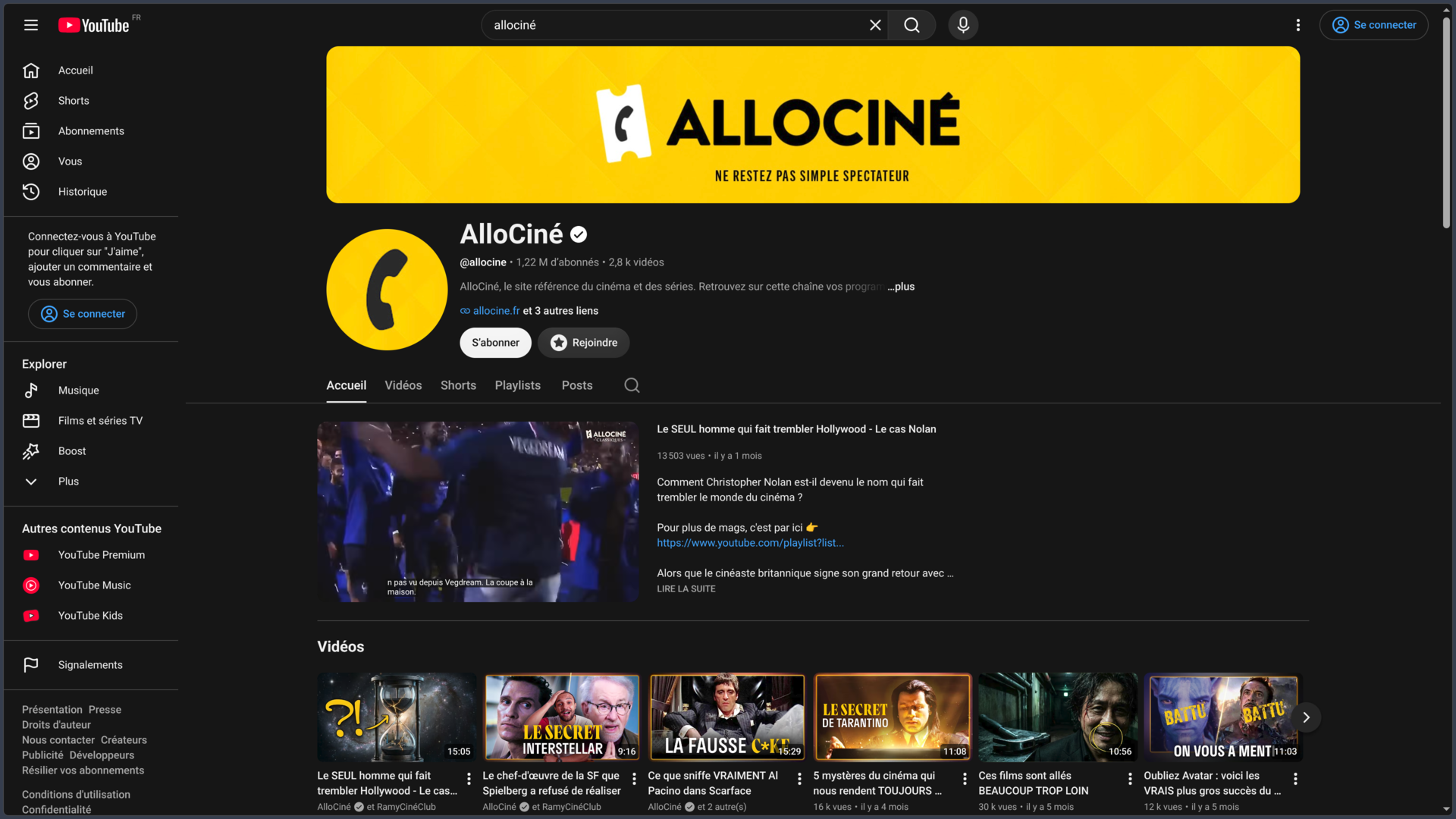
YouTube is built around channels. A channel brings together the videos, Shorts, live streams, playlists and other posts of a creator, media outlet, company, institution or community.
Viewers can access part of YouTube without a Google account, notably to search for and watch certain content. An account nevertheless becomes necessary for features such as channel subscriptions, Likes, comments, playlist creation or video publishing.
YouTube is no longer limited to traditional long-form videos. The platform now combines several complementary formats with Shorts, livestreams, Premieres, community posts and various features designed to bring creators and audiences closer together.
The service is available free of charge with advertising. It also offers several paid subscriptions, including YouTube Premium and, in certain countries, YouTube Premium Lite.
YouTube Premium removes most ads, allows videos to be downloaded for offline viewing, adds background playback on mobile and includes YouTube Music Premium benefits.
The official YouTube app is available on Android, iPhone and iPad, as well as on many compatible TVs, streaming devices and consoles.
Features
Watching videos
YouTube’s core function remains on-demand video playback.
The player notably allows users to:
- pause or resume playback;
- change the volume;
- adjust playback speed;
- select video quality;
- enable subtitles;
- switch to full screen;
- use Picture-in-Picture when supported by the environment;
- access chapters when available;
- view the description and related information.
The available quality depends on the original video, device, connection and formats processed by YouTube.
The same video may be offered in several resolutions and codecs in order to adapt playback to network conditions.
Channels and subscriptions
Each creator can have a YouTube channel bringing together their content.
A viewer can subscribe to the channels they want to follow.
The Subscriptions tab then makes it easier to find new publications from followed channels.
Depending on the selected settings, notifications can also announce certain new videos, livestreams or other posts.
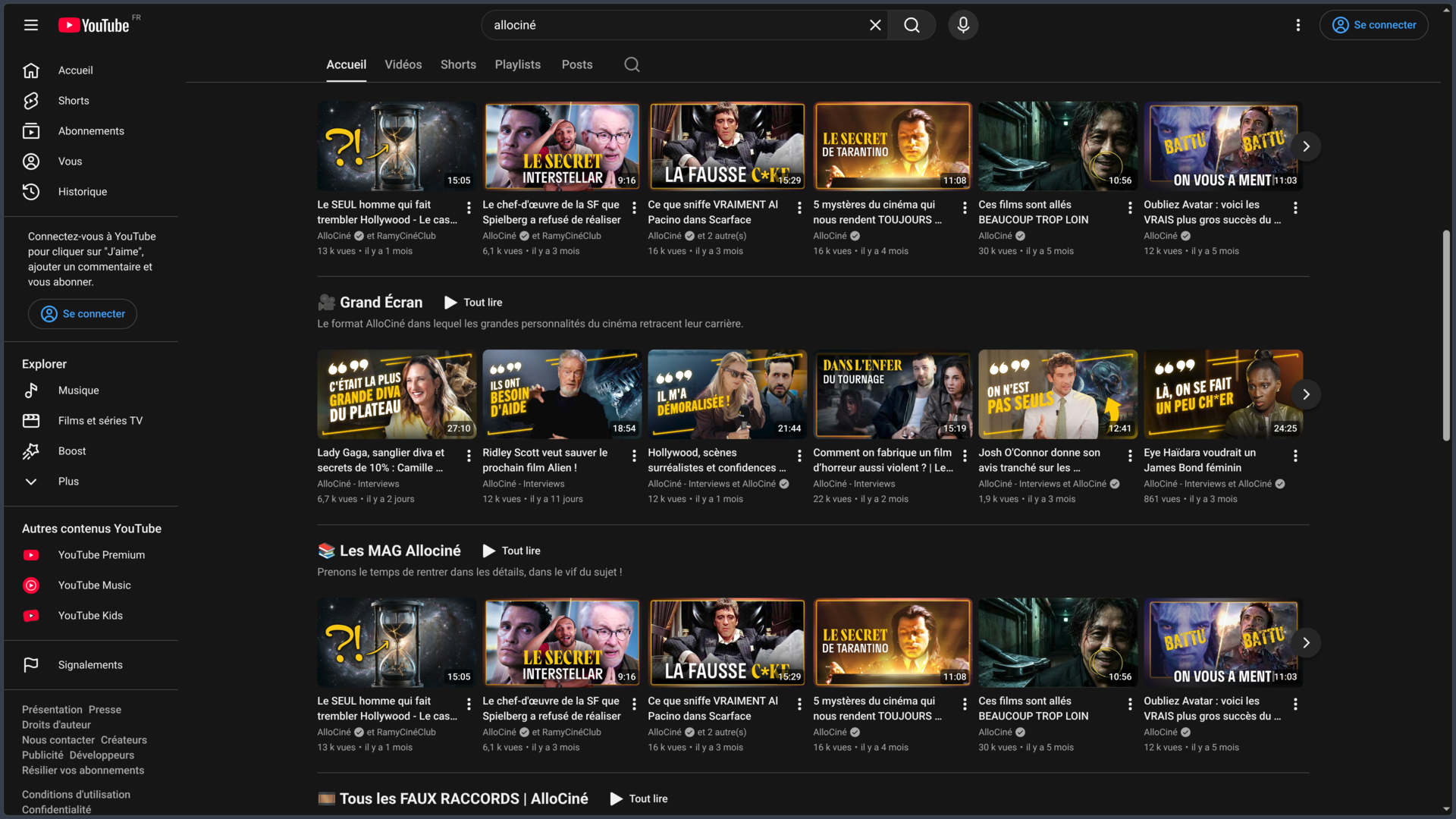
A channel can organize its page into different sections to highlight:
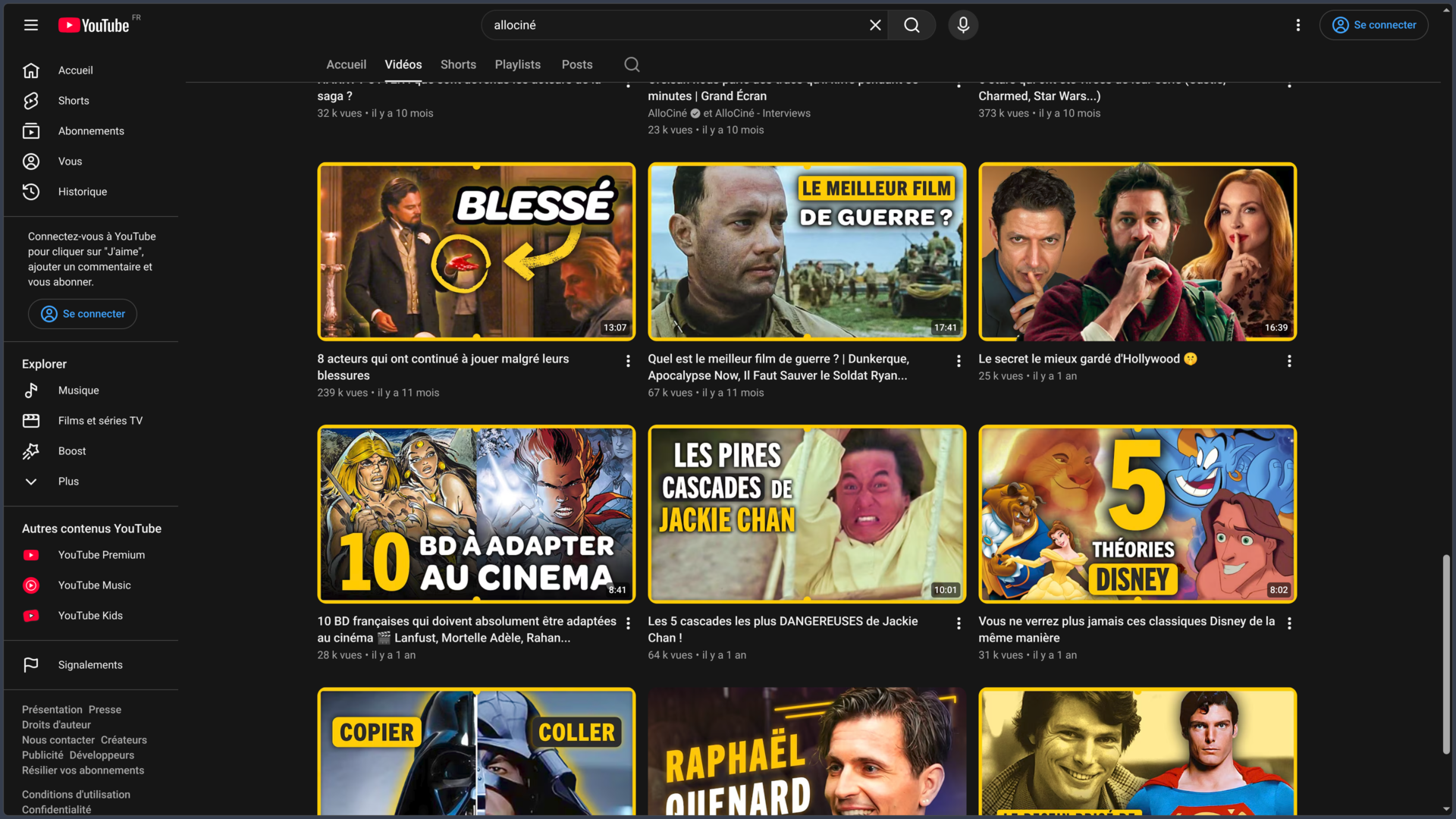
- recent videos;
- Shorts;
- live streams;
- playlists;
- content series;
- popular videos.
Subscribing to a regular channel is free and should not be confused with paid channel memberships offered by some creators.
Search and content discovery
YouTube includes a search engine specialized in its video catalog.
Search can notably use:
- title;
- description;
- channel;
- subject;
- keywords;
- information associated with the content.
Filters can then narrow results according to different available criteria.
YouTube also provides pages and discovery areas focused on music, news, gaming and other topics.
The experience depends heavily on the account, country, history and content already viewed.
Personalized recommendations
A major part of YouTube relies on its recommendation system.
The Home page, Up next section and Shorts feed can suggest content adapted to each viewer.
Signals used notably include:
- watch history;
- search history;
- subscriptions;
- Likes;
- Dislikes;
- ignored content;
- “Not interested” selections;
- interactions with content.
YouTube says its goal is to suggest content likely to interest the viewer over the long term rather than simply displaying the most globally popular videos.
These recommendations evolve continuously according to account activity.
Controlling history and recommendations
Users can act on the data used to personalize their experience.
It is notably possible to:
- remove certain videos from watch history;
- delete searches;
- disable watch history;
- disable search history;
- indicate that a video is not interesting;
- ask YouTube not to recommend certain channels.
Disabling or deleting history directly affects how YouTube builds some recommendations.
Users who want to limit personalization can therefore modify these settings instead of systematically keeping their entire history.
Playlists and saved content
Videos can be grouped into playlists.
A playlist can be used to organize:
- a series;
- a music selection;
- a course;
- tutorials;
- episodes;
- thematic monitoring;
- videos to watch later.
YouTube also provides a Watch later list.
Depending on the settings selected by their creator, some playlists can be public, private or unlisted.
Playlists also play an important role for channels publishing video series or podcasts organized into episodes.
Shorts
YouTube Shorts is the platform’s short-form video format.
Shorts mainly use a vertical display adapted to smartphones and have their own discovery feed.
Vertical or square videos meeting the current criteria can be published as Shorts, with a duration of up to 3 minutes.
Creation tools notably allow users to add:
- music and sounds;
- text;
- effects;
- editing;
- text-to-speech;
- various creative elements.
Creators can also turn clips from their own long-form videos into Shorts in order to reuse or highlight part of their content.
Live streams
YouTube allows video to be broadcast live.
A creator can use:
- a webcam;
- a mobile device;
- software or hardware encoding.
Encoders are particularly suitable for more complex productions: gameplay, screen sharing, multiple cameras, external microphones or produced live shows.
Viewers can watch the event in real time and, when available, participate in live chat.
After the livestream, the creator can keep a replay or publish clips and highlights.
YouTube imposes different access conditions for livestreaming. The current minimum age is 16 years old.
Premieres
Premieres allow a prerecorded video to be published as a scheduled event.
Viewers can then watch the first broadcast together at the same time.
The experience brings a regular video closer to a livestream through community features available during the Premiere.
Once the event has ended, the video generally remains available as a normal video on the channel.
This format can be used for:
- music videos;
- trailers;
- episodes;
- announcements;
- special events;
- new productions.
Comments and interactions
Viewers can interact with content when a creator allows these features.
The main interactions include:
- Like;
- Dislike;
- comments;
- replies;
- sharing;
- channel subscription.
Creators can disable or moderate comments when necessary.
YouTube also uses various automated systems and moderation tools to detect spam, abuse and content that may violate its rules.
Comments remain subject to the Community Guidelines like other content published on the platform.
Posts and community
Channels can publish posts in addition to videos.
Depending on the available features, these posts can notably include:
- text;
- images;
- GIFs;
- videos;
- playlists.
Posts appear on the channel and may also be suggested in certain discovery areas.
They allow creators to communicate with their audience without necessarily publishing a new video.
This feature makes YouTube closer to a community platform around each channel rather than simply a video host.
Subtitles
YouTube allows creators to add subtitles to their videos.
They can notably be:
- imported from a file;
- entered manually;
- synchronized from a transcript;
- generated automatically.
Subtitles improve accessibility and also make it possible to follow a video when sound cannot be used.
They are particularly important for deaf or hard-of-hearing viewers and for content watched in a foreign language.
Automatic captions
YouTube uses speech recognition to automatically generate captions in many languages.
This feature covers long-form videos and Shorts when the necessary conditions are met.
Automatic captions should not, however, be considered perfectly reliable.
Pronunciation, accent, background noise, poor audio quality or several people speaking simultaneously can cause errors.
YouTube therefore recommends that creators review and correct automatic transcripts when accuracy matters.
Automatic dubbing
YouTube also offers an automatic dubbing system for eligible creators.
The platform can generate translated audio tracks in other languages from the original video.
Viewers can then choose between different audio tracks when available.
Relevant content is identified as automatically dubbed.
This feature can allow a channel to reach an international audience without manually producing each language version.
Like any automated translation or speech synthesis system, the result can nevertheless contain translation, pronunciation or interpretation errors.
Uploading videos
Creators can upload videos through YouTube Studio.
During publishing, several pieces of information and settings can be defined, notably:
- title;
- description;
- thumbnail;
- playlist;
- audience;
- age restriction;
- subtitles;
- end screens;
- cards;
- comments;
- visibility.
A video can be published as:
- public;
- private;
- unlisted.
Creators can therefore prepare content before publication, reserve certain videos for private use or share a link without making the video publicly visible on their channel.
YouTube Studio
YouTube Studio is the main management space for creators.
It notably allows them to manage:
- videos;
- Shorts;
- live streams;
- comments;
- subtitles;
- copyright;
- monetization;
- channel analytics.
Creators can also edit information about their content and monitor its performance after publication.
YouTube Studio is available on the Web and also has a separate mobile application.
Although it has its own interface, it remains directly connected to how YouTube channels operate.
Analytics and audience analysis
YouTube Studio provides analytics tools for studying channel and content performance.
Creators can track different metrics related notably to:
- views;
- watch time;
- audience;
- subscriptions;
- traffic sources;
- engagement;
- video performance.
This information helps creators understand which content is actually watched and how viewers discover it.
Metrics should nevertheless be interpreted carefully: a large audience does not automatically measure the editorial quality of a video.
YouTube Premium
YouTube Premium is the platform’s main paid subscription.
It notably adds:
- ad-free videos on most content;
- offline downloads;
- background playback on mobile;
- playback while the screen is off;
- YouTube Music Premium benefits.
Benefits apply on compatible devices when the user is signed in with the subscribed account.
Certain promotions integrated directly by creators or some specific content and events may nevertheless remain visible.
Prices and plans depend on the country and can also vary according to the billing channel.
YouTube Premium Lite
YouTube Premium Lite is a more limited plan available in certain countries.
It mainly aims to reduce advertising interruptions for a lower price than Premium.
In its current form, Premium Lite can offer ad-free, offline and background playback for a large proportion of videos.
It nevertheless remains more limited than YouTube Premium: ads may notably continue to appear on some music content, Shorts or search and browsing areas.
Premium Lite does not include all YouTube Music Premium benefits.
Its availability and features can vary by country.
Downloads and offline viewing
Premium subscribers can download videos from YouTube for offline viewing in compatible environments.
The feature is available on mobile and also on desktop with certain supported browsers.
Downloaded videos remain tied to the YouTube service and the account used.
It is therefore not a free download providing an independent video file that users can redistribute or keep without restriction.
The device needs to reconnect periodically so YouTube can verify that the content remains available.
YouTube Music Premium included with Premium
A full YouTube Premium subscription includes YouTube Music Premium benefits.
Users can therefore use YouTube Music with features such as:
- ad-free music;
- background playback;
- offline downloads;
- audio mode for compatible content.
YouTube Music nevertheless remains a separate specialized application and service from the main YouTube interface.
Someone primarily interested in music can also subscribe separately to YouTube Music Premium depending on available offers.
Mobile applications
The official YouTube application is available on Android, iPhone and iPad.
It notably allows users to:
- watch videos;
- browse Shorts;
- follow subscriptions;
- receive notifications;
- comment;
- manage playlists;
- publish certain content;
- livestream when eligible;
- use Premium benefits.
The official Android version is published by Google LLC and is available for smartphones and tablets.
YouTube also provides applications adapted to televisions and other connected devices.
Sharing and embedding on websites
YouTube videos can be shared by link.
The platform also provides an embeddable player allowing certain videos to be displayed directly on a website or application.
The content owner can nevertheless restrict certain embedding possibilities.
Embedding a video does not automatically provide the right to download, modify or independently republish its content.
The Terms of Service and creator rights continue to apply.
Copyright and Content ID
Users remain responsible for having the rights required to publish their content.
YouTube notably uses Content ID, a system allowing certain rights holders to provide protected audio and video reference files.
When a video is uploaded, it can automatically be compared against this database.
If a match is detected, the rights holder can, depending on their settings:
- block the video;
- monetize it;
- track its statistics.
A Content ID claim is not exactly the same thing as a copyright strike.
Dispute mechanisms exist when a creator believes a claim is not justified.
YouTube Partner Program
The YouTube Partner Program — YPP allows eligible channels to access different monetization features.
Depending on eligibility, country and applicable conditions, revenue can notably come from:
- advertising;
- YouTube Premium;
- channel memberships;
- Super Chat;
- Super Stickers;
- other funding features offered by YouTube.
Access is not automatic.
A channel must meet the program requirements and comply with monetization policies, Community Guidelines, copyright rules and other applicable policies.
YouTube also evaluates content originality and authenticity when a channel wants to monetize its publications.
Community Guidelines
All content published on YouTube must comply with the Community Guidelines.
These rules apply not only to public videos, but also to many other elements of the platform:
- private or unlisted videos;
- Shorts;
- live streams;
- comments;
- thumbnails;
- posts;
- links.
YouTube can remove content or restrict accounts when a violation is detected.
Certain content may qualify for exceptions when it has sufficient educational, documentary, scientific, artistic or public-interest context.
These exceptions do not mean that any prohibited content automatically becomes allowed simply because it presents itself as educational or documentary.
Use cases
Watching videos and following interests
YouTube can be used as a general platform for following creators, media outlets, artists, institutions or specialized channels.
Subscriptions make it possible to keep a set of followed sources, while playlists organize content to watch later.
The recommendation system can complement this navigation with content from channels that are still unknown to the viewer.
Learning through tutorials and educational content
The amount of available content makes YouTube particularly useful for informal learning.
It notably includes:
- software tutorials;
- programming;
- drawing;
- music;
- languages;
- DIY;
- repair;
- conferences;
- science communication.
Quality and reliability nevertheless vary between creators.
For important topics, it remains necessary to verify the author, sources and publication date rather than treating a popular video as automatically reliable.
Publishing personal creations
A filmmaker, musician, artist, developer, teacher or studio can use a channel to publish their work.
Long-form videos suit developed content, while Shorts can be used for faster formats.
Playlists then organize series, projects or themes.
Eligible creators can also use monetization features to turn their activity into a source of income.
Broadcasting a live event
YouTube Live can be used to broadcast:
- conferences;
- concerts;
- filmed podcasts;
- gameplay;
- community events;
- launches;
- live shows.
A simple webcam can be enough for a basic livestream.
An encoder can manage more advanced productions with several video and audio sources.
Live chat adds an interactive dimension with the audience.
Building a personal video library
Playlists and Watch later allow users to keep a selection of videos around different topics.
A user can, for example, create lists dedicated to:
- learning;
- music;
- cinema;
- development;
- drawing;
- monitoring;
- professional references.
With Premium, part of this library can also be downloaded for offline viewing within the application.
Reaching an international audience
Subtitles, translations and automatic dubbing can help creators make their videos accessible to viewers speaking different languages.
Multilingual audio tracks avoid having to systematically publish several separate copies of the same video.
This strategy can be particularly useful for educational, documentary or creative content intended for an international audience.
Automatic results should nevertheless be reviewed when translation accuracy matters.
Conclusion
YouTube has become much more than a simple video-hosting website.
The platform now combines on-demand video, Shorts, livestreaming, channels, subscriptions, playlists, comments, recommendations and professional creator tools.
This diversity allows the same user to watch a documentary, follow a tutorial, discover an artist, listen to a podcast, watch a live event or publish their own creations without leaving the platform.
Its catalog is one of its main strengths, but also one of its challenges. The amount of content makes search and recommendation systems essential for navigating at scale.
These recommendations are heavily personalized according to viewer activity. They can make discovery easier, but also mean that two different accounts can receive very different home pages.
Users have several tools to modify this personalization, notably by managing their history or indicating that they are not interested in certain content.
For creators, YouTube provides a complete publishing infrastructure: hosting, transcoding, video player, channels, subtitles, analytics, comments, livestreaming and monetization possibilities.
Shorts and livestreaming now complement long-form video rather than replacing it, allowing several formats to be brought together under a single channel identity.
Language features have also become important. Automatic captions and automatic dubbing can make a video accessible to an international audience, even if human verification remains necessary when accuracy really matters.
The business model relies mainly on advertising and paid subscriptions. The free version remains fully usable, while Premium removes many interruptions and notably adds downloads, background playback and YouTube Music Premium.
Creators nevertheless need to take a significant set of rules into account. Publishing a video does not mean having the rights to all of its elements, and Content ID can automatically detect certain protected works.
The Community Guidelines also govern videos, Shorts, livestreams, comments, thumbnails and other publications.
Finally, YouTube should not be treated as an information source where all content has the same level of reliability. The platform hosts recognized institutions and qualified professionals as well as amateur creators, personal opinions and inaccurate content.
For watching, learning, creating, publishing, livestreaming, following communities or distributing video productions at scale, YouTube remains one of the most important platforms on the Web.
Points to consider
-
YouTube belongs to Google and the service provider identified in its Terms of Service is Google LLC.
-
YouTube is available free of charge with advertising and offers several paid plans depending on the country.
-
YouTube Premium notably includes ad-free viewing on most videos, offline downloads, background playback and YouTube Music Premium benefits.
-
Premium Lite is a more limited plan. In its current configuration, ads may still appear notably on certain music content, Shorts and search or browsing areas.
-
Prices and plans can vary by country and billing channel. A subscription purchased through an app store may not have exactly the same price as one purchased directly from YouTube.
-
Shorts can currently be up to 3 minutes long when they match supported formats.
-
YouTube currently requires a minimum age of 16 to start a livestream.
-
Automatic captions use speech recognition and may contain errors. They should be reviewed when an accurate transcript matters.
-
Automatic dubbing can make international distribution easier but remains automatically generated translation and can produce errors.
-
The recommendation system notably uses history, searches, subscriptions and interactions. Users can influence this personalization by managing their histories and feedback.
-
Part of YouTube can be accessed without a Google account, but several features such as subscriptions, comments, playlists or channel creation require an account.
-
A public, private or unlisted video remains subject to the Community Guidelines. Private status does not exempt content from platform rules.
-
Creators remain responsible for the rights to content they upload.
-
Content ID automatically analyzes uploaded videos against reference files provided by certain rights holders and may result in blocking, monetization or tracking of a video.
-
A Content ID claim and a copyright strike are not the same procedure.
-
The YouTube Partner Program is not automatically available to every channel. It imposes eligibility requirements and compliance with monetization policies.
-
YouTube may monetize content in accordance with its Terms of Service, but publishing a video does not automatically entitle the creator to payment.
-
Premium downloads remain tied to the YouTube service and are not royalty-free files that can be redistributed independently.
-
A video embedded on a website remains subject to the creator’s rights and YouTube’s terms. Embedding does not transfer ownership rights over the content.
-
YouTube is a user-generated content platform: the popularity of a video is not a guarantee of reliability, accuracy or the creator’s expertise.
-
The official YouTube app is available on Android smartphones and tablets as well as iPhone and iPad, in addition to the Web service and numerous apps for televisions and connected devices.