
Overview
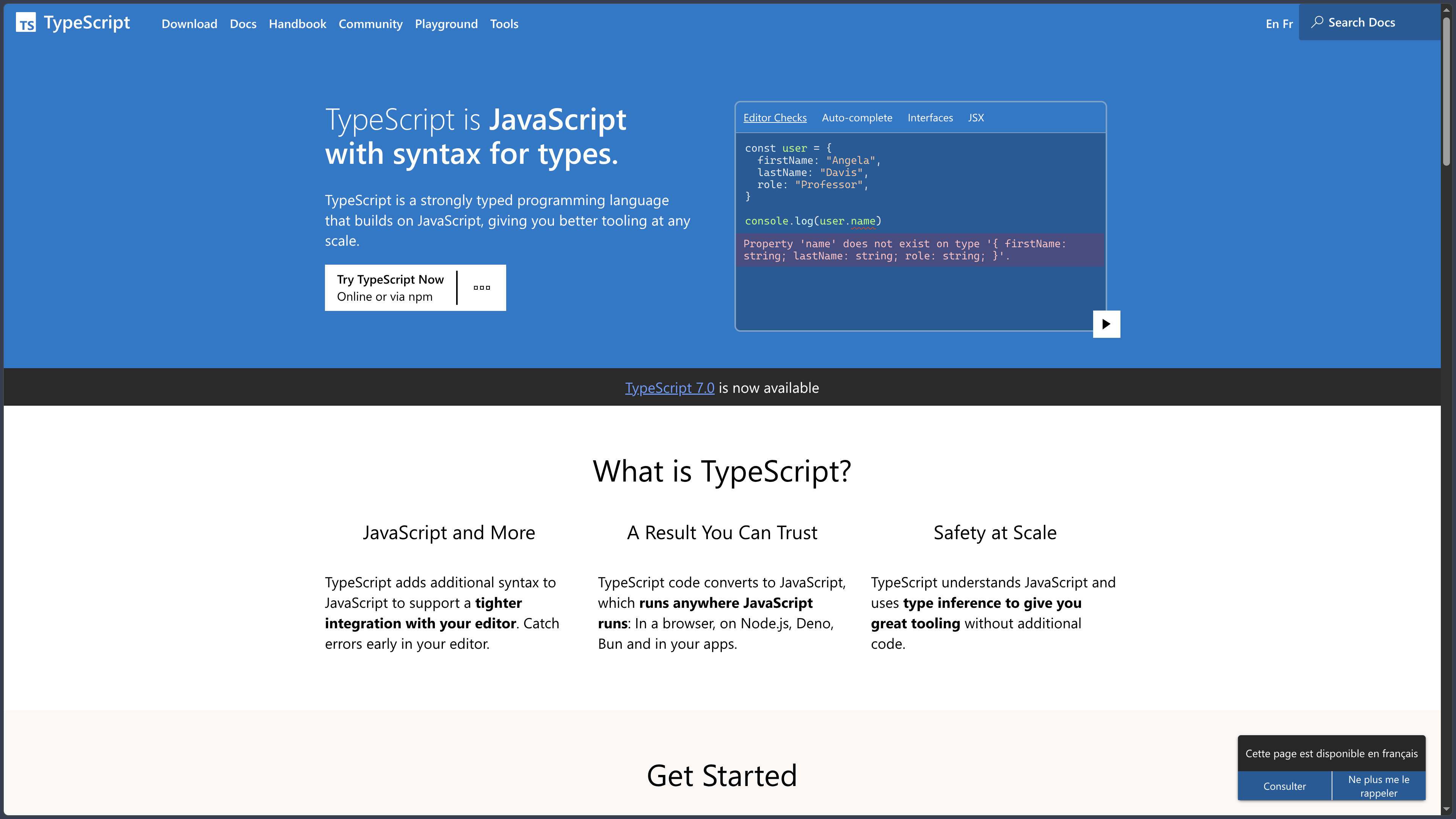
TypeScript is a programming language built on top of JavaScript that mainly adds a static type system and analysis tools designed to make large codebases more predictable and easier to maintain.
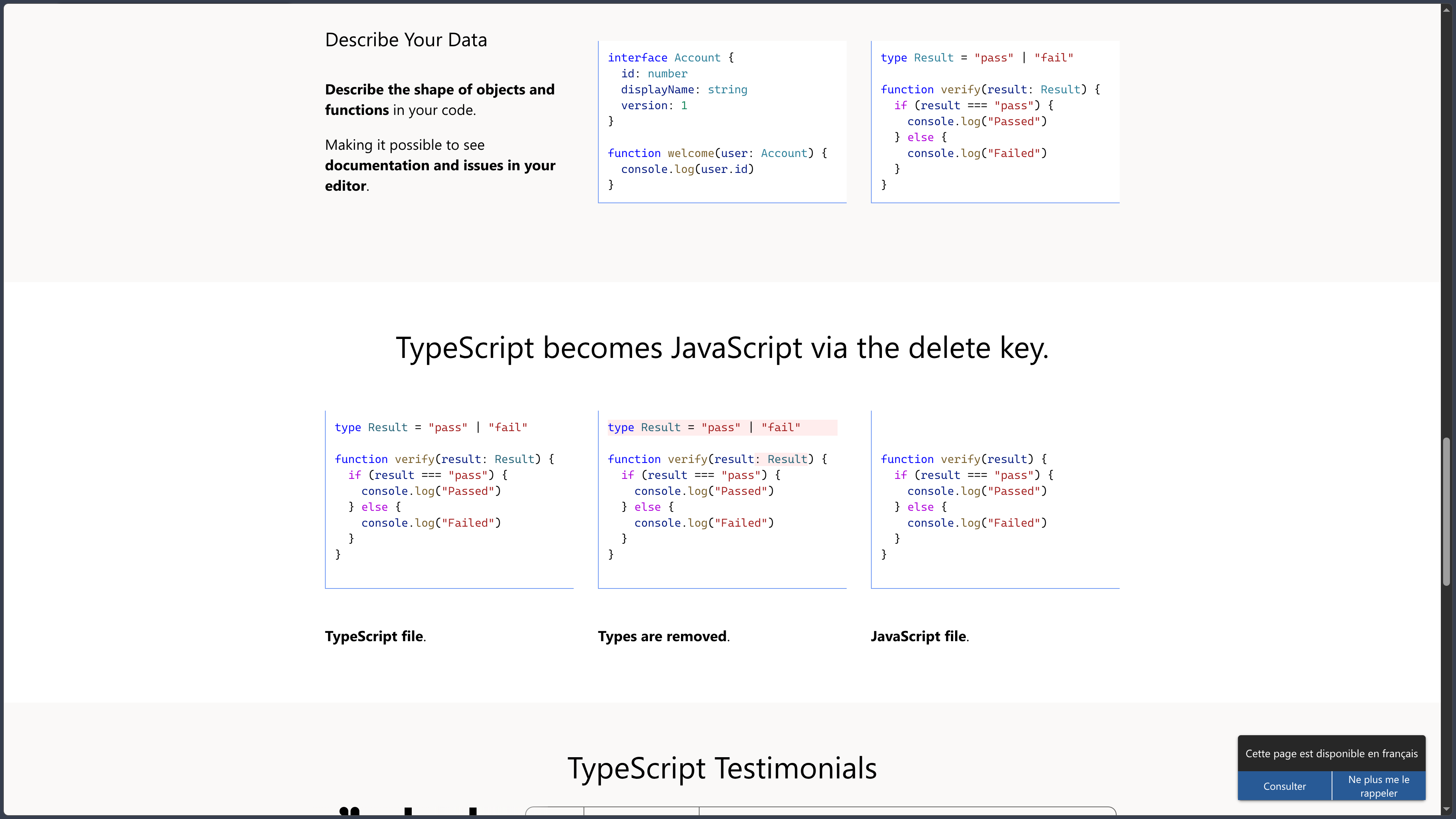
A TypeScript file can use almost all ordinary JavaScript syntax and then add type annotations, interfaces, generics, unions, conditional types and many other constructs intended for the compiler. After checking, this type information is generally removed and the code is transformed into standard JavaScript intended for the browser, Node.js or another compatible environment.
TypeScript therefore does not replace JavaScript at runtime. Browsers generally do not execute TypeScript interfaces, type aliases or generics: they execute the JavaScript produced after compilation or transformation.
The main benefit appears before execution. The compiler can detect that a property does not exist, that a function receives an incompatible argument, that a value may be undefined or that a structural change causes errors elsewhere in the project.
This information also powers code editors. Autocomplete, go-to-definition, reference search, renaming, contextual documentation and many refactorings can use the type system to better understand the program.
TypeScript was created by Microsoft and first released in 2012. The project is open source under the Apache 2.0 license and its ecosystem extends far beyond Microsoft tools: React, Angular, Vue, Svelte, Node.js, Deno, Bun and many JavaScript libraries either use it or directly provide their types.
The current generation also marks a major technical change. TypeScript 7 now uses a native port of the compiler and tooling written in Go, intended to gradually replace the former implementation that was itself written in TypeScript. Microsoft reports full-build improvements generally ranging from around 8x to 12x, depending on the project.
At the time of this verification, the latest stable release is TypeScript 7.0.2, published on August 20, 2026.
Features
Adding types without leaving JavaScript
TypeScript is often described as a superset of JavaScript.
A large number of valid JavaScript files can therefore be adopted progressively and enriched with type information.
For example, a function can specify that two parameters expect numbers and that it returns a number. The compiler can then report a call that passes a string.
Types normally disappear when JavaScript is emitted.
This distinguishes TypeScript from a language with its own runtime: types are primarily used to analyze the program during development, not to directly change the behavior of values during execution.
Type inference
It is not necessary to annotate every variable manually.
TypeScript makes extensive use of type inference to derive information from the code.
If a variable is initialized with a number, the compiler can automatically determine that it contains a number. It can also infer the return type of many functions or the generic parameter corresponding to an argument.
This inference keeps code relatively lightweight while still providing static checking.
The goal is therefore not to turn every line into a type declaration, but to add annotations when the compiler cannot correctly determine developer intent or when a public API deserves to be explicitly documented.
Primitive types, arrays and objects
TypeScript reuses types corresponding to the main JavaScript values:
string;number;boolean;bigint;symbol;null;undefined.
It also adds syntax for precisely describing arrays, tuples, objects and functions.
An object can, for example, be described as having a required name, an optional age and a specific method.
Tuples represent sequences where each position has a known type, unlike a conventional homogeneous array.
TypeScript can also preserve literal values as types, such as "draft" | "published" instead of a plain string.
Interfaces and type aliases
Interfaces describe the expected shape of an object.
They are frequently used to define component properties, user structures, function configuration or contracts shared across several parts of an application.
Type aliases can also name types, but can represent a broader range of constructions: unions, intersections, primitives, tuples or complex combinations.
Interfaces and aliases overlap in several uses but are not completely equivalent.
Interfaces notably support declaration merging, which can be especially useful in certain library-extension scenarios.
Structural typing
TypeScript mainly uses a structural typing system.
This means compatibility depends primarily on the shape of a value rather than explicit membership in a class or hierarchy.
If a function expects an object containing name: string, any object with at least that compatible property can generally be accepted, even if it never explicitly declared that it implemented a specific interface.
This philosophy fits naturally with JavaScript’s flexible behavior.
It differs from nominal systems used by some other languages, where two types with the same structure may still remain incompatible if they do not explicitly belong to the same hierarchy.
Unions and intersections
Union types indicate that a value can belong to several categories.
An identifier can, for example, be defined as string | number.
The code must then take these different possibilities into account before using a method specific to one type.
Intersection types, by contrast, combine several types to build a value that simultaneously satisfies several contracts.
These mechanisms make it possible to model many application states without systematically creating new classes.
Narrowing and control-flow analysis
TypeScript analyzes program conditions to progressively reduce the possible types.
If a variable has the type string | undefined, a check confirming that it is not undefined allows the compiler to treat it as a string in the corresponding branch.
This narrowing works through several JavaScript mechanisms:
typeof;instanceof;- comparisons;
- the
inoperator; - truthiness checks;
- object discriminants;
- type guard functions.
This control-flow analysis is one of TypeScript’s most important features because it allows precise typing without multiplying explicit casts.
Generics
Generics make it possible to create components whose types remain parameterized.
A function can, for example, accept a value of type T and return the same type T without losing precise information about that value.
Unlike any, a generic preserves the relationship between the different places where the type appears.
Generics are used in functions, interfaces, classes, collections and libraries.
They can be associated with constraints, default values and relationships between several type parameters.
This capability forms a major foundation of advanced TypeScript APIs.
Conditional types, mapped types and keyof
The TypeScript type system can construct new types from existing ones.
keyof, for example, produces a union of the known keys of an object.
Mapped types can iterate over those keys to transform each property.
Conditional types select a type depending on a condition involving another type.
They can be combined with infer to extract information from a complex type.
These features make it possible to create extremely flexible libraries, but can also produce definitions that become difficult to understand when overused.
Built-in Utility Types
TypeScript provides several utility types for common transformations.
Among the most widely used:
Partial<T>;Required<T>;Readonly<T>;Pick<T, K>;Omit<T, K>;Record<K, T>;Exclude<T, U>;Extract<T, U>;ReturnType<T>;Parameters<T>;Awaited<T>;NonNullable<T>.
They can, for example, make all properties optional, select only certain fields or extract the return type of a function.
These utilities avoid repeatedly rewriting the same type transformations.
unknown, any and never
TypeScript includes several special types for situations where information is incomplete or impossible.
any largely disables type checking for a value and permits almost every operation. It can make migration easier but greatly reduces the protection provided by TypeScript.
unknown also represents an unknown value, but requires the program to check its type before using it.
never describes a value that cannot exist, such as the return of a function that always throws an error or certain branches that become impossible after narrowing.
A strict codebase generally prefers unknown when a value is genuinely unknown rather than routinely using any.
Classes and TypeScript-specific modifiers
TypeScript reuses JavaScript classes and adds additional checks.
Parameters and properties can receive type annotations.
The language also provides modifiers such as:
public;private;protected;readonly;abstract.
Some of these mechanisms do not have exactly the same role as JavaScript private fields using #.
TypeScript modifiers are primarily checked at compile time, while JavaScript private fields have actual runtime encapsulation semantics.
This distinction becomes important when a developer truly depends on property privacy at runtime.
Enums and other specific constructs
TypeScript also includes some constructs that are not simply erased annotations.
Enums can generate additional JavaScript to create an object usable at runtime.
Modern projects sometimes use literal unions or as const objects instead, particularly to stay closer to standard JavaScript.
TypeScript also provides namespaces and several historical features, but some older approaches are gradually less recommended as JavaScript itself gains more standardized primitives.
Compiling to JavaScript
The TypeScript compiler, tsc, analyzes .ts and .tsx files, checks types and can then emit JavaScript.
The targeted ECMAScript version is configurable.
A project can, for example, emit relatively modern JavaScript for a recent environment or transform certain syntax to target an older runtime.
It is important to distinguish syntax transformation from polyfills.
TypeScript can convert certain newer syntax into older forms, but it does not automatically add every API missing from an older browser. A modern function absent from the target environment may still require a separate polyfill.
TypeScript 7 and the new native compiler
TypeScript 7 represents one of the largest architectural changes in the project.
The previous compiler and language service implementation was historically written in TypeScript itself and executed through JavaScript.
The new generation has been ported to Go.
Microsoft explains that the team preserved as much of the structure and logic of the previous implementation as possible to maintain output compatibility while benefiting from native code and shared-memory parallelism.
For full builds, the TypeScript team generally observes improvements of around 8 to 12 times, depending on project size and structure.
This improvement is particularly relevant for large codebases where compilation and analysis time can represent a significant part of the daily workflow.
TypeScript 6 remains separately available for projects that still need the previous generation during the transition.
tsconfig.json for project configuration
A TypeScript project is usually defined by a tsconfig.json file.
It indicates which files belong to the project and configures compiler behavior.
Important options notably include:
target;module;moduleResolution;lib;strict;jsx;outDir;rootDir;declaration;sourceMap;allowJs;checkJs.
Monorepos or complex applications can use several tsconfig files and project references to separate different parts of the codebase.
A configuration consistent with the actual runtime is essential: settings suitable for a Web application bundled with Vite are not necessarily the same as those for an npm package or a Node.js server.
Strict mode
The strict option enables a set of checks designed to make the type system more demanding.
It notably includes rules around nullable values, function parameters and implicit uses of any.
strictNullChecks is especially important.
When enabled, null and undefined are no longer treated as automatically compatible with most other types.
A potentially absent property must therefore be handled explicitly before use.
This mode catches more problems but can require more work when migrating an older JavaScript or loosely typed TypeScript codebase.
Existing JavaScript with allowJs and checkJs
Adopting TypeScript does not require converting an entire codebase immediately.
The allowJs option includes .js files in the project.
checkJs asks the compiler to report certain errors in those JavaScript files as well.
JSDoc annotations can provide type information without changing the file extension.
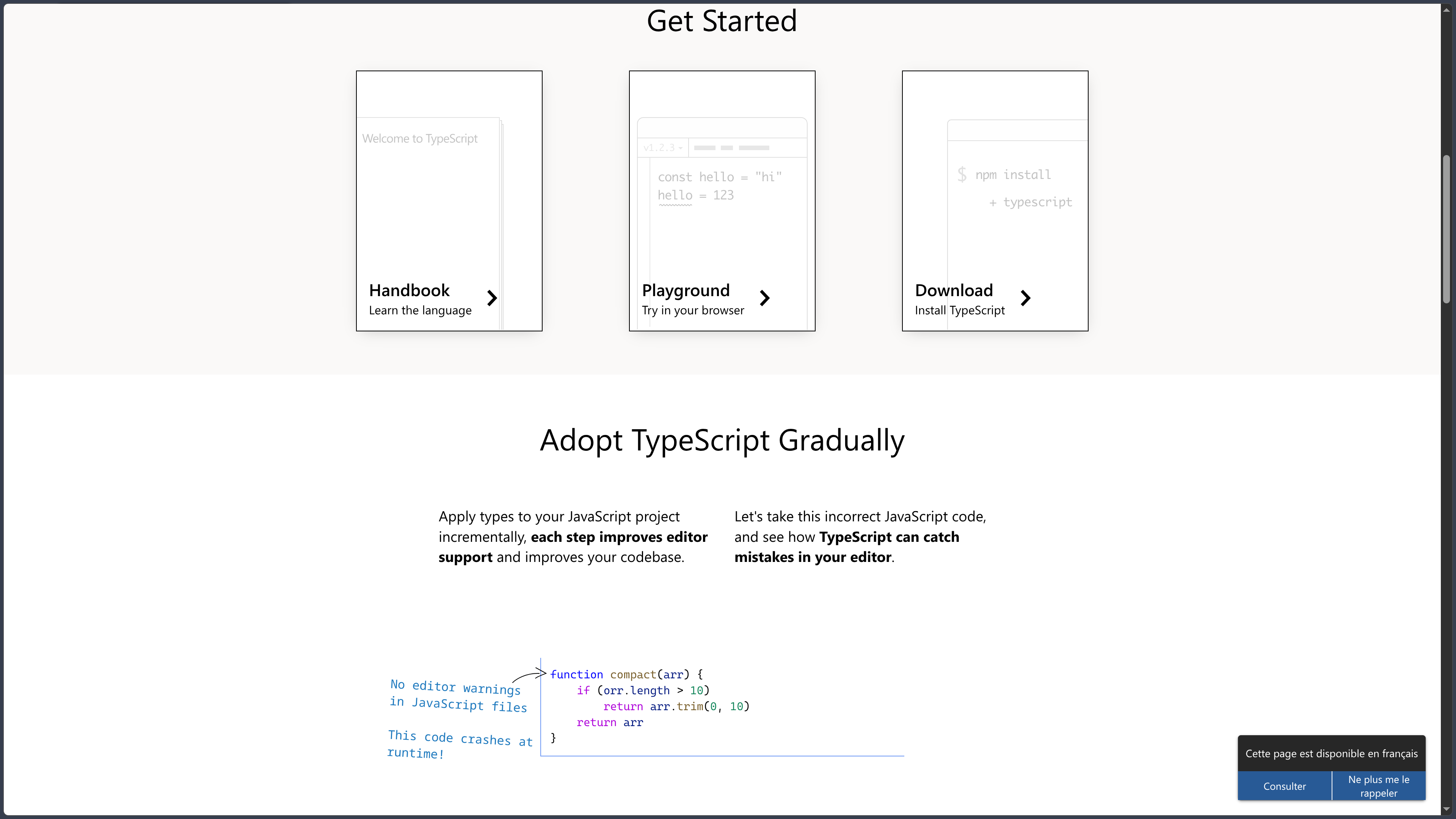
This approach supports gradual migration: start by analyzing existing JavaScript, add annotations where useful, then convert selected files to .ts over time.
.d.ts declaration files
.d.ts files describe the types of JavaScript code without containing its ordinary implementation.
A library can publish them so TypeScript users know its functions, classes, objects and signatures.
Some libraries include declarations directly in their package.
For others, the community supplies definitions through DefinitelyTyped, usually installed as @types/package-name.
This mechanism allows TypeScript to understand a huge part of the JavaScript ecosystem even when the original library itself is not written in TypeScript.
JSX and TSX files
TypeScript supports JSX through .tsx files.
The compiler can check properties passed to components and either transform or preserve JSX syntax depending on configuration.
Several modes exist for classic React, the automatic JSX runtime or React Native.
TypeScript has therefore become extremely common in React projects.
Other frameworks can also use JSX or TypeScript-related typing systems depending on their own toolchain.
Modules, ESM and CommonJS
TypeScript understands the different module systems used across the JavaScript ecosystem.
Modern projects increasingly use ECMAScript Modules — ESM, with import and export.
Node.js still has a significant history around CommonJS.
Bundlers such as Vite, webpack, Rollup or esbuild can also apply their own resolution and transformation rules.
TypeScript therefore provides several module and moduleResolution strategies.
Incorrect configuration can create differences between what the compiler thinks can be imported and what the runtime can actually load.
The documentation therefore recommends choosing these options according to the actual execution environment rather than relying on one universal configuration for every project.
IDE integration and Language Service
TypeScript is not limited to the command-line compiler.
Its Language Service provides editors with the information required to continuously understand the project.
This notably enables:
- autocomplete;
- type display;
- go to definition;
- reference search;
- symbol renaming;
- refactorings;
- real-time diagnostics;
- contextual documentation.
Visual Studio Code has especially deep integration, but TypeScript can also be used in many other editors and IDEs.
These capabilities represent a major part of its value, even in JavaScript projects that do not yet fully use the TypeScript compiler.
Use cases
Making an existing JavaScript application safer
A team can gradually add TypeScript to a JavaScript project without rewriting everything.
It can start with allowJs and checkJs, introduce JSDoc annotations and then convert the most important modules to .ts.
Errors involving missing properties, incorrect parameters or potentially undefined values then appear earlier in the development cycle.
This gradual migration reduces risk compared with a full rewrite.
Building a large front-end application
A React, Vue, Angular or Svelte application often contains many components, states, API responses and shared objects.
TypeScript can formalize these contracts.
Changing the structure of an object can immediately reveal several locations that have become incompatible.
Autocomplete and refactoring also become more reliable when the editor precisely understands relationships between components.
The benefit generally increases with project size and the number of developers involved.
Developing a Node.js API
TypeScript can be used on the server with Node.js and different frameworks.
Types can describe parameters, business objects, database responses and interfaces between modules.
They can also be shared with the front-end in certain monorepos.
This consistency does not replace runtime validation, however: an external HTTP request can contain any data, even if TypeScript code declares that a property should be a number.
Validation tools are therefore still required at system boundaries.
Creating a JavaScript library with its types
A library author can write code in TypeScript and publish both the generated JavaScript and .d.ts declarations.
JavaScript users continue to execute the package normally.
TypeScript users additionally receive autocomplete, parameter documentation and error detection.
This capability explains why a very large number of npm libraries now publish their types directly.
Refactoring a large codebase
Across hundreds or thousands of files, renaming a property or changing a signature can become risky with simple text search.
TypeScript builds a semantic representation of the project.
The editor can then identify actual references to a symbol rather than every string that happens to resemble it.
The compiler can subsequently detect calls that were not updated.
This ability to evolve code with greater confidence is often a more important benefit than the annotations themselves.
Conclusion
TypeScript has become one of the most important tools in the JavaScript ecosystem because it acts precisely where the original language’s flexibility can become difficult to manage: large applications, complex APIs and codebases that evolve over several years.
Its principle remains relatively simple. Developers write JavaScript enriched with type information, the compiler analyzes that information and then emits JavaScript usable by normal runtime environments.
The real power comes from its type system. Inference, unions, narrowing, interfaces, generics, mapped types, conditional types and declaration files make it possible to describe extremely rich APIs without necessarily adding runtime logic.
This analysis also significantly improves development tooling. Navigation, refactoring and autocomplete become more reliable when the editor understands the semantic relationships within the program.
TypeScript does not eliminate every problem. Types are generally erased during compilation and therefore do not automatically validate data received from an API, form or external file. A program can also use any, assertions or permissive configurations that bypass part of the safety system.
The type system can also become very complex when libraries build deep combinations of generics, conditional types and advanced inference. In that case, sophistication intended to help developers can itself become difficult to maintain.
TypeScript 7 nevertheless introduces a particularly important change in tooling. Moving the compiler to a native Go implementation is intended to drastically reduce compilation and analysis times, with reported improvements on the order of 8x to 12x for many full builds.
With TypeScript 7.0.2 as the current stable release, the project therefore keeps its historical philosophy while rebuilding its infrastructure to better support very large modern codebases.
For a team already working in JavaScript and looking for more control, implicit documentation, reliable refactoring and earlier error detection without leaving the Web ecosystem, TypeScript remains one of the most natural solutions today.
Points to consider
-
TypeScript is built on top of JavaScript and generally produces JavaScript for the final runtime.
-
The currently verified stable release is TypeScript 7.0.2, published on August 20, 2026.
-
TypeScript 7 uses the new native compiler written in Go, whereas previous generations relied on a TypeScript/JavaScript implementation.
-
Microsoft reports full builds that are generally around 8 to 12 times faster with TypeScript 7, depending on the project and hardware.
-
TypeScript is free and open source under the Apache 2.0 license.
-
Type annotations are generally removed during compilation. They do not provide automatic runtime validation of data.
-
An API response or user input still needs runtime validation when its source is not trusted.
-
Typing is primarily structural, which fits JavaScript well but differs from the nominal systems used by some other languages.
-
The
strictoption is strongly recommended for new projects, but enabling it on an older codebase can reveal a large number of issues to fix. -
anybypasses much of the type checking.unknownis often preferable when a value is genuinely unknown. -
TypeScript does not automatically provide polyfills for older environments. Compiling to an older target does not mean every newer JavaScript API becomes available.
-
.d.tsfiles make it possible to type JavaScript libraries without changing their runtime code. -
DefinitelyTyped and
@types/*packages complement libraries that do not directly publish their own type declarations. -
TypeScript supports JSX in
.tsxfiles, which explains its widespread adoption in the React ecosystem. -
moduleandmoduleResolutionsettings must match the actual runtime or bundler. An incorrect combination can create import problems despite apparently successful compilation. -
The advanced type system can become very complex. Generics, mapped types and conditional types are powerful but do not need to be used when simpler types are sufficient.
-
TypeScript does not replace JavaScript: understanding how JavaScript behaves at runtime remains essential.