
Overview

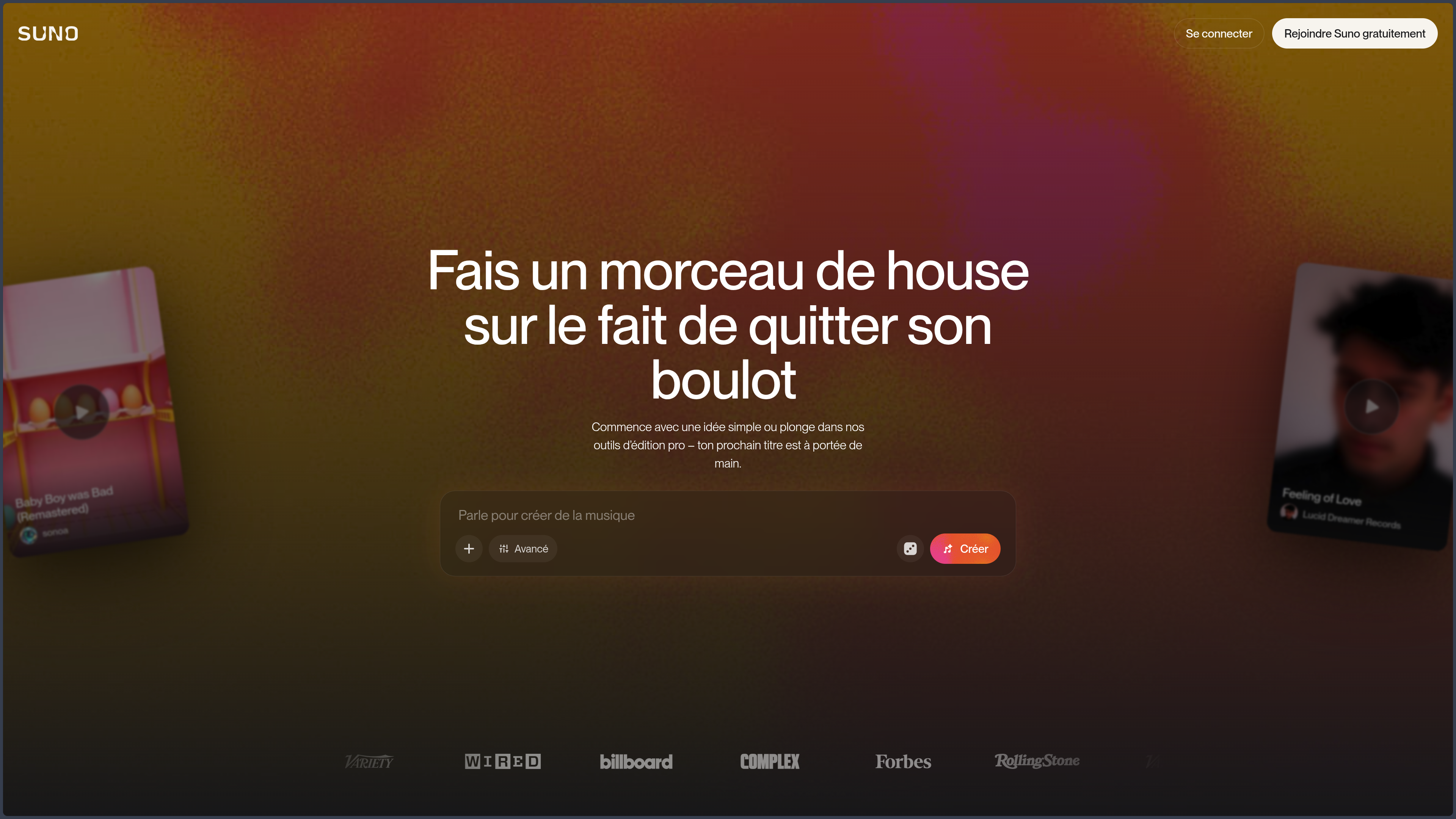
Suno is an artificial-intelligence music-creation platform developed by Suno, Inc.

Its original principle is particularly accessible: describe a song, provide lyrics, or record a melody, then let the artificial intelligence produce a complete track with vocals, instrumentation, structure, and arrangement.

Suno can notably be used to:

  • turn an idea into a song;
  • set lyrics to music;
  • generate an instrumental track;
  • explore a genre or mood;
  • extend or edit a creation;
  • turn a hummed melody into an arrangement;
  • separate a song into several tracks;
  • use your own voice in a generation;
  • prepare a musical demo;
  • create a soundtrack for a video or project;
  • rework a track in a multitrack environment.

This simplicity makes it possible to hear a musical intuition without mastering an instrument, singing, recording, or music-production software.

The platform is no longer limited, however, to immediate generation from a prompt.

With its editing features, stems, custom voices, tailored models, and Suno Studio, it is gradually seeking to cover a larger part of the creative process:

idea → generation → selection → editing → arrangement → export

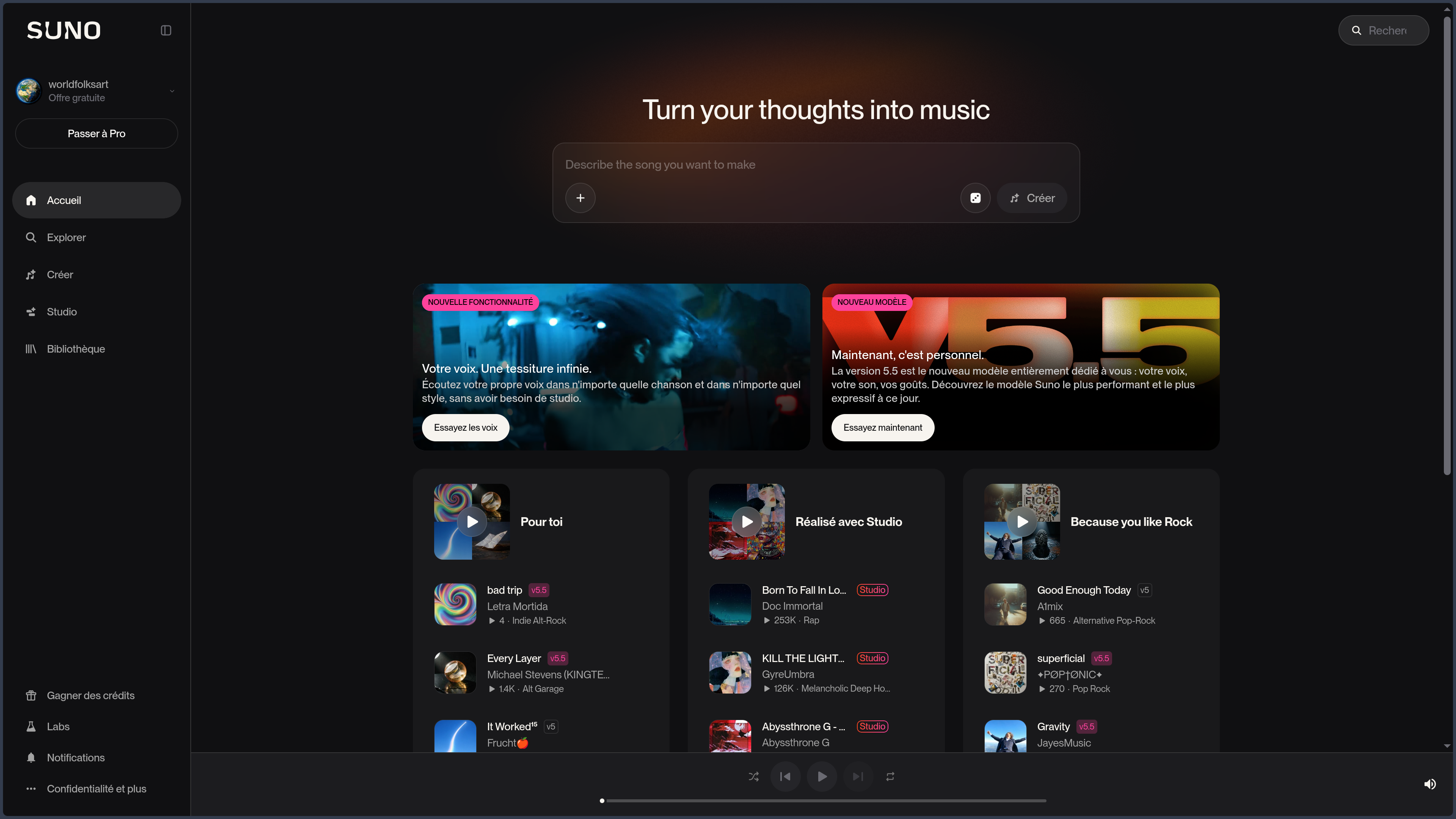
Suno is available through a Web browser and official applications for Android and iPhone.

There is currently no official desktop application for Windows, macOS, or Linux. Suno Studio also remains accessible through the Web.

The service mainly depends on the cloud and cannot be self-hosted or used entirely offline.

Suno is proprietary software.

The rights associated with a song depend heavily on the plan used when it was created. Permission to commercially exploit a track also does not mean that it is automatically eligible for copyright protection.

Features

Creation from an idea or lyrics

Suno can generate a complete song from a natural-language description.

The user can specify:

  • the musical genre;
  • the mood;
  • the desired tempo;
  • the instruments;
  • the type of voice;
  • the subject;
  • the period or aesthetic being sought;
  • the overall structure;
  • certain production elements.

A request may, for example, describe an acoustic ballad, an energetic pop song, a dark electronic track, or an instrumental theme.

Suno then interprets this intention to produce a track with structure, vocals, and accompaniment.

Simple mode is suitable for initial exploration.

Custom mode provides more control over:

  • the lyrics;
  • the title;
  • the musical style;
  • section instructions;
  • the instrumental or vocal direction;
  • the model used.

Users can write their own lyrics or ask Suno to help produce them.

Instructions such as [Verse], [Chorus], [Bridge], or [Outro] can guide the structure, even though the model does not always follow every instruction precisely.

Suno is particularly impressive for quickly obtaining a coherent first proposal.

Generation nevertheless remains probabilistic. The same description may produce several very different results, and the tool may favor its own musical habits over a precise instruction.

Generated lyrics may also contain:

  • generic phrases;
  • predictable rhymes;
  • repetition;
  • awkward wording;
  • a lack of narrative coherence;
  • diction that is difficult to understand.

Original lyrics written by the user therefore remain an important way to give the track a more personal identity.

Creation from a recording

Suno can start from an audio file or a recording made directly in the application.

Users can notably import:

  • a hummed melody;
  • a sung line;
  • a guitar riff;
  • a tapped rhythm;
  • a loop;
  • a demo;
  • an instrumental track;
  • an excerpt from another application.

The artificial intelligence can then extend the excerpt, add an arrangement, or use it as the starting point for a new song.

This feature creates an interesting link between human input and generation.

A musician can record a very simple idea, while someone who does not play an instrument can hum a melody or tap a rhythm to obtain an initial musical proposal.

Import duration depends on the plan. Paid plans allow longer files than the free version.

Users must hold the necessary rights to imported recordings.

They must not upload a commercial song, voice, performance, or recording belonging to a third party without authorization.

Models, styles, and personalization

Suno uses several generations of music models.

At the time of verification, v5.5 is the advanced model highlighted in paid plans.

It notably aims to improve:

  • sound quality;
  • expressiveness;
  • vocal consistency;
  • understanding of style;
  • personalization;
  • the ability to work from the user’s musical identity.

The free plan uses a more limited model, while Pro and Premier subscriptions provide access to advanced models and features.

Model names, availability, and limits may change quickly.

It is therefore better to assess Suno according to the result obtained and the available features rather than treating a version number as a lasting guarantee of quality.

The My Taste feature gradually personalizes the experience according to the creations, genres, and styles used by the account.

This personalization can make it easier to create tracks close to the user’s preferences.

It may also reduce surprise and gradually confine recommendations to habits that have already been identified.

Pro and Premier subscribers can also create Custom Models from their own tracks.

A custom model makes it possible to adapt v5.5 to a musical universe, sound, or production habits.

Creating one requires several songs for which the user owns the rights.

Custom models remain private and cannot be shared directly with other accounts.

This feature is particularly interesting for creators seeking continuity across several tracks.

It does not, however, guarantee a perfect reproduction of an artistic identity. The model may still introduce generic elements or move away from the supplied references.

Editing, extensions, covers, and variants

After generation, Suno offers several tools for reworking the result.

Users can notably:

  • extend a song;
  • produce a new ending;
  • crop the beginning or end;
  • edit a section;
  • replace the lyrics in a section;
  • generate a cover in another aesthetic;
  • add vocals to an instrumental;
  • add an instrumental part;
  • create several variants;
  • modify certain stylistic elements.

The Extend feature makes it possible to continue a track from a selected point.

It can be used to add:

  • a new verse;
  • an additional chorus;
  • a bridge;
  • a solo;
  • an ending;
  • a transition.

Once the best extension has been selected, Suno can assemble everything into a new complete song.

The Replace Section feature allows users to select a specific part and regenerate it.

It can notably be used to:

  • change a line;
  • replace a verse;
  • add or remove a section;
  • fix a transition;
  • try another arrangement.

Suno produces several proposals, and the user then chooses which one should be reintegrated into the track.

These tools provide more control than the initial generation, but they do not work like the detailed editing of a traditional recording.

Changing a single word, a precise note, or the pronunciation of a word may still require several attempts.

A new generation may also fix one problem while introducing another.

Voices, Personas, and vocal identity

Personas make it possible to preserve certain elements of a song’s identity and reuse them in other creations.

They can help recover:

  • a style;
  • a mood;
  • a way of singing;
  • a sonic character;
  • certain production elements.

With v5.5, Suno expands this principle through Voices.

Voices makes it possible to use your own voice in generated songs.

Users can record or import a vocal excerpt, create a profile, and then ask Suno to use that voice instead of a default generated performer.

This feature can be used to:

  • prepare a demo;
  • hear your voice in another genre;
  • test a song before a real recording session;
  • produce variants without repeating every take;
  • create even when the environment does not allow proper recording.

Voice verification is used to confirm the owner’s identity.

A cappella recordings generally produce better results, although Suno may attempt to isolate a voice accompanied by music.

The resulting identity will not necessarily be an exact reproduction.

Pronunciation, emotion, timbre, and breathing may vary or sound artificial.

Publishing a song that uses a Voice should also be considered carefully.

Depending on sharing and remix permissions, other users may indirectly reuse certain elements of the song.

A profile should never be created from another person’s voice without their explicit consent.

Stems and track separation

Suno can separate a song into several tracks, known as stems.

Depending on the plan and mode used, this may make it possible to isolate:

  • vocals;
  • drums;
  • bass;
  • guitar;
  • certain instruments;
  • other sound groups.

The stems can then be:

  • downloaded;
  • rearranged;
  • remixed;
  • used in Suno Studio;
  • imported into a DAW;
  • processed with other software.

This feature makes Suno more relevant within a real production workflow.

A creator can keep a vocal, replace the drums, rework the bass, or combine a generation with their own instruments.

The separation does not always produce perfectly clean tracks.

Some elements may remain mixed together, artifacts may appear, and certain frequencies may be lost.

Stems generated from a final mix therefore do not replace the genuine separate tracks of a multitrack recording.

Suno Studio

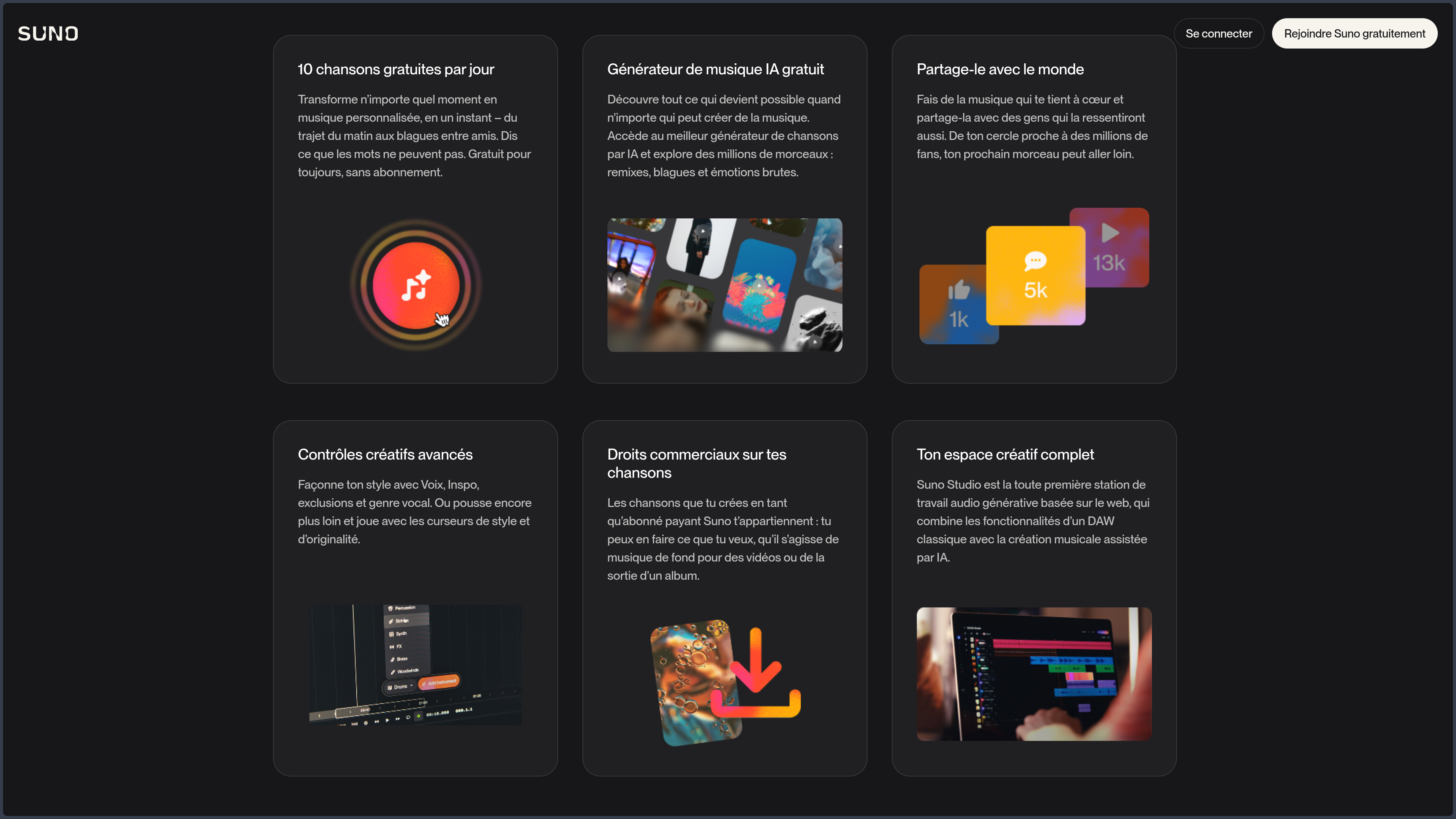
Suno Studio is a multitrack music-production environment available with the Premier plan.

Suno presents it as a Generative Audio Workstation, positioned between a music generator and traditional production software.

The interface is based on a timeline where users can:

  • add several tracks;
  • organize audio regions;
  • import their songs;
  • integrate stems;
  • record sound;
  • generate new passages;
  • move or crop sections;
  • adjust the tempo;
  • apply fades;
  • work with volume and equalization;
  • compare several takes;
  • combine the best passages;
  • export the result.

Studio can also generate elements suited to an existing song, for example:

  • a bass line;
  • percussion;
  • a melody;
  • accompaniment;
  • a new voice;
  • an additional instrument.

Certain tools make it possible to transform a recording into another type of sound material.

A hummed melody can therefore become an instrumental part, while a tapped rhythm can serve as the basis for drums.

This approach provides more control than Suno’s standard interface.

It allows users to select, arrange, and combine generations rather than simply accepting or rejecting a complete song.

Suno Studio does not, however, fully replace a DAW such as Ableton Live, Logic Pro, FL Studio, Cubase, Reaper, or Bitwig Studio.

Specialized software retains greater depth for:

  • MIDI;
  • virtual instruments;
  • plugins;
  • automation;
  • detailed mixing;
  • mastering;
  • audio routing;
  • multitrack recording;
  • large projects;
  • precise control over sound.

Suno Studio is mainly suited to AI-assisted music creation and transformation.

It becomes particularly interesting when used as a demo or exploration stage before more detailed work in a professional environment.

Library, sharing, and community

Created tracks are grouped in a library.

Users can notably:

  • retrieve their generations;
  • listen to variants;
  • download songs;
  • organize playlists;
  • change visibility;
  • share a link;
  • publish to their profile;
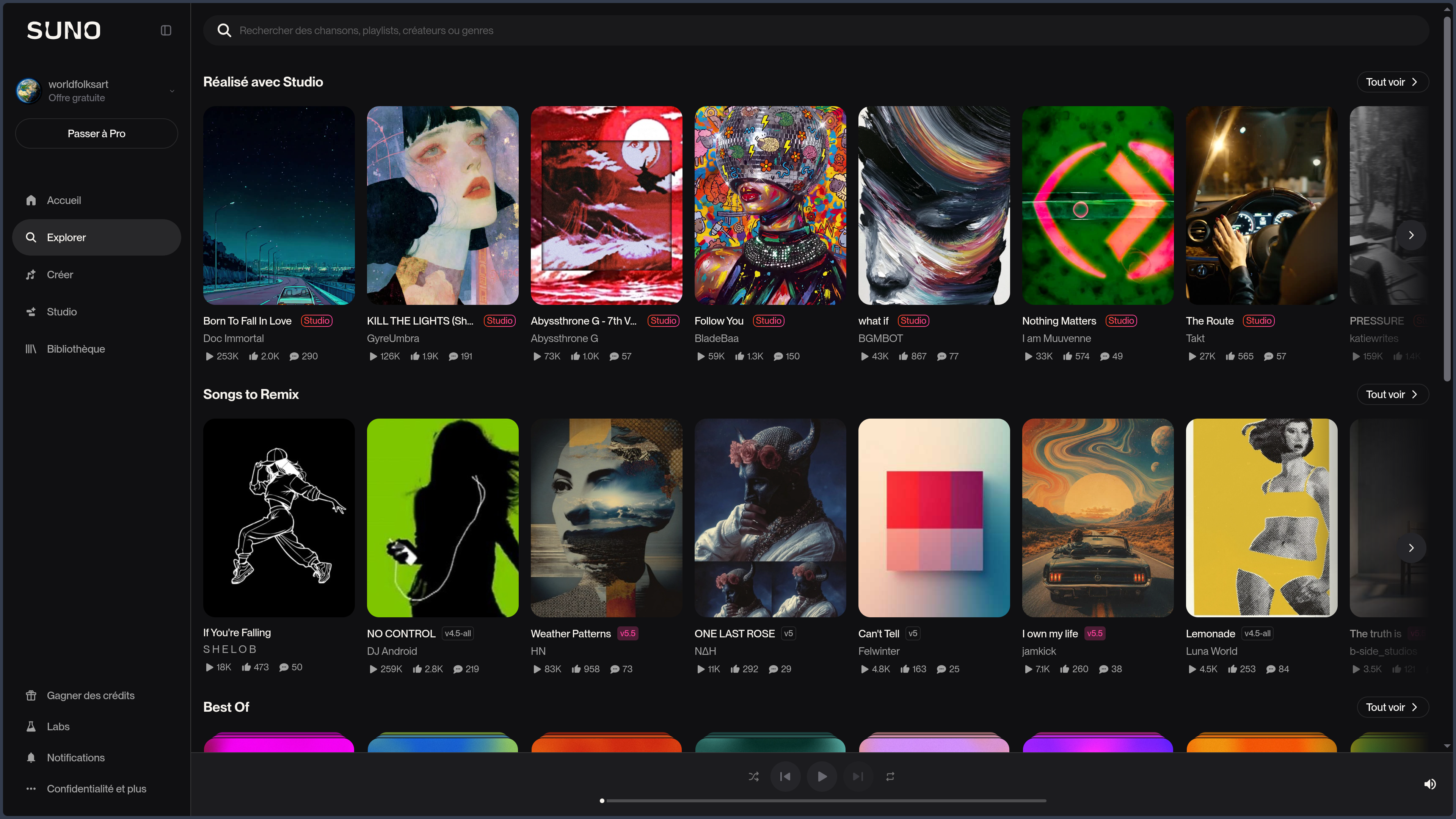
  • discover other users’ creations;
  • allow certain remixes.

Suno therefore has a community dimension similar to a music-creation social network.

Public tracks may be discovered by other users and may appear in the platform’s recommendation areas.

Before publishing, users should check:

  • the lyrics;
  • personal information;
  • rights to the files used;
  • remix permissions;
  • whether a Voice is present;
  • the intended commercial use.

A song kept under limited access does not necessarily provide the same guarantees as a file stored only locally.

The library depends on the account and the cloud service.

It remains prudent to download and back up important files in a personal space.

Plans, credits, and commercial rights

Suno offers three main tiers:

  • Free;
  • Pro;
  • Premier.

The Free plan provides 50 credits renewed each day, which currently corresponds to around ten songs according to Suno.

It is mainly suited to discovery and personal, non-commercial projects.

Songs created with this plan normally cannot be sold, distributed on revenue-generating platforms, or used in monetized content.

The Pro plan provides more monthly credits and access to advanced features, notably:

  • recent models;
  • detailed editing;
  • stems;
  • Voices;
  • custom models;
  • a priority queue;
  • the purchase of additional credits;
  • commercial-use rights.

The Premier plan further increases the number of credits and mainly adds:

  • Suno Studio;
  • advanced separation options;
  • higher limits;
  • broader access to recent features.

Credits included in the subscription renew according to their period and are not necessarily carried over.

Subscribers who have used all their monthly credits may receive a limited daily amount until the next billing-cycle renewal.

Prices, quotas, and features may vary by country, currency, monthly or annual billing, and purchasing platform.

Suno’s rules clearly distinguish the free plan from paid subscriptions.

For a song created with the free plan:

  • Suno states that it retains ownership of the generated track;
  • the user may listen to and share it;
  • use must remain personal and non-commercial.

For a song created during a Pro or Premier subscription:

  • the user is considered the owner of the track;
  • they receive commercial-use rights;
  • they may distribute it, sell it, or use it in a monetized project;
  • Suno does not claim a share of the generated revenue.

These rights remain attached to songs created during the paid period, even after the subscription ends.

Subscribing after creating a free song does not automatically grant retroactive commercial rights to that previous generation.

It is also necessary to distinguish between:

  • contractual ownership;
  • commercial authorization;
  • copyright protection.

A song may be authorized for commercial use without being fully eligible for copyright protection.

In several jurisdictions, a work entirely generated by artificial intelligence may not meet the level of human authorship required for such protection.

Greater human involvement may strengthen the creator’s position, especially when they:

  • write the lyrics;
  • compose a melody;
  • import their own recordings;
  • select and arrange several parts;
  • rerecord instruments;
  • substantially transform the result.

Original lyrics written by the user belong to them, regardless of their plan.

Users must also hold all necessary rights to:

  • imported lyrics;
  • recordings;
  • melodies;
  • samples;
  • voices;
  • files used to train a Custom Model.

Use cases

Quickly turning an idea into music

Suno makes it possible to hear an intuition within minutes.

It is particularly suited to people who have an idea for a song, a mood, or a text, but do not yet master composition, singing, or production.

The first result can serve as a demonstration, draft, or starting point.

Writing and setting lyrics to music

A writer can import their own lyrics, test several styles, and hear how the text works once sung.

This approach makes it possible to explore:

  • the rhythm of sentences;
  • verse length;
  • the effectiveness of a chorus;
  • pronunciation;
  • different emotions;
  • several arrangements.

The generated track does not necessarily replace a final composition, but it can quickly reveal the strengths and weaknesses of a text.

Preparing a demo

A musician, singer, or band can use Suno to prepare an initial demo.

The tool can help to:

  • test an arrangement;
  • explore a genre;
  • imagine instrumentation;
  • try several tempos;
  • prepare a guide vocal;
  • communicate an intention to other musicians.

The best ideas can then be rerecorded and reworked in a DAW.

Creating a soundtrack

Suno can generate music for:

  • a video;
  • a podcast;
  • a game;
  • a short film;
  • a presentation;
  • an opening theme;
  • an advertisement;
  • social content.

For a commercial project, the song must have been created during a compatible subscription and comply with the rights attached to every element used.

Temporary or illustrative music remains easier to produce than an original score requiring highly precise synchronization, mixing, or musical direction.

Exploring styles and arrangements

Suno makes it possible to experiment quickly with several musical directions.

The same idea can be transformed into:

  • a ballad;
  • an electronic track;
  • a rock song;
  • a cinematic orchestration;
  • an acoustic piece;
  • a dance track;
  • an instrumental version.

This speed encourages exploration.

It may also encourage an accumulation of generations without real selection or deeper work.

Creating with your own voice

Voices makes it possible to hear your own vocal identity in a generation without recording every song in a studio.

This feature can be used to test a track, prepare a demo, or explore an unusual style.

It should be used carefully because of issues related to consent, vocal identity, and sharing.

Producing material for a DAW

Stems and Suno Studio make it possible to go beyond simply listening to the final track.

A creator can export tracks and continue working in Ableton Live, Reaper, Logic Pro, FL Studio, or another environment.

Suno then becomes a source of musical material rather than a tool expected to complete the entire production by itself.

PANACHES review

Suno is one of the tools that makes the creative power of artificial intelligence most immediately tangible.

A few words, lyrics, or a hummed melody can be enough to produce a complete song.

This immediacy is both its greatest strength and its main limitation.

Suno greatly reduces the distance between an idea and its first audible form.

It allows someone who does not play an instrument to explore music, while enabling an experienced creator to test several directions quickly.

The platform becomes genuinely interesting when generation is not treated as the end of the process.

Editing features, stems, Voices, custom models, and Suno Studio open the door to a more active approach:

  • choosing;
  • comparing;
  • correcting;
  • arranging;
  • combining;
  • rerecording;
  • transforming.

Suno nevertheless remains less precise than a genuine production environment for controlling every note, sound, effect, and transition.

The model may produce a convincing track overall while failing on a word, structure, or precise detail.

The ease of generation also raises a creative question.

Producing more songs does not necessarily mean developing an artistic identity.

The risk is accumulating technically pleasant but interchangeable tracks, shaped more by the model’s habits than by a personal intention.

For Panaches, Suno is particularly relevant as a tool for:

  • exploration;
  • prototyping;
  • setting ideas to music;
  • mood research;
  • demo creation;
  • soundtrack preparation;
  • transforming vocal or instrumental ideas.

It complements a local environment in which the following remain stored:

  • lyrics;
  • original recordings;
  • stems;
  • versions;
  • references;
  • music projects;
  • exports.

Suno provides generation speed and immediate access to many aesthetics.

A local environment and a DAW provide greater control, practical ownership, precision, and continuity.

The most creative approach therefore consists less in asking Suno to finish the work than in using it to produce material that is selected, transformed, and made personal.

Points to consider

  • Suno is a proprietary cloud-dependent service.
  • There is no official desktop application for Windows, macOS, or Linux.
  • Suno cannot be self-hosted or used entirely offline.
  • Models, credits, prices, and features may change quickly.
  • The same description can produce very different results.
  • The model may ignore certain precise instructions.
  • Generated lyrics may be generic, repetitive, or incoherent.
  • The pronunciation of certain names, words, or languages may be incorrect.
  • Editing a small part may require several new generations.
  • A correction may introduce a new problem into the track.
  • Stems may contain artifacts or sounds from other tracks.
  • Suno Studio does not fully replace a professional DAW.
  • Voices may reproduce timbre, emotion, or diction imperfectly.
  • A third party’s voice must never be used without their consent.
  • Publishing and remix permissions should be checked before sharing a Voice.
  • Custom Models require tracks for which the user owns the rights.
  • Personalization may reinforce existing habits at the expense of exploration.
  • Songs created with the free plan are limited to personal, non-commercial use.
  • Suno retains ownership of songs generated with the free plan.
  • Subscribing later does not automatically grant retroactive commercial rights.
  • Songs created during a Pro or Premier subscription receive commercial-use rights.
  • Commercial rights do not guarantee copyright protection.
  • A work entirely generated by AI may not be eligible for protection depending on the jurisdiction.
  • Original lyrics written by the user remain their property.
  • Users must hold the rights to all imported files, lyrics, samples, and recordings.
  • A generated song may unintentionally resemble an existing track, performer, or style.
  • Direct imitation of an identifiable artist should be avoided.
  • Some distribution platforms may apply their own rules to AI-generated music.
  • Important tracks should be downloaded and backed up outside Suno.
  • A public track may be discovered, shared, or remixed depending on its settings.
  • Included credits are not necessarily carried over to the next period.
  • Purchasing additional credits may require an active subscription.
  • Subscriptions purchased on mobile may be managed by Apple or Google.
  • The training practices used for music models are the subject of debate and legal disputes within the industry.
  • Content and activity data may be processed according to the service’s terms and settings.
  • Suno accelerates creation, but it does not replace learning composition, performance, arrangement, and music production.