
Overview
Scrivener is a writing and project-organization application developed by Literature & Latte, designed primarily for work that becomes difficult to manage as one continuous document. A novel, thesis, nonfiction book or screenplay may involve hundreds of pages, successive drafts and a considerable amount of research. Scrivener treats those elements as parts of a single project without requiring the writer to compose them in a fixed order.
Its central idea is simple: a manuscript can be divided into manageable sections without losing sight of the whole. One writer may draft a chapter at a time; another may keep every scene in a separate document and rearrange the story as it develops. Both can read the assembled text and generate a continuous manuscript when it is ready to leave the application.
Scrivener combines text editing with a hierarchical Binder, a virtual Corkboard, an Outliner and space for research materials. These views are connected rather than isolated planning boards: moving a scene in the Corkboard also changes its position in the manuscript. Notes, character sheets, interviews and supporting documents can remain beside the draft without necessarily appearing in the final export.
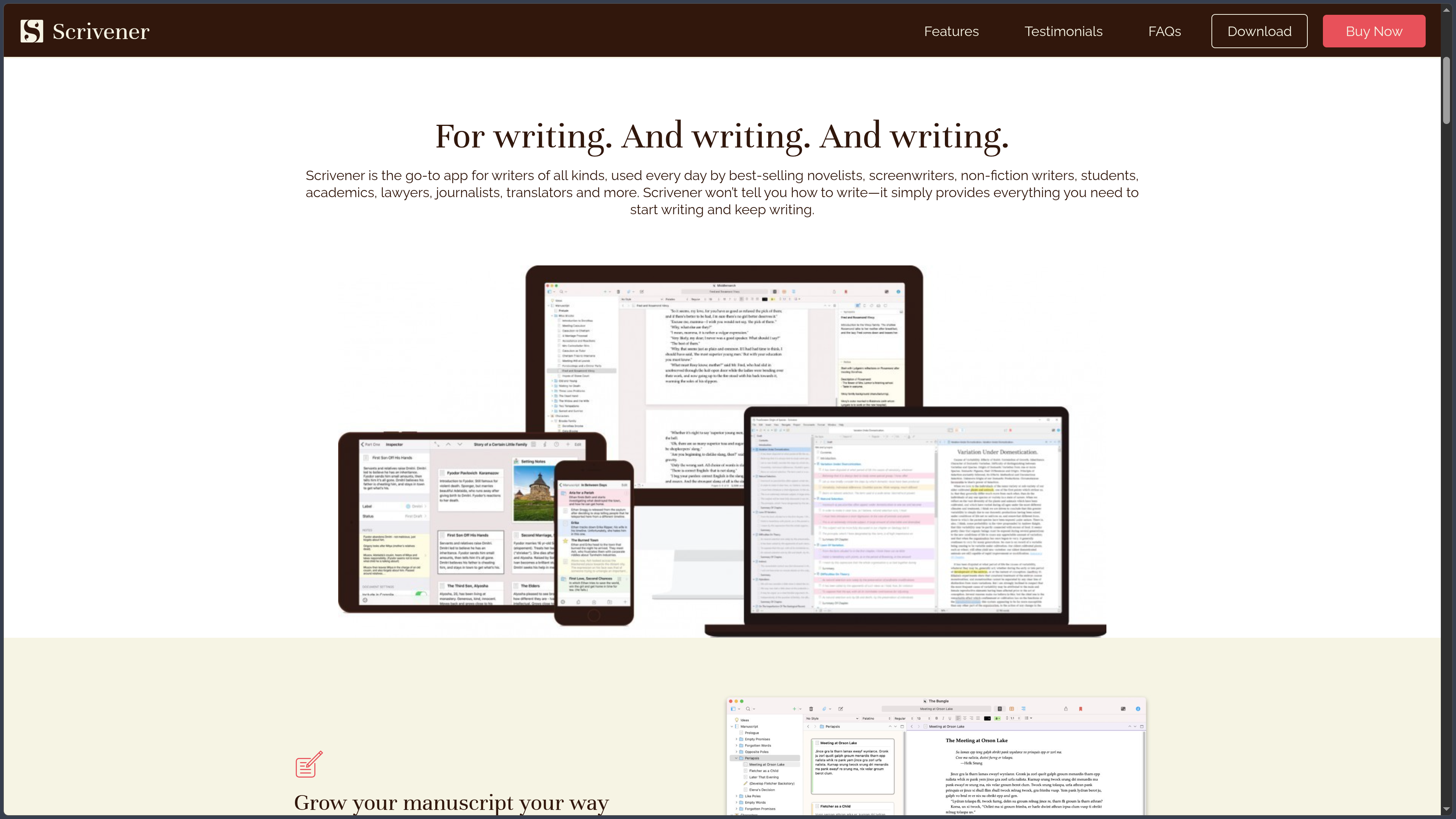
The software is available for macOS and Windows, with a separately purchased application for iPhone and iPad. It is proprietary and sold through platform-specific licences rather than a recurring software subscription. The desktop editions include a fully functional trial that lasts for 30 days of actual use. An iOS trial is not offered.
Scrivener is therefore neither an online collaborative word processor nor an automatic book-writing service. It is a workspace for authors who want control over how they develop, revise and assemble a substantial body of text.
Features
A Binder that gives the manuscript a structure
The Binder is the central navigation panel. It brings together chapters, scenes, notes and research in a tree of folders and documents. The writer can create a new scene without first deciding where it belongs in the finished book, then move it later by dragging it to another position.
That flexibility matters when a project changes direction. Splitting a long chapter into several scenes or shifting an introduction to a later section does not require cutting and pasting between enormous documents. Each component remains accessible on its own, while the hierarchy continues to represent the manuscript as a whole.
Research has its own place within the project. Images, PDFs, web pages and other reference files can be stored alongside the writing, while the manuscript area determines which texts will normally be included during compilation. This distinction keeps supporting material close without accidentally turning it into part of the finished book.
Corkboard and Outliner: two ways to rethink a project
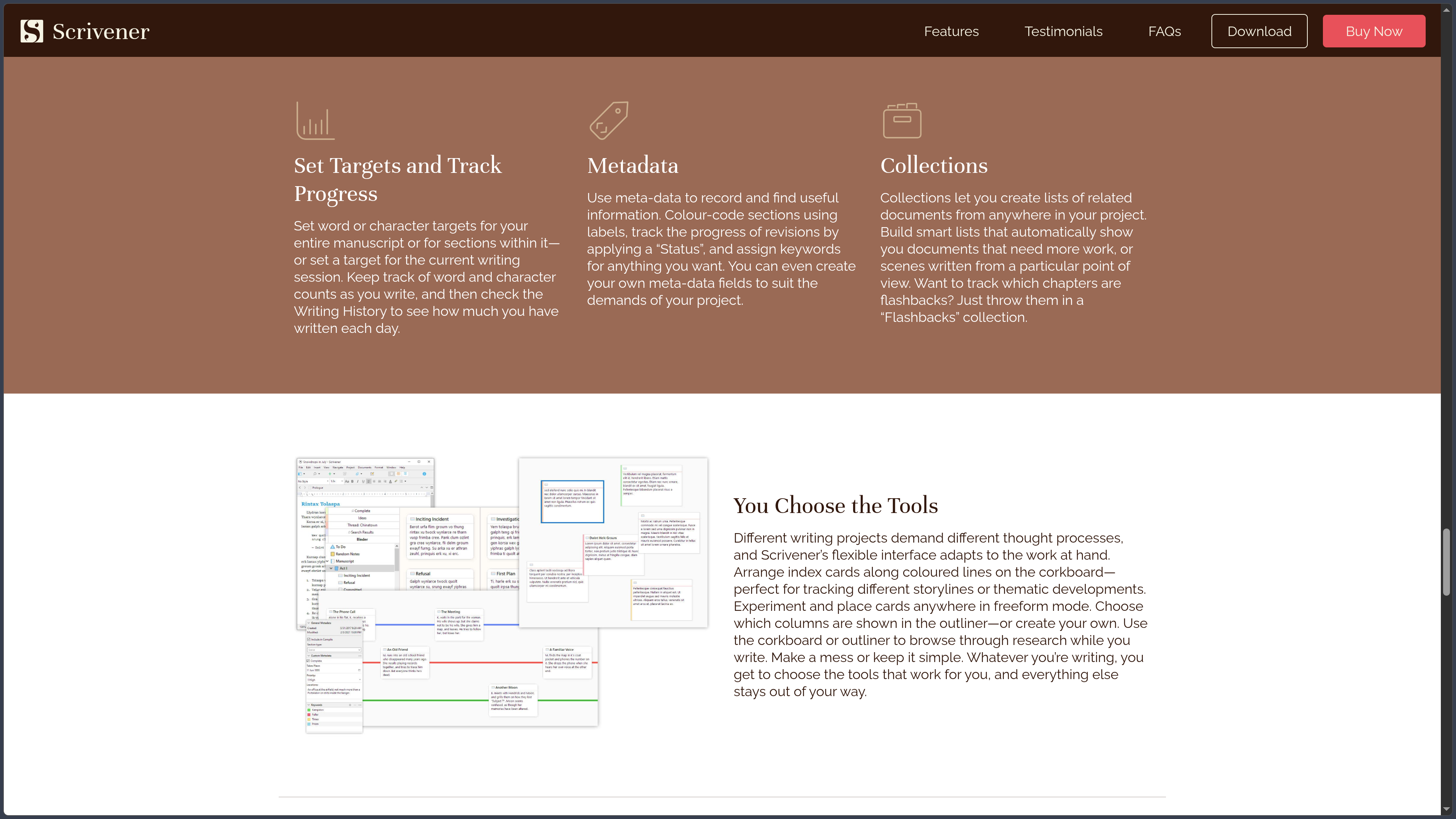
The Corkboard turns the parts of a manuscript into virtual index cards. Each card can display a synopsis, making it easier to examine the sequence of scenes or arguments without rereading all the prose. Rearranging the cards also rearranges the corresponding documents in the Binder.
The Outliner provides another view of the same structure, better suited to writers who prefer rows, metadata and a detailed overview. Synopses, labels, status information and word counts can help reveal where a manuscript is complete, where it is thin and where work remains to be done.
Neither view imposes a particular writing method. A meticulous planner can outline an entire book before drafting; a writer who discovers the story through prose can organize it afterward. Switching between the two views allows the structure to evolve with the writing rather than becoming an outline that must be obeyed at all costs.
Writing in sections while reading the complete manuscript
The editor offers familiar rich-text tools, including styles, comments, annotations and basic formatting. The more distinctive feature is Scrivenings mode, which displays several separate text documents together as though they formed one continuous text. The sections remain individually editable in the Binder, but the reader can examine their transitions and overall rhythm.
A split editor makes it possible to consult another chapter, an image or a source document while drafting. This is useful when checking continuity, comparing arguments or transcribing material without constantly switching between windows.
For writers who need fewer distractions, Composition Mode provides a more focused writing environment. It does not remove the underlying project structure; it simply leaves more room for the current passage.
Research, metadata and reusable organization
Scrivener keeps supporting material inside the same project as the manuscript. An author can consult a character profile beside a dialogue scene, compare notes with a source document or keep an interview accessible while writing an article or chapter.
Labels, statuses, keywords and custom metadata offer additional ways to identify documents beyond their location in the Binder. Collections can gather related sections from different parts of the project without physically moving them. For example, a writer may group scenes featuring a particular character or passages that require another revision.
Templates can provide repeatable document structures, such as character and location sheets. Their usefulness lies less in supplying a universal method than in letting the writer establish a consistent one for a particular project.
Writing targets, revisions and protection of earlier drafts
Scrivener includes word and character targets for a complete manuscript, individual sections or a writing session. Writing History provides another perspective on progress over time. These tools can help an author track a deadline without reducing the writing process to a single total word count.
For revisions, Snapshots preserve an earlier version of an individual document before substantial changes. A comparison tool helps identify what changed, making it easier to revisit a previous passage without maintaining a separate manuscript file for every experiment.
Automatic saving and configurable project backups provide additional protection, although they serve different purposes. A snapshot records the state of a particular text; a backup protects the broader project and its associated materials. Neither eliminates the need for a sensible independent backup routine.
Compile: separating writing from final formatting
Scrivener's Compile feature assembles the selected manuscript sections into a deliverable document. It can produce formats including Word, PDF, plain text and EPUB, with options for other publishing and screenplay workflows.
The important distinction is that the appearance of the draft does not have to be the appearance of the exported manuscript. A writer can use a comfortable font and layout while drafting, then apply different section headings, page settings and styles for a submission, printable manuscript or ebook.
Compile is also one of the more demanding parts of Scrivener. Basic exports can rely on presets, but precise publishing requirements may require learning how section types, layouts and format settings interact. The application helps prepare a manuscript for delivery; it does not automatically replace every later publishing or professional typesetting step.
Screenwriting and nonfiction workflows
Scrivener includes scriptwriting tools for work such as screenplays, stage plays and comics. Formatting can be handled while the writer concentrates on scenes and dialogue, and screenplay projects can be exported to Final Draft format when the workflow requires it.
For nonfiction, the ability to organize arguments and sources alongside a draft is particularly useful. Footnotes, references and project templates support research-intensive writing, although authors working under strict academic or publisher specifications should still check their final output carefully.
These possibilities do not turn Scrivener into a specialist reference manager or a full page-layout application. Its central role remains to organize and produce the written manuscript.
Versions, licences and working across devices
Scrivener 3 is available on both macOS and Windows, although the two systems have different release numbers and some differences in behavior. The official download page lists Scrivener 3.5.2 for macOS and 3.1.6 for Windows at the time of verification. The iOS application follows its own release cycle.
A licence purchased for macOS does not unlock Windows, and the iPhone/iPad version is a separate purchase. Literature & Latte offers a Mac+Windows bundle, educational licences and a discounted cross-platform purchase for some existing desktop customers.
Projects are stored as local files. Desktop projects can be synchronized through a compatible cloud-file service if the files are fully available on each machine and the project is closed before it is opened elsewhere. The iPhone/iPad app has built-in Dropbox synchronization, while direct file transfer is another option. This is not a real-time, simultaneous co-authoring system: incomplete synchronization can damage a project, so backup and device-switching procedures matter.
Use cases
Drafting a novel without forcing a linear process
A novelist can separate chapters into scenes, keep character and location notes in the research area, and rearrange the story on the Corkboard. When a change affects the structure, the manuscript can be reorganized without moving large blocks of prose between separate files.
Scrivenings mode then makes it possible to read adjacent scenes as one text and check whether their transitions still work. Snapshots protect earlier versions before a major rewrite.
Writing a research-heavy nonfiction book or thesis
A nonfiction writer can divide a large subject into arguments or chapters while storing PDFs, notes and supporting documents alongside the draft. The Outliner provides an overview of the material, while metadata can distinguish drafted, researched and unfinished sections.
The main benefit is not an automatic academic methodology. It is the ability to keep the relationship between research, structure and prose visible throughout a long project. Citations, formatting rules and submission requirements still need to be checked before delivery.
Preparing a screenplay or another structured script
A screenwriter can develop scenes independently, move them as the story evolves and use dedicated script-formatting tools. Export to Final Draft can help when a later stage of production requires a different application.
The same general approach can suit theatrical writing or comics scripts, where sequences, dialogue and reference material benefit from being organized together.
Producing several outputs from one manuscript
A writer can draft in their preferred working layout and later Compile the text for an editor, an agent, proofreading or an ebook. Selected chapters can be exported without including the entire project or its private research notes.
This makes Scrivener useful when the same writing has to move through several stages, from an early draft to a formatted manuscript. The final export should nevertheless be reviewed, particularly for complex layouts or strict publication requirements.
Conclusion
Scrivener approaches long-form writing as an evolving collection of connected documents rather than an ever-growing file. The Binder provides the structure, the Corkboard and Outliner make it visible, and the editor keeps the actual writing at the center of the process. Compile brings the pieces together when the work needs to leave the application.
This organization is particularly useful when a manuscript changes repeatedly. Scenes can move, arguments can be regrouped and research can remain close at hand without being mixed into the deliverable text. The writer can plan first, discover the structure while drafting or combine the two approaches.
The trade-off is that Scrivener requires some initial learning. Its organization tools are most valuable when the user understands the difference between drafting, project structure and output formatting. Someone writing only occasional short documents may find a conventional word processor simpler, while a writer managing a complex book may appreciate the additional structure.
Its purchasing model is also worth understanding before adopting it across several devices. There is no recurring Scrivener subscription for the desktop application, but macOS, Windows and iOS licences are separate; cloud synchronization is not a built-in real-time collaboration service and must be managed carefully.
For novels, nonfiction books, scripts and other projects that need to be assembled and revised over time, Scrivener offers a coherent way to keep writing, references and manuscript structure in one place without confusing the working draft with the final publication.
Points to consider
- Scrivener is proprietary and paid, with a one-time desktop licence rather than a recurring software subscription. Each platform requires its own licence; the iOS app is purchased separately.
- The macOS and Windows trial lasts 30 days of actual use, not necessarily consecutive calendar days. The iPhone/iPad app does not offer an equivalent trial.
- Windows and macOS are not identical releases. Check the specific features and system requirements for the version you intend to use.
- No native Linux or Android version is listed in Literature & Latte's official product range.
- Projects contain multiple underlying files. When using cloud storage, close the project on one device, allow synchronization to finish and only then open it elsewhere.
- Dropbox is built into the iPhone/iPad synchronization workflow, but synchronization is not simultaneous multi-user editing. Direct file transfer is available as an alternative.
- Automatic saving, Snapshots and backups are different protections. Keep independent copies of important projects rather than relying on a single synchronized folder.
- Compile is flexible but may require practice. Always inspect the final Word, PDF, ebook or screenplay export before sending it to someone else.
- Scrivener is a manuscript-development tool, not a complete publishing service. Specialized typesetting, reference management or collaborative review may still require other applications.