
Presentation
Pro Tools is a digital audio workstation, or DAW, developed by Avid. The software covers MIDI composition, multitrack recording, audio editing, take management, mixing and post-production. Its historical place in recording studios, mixing environments and picture-based workflows has strongly shaped its approach: Pro Tools prioritizes a precise timeline, fast editing tools and an organization capable of remaining manageable when sessions become very large.
This orientation clearly distinguishes it from software built first around experimentation with clips or patterns. Pro Tools can produce a beat, program virtual instruments and manipulate samples, but its identity becomes most apparent when it is necessary to record a large amount of material, compare takes, make precise corrections and then carry the project through to mixing. The Edit Window and Mix Window are therefore the two main spaces around which the workflow is organized.
This logic naturally suits bands, singers, sound engineers and producers who record real sources, but it extends far beyond music. Pro Tools is also designed for dialogue editing, sound design, scoring to picture and audiovisual post-production. Studio and Ultimate notably add video, timecode and immersive mixing functions that allow the software to follow a production from the first tracks through to delivery for cinema, television or streaming platforms.
The software also retains a complete MIDI environment with virtual instruments, note editing, MIDI effects and conversion of certain audio data into MIDI. This area has developed over successive versions, even if Pro Tools remains better known for its audio workflow than for a composition philosophy as distinctive as Ableton Live or FL Studio.
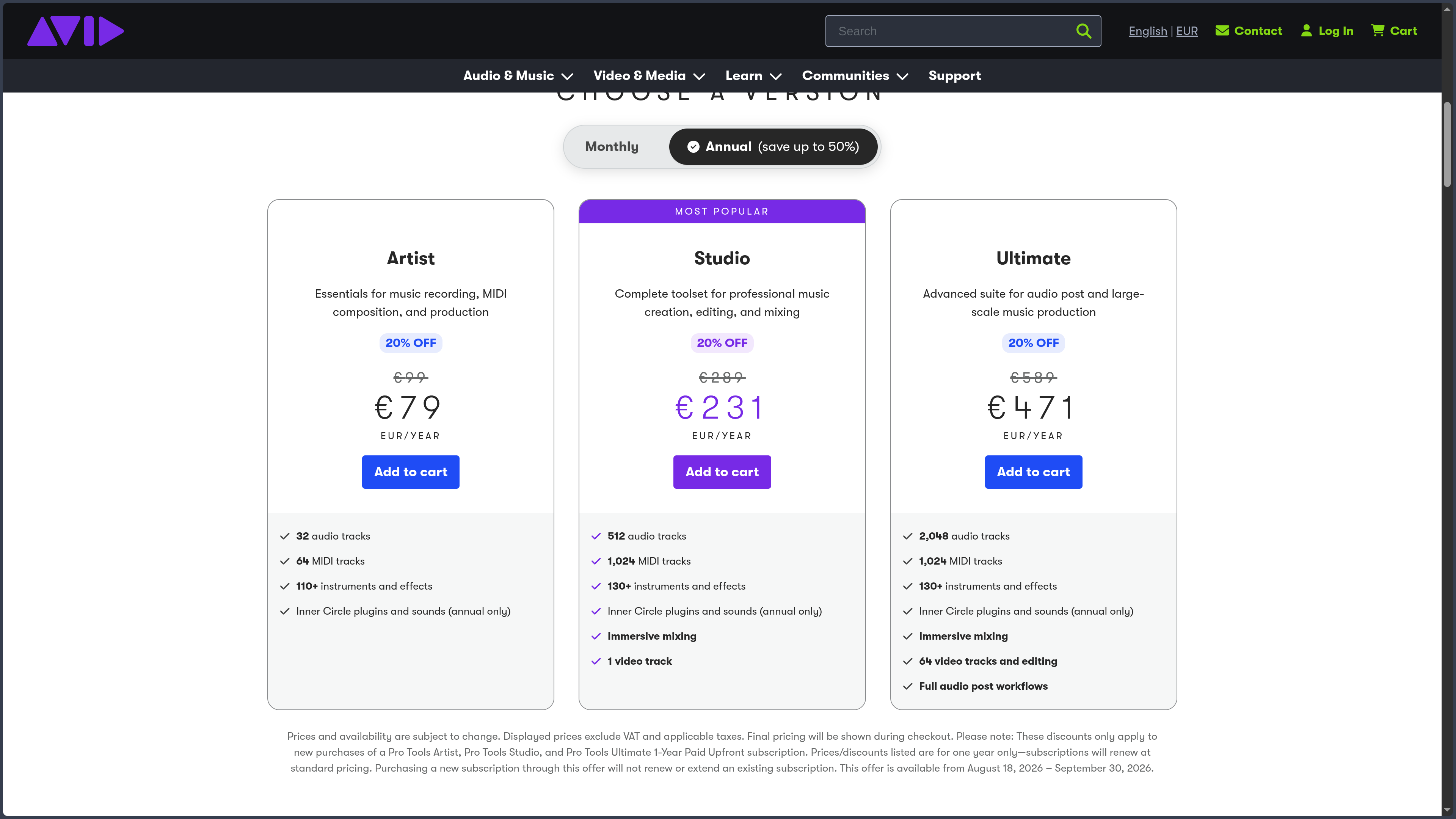
The current range is divided into Pro Tools Intro, Artist, Studio and Ultimate. Intro provides a free entry point with limits suited to small projects. Artist targets lighter music creation, Studio greatly expands track, recording and mixing capabilities, while Ultimate is aimed at large productions and advanced audio post-production. This hierarchy matters in practice: the chosen edition determines both the scale of the sessions and access to certain video, immersive sound and professional workflow functions.
Features
Recording without losing takes
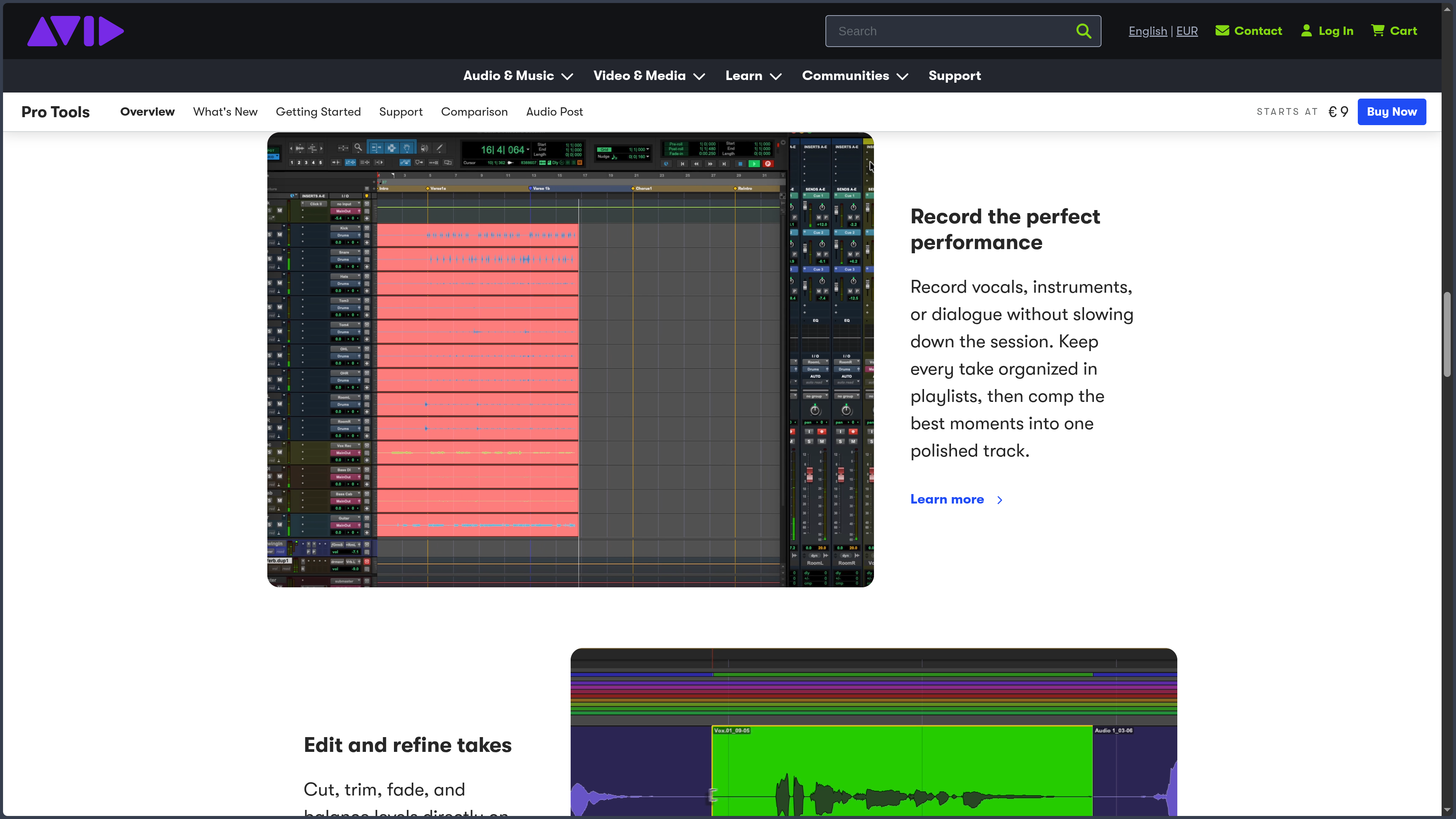
Recording is one of the areas where Pro Tools most clearly shows its studio heritage. A single track can hold several Playlists, allowing different takes of a passage to be recorded without creating a disorderly succession of additional tracks. Every attempt remains accessible and can be listened to or compared later.
Comping then consists of selecting the best portions of these takes to build a final performance. One vocal phrase may come from the first attempt, the next from another, while a successful instrumental section remains untouched. Loop recording and punch-in functions complement this logic when a musician wants to repeat a section or correct only a precise passage.
This method becomes particularly effective in sessions involving vocals, acoustic instruments or several musicians recorded simultaneously. The software does not simply try to capture sound: it organizes the different versions of a performance so that the selection stage remains manageable.
Editing directly on the timeline
Audio editing is built around several modes that determine how clips move and align. Slip allows free movement, Grid constrains clips to a time grid, Shuffle automatically closes or opens gaps, while Spot allows an element to be placed precisely at a specified time value.
These modes become especially useful when a project combines music editing, dialogue, sound effects and synchronization constraints. The Smart Tool also combines several common operations — selection, cutting, trimming and fades — by changing its behavior according to the cursor position. With practice, a large part of the editing process can therefore be handled directly inside the Edit Window without constantly switching between tools.
Clip Gain makes it possible to correct the level of a passage before it even reaches the mix faders. A vocal phrase that is too quiet or an impact that is too loud can be balanced directly on the clip, avoiding the use of automation or compression to solve a problem that first belongs to the editing stage.
Correcting timing, pitch and performances
Elastic Audio makes it possible to stretch or compress a performance in time without having to re-record it. A slightly uneven drum performance can be tightened, a sample adapted to the project tempo or individual attacks moved more precisely.
Pitch correction tools can also work on notes or sections of clips. Pro Tools also supports ARA 2 integrations with several specialized applications, bringing tasks such as vocal correction, restoration or spectral editing closer to the main session.
This integration matters in a professional workflow: a vocal can be recorded, cleaned, corrected, edited and mixed without having to multiply intermediate exports. The software remains the center of the project while specialized tools work directly on the relevant clips.
Composing with MIDI and virtual instruments
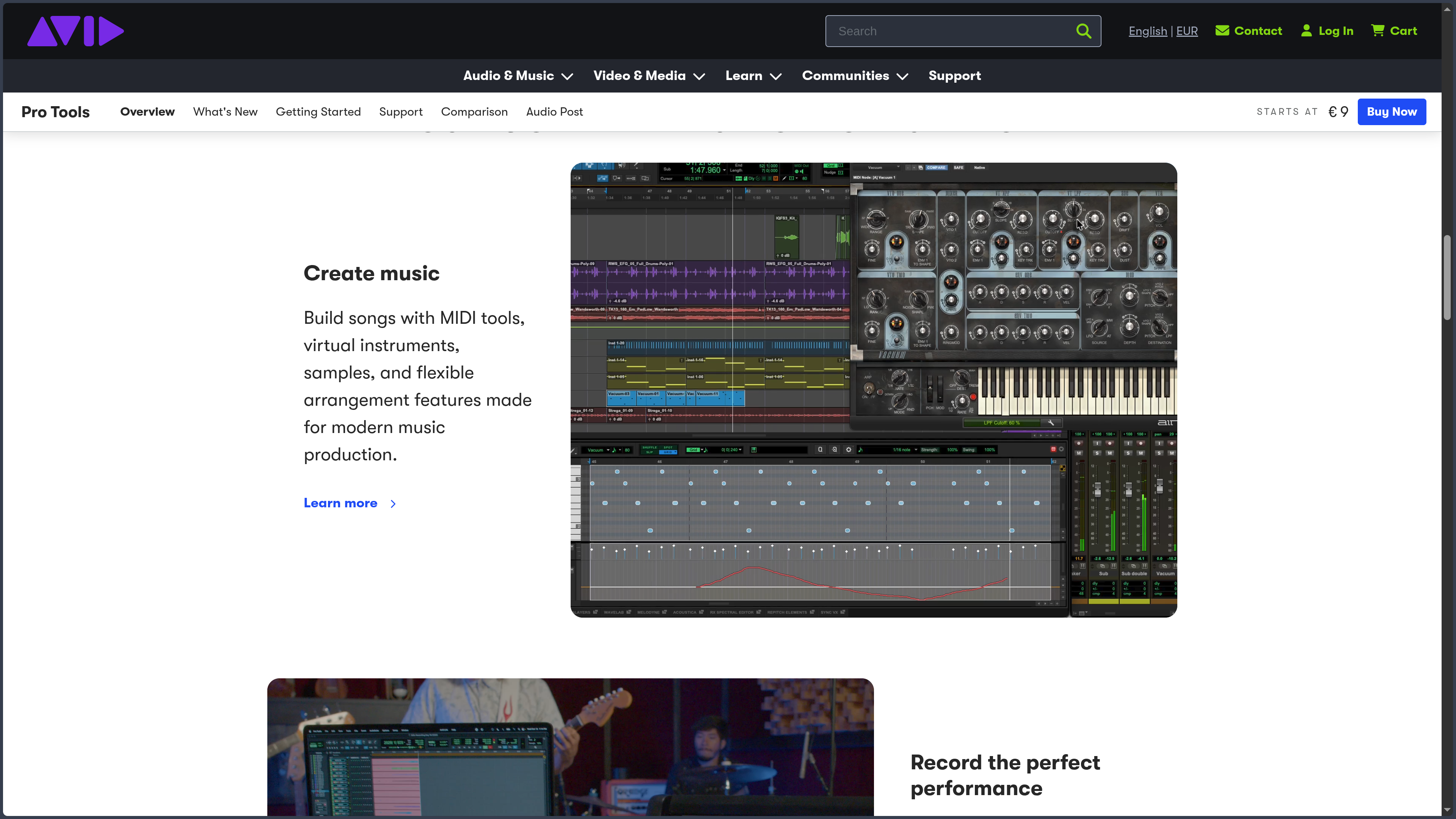
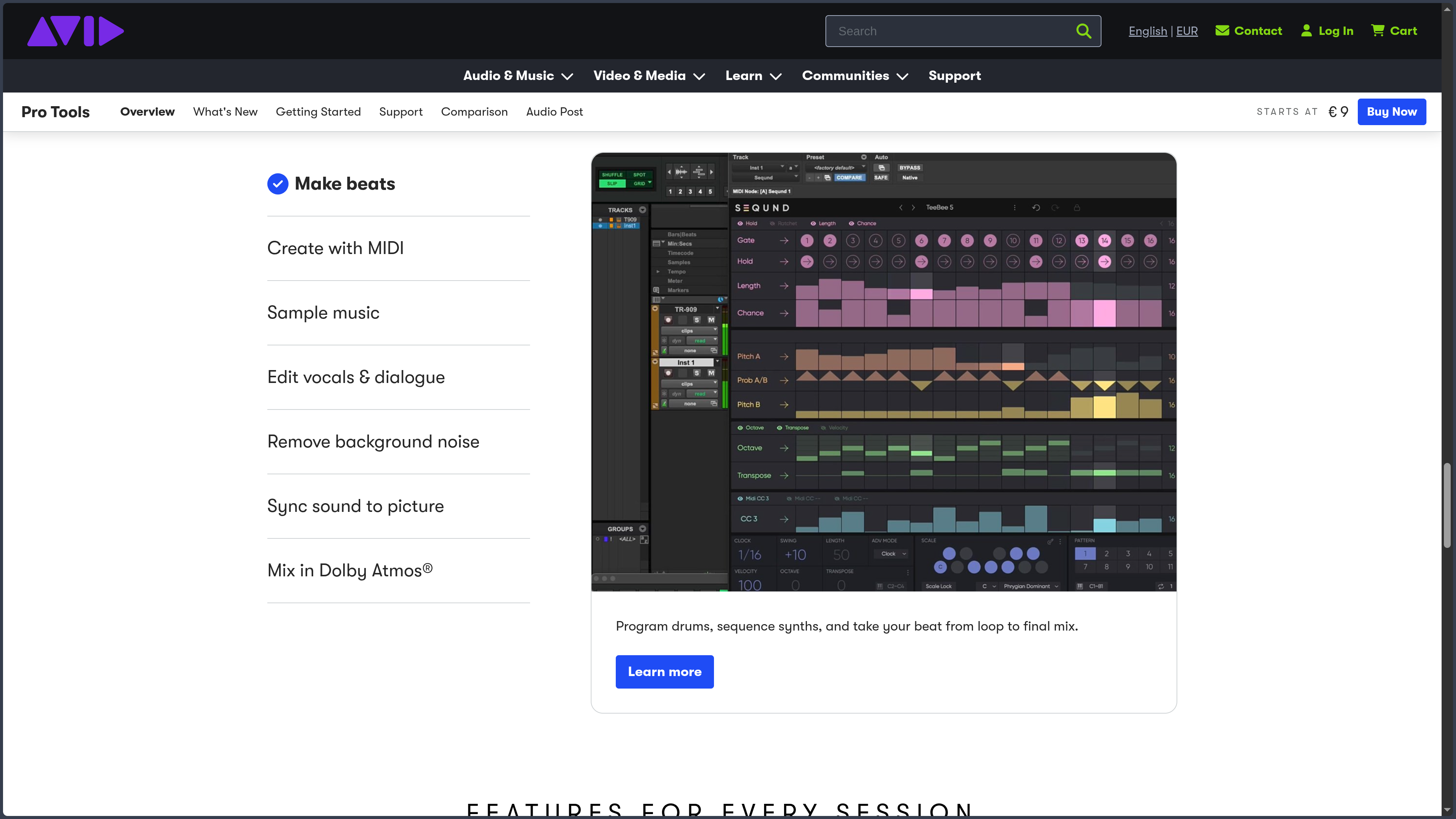
Pro Tools includes MIDI and Instrument tracks for programming synthesizers, samplers, virtual drums and other instruments. The MIDI editor provides access to notes, velocities and various control data, while MIDI Effect Plugins can generate or transform certain musical information, including chords, arpeggios and velocity variations.
The software can also convert certain audio performances into MIDI data. A recorded melodic or rhythmic line can therefore become the starting point for a virtual instrument, sound replacement or an additional production layer.
These possibilities make Pro Tools fully capable of building an entirely virtual production. Its workflow nevertheless remains more conventional than that of DAWs whose entire interface is designed around quickly generating patterns or scenes. Here, MIDI follows the same linear session logic as audio.
Mixing small productions and large sessions
The Mix Window follows the structure of a console with tracks, inserts, sends, buses, groups, panning and automation. This organization makes it possible to build simple routing for a song as well as much more complex architectures with subgroups, parallel processing and multiple output destinations.
Automation can control levels, panning and plug-in parameters over time. It becomes particularly important when a mix contains many changes or when an audiovisual project must follow events on screen precisely.
Pro Tools Studio and Ultimate also support immersive mixing workflows, including Dolby Atmos. Rendering and spatial placement can remain integrated into the session rather than being handled only in an external application. This capability extends the software beyond traditional stereo mixing, both for music and audiovisual production.
Working with the AAX ecosystem and Avid hardware
Pro Tools uses the AAX plug-in format. AAX Native plug-ins are processed by the computer's CPU, while compatible systems such as Pro Tools HDX can use AAX DSP versions running on dedicated hardware. AudioSuite processing, meanwhile, allows certain effects to be applied directly to the file instead of being calculated in real time.
This architecture creates a close relationship between the software and Avid's professional ecosystem. EUCON-compatible control surfaces, Carbon interfaces and HDX systems can extend Pro Tools into much larger studio configurations.
It also imposes an important difference compared with several other DAWs: the Pro Tools plug-in ecosystem is built around AAX. When a third-party plug-in is already part of an existing workflow, it is therefore important to check that its developer provides an AAX version.
Moving from music production to post-production
Pro Tools Studio and Ultimate can link audio with video and work with timecode, making it possible to edit or synchronize music, dialogue and effects precisely to picture.
Ultimate pushes this orientation much further with more video tracks and functions designed for large post-production workflows. Projects can then bring dialogue, ambience, Foley, music and multiple versions of elements together inside a single large session.
This capability explains why Pro Tools is not limited to being music software. The same precise editing approach used to rebuild a vocal take becomes particularly effective when hundreds of dialogue and effects clips must be edited for an audiovisual production.
Use Cases
Recording and producing a band
A session can bring together a drum kit captured with several microphones, bass, guitars, keyboards and vocals. Pro Tools can record these sources simultaneously, preserve several takes and maintain their organization without constantly duplicating the project.
Once recording is complete, Playlists and comping are used to build the final performances. Editing, level corrections and timing adjustments can be carried out before moving on to mixing, while the original takes remain available if a decision needs to be reconsidered.
Producing and editing vocals
A vocal can be recorded in several passes, assembled through comping and then cleaned phrase by phrase using the editing tools and Clip Gain. Pitch or timing can then be corrected when necessary, while dynamics processing, equalization and effects are handled during mixing.
This workflow suits a song just as well as voice-over, podcast or dialogue production. The common point remains the ability to work precisely on a large amount of recorded material without losing the structure of the session.
Mixing a complex music project
When a production begins to accumulate drums, instruments, doubles, backing vocals, effects and automation, the difficulty is no longer simply having enough tracks. They must also be organized, routed and easy to locate when a change is required.
Buses, groups, parallel processing and automation tools allow Pro Tools to retain a console-like logic even when the session becomes large. Studio already offers more than enough capacity for many music productions, while Ultimate is aimed at configurations that exceed the usual needs of a home studio.
Working on sound for film or television
A video sequence can be imported to edit dialogue, place sound effects, build ambience and synchronize music to picture. Timecode and precise editing modes make frame-accurate movement easier when sound must match a specific visual event.
On larger productions, Ultimate extends this logic to much more complex sessions and multiple video tracks. Pro Tools then becomes less a simple music DAW and more a complete audio editing and mixing workstation for picture.
Conclusion
Pro Tools is not necessarily the DAW that turns a musical idea into a loop or pattern the fastest. Its strength lies elsewhere: in controlling recorded material and maintaining continuity between recording, editing, correction and mixing. When several performances need to be compared, dozens of tracks must remain organized or editing needs to be carried out with great precision, its approach becomes particularly coherent.
This philosophy also explains its long-standing presence in studios and post-production. The tools are not designed only to produce sound; they are built to manage sessions in which takes, versions, routing and corrections can quickly multiply.
Pro Tools has nevertheless opened up more to MIDI composition, virtual instruments, sampling and modern production workflows. It can therefore perfectly serve as the main DAW for creating a song from scratch. But someone whose work relies mainly on clip-based improvisation or rapid pattern programming may find Ableton Live or FL Studio more immediate at first.
The choice becomes especially relevant for users who prioritize recording, audio editing, mixing, vocal work, large sessions or picture-based post-production. In these situations, the sometimes intimidating depth of Pro Tools stops feeling like an accumulation of features and becomes a genuine working tool.
Points to Consider
-
The editions cover very different needs: Intro is free but limited, Artist targets relatively compact projects, Studio significantly expands production capabilities and notably adds video and immersive workflows, while Ultimate is intended for large sessions and advanced post-production.
-
The business model combines subscriptions and perpetual licenses: Artist, Studio and Ultimate are offered as subscriptions, but Avid also sells perpetual licenses through authorized resellers. A perpetual license continues to work after its update plan expires, but access to new versions requires renewing that plan.
-
License management relies on iLok: Pro Tools licenses use iLok License Manager and can be activated in iLok Cloud or on a physical iLok USB key. Cloud avoids the dongle but requires an active online session; the physical key remains useful for working without depending on a permanent connection.
-
The plug-in format is AAX: Pro Tools uses AAX Native and, on some Avid systems, AAX DSP. It is important to check that an AAX version exists when a workflow depends on third-party plug-ins previously used in other formats.
-
The official system requirements are demanding: Avid currently lists 16 GB of RAM for Pro Tools 2026.4 and recommends a qualified configuration. Large sessions, virtual instruments, libraries and immersive mixing can require substantially more resources.
-
Windows and macOS only: current versions of Pro Tools are officially qualified on Windows 11 and several recent versions of macOS. Linux is not a supported platform.
-
Some important functions only appear with Studio or Ultimate: video capabilities, track counts, immersive mixing and several post-production functions vary significantly depending on the edition. For a specific professional project, these limits should be compared before choosing a license.
-
The Avid ecosystem can be both a strength and a commitment: Pro Tools can work as a native DAW with standard audio hardware, but its deepest integrations appear with EUCON surfaces, Carbon or HDX systems. These configurations add capabilities while also significantly increasing cost and dependence on the ecosystem.