
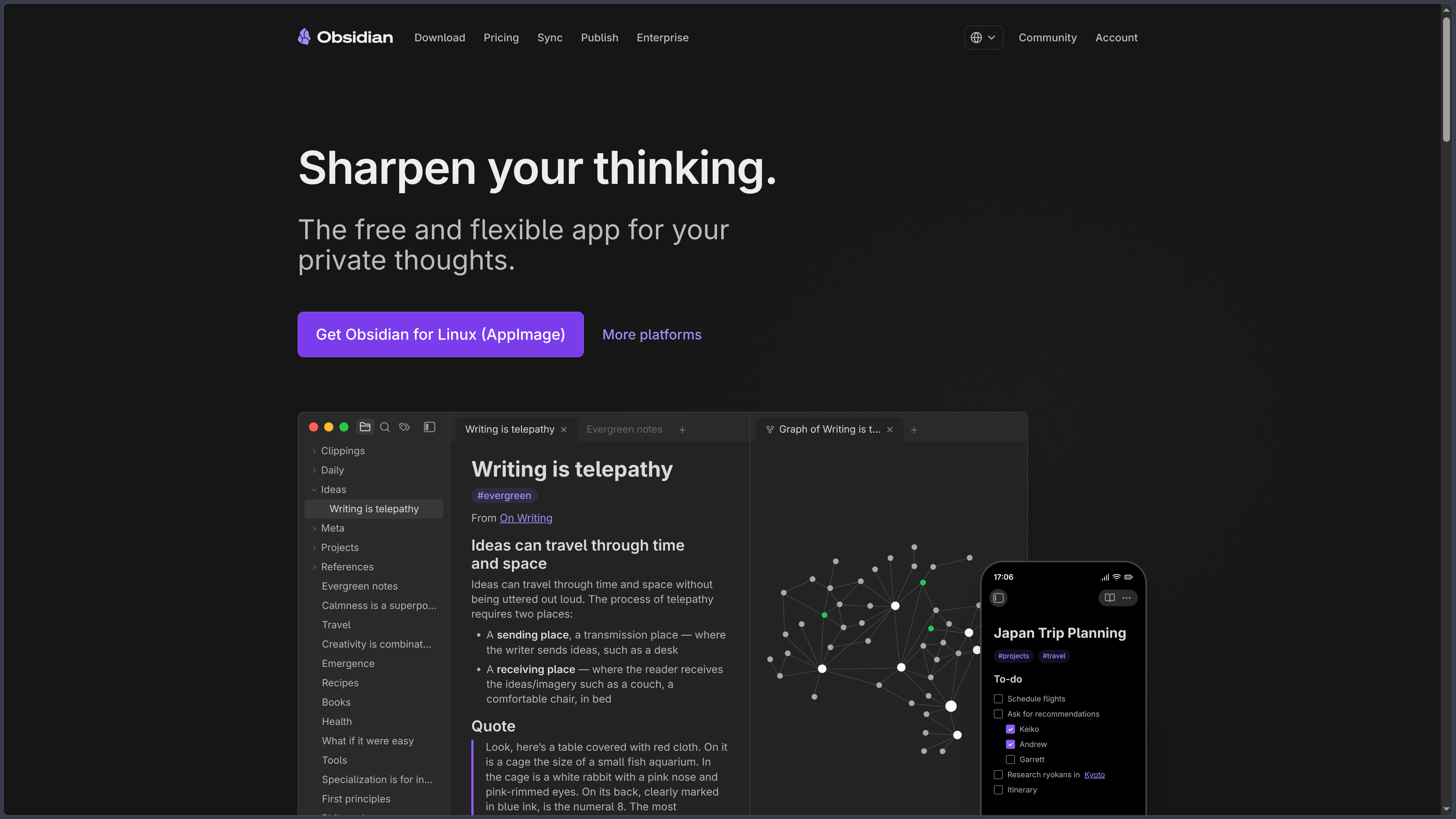
Presentation
Obsidian is a local-first note-taking and knowledge-management application developed by Dynalist Inc.
Its operation is mainly based on Markdown files stored directly on the user's device. A collection of notes is grouped inside a vault, which essentially corresponds to a folder containing the files and their configuration.
This architecture avoids locking content into a proprietary database: notes remain accessible with other editors and can be backed up, moved or version-controlled independently of Obsidian.
The application adds links between notes, backlinks, knowledge graphs, structured properties, Bases, Canvas, search, themes, plugins and automation tools to this foundation.
Obsidian is available on Windows, macOS, Linux, Android, iPhone and iPad. No account is required to download the application or use its local features.
Features
Markdown and local storage
The main notes are stored as Markdown .md files in the file system.
Obsidian provides a Live Preview mode that displays formatting while keeping Markdown syntax accessible during editing.
This approach improves content durability: even without Obsidian, the files remain readable with many Markdown-compatible text editors.
Local data is not automatically sent to Obsidian servers.
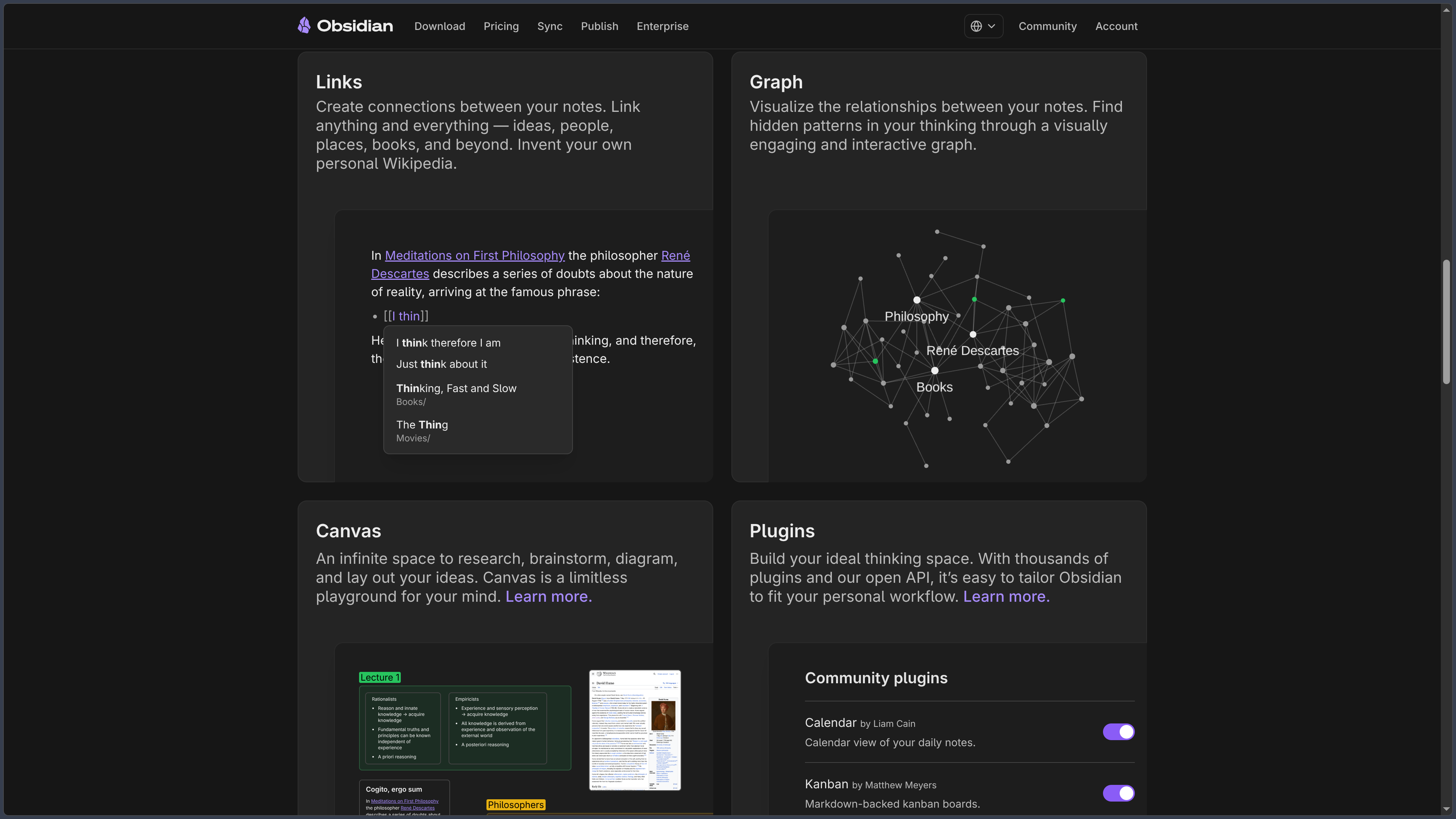
Links, backlinks and graph view
Obsidian makes it easy to create internal links between notes, notably with the [[Note name]] syntax.
Backlinks display other notes that refer to the current document, as well as certain unlinked mentions.
The graph view visually represents notes as nodes and their links as connections.
A local graph can also restrict the display to notes close to the document currently being viewed.
Properties
Properties make it possible to add structured metadata to notes.
A note can therefore receive fields corresponding, for example, to a status, date, tags, category or other information suited to the project.
The Properties view makes it easier to find properties used throughout the vault and manage them.
This data remains stored with the Markdown files.
Bases
Bases makes it possible to create database-like views from notes and their properties.
Files can be sorted, filtered, grouped and presented through different views without moving their data into a separate proprietary database.
A Base can, for example, be used to organize a library, projects, reading list, research or catalog.
The data remains contained in the local Markdown files, while the definition of a Base can be stored in a .base file.
Canvas
Canvas provides a freeform visual space for arranging and connecting notes, text, images, PDFs, media or Web pages.
Elements can be moved, grouped and linked together in order to represent an idea, project or concept map.
Canvases are stored using the open JSON Canvas format in .canvas files.
This feature complements the linear organization of notes with a more spatial approach.
Search and organization
Obsidian includes a search engine for finding text, paths, properties, tags and different structures within the vault.
The file explorer simultaneously preserves a traditional folder-based organization.
Bookmarks, tags, outline, daily notes, templates and the command palette complement the navigation tools available in the core application.
Plugins
Obsidian has a large ecosystem of community plugins.
They can add new formats, organization methods, calendars, task management, automation, external integrations or specialized features.
Community plugins nevertheless execute third-party code on the device. Obsidian therefore uses a restricted mode and requires users to explicitly enable their use.
Plugins have their own developers, licenses and maintenance cycles.
Customization
The interface can be customized with themes, CSS snippets, keyboard shortcuts, panels and plugins.
Unnecessary features can be disabled in order to keep a relatively simple environment, while advanced users can transform their workspace extensively.
This modularity explains why Obsidian can serve both as a simple notebook and as a much more complex knowledge-management system.
Obsidian CLI
Obsidian also provides a command-line interface on Windows, macOS and Linux.
The CLI allows external scripts and tools to interact with an Obsidian vault from the terminal.
It notably enables automation and the use of agentic tools capable of creating, reading or modifying content inside the vault.
This feature must be enabled from the desktop application's settings.
Obsidian Sync
Obsidian Sync is the official synchronization service between devices.
A local copy of the vault remains present on each device while a remote vault handles synchronization.
End-to-end encryption is enabled by default: in this configuration, Obsidian states that it cannot read synchronized data.
Sync also adds version history, deleted-file recovery, selective synchronization and shared vaults.
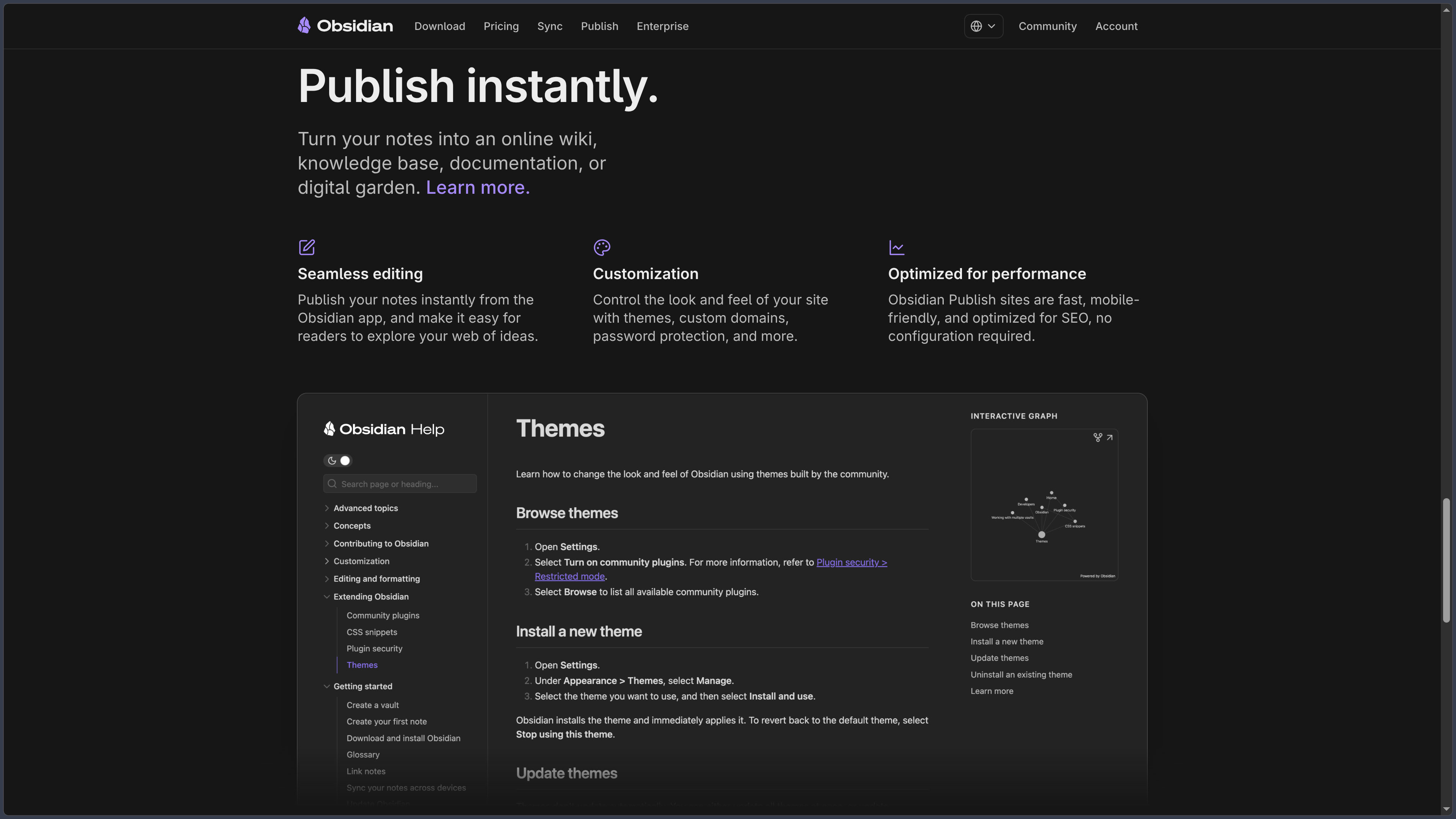
Obsidian Publish
Obsidian Publish makes it possible to turn selected notes into a website.
The service can be used to publish documentation, a wiki, knowledge base or digital garden.
Sites can preserve several Obsidian-specific characteristics such as backlinks, navigation between notes or graph view.
Publish is a separate service from local storage and Sync.
Use cases
Build a personal knowledge base
Links, backlinks, properties and graphs make it possible to progressively connect ideas, research and references.
Users can keep this knowledge base for years without depending on a closed data format.
Take notes and write
Obsidian is suitable for daily notes, research, journals, documentation and writing projects.
Markdown provides a relatively simple structure while supporting headings, lists, tables, links, code and formulas.
Organize projects
Properties and Bases make it possible to structure notes according to a status, date, category or other criteria.
Canvas can then complement this organization when a visual representation is more appropriate.
Work entirely locally
Obsidian can be used without an account and without any cloud service.
Vaults can therefore remain only on storage media chosen by the user, who can set up their own backup or synchronization strategy.
Create a highly customized environment
Community plugins and themes make it possible to adapt Obsidian to very different workflows.
This extensibility is particularly suited to users who prefer building their own system rather than following an imposed organization.
Conclusion
Obsidian combines local storage, Markdown and networked knowledge in a highly flexible application.
Its main advantage lies in the control given to the user: notes remain simple files, the application works offline, and Sync or Publish only become necessary when those services genuinely meet a need.
Backlinks, graph view, Properties, Bases and Canvas progressively enrich this foundation without abandoning the local-first principle.
The plugin ecosystem makes it possible to go much further, at the cost of additional complexity and the need for caution regarding third-party code.
For building a durable note-taking and knowledge system whose files remain under the user's control, Obsidian is one of the major references in the field.
Points to consider
-
Obsidian is free for all uses, including personal, commercial, nonprofit, educational and government use.
-
The Commercial license at $50 per user per year is optional. It mainly serves organizations that want to financially support Obsidian's development.
-
Obsidian is not open source. The application is proprietary even though it relies heavily on open formats and has a plugin ecosystem.
-
The main notes use local Markdown files, which greatly reduces dependence on the application.
-
Canvas uses the open JSON Canvas format.
-
Bases keeps data inside Markdown notes and their properties, rather than in a proprietary remote database.
-
No Obsidian account is required to use the local application. An account becomes necessary to purchase or use certain services such as Sync, Publish or optional licenses.
-
Obsidian Sync is optional. Other synchronization methods can be used, including certain cloud services, Syncthing or Git depending on the platforms and requirements.
-
Sync Standard currently costs $4/user/month billed annually or $5 monthly. It includes one synchronized vault, 1 GB of storage and one month of version history.
-
Sync Plus currently costs $8/user/month annually or $10 monthly. It notably includes up to ten vaults, 10 GB of storage and twelve months of version history.
-
Obsidian Publish currently costs $8/site/month annually or $10 monthly.
-
The Catalyst license costs $25 as a one-time payment and notably provides early access to beta releases.
-
As of October 4, 2026, the public desktop branch is 1.13.7 and the public mobile branch is 1.13.8. Obsidian 1.14.4 already exists but remains a Catalyst early-access release.
-
Obsidian Sync's end-to-end encryption does not encrypt the local vault itself. Protection of files stored on the device therefore also depends on the operating system and disk encryption.
-
Losing the end-to-end encryption password may make the remote vault unrecoverable. Obsidian cannot restore this key for the user.
-
Community plugins execute third-party code. They should be installed carefully, especially when the vault contains sensitive information.
-
Obsidian does not provide a true Web application for normally editing a vault from a browser. Publish is intended for publishing content and Sync for synchronizing installed applications.
-
Obsidian CLI can give scripts or agentic tools access to the vault. Permissions granted to these tools should therefore be controlled with the same care as plugins.