
Overview
Node.js is an open-source, cross-platform JavaScript runtime that makes it possible to execute JavaScript outside the browser. It is especially used to build Web servers, APIs, command-line tools, automation scripts, network services and development infrastructure.
The runtime is based on V8, the JavaScript engine also used by Chromium. Node.js adds a large set of system APIs that do not exist in the JavaScript language itself: filesystem access, TCP and HTTP networking, processes, operating system information, cryptography, streams, workers and execution of external programs.
Node.js is especially known for its asynchronous, event-driven model. Rather than systematically assigning one thread to each network connection, it relies on an event loop and libuv to orchestrate many concurrent operations with relatively few threads.
This architecture is particularly well suited to applications performing a large amount of input/output: HTTP servers, APIs, WebSockets, network access, files or communication with databases. Very CPU-intensive calculations, however, require special attention to avoid blocking the event loop.
Node.js also plays a central role in the modern Web development ecosystem. Many frameworks, bundlers, compilers, site generators and front-end development tools themselves run on Node.js, even when the final application is intended to execute inside a browser.
The runtime supports the two major module systems of the JavaScript ecosystem: ECMAScript Modules — ESM, using import and export, and CommonJS, historically using require() and module.exports.
Its ecosystem is strongly connected to npm, which makes it possible to install and publish JavaScript packages. The verified Current distribution, Node.js 26.8.2, is currently provided with npm 11.19.1.
Node.js now also includes many features that previously required external libraries: fetch(), WebSocket, Web Streams, a test runner, a permission model, lightweight TypeScript support and even an integrated SQLite module that is still progressing toward full stability.
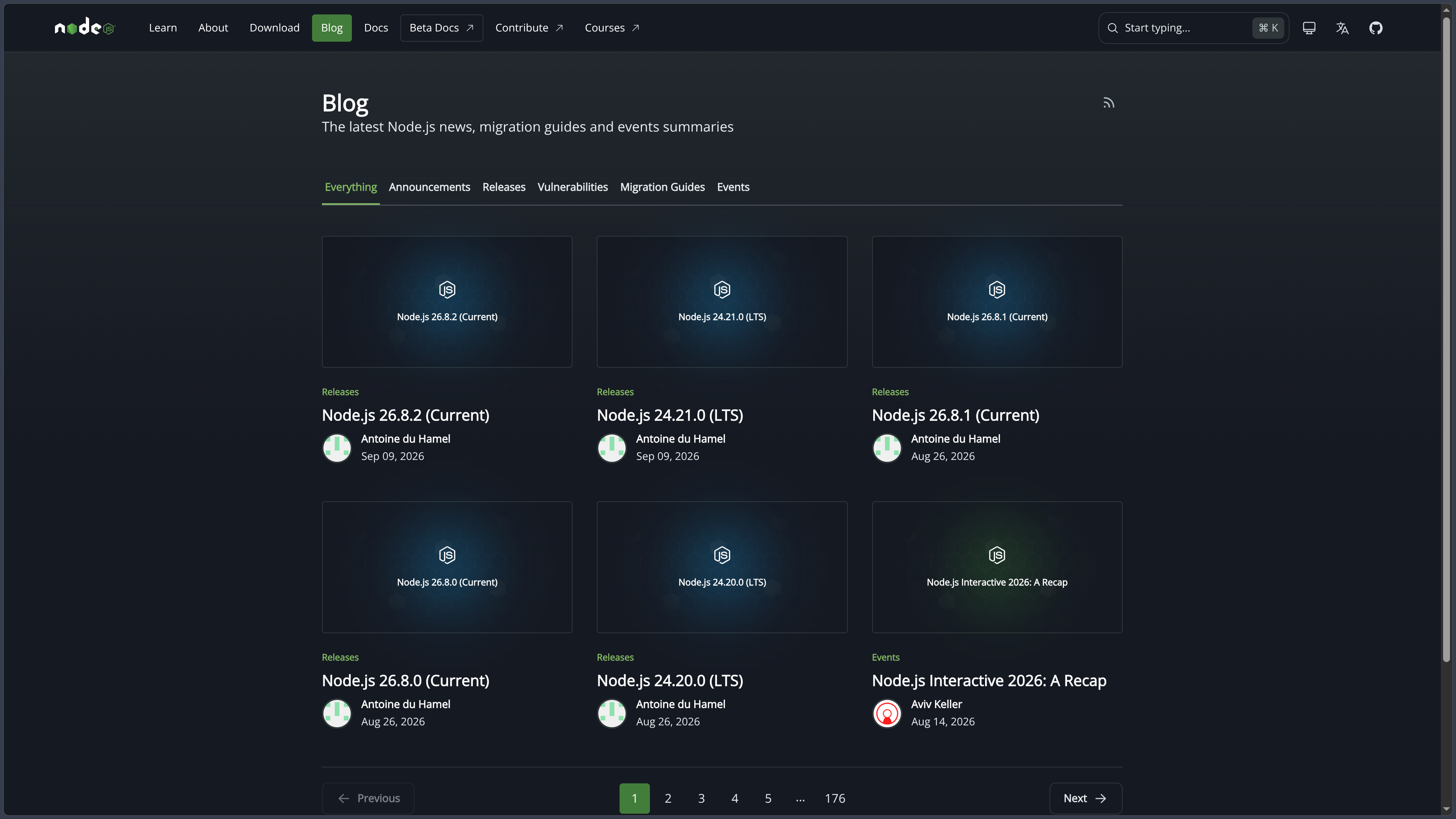
At the time of this verification, the latest published release is Node.js 26.8.2 — Current. The latest LTS release is Node.js 24.21.0 — Krypton. For production applications, the Node.js project recommends using a still-supported LTS branch rather than the Current branch.
Features
A JavaScript runtime built around V8
Node.js uses V8 to parse, compile and execute JavaScript code.
The engine supports modern ECMAScript language features and evolves as Node.js adopts new V8 releases.
Node.js 26 notably uses V8 14.6 at the launch of its major branch and enables certain language features by default, such as Temporal, the new JavaScript API designed to better handle dates, times, time zones and durations.
The role of Node.js nevertheless goes beyond that of the JavaScript engine.
It adds the APIs required to turn JavaScript into a genuine system runtime: files, networking, processes, cryptography, threads, terminal access and many other services.
Event loop and asynchronous model
The Node.js architecture mainly relies on an event loop responsible for executing JavaScript code and processing callbacks associated with events.
Long input/output operations therefore do not necessarily need to block this loop.
Node.js notably relies on libuv, which provides the event loop and a cross-platform abstraction for many system operations.
Certain tasks also use a Worker Pool, including several operations related to the filesystem or cryptography.
This architecture allows a single Node.js process to handle a large number of simultaneous connections as long as each JavaScript task remains relatively short.
It nevertheless comes with an important rule: a CPU-intensive calculation running too long directly on the event loop can slow down the entire server.
Code should therefore avoid expensive synchronous processing in the middle of a heavily used server, or move major calculations to suitable workers or processes.
Built-in HTTP and networking
Node.js directly provides the modules required to build network servers.
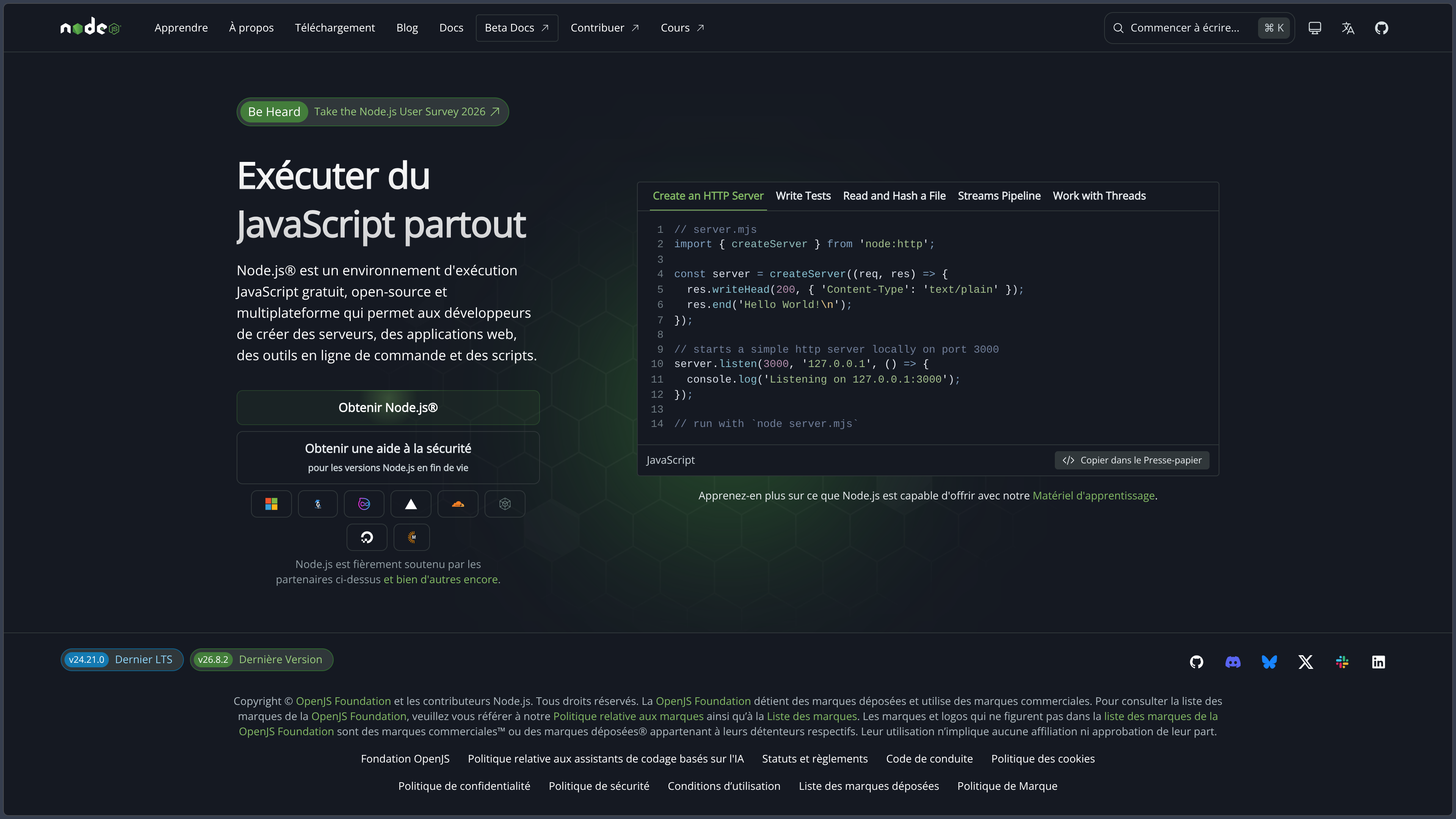
The node:http module can create an HTTP server without installing an external framework.
node:https adds TLS support for HTTPS.
The runtime also includes lower-level modules for TCP, UDP, DNS and TLS.
Frameworks such as Express, Fastify or NestJS can then provide a more comfortable architecture on top of these primitives.
This ability to directly manage networking explains much of Node.js’s historical success on the server side.
fetch(), WebSocket and browser-like APIs
Node.js has progressively integrated several Web APIs that are also available in browsers.
fetch() is now stable and can perform HTTP requests without systematically installing an additional library.
Its implementation relies on Undici, the HTTP client developed for the Node.js ecosystem.
The runtime also provides Web-compatible objects such as:
Headers;Request;Response;FormData;AbortController;URL;URLSearchParams;- Web Streams.
WebSocket is also available natively and has been stable since Node.js 22.4.
This convergence with Web standards makes it easier to share some code between browser and server, although the two environments still retain many differences.
Filesystem, paths and system information
Node.js can directly access the filesystem through node:fs.
It can notably:
- read and write files;
- create or remove directories;
- retrieve metadata;
- work with permissions;
- watch certain changes;
- create read or write streams.
Most important operations provide asynchronous variants.
node:fs/promises provides a Promise and async/await based interface.
node:path can manipulate paths without manually dealing with separator differences between Windows and Unix systems.
Other built-in modules provide access to operating system information, environment variables, process arguments and runtime information.
ECMAScript Modules and CommonJS
Node.js currently has two main module systems.
CommonJS is the historical Node.js model, using require() and module.exports.
ECMAScript Modules are the modern JavaScript standard using import and export.
A project can notably identify its format with:
- the
.mjsextension for ESM; - the
.cjsextension for CommonJS; - the
"type": "module"or"type": "commonjs"field inpackage.json.
Node.js now provides substantial interoperability between the two systems.
New projects can therefore use ES modules directly while continuing to rely on much of the historical CommonJS ecosystem.
This coexistence can nevertheless still cause configuration issues, especially in packages that need to work simultaneously with several tools or Node.js versions.
npm and package management
Node.js is closely associated with npm, the historical package manager of its ecosystem.
A Node.js project generally uses a package.json file to declare:
- name and version;
- dependencies;
- scripts;
- module type;
- version constraints;
- package metadata.
npm install retrieves the required dependencies.
npm scripts can then automate tests, builds, linters, migrations or other project commands.
The npm ecosystem contains an extremely large number of packages covering almost every area of JavaScript development.
This richness is a major strength of Node.js, but also means dependencies, licenses, maintenance and vulnerabilities need to be monitored.
Lightweight native TypeScript execution
Node.js now includes native TypeScript support through type stripping.
This feature is stable in recent versions and enabled by default.
Node.js can directly execute TypeScript files that only use type syntax that can be removed without generating additional JavaScript.
The runtime essentially replaces type annotations with spaces and then executes the remaining JavaScript.
It is important to understand the limitations of this feature:
- Node.js does not type-check;
tsconfig.jsonis ignored by this mode;- TypeScript
pathsaliases are not transformed; .tsxfiles are not supported;- certain constructs requiring JavaScript transformation, such as
enum, do not work with simple type stripping; - type-only imports need to correctly use
import type.
To benefit from all TypeScript features, type checking and tsconfig configuration, using the TypeScript compiler or an appropriate tool such as tsx remains preferable.
The built-in Node.js support is therefore mainly intended to run lightweight TypeScript directly, not replace the complete TypeScript toolchain.
Streams for progressive data processing
Streams are a central Node.js primitive.
Instead of loading an entire file or network response into memory, an application can process data progressively.
Node.js mainly distinguishes:
Readable;Writable;Duplex;Transform.
A file read from disk, an HTTP request, a server response, a TCP socket or standard output can all be represented as streams.
This architecture is particularly useful for:
- large files;
- uploads;
- downloads;
- compression;
- network proxies;
- data transformations.
stream.pipeline() simplifies chaining several stages while correctly handling errors and stream closure.
Node.js also supports interoperability with the Web Streams used by modern Web standards.
Worker Threads for CPU-intensive work
The node:worker_threads module makes it possible to run JavaScript in parallel across several threads.
Workers are mainly useful for CPU-intensive operations.
They can share certain data through SharedArrayBuffer or transfer ArrayBuffer objects.
For conventional input/output operations, Node.js native asynchronous APIs are generally more suitable than creating workers.
The typical approach is therefore to reserve the event loop for network operations and move expensive calculations to a pool of Worker Threads.
Child processes and parallel execution
Node.js can also launch other processes through node:child_process.
This API can notably:
- execute a system command;
- launch an external program;
- create a child Node.js process;
- exchange messages between processes.
Processes provide stronger isolation than Worker Threads but generally consume more resources.
The historical cluster module can also use several Node.js processes sharing server ports to take advantage of multiple CPU cores.
Depending on the modern architecture selected, this distribution can also be handled by an orchestrator, container platform or external load balancer.
Built-in test runner
Node.js has its own test runner through the node:test module.
It has been stable since Node.js 20.
It can write and execute tests without requiring Jest, Mocha or another external solution.
The runner notably supports:
- synchronous and asynchronous tests;
describe()andit();- setup and cleanup hooks;
- subtests;
- skipped or TODO tests;
- mocks;
- filtering;
- command-line execution.
The node --test command can automatically locate and execute files matching recognized test conventions.
Specialized libraries remain useful for some projects, but Node.js now provides a solid testing foundation directly in the runtime.
Permission Model
Node.js provides a stable Permission Model that can restrict certain process capabilities.
When enabled with --permission, access to different resources can be denied by default and then explicitly allowed.
Restrictions can notably cover:
- file reading and writing;
- networking;
- child processes;
- Worker Threads;
- native addons;
- inspector;
- WASI;
- FFI.
An audit mode can also report violations without blocking them.
The Node.js project nevertheless clearly states that this mechanism is a seat belt for trusted code, not a sandbox designed to neutralize deliberately malicious code.
The Permission Model should therefore complement a security architecture rather than replace it.
SQLite directly inside Node.js
Node.js now includes the node:sqlite module.
It allows SQLite databases to be used directly from the runtime without necessarily installing an external binding.
The API notably supports opening a database, preparing statements and manipulating common SQLite types.
In Node.js 26.8.2, this module is still classified as Release Candidate and has therefore not yet reached the fully stable level of long-established APIs.
This feature nevertheless illustrates Node.js’s evolution toward a runtime that directly includes more application building blocks.
Cryptography and security
The node:crypto module provides cryptographic functions relying notably on OpenSSL.
It can work with:
- hashes;
- HMAC;
- encryption;
- decryption;
- signatures;
- key generation;
- key derivation;
- certificates;
- secure random numbers.
Node.js also exposes an implementation of the Web Crypto API to better align with Web standards.
These tools are particularly useful for authentication, tokens, data integrity and secure communications.
Cryptographic primitives nevertheless need to be used with suitable algorithms and parameters: having access to a crypto API does not guarantee that an application implementation is secure.
Native addons and Node-API
Node.js can be extended with native code.
Node-API provides an interface for building native addons while reducing direct dependency on a particular V8 engine version.
This approach is used by some libraries that require native performance, access to an existing C/C++ library or system functionality that is not directly available from JavaScript.
Developing native addons remains more complex than a conventional JavaScript package and often requires a specific compilation toolchain depending on the operating system.
For many uses, WebAssembly also provides another way to integrate compiled code into a Node.js application.
Diagnostics and performance tools
Node.js provides several built-in tools for investigating application behavior.
The inspector can notably connect compatible development tools through the DevTools protocol.
The runtime also provides APIs for:
- performance timing;
- heap and memory;
- diagnostics channels;
- diagnostic reports;
- tracing;
- V8 profiling.
These features become important when a server application has a memory leak, excessive CPU usage or latency that is difficult to reproduce.
Current and LTS releases
Node.js distinguishes several release phases.
The Current branch receives the newest features.
LTS — Long-Term Support releases are intended for applications requiring greater stability and maintenance.
As of September 13, 2026:
| Branch | Status | Verified version |
|---|---|---|
| Node.js 26 | Current | 26.8.2 |
| Node.js 24 — Krypton | LTS | 24.21.0 |
| Node.js 22 — Jod | LTS | 22.23.2 |
Node.js 26 is scheduled to enter LTS in October 2026.
The project recommends using a still-supported Active LTS or Maintenance LTS release in production.
EOL versions no longer receive normal public maintenance and should be upgraded.
The schedule will also change starting with Node.js 27, with a new annual major-release cadence.
Use cases
Building a Web API
Node.js can receive HTTP requests, query a database and return JSON to a Web or mobile client.
It can be used directly with node:http, although most projects adopt a framework such as Express, Fastify or NestJS to structure routes, middleware and validation.
Its asynchronous model is particularly well suited to APIs performing many network or data-access operations.
The same team can also use JavaScript or TypeScript on both the browser and server sides.
Creating a real-time service
Node.js is well suited to applications maintaining many simultaneous connections.
Chat, notifications, collaboration, live dashboards or network games can use WebSocket or other real-time protocols.
The runtime can efficiently handle many connections when each event requires relatively little CPU computation.
Heavy operations need to be separated so they do not block the event loop.
Building command-line tools
Node.js is widely used to develop CLI tools.
A tool can read arguments, traverse files, execute commands, download resources or transform content.
A large part of Web development tooling — linters, bundlers, generators and build scripts — historically relies on this capability.
A package can then expose a command installable through npm.
Automating development workflows
A Node.js script can:
- generate files;
- process JSON or YAML;
- resize or convert assets through libraries;
- prepare a build;
- analyze code;
- communicate with an API;
- launch several external tools.
JavaScript therefore becomes a cross-platform automation language usable on Windows, macOS and Linux without depending on one particular shell.
Running a Web framework on the server
Many front-end or full-stack frameworks use Node.js during development and/or production.
The runtime can handle:
- server rendering;
- static generation;
- internal APIs;
- builds;
- middleware;
- asset optimization.
Frameworks such as Next.js, Nuxt and many other JavaScript platforms use Node.js as their execution environment or as one of their possible runtimes.
Processing files and data streams
Streams allow Node.js to process large amounts of data without systematically loading everything into memory.
An application can read a file, decompress it, transform it and then send it to a server or another file as a pipeline.
This architecture is suitable for imports, exports, proxies, media processing or data tools.
For very CPU-intensive processing, it can be combined with Worker Threads or specialized processes.
Conclusion
Node.js fundamentally changed the JavaScript ecosystem by making it possible to use the same language far beyond the browser.
Its main value is not simply the ability to execute JavaScript on a server. The runtime now provides a very complete system environment with networking, files, streams, processes, cryptography, testing, workers and numerous APIs compatible with Web standards.
Its event-driven architecture remains particularly well suited to applications that spend much of their time waiting for input/output: HTTP requests, databases, files or network connections.
This architecture nevertheless comes with its own constraints. A CPU-intensive JavaScript operation running too long on the main thread can block the event loop and degrade every request handled by the process. Worker Threads, separate processes or specialized services then become necessary.
The coexistence of ESM and CommonJS is also an important legacy of the ecosystem. Node.js now properly supports standard JavaScript modules, but projects using older dependencies can still encounter differences between the two models.
At the same time, the runtime continues to absorb features that were previously external. fetch(), WebSocket, Web Streams, the test runner, Permission Model and direct support for certain TypeScript files gradually reduce the number of dependencies required to start a project.
Native TypeScript support is deliberately limited, however. Node.js strips type annotations but does not check them and does not interpret the full tsconfig.json. A proper TypeScript toolchain therefore remains necessary for applications that want to take full advantage of the language.
Node.js 26 continues this evolution with V8 14.6, Temporal enabled by default and various runtime improvements. As of September 13, 2026, this branch nevertheless remains Current, while Node.js 24.21.0 is the latest LTS release for environments prioritizing stability.
The LTS cycle therefore remains an essential part of professional Node.js usage. Running an EOL branch can expose an application to security and compatibility issues that are no longer publicly fixed.
For building APIs, real-time services, CLI tools, automation scripts or Web infrastructure entirely based on JavaScript or TypeScript, Node.js remains one of the most important and versatile runtimes in the modern software ecosystem.
Points to consider
-
The latest verified published release is Node.js 26.8.2 — Current, released on September 9, 2026.
-
The latest verified LTS release is Node.js 24.21.0 — Krypton.
-
Node.js 26 is scheduled to move to LTS in October 2026. Before that transition, production applications should prefer a supported LTS branch.
-
Node.js is free and open source under the MIT license. Some third-party dependencies included in the project use their own open-source licenses.
-
Node.js uses the V8 JavaScript engine, but adds its own system APIs around the ECMAScript language.
-
Main JavaScript code is executed by the event loop, but Node.js also uses a Worker Pool and can create Worker Threads or additional processes.
-
Long CPU-intensive operations can block the event loop. Heavy computation should be split up or moved to suitable workers or processes.
-
Node.js supports both ESM and CommonJS. Their interoperability has improved considerably, but their coexistence can still require precise configuration.
-
fetch()and WebSocket are directly available in modern Node.js releases, reducing the need for some external dependencies. -
Built-in TypeScript support is stable lightweight type stripping, not a complete TypeScript compiler.
-
Node.js does not type-check when natively executing
.tsfiles, ignorestsconfig.jsonfor this mechanism and does not support.tsx. -
Certain TypeScript syntax requiring JavaScript transformation, such as
enum, does not work with simple native type stripping. -
node:testprovides a stable built-in test runner, but Jest, Vitest, Mocha and other solutions remain usable when their features better suit the project. -
The Permission Model is stable, but the project specifies that it is not a sandbox against malicious code.
-
node:sqliteis included in the runtime but remains classified as Release Candidate in Node.js 26.8.2, so it should be evaluated according to the project’s stability requirements. -
Worker Threads are mainly intended for CPU-intensive tasks. For conventional input/output operations, native asynchronous APIs are generally more efficient.
-
npm is a central part of the Node.js ecosystem, but dependencies need to be monitored for maintenance, security, licenses and compatibility.
-
EOL Node.js versions no longer receive normal public maintenance. Applications should follow the LTS schedule and plan upgrades.
-
Starting with Node.js 27, the release schedule moves toward an annual major-release cycle, with an LTS transition planned for each branch after the different release phases.
-
Node.js is cross-platform, with official distributions notably for Windows, macOS and Linux, and is particularly well suited to servers and self-hosted environments.