
Overview
Mistral Vibe is the AI assistant from Mistral AI.
It brings together three ways of working in a single product:
- Chat for conversation, search, and analysis;
- Work to delegate multi-step professional tasks;
- Code to explore, modify, and test software projects.
This organization is its real proposition.
Chat, Work, and Code correspond less to three separate products than to three depths of work.
A request can stay conversational.
It can become a structured mission.
Or it can require direct access to the software project.
This separation is healthy because it avoids giving the same level of autonomy to a simple question and to a task capable of writing files or executing commands.
Mistral Vibe aims to maintain continuity between understanding, producing, and executing.
A request can start as a search, continue with document analysis, and then become a deliverable or an automated task.
The Code mode extends this logic into development.
The agent can work with a project's files, a terminal, and several tools.
This continuity distinguishes Vibe from a purely conversational chatbot.
It does not mean the entire product shares exactly the same technical conditions.
The Web service and Work features remain proprietary and primarily cloud-based.
Vibe Code's CLI, on the other hand, is released under the Apache 2.0 license and can be connected to certain models exposed by a compatible API, including on local or private infrastructure.
This nuance is important:
Vibe is a hybrid product, not a fully local or fully open-source solution.
This architecture sets it apart from two other families.
Compared to a general-purpose assistant, Vibe gives more room to execution.
Compared to a specialized agentic IDE, it retains a real layer of search and document work.
Its value therefore appears especially for users who want to move between several types of tasks without constantly switching assistants.
Features
Chat: conversation, search, and documents
Chat mode covers the usual uses of a general-purpose assistant.
It can answer, write, summarize, translate, search the Web, and analyze documents.
This layer also serves as an entry point for longer work.
A conversation can help clarify a problem before turning it into a Work task.
This continuity matters.
Not every request should immediately become an agentic mission.
A short question sometimes deserves just a short answer.
Chat therefore preserves a zone where the user stays in a direct exchange.
Work: from answer to mission
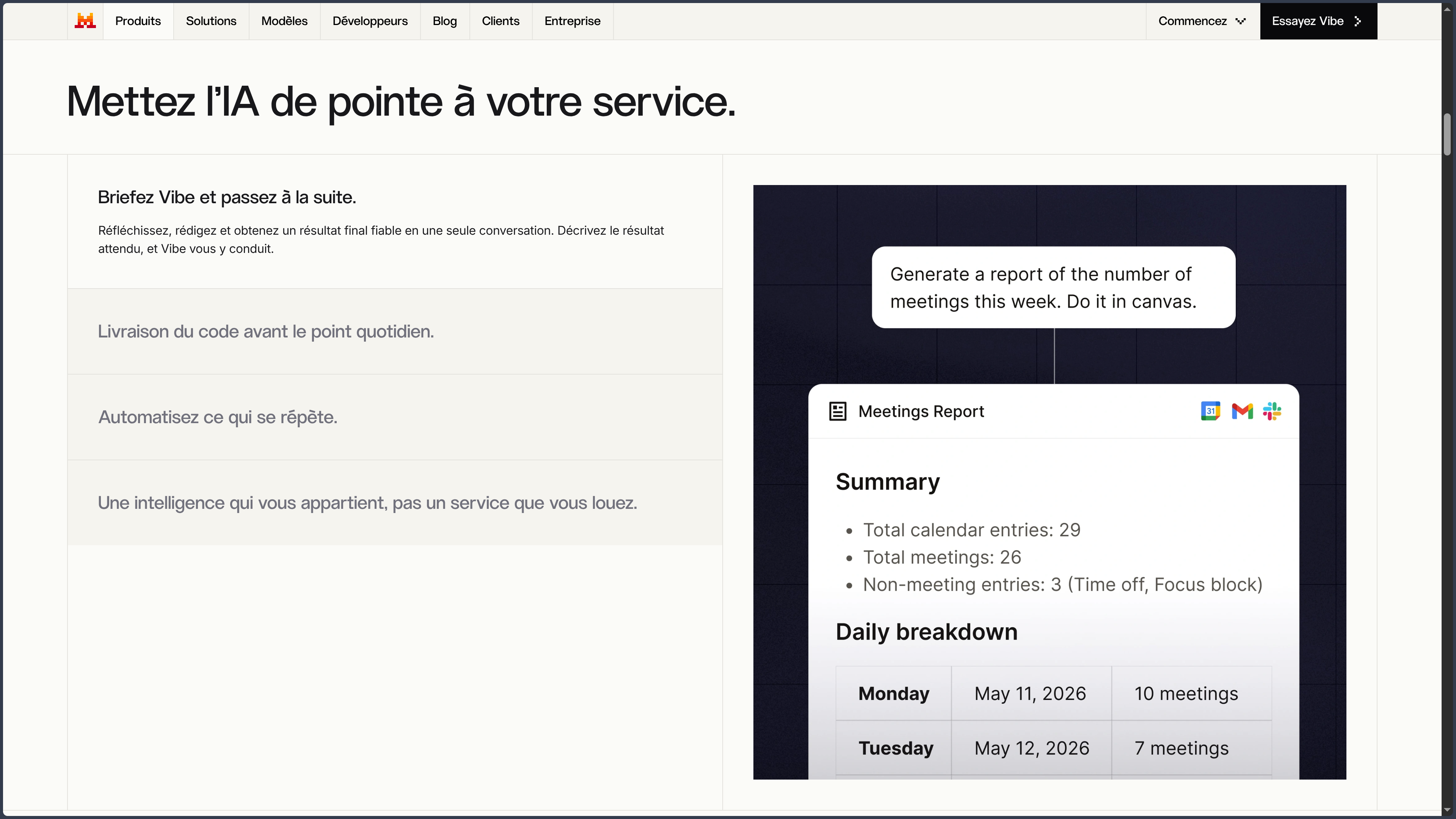
Vibe Work makes it possible to state an expected outcome and let the agent organize multiple steps.
Search, files, data, connected tools, and document production can be brought together in a single task.
The progress remains visible.
Certain sensitive actions can require validation.
The change in logic is clear.
In Chat, the user generally drives the conversation turn by turn.
In Work, they formulate the goal more, then monitor the chosen path to get there.
This autonomy becomes useful when the task involves several sources or transformations.
It requires the expected outcome to be clear enough to be evaluated.
Projects, skills, and workflows
Projects group context, documents, and rules around the same work.
They maintain continuity between several tasks without having to systematically re-explain the whole folder.
Skills and workflows can preserve certain reusable methods.
A team that often repeats the same procedure can thus formalize part of its process.
For example:
- analyzing a set of documents;
- preparing a memo;
- checking a list of criteria;
- producing a report according to a known structure.
The value does not come only from saving prompts.
It comes from being able to make execution more consistent from one session to the next.
Connectors and MCP
Vibe can access professional applications or external services through the available connectors.
These integrations can provide context from messaging apps, calendars, repositories, document spaces, or management tools.
MCP support extends this logic further.
An MCP server can expose additional data or actions to the agent.
This extensibility turns Vibe into a more connected environment.
It also increases the permissions surface.
A connector that can read a document does not carry the same level of risk as a tool authorized to modify a repository or send a message.
Rights must therefore follow the actual need.
Document analysis and deliverable production
Work can read several documents, compare their differences, extract information, and produce a final document.
This capability is particularly useful when the problem is not just about summarizing a single file, but about cross-referencing several sources.
A folder can become a summary memo.
Several reports can be compared.
Data can become a table or a chart.
Final quality still depends on checking the sources and the transformations.
A well-structured deliverable can still contain a misinterpretation.
Vibe Code: acting on the software project
Vibe Code is the development layer.
It can explore a repository, modify several files, use the terminal, run tests, or prepare a pull request.
The interest is to maintain a coherent agent around the project even when the interface changes.
The same environment can be used from the terminal, Visual Studio Code, or a remote session.
This continuity reduces the break between different work surfaces.
The agent can start by understanding the project and then apply modifications under supervision.
As with Cursor or other code agents, control remains the key:
- plan;
- diff;
- tests;
- permissions;
- validation.
Open CLI and local or private models
Vibe Code's CLI is released under the Apache 2.0 license.
It can be connected to certain models served by compatible interfaces.
This makes it possible to use local or private infrastructure in some code workflows.
This is an important difference.
The source repository or sensitive files can thus remain more under control when the organization has a compatible model.
This openness mainly concerns the Code layer.
It does not turn Vibe Web or Work into local services.
Remote sessions
Vibe Code can also operate in remote sessions associated with a repository.
A task can be launched from the browser, continue in a cloud environment, and then produce a branch or pull request.
This separation becomes useful when the task is long or when the local machine should not stay busy.
It naturally implies sending the repository and its context to remote infrastructure.
Local and cloud are therefore not just two marketing slogans.
They represent two different modes of trust and execution.
Reusing methods.
Skills, projects, and workflows give Vibe another interesting quality: methodological persistence.
A classic assistant mostly remembers a conversation.
An agentic work environment can also try to preserve:
- rules;
- documents;
- procedures;
- tools;
- expected formats.
This working memory becomes valuable when the same type of task comes back regularly.
Use Cases
Research and monitoring
Chat and Work can bring together several sources and then produce a structured summary.
Document analysis
Several documents can be compared to extract differences, data, or action items.
Producing a professional deliverable
A search or a set of files can become a report, memo, or usable document.
Automating a procedure
Skills, workflows, and recurring tasks make it possible to reuse a method without rewriting all the instructions.
Developing software
Vibe Code can explore a repository, fix an error, or carry out a multi-file modification under supervision.
Using a private model for code
The CLI can be connected to certain local or private infrastructures when control over the code is a priority.
Preserving a project's context
Documents, rules, and methods can be grouped together to reuse the same framework across multiple tasks.
PANACHES Review
Chat, Work, and Code form a coherent progression
The distinction between the three modes avoids pretending that a quick conversation and a long agentic task are exactly the same work.
Each mode corresponds to a different level of autonomy.
This clarity is a real product quality.
Vibe Code brings unusual openness
Publishing the CLI and being able to choose certain infrastructures give more freedom than in a fully closed environment.
This openness is particularly interesting on code, which can be one of the most sensitive assets of an organization.
The product remains genuinely hybrid
The presence of an open-source CLI does not turn the whole platform into a free solution.
Vibe Web and Work remain hosted services.
This separation must remain explicit to avoid confusion between an open code tool and a fully open suite.
Its appeal depends on the continuity you are looking for
Vibe becomes convincing when the same person wants to move from research to documents and then to code without multiplying assistants.
A user only interested in a specialized IDE or a minimal chatbot may prefer a more focused tool.
Projects and skills are more important than they look
The ability to preserve a reusable method brings Vibe closer to a real work environment.
The interest is no longer only to produce a good answer.
It becomes possible to try to produce the same kind of good work several times.
Points of Attention
- Chat, Work, and Code features are not identical.
- The full service remains proprietary despite the openness of the Code CLI.
- The ability to use a local model mainly concerns Vibe Code.
- Connectors can grant access to sensitive professional data.
- MCP servers and integrations must be evaluated before receiving important permissions.
- Vibe Code can write files and execute commands.
- Remote sessions imply a cloud environment.
- Search results and generated documents must be checked.
- Models, limits, and features can evolve quickly.
- Sensitive actions must remain supervised even when an automatic confirmation is proposed.
- Reusable workflows must be maintained as project tools or rules evolve.