
Overview
Midjourney is an artificial intelligence service specialising in image generation. It transforms a text description, reference image, or combination of several visual instructions into illustrations, simulated photographs, concepts, graphic compositions, and artistic worlds.
The service is developed by Midjourney, Inc. and runs entirely on remote infrastructure. It therefore does not require a local graphics card, model download, or specific technical configuration. Users access its tools from the Midjourney website or through the official bot on Discord.
Initially associated almost exclusively with Discord, Midjourney now provides a complete Web interface. It allows users to write prompts, add references, adjust parameters, view results, create variations, modify specific areas, organise creations, and explore images produced by the community.
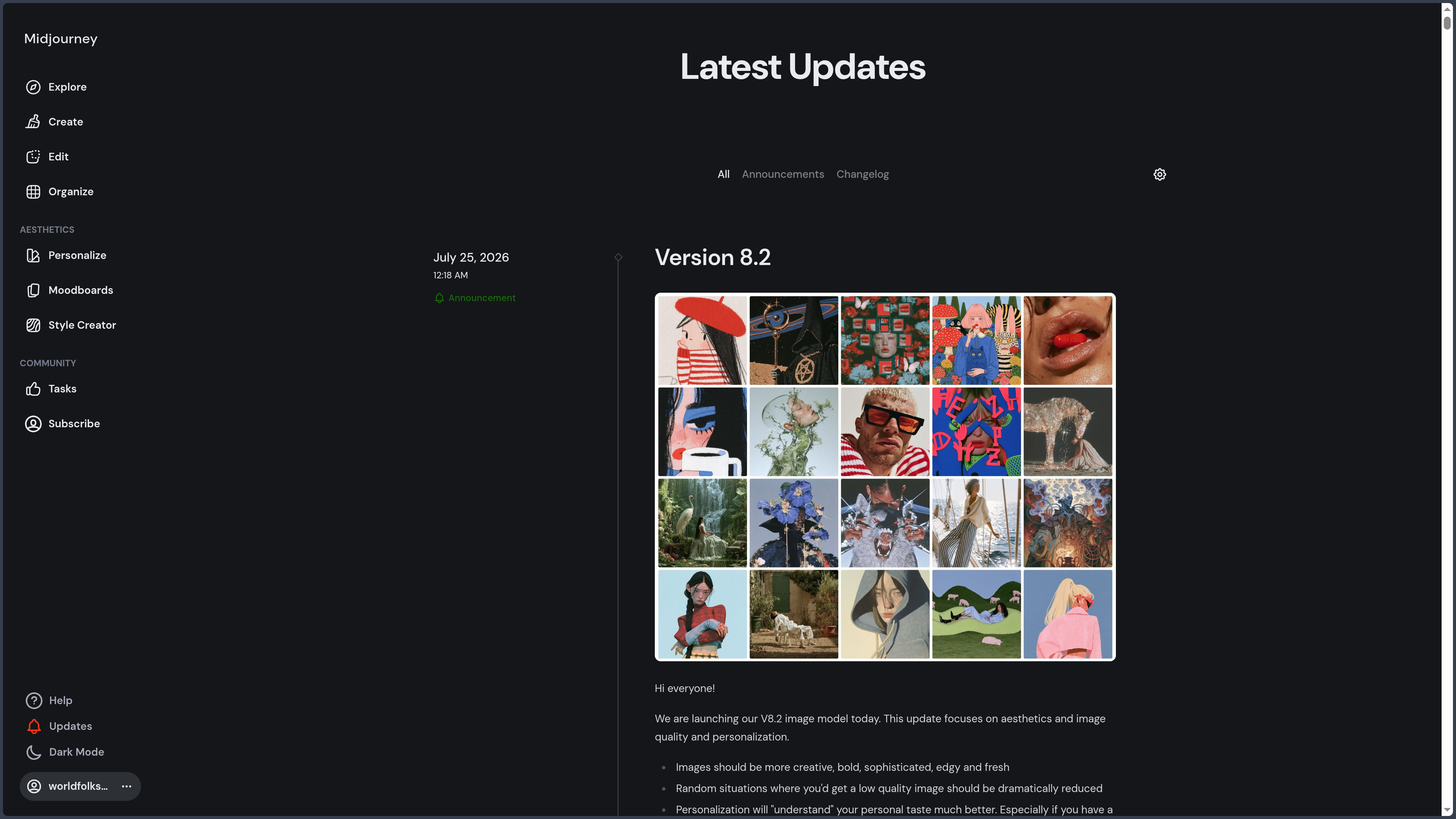
The default model at the time of the latest review is Midjourney V8.1. This version improves instruction understanding, preservation of small details, generation speed, and the production of HD images reaching approximately 2K without requiring a separate upscaling operation.
Midjourney nevertheless retains several generations of models. Some features still rely on V7 or V6.1. Users must therefore distinguish the version used to create an image from the one used for a character reference, edit, upscale, or other operation.
One of Midjourney’s distinctive characteristics is its visual interpretation. The service does not simply translate a prompt literally: it applies its own artistic direction, composition, and model-specific aesthetic. This tendency often produces immediately appealing images, but it can also move the result away from highly precise instructions.
The Raw parameter reduces part of this automatic interpretation to give more weight to the text. Other parameters control the degree of stylisation, variation between proposals, the strangeness of the result, quality, format, and several other aspects of generation.
Midjourney also provides different ways to guide results with images. An Image Prompt influences content, composition, colours, or mood. A Style Reference mainly transmits an aesthetic. Omni Reference helps preserve the appearance of a person, character, object, vehicle, or creature.
Personalisation profiles and Moodboards go further by learning the user’s visual preferences from selected images. They make it possible to build several reusable artistic directions for different projects.
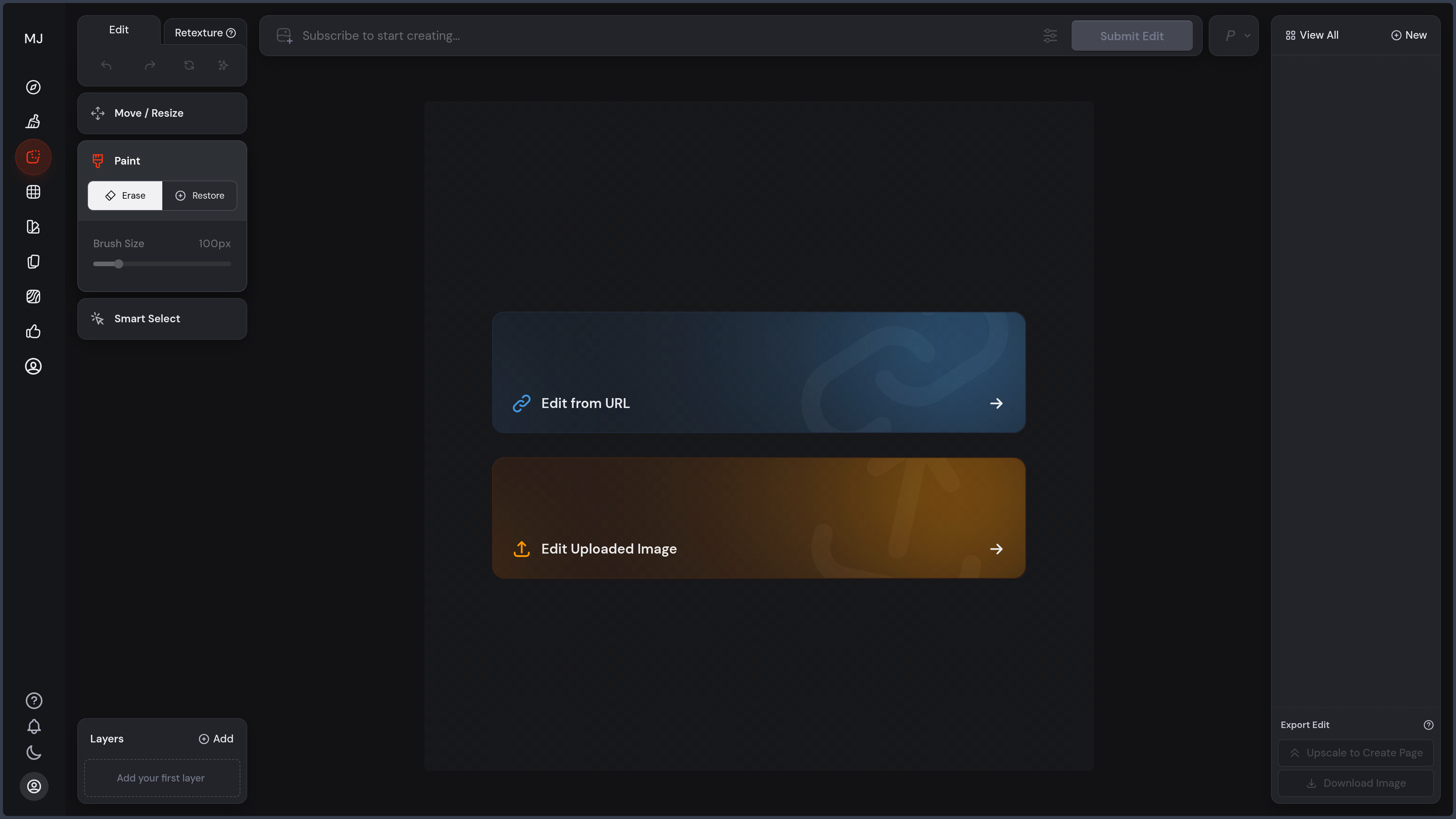
The service also includes an editor capable of applying several transformations to a Midjourney creation or imported image. It can modify an area, extend the frame, change the format, move the image across a canvas, or regenerate selected parts.
A video feature now completes the offering. It animates a Midjourney image or imported image to produce a five-second sequence. The video can then be extended several times, guided with low or high motion, configured as a loop, or directed towards a final image.
Midjourney remains a proprietary service. Its models, code, training data, and inference infrastructure cannot be installed locally. Users therefore depend on the subscription, service rules, GPU quotas, platform availability, and the evolution of its models.
Features
-
Text-to-image generation: create images from a description written in natural language.
-
Midjourney V8.1: default model designed for improved prompt understanding, increased speed, and more accurate preservation of details.
-
Standard-definition images: rapidly create images of around 1024 pixels depending on the requested format.
-
HD images: V8.1 generation reaching approximately 2048 pixels without requiring separate upscaling.
-
Several model versions: select earlier Midjourney generations to recover a particular behaviour or aesthetic.
-
Niji model: model family oriented towards anime, manga, Japanese illustration, and stylised characters.
-
Raw Mode: reduce automatic stylisation to strengthen the prompt’s influence and obtain a more literal result.
-
Stylize: adjust the intensity with which Midjourney applies its aesthetic interpretation.
-
Chaos and Variety: increase or reduce diversity between images produced within the same generation.
-
Weird: introduce more unexpected, experimental, or unusual elements into the result.
-
Quality: control the amount of GPU time devoted to generation and the desired level of detail.
-
Aspect Ratio: create square, horizontal, vertical, panoramic, or support-specific images.
-
Negative Prompt with No: indicate elements the user wants to reduce or avoid in the image.
-
Seed: preserve a numerical starting point useful for comparing several variations of a prompt.
-
Repeat: run a prompt repeatedly to explore more proposals.
-
Permutations: create several combinations from variants placed within the same instruction.
-
Tile: generate patterns designed to repeat continuously.
-
Image Prompts: add one or more images as references for content, colours, composition, or mood.
-
Image Weight: adjust the importance given to reference images compared with text.
-
Style Reference: capture the general aesthetic of an image without attempting to reproduce its objects or characters.
-
Multiple Style References: combine several references to construct a hybrid artistic direction.
-
Style Reference Codes: apply aesthetics from Midjourney’s internal style library.
-
Style Weight: control the intensity with which a Style Reference affects the result.
-
Style Creator: create custom style codes from preferences and visual examples.
-
Omni Reference: preserve visual characteristics from a person, character, object, vehicle, or creature.
-
Omni Weight: adjust the influence of the reference on the final creation.
-
Personalisation profiles: learn the user’s aesthetic preferences from images they select.
-
Multiple visual profiles: create different artistic directions for several projects, worlds, or uses.
-
Global personalisation: automatically apply an aesthetic profile to new generations.
-
Moodboards: create a style from an organised collection of reference images.
-
Moodboard combinations: use several visual collections within the same generation.
-
Evolving Moodboards: update a board when new references are added or removed.
-
V8.1 Draft Mode: rapidly generate a set of twenty-four low-definition previews to explore an idea at low GPU cost.
-
Draft enhancement: regenerate a selected Draft proposal in standard or HD definition.
-
Conversational Mode: describe an idea in everyday language so that an assistant can transform the request into a Midjourney prompt.
-
Voice conversation: dictate a creative intention from the browser when the compatible mode is enabled.
-
Prompt Shortener: analyse a prompt to identify the most useful terms and remove unnecessary wording.
-
Describe: analyse an image and propose several descriptions that can serve as starting points for new prompts.
-
Variations: create new versions close to a selected image.
-
Strong or subtle variations: choose between limited changes and more substantial transformations.
-
Remix: modify the prompt or certain parameters while creating a variation.
-
Upscale: enlarge a selected creation with several possible interpretations.
-
Upscale Subtle: increase definition while preserving the original content as much as possible.
-
Upscale Creative: enlarge an image while potentially adding or reinterpreting certain details.
-
Web editor: modify Midjourney images and imported visuals from a graphical interface.
-
Vary Region: select an area to regenerate using a mask and a new instruction.
-
Inpainting: replace or modify part of the image without recreating the rest entirely.
-
Pan: extend the scene in a chosen direction.
-
Zoom Out: enlarge the frame around the existing image.
-
Format change: adapt the ratio and canvas surrounding a creation.
-
Move and resize: reposition, rotate, or scale the image on the workspace.
-
Erase and restore brushes: define areas to modify or preserve.
-
External image import: use photographs, illustrations, or other visuals not generated by Midjourney within the editor.
-
Web creation: enter prompts, adjust parameters, and view results directly on midjourney.com.
-
Discord creation: use the Midjourney bot through commands in the official server, a private server, or direct messages.
-
Web and Discord synchronisation: access generations from the same account in both environments.
-
Personal gallery: retain creations produced with the account.
-
Create page: central space bringing together the prompt, parameters, references, and generation stream.
-
Organize page: search, sort, filter, and manage generated images and videos.
-
Folders: manually classify creations by project, style, or use.
-
Folder groups: combine several folders within a shared structure.
-
Generate within a folder: automatically save new results in the currently open project.
-
Saved searches: automatically display creations matching specific words or parameters.
-
Filters: select creations according to their profile, model, parameters, or other attributes.
-
Chronological navigation: access productions according to their generation date.
-
Bulk actions: download, classify, change visibility, and manage several creations at once.
-
Likes: retain favourite creations and contribute to personalisation preferences.
-
Public profile: present a selection of images, a biography, and links to social networks.
-
Explore page: discover creations published by the community.
-
Community visual search: explore images, styles, prompts, and trends.
-
Prompt reuse: retrieve the text and parameters of a public creation to produce a new variation.
-
Similar image search: explore visuals close to a selected creation.
-
Image-to-video animation: transform an image into a five-second animated sequence.
-
Animation of Midjourney images: directly use a creation from the gallery as the first frame.
-
Animation of imported images: add a personal image as the starting point for a video.
-
Low Motion: prioritise subtle movement, calm camera work, and limited animation.
-
High Motion: generate more substantial camera or subject movement.
-
Video Raw: reduce automatic interpretation of movement to give more weight to the prompt.
-
Video loops: use the same image as the beginning and end of the sequence.
-
Custom final image: define a different image towards which the video should evolve.
-
Video extension: add four seconds to an existing sequence.
-
Maximum duration of twenty-one seconds: extend an initial video up to four times.
-
SD video: generation close to 480p available with every subscription in Fast Mode.
-
HD video: generation close to 720p available with Standard, Pro, and Mega subscriptions in Fast Mode.
-
Video batch size: choose between one, two, or four proposals to control GPU cost.
-
Fast Mode: prioritised use of the monthly GPU time included with the subscription.
-
Relax Mode: generation placed in a lower-priority queue without consuming Fast quota, depending on the subscription.
-
Turbo Mode: faster generation that consumes more GPU time.
-
Additional GPU time: purchase extra computing hours beyond the monthly quota.
-
Stealth Mode: reduce the public visibility of creations with Pro and Mega subscriptions.
-
Commercial use of creations: use results according to the terms of service and the required subscription level.
Use cases
Creating editorial illustrations
Midjourney can produce illustrations intended to accompany an article, report, publication, or presentation.
The prompt can define the subject, angle, composition, atmosphere, and style. Style References or Moodboards can then preserve a shared visual identity across several images.
For a media outlet, this consistency is particularly useful when a series of articles must share the same artistic direction.
Producing visuals for social media
Vertical, square, and horizontal ratios allow creations to be adapted for posts, carousels, thumbnails, stories, and short videos.
The same idea can be developed across several compositions while retaining a common personalisation profile or Style Reference.
Text integrated into the image must nevertheless be checked and may require finalisation in layout software.
Exploring an artistic concept
Midjourney is particularly effective at rapidly transforming a vague intention into several visual proposals.
A creator can test palettes, materials, periods, lighting, framing, and artistic techniques without producing every experiment manually.
Draft Mode accelerates this stage further by generating many previews at low GPU cost.
Building a moodboard
The Explore page, visual searches, and Moodboards make it possible to gather references around a particular world.
These collections can define the direction of a character, brand, setting, game, film, website, or publication.
The Moodboard can then become an active component of the prompt rather than merely a passive reference board.
Designing a character
Omni Reference helps preserve the main characteristics of a character across several scenes, outfits, poses, or environments.
Text remains essential for describing the desired action, setting, clothing, and expression.
This feature can support character design, narrative illustration, video games, comics, or avatar creation.
Developing a coherent visual world
Personalisation profiles, Style References, and Moodboards make it possible to establish a reusable aesthetic.
A project can have several profiles: realistic, editorial, nocturnal, colourful, minimalist, or inspired by a particular technique.
This approach facilitates the creation of a series without having to rebuild the entire artistic direction within every prompt.
Creating settings and environments
Midjourney can produce landscapes, architecture, interiors, cities, fantasy worlds, and backgrounds.
It can be used to prepare a setting for manga, comics, video games, or animation.
Spatial consistency between several angles is not guaranteed, however, and may require references, retouching, or reconstruction in a 3D tool.
Preparing a storyboard
Rapid shot generation makes it possible to visualise a scene before filming, animation, or more detailed production.
Each prompt can specify the shot type, framing, lighting, characters, and action.
Continuity between images must be checked, but Midjourney remains useful for communicating a visual intention to a team.
Generating product concepts
The service can explore the shape, material, colour, and presentation of a fictional object.
This use suits early research for furniture, clothing, vehicles, packaging, or accessories.
The results are not technical plans and must be reworked before manufacturing.
Creating advertising images
Midjourney can produce staged scenes, simulated photographs, and compositions intended for a campaign.
References can help preserve the general appearance of an object or artistic direction.
Brands, logos, real products, and representations of people must undergo legal and visual review before publication.
Producing patterns and textures
The Tile parameter can generate repeatable patterns for textiles, paper, backgrounds, interfaces, or decorative elements.
Midjourney can also help design textures intended to inspire 3D or digital-painting work.
Seams, resolution, and technical properties must be checked in specialised software.
Creating in an anime or manga style
The Niji family suits stylised characters, animation scenes, manga illustrations, and aesthetics inspired by Japanese visual culture.
It can be combined with references, ratios, and style parameters.
The result can serve as a concept, cover, illustration, or foundation for a manually reworked page.
Transforming an existing image
The Web editor can import an image, erase selected areas, extend the frame, or regenerate part of the content.
This feature can modify a setting, replace an object, adapt a format, or create a variation.
It remains generative: the new area is not an exact photographic retouch and may alter unexpected details.
Animating an illustration
A Midjourney creation or external image can become the starting point for a short video.
Low Motion suits breathing, hair, lighting, or slow camera movement. High Motion allows larger movements to be explored but increases the risk of inconsistencies.
The feature can produce an animated background, social post, introduction, or shot prototype.
Creating a video loop
The starting image can also serve as the final image to generate a loop.
This format suits animated backgrounds, presentations, short clips, and content intended to repeat continuously.
The smoothness of the transition must be checked after generation.
Researching a visual direction
Describe can analyse an image and propose several formulations intended to reproduce some of its elements.
This feature helps identify vocabulary relating to framing, lighting, material, technique, and atmosphere.
It does not necessarily reconstruct the intentions or exact method of the artist behind the original image.
Finding inspiration within the community
The Explore page provides access to public images and videos created by other users, along with their prompts and certain parameters.
It forms a substantial library of ideas, styles, and prompting methods.
This openness can accelerate learning, but it also means that the user’s public creations may be viewed and remixed.
PANACHES review
Midjourney remains one of the most influential artificial intelligence image-generation services. Its main advantage is not only the definition or realism of its results, but its ability to rapidly produce an image that already has a strong composition and artistic direction.
This visual interpretation explains its success among illustrators, art directors, content creators, and people who do not necessarily master drawing software. A relatively simple prompt can result in an image that is immediately usable as a reference or working base.
Version V8.1 strengthens the service’s relevance for precise requests. Prompt understanding is improved, details are preserved more effectively, and generation is significantly faster. HD mode also reduces the need for a separate upscaling operation for certain editorial uses.
Draft Mode is a particularly useful development for creative workflows. Generating twenty-four previews makes it possible to quickly explore several ideas before devoting more GPU time to a selected proposal.
Reference tools are another major strength. Image Prompts, Style References, Omni Reference, personalisation profiles, and Moodboards address different needs and provide several levels of control.
This richness nevertheless requires learning. An Image Prompt does not perform the same function as a Style Reference, while Omni Reference does not guarantee an exact reproduction. Weights and parameters must be adjusted according to the subject and model version.
The multiplication of versions makes the ecosystem less clear. A V8.1 creation may use an Omni Reference processed by V7 and then be modified by an editor based on V6.1. The result may therefore change in style or precision during the workflow.
The Web editor brings Midjourney closer to a complete creation environment. It is now possible to generate, select, extend, modify, and organise an image without leaving the service.
It does not, however, replace Photoshop, Krita, Affinity Photo, or a compositing tool. Edits are produced through regeneration and do not provide access to layers, complex masks, colour curves, or traditional drawing tools.
Personalisation and Moodboards are particularly relevant for building an editorial identity. They help reduce the generic appearance often associated with image generators and maintain a consistent visual direction across several pieces of content.
Video adds new continuity to the workflow. An illustration can be animated directly from the gallery without using an independent platform. Control nevertheless remains limited compared with a specialised video tool, and the maximum duration of twenty-one seconds is mainly suited to short shots.
The GPU cost of video is also considerably higher than that of an image. Multiple attempts, HD output, and successive extensions can rapidly consume the Fast quota.
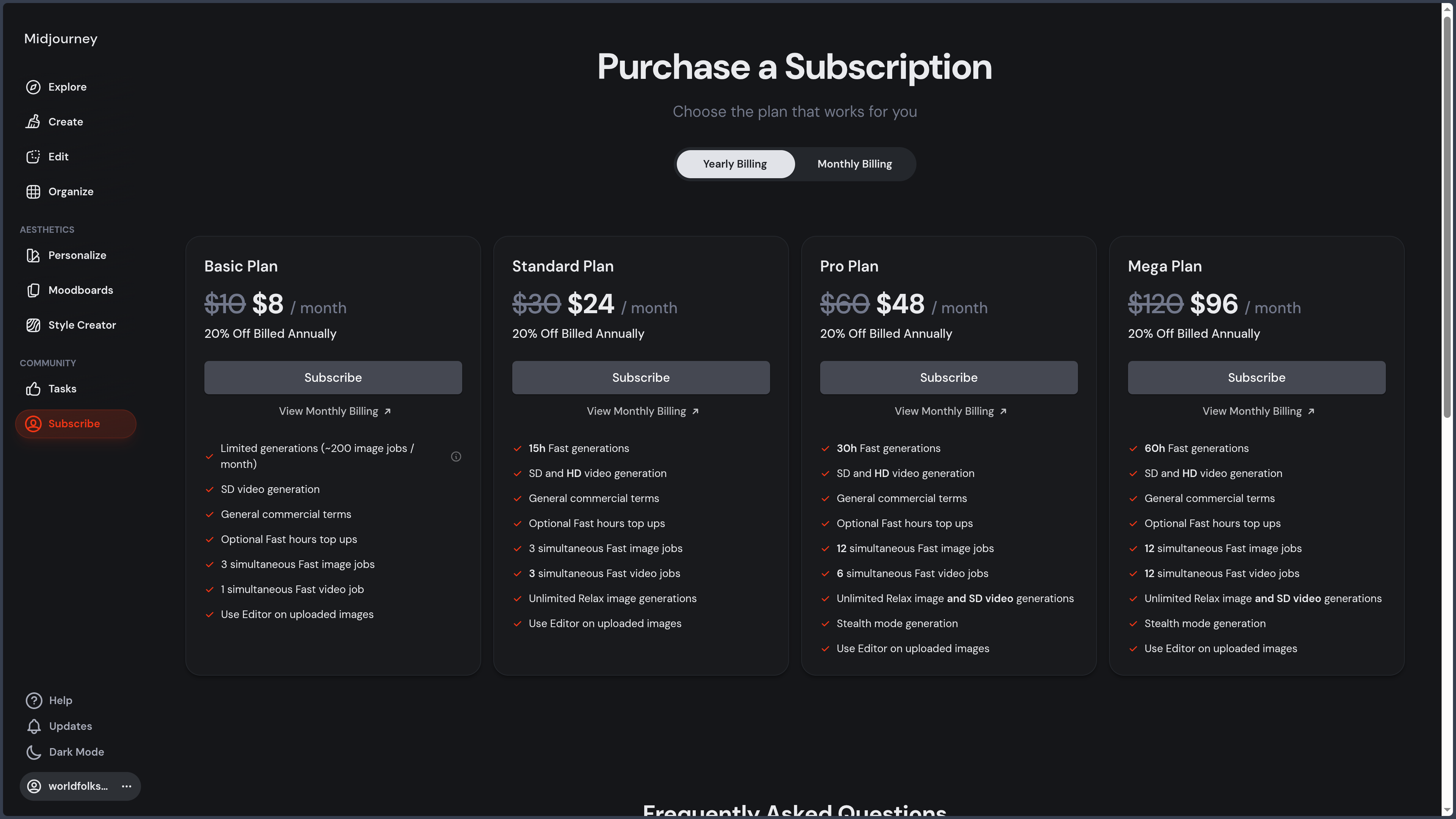
The business model is easy to understand, but the lack of a free plan requires a subscription before users can properly test the service. The Basic plan provides an introduction to the platform, but its limited quota can become restrictive for intensive workflows.
The Standard plan is generally the first tier suited to regular production because it includes unlimited images in Relax Mode. Privacy features nevertheless require Pro or Mega.
Public visibility by default is a major consideration. Midjourney has historically operated as an open community in which creations, prompts, and parameters can be viewed and reused.
This philosophy encourages learning and inspiration, but is less suitable for confidential projects, unpublished campaigns, exclusive characters, or internal documents.
Stealth Mode reduces this exposure on the website, but it does not make creations generated in a shared Discord channel private. The choice of generation space therefore remains important.
The legal status of generated images also requires caution. Midjourney grants users broad rights over their creations under its terms, but this does not automatically guarantee copyright protection in every country.
Rights relating to trademarks, existing characters, recognisable people, reference images, and third-party works remain the user’s responsibility.
The service is entirely proprietary and remote. It cannot be integrated into a local-first workflow in the same way as Stable Diffusion, FLUX, or Qwen-Image running on the user’s own machine.
This closed nature limits control over versions, models, data, automation, and reproducibility. A service change may alter the output of a prompt without allowing the user to preserve the previous infrastructure.
For PANACHES, Midjourney nevertheless represents an important reference. It can support editorial illustration production, visual-world research, moodboards, covers, character concepts, and social media visuals.
Its interface choices are also worth studying: separation between content, style, and identity, reference libraries, visual profiles, folder organisation, rapid variations, and continuity between generation and editing.
Midjourney does not directly match PANACHES’ local-first philosophy, but it remains an excellent point of comparison for designing more accessible creative workflows around local models.
Its place in the PANACHES directory is therefore central. The service simultaneously represents a reference for visual quality, a laboratory for new artistic-direction methods, and an example of the compromises associated with proprietary platforms.
Points to consider
-
No permanent free plan: a subscription is required to generate images or videos.
-
Automatic renewal: monthly and annual subscriptions renew until cancelled.
-
Annual payment in advance: the annual discount generally requires payment for the full year upfront.
-
Compare plans: Basic, Standard, Pro, and Mega do not provide the same quotas, modes, or privacy levels.
-
Understand GPU time: Fast minutes represent computing time rather than a fixed number of images.
-
Monitor HD consumption: high-definition images use more GPU time than standard generations.
-
Anticipate video costs: a video consumes considerably more resources than an image.
-
Reduce video batch size: generating a single proposal can avoid unnecessary quota consumption.
-
Distinguish Fast, Relax, and Turbo: these modes do not use resources in the same way.
-
Relax Mode depends on the subscription: unlimited images require at least Standard, while Relax video requires Pro or Mega.
-
Purchase additional GPU time carefully: automatic or repeated additions of computing time can rapidly increase costs.
-
Check taxes and currencies: the final amount may vary according to country, taxation, and payment method.
-
Creations are public by default: images, videos, prompts, and parameters may appear on the website.
-
Stealth Mode is limited to Pro and Mega: lower plans do not provide the same privacy level.
-
Stealth does not protect a public Discord channel: a creation posted in a shared space remains visible to its members.
-
Choose a private space for sensitive references: personal images should not be uploaded to a channel accessible to other users.
-
Trash does not mean immediate deletion: removing a creation from the gallery does not guarantee its complete disappearance from public spaces.
-
Review data-deletion procedures: permanent deletion may require a broader request concerning the account and its content.
-
Read the licensing terms: users grant Midjourney a broad licence over uploaded and generated content.
-
Check the commercial threshold: companies with more than one million dollars in annual revenue must use Pro or Mega under the applicable conditions.
-
Do not confuse contractual ownership with copyright: legal protection for generated images varies by jurisdiction.
-
Respect third-party rights: a creation may contain elements connected to a trademark, work, character, or existing person.
-
Hold the rights to imported images: references and modified content must be legally transferable to the service.
-
Obtain consent from represented people: photographs and recognisable likenesses may involve image and privacy rights.
-
Review commercial uses: a legally risky image does not automatically become usable because it was generated by AI.
-
Check distribution-platform rules: social networks, stock-image libraries, and marketplaces may impose their own policies on generated content.
-
Respect the Community Guidelines: certain adult, violent, deceptive, or sensitive content is prohibited or restricted.
-
Expect broad moderation in some cases: a legitimate prompt may be blocked because a word or context is interpreted as sensitive.
-
Do not attempt to bypass filters: repeated attempts may result in restrictions or account suspension.
-
Distinguish model versions: V8.1, V7, V6.1, and Niji do not provide exactly the same output or features.
-
Check compatibility before generation: some parameters or references do not work together.
-
Omni Reference uses V7: it does not directly benefit from every native V8.1 capability.
-
The editor still uses V6.1: an edit may alter the style or details of an image created with a newer version.
-
Editing operations can reduce definition: Pan, Zoom Out, or Vary Region may return an HD image to standard definition before a new upscale.
-
Style Weight is not compatible with Moodboards: available controls change according to the type of personalisation.
-
Omni Reference is limited to one image: a sufficiently clear primary reference must be selected.
-
A reference does not guarantee an exact copy: faces, clothing, objects, and proportions may change.
-
The text prompt remains essential: a reference image does not replace a description of the desired scene.
-
Strengthen style carefully: excessively high parameters can reduce fidelity to the requested content.
-
Use Raw for precise requests: default stylisation may override certain instructions.
-
Test several Stylize values: the best setting depends on the subject, version, and references.
-
Do not treat Seed as an absolute backup: a model update or parameter change may produce a different result.
-
Preserve the prompt and parameters: recording the version, seed, references, and personalisation codes improves reproducibility.
-
Archive important results locally: a remote platform does not replace a backup of final files.
-
Download original images: avoid relying only on the gallery or a temporary URL.
-
Organise creations early: an active account can rapidly accumulate thousands of images.
-
Use folders and saved searches: they make it easier to track projects, styles, and versions.
-
Check anatomical details: hands, fingers, teeth, eyes, and joints may still contain anomalies.
-
Check repetitive objects: patterns, wheels, windows, jewellery, and small accessories may lack consistency.
-
Review integrated text: generated typography may contain errors, malformed letters, or invented words.
-
Finalise posters in a graphic tool: it is often preferable to add text, logos, and branding elements after generation.
-
Do not use an image as a technical plan: represented proportions and mechanisms do not guarantee feasibility.
-
Check continuity across several scenes: settings, characters, and accessories may change from one image to another.
-
Inspect video frame by frame: hands, faces, objects, and backgrounds may deform during movement.
-
High Motion increases the risk of artefacts: large movements are more difficult to maintain consistently.
-
Video begins with an image: the current feature animates a first frame rather than directly constructing a complete long-form narrative sequence.
-
Duration is limited to twenty-one seconds: longer projects require several shots and external editing.
-
HD video is limited to certain plans: Basic remains restricted to standard definition for video.
-
Plan for video-editing software: Midjourney does not replace a complete video timeline, audio mixing, or compositing.
-
Remote-only service: no official model can be run locally or offline.
-
Proprietary code and weights: users do not control the training method, inference process, or updates.
-
Platform dependency: an outage, account restriction, or commercial change can interrupt the workflow.
-
Output may evolve: an old prompt may generate a different image with a newer version.
-
Plan an alternative: a professional project should not depend on a single provider for all visual resources.
-
Compare with local models: Stable Diffusion, FLUX, Qwen-Image, and other solutions offer greater control and technical customisation.
-
Choose the tool according to the need: Midjourney excels at visual exploration and artistic direction, but another service may be preferable for text, precise editing, confidentiality, or automation.