
Overview
Microsoft Copilot is a general-purpose artificial intelligence assistant developed by Microsoft.
It allows users to communicate in natural language to search for information, write, summarize, translate, analyze files, produce images, and support a range of personal or professional tasks.
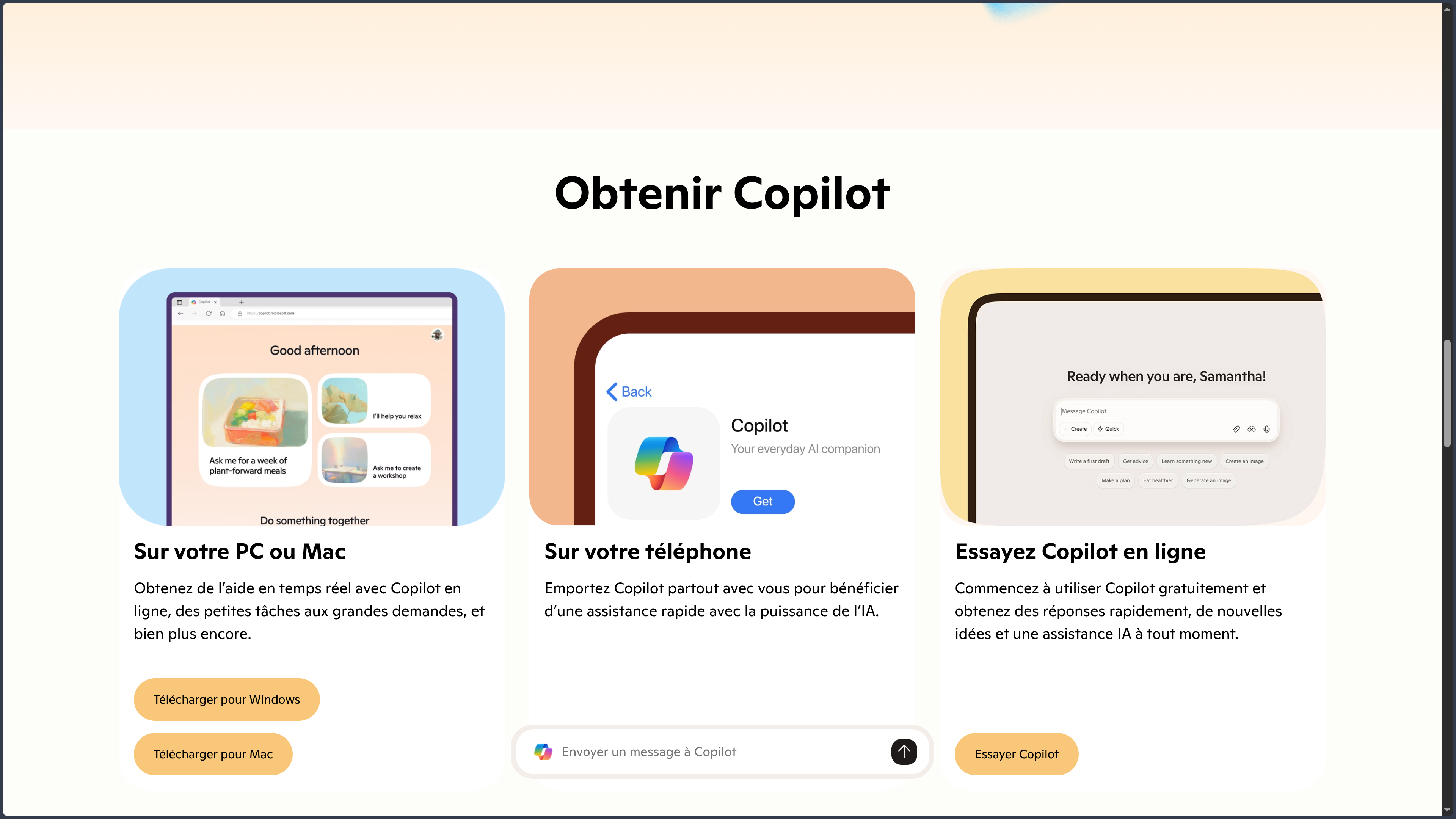
Copilot is accessible through:
- its website;
- a Windows application;
- a macOS application;
- Microsoft Edge;
- Android;
- iPhone;
- iPad;
- Microsoft 365 applications depending on the subscription.
The product originated from Bing Chat, the former conversational assistant integrated into the Bing search engine. It retains a strong connection to Web search, but its scope has expanded to voice, images, files, productivity, and connected services.
Microsoft uses the Copilot brand for several different products:
- Microsoft Copilot, the general-purpose assistant presented in this entry;
- Microsoft 365 Copilot, integrated into office and professional applications;
- GitHub Copilot, specialized in software development;
- Copilot features integrated into Windows, Edge, Power Platform, Azure, and other Microsoft services.
These products do not offer the same features, limits, or subscriptions. GitHub Copilot should notably be covered in a separate directory entry.
Microsoft Copilot is a proprietary service that depends on Microsoft’s cloud infrastructure and ecosystem.
Features
Conversation and writing
Microsoft Copilot can answer questions and support many text-based tasks.
It can notably:
- explain a concept;
- write a message;
- correct or rephrase text;
- summarize content;
- translate;
- generate an outline;
- prepare a list or checklist;
- compare several options;
- suggest ideas;
- support brainstorming;
- adapt text to a tone or audience;
- help users understand a computer procedure.
Copilot offers several processing levels depending on the request and plan being used. Some modes prioritize speed, while others devote more time to reasoning.
Responses should be reviewed because Copilot can produce errors, approximations, or fabricated information.
Web search with Bing
Copilot can search for recent information on the Web using Microsoft Bing’s search infrastructure.
This feature can be used to:
- follow current events;
- find recent documentation;
- compare several products;
- search for sources;
- explore different points of view;
- prepare ongoing monitoring;
- research a company or service;
- find practical information;
- build an initial synthesis.
Responses may include links to the pages consulted.
The presence of a source does not guarantee that Copilot interpreted it correctly. Important claims should be checked against the original pages.
Response and reasoning modes
Depending on the version and account being used, Copilot may provide different response modes.
These modes may notably prioritize:
- a quick response;
- a more in-depth analysis;
- processing automatically adapted to the complexity of the request.
The selected mode may affect:
- speed;
- response depth;
- usage limits;
- available features;
- priority granted to subscribers.
These modes change regularly and may be renamed or replaced.
File analysis
Microsoft Copilot allows users to import several file types, including:
- PDF;
- Word documents;
- Excel spreadsheets;
- PowerPoint presentations;
- CSV files;
- JSON files;
- Markdown files;
- text files;
- JPEG images;
- PNG images.
The current documentation indicates support for up to twenty files in one conversation, with a limit of fifty megabytes per file.
Copilot can notably:
- summarize a document;
- extract precise information;
- compare several files;
- analyze a table;
- explain a chart;
- answer questions about a PDF;
- identify the main ideas;
- transform content into an outline or checklist;
- prepare a synthesis from several sources.
Exact limits may vary depending on the platform, account, format, and subscription.
Important information should be verified in the original documents, particularly for contracts, financial reports, legal texts, or technical files.
Image generation
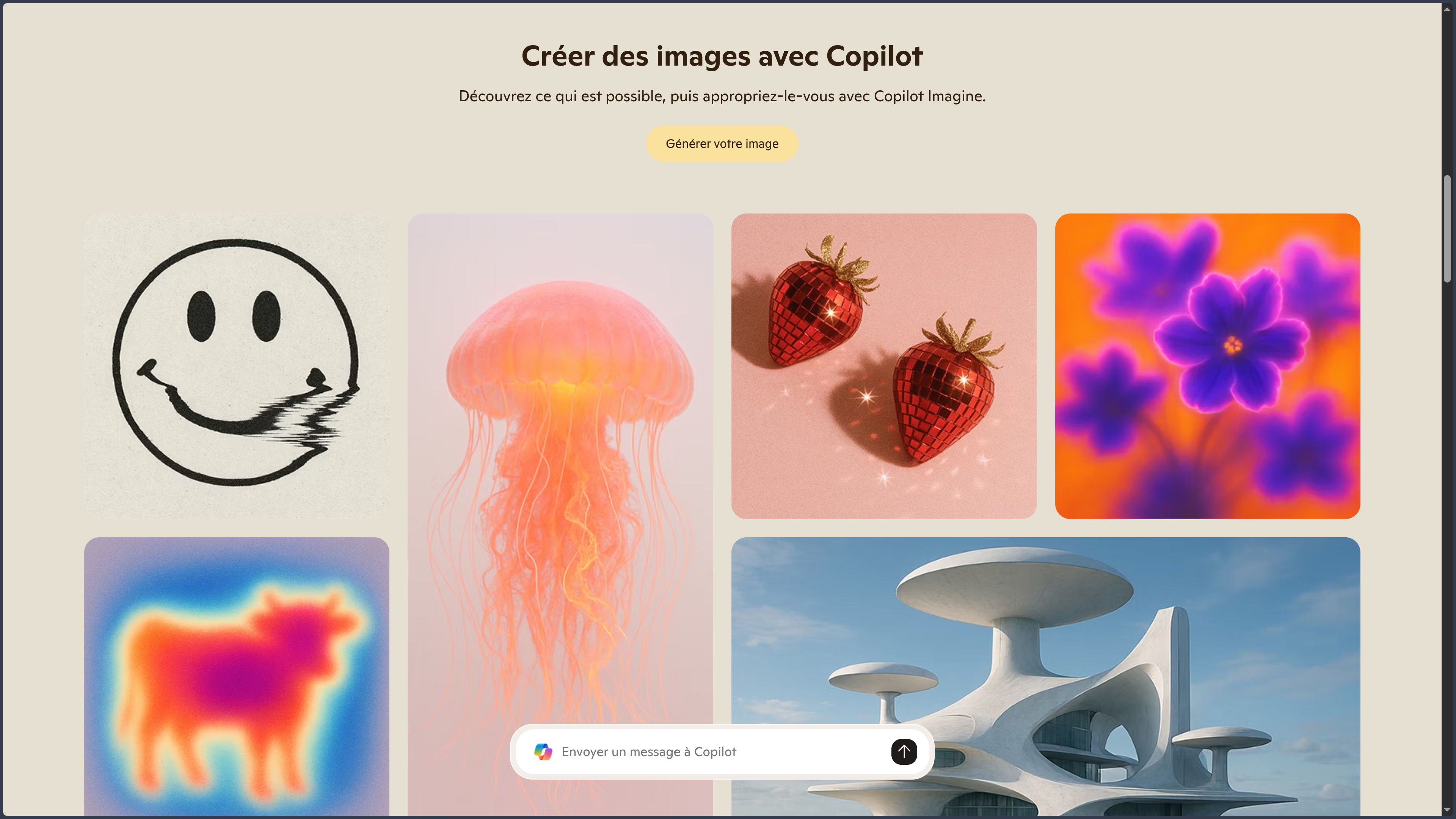
Microsoft Copilot can generate images from a natural-language description.
It can notably:
- create an illustration;
- generate an image in a specified style;
- produce several variations;
- prepare a visual for a publication;
- illustrate an idea or concept;
- generate a background;
- produce an initial art direction;
- create elements for a document or presentation.
The number of priority or fast generations may depend on the subscription.
Available quality and dimensions may vary depending on the service, platform, and models used.
Image editing
Copilot can also work from an image supplied by the user.
It can notably:
- modify certain elements;
- change a style;
- create a variation;
- add or remove an object;
- transform the atmosphere;
- suggest a new composition;
- adapt a visual to another use.
Generative edits may unintentionally alter important details. Results should be checked before publication or professional use.
Microsoft Designer
Copilot’s visual features are more broadly connected to Microsoft Designer.
Designer can notably:
- create visuals;
- prepare social media posts;
- generate images;
- remove or modify a background;
- resize certain content;
- produce invitations, cards, or posters;
- work from templates.
Designer remains a separate product, even though some of its features may appear within the Copilot experience.
Copilot Voice
Copilot Voice allows users to speak with the assistant.
The user can:
- ask a question aloud;
- receive a spoken response;
- continue a conversation without a keyboard;
- think aloud;
- request an explanation;
- use the assistant from a mobile device.
A text transcript may be retained in the conversation history.
Microsoft does not necessarily impose a fixed limit on voice conversations, but subscribers may receive priority access during periods of high demand.
Voice, language, and feature availability may vary depending on the region and application.
Copilot Vision
Copilot Vision allows users to show the assistant what is displayed on a screen or captured by a camera.
Depending on the platform, the user can share:
- a Web page in Microsoft Edge;
- an application;
- a window;
- an image;
- the computer screen;
- a phone camera feed.
Copilot can then:
- explain what it sees;
- describe an interface;
- help users understand software;
- guide a procedure;
- comment on a document;
- analyze a page;
- identify a visual element;
- support a task step by step.
Vision can highlight certain areas or provide instructions, but it does not click, type text, or directly control the computer on the user’s behalf.
This limitation distinguishes Vision from more autonomous agents such as Manus Browser Operator or certain agentic browsing tools.
Microsoft indicates that images and content shared during a Vision session are not retained after the session ends, although the conversation transcript may remain in the history.
Copilot Pages
Copilot Pages can transform a response or line of thought into an editable document.
A page can be used to prepare:
- an outline;
- a script;
- a checklist;
- notes;
- a working document;
- a synthesis;
- a table;
- a procedure;
- a collaborative draft.
The user can:
- edit the content directly;
- add headings;
- create lists;
- insert tables;
- add links;
- include code;
- request a rewrite;
- accept or reject proposed changes;
- resume the work later.
Pages brings Copilot closer to an editorial workspace rather than a simple conversation history.
Personal connectors
Microsoft Copilot can connect to certain personal services to search information within the user’s data.
Available connectors may notably include:
- OneDrive;
- Outlook.com;
- Outlook emails;
- Outlook Calendar;
- Outlook contacts;
- Google Drive;
- Gmail;
- Google Calendar;
- Google Contacts.
Depending on the connector, Copilot can help to:
- find a file;
- search for an email;
- consult an appointment;
- retrieve a contact’s details;
- summarize certain content;
- cross-reference several pieces of personal information.
Data from connected services is not supposed to be used to train Copilot.
Responses containing this information may nevertheless remain in the conversation history until it is deleted.
Granted permissions should be reviewed and revoked when they are no longer necessary.
Microsoft Edge
Copilot is directly integrated into Microsoft Edge.
From the browser, it can notably:
- answer questions;
- summarize a page;
- analyze an article;
- work with an open PDF;
- search for additional information;
- use Copilot Vision;
- support product comparisons;
- help users understand an interface or Web service.
Edge integration is one of the main differences between Copilot and competing general-purpose assistants.
Some assisted-browsing experiences are rolled out gradually and may vary depending on the country, language, or account.
Windows
Microsoft Copilot is available as a Windows application.
Depending on the system version and rollout status, the experience may notably provide:
- a separate Copilot window;
- system shortcuts;
- Copilot Voice;
- Copilot Vision;
- analysis of the screen or a shared application;
- integration with certain Windows features;
- access to conversations and Pages.
Copilot’s presence on Windows does not mean that it automatically controls the system.
Features capable of acting on files, settings, or applications remain limited and depend on the available permissions and experiences.
macOS
Microsoft also provides a Copilot application for macOS.
It notably allows users to:
- access conversations;
- use voice;
- import files;
- generate images;
- use certain Vision features;
- retrieve Pages and conversation history.
Features may roll out at a different pace from the Windows version.
Mobile applications
The Android, iPhone, and iPad applications notably allow users to:
- chat with Copilot;
- conduct a Web search;
- attach an image or file;
- use voice;
- use the camera with Vision;
- generate images;
- consult the history;
- use certain connectors.
Some features may be absent or limited depending on the device, region, and subscription level.
Podcasts and audio content
Copilot can transform certain topics, research, or documents into audio content.
This feature can be used to:
- listen to a synthesis;
- prepare a spoken summary;
- transform a topic into an audio conversation;
- discover a document without reading it entirely;
- produce educational content.
Limits may depend on the subscription, and certain variants may only be available in English.
Deep Research
Copilot has offered a Deep Research feature intended for in-depth research and long reports.
Microsoft announced that this feature will be removed from the consumer Copilot application starting on August 18, 2026.
Existing reports should remain accessible, but advanced research is gradually being moved to agents integrated into Microsoft 365 Premium plans, particularly Researcher.
This feature is therefore transitional and should not be considered a permanent capability of the free version.
Microsoft 365 integration
Eligible Microsoft 365 subscriptions add Copilot features directly inside office applications.
Integration may include:
- Word;
- Excel;
- PowerPoint;
- Outlook;
- OneNote;
- Teams;
- the Microsoft 365 Copilot application.
These features can work more directly with documents, emails, meetings, and files associated with the account.
Copilot in Word
In Word, Copilot can notably:
- write a first draft;
- rephrase a passage;
- summarize a document;
- change the tone;
- turn notes into structured text;
- answer questions about the document;
- suggest an organization;
- create a table from text.
The final document should be reviewed, particularly for facts, citations, legal wording, and sensitive information.
Copilot in Excel
In Excel, Copilot can notably:
- explain data;
- suggest formulas;
- identify trends;
- create charts;
- filter or organize a table;
- produce a synthesis;
- help clean data;
- answer questions about a worksheet.
Some features require the file to be saved in OneDrive with AutoSave enabled.
Generated formulas and analyses should be checked before financial, scientific, or professional decisions.
Copilot in PowerPoint
In PowerPoint, Copilot can notably:
- create a presentation from an instruction;
- transform a Word document into slides;
- summarize a presentation;
- modify the structure;
- generate text;
- suggest speaker notes;
- add or reorganize slides;
- apply certain visual elements.
The resulting presentation generally requires visual and editorial review.
Copilot in Outlook
In Outlook, Copilot can notably:
- summarize a conversation;
- write a reply;
- adapt the tone of an email;
- find certain information;
- prepare a message;
- summarize a long email thread;
- help organize priorities.
Generated messages should be reviewed before sending, particularly when they concern clients, contracts, or confidential information.
Copilot in OneNote
In OneNote, Copilot can notably:
- summarize notes;
- create a task list;
- turn ideas into an outline;
- rephrase a passage;
- organize content;
- produce questions or educational material.
Copilot in Teams
Depending on the professional plan being used, Copilot in Teams can notably:
- summarize a meeting;
- identify decisions;
- extract tasks;
- answer questions about the discussion;
- prepare meeting minutes;
- identify points of disagreement;
- summarize a conversation.
Professional features, privacy guarantees, and data-processing conditions may differ from the consumer version.
Microsoft 365 agents
The most advanced Microsoft 365 plans may provide specialized agents.
These may notably include:
- Researcher for in-depth research;
- Analyst for data analysis;
- Tasks for task management and execution;
- other agents provided by Microsoft or organizations.
These agents are not necessarily available in the free Copilot application.
GitHub Copilot
GitHub Copilot is a separate product specialized in software development.
It notably provides:
- code completion;
- chat inside development environments;
- programming agents;
- code review or explanation;
- test generation;
- GitHub integration;
- assistance in Visual Studio Code and other IDEs.
Microsoft Copilot can explain or generate code in a conversation, but it does not replace GitHub Copilot’s specialized features.
GitHub Copilot should therefore have its own directory entry.
Subscriptions
Microsoft Copilot offers a free version.
Advanced features and higher limits are mainly associated with Microsoft 365 subscriptions for individuals and businesses.
Plans for individuals may notably include:
- Microsoft 365 Personal;
- Microsoft 365 Family;
- Microsoft 365 Premium.
Depending on the plan, the subscription may increase:
- conversation limits;
- image generations;
- priority voice access;
- Vision usage;
- audio-content creation;
- features integrated into Word, Excel, PowerPoint, Outlook, and OneNote;
- access to certain advanced agents.
With a Family plan, AI features may be reserved mainly for the subscription owner, even when Microsoft 365 applications are shared with other people.
Prices, credits, and features change regularly. The official page should be consulted before selecting a plan.
Use cases
Web research and current events
Copilot can search for recent information, summarize several pages, and provide links to sources.
It can be used to:
- follow current events;
- prepare ongoing monitoring;
- compare products;
- find documentation;
- build an initial timeline;
- explore several opinions;
- prepare a collection of sources.
Important information should be checked against the original pages.
Writing and communication
Copilot can assist with the creation of different content:
- emails;
- messages;
- outlines;
- preparatory articles;
- social media posts;
- scripts;
- summaries;
- professional documents;
- translations.
Generated text should be adapted to the context and reviewed to avoid generic or incorrect wording.
Document analysis
Copilot can analyze several files, answer questions, and extract the main ideas.
This feature can be used to:
- summarize a PDF;
- compare several reports;
- examine a spreadsheet;
- prepare a synthesis;
- identify information in a document;
- turn notes into an outline;
- prepare a presentation.
Office work
For Microsoft 365 users, Copilot can directly support work in Word, Excel, PowerPoint, Outlook, and OneNote.
This integration is particularly useful for people who already use OneDrive and Office formats as their main working environment.
Image creation
Copilot can produce illustrations, concepts, and simple visuals from a description.
It is notably suitable for:
- illustrating an idea;
- preparing a publication;
- exploring a style;
- creating a presentation image;
- producing an initial mock-up;
- generating several variations.
Results may require further editing in Designer or another graphics application.
Visual assistance
Copilot Vision can assist users in front of an interface, Web page, or object captured by a camera.
This feature can be used to:
- understand software;
- follow a procedure;
- analyze a page;
- identify an element;
- receive a contextual explanation;
- support learning.
Vision advises the user but does not directly perform actions on their behalf.
Learning
Copilot can explain concepts, produce exercises, summarize documents, and support revision.
Voice, Vision, and audio content make it possible to vary learning formats.
Educational responses should still be verified, particularly for scientific, historical, or technical topics.
Personal organization
Personal connectors make it easier to find certain emails, appointments, contacts, and files.
Copilot can be used to:
- find a OneDrive document;
- retrieve an email;
- consult a calendar;
- prepare a task list;
- combine information from several services;
- organize a personal project.
Use in Edge
Copilot is particularly relevant for Microsoft Edge users.
It can summarize the open page, analyze a PDF, and answer questions without leaving the browser.
This integration makes research, comparison, and long-form reading easier.
Professional work
Professional Microsoft 365 plans can use Copilot to work with an organization’s data.
Use cases may notably include:
- summarizing meetings;
- preparing documents;
- analyzing data;
- searching for internal information;
- writing emails;
- building presentations;
- extracting tasks.
Permissions, internal rules, and privacy policies should be respected.
PANACHES review
Microsoft Copilot stands out primarily through its integration with the Microsoft ecosystem.
It is available in the browser, Windows, Edge, mobile applications, and, depending on the subscription, directly inside Word, Excel, PowerPoint, Outlook, OneNote, and Teams.
This presence reduces tool switching for people who already work with Microsoft 365. A document, email, or spreadsheet can be analyzed within the environment where it is used.
Copilot is also an accessible general-purpose assistant capable of combining Web research, text, files, voice, and images. Copilot Pages improves continuity between a conversation and an editable working document.
Copilot Vision takes a more cautious approach than certain autonomous agents. It sees and explains what is displayed but does not directly take control of the system. This limitation reduces some automation possibilities while also lowering the risk of unintended actions.
The multiplication of products carrying the Copilot name is nevertheless a major source of confusion. Microsoft Copilot, Microsoft 365 Copilot, and GitHub Copilot correspond to different tools, subscriptions, and uses.
Copilot’s advantages are more obvious for users of Windows, Edge, OneDrive, and Microsoft 365. Someone who mainly uses Linux, Firefox, Google Workspace, or independent tools will benefit less from this integration.
The gradual movement of certain advanced features toward Microsoft 365 Premium also shows that the free experience can change or lose features, as illustrated by Deep Research.
Copilot is therefore a coherent choice for users already committed to the Microsoft ecosystem. It is less distinctive when used only as one Web chatbot among many.
Points to consider
- Microsoft Copilot can produce incorrect, incomplete, or fabricated answers.
- Web-based responses should be checked against the original sources.
- A citation does not guarantee that the source was interpreted correctly.
- The Copilot brand refers to several different products.
- Microsoft Copilot should not be confused with Microsoft 365 Copilot.
- Microsoft Copilot should not be confused with GitHub Copilot.
- Available features vary depending on the region, language, platform, and subscription.
- Some new features are rolled out gradually.
- A Microsoft account may be required for certain features.
- Imported files may contain sensitive data.
- Microsoft may retain certain imported files for a defined period.
- Document-analysis results should be compared with the original files.
- Connectors may access personal emails, calendars, contacts, and files.
- Responses using connectors may remain in the conversation history.
- Connector permissions should be revoked when they are no longer necessary.
- Copilot Vision only sees elements shared during an active session.
- Vision provides guidance but does not directly control the computer.
- Screen or camera sharing may expose private information.
- Microsoft 365 integrations may access documents, emails, and professional data.
- The AI benefits of a Microsoft 365 Family subscription may mainly be reserved for the subscription owner.
- Some Excel features require OneDrive and AutoSave.
- Generated formulas, analyses, and charts should be checked.
- Generated presentations and documents generally require human review.
- Deep Research is scheduled to be removed from the consumer Copilot application on August 18, 2026.
- Certain advanced features are being moved to Microsoft 365 Premium and its specialized agents.
- Microsoft Copilot does not provide GitHub Copilot’s specialized development features.
- The service remains proprietary and dependent on Microsoft’s cloud infrastructure.
- Copilot is not a substitute for a qualified professional when making important medical, legal, or financial decisions.