


Overview
A commit lands on a repository.
From there, it can be reviewed, commented on, automatically tested, linked to an issue, integrated into a release, scanned for security, or trigger a deployment.
The commit was only the beginning.
This is probably the best way to understand GitHub.
Git is the distributed version control system that preserves the history of a project.
GitHub builds a collaborative workspace around that history.
GitHub does not replace Git. It organizes everything that can happen around a Git repository.
The repository thus becomes more than a place to store code.
It connects branches, pull requests, issues, automations, documentation, releases, security, packages, development environments, and — increasingly — artificial intelligence tools.
This proximity is its true strength.
An issue can lead to a branch.
The branch becomes a pull request.
The pull request triggers tests.
The results come back into the discussion.
The merge can then prepare a release.
The context stays attached to the change.
GitHub also works at several scales.
A developer can publish a small personal project there.
An open source community can receive contributions from around the world.
A company can manage thousands of private repositories with security rules, access policies, and automations.
This range explains why GitHub has become at once a software forge, a community hub, and a development infrastructure.
The simultaneous presence of public and private projects matters greatly in this identity.
A developer can discover a library, read its issues, follow a pull request, then use exactly the same mechanisms in their company's private repository.
The boundary between learning, open source collaboration, and professional production remains surprisingly thin.
This integration also has a flip side.
The more a project's lifecycle lives inside GitHub, the more leaving the platform requires rebuilding everything that existed around the repository.
Git protects part of the portability.
GitHub organizes everything else.
Features
Hosting and browsing repositories
GitHub hosts public or private repositories and provides an interface for browsing files, commits, branches, tags, contributors, forks, and releases.
Git operations can always be performed from the command line or other clients.
GitHub thus adds a collaboration layer without replacing Git's local mechanics.
This distinction is essential.
A Git repository remains usable without GitHub.
GitHub becomes relevant when people, rules, and services need to be added around that repository.
Pull requests: linking code, discussion, and decision
The pull request turns a branch into an object of discussion.
Differences become visible, comments stay attached to the concerned lines, and teams can request changes before the merge.
Code, conversation, and decision then live in the same place.
This continuity is particularly useful when the reason behind a change matters as much as the change itself.
Months later, a pull request can still explain why a particular solution was chosen, which alternatives were rejected, and which tests accompanied the decision.
Protected branches, mandatory reviewers, CODEOWNERS, or repository rules then allow this passage to be further framed.
The "Merge" button looks simple.
What matters most is what must be true before being able to use it.
Issues and Projects: organizing work around code
Issues can represent bugs, ideas, tasks, improvements, or questions.
They can be linked to branches, pull requests, milestones, or dependencies.
Projects then allows this work to be organized in views adapted to the team.
This proximity does not always replace Jira, Linear, or a specialized project management tool.
It becomes very practical when most of the work revolves directly around code.
A task is no longer described in a completely separate tool.
It can remain attached to the modification that actually ends up resolving it.
GitHub Actions: automating the development cycle
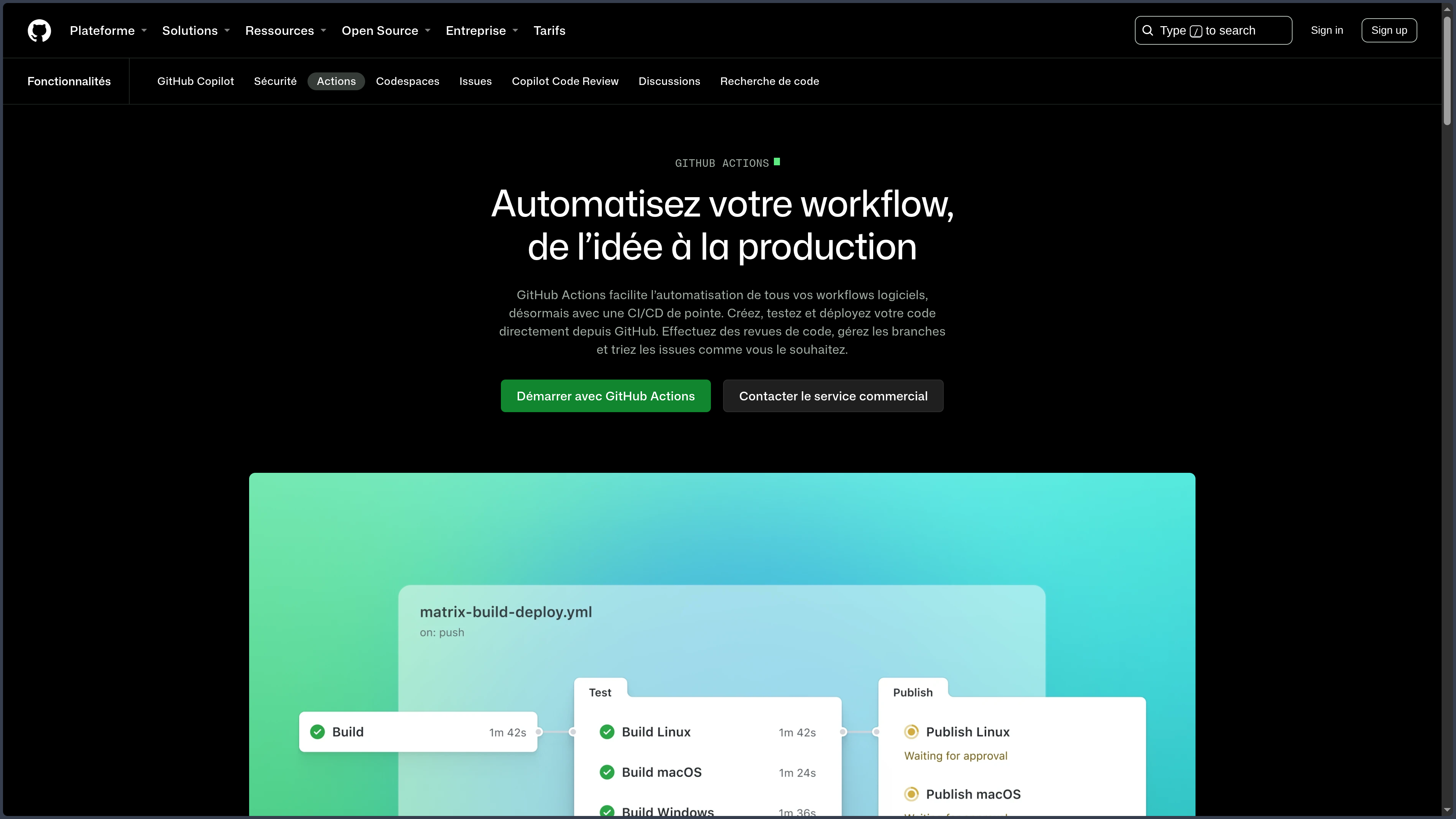
GitHub Actions allows the repository to react to events.
Tests, lint, builds, package publication, or deployments can be automated in workflows versioned with the project.
The trigger can be a push, a pull request, a release, a schedule, or a manual action.
This integration profoundly changes the role of the repository.
It no longer contains only the code.
It can also describe how to verify, build, and distribute that code.
For a cross-platform project, Actions can launch jobs on multiple systems without requiring the developer to physically own each target machine.
This power requires treating workflows as production code.
They can manipulate secrets, permissions, and infrastructure.
Security integrated into the repository
GitHub brings several security controls closer to the moment code is produced.
Dependabot can flag some vulnerable dependencies.
Secret scanning looks for exposed keys or tokens.
Push protection can block certain secrets before they reach the repository.
Code scanning can analyze the project for vulnerabilities.
The exact availability depends on the type of repository and the plans used.
The important idea remains lasting:
security can become a continuous step of development rather than an audit performed only at the end.
This integration does not replace a complete security strategy.
It mainly reduces the distance between change and its verification.
Releases, Packages, and Pages.
GitHub also accompanies what happens after development.
Releases organize distributed versions with notes and associated files.
GitHub Packages allows hosting several types of packages.
GitHub Pages can publish a static site from a repository.
These functions do not always replace specialized platforms.
They reinforce the same logic:
keep as much of the software lifecycle as possible around the same project.
Codespaces and development environments
GitHub Codespaces can provide a ready-made cloud development environment around a repository.
The project can define a configuration meant to retrieve the runtimes, tools, and extensions needed.
This approach reduces the famous:
"It works on my machine."
The environment becomes more reproducible and easier to recreate.
Codespaces remains a cloud service distinct from the repository itself.
Its value grows for teams that want to reduce workstation setup or quickly provide a disposable environment.
Organizations, teams, and governance
When GitHub moves from a personal project to an organization, the question is no longer only:
"Where is the code?"
It becomes:
- who can modify this branch?
- who must approve this pull request?
- which tests are mandatory?
- which secrets may the pipeline use?
- who owns this part of the project?
- which dependencies are problematic?
GitHub can thus become a governance infrastructure for development.
This dimension explains why the platform can be used very differently by a solo developer and by a large company.
Copilot and agents
GitHub Copilot is a distinct product.
However, it can be deeply integrated with GitHub and development environments.
Suggestions, conversation, review, and agents can intervene around the repository and propose changes in the form of pull requests.
This evolution is interesting because it adds a new actor to the project.
The repository no longer hosts only:
- humans;
- deterministic automations.
It can also host agents.
Supervision then becomes just as important as automation.
Use Cases
Publishing a project
A developer can immediately give an address, a history, and documentation to their project without building their own infrastructure.
Collaborating as a team
Branches and pull requests allow several people to propose changes while keeping discussions and approvals attached to the code.
Maintaining an open source project
Issues, forks, pull requests, and releases provide a coherent foundation for receiving contributions and organizing a community.
Automating tests and builds
Actions can test the project on multiple systems, build packages, or prepare artifacts after a modification.
Organizing a development team
Organizations, teams, permissions, and rules make it possible to structure multiple repositories and responsibilities.
Bridging development and security
Dependency controls, secrets, and code scanning can be brought closer to the moment changes are produced.
Preparing a reproducible environment
Codespaces can quickly provide access to a pre-configured development workstation.
Distributing software or a library
Releases, Packages, and automations can participate in publishing a project.
PANACHES Review
Context stays attached to the code
GitHub's strength comes less from each of its features than from their proximity.
A decision, a test, a discussion, and a deployment can remain connected to the same modification.
This continuity makes the project much more readable.
In software development, losing context often costs more than losing a few minutes of execution.
GitHub is also a place
The public platform hosts a huge part of the open source ecosystem.
Documentation, examples, discussions, and histories themselves become learning resources.
For a developer, knowing how to navigate GitHub is almost part of the general culture of the job.
This network effect is difficult to reproduce with only a list of features.
Integration creates comfort and lock-in
The more GitHub takes on review, CI/CD, security, packages, and environments, the less the team has to assemble its own infrastructure.
The flip side appears when it wants to leave.
The Git repository is portable.
Issues, Projects, Actions, Packages, rules, and metadata are much less so.
The platform simplifies daily life by moving part of the infrastructure to itself.
GitHub and Git must remain conceptually separate
Understanding Git remains useful even when working almost exclusively from the GitHub interface.
This distinction avoids confusing the project's distributed memory with the service that hosts and orchestrates that memory.
GitHub becomes truly powerful when multiple layers are useful
For a simple personal repository, many features may seem excessive.
For a team, the proximity between code, review, tests, security, and publication quickly becomes very hard to replace.
The real question is therefore not:
"Which service knows how to host Git?"
but:
"What environment do you want to build around your repositories?"
Points of Attention
- GitHub is a proprietary platform, even though Git is open source.
- A private repository does not eliminate questions of trust, access, and governance.
- GitHub Actions workflows can execute code with sensitive secrets and permissions.
- Quotas and costs of the related services vary by plan.
- GitHub Copilot has its own economics and conditions.
- The available security features depend on the type of repository and the plan used.
- Centralizing the entire development cycle increases dependence on the platform.
- Secrets must never be stored directly in the repository.
- Permissions of applications, bots, and third-party actions must be controlled.
- Codespaces and other cloud environments must be treated as real development machines.
- GitHub does not replace a backup strategy or a code governance policy.
- The Git repository travels easily; the complete workflow much less so.