Overview
You modify a file.
It works.
You modify three more.
It no longer works.
And suddenly, this wonderfully unpleasant question appears:
“What did I change since the moment everything still worked?”
Git exists precisely so that this question has an answer.
A project is no longer only its current state
A regular folder shows what exists now.
Git adds another dimension: what existed before.
At every important step, you can record the state of the project in a commit. These commits gradually form a history that you can inspect, compare, browse, or use to recover an earlier version.
The project is therefore no longer simply a collection of files.
It becomes a succession of connected states.
That idea is what makes Git a version control system.
But it still explains only part of its value.
Created for a project that was never really allowed to be simple
Git was born in 2005 around the development of the Linux kernel.
After the break between the Linux community and BitKeeper, the proprietary tool previously used to manage kernel versions, Linus Torvalds began developing a new system.
Its original goals set the tone rather well:
speed, relatively simple design, massive support for parallel branches, fully distributed operation, and the ability to track a project as enormous as the Linux kernel.
Git is now maintained by Junio C Hamano with contributions from many developers.
That historical context explains many of its design choices.
Git was not created as a small “history” feature added to an editor.
It was designed to let huge numbers of different changes circulate between many people without requiring one central server to hold the only true copy of the project.
Distributed really does mean distributed
This is probably the most important concept for understanding Git.
When you clone a Git repository, you do not simply retrieve the visible project files.
You also get its history.
The commits.
The accessible branches.
The objects required by the repository.
The local machine therefore owns a real copy of the repository.
You can create commits.
Browse the history.
Create branches.
Compare versions.
Undo certain changes.
And perform a large part of this work without an Internet connection.
The remote server becomes relevant when you want to exchange those changes.
This distinction may sound subtle until you realize that it is exactly what separates Git from GitHub.
Git knows how to version your project. GitHub knows how to host a Git repository and surround it with services. They are not the same thing.
Git can work with GitHub.
With GitLab.
With Codeberg.
With Gitea.
With a personal server.
With another computer reachable over SSH.
Or simply without any remote server at all.
Free, open source, and still very much alive
Git is released under the GNU General Public License version 2.0.
It is free and open source.
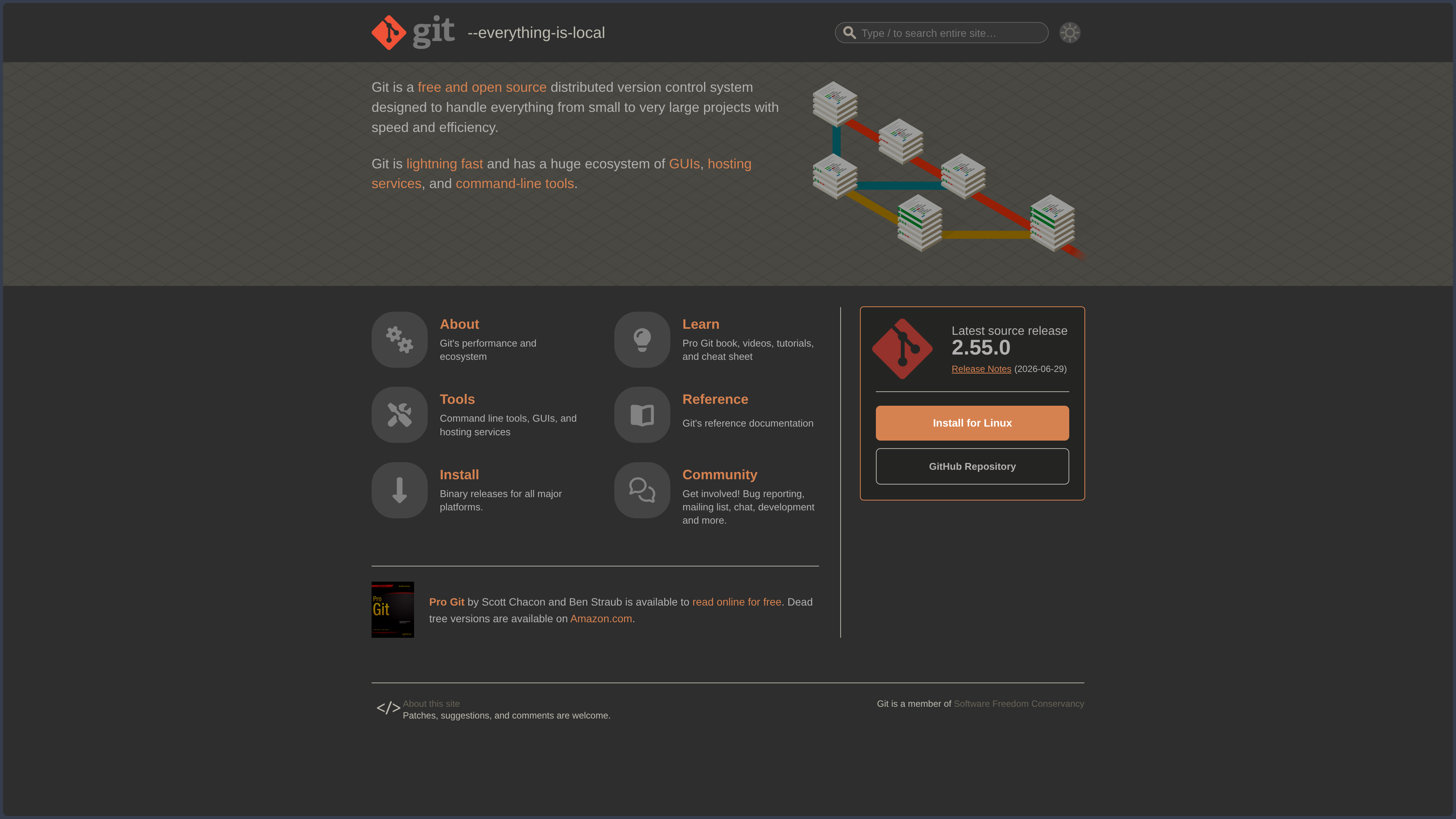
The project continues to evolve actively: at the time of this verification, August 7, 2026, the latest stable source release is Git 2.55.0, published on June 29, 2026.
And around its command-line core, an enormous ecosystem has grown.
Git is directly integrated into many IDEs and editors.
It powers graphical interfaces.
It serves as the foundation of software forges.
It fits into CI/CD pipelines.
It is used by development tools, AI agents, and automation systems.
Yet the central program remains remarkably discreet.
Quite often, people use Git all day without really looking at Git itself.
Features
Commit: giving a name to a moment in the project
The commit is one of Git’s essential building blocks.
You modify files.
You select the changes you want to record.
Then you create a commit with a message.
That commit becomes an identifiable point in the history of the project.
It then becomes possible to answer very practical questions:
When did this change appear?
Who introduced it?
Which files changed?
What did the project look like before?
What is different between two versions?
A good Git history therefore preserves more than code.
It preserves part of the memory of development.
Staging: choosing what story you want to tell
Between modified files and the commit, Git introduces a layer called the index, or staging area.
At first, this step often produces the same reaction:
“Why do I still have to run git add when Git can clearly see that the file changed?”
Because Git allows you to choose which changes should belong to the next commit.
You may have fixed a bug, updated documentation, and started an experiment during the same session.
Nothing forces you to turn all of that into one commit named:
various changes
Staging lets you reconstruct more coherent units.
It is a small friction.
But it is also one of the places where Git starts transforming a sequence of messy actions into a readable history.
Branches: experiment without overwriting the main path
A branch allows you to continue along a separate line of development.
You can create a branch to:
- build a feature;
- fix a bug;
- experiment with an architecture;
- prepare a release;
- work without disturbing the main branch.
Git branches are lightweight because they essentially rely on references to commits.
That encourages a workflow in which creating a branch is not an exceptional operation.
It is an everyday gesture.
You can start from main, create feature/export-pdf, work there, then merge the changes once the feature is ready.
The project can therefore explore several possible futures before deciding which ones deserve to join its main history.
Merge and rebase: two ways to reunite paths
Two branches have diverged.
Now they need to be brought together.
Git offers several strategies, including two particularly well known ones.
| Approach | Logic |
|---|---|
| Merge | Brings two histories together while explicitly preserving their divergence |
| Rebase | Repositions a series of commits onto another base to create a more linear history |
Neither is universally “better.”
Merge often makes it easier to see how several lines of work came together.
Rebase can produce a cleaner, easier-to-read history.
But it rewrites the commits involved.
That detail matters a great deal once those commits have already been shared.
Git offers power.
Which means that sometimes, you need to know exactly which part of the past you are reshaping.
Remotes: connecting separate histories
A local repository can know one or more remote repositories called remotes.
The most common one is named origin.
With them come a few fundamental commands:
fetch retrieves new references and remote data without directly integrating them into the current work.
pull retrieves and then integrates changes according to the chosen configuration.
push sends local commits to a remote repository.
This mechanism explains why Git does not require any specific platform.
The remote can point to different compatible servers or services.
GitHub is one option.
GitLab is another.
A homemade SSH server is one too.
The collaboration protocol and the platform hosting it remain two separate layers.
Diff, log, and blame: questioning the past
Git includes several tools for exploring history.
git diff shows differences between different states.
git log lets you browse commits.
git show inspects an object or commit.
git blame indicates which lines in a file came from which commits.
The word “blame” has a particularly elegant social charm.
In practice, the tool is mainly used to trace the context behind a change.
Why does this strange condition exist?
Who added it?
In which commit?
What problem were they trying to solve at the time?
The real point is not to find someone to blame.
It is to recover the intention behind a line that outlived its explanation.
Stash: put the mess in a box for five minutes
You are working on a feature.
It is not finished.
But you suddenly need to switch branches.
git stash lets you temporarily put aside the current state of tracked files and recover a clean working tree.
You can later return to the previous task and restore those changes.
It is a relatively simple feature.
But it answers a very human reality of development:
the world has absolutely no respect for the order in which we planned to finish things.
Worktree: work on several branches at once
Worktrees let you associate several working directories with the same repository.
You can keep the main branch open in one folder while working on another branch elsewhere at the same time.
This is particularly useful when a long development task must remain untouched while an urgent fix suddenly appears.
The feature is also becoming newly relevant with agentic development tools.
Several agents can work in separate worktrees instead of fighting to modify the same working directory.
An old Git feature suddenly feels very modern.
Tags, signatures, hooks, and advanced tools
Git can go much further.
Tags can identify important commits, often releases.
Signatures can help verify the origin of certain commits or tags.
Hooks trigger scripts at different stages of a workflow.
Submodules allow one repository to reference another.
bisect can automatically search for the commit that introduced a regression using binary search.
reflog preserves useful references that can help recover from certain local operations even after actions that looked irreversible.
Git has this strange quality:
you can use it for years with ten commands.
And then discover it had another basement the whole time.
Use cases
Stop being afraid to experiment
You want to reorganize an important part of an application.
The idea seems good.
Which, in programming, is sometimes exactly the moment when you should start worrying.
Creating a branch makes experimentation possible.
If the approach works, it can be integrated.
If it turns into an architectural swamp, the branch can simply be abandoned.
Git therefore turns history into a safety net for experimentation.
You dare more when going back does not mean manually rebuilding what you had yesterday morning.
Find out when a bug appeared
A feature works in an older version.
Not anymore.
Between the two: fifty commits.
You can obviously start reading all fifty.
Or use Git to compare history and, in some cases, git bisect to gradually narrow the range down to the faulty commit.
Version control then stops being a simple backup.
It becomes an investigation tool.
Work alone without thinking of Git as “something for teams”
A personal project may have no collaborators at all.
Git is still extremely useful.
Track changes over time.
Test an idea in a branch.
Create versions.
Recover an older implementation.
Compare two approaches.
Synchronize the project between machines.
Publish the repository on a forge later.
Git’s first collaborator is often you three months from now, after you have completely forgotten why you wrote that strange piece of code.
That person deserves at least a little documentation.
Collaborate without sharing the same folder
Alice clones a repository.
Bob clones the same repository.
Each has their own local history and can create their own commits.
Changes can then be exchanged through a remote repository.
Git does not require everyone to modify one central copy at all times.
This distributed architecture allows very different workflows: a centralized team around one server, public forks, patch exchanges, several remotes, or entirely private infrastructure.
Git provides the mechanics.
The community or company decides the organization.
Version more than code
Git is mainly associated with software development.
But technically, it tracks files.
It can therefore also be used for:
Markdown documentation, configuration files, scripts, technical notes, static websites, text documents, or structured data.
It becomes far less pleasant with large binary files that change frequently — heavy images, videos, 3D scenes, large creative files.
Extensions and strategies such as Git LFS exist for some of these needs.
But this is where Git reveals its deeper nature:
it excels when changes can be compared and efficiently represented as the evolution of files.
PANACHES review
Git is one of those tools whose interface can feel more complicated than the idea it carries.
And that idea is wonderfully simple:
do not let the current state of a project erase its history.
Everything else follows from that.
Commits divide that history into pieces.
Branches give it several directions.
Merges bring those paths together.
Remotes let several copies communicate.
Diff shows what changed.
Log tells the story of how we got here.
Its real strength is not GitHub
This is probably the most important point after our GitHub profile.
Git now has an almost inseparable relationship with major software forges.
People often learn both at the same time.
You create a GitHub account.
You clone.
You commit.
You push.
And the boundaries become blurry.
Yet one of Git’s most powerful qualities is precisely that it does not belong to GitHub.
Your history exists locally.
You can change remotes.
Add a second server.
Move to GitLab.
Use Codeberg.
Host your own repository.
Work offline.
Git keeps the fundamental layer independent from the platform.
In a world where tools easily turn into subscriptions, clouds, and mandatory accounts, that separation is almost refreshing.
Git does not choose your workflow
Git Flow.
GitHub Flow.
Trunk-based development.
Long-lived branches.
Short-lived branches.
Systematic rebase.
Merge commits.
Squash merge.
Git can support many different methods.
It provides primitives rather than one universal organization.
That is a strength.
But also a source of fascinating debates capable of turning a fifteen-minute technical meeting into an archaeological dig through everyone’s personal convictions.
A very real learning curve
Git is powerful because its model has real depth.
And that depth requires some effort.
Working tree.
Index.
HEAD.
Local branches.
Remote branches.
Remotes.
Merge.
Rebase.
Detached HEAD.
Reset.
Restore.
Reflog.
At some point, the beginner only wanted to save some changes and ends up staring at a graph wondering exactly when they left the real world.
Graphical interfaces and IDE integrations make everyday operations much easier.
But understanding a few internal concepts remains extremely valuable.
Not to memorize commands.
To know what the tool is actually modifying.
Should you learn Git from the command line?
Not exclusively.
Git has an enormous ecosystem of interfaces: integrations in VS Code and JetBrains IDEs, GitHub Desktop, GitKraken, Sourcetree, Fork, Tower, and many others.
A GUI can make branches, diffs, and commits far easier to understand visually.
It can even be better for certain tasks.
But knowing at least the fundamental commands remains useful:
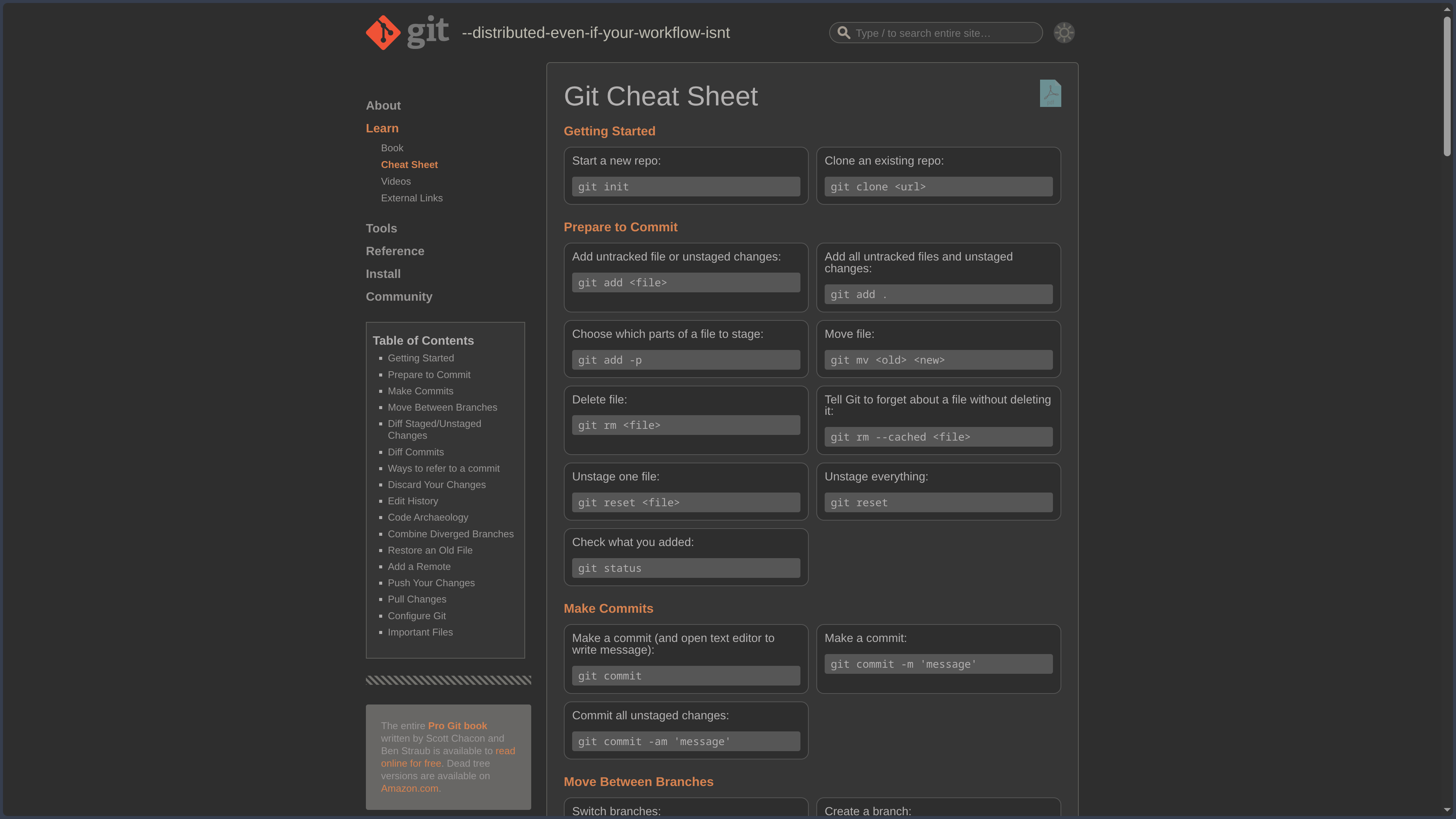
status, add, commit, log, diff, branch, switch, merge, fetch, pull, push.
Not because the terminal is somehow more “real.”
Simply because the command line exposes a common layer that almost every graphical tool either uses underneath or reproduces conceptually.
When should you prefer something else?
Git dominates its field so heavily today that an alternative usually has to answer a fairly specific need.
Mercurial keeps a different distributed version control philosophy and is often considered more coherent in certain operations.
Fossil pushes the all-in-one idea much further by integrating versioning, bug tracking, a wiki, and a web interface.
Apache Subversion retains a centralized model that can still make sense in certain environments or existing workflows.
Newer approaches are also exploring other ways of representing changes and branches.
But for most current software projects, choosing something other than Git is rarely a neutral decision.
Not necessarily because Git is perfect.
Because the ecosystem around it is enormous.
Points to consider
Git is not a complete backup strategy by itself
Git is excellent at preserving the history tracked by the repository.
But if the only copy of the repository is sitting on the SSD that just died, its distributed architecture is not going to magically summon another computer.
To truly benefit from that distribution, you need several copies: a remote repository, another machine, a server, or a backup system.
A local commit is an excellent version.
It is not yet a complete backup strategy.
Untracked files are not part of the history
Git does not automatically save everything inside the folder.
Files must be tracked and their changes committed.
Items excluded through .gitignore deliberately remain outside the repository.
That is useful for caches, builds, virtual environments, or local secrets.
But an essential file that was never added to the repository can disappear without Git ever knowing it existed.
Git remembers very well.
As long as you asked it to look.
Secrets should never be committed
A password or API key that was committed and later removed from the current file may still exist in Git history.
Deleting the line in the next commit does not make it disappear from previous commits.
The first reflex should therefore be preventing it from entering the repository in the first place: environment variables, ignored files, secret managers.
And when a secret has genuinely been exposed, the first step is usually to revoke or rotate it.
Rewriting history does not turn a key that has already been copied back into a secret.
Rewriting history is powerful because it really rewrites history
Interactive rebase.
Amend.
Reset.
Filter-repo.
Force push.
Git allows you to reshape a sequence of commits deeply.
On a personal branch, that can produce a much cleaner history.
On a branch that has already been shared, it can also turn your colleagues’ day into a group exercise in divergence resolution.
A practical rule:
the more widely a commit has been shared, the more carefully you should think before changing its identity.
Git prefers text to large binaries
Git is extremely effective with code and text files.
It is much less natural with large binary files that change frequently.
A multi-gigabyte video.
A heavy Photoshop file.
A 3D scene.
A project filled with large binary assets.
The repository history can become huge, and differences may be difficult or impossible to use in the traditional way.
Git LFS can move certain large files outside traditional Git storage while keeping pointers inside the repository.
But for very heavy artistic productions, other asset or version management systems may sometimes be more appropriate.
Conflicts are not Git errors
Two branches modify the same area of a file in incompatible ways.
Git cannot always determine which version reflects the correct intent.
It therefore reports a conflict.
That is frustrating.
But it is not really a failure.
Git is simply refusing to invent the human decision.
A good merge tool can help visualize both sides.
The developer must then understand what the final result should actually mean.
In this particular case, automation knows its limits.
And that is probably healthy.
Open source does not mean there are no rules around the name
Git is indeed free and open-source software under GPLv2.
The project nevertheless specifies that the Git name and logos are covered by a trademark policy intended, among other things, to prevent confusion.
Code licensing and trademark rights are two separate subjects.
You may study, modify, and redistribute the software under the terms of its license.
That does not automatically give you permission to present any derivative product as though it were the official Git project.
The command line can feel hostile because it exposes all the mechanics
Git has commands that look similar.
Some have evolved over the years.
Several paths can lead to nearly the same result.
And some operations become dangerous when used without understanding their consequences.
Modern interfaces reduce much of that friction.
But completely hiding Git also has a cost: once something leaves the expected workflow, it becomes difficult to understand what actually happened.
The best compromise is probably not memorizing two hundred commands.
It is understanding a few solid concepts:
commit, index, branch, HEAD, remote, merge, and history.
Once those pieces fall into place, Git starts to look less like black magic.
Eventually.
Most of the time.
Git does not merely preserve what you created. It preserves the paths that allowed you to get there.