
Overview
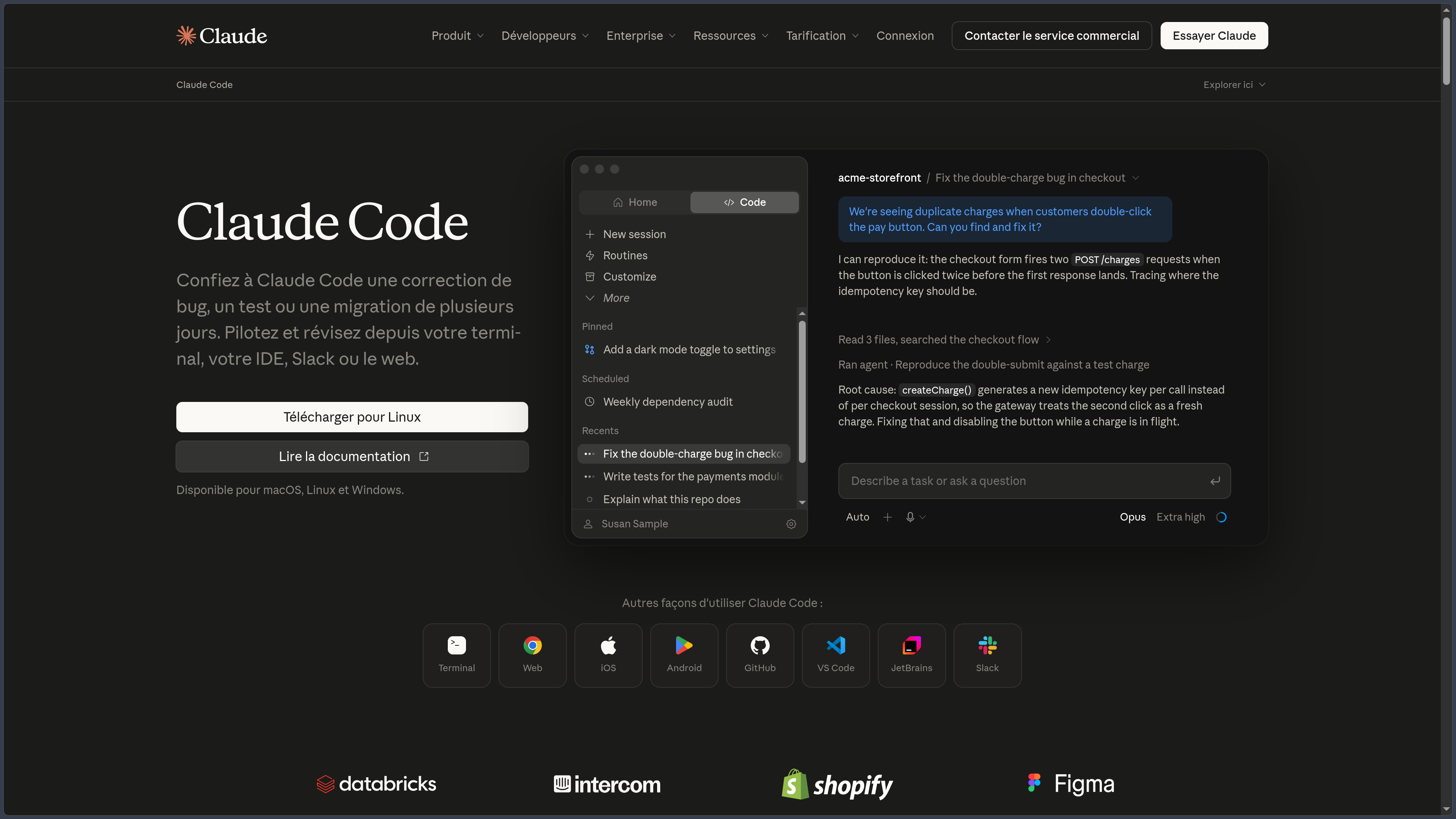
Claude Code is a software development agent created by Anthropic. It does more than suggest the next line of code: given a natural-language request, it can examine an existing project, identify the relevant files, propose an approach, modify multiple components, execute commands and verify the result. It is designed to assist with real work in a codebase rather than merely answer isolated programming questions.
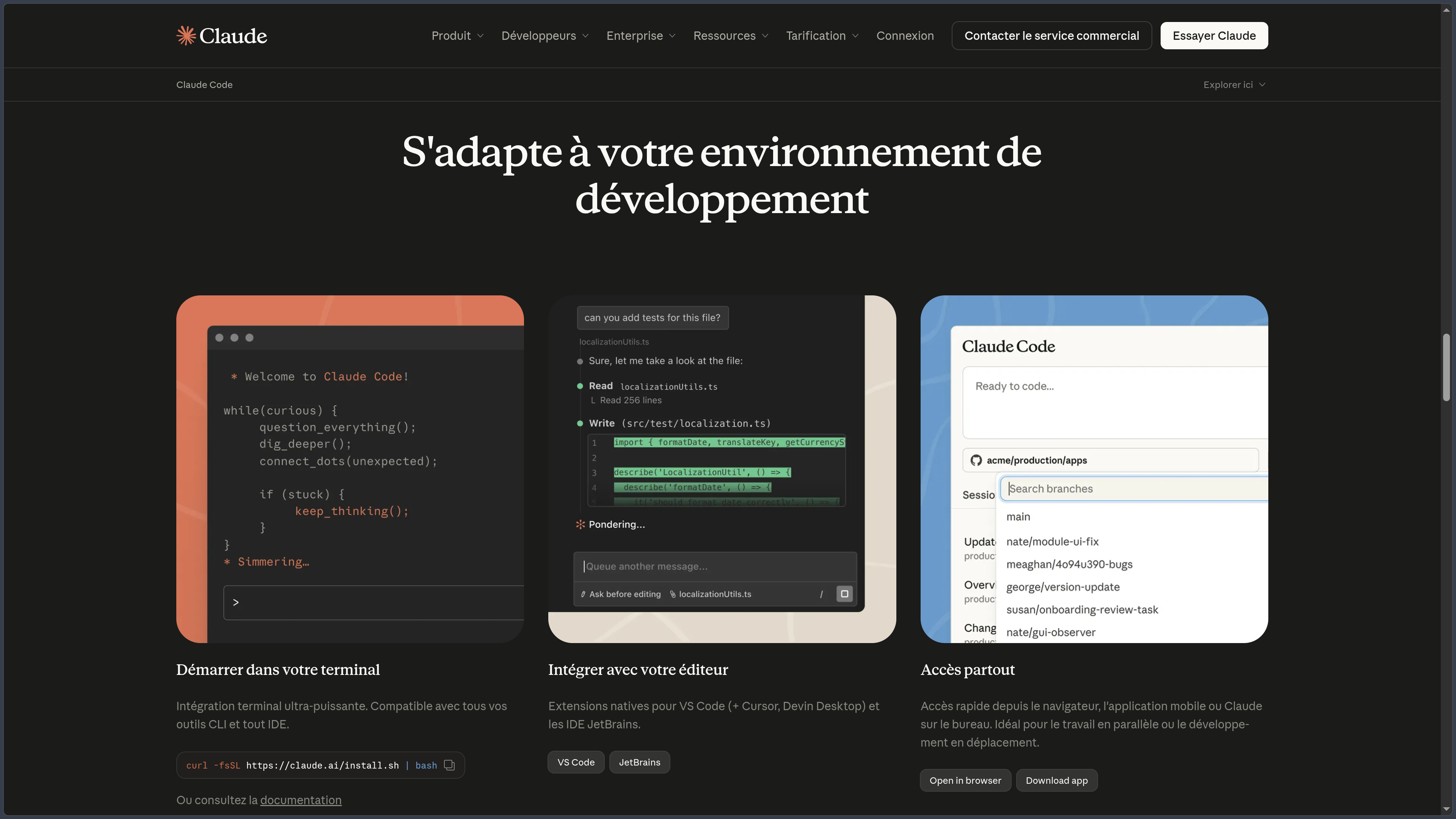
Its original environment is the terminal, within a project's directory. Claude Code can therefore use tools already present in the developer's workflow: Git, build commands, dependency managers, linters, tests or internal scripts. Integrations also make it possible to work in VS Code, Cursor and JetBrains IDEs; other interfaces are available in the Claude app, on the Web and, for remote sessions, on mobile.
The distinction between environments is essential. In the terminal or IDE, the agent works on the files and tools of the machine where it runs. Claude Code on the Web, by contrast, can complete a task in a remote environment associated with a GitHub repository, then present the changes as a pull request. The desktop application provides access to development sessions and a visual view of differences between files. Exact capabilities depend on the interface used and the account plan.
Claude Code is proprietary and connected to hosted models. Installing its client on a computer therefore does not mean the AI model runs locally or that no task-related data leaves the machine. It should be distinguished from local inference solutions such as Ollama or LM Studio.
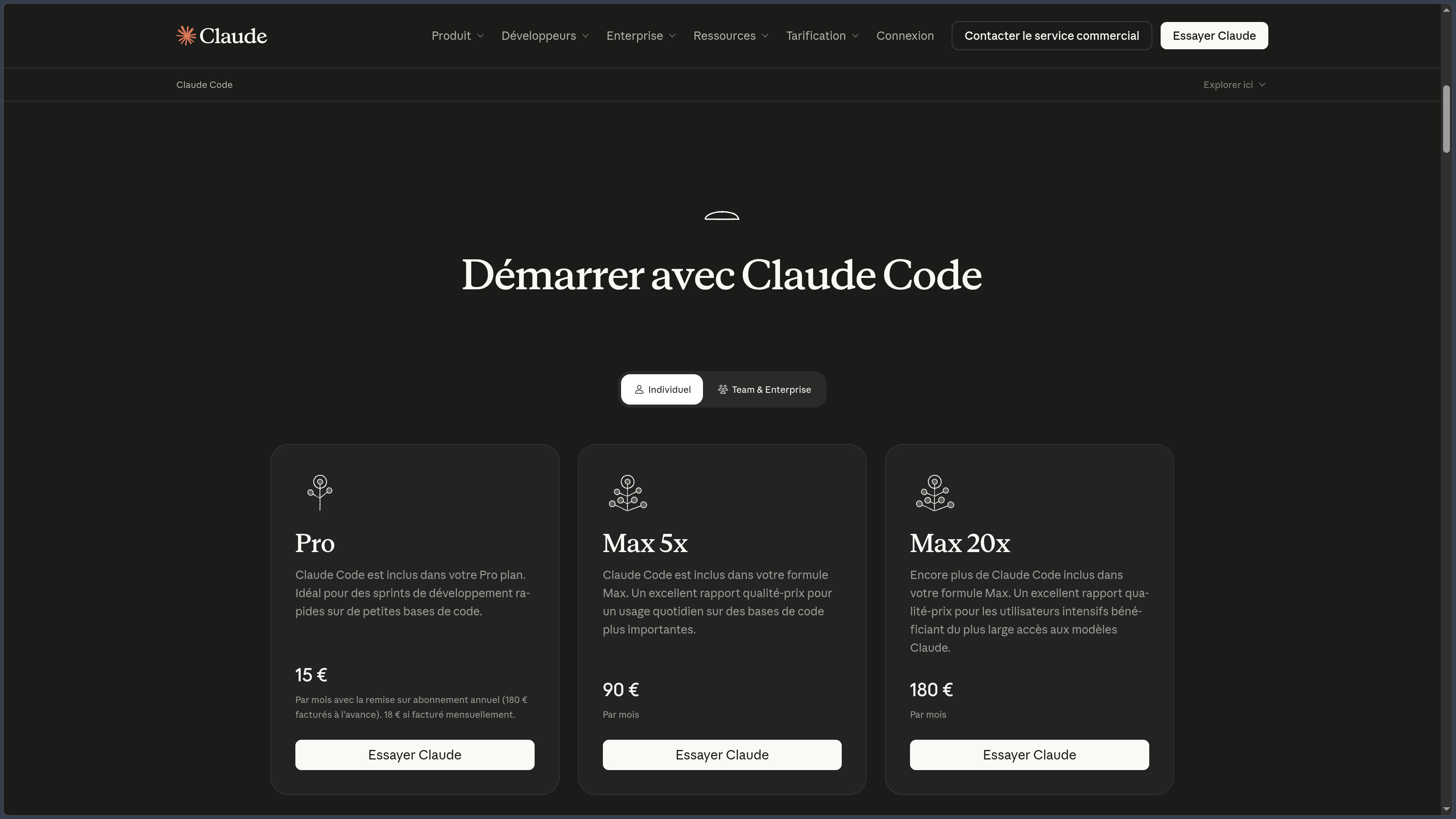
The product is paid for through usage-based billing or included with certain Claude subscriptions. Individual Pro and Max plans provide access to Claude Code with limits shared with other Claude usage, while Claude Console allows users to pay for consumption at API rates. For businesses, Team and Enterprise terms depend on seats, the organization and the billing model chosen.
Features
Understanding a codebase and working across multiple files
Claude Code has tools for reading files, browsing directories, searching for references and connecting different parts of an application. A developer can ask it to explain an architecture, trace the path of a request or locate where a feature is implemented without manually copying each file into a conversation.
This understanding is directly linked to action. A bug-fixing request may lead the agent to trace an error across an interface, a service and a database, then modify several files consistently with the project's operation. For a new feature, it can prepare an approach, write the implementation and adapt it based on test results.
The scope must nevertheless be defined by the developer. A vague request can lead to changes that are broader than intended; reviewing the diff and verifying behavior remain essential before integrating the result.
Terminal, editors and remote sessions
The CLI launches Claude Code from the project directory and gives it access to commands authorized in that environment. Native installation is documented for macOS, Linux and Windows, with several methods depending on the operating system. IDE integrations add a more visual experience: code selection, inline diffs and conversation tracking alongside the editor.
The Web addresses a different need: delegating a task on a connected repository without keeping a terminal session active on the local machine. The agent works in a remote environment and can prepare a pull request for the developer to examine afterward. This approach is useful when a repository is not available locally or when several tasks need to be carried out separately.
Mobile availability primarily means access to remote sessions and tasks; it should not be confused with a native development environment equivalent to the desktop editor.
Planning, testing and reviewing changes
For a complex operation, Claude Code can examine the context, propose a plan and then wait for approval before editing files. A Plan mode specifically separates analysis from execution. Other permission modes reduce confirmation requests for certain operations, with the degree of control depending on the settings and account.
While working, the agent can run the repository's tests, investigate a build error, fix a regression and rerun checks. It can also use Git to inspect changes, prepare commits or help create pull requests. These operations depend on the access granted and the tools actually installed.
The appropriate workflow is not “request code and publish it immediately,” but define the task, review the changes, run checks and validate the result. Passing tests alone does not prove that there are no functional defects or security vulnerabilities.
Project instructions, skills and automation
A CLAUDE.md file can document repository conventions: architecture, test commands, technical decisions and constraints to follow. Loaded during sessions, it avoids having to repeat the same context systematically, without guaranteeing that an imprecise or contradictory instruction will always be applied correctly.
The .claude environment brings together other complementary mechanisms. Skills define reusable procedures; hooks trigger actions at particular events, such as running a formatter after a change; subagents allow part of the work to be delegated to specialized agents. Agent teams and parallel sessions further extend this organization for certain projects.
These mechanisms have different roles: instructions provide context, skills describe a method, and hooks can enforce executable checks. For essential technical rules, an automated test or CI validation remains more reliable than a simple text instruction.
MCP integrations, Git and external tools
Claude Code can use the Model Context Protocol (MCP) to connect to systems outside the repository. Depending on the configured servers and available permissions, it can consult tickets, read documentation, query a service or trigger certain actions. These connections are not available automatically: they require configuration and often authentication.
Support for Git and command-line tools allows development to remain within the existing ecosystem. Integrations are also available for GitHub and review or CI/CD workflows. The aim is to connect the agent's work to the project's usual process rather than create an entirely separate coding environment.
Every external connection nevertheless expands the scope of accessible data and actions. The permissions of an MCP server, GitHub account or deployment tool should be examined before it is used on a sensitive project.
Permissions, security and data
Claude Code is designed around configurable permission modes. In Manual mode, sensitive edits and commands require approval, while other modes may automatically accept certain actions. Allow and deny rules, along with sandboxing mechanisms, can further restrict filesystem or network access in compatible environments.
These controls do not make operations risk-free: an agent may misunderstand an instruction, modify the wrong file or encounter malicious instructions in documentation or a repository. API keys, .env files, production data and destructive commands require explicit precautions. System permissions, code reviews and backups remain necessary.
Regarding data, the local client reads the necessary files and sends context to the model service to process requests. Training-related data-use policies differ by account type: Pro and Max users have a preference setting concerning model improvement; for Team, Enterprise and API, Anthropic states that it does not use code and prompts to train its models under commercial terms, unless otherwise agreed. Local sessions may also retain transcripts on disk.
Subscriptions, limits and API billing
Claude Code is not a standard feature of the Claude Free plan. Individual access notably comes through Pro or Max; teams can use Team or Enterprise seats according to their contracts, while developers with Claude Console can pay directly for the tokens they consume.
| Access | Main terms |
|---|---|
| Claude Pro | $20 USD/month or $200 USD/year; Claude Code included with shared usage limits. |
| Claude Max | $100 USD/month with the 5x plan or $200 USD/month with the 20x plan; greater capacity, with limits and conditions specific to the plan. |
| Team / Enterprise | Access according to seats and contracts; billing and quotas vary, including usage-based billing for certain Enterprise offerings. |
| Claude Console / API | Separate billing according to the models and tokens consumed. |
The distinction matters: a Claude subscription does not automatically add credits to a Console account. When an ANTHROPIC_API_KEY environment variable is set, Claude Code may use the API key rather than the signed-in subscription's allowance and incur usage-based charges. Anthropic's listed prices are expressed in US dollars and do not necessarily include applicable taxes.
Use cases
Exploring a project and preparing an intervention
When a developer joins an unfamiliar repository, Claude Code can read its structure, explain its components and identify a function's dependencies. It can then propose a plan for working on a specific area, avoiding immediate changes before the existing implementation is sufficiently understood.
This approach is also useful before a migration or refactoring: the relevant files, available tests and risks can be identified before execution.
Fixing a bug and strengthening tests
Starting from a symptom, error message or failing test, Claude Code can investigate the cause, propose a fix and run the project's verification commands. It can also add regression tests when the repository has a suitable testing infrastructure.
The developer retains responsibility for validation: they review the changes, check uncovered cases and decide whether the fix actually addresses the original problem.
Developing a feature across multiple modules
A feature may require changes to the interface, API routes, data models and tests. Claude Code can coordinate these steps from a structured request and the repository's conventions, particularly when these are documented in CLAUDE.md.
To reduce risk, it is better to define acceptance criteria and review each set of changes than to delegate an entire overhaul without checkpoints.
Automating maintenance and reviews
Claude Code can handle recurring operations such as preparing tests, reviewing changes, fixing lint errors or performing certain dependency updates. Its command-line, GitHub and remote-environment capabilities also allow it to be integrated into routines and CI/CD processes.
Effective automation requires limited permissions, usable logs and validation appropriate to sensitive operations, particularly before a merge or deployment.
Conclusion
Claude Code differs from a programming assistant based solely on autocomplete through its ability to work across a set of files and use a project's real tools. It combines code analysis, proposed changes, command execution and verification within the same process.
Its range of interfaces offers a choice between direct access and delegation. The terminal and IDE provide direct access to the local repository; the desktop application offers a visual presentation of sessions; the Web allows certain tasks to be entrusted to a remote environment connected to repositories. These use cases complement one another without having exactly the same constraints or permissions.
Customization through CLAUDE.md, skills, hooks and MCP makes it possible to integrate the agent into an existing development workflow. It does not, however, replace automated tests, human review or the project's security policies. The broader the agent's access, the more important permissions, secret protection and validation steps become.
Finally, Claude Code is not an offline local agent: the client may run on the computer, but models are accessed through remote services. Costs may be included in a subscription with limits or depend on API token consumption. Both aspects should be understood before intensive use or work on a confidential repository.
For understanding a codebase, fixing bugs, developing cross-cutting features, automating checks or collaborating on development tasks, Claude Code provides an agentic environment that should be integrated with explicit controls and validation of the outcome.
Points to consider
- Proprietary product and remote models. The public GitHub repository notably contains documentation, plugins and issue tracking, but does not mean Claude Code's core is open source. The software requires a connection to the model service.
- Paid access and shared limits. Pro and Max include Claude Code, but their usage capacity is shared with other Claude usage. Team and Enterprise have their own terms.
- API billed separately. An
ANTHROPIC_API_KEYmay switch consumption to Claude Console and incur charges independent of the subscription. - Permissions must be checked. Automatic modes and external integrations can expand the authorized actions. Destructive commands, network access and publishing operations should be controlled.
- Privacy depends on the contract and settings. Code context is sent to the models; training and retention policies differ between individual, Team, Enterprise and API accounts.
- Protecting secrets is essential. Configuration files, credentials, keys and production data should be excluded from unnecessary access; local transcripts may retain information read during a session.
- Different working interfaces. Mobile and Web access provide remote tasks; they do not reproduce the local terminal or an IDE extension identically.
- Results must be reviewed. Generated code may contain logic or security errors despite a successful build. Tests, diffs, review and functional validation remain necessary.