
Overview
Canva is a visual creation and communication suite developed by Canva Pty Ltd.
Long presented as a simple graphic editor for social media, the service has grown into a much broader platform. Canva now brings image creation, photo editing, video editing, presentations, documents, whiteboards, spreadsheets, websites, emails, and various artificial-intelligence tools together in the same environment.
Canva can notably be used to produce:
- social-media posts;
- carousels;
- Stories and vertical videos;
- YouTube thumbnails;
- posters and flyers;
- presentations;
- documents and reports;
- infographics;
- résumés and business cards;
- newsletters;
- simple websites;
- educational materials;
- products intended for print.
Its main promise remains accessibility.
The interface allows someone who does not know how to use Photoshop, Illustrator, InDesign, or professional video-editing software to quickly produce visually consistent content.
This ease of use relies on several elements:
- a drag-and-drop interface;
- a vast template library;
- integrated photographs, videos, illustrations, and music;
- formats already adapted to the main platforms;
- automatic layout features;
- collaboration tools;
- artificial-intelligence features.
Canva is available through a Web browser and official applications for Windows, macOS, Android, iPhone, and iPad.
There is currently no official desktop application for Linux. Linux users can nevertheless access the Web version through a compatible browser.
Installing the applications does not make Canva entirely local or fully usable offline. Most projects, resources, collaboration features, and artificial-intelligence tools remain connected to the cloud.
Canva is proprietary software.
Content imported by the user, resources provided by Canva, Pro elements, music, third-party applications, and creations generated by artificial intelligence do not necessarily follow the same licensing rules.
Features
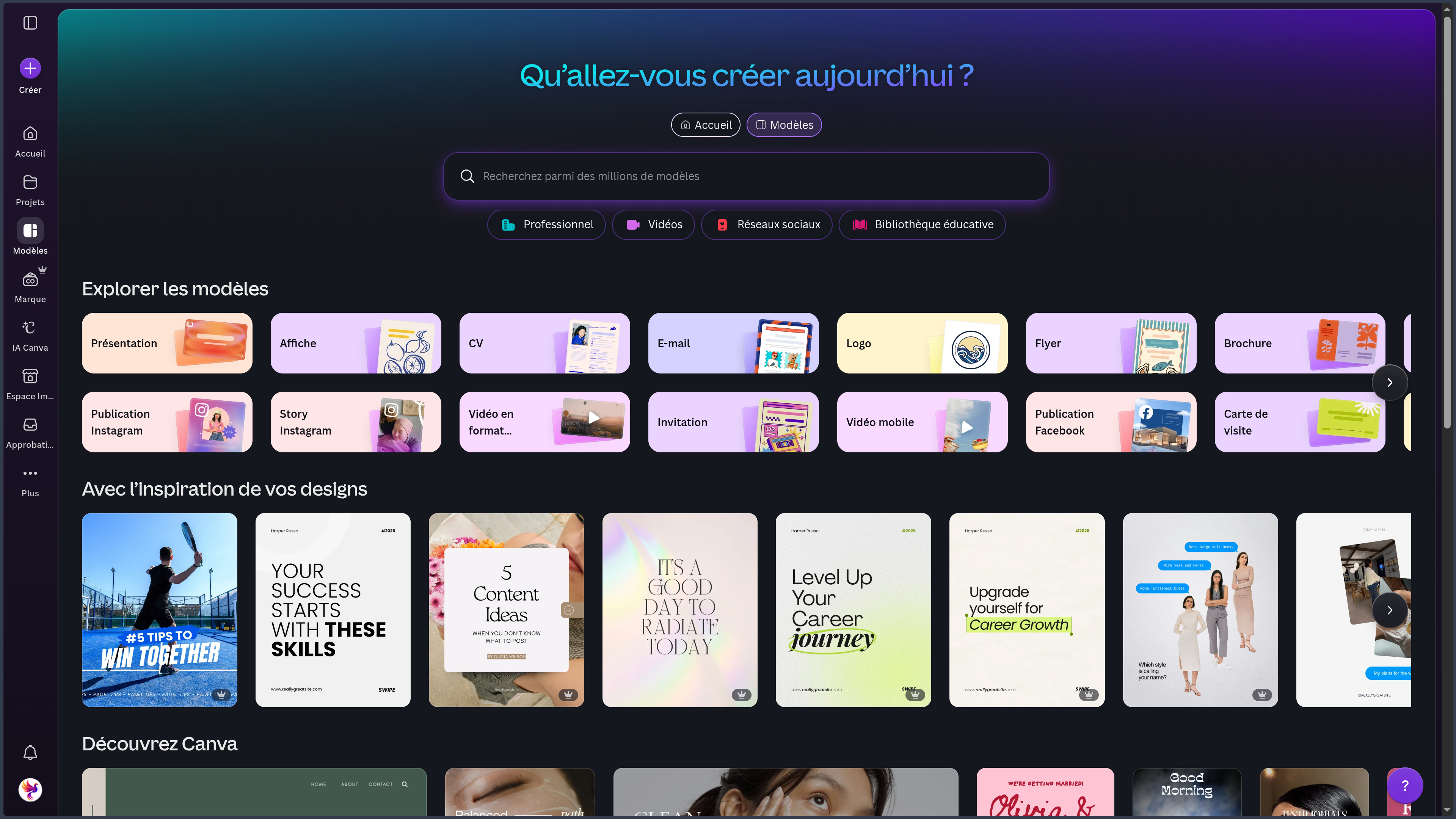
Studio Suite and visual editor
Canva is built around a visual editor designed to remain easy to learn.
Users can add and organize:
- text;
- images;
- illustrations;
- shapes;
- icons;
- charts;
- videos;
- audio tracks;
- animations;
- imported elements.
Elements are moved directly on the page. Guides, grids, and alignment features make composition easier.
Canva also provides layout, typography, and color suggestions to accelerate the creation of an initial result.
The platform allows users to work across several pages within the same project, which is well suited to presentations, documents, carousels, and brochures.
The Studio Suite brings several formats together in the same environment:
- graphic designs;
- presentations;
- Canva Docs;
- whiteboards;
- Canva Sheets;
- videos;
- websites;
- emails;
- printed materials.
This organization makes it easier to reuse the same text, images, colors, and brand elements across several formats.
A campaign can therefore be adapted into an Instagram post, Story, vertical video, presentation, document, Web page, and printed material without starting entirely from scratch.
This continuity saves time, but it also increases dependence on the Canva ecosystem when the entire creative process is built inside the platform.
Templates, content library, and visual identity
The template library remains one of Canva’s main strengths.
It notably covers:
- Instagram;
- TikTok;
- YouTube;
- Facebook;
- LinkedIn;
- Pinterest;
- presentations;
- posters;
- flyers;
- brochures;
- invitations;
- résumés;
- documents;
- infographics;
- websites;
- emails;
- educational materials.
A template can provide a complete composition with:
- a visual hierarchy;
- a color palette;
- typefaces;
- images;
- illustrations;
- animations;
- a format adapted to a platform.
Users can replace the elements while preserving the general structure.
This system considerably accelerates first drafts. It may nevertheless lead to similar-looking creations when templates are not sufficiently customized.
Canva also provides a vast integrated library containing:
- photographs;
- videos;
- illustrations;
- icons;
- shapes;
- charts;
- animations;
- 3D elements;
- typefaces;
- music;
- sound effects.
This content is divided between free resources and resources reserved for paid plans.
Pro elements may be locked, display a watermark, or require a subscription.
A resource available in Canva is not automatically royalty-free in the sense of being in the public domain or covered by an open-source licence. Its use depends on the terms granted by Canva.
Paid plans also add various brand-management tools.
They can centralize:
- logos;
- colors;
- typefaces;
- templates;
- shared folders;
- visual rules;
- approvals;
- approved resources.
These features help maintain consistency across several people, campaigns, or materials.
They do not, however, replace genuine brand strategy and visual-identity design work.
Photography, video, animation, and audio
Canva includes a photo editor suited to quick adjustments.
It can notably:
- crop and resize;
- adjust brightness, contrast, and saturation;
- apply filters;
- isolate a subject;
- remove a background;
- remove or replace certain objects;
- add text;
- create simple compositions.
These tools are particularly suitable for social posts, thumbnails, posters, presentations, and marketing materials.
Canva nevertheless remains less precise than specialized photo software for:
- RAW development;
- complex masks;
- detailed retouching;
- advanced color-profile management;
- compositions involving a very large number of layers;
- non-destructive workflows.
The platform also includes a video editor based on a simplified timeline.
It can be used to:
- import and trim clips;
- rearrange sequences;
- add text;
- include transitions;
- use templates;
- add music;
- record a voice;
- generate or add subtitles;
- create vertical video;
- export the edit.
Canva is particularly suitable for:
- Reels;
- TikTok;
- Shorts;
- simple advertisements;
- educational videos;
- slideshows;
- presentation videos.
For long-form editing, multicamera workflows, advanced color grading, professional audio mixing, or compositing, specialized software remains more suitable.
Animation tools can add movement to text, images, pages, and certain graphic elements.
They are simple to apply and effective for creating a dynamic presentation, a Story, or an animated post.
Control remains more limited than in motion-design or animation software.
Canva also provides an audio library with music and sound effects.
Licensing rules should be checked before commercial, advertising, television, cinematic, or large-scale distribution use.
Presentations, documents, whiteboards, and data
Canva can create presentations containing:
- text;
- images;
- videos;
- charts;
- animations;
- transitions;
- polls;
- quizzes;
- forms;
- interactive elements.
Presentations can be delivered directly from Canva, shared through a link, exported, or transformed into video.
The tool is particularly effective for quickly producing visually consistent material.
PowerPoint exports should nevertheless be checked. Fonts, animations, transitions, or alignments may change during conversion.
Canva Docs makes it possible to create documents combining text and visual communication.
It can be used to produce:
- briefs;
- proposals;
- reports;
- guides;
- project files;
- notes;
- collaborative documents.
A document can include images, charts, tables, videos, and other Canva elements, then be transformed into a presentation or reused in another format.
Canva Docs remains more visual than a traditional word processor.
It is less suitable for academic documents, complex bibliographies, very long manuscripts, or editorial workflows requiring advanced review features.
Whiteboards provide an expanded visual space for:
- organizing ideas;
- creating a mind map;
- adding sticky notes;
- building a diagram;
- preparing a workshop;
- planning a project;
- collaborating;
- commenting and voting.
They are useful during the early stages of a project and for collaborative workshops, but they can become difficult to manage when the number of elements or participants grows significantly.
Canva Sheets aims to bring data and visual creation closer together.
It can be used for:
- editorial calendars;
- simple budgets;
- tracking tables;
- comparisons;
- lists;
- campaigns;
- data intended for an infographic.
Canva Sheets makes it easier to transform data into visuals, but it does not replace Excel or Google Sheets for complex financial models, macros, large datasets, or advanced statistical analysis.
Canva AI and Magic Studio
Canva brings its main artificial-intelligence features together in Magic Studio and Canva AI.
Depending on the account and rollout status, this may include:
- Magic Write;
- Magic Design;
- Magic Edit;
- Magic Eraser;
- image generation;
- background removal;
- translation;
- resizing;
- presentation creation;
- text generation;
- assisted editing;
- format transformation.
The objective is no longer only to generate isolated text or an image.
Canva aims to enable the creation of a composition whose elements remain editable inside the editor.
Users can, for example, ask it to:
- produce an initial mockup;
- generate a presentation;
- create a social-media post;
- adapt a design to a brand;
- suggest a palette;
- modify a specific object;
- transform a document into a presentation;
- adapt an idea into several formats.
Canva AI 2.0 continues this evolution by aiming to understand the structure of a design, its hierarchy, the position of its elements, and brand rules more effectively.
The idea is to start from a brief, generate a complete creation, and then continue editing it conversationally without entirely losing its editable structure.
Canva is also developing more agentic features capable of combining several steps:
- research;
- data analysis;
- application of a visual identity;
- production of several formats;
- use of connectors;
- planning;
- campaign preparation.
Some of these features are being rolled out progressively and are not available to every account.
Results should remain under human control.
A generated creation may contain:
- incorrect text;
- an overly generic composition;
- fabricated data;
- distorted logos;
- inconsistent elements;
- unintended likenesses;
- misleading imagery.
AI accelerates production, but it does not replace art direction, fact-checking, or human judgment.
Canva Code, websites, and emails
Canva Code makes it possible to create small interactive experiences from instructions.
It can notably be used to produce:
- a Web page;
- a form;
- a calculator;
- a small game;
- an animation;
- an educational experience;
- an interactive prototype.
The result can be integrated into a presentation, whiteboard, or certain other Canva projects.
Canva Code is particularly suitable for rapid prototyping and demonstrating an idea.
It does not replace a complete development environment for:
- a complex backend;
- an advanced database;
- a critical business application;
- extensive automated testing;
- full control over the code;
- custom deployment;
- maintenance of a large project.
Canva also makes it possible to create and publish websites without writing code.
The tool is well suited to:
- portfolios;
- landing pages;
- event pages;
- temporary websites;
- campaign pages;
- simple presentation websites;
- link-in-bio pages.
Users can choose a template, add sections, include images and videos, publish to a Canva domain, or connect a domain.
Canva remains less suitable for a website requiring an advanced CMS, a database, a custom backend, complete SEO control, or complex e-commerce features.
The platform can also design visual emails and transfer them to certain external services.
It can be used to prepare:
- newsletters;
- announcements;
- invitations;
- launches;
- promotional campaigns.
HTML emails should be tested before being sent. Rendering may vary across Gmail, Outlook, Apple Mail, mobile clients, and different screen sizes.
Collaboration, importing, and publishing
Canva allows several people to work on the same project.
Collaboration features may include:
- visible cursors;
- comments;
- mentions;
- tasks;
- link sharing;
- viewing permissions;
- editing permissions;
- content approval;
- version history;
- team spaces.
This collaboration makes feedback, teamwork, and client sharing easier.
Permissions should nevertheless be checked carefully.
Incorrect sharing settings may expose an internal document or allow it to be modified.
Canva can import different formats, notably:
- PDF;
- PPTX;
- Adobe Illustrator AI files;
- images;
- videos;
- audio;
- office documents.
The platform attempts to convert certain files into editable elements.
Conversion may nevertheless alter:
- fonts;
- layers;
- masks;
- animations;
- spacing;
- charts;
- alignments.
A complex file should always be checked after import.
Depending on the design type and plan, Canva can export to:
- PNG;
- JPG;
- PDF;
- SVG;
- GIF;
- MP4;
- PPTX;
- various document formats.
Some exports may flatten elements and reduce their editability in other software.
Paid plans also add resizing features that make it possible to quickly adapt a design to Instagram, TikTok, LinkedIn, Pinterest, a Story, or a presentation.
Automatic resizing does not guarantee a perfect composition. Framing, margins, text, and cropped elements should be checked.
Canva can also help schedule and publish social content.
This automation saves time, but it may also publish an error if the text, visual, link, or date has not been checked.
Plans, licences, and privacy
Canva offers several plans:
- Canva Free;
- Canva Pro;
- Canva Pro+;
- Canva Enterprise;
- Canva Education;
- Canva for Nonprofits;
- Canva Campus.
The free version remains usable for creating simple content.
It provides access to the editor, numerous templates, free resources, sharing, and standard exports.
Paid plans notably add:
- more templates and resources;
- brand tools;
- background removal;
- resizing;
- more storage;
- additional AI features;
- planning tools;
- advanced collaboration controls.
Canva Pro+ sits between Canva Pro and Canva Enterprise for creators, freelancers, marketers, and small teams that need higher limits.
Canva Enterprise is intended for organizations that require greater security, access control, brand management, and administration.
Plan names, limits, and prices may change depending on the country, currency, and billing method.
Canva is proprietary software.
Users generally retain ownership of the content they import, but grant Canva the technical rights required to store, process, and display that content.
They must hold the necessary rights to the files they add.
Canva resources follow different licences.
It is necessary to distinguish between:
- Free content;
- Pro content;
- editorial content;
- music;
- typefaces;
- third-party applications;
- AI-generated content.
Restrictions may apply to logos, trademarks, products intended for resale, identifiable people, editorial content, and commercial music.
A resource shared in Canva’s library does not guarantee exclusivity.
For a brand identity, original elements remain preferable.
Canva also processes various types of data required for the service to operate, including account information, designs, imported files, metadata, and collaboration data.
Users should check their privacy settings and options related to improving artificial-intelligence features.
Rules may differ between personal, Education, Pro+, Teams, and Enterprise accounts.
Use cases
Social media and carousels
Canva is particularly effective for producing:
- Instagram posts;
- carousels;
- Stories;
- Reels;
- TikTok content;
- YouTube thumbnails;
- LinkedIn posts;
- Pinterest pins;
- Facebook visuals.
Formats, templates, and resizing features accelerate multi-platform production.
The tool is particularly well suited to educational, editorial, and marketing carousels.
Templates still need to be customized to avoid an overly generic identity.
Presentations and documents
Canva can be used to create:
- a pitch;
- training material;
- a sales presentation;
- a report;
- a portfolio;
- a brief;
- a proposal;
- a guide;
- visual documentation.
Templates make it possible to quickly obtain a clear and attractive structure.
For very long, academic, or regulated documents, a word processor or specialized layout application remains preferable.
Infographics and visual communication
Canva can transform an idea, process, or dataset into visual material.
It is notably suitable for:
- explaining a method;
- comparing several elements;
- presenting figures;
- summarizing an article;
- creating educational material;
- building a visual campaign.
The data, sources, and proportions used in an infographic should be checked.
Videos and short-form content
Canva can be used to produce short social-media videos, simple advertisements, slideshows, and explanatory videos.
The editor remains accessible and fast for combining text, sequences, music, and animation.
Specialized software remains more suitable for complex editing, advanced audio work, and long-form productions.
Brand identity and teamwork
Brand kits, shared templates, and approval features make it possible to maintain a certain level of consistency across several people or campaigns.
Canva is well suited to small marketing teams, nonprofit organizations, educational institutions, and companies that need to produce materials regularly without a dedicated graphic-design team.
It does not, however, replace art direction or a deeply developed brand system.
Websites, newsletters, and printed materials
Canva can help quickly create:
- a portfolio;
- a landing page;
- an event page;
- a newsletter;
- an invitation;
- a flyer;
- a poster;
- a business card;
- a brochure.
These features are useful for producing a consistent set of materials without multiplying software tools.
Exports intended for the Web, email, or print should nevertheless be tested in their final context.
AI-assisted creation
Canva AI can accelerate:
- idea generation;
- creation of an initial mockup;
- writing;
- visual generation;
- presentation preparation;
- translation;
- editing;
- adaptation into several formats;
- campaign organization.
AI is particularly useful for getting started, exploring variants, and automating certain repetitive tasks.
Consistency, information quality, rights, and visual direction remain the user’s responsibility.
PANACHES review
Canva has become one of the most versatile tools for accessible digital creation.
Its main strength does not lie in the absolute precision of every individual tool, but in its ability to bring many needs together inside a coherent environment.
Someone can start from an idea, build a presentation, create a carousel, edit a short video, prepare a newsletter, and then adapt everything into several formats without constantly changing software.
This continuity explains much of Canva’s success.
It is particularly well suited to creators, freelancers, teachers, nonprofit organizations, marketing teams, and small businesses that need to produce content regularly without having a specialist for every discipline.
The richness of the templates is both a strength and a limitation.
They make it possible to start quickly, but they can lead to visual uniformity when colors, typefaces, images, and compositions are not reworked sufficiently.
Canva is particularly convincing for:
- social media;
- presentations;
- infographics;
- short videos;
- marketing materials;
- visual documents;
- multi-format adaptations;
- collaborative work.
It remains less suitable than specialized software for:
- professional photo editing;
- advanced vector illustration;
- digital drawing;
- complex editorial layout;
- motion design;
- long-form video editing;
- complete software development.
Artificial-intelligence features make the platform even more versatile.
They accelerate creation and make it easier to move from a brief to an initial proposal.
They do not, however, compensate for missing art direction, incorrect information, or a poor understanding of licences.
For Panaches, Canva is particularly relevant as a tool for finishing, formatting, adapting, and publishing.
Work prepared in a local environment can be transformed into:
- a carousel;
- a presentation;
- a video;
- an infographic;
- a poster;
- social content;
- a Web page.
Canva therefore complements a local environment where original files, notes, sources, and projects can remain organized and preserved.
The platform provides speed, templates, collaboration, and cloud publishing.
A local environment preserves greater control, continuity, and independence.
The two approaches are therefore complementary.
Points to consider
- Canva is proprietary software that depends heavily on the cloud.
- There is no official desktop application for Linux.
- Desktop applications do not make Canva fully usable offline.
- Certain features vary between the Web, desktop, and mobile versions.
- Some templates, resources, and features are reserved for paid plans.
- Pro elements may display a watermark on free accounts.
- A Canva resource is not necessarily royalty-free.
- Free, Pro, editorial, music, and AI-generated content follow different rules.
- Shared resources do not guarantee exclusivity for a brand or logo.
- Terms should be checked before sensitive commercial use or resale.
- Users must hold the rights to the files they import.
- Sharing links and permissions should be checked.
- Incorrect permissions may expose a document or allow it to be modified.
- Third-party applications follow their own privacy policies.
- Connectors may provide access to sensitive files or data.
- Templates may produce creations that are too similar across different users.
- Canva AI may generate incorrect text, fabricated data, or misleading images.
- AI-generated results are not necessarily unique.
- A generated output does not guarantee the absence of third-party rights.
- Automatic edits may alter an important detail.
- Background removal may be imprecise around hair, shadows, or transparent objects.
- Automatic subtitles should be checked.
- PDF, PPTX, and AI imports may alter fonts, layers, effects, or alignments.
- PowerPoint exports should be checked.
- Print exports should be verified.
- Colors displayed on screen may differ on paper.
- Automatic resizing does not guarantee a correct composition.
- Scheduled posts may automatically reproduce an error.
- Canva Video remains less complete than professional editing software.
- Canva Docs remains less suitable for academic or very long documents.
- Canva Sheets does not replace Excel for advanced calculations and models.
- Canva Code is mainly suited to prototyping and does not replace a complete development environment.
- Canva websites provide less control than a custom CMS.
- HTML emails should be tested across several clients.
- Certain Canva AI 2.0 and agentic features are being rolled out progressively.
- AI limits vary according to the plan, country, and account.
- Settings related to memory, personalization, and AI improvement should be checked.
- Plan names, limits, and prices may change.
- Canva does not systematically replace Photoshop, Illustrator, InDesign, Affinity, or professional video software.