
Overview
Brave is an open-source web browser developed by Brave Software that puts the blocking of intrusive ads and tracking mechanisms at the heart of its operation. Its approach is to build these protections directly into the browser, without requiring users to install an extension before their first visit.
On Windows, macOS, Linux and Android, Brave is based on Chromium, the open-source project also used as a foundation by several other browsers. It therefore retains a familiar interface and compatibility for people coming from Chrome, while adding its own protections and services. On iPhone and iPad, the rendering engine is WebKit: features and extension support are consequently not identical to those of the desktop version.
The standard browser remains free. It includes Brave Shields, tab organization tools, encrypted synchronization and access to Brave Search, a search engine that can also be used from other browsers. Brave adds optional services to this set, such as the Leo AI assistant, VPN, Brave Talk calls, ad rewards and a cryptocurrency wallet.
This range can be useful, but it also makes it necessary to distinguish between the browser and its ecosystem: Brave Search is not Brave Browser, and a Leo Premium or VPN subscription is not a requirement for using the browser's protections. Since June 2026, Brave has also offered Brave Origin, a separate minimalist edition aimed at people who want to retain essential protections while removing or disabling most ancillary services.
As of September 19, 2026, the official release notes list Brave 1.95.102 for desktop, released on September 16. The Android and iOS versions follow their own update schedules.
Features
Brave Shields: protection built into browsing
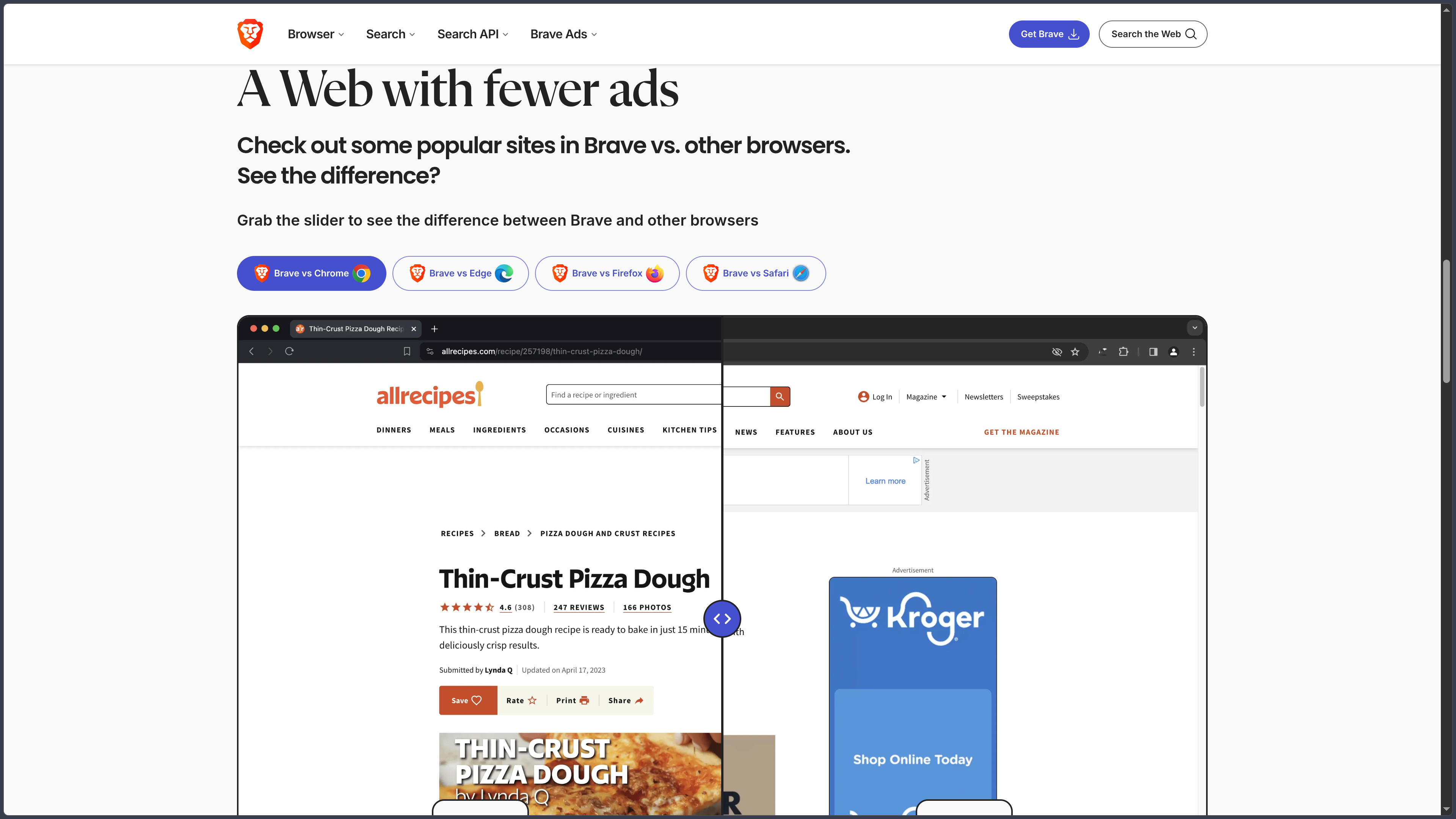
Shields filter some ads, trackers and third-party cookies by default, while limiting certain fingerprinting techniques. Brave also provides protection against tracking redirects, tracking parameters in URLs and certain cookie consent notices.
A panel accessible from the address bar shows blocked elements and lets users adjust protection for the current website. Standard settings prioritize a balance between protection and page functionality; stricter settings can block more resources, at the risk of disrupting videos, sign-ins or forms. Users can therefore create an exception for a trusted website rather than disabling protection globally.
Blocking may also reduce unnecessarily loaded resources, but it guarantees neither the absence of all advertising nor complete anonymity. Performance depends on the website, connection and device; filtering rules must evolve as advertising techniques change.
Web search and the Leo assistant
Brave Search is the search engine developed by the company and built on its own web index. It is offered in the browser but can also be used independently at search.brave.com. Its basic version is free; a Premium plan notably removes ads from results. Choosing Brave as a browser does not, however, require keeping Brave Search as the default search engine.
Brave Leo is an AI assistant built into the browser, accessible for asking questions, summarizing a page or document, translating content and helping with writing. It offers a free tier and a Premium tier with more models and higher usage limits. Brave also provides a feature for connecting personal local or remote models: this does not mean that all the models offered by default run on the computer.
Search and AI remain two separate services. For sensitive documents, users should check the selected model and data-processing terms before sending content to a remote assistant.
Synchronization and tab organization
Brave Sync lets users access bookmarks, passwords, history and other compatible data across devices. Rather than requiring a conventional account, it uses a sync chain that connects devices, with client-side encryption. Synchronized data nevertheless passes through Brave's servers: synchronization should not be confused with exclusively local operation.
For everyday use, the browser provides the functions expected of a work tool: bookmarks, profiles, a password manager and tab organization. On desktop, groups, vertical tabs and the sidebar make it possible to separate several subjects or projects without leaving everything in a single horizontal row.
Available tools vary by platform. Synchronization makes it easier to move between a computer and a phone, but all settings and extensions are not reproduced identically on every device.
Extensions, engine and platform compatibility
Thanks to its Chromium foundation, Brave on desktop supports compatible extensions from the Chrome Web Store. Familiar browsing, development and productivity tools can therefore be added without completely changing ecosystems. It is still important to review each extension's permissions, since an extension with broad access to pages may itself pose a privacy risk.
On Android, Brave also uses Chromium, but extension capabilities and the interface differ from the desktop version. On iPhone and iPad, the WebKit foundation requires a different architecture: users should not assume that a desktop extension or advanced setting works on iOS.
Brave's own code is published under the Mozilla Public License 2.0, alongside the various licenses applicable to components inherited from Chromium. The browser's open-source status does not automatically extend to associated hosted services, subscriptions or AI models.
Private browsing and windows with Tor
A private browsing window limits the local retention of history and certain session data after it is closed. It does not, however, automatically hide the IP address from websites, the internet service provider or the network administrator.
On desktop, Brave additionally offers private windows with Tor connectivity, which route traffic through the Tor network before reaching the visited website. This option can slow browsing and does not reproduce all the protections of the dedicated Tor browser. Brave explicitly recommends using Tor Browser when personal safety depends on anonymity; its Tor window should therefore not be presented as a complete equivalent.
Reading, multimedia and optional services
Brave includes features intended to make browsing less cluttered, notably a reading mode, translation tools and Brave Playlist for collecting compatible media. Playlist supports background or offline playback depending on the device and content; it does not bypass DRM protections, and saved media remains accessible inside Brave rather than becoming freely exportable files.
Other services expand the ecosystem without being necessary for browsing. Brave VPN is a paid service protecting the connection at device level, separate from Shields, which filters web resources. Brave Talk provides video calls, with additional features in its Premium tier. Brave Wallet and the Brave Rewards program target users interested in Web3 or optional ads that provide rewards in BAT; neither is required to block trackers.
This separation matters: disabling Rewards, Wallet or Leo does not prevent Brave from being used as an ordinary browser.
Brave Origin and business model
Since June 2026, Brave has offered another approach with Brave Origin. This is a minimalist edition that retains Shields and security updates while allowing features such as Leo, Rewards, Wallet, Talk or VPN to be disabled or removed. A standalone application is offered on desktop, while an upgrade of the existing Brave application is also possible on compatible platforms.
The offers differ as follows:
| Offer | How it works |
|---|---|
| Standard Brave | Free browser, with Shields and core features included. Optional additional services. |
| Brave Origin | Streamlined edition advertised at US$59.99 as a one-time purchase; the French website mentions a free exception for Linux. |
| Premium services | Separate subscriptions for VPN, additional Leo capabilities, ad-free search or advanced Talk features. |
The reference prices published by Brave are expressed in US dollars. They may vary depending on the country, taxes and store used. Purchasing Origin is not necessary to remove ancillary functions from the free edition: several can also be hidden or disabled in the settings, although the standalone Origin application removes more components.
Use cases
Everyday browsing with less tracking
Brave suits someone who wants intrusive ads and trackers blocked immediately, without configuring several extensions. Protections remain adjustable when a website encounters a problem, allowing users to retain a general-purpose browser for shopping, reading, video or everyday online tasks.
Organizing research or a workspace
A user can divide research across several tab groups, keep references in bookmarks and access some of their data on different devices through Sync. Chromium compatibility also makes it possible to retain many extensions already used in a professional or development environment.
Reading, searching and summarizing content
Brave Search can be used to search independently of the dominant search engines. Leo can complement this activity by summarizing a page, clarifying a passage or translating a document, while its answers should be verified when the information matters. The option to connect a personal model also interests users who want more precise control over their AI environment.
Choosing a streamlined interface without losing protections
For someone who uses neither cryptocurrencies nor a built-in AI assistant, Brave Origin offers a browser refocused on Shields. The free edition already allows many optional features to be disabled: the choice depends mainly on whether the user wants these components removed from the application or simply does not want to use them.
Conclusion
Brave combines a conventional Chromium browser with privacy protections enabled by default. This combination allows it to retain familiar browsing habits and much of the compatibility with extensions on desktop, while reducing the advertising resources and tracking mechanisms loaded during visits.
Its appeal is not limited to blocking, however: encrypted synchronization, tab organization, an independent search engine, the Leo assistant and multimedia features can form a complete browsing environment. These services complement one another, but should not be confused with the browser's essential features.
The arrival of Brave Origin makes this positioning clearer for people who want to avoid an accumulation of ancillary features. The standard version remains free and fully supported, while the streamlined edition is a separate option.
A fundamental distinction must nevertheless be maintained between reducing tracking and anonymity. Shields does not protect against every tracking technique; private browsing does not hide the IP address; Brave's Tor windows do not replace Tor Browser. Likewise, compatibility and features differ between Chromium on desktop or Android and WebKit on iPhone or iPad.
For browsing with built-in protections, keeping a familiar environment, synchronizing several devices or accessing search and AI tools from the browser, Brave is a versatile solution whose additional services remain optional.
Points to consider
- The standard browser is free and open source, but Premium services and the Brave Origin edition have separate offers. The browser's code is licensed under MPL 2.0; Chromium components have their own licenses.
- Shields can disrupt certain websites when necessary scripts, cookies or resources are blocked. A targeted exception may be preferable to disabling protection globally.
- Blocking tracking does not guarantee anonymity. An ordinary private window does not hide the IP address, and the built-in Tor windows do not replace Tor Browser.
- Synchronization is encrypted on the client side, but it uses Brave's servers and relies on a sync chain that must be configured across devices.
- Features differ by operating system. Brave uses Chromium on desktop and Android, but WebKit on iPhone and iPad; desktop extensions are not available in exactly the same way on mobile.
- Leo can use remote models. The presence of an assistant in the browser does not mean that every AI request is processed locally; users should check the model and transmitted data.
- VPN is a paid service separate from Shields. Brave VPN availability depends on the platform and should not be inferred from the presence of the browser alone, especially on Linux.
- Brave Rewards and Wallet are optional. BAT rewards and their uses may differ by country and platform; enabling them is not necessary to benefit from ad blocking.
- Brave Playlist remains tied to the browser. Offline playback does not provide independent media files, and DRM-protected content is not always supported.