
Presentation
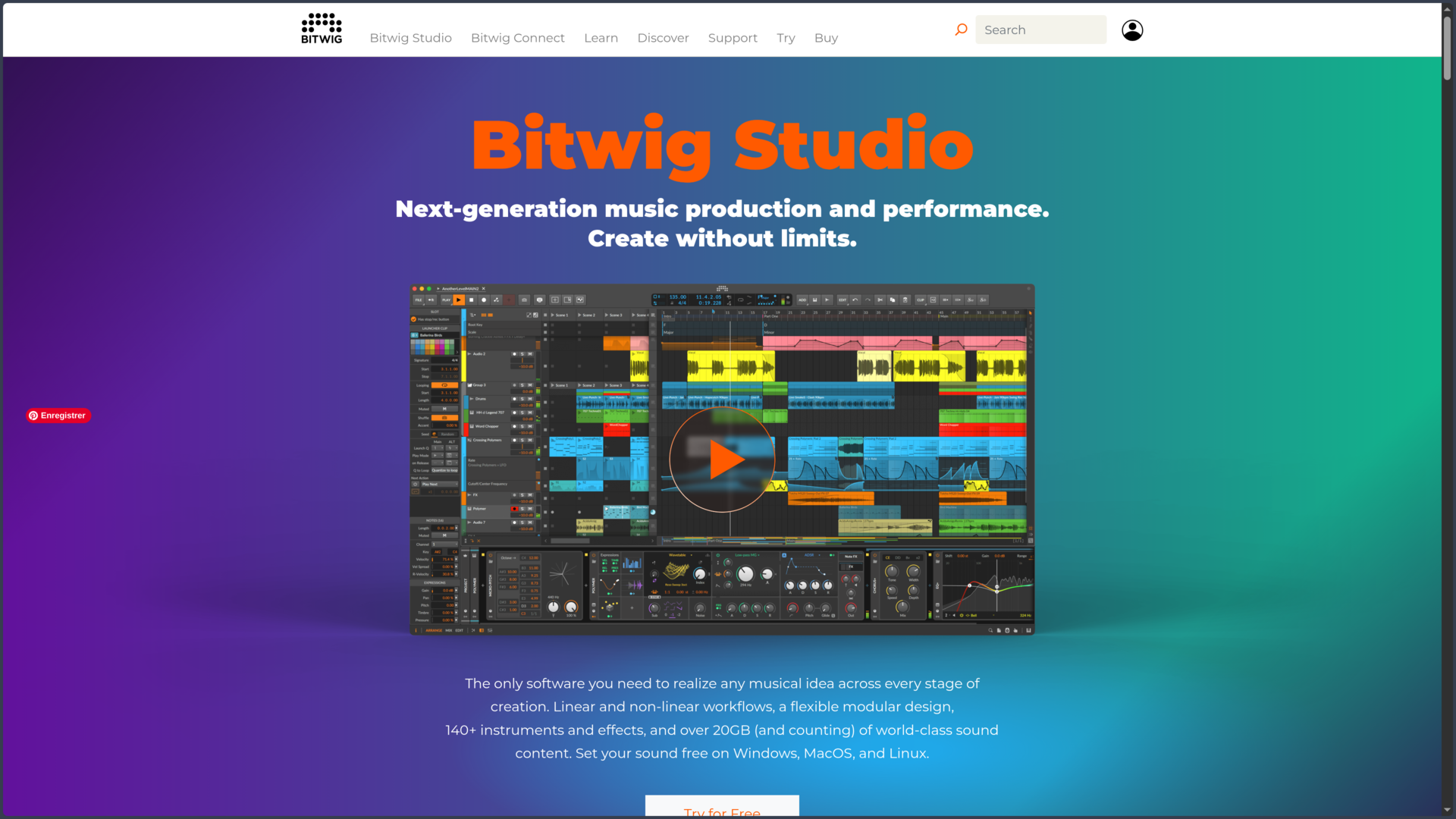
Bitwig Studio is a digital audio workstation, or DAW, developed by Bitwig in Berlin. It can record and edit audio, program MIDI, run virtual instruments, arrange, mix and perform a project live. This definition remains too general, however, to explain its place among other music production applications. Bitwig stands out above all through the way it connects several creative approaches that are often treated separately.
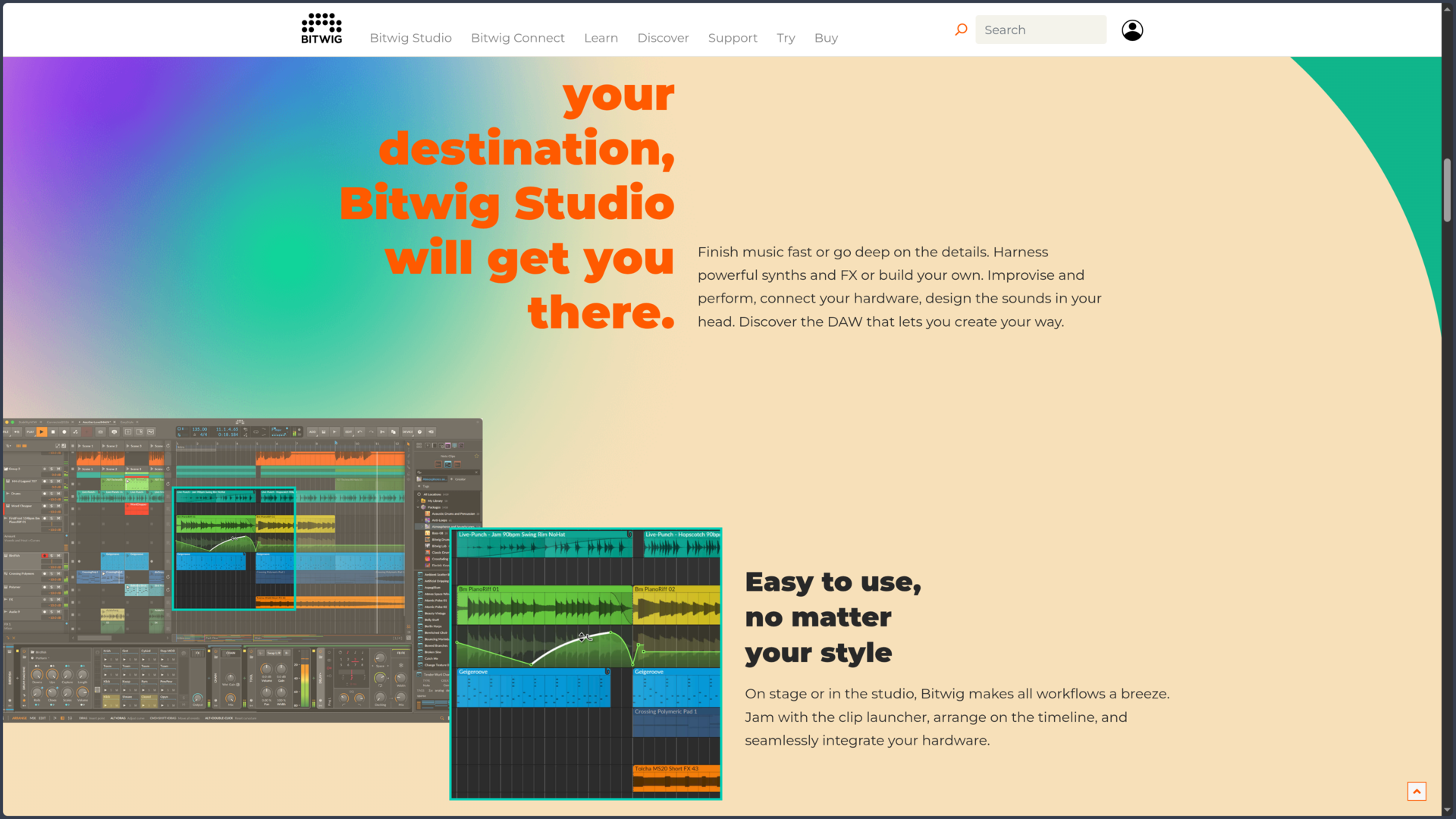
The software therefore includes two complementary sequencing environments. The Arranger works on a conventional timeline and is used to build a track precisely over time. The Clip Launcher, by contrast, holds clips and scenes that can be triggered freely to test combinations, improvise or prepare a performance. The two remain connected: an improvisation performed in the Launcher can be recorded into the Arranger and then refined as a linear production.
This organization recalls some of Ableton Live’s ideas, but Bitwig develops an identity more broadly centered on modulation and modularity. Almost any parameter of a compatible instrument, effect or plug-in can receive several modulation sources. An LFO can control a filter, an envelope can act on an effect, note velocity or pressure can influence different properties of the sound, and these relationships remain visible directly in the interface.
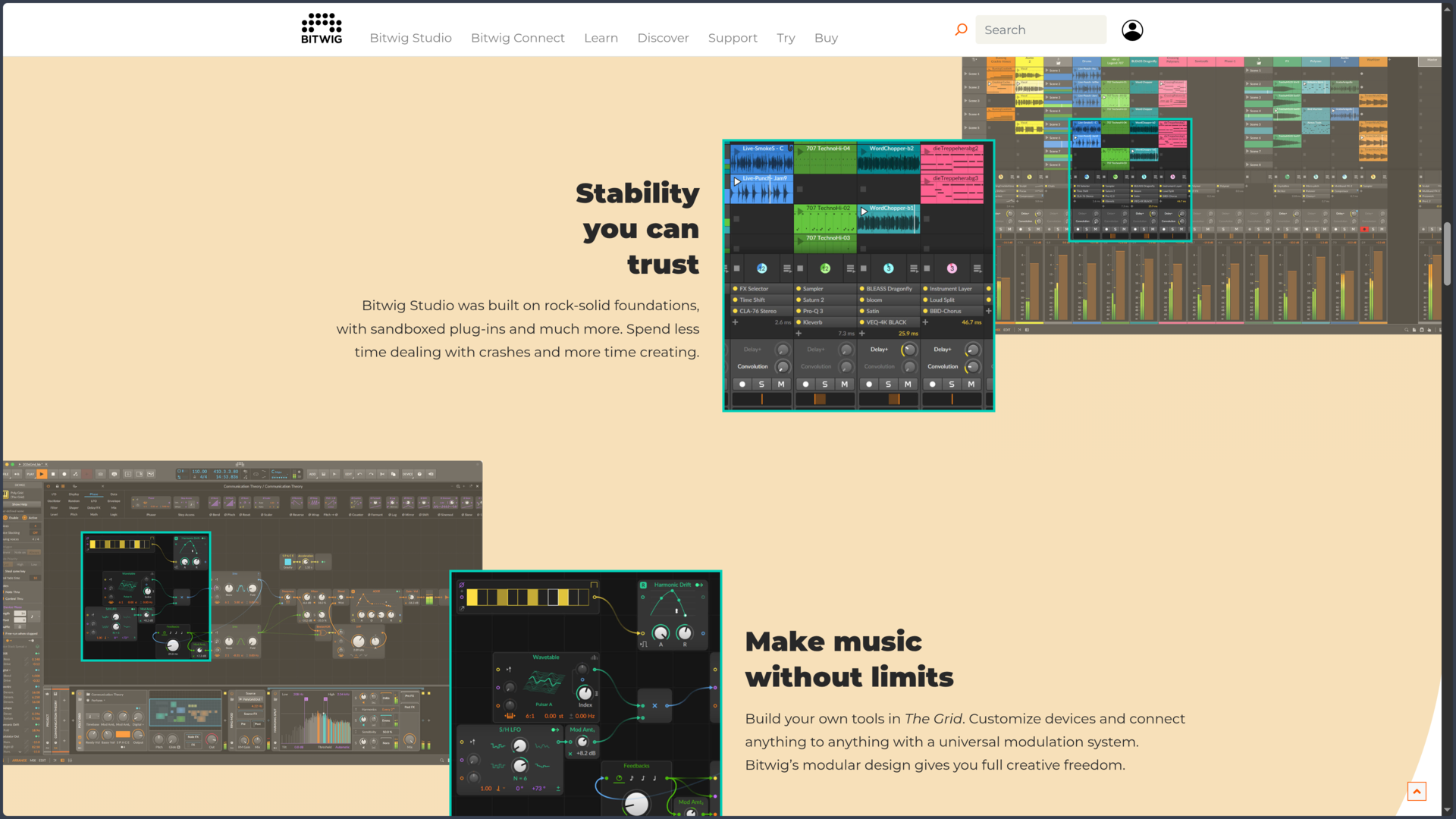
With The Grid, this logic becomes a genuine modular construction environment. Oscillators, filters, envelopes, sequencers, audio processors and logic modules can be connected to build synthesizers, note generators or custom effects. Bitwig can therefore be used as a conventional DAW, but it becomes much more distinctive once the project itself starts being treated as a modular system.
This philosophy is supported by a modern technical architecture. Plug-ins can run in separate processes so that an unstable instrument or effect does not necessarily bring down the entire application. Bitwig also supports VST and CLAP, polyphonic MPE expression, MIDI controllers and CV for communicating with modular hardware.
Bitwig Studio is available in three main editions: Essentials, Producer and Bitwig Studio. All retain the fundamental sequencer functions and unlimited tracks, but the instruments, effects, modulators, advanced features and sound-design possibilities increase progressively. The full edition provides access to the most characteristic Bitwig experience, particularly The Grid in its full creative scope.
Features
Moving freely between timeline and clips
The Arranger and Clip Launcher are not simply two different views of the same data: they are two sequencers that can contain separate clips. This separation makes it possible to preserve a structured version of the track in the Arranger while experimenting with other ideas in the Launcher.
A verse, rhythmic loop or several melodic variations can be prepared as clips and grouped into scenes. They can then be triggered in any order, alone or alongside other tracks. When a combination becomes interesting, the Launcher output can be recorded directly into the Arranger and used as the basis for a final version.
Bitwig Studio 6 also expands linear editing with automation clips, clip aliases and global key handling. Repetitive elements can remain linked when a change needs to propagate to several locations, while automation becomes easier to manipulate as material independent from the rest of the clip.
This coexistence between improvisation and structure is particularly suited to projects that do not emerge in a fixed order. A production can begin as several fragments, evolve during a playing session and then be organized precisely without rebuilding what has already been discovered.
Modulating almost anything that moves
The modulation system is one of Bitwig’s signatures. Instruments and effects can receive modulators such as LFOs, envelopes, sequencers, macros, random generators or sources linked to played notes. Assignments are made directly from the relevant device and their depth remains visible.
The difference becomes especially apparent when several modulations are combined. A filter can follow an envelope while receiving a slight random variation, a delay can evolve according to an LFO, and a parameter of a third-party plug-in can react to pressure from an MPE controller. These movements can remain subtle or completely transform the behavior of a sound.
Bitwig extends this logic beyond its own devices. Modulators can affect many parameters in VST or CLAP plug-ins and, depending on the configuration, external hardware. The system therefore becomes a shared modulation layer between native instruments, third-party software and physical equipment.
This approach is particularly useful for sound design, but it can also serve much simpler tasks. A slow modulation may be enough to make a pad feel less static or to give an effect some movement without manually drawing a long automation curve.
Building custom instruments with The Grid
The Grid takes modularity much further. Poly Grid is mainly used to create polyphonic instruments, FX Grid to build audio processors and Note Grid to generate or transform musical information.
The workflow is based on visually connected modules. Oscillators, filters, envelopes, mathematical operations, sequencers, random sources and many control tools can be assembled into an architecture adapted to the intended idea. The modules have their own signals, but they also remain connected to Bitwig’s overall modulation system.
The value of The Grid is not limited to building a synthesizer from scratch. It can also create highly specialized tools: rhythmic generators, performance-responsive effects, unusual sequencers, audio transformations or hybrid systems that would be difficult to reproduce with a simple chain of plug-ins.
This depth naturally requires more learning. Presets make it possible to benefit from The Grid without understanding every module, but its real value appears when the user begins to build and modify the relationships between elements themselves.
Recording, editing and transforming audio
Bitwig Studio does not restrict its experimental approach to MIDI or synthesis. Audio can be recorded directly into the Arranger or Clip Launcher, then cut, moved, stretched and reworked inside the project.
Producer and Bitwig Studio editions notably include comping, available in both the Arranger and Clip Launcher. Several takes of a vocal or instrument can be preserved and then assembled into a final performance, bringing Bitwig closer to a traditional recording workflow without abandoning its clip-based logic.
Audio events can also be used much more creatively. Time stretching, slicing and the Sampler make it possible to transform a recording into new musical material. A loop can be cut into rhythmic elements, a texture turned into an instrument or a fragment rearranged until it no longer resembles its source.
Version 6.1, still in public beta at the time of this verification, is preparing a major Sampler redesign with new slicing, tempo and pitch detection functions, along with additional spectral and granular modes. These additions should not yet be treated as part of the stable 6.0.11 release.
Expanding the project with plug-ins and hardware
Bitwig supports VST and CLAP plug-ins, with side-chain, latency compensation and different routing possibilities depending on the edition. The software can isolate plug-ins in separate processes so that a crash remains, as far as possible, contained to the affected extension.
Several levels of isolation are available. Plug-ins can run together in a process separate from the audio engine, be separated by manufacturer, by plug-in or individually. The stronger the isolation, the more memory usage may increase, but overall project stability receives better protection.
This architecture becomes particularly useful on stage or in large sessions. A failing plug-in can sometimes be reloaded without having to close the entire project, reducing the consequences of a problem that could interrupt the whole workflow in a more monolithic environment.
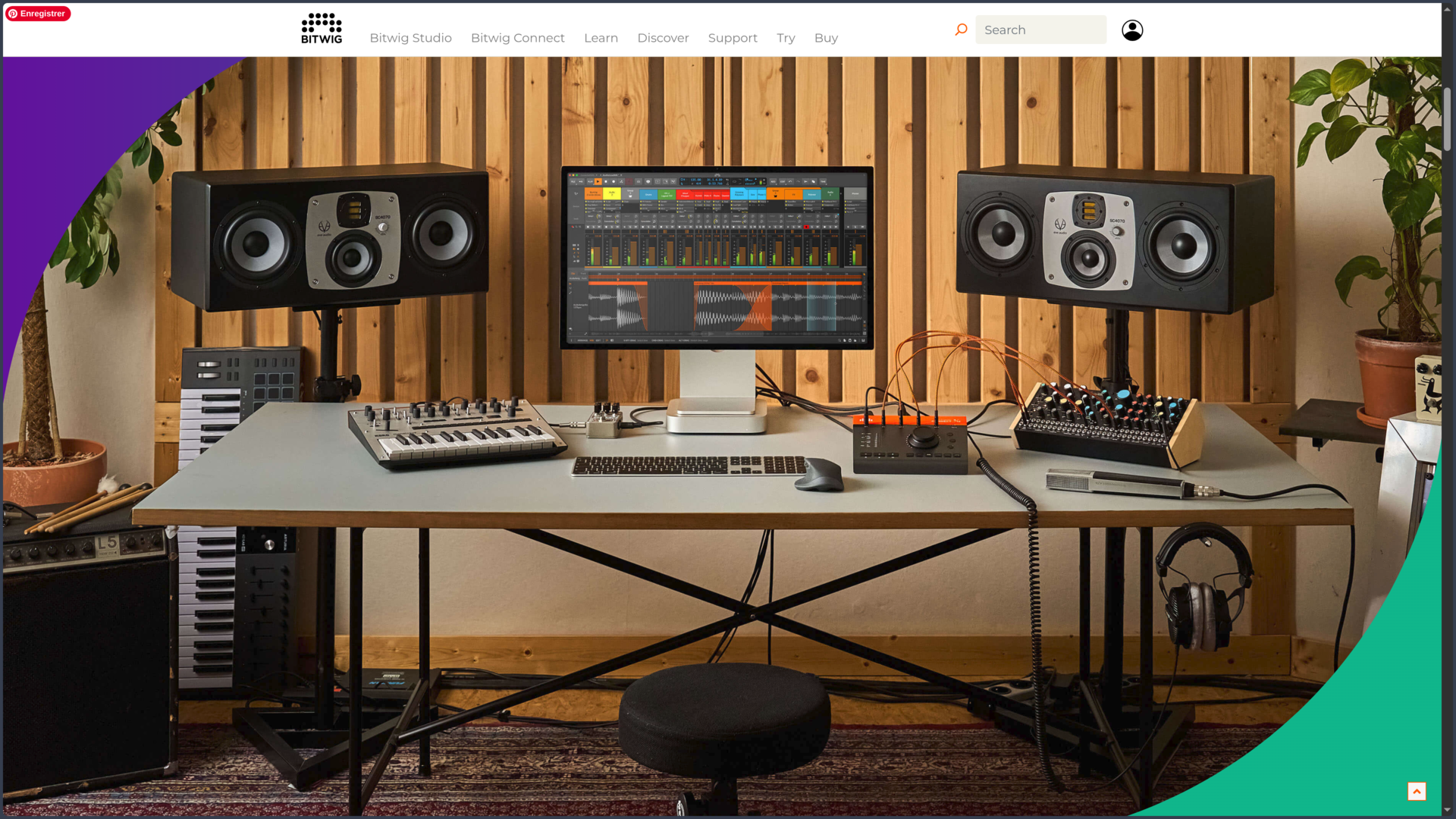
Bitwig also maintains a strong relationship with hardware. MIDI, MPE and CV make it possible to connect expressive controllers, synthesizers and modular systems. The software can therefore act both as a sequencer and as a bridge between several physical and virtual machines.
Use Cases
Building a track from an improvisation
A producer can prepare several drum parts, bass lines, chords and textures in the Clip Launcher without immediately deciding their final placement. Scenes make it possible to test different combinations and let the track evolve in real time.
When the progression works, the performance is recorded into the Arranger. Clips can then be moved, shortened, automated or replaced to transform the improvisation into a precise structure.
This natural transition between playing and editing avoids choosing too early between spontaneity and organization. The track can be discovered through performance before being finalized on the timeline.
Creating a synthesizer for a specific idea
A sound can begin with an existing patch and receive a few additional modulations. If that approach reaches its limits, The Grid makes it possible to build the desired architecture directly with the required oscillators, filters, envelopes and behaviors.
A musician can, for example, create an instrument whose timbre changes differently for each note depending on velocity, pressure and several random sources. The patch can then be saved and reused like any other instrument.
In this context, Bitwig no longer simply hosts synthesizers: it becomes the environment in which they are designed.
Connecting software and hardware synthesizers
A production can combine Bitwig instruments, VST or CLAP plug-ins and external synthesizers. MIDI controls notes and hardware parameters, while audio returns to the project to be recorded or processed.
With a compatible interface, CV signals can also communicate with certain modular equipment. Bitwig’s modulators can then take part in a much larger system that extends beyond the computer.
This capability is particularly relevant to hybrid studios where hardware and software are not separate worlds, but different components of the same production instrument.
Preparing an electronic performance
Clips and scenes can be organized to represent different parts of a track or several tracks within a set. Some elements remain prepared in advance while other parameters are controlled live through a MIDI or MPE controller.
The project’s modulations and devices continue to operate during the performance, and the sandboxing architecture reduces the risk that an unstable plug-in immediately takes down the entire application.
Bitwig then becomes less a simple playback timeline and more a performance environment in which arrangement, synthesis, effects and improvisation remain available simultaneously.
Conclusion
Bitwig Studio shares with several modern DAWs the ability to work both on a timeline and with clips, but its identity becomes most apparent when looking at what can be modulated, nested and rebuilt inside the project. The software treats instruments, effects, clips and signals less as fixed elements than as components capable of interacting.
This philosophy gives it a particularly strong position in electronic music and sound design. The modulation system already goes far without leaving conventional devices; The Grid then opens a level where users can build their own tools. This depth remains optional: Bitwig can perfectly well be used as a traditional sequencer, with these functions explored only when the need arises.
The software’s modern architecture also matters. Native support for Windows, macOS and Linux, sandboxed plug-ins, CLAP, MPE and MIDI/CV integration show a willingness to treat the DAW as an environment open to several types of software, controllers and hardware.
Bitwig does, however, require a certain intellectual investment before revealing what truly distinguishes it. Someone mainly looking to record a band and mix on a virtual console may find Cubase or Pro Tools more immediately aligned with familiar studio habits. A user primarily attracted by a vast ecosystem of ready-made content may also prefer other solutions.
For producers who enjoy experimenting, changing the behavior of sounds and building their own way of working, Bitwig Studio offers a very coherent proposition. Its main value is not to provide a single production method, but to let the structure of the software gradually become the structure of the project being created.
Points to Consider
-
Three editions with different capabilities: Essentials, Producer and Bitwig Studio all provide unlimited audio, instrument and hybrid tracks, but the devices, modulators, editing functions and sound-design possibilities increase significantly between tiers. The Grid and several of the most characteristic features belong to the full edition.
-
The license is perpetual, but new features are tied to the Upgrade Plan: the purchase includes 12 months of functional updates. When the plan expires, the software continues to work with the latest version received; the Upgrade Plan must be renewed to access later feature releases.
-
The Upgrade Plan is not a mandatory subscription: stopping renewal does not deactivate the license. It can be resumed later when new versions justify the upgrade cost.
-
The full trial lasts 30 days: it provides access to the complete edition without functional limitations during that period and requires a Bitwig account and Internet connection. After the trial, projects remain openable in demo mode, but saving and exporting are disabled.
-
Bitwig Studio 6.1 is still in public beta at the time of this verification: the stable available version is 6.0.11. The new Sampler features in 6.1 should therefore not yet be treated as part of the stable production release.
-
The Grid has a real learning curve: presets make it easy to begin, but building modular instruments or effects requires understanding signals, modulation and relationships between modules. This depth is a strength for sound design, but may be unnecessary for a very simple workflow.
-
Sandboxing improves robustness without making plug-ins infallible: isolating extensions limits the impact of many crashes, but the strictest isolation modes require more memory. The setting therefore needs to be adapted to both plug-in stability and available system resources.
-
Linux is officially supported: Bitwig Studio runs on Windows, macOS and Linux, which remains unusual among major commercial digital audio workstations. Linux configurations notably rely on a recent Ubuntu release or a modern distribution using Flatpak.
-
A complete installation requires more than the application alone: Bitwig lists a minimum of 4 GB of RAM and around 26 GB of free space for all included content. Large sample libraries, third-party plug-ins and complex projects can naturally require substantially more memory and storage.