
Presentation
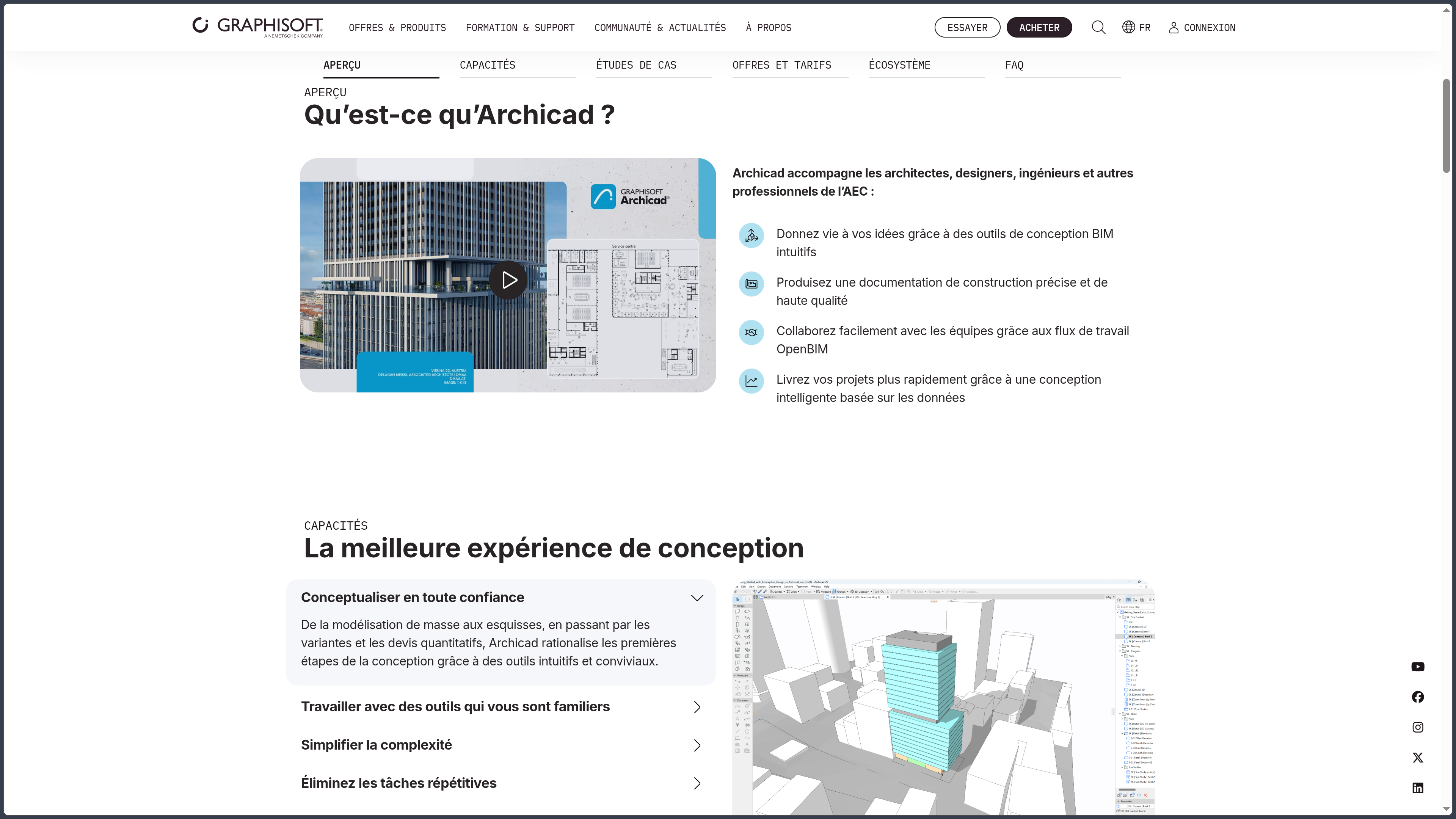
Archicad is a BIM software solution designed for architectural design, developed by Graphisoft. It makes it possible to build a digital model of a building and derive plans, sections, elevations, schedules, details and presentation documents from it without completely separating 3D design from 2D documentation.
This logic lies at the heart of BIM: a wall, slab, window or roof is not simply a shape drawn on the screen. These are building elements with properties, dimensions and relationships that can be used in views, quantity schedules and exchanges with other project participants.
Archicad is primarily aimed at architects, architectural practices, designers and AEC professionals. It can be used for a relatively compact residential project as well as for much larger operations, provided that the hardware and project organization are adapted to its complexity.
The current version, Archicad 29, continues this approach with improvements to productivity, documentation, interoperability and library management. Graphisoft also integrates AI Assistant, an assistant available directly within the software to obtain help with Archicad features and query certain model elements using natural language.
The ecosystem extends beyond the application itself. BIMcloud manages collaborative work, while BIMx is used to publish and view hyper-models combining the 3D model with 2D documentation. Commercial plans bundle these components differently depending on whether users work alone, within a local team or with remote collaborators.
Features
Design directly with building elements
Archicad does not require a project to be modeled solely from generic volumes. Its main tools represent architectural elements such as walls, slabs, columns, beams, roofs, stairs, railings, openings and curtain walls.
This approach makes it possible to draw and model simultaneously. A modification made in a 3D view can be reflected in plans and sections, while a geometric change made in a documentation view affects the same model.
The parameters of each element make it possible to define its geometry, materials, composite structure, properties and graphical representation. The level of detail can therefore evolve throughout the project without rebuilding the model at every stage.
For more specific forms, Archicad also offers freeform modeling tools and can be connected to Rhino and Grasshopper through Graphisoft's dedicated connection. This bridge makes it possible to combine algorithmic design and a BIM environment when a project requires more complex geometries or parametric systems.
Produce documentation from the model
One of Archicad's major advantages lies in the continuity between the model and construction documents.
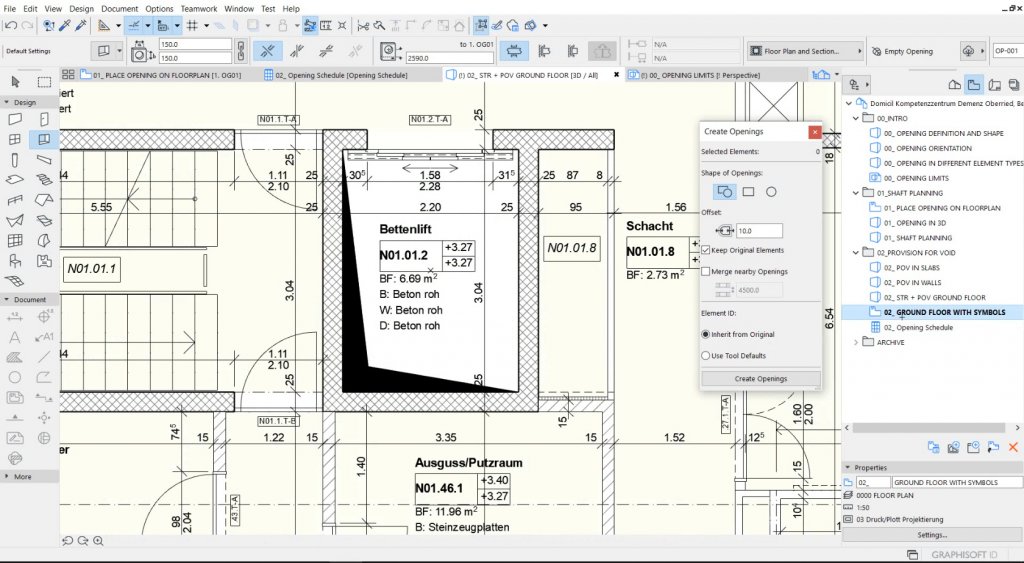
Floor plans, sections, elevations, details, schedules and layouts can be generated from the same project. The model therefore remains the central reference rather than simply being a visualization produced after the 2D drawings.
This relationship reduces inconsistencies as the design evolves. Moving an opening, modifying a slab or changing the height of a story can update several representations associated with the same element.
Archicad also makes it possible to manage dimensions, annotations, text, labels, view sets and publishing sets. Documentation can be adapted to the different stages of a project, from the initial study to tender documentation or construction documents.
Archicad 29 continues this automation with improvements relating in particular to schedules, notes, element visibility and several library update tools.
Structure BIM information
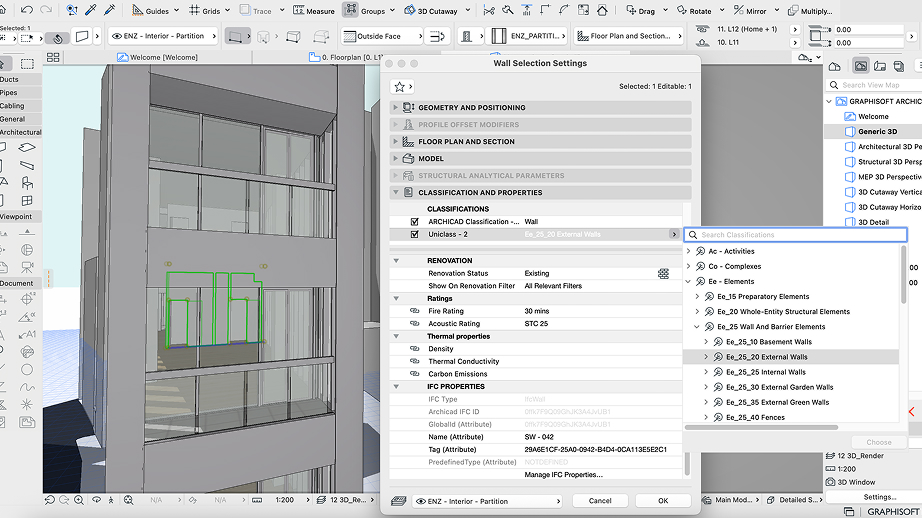
A BIM model is not limited to its geometry. Archicad makes it possible to associate properties and classifications with elements, which can then be filtered, listed or exchanged with other software.
Interactive schedules use this information to produce tables linked to the project: areas, doors, windows, materials, building elements or other data defined by the team.
This dimension becomes particularly important when the model is used to coordinate several disciplines. Geometry that is visually correct but poorly documented loses part of its value within a BIM process.
Archicad therefore offers considerable organizational freedom, but this freedom requires classifications, properties, naming conventions and internal practice rules to be carefully prepared when a project needs to be shared or maintained over several years.
OPEN BIM and exchanges with other software
Graphisoft strongly promotes the OPEN BIM approach. Archicad notably supports IFC for model exchange and BCF for communication around issues and comments related to the model.
The goal is to allow an Archicad team to collaborate with engineering offices or partners using other tools without requiring every participant to use the same software.
Exchanges are not limited to IFC. Archicad also works with common documentation and CAD formats such as DWG and PDF, and Graphisoft provides various connections with external tools.
The native connection with Autodesk Forma, for example, makes it possible to transfer model data from Archicad to the Forma environment. The Rhino–Grasshopper connection addresses another requirement, more specifically focused on parametric design.
Interoperability does not, however, mean that a transfer will always be perfectly identical. Teams must verify the properties, geometries, classifications and conventions used during exchanges, particularly when several software applications interpret the same format differently.
Local collaboration with BIMcloud Basic
Archicad integrates a Teamwork system designed to allow several users to work simultaneously on the same project.
With BIMcloud Basic, a practice can organize this collaboration on its own local infrastructure. Team members reserve the elements they are working on, send their changes and receive those made by other participants.
This method avoids creating several independent copies of the same file and then attempting to merge them manually. The shared model becomes the team's central coordination point.
BIMcloud Basic is included with Archicad Studio for local collaboration. However, an appropriate infrastructure is required, and the server and network must be administered internally.
Remote collaboration with Archicad Collaborate
The Archicad Collaborate plan combines Archicad with BIMcloud SaaS and BIMx Pro while also adding MEP Designer.
BIMcloud SaaS is hosted by Graphisoft and allows geographically distributed teams to work on shared projects without deploying their own BIMcloud server.
This plan is aimed more specifically at practices working across several locations, with external partners or on projects requiring continuous cloud collaboration.
It should not be confused with Archicad Studio: both plans provide access to Archicad, but Studio prioritizes individual work or local teams, whereas Collaborate adds cloud infrastructure and additional coordination capabilities.
BIMx for sharing the project beyond Archicad
BIMx complements Archicad by making it possible to publish a hyper-model combining the 3D model with part of the 2D documentation.
A client, collaborator or construction-site stakeholder can therefore explore the project without needing to use Archicad directly. Plans can be linked to the model, making it easier to move between a document view and its spatial context.
Pro features notably add measurement, presentation and issue-creation tools. In projects shared through BIMcloud, BIMx can also contribute to exchanges between team members.
BIMx therefore does not replace Archicad for modifying the model. Instead, it acts as a consultation, presentation and coordination layer around the information produced within the BIM project.
Visualization and rendering
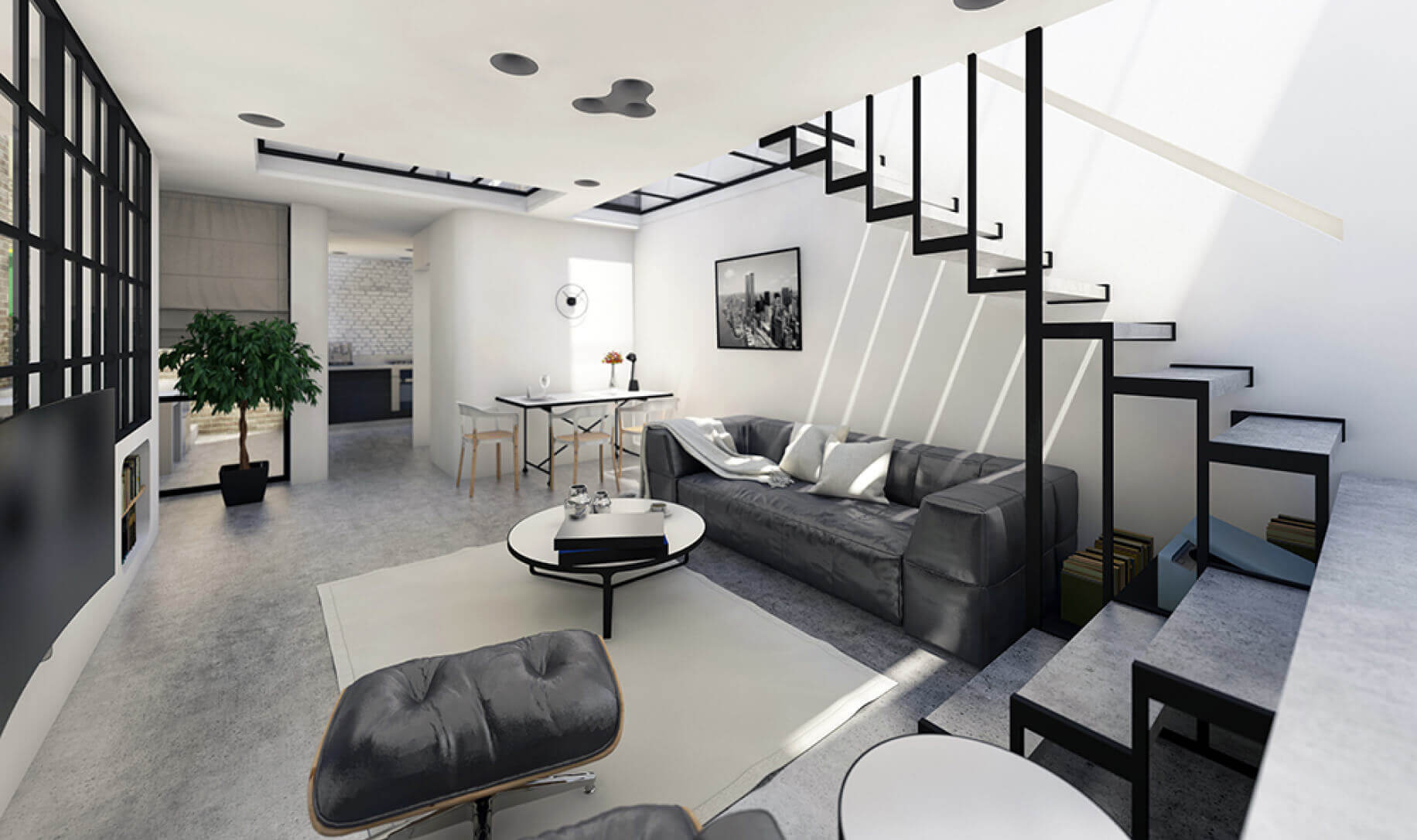
Archicad includes a photorealistic rendering engine and tools for preparing 3D views, materials, lighting and presentations without leaving the BIM environment.
This integration is useful for quickly producing a project image from the working model. It avoids having to systematically export every study to separate rendering software.
Graphisoft also offers AI Visualizer, designed to generate visual variations from the model, a sketch or a composition guided by text instructions. AI Visualizer 2.0 can also produce textures, patterns and isolated objects to explore visual directions more quickly.
These AI-generated images should be regarded as exploration and communication tools. They do not replace the accuracy of the BIM model or the verification of construction decisions.
AI Assistant: assistance and model queries
Archicad 29 integrates AI Assistant, a cloud service accessible from within the software interface.
The assistant can answer questions about Archicad features and help users find a procedure more quickly without leaving their working environment. It can also interpret certain natural-language queries concerning the model, for example to select elements matching several criteria.
This feature can be useful for learning or quickly locating a command within software that contains a large number of parameters.
However, the assistant should be distinguished from the Archicad application itself. AI Assistant requires a compatible cloud subscription license and a connection to Graphisoft's service. It is not available with older perpetual licenses based solely on a protection key.
Graphisoft's other AI solutions are also evolving rapidly. Some features announced as part of the Design Intelligence strategy are still in development and should not be confused with capabilities already available in Archicad 29.
Libraries, objects and customization
Archicad provides an object library designed to speed up the modeling of common elements.
Since Archicad 28, Graphisoft has used the Global Library, organized into packages rather than around the former monolithic library specific to each version. Archicad 29 continues this development and improves package update management.
Users can also create custom objects or use GDL, the geometric description language used by Archicad for parametric objects.
This power requires some caution during migrations. Older projects may use libraries and objects that do not operate according to exactly the same rules as the recent Global Library.
For a long-term project, it is therefore preferable to define a migration strategy before modifying the libraries used in production.
Archicad Studio, Collaborate and Education
Graphisoft now sells Archicad primarily through subscription plans.
| Plan | Main use | Included components |
|---|---|---|
| Archicad Studio | Freelancers and local teams | Archicad, BIMcloud Basic, BIMx Pro |
| Archicad Collaborate | Collaborative teams and distributed projects | Archicad, MEP Designer, BIMcloud SaaS, BIMx Pro |
| Commercial trial | Evaluation before purchase | Full access to Archicad Studio for 30 days |
| Education | Eligible students and teachers | Free license with conditions and restrictions specific to the Education program |
In France, Archicad Studio is listed from €203 excluding VAT per month with annual payment, or €2,440 excluding VAT per seat per year. Archicad Collaborate is listed from €239 excluding VAT per month with annual payment, or €2,870 excluding VAT per seat per year.
Monthly and multi-year plans are also available. Prices displayed by Graphisoft are indicative, and the final price may vary depending on the billing country.
Files created with an Education license are subject to specific rules, including a watermark on printed output and restrictions on exchanges with commercial projects. An Education license should therefore not be used as a free substitute for a professional license.
Use cases
Design and document an architectural project
Archicad can cover a large part of the workflow from initial design to detailed documentation.
A practice can begin by quickly building the main volumes of a building, gradually refine walls, slabs, openings and circulation spaces, and then produce plans and sections from the same model.
When the design changes, the associated views are updated from the model. This reduces the need to manually correct several independent drawings to represent the same modification.
Organize a BIM project involving several disciplines
On a project involving structural engineering, building services or other engineering disciplines, Archicad can serve as the architectural reference model while exchanging data with the other disciplines.
IFC and BCF workflows facilitate this coordination within heterogeneous software environments. Teams must nevertheless define their exchange rules: classifications, levels of detail, coordinates, naming conventions and responsibility for each model.
Archicad Collaborate and BIMcloud become particularly useful when several people need to work regularly on the project from different locations.
Prepare presentations for a client
3D views and BIMx make it possible to present a project without limiting the discussion to a succession of technical drawings.
A client can explore a hyper-model, understand the volumes, move from a 2D view to its 3D context and consult certain information linked to the elements.
AI Visualizer can complement this stage by quickly generating mood concepts or conceptual images, provided they are not confused with an exact contractual representation of the project.
Build a parametric workflow with Grasshopper
For a complex façade, repetitive structure or geometry driven by rules, the Rhino–Grasshopper–Archicad connection makes it possible to maintain a parametric workflow while generating elements that can be used within the BIM model.
This combination avoids treating algorithmic design and architectural documentation as opposing approaches. Grasshopper can manage the geometric logic while Archicad receives the results within a more structured building context.
However, it requires proficiency with several tools and is not necessary for projects whose geometry remains conventional.
Work as a team without multiplying files
With Teamwork and BIMcloud, several architects can