
Overview
You want to try pandas.
Then NumPy.
Then Jupyter.
Then scikit-learn.
One package requires a native library.
Another wants a different Python version.
The third works perfectly.
As long as, obviously, you never touch anything again.
This is exactly the kind of situation Anaconda Distribution tries to solve.
Its purpose is not to replace Python.
It is rather to provide a Python environment already prepared for fields where dependencies quickly become more complicated than the simple .py file you originally wanted to write.
Python, but with the workshop already installed
Installing Python from python.org essentially gives you the language, its standard library, and the fundamental tools.
Anaconda Distribution takes a different approach.
It includes, among other things:
Python, the language;
conda, for managing packages and environments;
Anaconda Navigator, a graphical interface for working with those environments;
Jupyter Notebook and JupyterLab, for interactive exploration;
as well as a large collection of libraries for data science, scientific computing, visualization, and machine learning.
NumPy.
pandas.
SciPy.
Matplotlib.
Jupyter.
scikit-learn.
And many others.
The idea is simple:
instead of gradually building a scientific environment, Anaconda provides a workshop that is already equipped.
That means more disk space.
But also far fewer small decisions to make before you can begin.
Anaconda is not Python
This distinction is essential.
Python is the language.
Anaconda Distribution is a distribution that includes Python and builds an entire environment around it.
You can perfectly well use Python without Anaconda.
With venv and pip.
With uv.
With Poetry.
With conda installed another way.
With Miniconda.
With Miniforge.
Or with many other workflows.
Conversely, Anaconda uses Python as a central component, but adds a package management model that goes beyond the Python ecosystem alone.
That is where conda becomes important.
Conda: the real machinery under the hood
Conda is both a package manager and an environment manager.
It is open source and runs on Windows, macOS, and Linux.
Its particular strength is that it is not limited to Python packages.
A conda package can include:
system libraries, executables, Python or R modules, native dependencies, and other components required to run software.
This becomes particularly useful in scientific computing.
Installing a pure Python library is often relatively straightforward.
Installing a library that depends on BLAS, LAPACK, CUDA, compilers, C/C++ libraries, or other native components can become much more complicated.
Conda tries to manage that entire set as one dependency graph.
That is one of the reasons Anaconda became so deeply established in data science.
Distribution, conda, and Miniconda: three different things
The terminology can quickly become confusing.
| Name | Role |
|---|---|
| Anaconda Distribution | Complete distribution with Python, conda, Navigator, Jupyter, and many packages |
| conda | Open-source package and environment manager |
| Miniconda | Minimal installer provided by Anaconda with conda, Python, and a few essential dependencies |
| Miniforge | Minimal community conda distribution configured around conda-forge |
This distinction prevents a lot of misunderstandings.
You may want conda without wanting the whole Anaconda Distribution.
That is precisely why Miniconda and Miniforge have become popular.
Anaconda Distribution chooses the comfort of “many things already installed.”
Miniconda instead says:
“give me the engine, I’ll install what I need afterward.”
A product that has grown beyond a simple Python installer
Anaconda has changed a great deal.
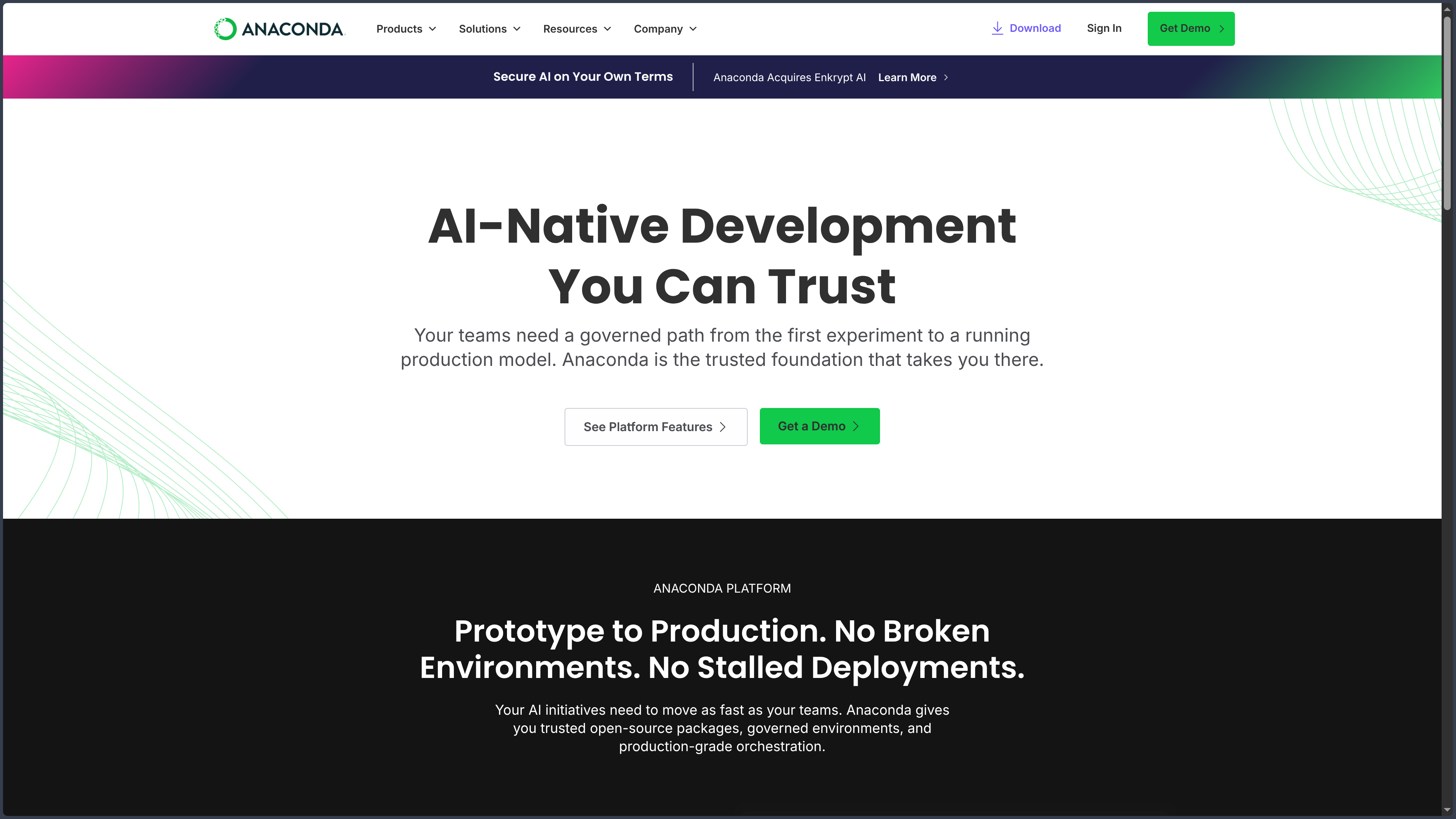
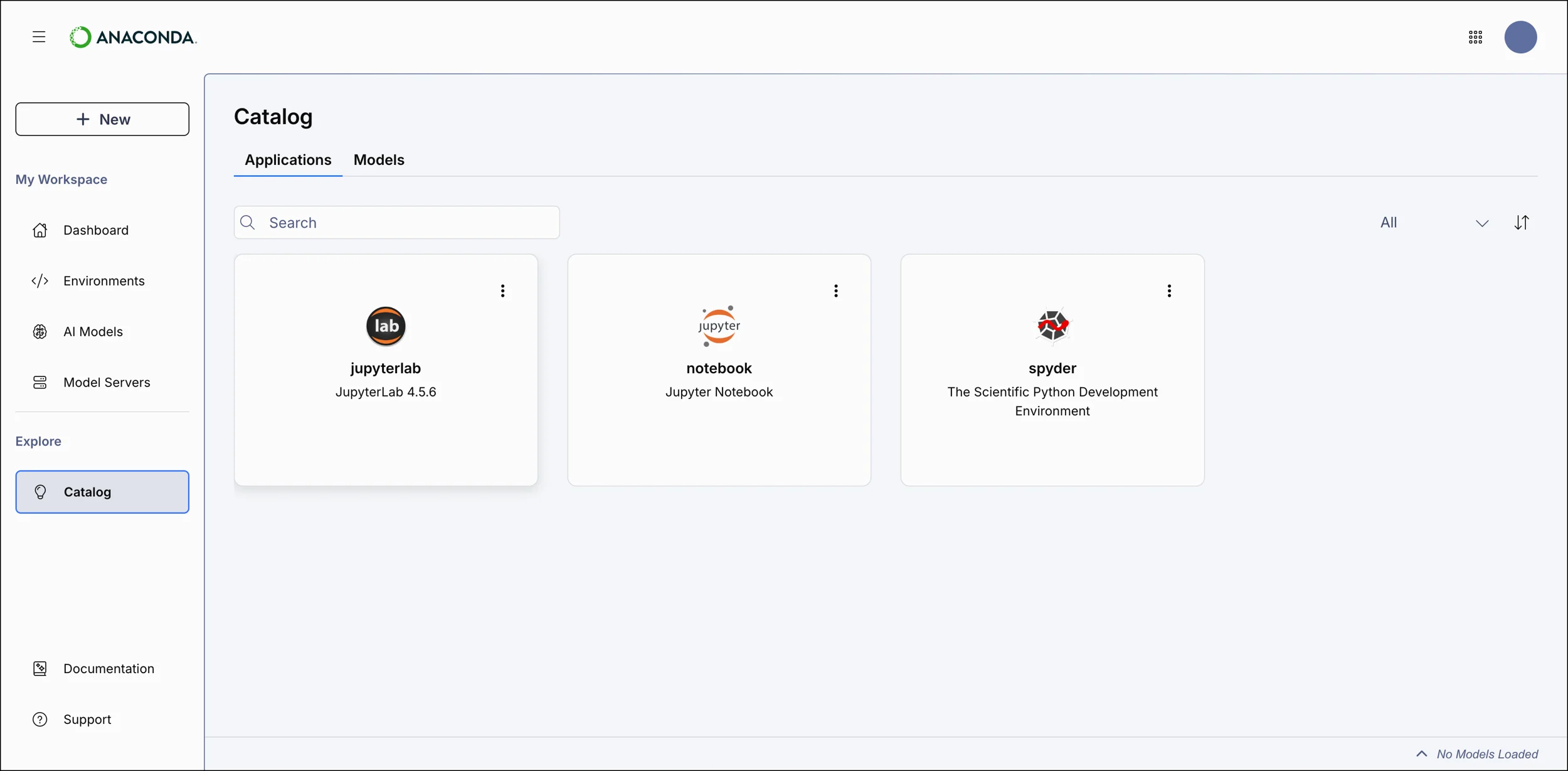
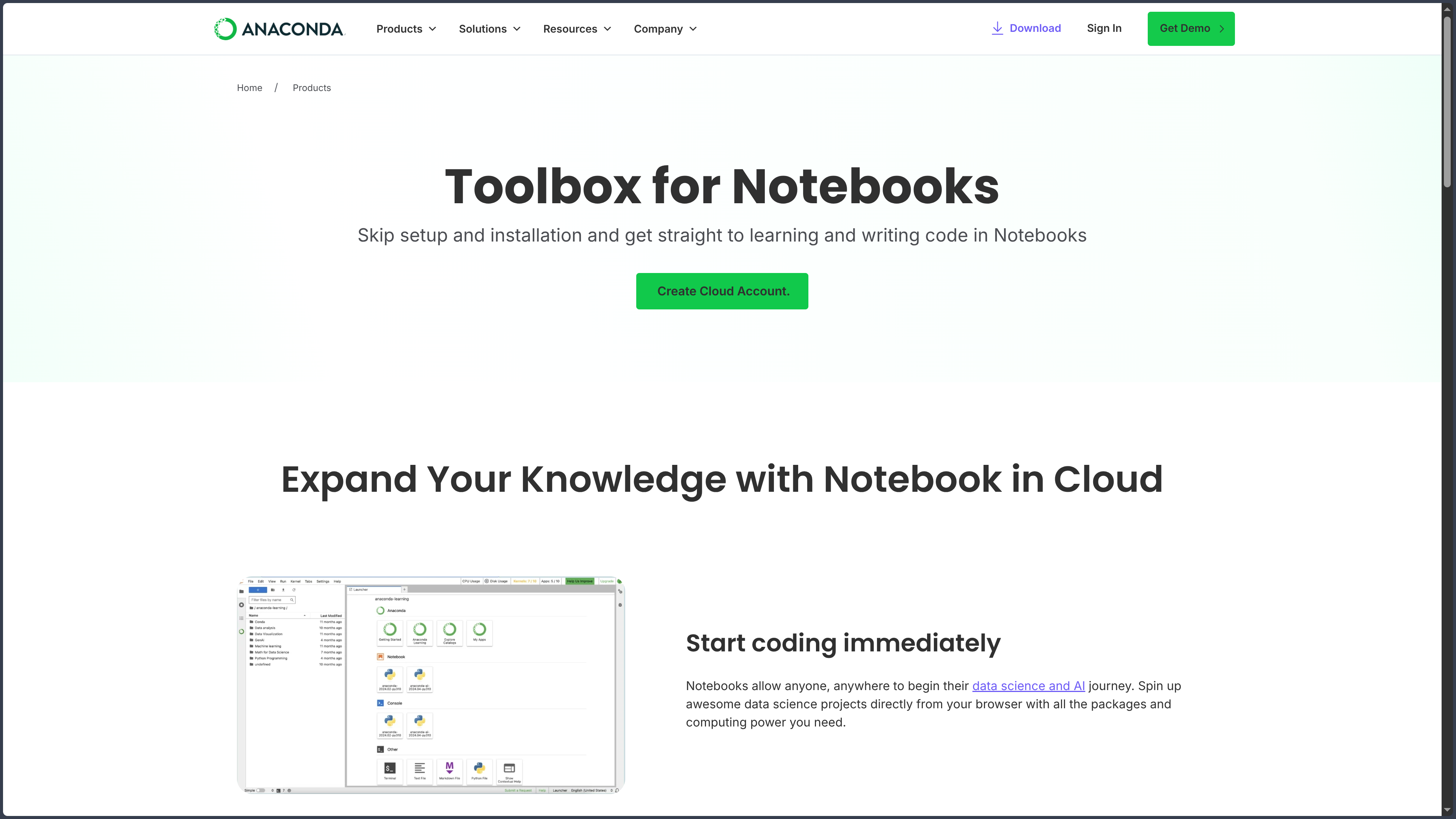
The desktop Distribution remains an important part of the product, but it now exists within a broader platform that includes cloud notebooks, package services, collaboration tools, Anaconda Assistant, security features, and enterprise offerings.
The current plans are Free, Starter, and Business.
That evolution changes how Anaconda should be presented.
Historically, many developers knew it as:
“the big Python installer for data science.”
Today, Anaconda increasingly positions itself as a development and governance platform around Python, data, and AI.
The Distribution nevertheless remains its most recognizable entry point.
Features
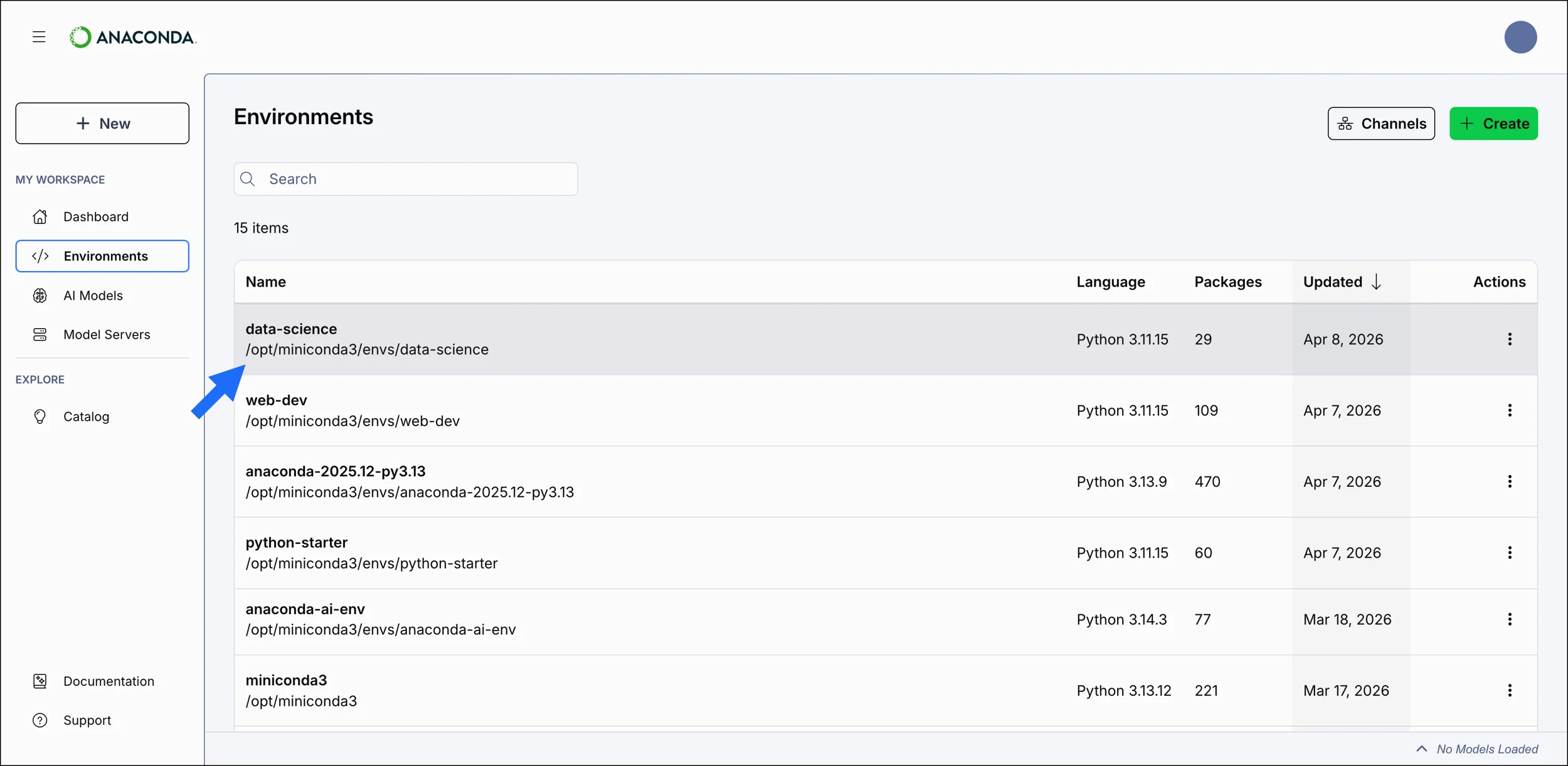
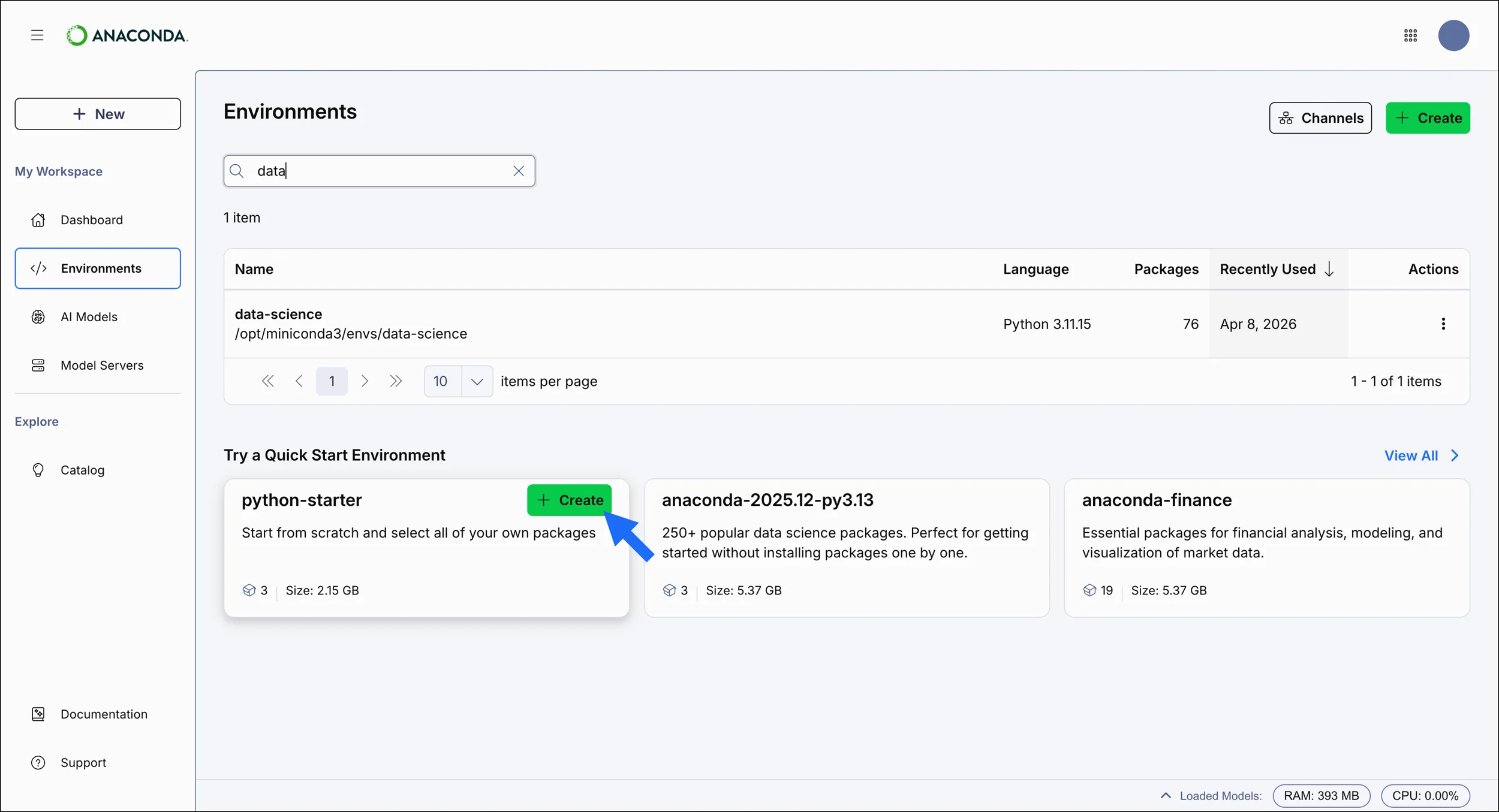
Isolated environments for each project
The principle behind conda environments is similar to Python virtual environments, but broader in scope.
You can create:
```bash id="4c3hue" conda create --name analysis python=3.14
Then another environment:
```bash id="bgf0cl"
conda create --name old-project python=3.11
Both can live on the same machine.
Each has its own packages.
Its own Python version.
Its own dependencies.
Its own native libraries.
You can then switch between them with:
```bash id="9i3axm" conda activate analysis
This is particularly useful when several projects disagree on the exact definition of the word “compatible.”
Which happens surprisingly often.
### Installing several layers of dependencies in one operation
With conda:
```bash id="38z9lk"
conda install numpy pandas scipy
The manager looks for versions that are compatible with each other and with the current environment.
It also takes platform-specific dependencies into account.
The benefit becomes especially visible when a package depends on components that do not come exclusively from Python.
Where pip primarily works within the Python distribution ecosystem, conda can manage a broader software stack.
That is an important difference.
It also explains why choosing between pip and conda should not always be treated like a football match.
They do not solve exactly the same problem.
Anaconda Navigator: conda without living in the terminal
Not everyone wants to begin exploring Python with:
```bash id="93oett" conda env list
**Anaconda Navigator** provides a graphical interface for managing part of the environment.
It notably allows you to:
create and select environments;
search for and install packages;
update certain components;
launch applications such as JupyterLab;
open tools associated with different environments.
Navigator makes Anaconda especially accessible to people starting out in data science or notebooks.
It lets users see environments and packages as things they can manipulate rather than as a sequence of commands.
It is not essential.
But for some users, it is exactly what makes dependency management feel less abstract.
### Jupyter integrated into the environment
Anaconda Distribution includes the Jupyter ecosystem.
A notebook can combine:
code;
results;
text;
equations;
visualizations;
interactive exploration.
This way of working fits data science and research particularly well.
You load some data.
Run a cell.
Look at the result.
Modify something.
Create a chart.
Start again.
The environment becomes less like a linear program and more like an **executable laboratory notebook**.
Anaconda obviously did not create Jupyter.
But integrating it directly into the Distribution significantly reduces the distance between installation and the first usable notebook.
### Preassembled scientific packages
The Distribution provides a large set of packages tested to work together.
These include libraries for:
data analysis;
numerical computing;
visualization;
statistics;
machine learning;
language processing;
notebooks;
scientific tooling.
The Anaconda metapackage published through official channels now exceeds **400 packages** in some configurations.
The Anaconda repository provides access to several thousand additional packages.
The real benefit is therefore not only quantity.
It is the work done around their builds, dependencies, and availability across several platforms.
### Channels: several sources for packages
Conda organizes repositories as **channels**.
The `defaults` channels notably point to repositories managed by Anaconda.
But other sources exist.
The best known is probably **conda-forge**.
This community project builds and distributes a huge collection of conda packages.
You can install from a specific channel:
```bash id="4zjoqm"
conda install --channel conda-forge package
That freedom is fundamental.
Using conda does not necessarily mean using only packages built by Anaconda.
And this is precisely where the distinction between conda, Anaconda Distribution, and Anaconda repositories becomes essential.
Exporting and reproducing an environment
An environment that works on one machine is useful.
An environment that can be rebuilt elsewhere is even more useful.
Conda can export information about an environment’s dependencies, notably into YAML files.
You can then recreate an environment from a specification:
bash id="u0o79t"
conda env create --file environment.yml
This helps with:
sharing between collaborators;
rebuilding an environment;
moving to another machine;
certain CI/CD workflows;
documenting dependencies.
But perfect reproducibility has its subtleties.
Packages may depend on the platform or architecture.
An environment exported from Linux x86-64 is not necessarily a universal recipe that produces an identical result on macOS ARM.
The environment file is helpful.
It is not a machine for traveling between operating systems without consequences.
Python is not the only thing conda can manage
Conda was created around Python, but its package model is not limited to it.
It can distribute components related to:
R;
C;
C++;
Fortran;
Java;
or different executables and system libraries.
For a scientist or engineer, this property can matter much more than it first appears.
The notebook may be written in Python.
But the stack that makes it work can cross several languages before reaching the processor.
Anaconda tries to turn all of that into one coherent installation.
A foundation suited to GPUs and scientific computing
Machine-learning environments often involve:
framework;
Python version;
system libraries;
GPU runtime;
drivers;
CUDA;
additional packages.
Anaconda cannot resolve everything automatically — especially the system drivers themselves.
But conda can simplify a significant part of the software stack.
This is historically one of the reasons for its popularity with PyTorch, TensorFlow, RAPIDS, and many scientific environments.
When an application depends on many compiled components, conda’s extra weight can become an advantage rather than a flaw.
Use cases
Starting data science without building the whole environment yourself
You want to follow a course.
It requires Python.
NumPy.
pandas.
Jupyter.
Matplotlib.
scikit-learn.
The tutorial begins in six minutes.
This is probably not the ideal moment to discover the subtleties of wheels, ABIs, compilers, and virtual environments.
Anaconda Distribution provides a shortcut.
Install.
Launch Navigator or the terminal.
Open Jupyter.
Start.
For learning, that simplicity remains one of its strongest arguments.
Separating several incompatible scientific projects
An older project depends on Python 3.10.
The new one uses Python 3.14.
An internal tool requires a specific NumPy version.
An experiment wants the newest versions available.
Creating several conda environments lets these projects live side by side without asking one global installation to resolve all their contradictions.
Each project gets its own little universe.
Nobody talks to the neighbors.
Peace is preserved.
Preparing a machine-learning environment
You want to test a notebook with PyTorch, pandas, JupyterLab, and several scientific libraries.
The project also uses compiled dependencies.
This is exactly Anaconda’s historical territory.
A dedicated environment can contain the necessary versions without contaminating the rest of the system.
If an experiment becomes unusable:
delete the environment.
Start again.
That is infinitely more pleasant than discovering six months later that updating NumPy in the global Python destroyed three unrelated projects that had asked for nothing.
Giving a team or training course the same starting point
A training session has twenty participants.
Windows.
macOS.
Linux.
Different technical skill levels.
The purpose of the course is to analyze data.
Not to spend the first morning asking:
“Why can’t pip find this library on your computer?”
A preassembled distribution can significantly reduce that initial friction.
In a professional context, management tools, private repositories, and security features from higher-tier plans can then extend that logic further.
Working with libraries that are difficult to compile locally
Some Python packages rely on native code.
If a compatible wheel exists, pip can be perfectly simple.
If it does not, things can become more adventurous.
Compiler.
Headers.
System library.
Versions.
Flags.
And suddenly that tiny pip install looks like an initiation ritual.
Conda packages are designed to bundle more of these dependencies.
In scientific and technical environments, that can avoid a significant amount of local tinkering.
Using Python without immediately learning all of its plumbing
Anaconda is often recommended to beginners because it reduces the number of concepts they need at the start.
You do not immediately need to understand:
where Python is installed;
which pip belongs to which environment;
how to install Jupyter;
how to create an environment;
where the missing compiled library is hiding.
You can learn gradually.
That simplification has a cost, however: some people use Anaconda for years without really understanding what belongs to Python, conda, Navigator, or Jupyter.
Comfort can hide the architecture.
That is not dramatic.
But eventually, understanding the layers becomes useful.
PANACHES review
Anaconda solves a very real problem.
Python is easy to install.
A complete and coherent scientific Python stack, much less consistently so.
Those are two different problems.
Anaconda became successful by building a bridge between them.
Its strength: making a complex environment feel ordinary
NumPy.
SciPy.
Jupyter.
pandas.
Native libraries.
Python versions.
Dependencies.
Environments.
All of this can be installed separately.
And today, modern Python tools make that much easier than they did ten years ago.
But Anaconda still has one important quality:
it turns a relatively complex scientific stack into something that feels almost ordinary.
Create.
Activate.
Install.
Launch the notebook.
Continue.
In fields where native dependencies are numerous, that ordinariness has real value.
But the Python ecosystem around it has changed a lot
A few years ago, the recommendation “install Anaconda” was almost automatic in many data science tutorials.
Today, the landscape is more nuanced.
venv and pip have improved.
Wheels are much more common.
pyproject.toml has structured modern packaging.
uv has radically accelerated and simplified many Python workflows.
Miniforge provides a more minimal entry point into conda and conda-forge.
micromamba offers yet another approach.
Containers are common in production environments.
Anaconda is therefore no longer necessarily the default choice for every Python developer.
And that is a good thing.
A tool does not need to be universal to remain excellent in its domain.
Anaconda Distribution or Miniconda?
This is probably the most practical question.
If you want an environment immediately filled with scientific tools, Anaconda Distribution is comfortable.
If you already know what you need and prefer to build your environment gradually, Miniconda is much lighter.
You could summarize it like this:
Anaconda Distribution: fully equipped kitchen.
Miniconda: empty room with water and electricity already connected.
Both use conda.
The difference lies mainly in what is installed before you even begin.
And Miniforge?
Miniforge becomes especially interesting when you want:
conda;
a minimal installer;
conda-forge as the default source;
and to avoid access to Anaconda repositories becoming part of the commercial equation.
It is maintained by the conda-forge community and is not provided by Anaconda.
For an experienced developer who mainly wants the conda machinery without the Anaconda distribution, it is an extremely credible alternative.
Its paradox: simplify by installing a lot
Anaconda makes getting started easier by bringing a huge amount of software with it.
That is precisely what can make it heavy.
A minimal environment built with uv or Miniconda may contain only:
Python;
the manager;
the five libraries actually needed.
Anaconda Distribution arrives with a much broader set.
For learning and scientific exploration, that is convenient.
For a 30 MB web service whose only dependencies are FastAPI and HTTPX, much less so.
The right choice therefore depends on the actual density of the project.
Anaconda shines most when the problem is no longer just Python, but everything that needs to coexist around Python.
And in production?
Anaconda can be part of serious professional workflows.
But installing the full Distribution on every server is not necessarily the ideal model.
Depending on the context, it may be better to use:
more targeted conda environments;
Miniconda;
Miniforge;
containers;
private repositories;
Anaconda Business solutions;
or other packaging pipelines.
The Distribution is excellent as a scientific workstation.
It should not be confused with a universal deployment architecture.
Who is it for?
Anaconda remains particularly relevant for:
data science beginners;
students and researchers;
scientists;
data analysts;
machine-learning teams;
users with many native dependencies;
people who prefer a GUI for managing environments and packages.
For a general-purpose Python developer who already understands dependency management, a more minimal environment may be more pleasant.
And for someone who only wants conda:
installing the entire Anaconda Distribution is probably unnecessary.
Points to consider
Free no longer means “free for absolutely everyone”
This is the point to understand before downloading.
Anaconda’s current terms notably allow free platform use for:
individuals for personal, non-commercial use;
certain eligible academic institutions;
certain eligible research or nonprofit organizations;
commercial organizations with no more than 200 employees or contractors, taking affiliates into account according to Anaconda’s terms.
Above that threshold, a commercial organization must subscribe to a Business offering when no exemption applies.
So the correct statement is no longer simply:
“Anaconda is free.”
A better formulation is:
Anaconda has free use cases and commercial use cases that require a license.
Pricing now covers a broader platform
The current offering is no longer limited to the desktop installer.
The listed plans include:
Free: $0
Starter: $15 per user per month
Business: $50 per user per month, with direct purchase for up to 15 seats and sales contact beyond that.
Depending on the plan, more cloud storage, collaboration, notebooks, security, governance, private repositories, SSO, and enterprise features become available.
It is therefore important to distinguish:
the local software;
repository access;
and platform services.
Putting all of that into one box called “Anaconda” is commercially convenient.
Slightly less so when you are trying to understand exactly what is being billed.
Conda is open source; Anaconda Distribution and its services should not be confused with it
conda is open source.
Many packages distributed by Anaconda are themselves open source.
Jupyter is open source.
Python is open source.
A large part of what exists inside an Anaconda environment therefore has its own source code and open-source license.
But that does not mean Anaconda Distribution, its repositories, and the Anaconda platform as a whole are simply an open-source product with no commercial conditions.
Anaconda’s Terms of Service apply to the use of its Offerings and repositories.
That is why this profile classifies the Distribution as proprietary, while making clear that it assembles a huge number of open-source components.
That nuance matters.
Miniconda does not automatically cancel Anaconda repository rules
Miniconda is a minimal installer.
Installing it does not itself require a commercial license simply because an organization has more than 200 people.
But by default, it is configured to access Anaconda repositories.
And access to those repositories can trigger the commercial terms.
Since July 2025, recent Miniconda versions also explicitly request acceptance of the Terms of Service when accessing the relevant repositories.
Installing Miniconda and using defaults therefore does not automatically mean the licensing question has been avoided.
Conda-forge is in a different situation
Anaconda states that the payment obligations in its Terms of Service do not apply to community conda-forge packages hosted on anaconda.org.
Anaconda hosts that content, but does not build the conda-forge packages itself.
That is one reason why Miniforge + conda-forge can be a particularly interesting option in some organizations.
The same environment management tool.
A different distribution pipeline.
Once again:
conda and Anaconda are not synonymous.
The Distribution is heavy
The official requirements state that at least 5 GB of disk space is needed to download and install Anaconda Distribution.
And that is only the beginning.
Each new conda environment may add:
a Python version;
native libraries;
scientific packages;
installation caches.
Several machine-learning environments can quickly consume tens of gigabytes.
That is not necessarily a problem on a modern workstation.
But for a small Python project, infinitely lighter solutions exist.
Do not turn base into an attic
Anaconda has a base environment.
It is tempting to gradually install into it:
Jupyter.
PyTorch.
TensorFlow.
A library found on Tuesday.
An experimental package on Friday.
Then an old dependency required by a 2021 project.
Six months later, base becomes an interactive museum of version conflicts.
Anaconda itself recommends creating separate environments for projects.
That is probably the best practical advice in this entire profile.
Keep base relatively clean. Create a dedicated environment for every important project.
Mixing pip and conda requires understanding what you are doing
It is possible to use pip inside a conda environment.
Sometimes it is even necessary when a package does not exist in the selected conda channels.
But the two managers do not track exactly the same metadata or use the same resolution model.
Install with conda.
Modify with pip.
Install again with conda.
Go back to pip.
And you may end up with an environment whose full history belongs to neither manager.
In practice, it is usually better to:
install as much as possible with conda;
then use pip for what remains necessary;
and avoid arbitrary back-and-forth afterward.
Channels are not interchangeable without consequences
defaults.
conda-forge.
Private channels.
Internal repositories.
An environment can use several sources.
But packages may have been built using different toolchains, dependencies, or conventions.
Mixing channels without understanding their priority can produce incompatibilities that are difficult to diagnose.
For many projects, using a coherent strategy — for example conda-forge with strict priority — is more predictable than collecting channels like browser extensions.
Intel macOS is now a special case
Anaconda Distribution 2025.06 was announced as the last Distribution release supporting Intel Macs through osx-64.
Recent releases therefore target Apple Silicon on macOS.
An older Intel Mac can still use historical Distribution versions and some existing packages.
But it should no longer be expected to receive the same level of support for new releases.
For an older hardware fleet, that detail can be decisive.
Windows 10 is also entering historical territory
Anaconda documentation states that support for new package releases on Windows 10 ended on June 30, 2026.
That does not mean every existing Anaconda installation on Windows 10 suddenly stops working the next day.
But the modern ecosystem is moving toward currently supported Windows versions.
As of August 8, 2026, a new workstation intended for a modern Anaconda environment is therefore better off starting with Windows 11 rather than Windows 10.
Available architectures are not all equivalent
Current releases mainly target:
Windows x86-64;
macOS Apple Silicon ARM64;
Linux x86-64;
Linux ARM64.
On Linux ARM, Anaconda notes that some builds target server microarchitectures such as Neoverse N1/N2.
A Raspberry Pi ARM64 is therefore not automatically equivalent to a Graviton server just because both report aarch64.
For smaller ARM machines, checking compatible builds remains essential.
Scientific releases sometimes prioritize stability over the latest novelty
Anaconda builds and tests sets of packages designed to work together.
That strategy may mean a library available in the Anaconda repository is not always the newest version published on PyPI or conda-forge.
That is not necessarily lag.
It is often the intended tradeoff between:
newness;
compatibility;
stability;
security;
reproducibility.
For a researcher who absolutely wants the feature released yesterday evening, that compromise can be frustrating.
For a team that wants to reproduce the same environment tomorrow morning, it can be reassuring.
An environment is not automatically reproducible across every platform
An environment.yml file helps a lot.
But a scientific environment may depend on:
the OS;
the architecture;
available packages;
native libraries;
the GPU;
drivers.
Exporting a macOS environment and expecting it to rebuild the exact same stack under Linux is therefore not always realistic.
For strong reproducibility, you need to think beyond the package list alone:
versions;
channels;
platform;
architecture;
and sometimes containerization.
Anaconda simplifies the entry point, not everything that comes after
This is probably the most important limitation.
Anaconda can make it very simple to:
install Python;
create an environment;
install packages;
launch Jupyter.
But it does not eliminate:
incompatibilities;
difficult dependencies;
GPU problems;
architecture differences;
breaking updates;
application packaging;
deployment;
supply-chain security.
It removes a lot of friction.
It does not turn the scientific ecosystem into a frictionless universe.
And perhaps that is for the best.
Otherwise developers might start wondering what to do with their mornings.
Anaconda is not the mandatory way to use Python. It is a way to make complex scientific environments ordinary enough that you can finally start working with them.