
Overview
Editing a video is not simply a matter of lining up shots: you need to find the right take, establish a rhythm, make dialogue intelligible, harmonize the images and deliver a file suited to its destination. Adobe Premiere — long known as Premiere Pro — brings these operations together in a nonlinear editing application designed for creators, editors and post-production teams.
Its central workspace remains the multitrack timeline. The project maintains links to the original media, while the edit assembles sequences, sound, titles and effects without directly altering the source footage. This approach makes it possible to revise a cut, replace a take or prepare several versions of the same film without starting from scratch.
Premiere also comes into its own within the Adobe ecosystem. After Effects provides more complex animations and compositions, Audition extends audio work, Media Encoder handles export queues and Frame.io simplifies feedback from people who need to approve a video. This continuity can streamline a production involving several disciplines, although each application and service has its own scope.
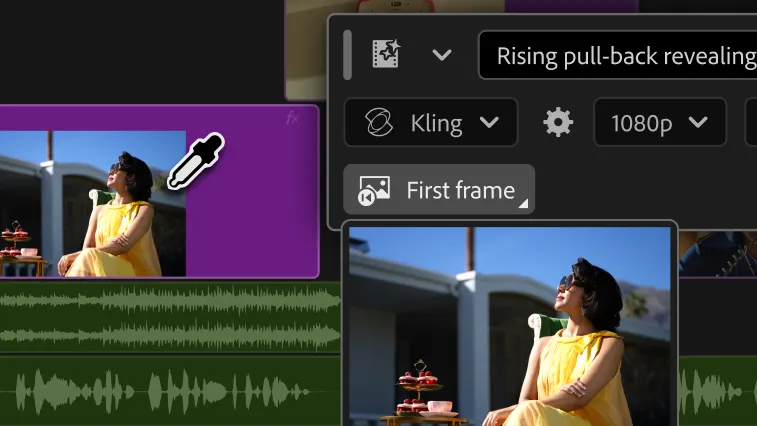
In September 2026, the desktop branch reached version 26.5.1. Update 26.5 notably introduces video and sound-effect generation directly within the edit, along with Paper Edit, which allows a sequence to be built by selecting passages from a transcript. These additions continue a development already visible in intelligent footage search and text-based editing.
The professional application runs on Windows and macOS and remains available by subscription, with no perpetual license offered by Adobe. A separate Premiere application is available on iPhone, with free basic editing; an Android version is offered in early access and should not be confused with the desktop edition. The Web is used notably for collaboration and associated services, but does not replace the desktop editing application.
Features
A timeline for building and revising an edit
Premiere lets users import video, audio and image files, organize them into bins and assemble them into sequences. Multitrack editing supports inserts, audio tracks, titles and overlays, with precise tools for in and out points, cuts and duration adjustments. The same production can therefore contain a main edit and several variations without duplicating all the source material.
Multicamera sequences make it easier to work on an interview or concert recorded from several angles. Proxies, which are lighter copies of the original files, allow demanding footage to be edited on a less powerful computer before switching back to high-quality media for output. The software can also handle professional camera formats, with compatibility depending on the codec and working environment.
Premiere does not remove the need to organize folders and files on disk. A project can lose its links if footage is moved carelessly; relinking and media management therefore become as important as editing commands when production extends over time.
Finding the right footage and editing from spoken words
When an interview lasts two hours, finding a particular sentence can take longer than making the cut itself. Automatic transcription turns speech into synchronized text: selecting, deleting or rearranging passages in that text can be reflected in the corresponding clips. This makes it possible to prepare a first assembly by working with what is said, then return to the picture to refine pacing and cuts.
Media Intelligence complements this search by analyzing footage visually. A description of an object or situation can lead to passages within a video, while transcripts and metadata provide other ways to locate the desired sequence. This is not a system for recognizing people's identities: the tool searches for visual content and information present in the media.
With Paper Edit, introduced in version 26.5, several lines selected in the Text panel can be turned directly into a sequence. This approach suits documentaries and dialogue-driven formats: it accelerates the preparation of a narrative, but the choice of images, pauses and speakers' intentions still need to be handled in the edit.
Captions, adaptation and social formats
Premiere can generate synchronized captions from a transcript, with adjustable segmentation and styling. The tool also supports automatic caption translation into several languages, which should be reviewed whenever a proper name, technical term or nuance matters.
For short-form videos, the software provides reframing options and titles suited to vertical formats. Version 26.3 notably added animated captions that display words one after another, a style commonly used on social platforms. It remains possible to keep a horizontal main edit and create a separate version: automatic reframing provides a starting point, not a guarantee that every subject will remain perfectly framed.
This flexibility is useful when the same material needs to become a YouTube video, a social media clip and a captioned version designed to be watched without sound.
Picture and sound: finishing within the edit
The Lumetri Color panel lets users adjust exposure, contrast, white balance and hues, then develop a more distinctive look. Color management helps interpret LOG or RAW footage and prepare consistent SDR or HDR outputs. This avoids leaving the export stage to resolve visible differences between cameras or shooting conditions.
On the audio side, the Essential Sound panel organizes work around dialogue, music, effects and ambience. It allows users to balance levels, adjust equalization and correct certain recording defects. The AI-powered Enhance Speech feature can improve the intelligibility of a noisy voice, but a severely degraded recording still has its limits.
Premiere therefore provides substantial audio and color finishing without systematically requiring a move to another application. For highly advanced mixing, complex animation or specialized post-production, Audition, After Effects or another dedicated tool may nevertheless still be necessary.
Generative AI: creating an element when something is missing
Premiere uses AI in two distinct ways. Some features analyze or transform existing media, such as visual search, object masking or dialogue enhancement. Others generate new content from instructions: they address a different need and may consume generative credits.
The generative media tool, introduced in September 2026, lets users select an area of the timeline and request a video or sound effect. The result is inserted as an editable clip that can be trimmed or replaced like any other media. Generations can use Adobe Firefly or supported partner models; their availability and credit cost depend on the plan and model selected.
Generative Extend instead aims to extend the beginning or end of a shot or sound ambience when a few extra moments are needed to make a cut work. This feature uses cloud processing and has specific limitations: it does not generate spoken dialogue, does not extend music clips, and video extensions can alter certain technical characteristics of the sources. The existence of an AI tool therefore guarantees neither perfect continuity within a scene nor freedom from checking the result after generation.
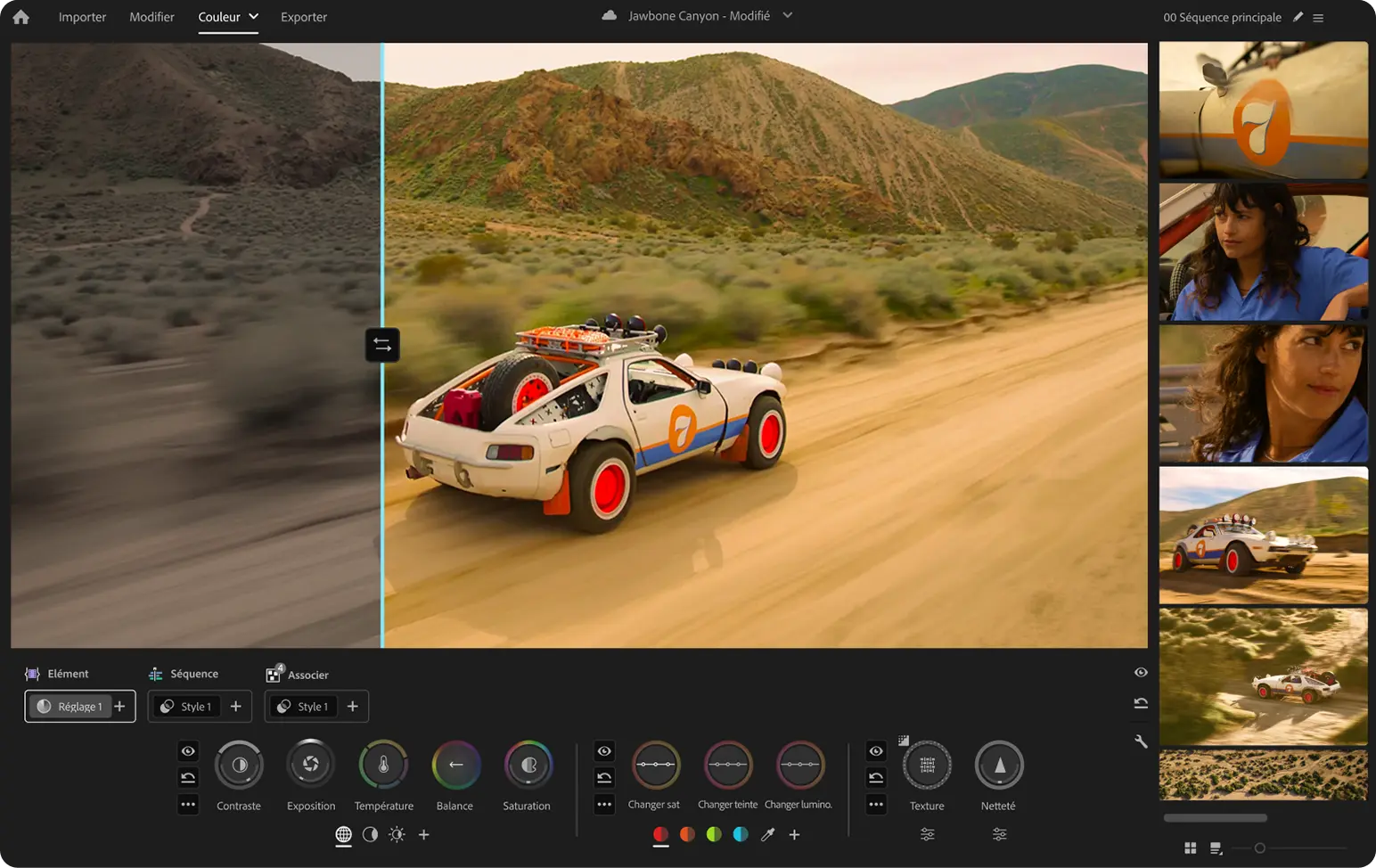
Finally, features delivered in the stable version must be distinguished from new capabilities offered in beta: the conversational AI assistant and the future color mode should not be presented as features already deployed in Premiere 26.5.1.
After Effects, collaboration and delivery
With Dynamic Link, a shot can be linked to an After Effects composition without a permanent intermediate export. Changes to the composition are reflected in Premiere; this connection becomes particularly useful for animated titles or effects beyond the editor's built-in tools. It does, however, require access to After Effects and compatible application versions.
For teamwork, Premiere distinguishes Team Projects from Productions. The former shares the project through the cloud while requiring each collaborator to have access to the media; the latter divides large productions into several projects organized around shared storage. Frame.io, included depending on the Creative Cloud plan, centralizes files, comments and approvals, but storage capacity and conditions remain tied to the subscription.
Output can be generated directly from Premiere or sent to Adobe Media Encoder to prepare several exports while editing continues. Resolution, frame rate, codec and bitrate are set according to the destination: online publication, review file, master or delivery to an external team. Exporting project elements to certain interchange formats also helps work continue outside Premiere, without promising perfect compatibility for every effect and setting.
Use cases
Editing an interview-based documentary
A production brings together several interviews, archival materials and illustrative footage. Transcription first helps identify important statements, then Paper Edit can build an initial structure from the selected passages. The editor returns to the timeline to choose shots, leave room for silences and construct a narrative that is not simply a succession of quotations.
Visual search and media management tools become valuable when there are dozens of hours of footage; once the structure has stabilized, color and audio can be refined within the same project.
Producing a YouTube video and its vertical clips
A creator edits an episode in a horizontal format, balances the voice, corrects the images and adds titles. From the same material, they then prepare shorter clips, reframe subjects and generate captions suited to smartphone viewing. Media Encoder can process the different outputs in a queue.
This workflow avoids rebuilding every version from scratch, but still requires checks of the framing, text legibility and export settings.
Working with a motion designer and reviewers
An agency prepares a campaign video with animations created in After Effects. Dynamic Link maintains a connection to these compositions, while feedback and approvals can be centralized in Frame.io. When several editors are involved, Team Projects or Productions provide a framework for organizing changes.
The benefit is greatest if the team establishes from the outset where the media is stored, who has the necessary licenses and how versions are approved: sharing a project does not replace that organization.
Preparing several professional deliverables
A short film or advertisement may need to be exported in high quality for archiving, as a compressed version for review and in several formats intended for broadcasters. Premiere lets users prepare these outputs while retaining the edit and its settings, then hand them off to Media Encoder if several renders need to run in succession.
Final checks must cover color, audio levels, captions and file specifications: an export preset is a starting point, not automatic technical approval.
Conclusion
Adobe Premiere is most valuable when an edit needs to remain changeable right up to delivery. Its precise timeline allows editorial decisions to be revisited, while transcription, intelligent search and media management reduce the time spent locating source material. Color, audio and export work can then proceed without reconstructing the project through a succession of intermediate files.
Integration with After Effects, Media Encoder and Frame.io is a concrete advantage for teams already using Creative Cloud. It is less decisive for a creator primarily looking for a standalone application: these connections require familiarity with several tools, and the complementary services or applications are not all included in the Premiere-only plan.
AI follows the same logic. Transcription and search address frequent tasks; generating shots or sound effects serves more specific situations, with credits, technical limits and sometimes online processing. Generated content remains an element to judge within the context of the film, not an automatic solution to every difficult cut.
The most fundamental trade-off remains the subscription. Unlike a perpetual license, payments do not stop once the software has been adopted. The free iPhone version does not change this model for professional desktop editing; it serves a distinct mobile use case. For a creator who favors a one-time purchase, Linux or an environment less dependent on a single vendor, this decision matters as much as the feature list.
Premiere is particularly well suited to regular productions, documentary editing and teams already equipped with Adobe applications. Its value lies less in a promise to automate everything than in the ability to retain control over a complex edit while accelerating certain repetitive operations.
Points to consider
Subscription and trial. The individual Premiere plan is listed at €26.21 per month including VAT in France, with an annual commitment and monthly payments. The seven-day trial becomes paid unless canceled before it ends; cancellation conditions depend on the contract selected. Adobe does not offer a perpetual purchase of the desktop version.
Generative credits. The individual Premiere plan includes 25 credits per month at the verified price. Generation tools and models do not all have the same cost; a Creative Cloud Pro subscription or additional credits may be necessary depending on usage intensity.
Platforms. The desktop software runs on Windows and macOS, not natively on Linux. Premiere for iPhone is a separate app with free basic features; the Android version available on Google Play is presented as early access, with the possible limitations of a product still in development.
System requirements. Current documentation notably requires Windows 11 24H2 for the 26.x branch or macOS Sonoma 14 at minimum. Adobe recommends 32 GB of RAM or more for 4K media on Windows, along with fast storage and a suitable GPU. Requirements increase with effects, track count and resolution.
Media dependencies. A Premiere project does not automatically contain all the source footage. Moving or deleting original files without preparing their transfer can break media links, especially when moving between several computers.
Cloud and confidentiality. Projects can use local media, while Team Projects, Frame.io and some AI features rely on online services. It is important to check where files are transferred and who can access them when they are confidential or subject to contractual commitments.
Compatibility and versions. Dynamic Link requires compatible versions of Premiere and After Effects. Transfers to other software and interchange formats do not necessarily preserve every effect, font, plugin or editing setting.
Announced and beta features. The media generator and Paper Edit are part of the stable 26.5 branch; the conversational AI assistant and new Color mode appear in beta documentation or future developments. Their status should be checked again before building a workflow around them.