
Presentation
Ableton Live is a digital audio workstation, or DAW, developed by Ableton. It can record audio, program and edit MIDI, run virtual instruments, process sound, automate parameters, mix projects and export finished productions. On paper, that description could apply to many music applications. What makes Live distinctive is largely the way those capabilities are organized.
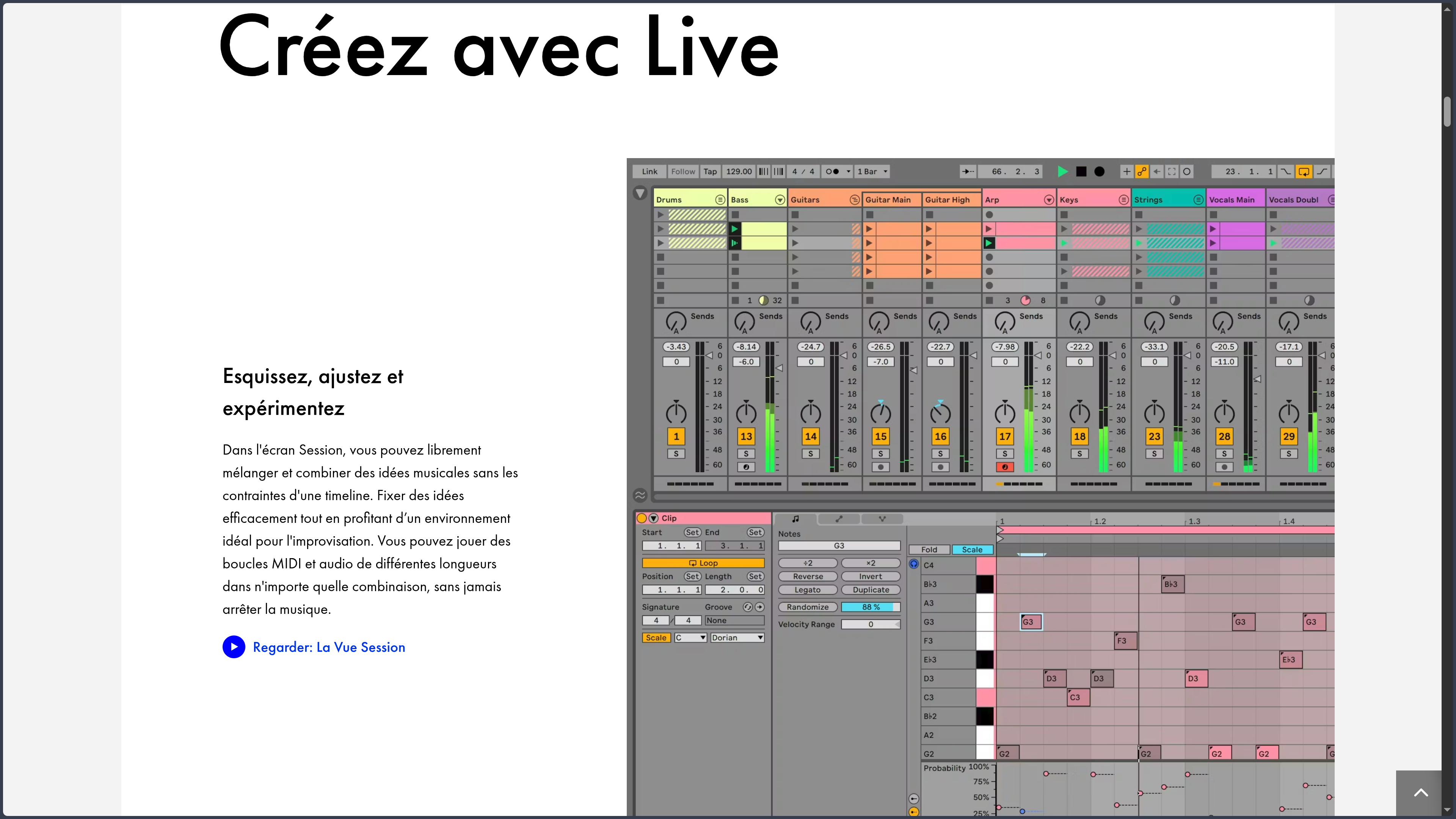
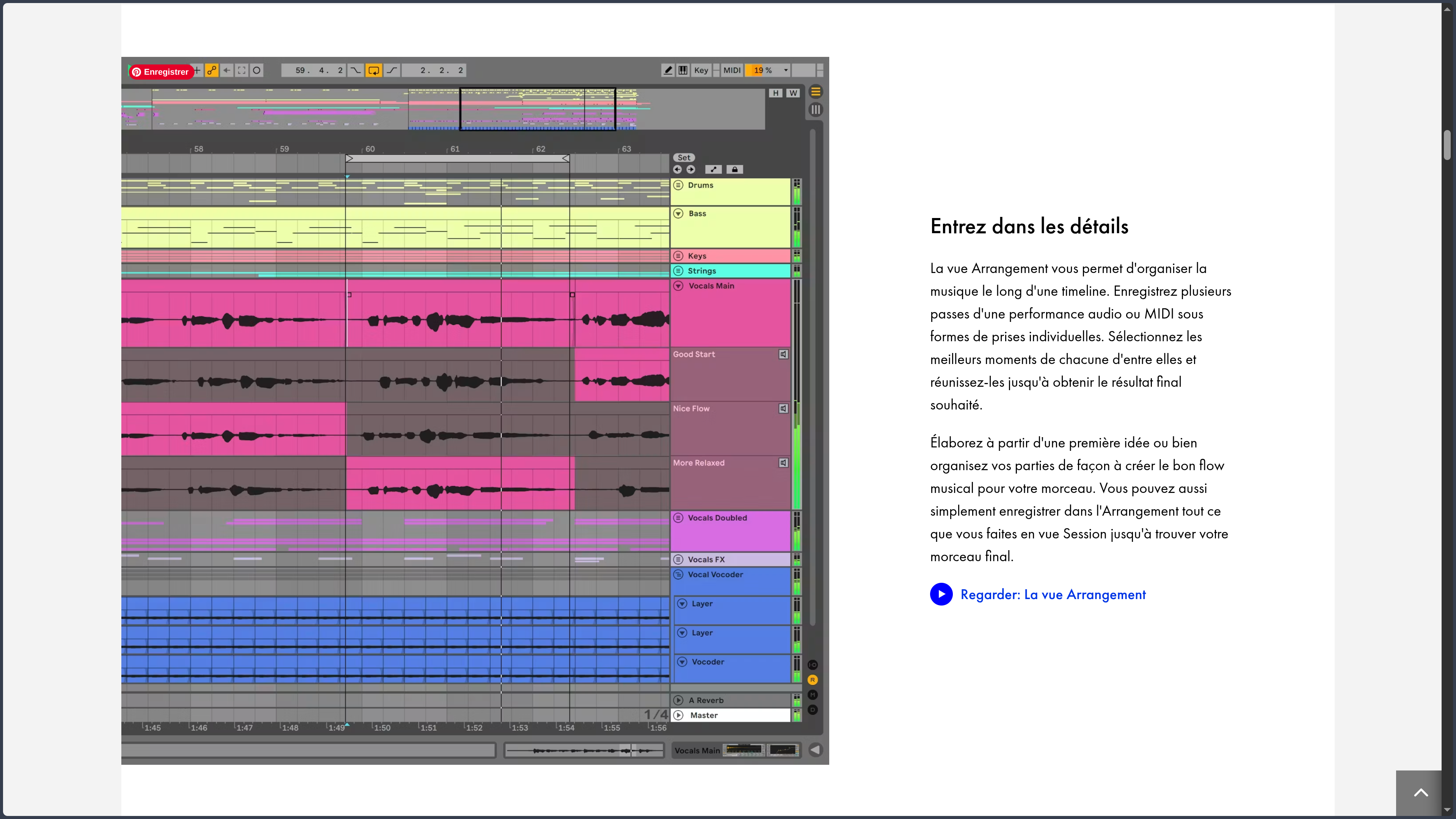
The software is built around two complementary workspaces. Arrangement View follows the familiar logic of a timeline, with tracks unfolding over time as the piece gradually takes a defined form. Session View, by contrast, organizes audio and MIDI clips in a grid that can be triggered freely. A bass line can keep playing while several rhythms, chord progressions or variations are tested without having to build a complete structure first.
This organization significantly changes the way a project can develop. An idea may begin in Session, be combined with other elements, then be recorded into Arrangement and turned into a structured track. The opposite path is also possible: an existing arrangement can become material for improvisation or a live performance. Live therefore maintains a continuity between composition, production and performance that explains much of its identity.
The software is used by electronic music producers, beatmakers, musicians, composers, live performers and creators working with audio. It is perfectly capable of recording guitar, vocals or acoustic instruments, but its approach becomes especially interesting when a project combines audio, MIDI, loops, virtual instruments and extensive sound manipulation.
Ableton distributes Live 12 in three main editions: Intro, Standard and Suite. They share the same overall environment but differ in track limits, instruments, effects, Packs and some advanced features. Suite provides the most complete environment and notably includes Max for Live.
Features
Moving from experimentation to arrangement
The relationship between Session and Arrangement remains one of Live's most defining features. Session can store clips and multiple variations of an idea, then trigger them individually or as scenes. This makes it possible to compare several rhythms, try a different bass line or extend a section without constantly moving blocks around a timeline.
Once a combination works, the performance created in Session can be recorded into Arrangement. The track can then be edited more precisely, with its structure, automation and transitions developed in detail. Live avoids forcing a definitive form onto a project too early while still providing the tools needed to finish it.
Treating audio as musical material
Live places strong emphasis on manipulating the timing of audio. Its Warp system can adapt the tempo and rhythmic placement of a recording or sample without interrupting playback. Loops recorded at different tempos can therefore be synchronized, while a slightly loose performance can be tightened or deliberately transformed.
The software also covers multitrack recording, clip editing, sampling and different forms of conversion or transformation between audio and MIDI depending on the edition. This flexibility helps explain why Live is used both to assemble samples and to record real sources, or to reshape a sound until it bears very little resemblance to where it started.
Composing and controlling with MIDI
MIDI tracks can control Live's instruments, plug-ins or external hardware. Notes, velocity, modulation, automation and expression parameters can all be edited directly inside the project. Live 12 also expands its MIDI generation and transformation tools, making it possible to explore rhythms, chords or melodic variations without replacing manual editing.
The value is not simply in accumulating generators. These tools extend Live's broader philosophy: create musical material quickly, reshape it, keep what works and take direct control once the idea becomes more precise.
Instruments, effects and processing chains
Live includes its own synthesizers, samplers, drum instruments, audio effects and MIDI effects. Their number varies considerably between editions, but they share close integration with the interface and the software's automation system.
Racks can combine multiple instruments or effects into a single chain and expose selected parameters through macros. A complex setup can therefore become a personalized instrument controlled through a handful of meaningful controls. This is useful for sound design, but also on stage, where manipulating four relevant parameters is usually more practical than navigating twenty plug-in windows.
The ecosystem is not limited to Ableton's own devices. Live can host third-party plug-ins and communicate with hardware instruments, MIDI controllers and other studio equipment.
Extending Live with Max for Live
Included with the Suite edition, Max for Live adds another layer to the environment. It provides access to instruments, effects, sequencers and utilities created with Max, while also allowing users to build their own devices or explore those developed by the community.
This extensibility can turn Live into a much more experimental environment. Highly specialized functions can be added without waiting for Ableton to integrate them into the main application, including generators, modulation tools, unconventional sequencing systems, control interfaces and connections with external hardware.
Max for Live is not required to produce music in Live. It becomes particularly valuable when the native feature set is no longer enough or when a musician wants to build an environment closely adapted to their own way of working.
Use Cases
Building a track from loops and ideas
A producer can begin with a few clips: drums, bass, chords and several melodic variations. Instead of immediately deciding that the introduction will last eight bars and the chorus sixteen, they can test combinations in Session, remove elements, change their order and hear how the track develops.
Once the direction becomes clear, those experiments can be recorded into Arrangement and refined as a linear production. This workflow is particularly well suited to music that develops through successive layers rather than from a structure written in advance.
Recording and producing a complete track
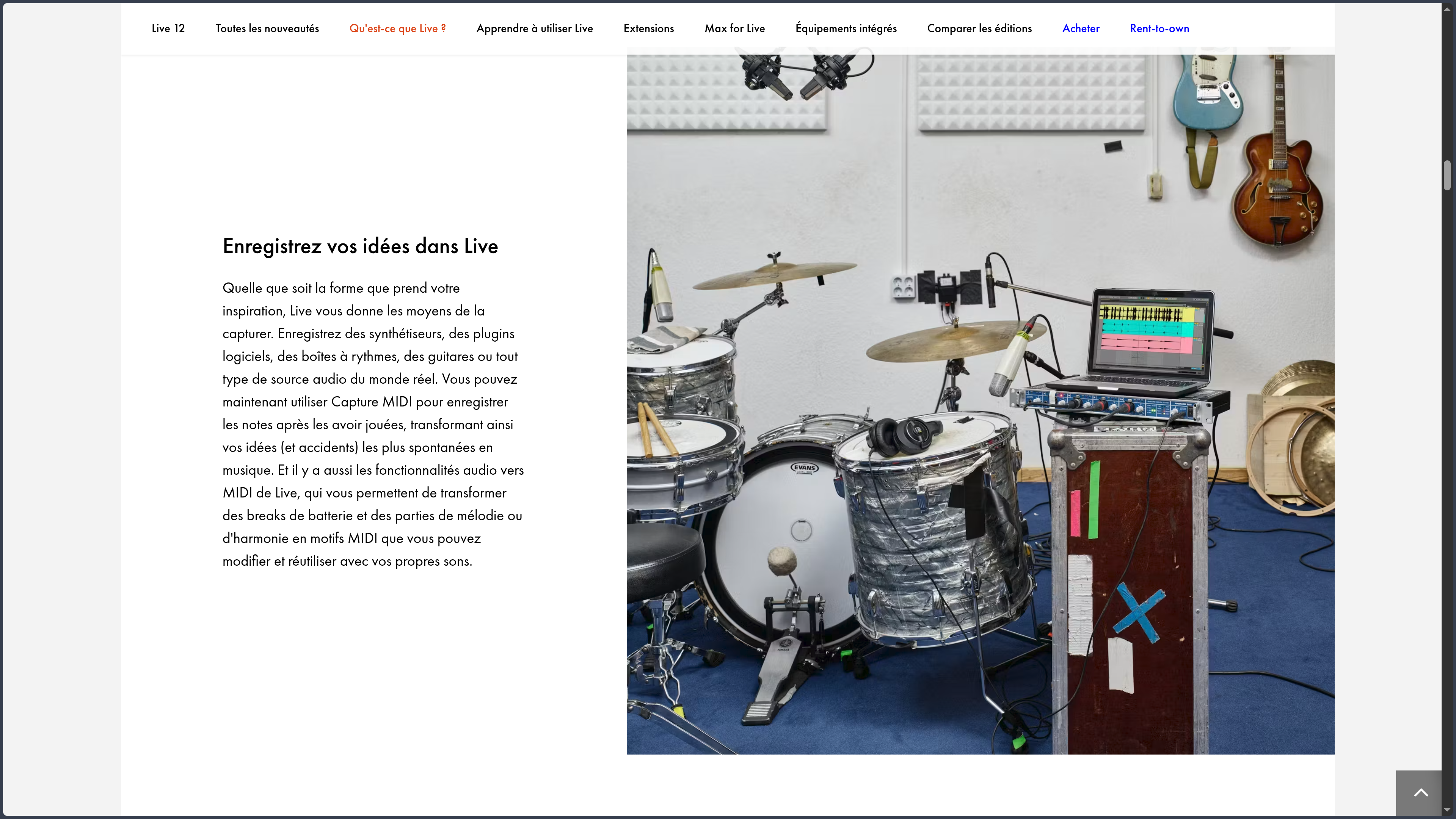
Live is not limited to loops or electronic music. Vocals, guitars, hardware synthesizers and other audio sources can be recorded directly into a project and combined with MIDI tracks and virtual instruments.
Arrangement then becomes the center of the production process: editing takes, organizing sections, automation, processing and mixing can all happen in the same environment. Live's strength here lies less in any isolated feature than in the ease with which recorded audio, MIDI programming and creative manipulation can coexist.
Preparing a live performance
Session View takes on another dimension when it is used for performance. Scenes can represent different sections of a track, while individual clips remain available to trigger a loop, extend a transition or change the planned order.
Combined with a MIDI controller or Ableton hardware, Live can become the center of a concert setup bringing together backing tracks, virtual instruments, effects, automation and improvised elements. This flexibility allows a performance to be prepared precisely without necessarily making it rigid.
Exploring sound design
Warp, sampling, synthesis, effects, modulation and Racks also make Live useful as a sound exploration environment. A simple recording can be sliced, stretched, transposed, resampled and sent through several processing chains before becoming a new instrument.
For creators building their own textures, sound effects or sample libraries, this rapid movement between editing and experimentation reduces the need to switch between several applications for each stage.
Conclusion
Ableton Live owes much of its reputation to a design decision that remains relevant: not artificially separating the moment when an idea is being explored from the moment when production begins. Session encourages experimentation and improvisation, while Arrangement provides the precision of a conventional timeline. Between the two, the same project continues to evolve.
This approach is particularly well suited to people who compose by manipulating sound directly, testing variations and gradually building a track. It also explains why Live fits so naturally into performance, beatmaking and electronic music without being limited to those areas.
The software still requires a real investment. Its interface may appear relatively restrained, but understanding clips, routing, Racks, automation and the many transformation possibilities takes time. The higher editions also represent a significant financial commitment for anyone who wants access to the complete ecosystem.
Other DAWs may be better suited to a strongly linear workflow, a tighter budget or different studio habits. But when the priority is being able to compose, experiment, produce and perform without constantly changing the logic of the workflow, Ableton Live remains a particularly coherent proposition.
Points to Consider
-
Significant differences between editions: Intro, Standard and Suite use the same overall environment, but their included content and some features differ substantially. It is worth comparing them according to actual needs rather than treating Suite as an automatically necessary purchase.
-
Cost of the complete ecosystem: Live is commercial software, and the most complete editions represent a substantial investment. Ableton offers a 30-day trial of Live 12 Suite, which makes it possible to test the workflow before choosing a license.
-
Max for Live is tied to Suite: one of Live's main extension systems is included with the Suite edition. This matters especially for users interested in community devices, custom tool creation or experimental workflows.
-
Learning curve: basic functions are relatively approachable, but making full use of Session, routing, Racks, automation, Warp and modulation requires experience.
-
Hardware requirements: Ableton requires at least 8 GB of RAM for Live 12, but projects using many plug-ins, instruments and sample libraries can require considerably more memory, CPU power and fast storage.
-
Windows and macOS only: Live 12 is officially available on these two operating systems. Linux is not a supported platform.
-
Individual license: a Live license is intended for a single user and allows the software to be used on two active computers owned by that user.