Presentation
Revit is a BIM software solution designed for building design, documentation and coordination, developed by Autodesk. It brings together the geometric elements of a project, their properties and the documents derived from them within a single model.
This approach sets it apart from traditional CAD software. In Revit, a wall, door, duct or beam is not simply a drawn shape: it is a parametric object with characteristics and relationships to the rest of the building.
A change made to the model can therefore be reflected in plans, sections, elevations, schedules and other associated views. The project is organized around a shared BIM model, rather than a series of independent drawings that must be maintained separately.
Revit is multidisciplinary. It is aimed at architects, structural engineers, MEP engineers, contractors and other AEC professionals who need to work around consistent information throughout a project.
The current version, Revit 2027, continues this development with stronger integration with Autodesk Forma, Autodesk Assistant, new capabilities related to carbon analysis and improvements to graphics performance, structure, MEP and documentation.
Features
Parametric BIM modeling
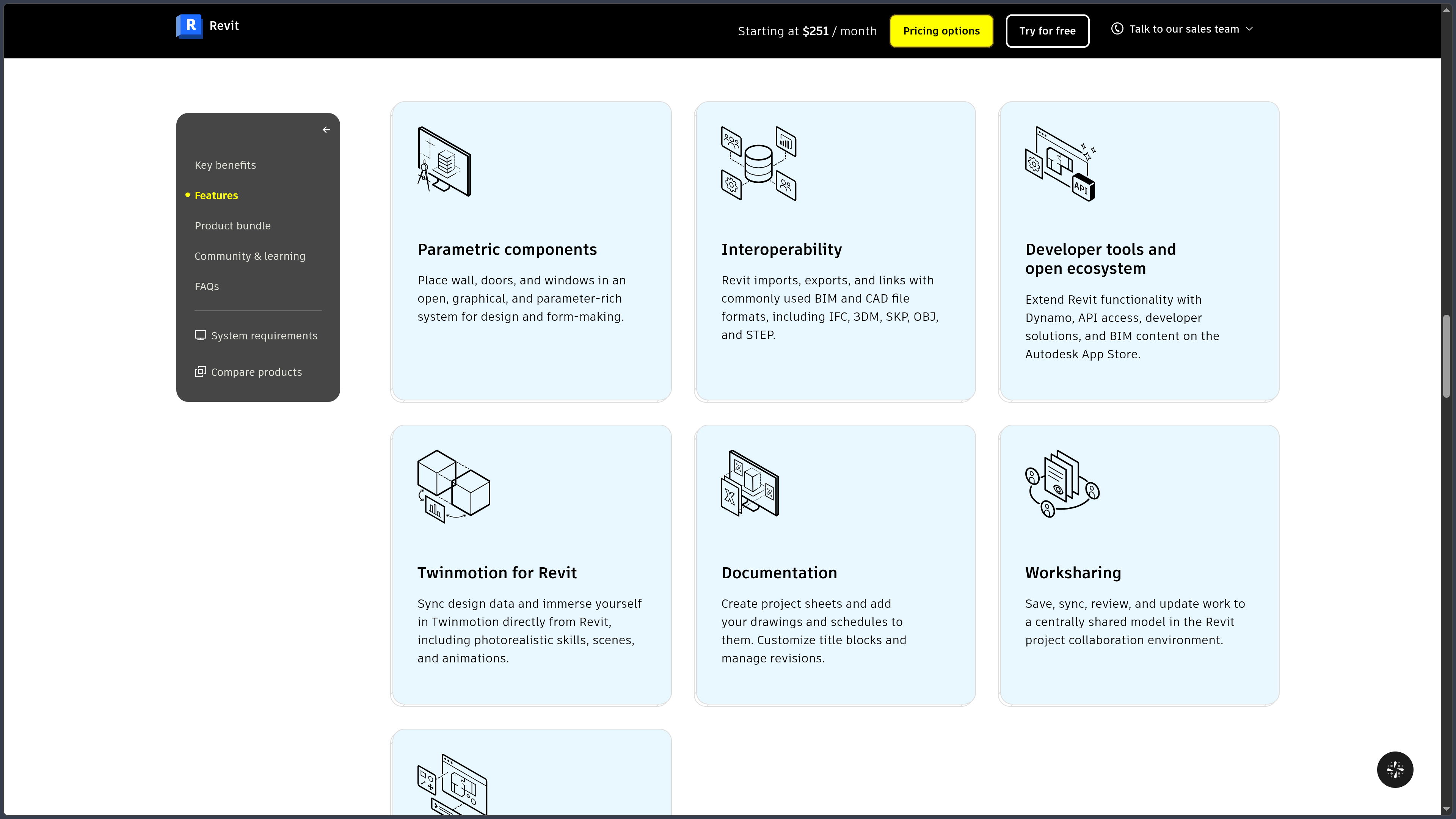
Revit is based on a system of parametric components. Walls, floors, roofs, ceilings, columns, doors, windows, stairs and many other elements are defined by properties rather than geometry alone.
Relationships between objects allow the model to maintain a degree of consistency as the design evolves. A window, for example, remains associated with its wall, while levels and constraints can control the position of many elements.
Revit families make it possible to create or customize the components used in a project. They can contain multiple types, parameters, dimensions and behaviors to represent reusable products or building elements.
This approach requires more preparation than freeform drafting, but it makes it possible to structure the building and its information in a much more usable way.
Architecture, structure and MEP in one environment
Revit brings several disciplines together within the same platform.
Architects have tools for building the envelope, spaces, circulation and building components. Structural engineers can model columns, beams, foundations, reinforcement and steel connections.
The MEP area covers duct systems, piping, plumbing, mechanical equipment and electrical systems in particular. Analysis features can also use model data for certain calculations related to building systems.
This multidisciplinary coverage makes coordination easier, but each profession retains its own methods, levels of detail and technical constraints. Using the same software therefore does not remove the need to clearly define who produces and controls each part of the model.
Documentation directly linked to the model
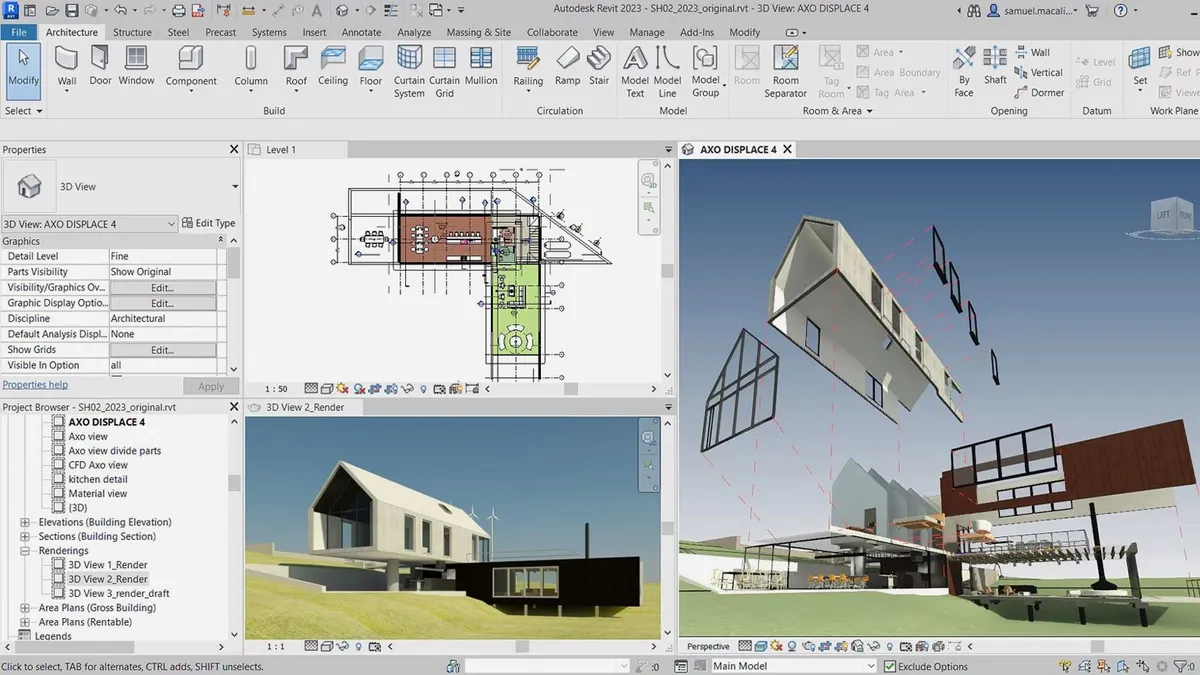
Plans, sections, elevations, details, schedules and sheets are generated from the Revit project.
This relationship is one of the main benefits of BIM: views are not simply independent copies of the model. A modification made to an element can automatically appear in several documents that represent it.
Dimensioning, annotation, tagging, revision and layout tools can then be used to produce documentation for the different phases of a project.
Schedules use object data directly. They can be used to organize, filter and present information about rooms, materials, equipment or other elements contained in the model.
The quality of this documentation nevertheless depends on the quality of the model. Poorly configured families, inconsistent properties or poorly defined conventions naturally affect the documents produced.
Collaboration and shared models
Revit allows several users to work around a shared central model through its worksharing features.
Each team member can work on certain parts of the model and then synchronize their changes with the central file. This organization avoids manually maintaining several competing copies of the same project.
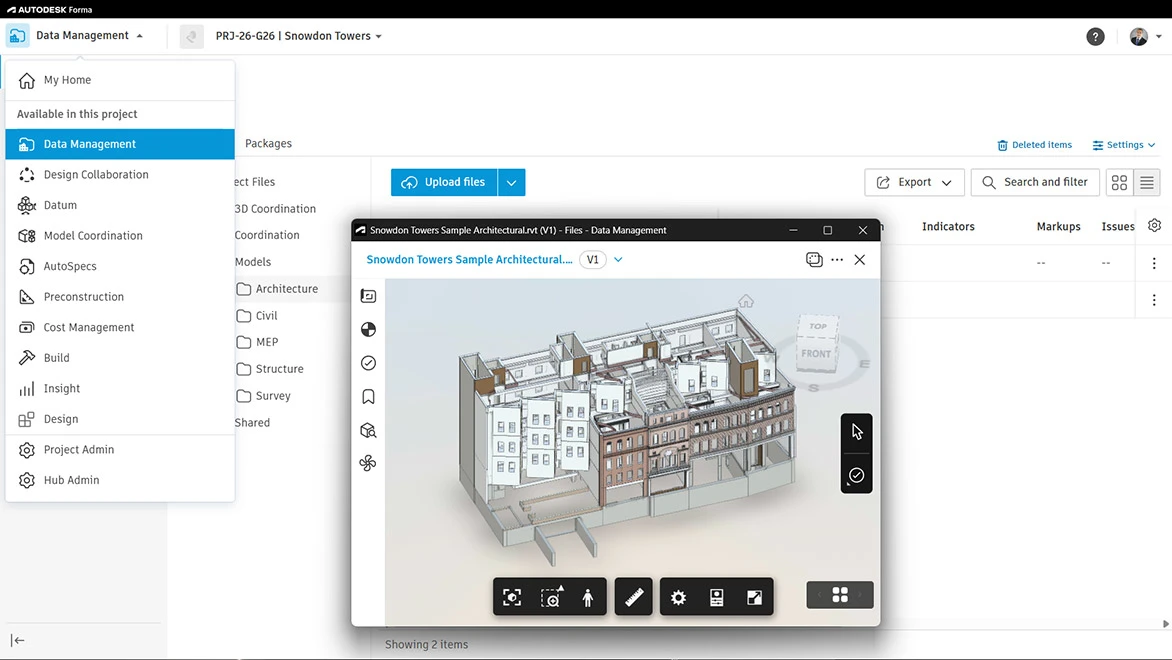
Autodesk also provides cloud workflows. A standalone Revit subscription notably includes Cloud Models for Revit and Forma Data Management Essentials, designed for storing, organizing and sharing project data.
However, these features should be distinguished from full Revit Cloud Worksharing, which allows several users to work simultaneously on a shared cloud model. This service requires additional entitlement through Forma Design Collaboration, formerly BIM Collaborate Pro.
Interoperability and coordination
Revit can import, export or link several formats commonly used in BIM and CAD workflows, including IFC, DWG, 3DM, SKP, OBJ and STEP.
This openness makes it possible to receive information from other software or send the model to participants using different tools.
Interoperability with Navisworks also facilitates coordination between disciplines and the review of models coming from several sources.
Revit 2027 also improves parameter mapping during IFC exports, providing greater control over how model properties are transmitted.
As with any BIM exchange, a shared format does not guarantee a perfect match. Teams must check classifications, properties, coordinates and expected levels of detail before integrating data into their workflow.
Dynamo, API and automation
Dynamo for Revit is a visual programming environment installed with Revit. It can be used to create graphs capable of automating operations, manipulating data and generating certain geometries.
It can be used to rename or check elements, manage parameters, automate repetitive tasks or build computational design workflows.
Developers also have access to the Revit API to create extensions and more advanced tools.
This customization capability becomes particularly valuable in practices or engineering firms that repeat the same controls and operations across many projects.
However, scripts and extensions must be maintained as Revit, its APIs or internal standards evolve.
Twinmotion and visualization
Twinmotion for Revit makes it possible to transfer and synchronize project data with Twinmotion in order to create images, animations and more immersive presentation environments.
The advantage is being able to work directly from the BIM model without having to completely rebuild the project in visualization software.
Changes can be synchronized as the design evolves in order to maintain a connection between the working model and its visual representation.
Twinmotion nevertheless remains a separate environment focused on visualization. It complements Revit rather than replacing technical views and BIM documentation.
Revit 2027: Forma, Autodesk Assistant and new workflows
Revit 2027 strengthens integration with Autodesk Forma. Forma Connected Client, still presented as a technical preview for certain features, brings Revit design closer to the data and analyses available in Autodesk's cloud environment.
Autodesk Assistant also arrives in Revit with contextual conversational assistance for AEC workflows. Autodesk is also developing a public Revit MCP server in technical preview so that AI systems can interact with certain data and functions through the Model Context Protocol.
These features remain recent, and some are still experimental. They should therefore be distinguished from Revit's traditional and well-established BIM tools.
Revit 2027 also expands embodied carbon workflows, improves issue management directly within Revit and develops accelerated graphics views, now supported as a standard feature.
More targeted improvements also concern reinforcement, MEP systems, annotations and the automated numbering of certain elements.
Pricing, Revit LT and the AEC Collection
In France, Autodesk lists Revit at €3,132 per year or €396 per month. A three-year plan is also available with three annual payments.
Autodesk also offers Revit LT, a less expensive and more limited version mainly intended for architectural design and documentation. Certain advanced structure, MEP, collaboration or modeling features are not available in this edition.
The Architecture, Engineering & Construction Collection is another option. It combines Revit with AutoCAD, Civil 3D and several other Autodesk tools and may be more relevant when several applications from this ecosystem are required.
For occasional users, Revit is also available through Autodesk Flex using a token-based system.
Use cases
Design and document a building
An architectural practice can build a model containing walls, levels, openings, roofs, spaces and other components, then generate plans, sections and elevations directly from the same model.
As the project evolves, the associated documentation evolves with it, limiting manual corrections between multiple independent drawings.
Coordinate architecture, structure and building systems
On a multidisciplinary project, architectural, structural and MEP models can be linked and reviewed to identify certain coordination issues earlier.
Engineers can work with their own elements and data while keeping the building as a shared reference.
For distributed teams, Autodesk cloud solutions can extend this organization, provided the necessary subscriptions are available for the required level of collaboration.
Produce quantities and schedules
Information stored in objects can be used in schedules linked to the model.
Areas, rooms, doors, materials, equipment and other elements can therefore be grouped and filtered without maintaining a table that is completely separate from the model.
This use becomes truly effective when properties and families have been structured correctly from the beginning of the project.
Automate BIM tasks with Dynamo
A team facing repetitive operations can use Dynamo to automate part of its workflow.
It can, for example, help manipulate large numbers of parameters, check data, create certain geometries or apply common rules to many elements.
The goal is not to replace design work, but to reduce manual tasks that provide little value when repeated at scale.
Prepare visualizations with Twinmotion
A Revit model can be sent to Twinmotion to prepare images and animations for project presentations.
This workflow allows Revit to remain the design and documentation environment while using a specialized tool for staging, lighting and rendering.
Conclusion
Revit is a multidisciplinary BIM platform whose main strength lies in the relationship between geometry, data and documentation.
Rather than independently maintaining plans, sections, schedules and 3D models, Revit aims to make them depend on the same parametric model. This approach can significantly improve project consistency when families, properties and BIM conventions are properly organized.
The presence of architecture, structure and MEP tools also allows several disciplines to work around a shared environment, while Dynamo, the API, Twinmotion and exchange formats open the software to broader workflows.
Revit 2027 continues this evolution with closer integration with Forma, Autodesk Assistant, new carbon workflows and several performance and coordination improvements.
This power nevertheless comes with a significant learning curve. Revit requires an understanding not only of its modeling tools but also of families, parameters, views, templates, schedules and collaboration rules.
Its cost and native Windows-only operation must also be taken into account. For simpler requirements, Revit LT may be sufficient; for teams using several Autodesk tools, the AEC Collection may be more coherent than a standalone Revit subscription.
For designing, documenting and coordinating a building around a true multidisciplinary BIM model, Revit remains one of the central solutions in the Autodesk ecosystem.
Points to consider
-
Revit 2027 runs natively on 64-bit Windows 11. Autodesk does not provide a native macOS version; use on certain Macs requires virtualization solutions such as Parallels.
-
16 GB of RAM is Autodesk's entry-level configuration. For large and complex models, Autodesk specifies a performance configuration with 64 GB of RAM or more.
-
A standalone Revit subscription does not provide full Revit Cloud Worksharing. Simultaneous collaboration on shared cloud models requires Forma Design Collaboration or equivalent entitlement.
-
Revit is a BIM environment, not simply 3D drafting software. Effective use requires proper structuring of families, parameters, classifications and project conventions.
-
Revit files should be migrated carefully between versions. Opening an older project in a newer version may require upgrading the model and certain families.
-
IFC or DWG exchanges must be checked. Structural differences between applications can affect properties, objects or representations after conversion.
-
Some 2027 features remain in technical preview. This notably applies to several Forma-related functions and the public MCP server; they should not be considered as mature as Revit's established BIM features.
-
Hardware requirements can become substantial on large projects. Model size, multiple links, complex geometry and graphics-intensive workflows strongly influence performance.
-
Revit LT is significantly more limited than Revit. Its lower price comes with restrictions on several multidisciplinary, collaborative and advanced features.
-
Autodesk prices may change. As of October 1, 2026, the French website lists Revit at €3,132 per year or €396 per month.