

Overview
Creating an entire city, then changing the width of its streets without repositioning every building: this is the kind of problem Houdini was designed to solve. Developed by SideFX, this 3D creation software organizes work around processes that can be modified, combined and reused. It is used in film, visual effects, animation, motion design and video game development.
Its defining feature is its node-based procedural workflow. A modeling, deformation or simulation operation becomes a step in a network. Changing an upstream parameter can recalculate subsequent steps without forcing the artist to rebuild the project. Houdini also provides interactive tools in the 3D viewport: it does not require users to program everything or remain in front of node graphs at all times.
This approach mainly changes how variations are handled. Instead of making ten similar objects one by one, an artist can build a rule capable of generating ten, a hundred or a thousand, then adjust their dimensions, distribution or behavior. This logic requires more preparation initially, but becomes valuable when an art direction evolves or an effect needs to be reproduced across several shots.
The current branch is Houdini 22, released in July 2026. It refreshes the interface, develops Gaussian Splats, expands character tools and brings terrain, texture and ocean creation closer together in Copernicus. The software is available on Windows, macOS and Linux, with system-specific hardware and compatibility requirements.
Houdini is available under several licenses. Apprentice provides free learning access for non-commercial work; Indie targets eligible small organizations; Core notably covers modeling, animation and lighting; FX provides access to the complete set of simulation tools for complex effects. The edition should be chosen according to the project and its production conditions, not just the listed price.
Features
Building geometry that remains editable
In Houdini, a 3D shape can emerge from a sequence of connected operations: creating primitives, extruding, cutting, deforming, copying and distributing objects across a surface. These steps are retained in a network rather than being erased with each new manipulation. If the initial shape changes, operations downstream can be recalculated.
Attributes play a central role: they carry information such as position, color, density or custom parameters between nodes. An artist can therefore control the distribution of rocks on a mountain, vary the size of hundreds of objects or give an asset several behaviors without editing every element separately. Direct polygon modeling remains available when manual intervention is more appropriate.
Version 22 notably improves Quad Remesh, subdivision handling and curve-based tools. These changes make modeling more flexible without altering its fundamental idea: building a method for creating an object rather than a fixed shape.
Simulating physical phenomena and destruction
Smoke, fire, explosions and collapsing structures are among Houdini's major areas of use. Pyro handles volumetric phenomena, rigid-body tools can fracture structures and make them fall, while fluid systems produce flows and splashes. Simulations can be guided by artistic parameters rather than relying solely on raw physics calculations.
Vellum provides a framework for cloth, hair, ropes, soft bodies and granular materials. Other solvers, including MPM, handle substances such as snow or mud. These simulation families are particularly useful when several elements must interact and the director subsequently asks to change the speed, trajectory or intensity of an effect.
The result can be cached to avoid recalculating an entire simulation on every playback. This becomes important for heavy scenes: procedural construction makes revisions easier, but does not eliminate computational costs. The full simulation tools are mainly part of Houdini FX or Indie; Core has a more limited scope.
Populating worlds and producing assets for video games
Houdini can create terrain, lay out roads, distribute vegetation, generate buildings or produce variations of the same environment. A distribution rule can take slopes, elevation, a mask or proximity to a path into account, allowing the environment to be reorganized without manually repositioning every object.
This method is particularly relevant to video games, where large amounts of content must be produced while maintaining a consistent art direction. Generated geometry can be prepared for real-time engines through simplification, UV creation, texturing and export. SideFX Labs complements this work with utilities focused on production and video games.
In Houdini 22, Copernicus gains additional terrain and ocean features, bringing relief, texture processing and certain effects closer together within a common procedural environment. The goal is not simply to obtain a realistic landscape, but to generate several coherent variations from the same construction.
Animating characters and composing movement
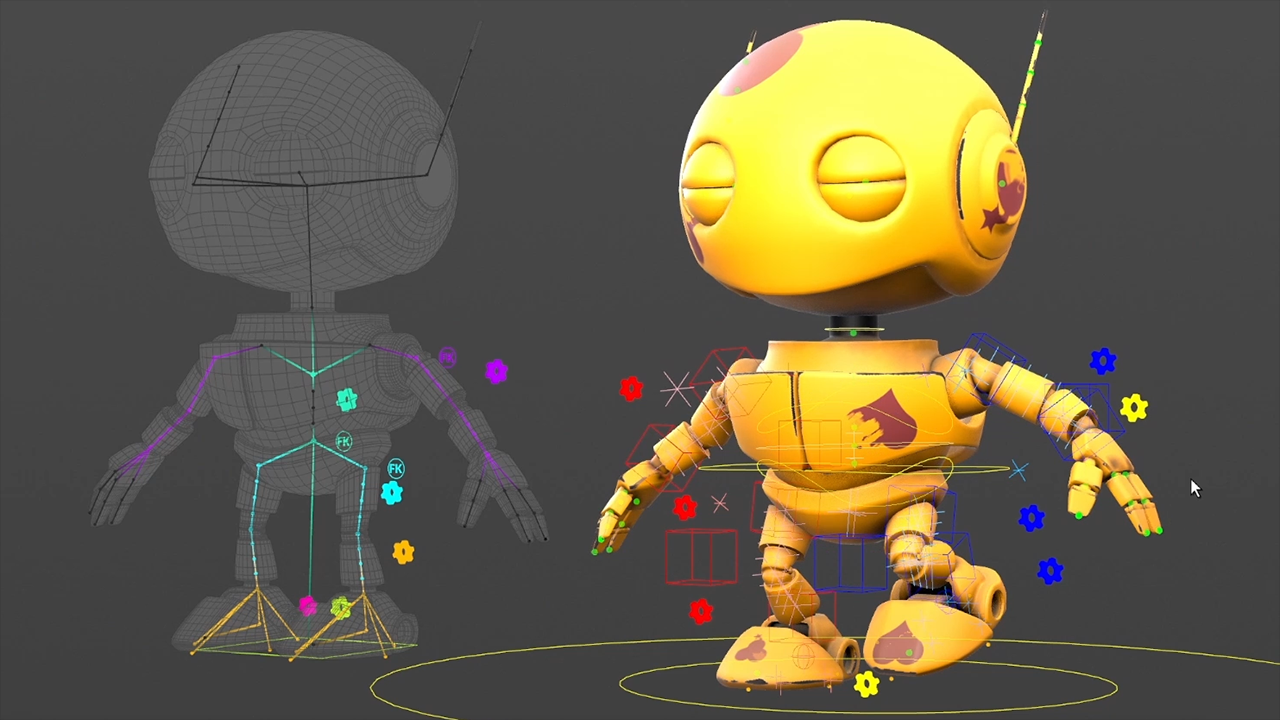
With KineFX and APEX, Houdini provides rigging and animation tools that extend its procedural logic to characters. Skeletons, controllers, deformations and motion transfers can be organized for reuse. A rig therefore does not necessarily have to be a final, unchangeable assembly: some stages can be adjusted and reproduced on other characters.
Version 22 notably expands biped rig templates, retargeting, animation controls and the Motion Mixer, which makes it easier to organize and assemble motion sequences. Characters can also interact with cloth, hair or ragdoll simulations. The benefits become especially apparent when a project combines multiple characters, variations and numerous iterations.
Textures, lighting and rendering with Copernicus, Solaris and Karma
Three environments structure a significant part of visual finishing. Copernicus handles procedural image and texture processing; Solaris organizes scenes, materials and lighting around the USD format; Karma performs rendering. This division facilitates the transition from an individual asset to a complete scene containing numerous objects and variations.
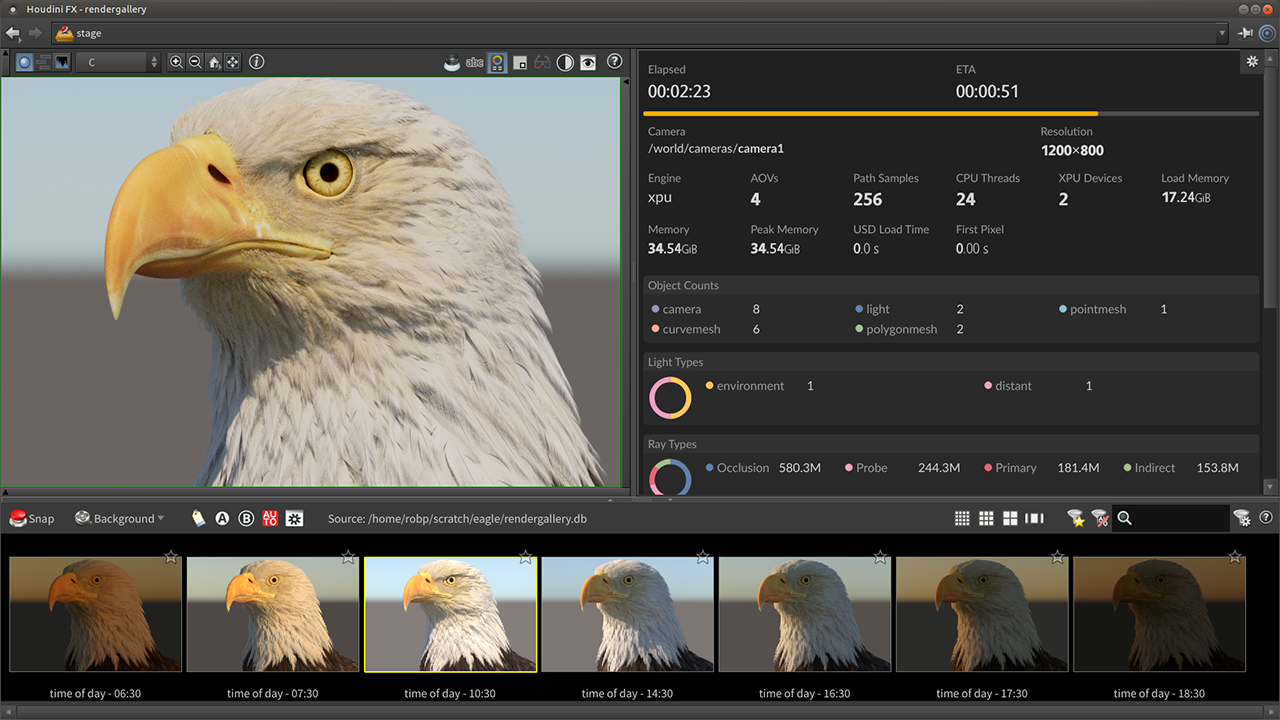
Solaris supports USD scene assembly and composition without permanently merging their elements. Karma offers a CPU renderer and an XPU approach that can also use compatible GPU resources. Available performance and features depend on the hardware and rendering configuration.
Houdini 22 strengthens this workflow with new tools for instance placement, material creation and texture processing. It also introduces more fully developed features for Gaussian Splats, which can be manipulated, animated and integrated into certain visualization and compositing stages. These are additional capabilities, not a replacement for traditional 3D meshes.
Houdini Engine: reusing the procedure elsewhere
A construction made in Houdini can be encapsulated in a Houdini Digital Asset (HDA). The artist chooses which parameters to expose—dimensions, number of floors, object density or variation options—and delivers a tool that is simpler to use than the original node network.
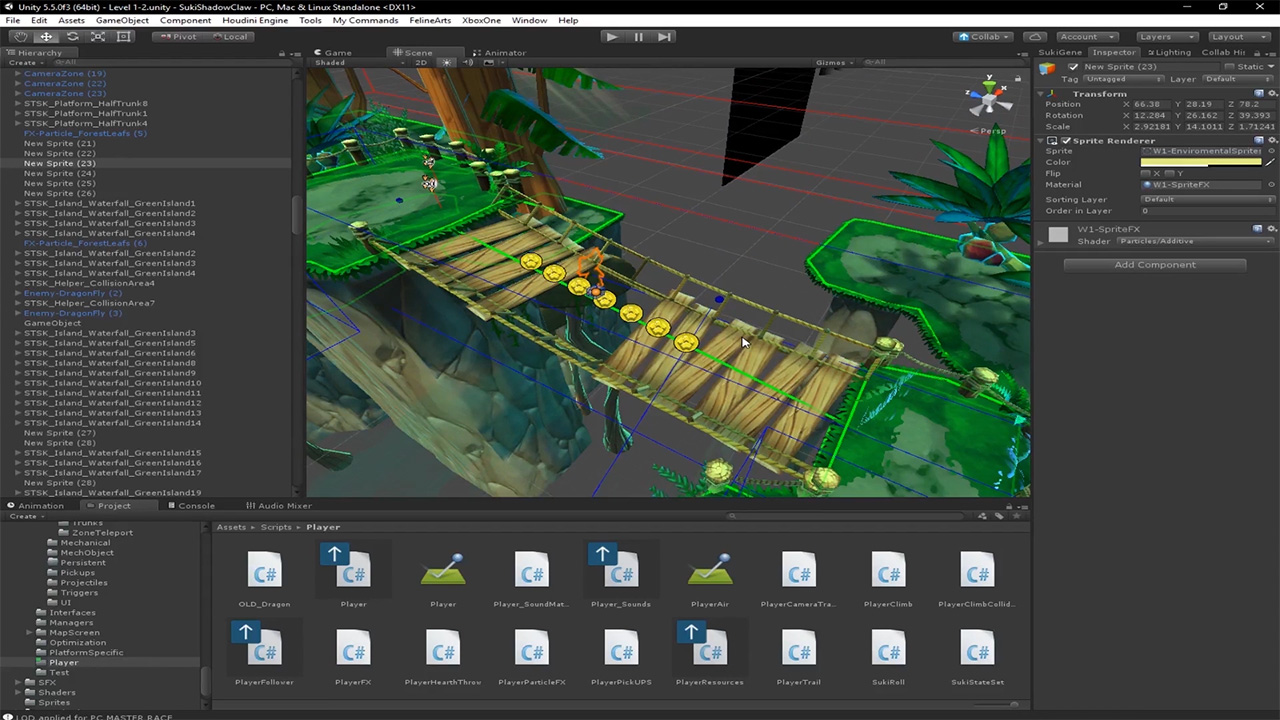
Houdini Engine allows these assets to run in compatible applications, notably Unreal Engine and Unity, or to be processed in batch mode depending on the license. A designer can therefore prepare a building generator in Houdini and let another team member produce variations directly from the game engine.
However, Houdini, which is used to design the asset, must be distinguished from Houdini Engine, which is primarily used to execute it. The availability of certain free Engine licenses for Unreal and Unity does not grant free access to Houdini's full interface. Apprentice, Indie and commercial assets cannot be treated as interchangeable without accounting for their license restrictions.
Editions with different file formats and usage rights
SideFX's offerings are not simply different feature tiers: they also define what can be produced commercially and how files can move within a team.
| Edition | Essential uses and conditions | Price listed by SideFX |
|---|---|---|
| Apprentice | Learning and non-commercial personal projects; rendering limited to 1080p, marking on certain files and specific project formats. | Free |
| Indie | Houdini FX tools for eligible small organizations; revenue, funding and file compatibility restrictions. | US$299/year or US$449/2 years |
| Core | Modeling, animation, rigging, lighting and commercial 3D work; more limited simulation tools than FX. | Workstation rental: US$1,475/year |
| FX | Full commercial edition, notably for advanced simulations and visual effects. | Workstation rental: US$3,505/year |
SideFX also offers commercial perpetual licenses and network licensing options, along with separate Education and Engine offerings. The amounts above come from the official pricing chart in US dollars; taxes, discounts, contractual conditions and any additional costs should be checked before purchasing.
Use cases
Preparing a destruction effect for a film
A building facade must collapse after an explosion, then the director asks for a later impact and fewer fragments. With Houdini, fracturing, applied forces and debris behavior can be organized in a network whose parameters remain accessible. The team modifies the setup, reruns the necessary simulations and keeps a comprehensible construction for subsequent iterations. The trade-off is computation time and cache storage.
Creating modular environments for a game
An independent studio wants to build several villages sharing the same visual identity. Rather than creating every building by hand, it can define rules for facades, roofs and element distribution, then generate variations. An HDA deployed with Houdini Engine then allows certain parameters to be adjusted in Unreal Engine or Unity. The Indie edition may suit this workflow if the commercial eligibility conditions are met.
Producing motion graphics with multiple variations
A motion design sequence must show hundreds of objects appearing, grouping together, changing shape and then dispersing. Attributes, copies, curves and simulations make it possible to orchestrate everything without individually animating each element. If the sequence length or object count changes, part of the movement can be recalculated rather than rebuilt.
Learning procedural 3D before commercial production
A student or curious artist can use Apprentice to understand node networks, attributes, modeling and simulations without immediately paying for a professional license. Official learning paths support this progression. An appropriate license must nevertheless be chosen before turning this work into a commercial project: files and assets saved in Apprentice do not constitute a freely reusable commercial production pipeline.
Conclusion
Houdini does not simply ask users to learn another 3D application: it encourages them to think of the creation of an object, a movement or an effect as an editable procedure. This approach can seem more abstract than direct modeling, but it comes into its own when requirements change, scenes grow or the same technique must serve several productions.
Its versatility comes from the connection between geometry, simulations, animation, textures, USD and rendering. The new features in Houdini 22 extend this whole system, particularly around characters, Copernicus and Gaussian Splats. This breadth does not mean an artist needs to master every workspace: learning just the areas focused on environment creation or destruction effects can already justify using the software.
The learning curve and hardware are two real costs. Understanding attributes, dependencies between nodes and cache management takes time; some simulations also require substantial memory and computing power. For a single object or a one-off adjustment, a more direct application may be more efficient. For a complex system that needs to evolve and be reused, Houdini takes on a different dimension.
Choosing the right license deserves as much attention as choosing the tools. Apprentice suits non-commercial exploration; Indie permits professional use subject to specific criteria; Core and FX address broader commercial needs. File-format restrictions can become decisive as soon as a project moves between several artists or changes status.
Houdini therefore comes into its own when the goal is to produce variations, make effects reproducible or build tools that other people can use, rather than repeating the same operations after every change.
Points to consider
- Apprentice is restricted to non-commercial use. It notably imposes its own project formats, a 1,920 × 1,080 rendering limit, marking on certain renders and restrictions on Houdini Engine usage.
- Indie is subject to financial eligibility criteria. SideFX notably sets an annual revenue cap of US$100,000 for eligible entities, less than US$1 million in funding over the previous 24 months and a maximum of three Indie licenses per organization.
- Files depend on the license. Apprentice (.hipnc), Indie (.hiplc) and commercial (.hip) projects should not be treated as freely interchangeable within a production pipeline. SideFX provides certain conversion procedures under specific conditions.
- Houdini Engine does not replace an authoring license. Free Engine licenses for Unreal and Unity concern running compatible assets and do not provide access to the full interface for designing them.
- Hardware configuration matters. SideFX lists 16 GB of RAM as required, 32 GB as recommended and 64 GB as strongly recommended for fluid simulations. Cache storage can far exceed the size of the installation.
- System compatibility should be checked for Houdini 22. Windows 11 is required on Windows; the current Mac edition targets Apple Silicon; on Linux, Wayland is not yet officially supported and an X11 session may be necessary.
- Commercial prices are expressed in US dollars. Perpetual licenses, rentals, additional rendering and associated services can change a studio's actual costs.
- Learning is more effective when approached gradually. Starting with nodes, attributes and a concrete project helps users understand the tool before tackling simulations or complex USD pipelines.